Inspiration
What it does
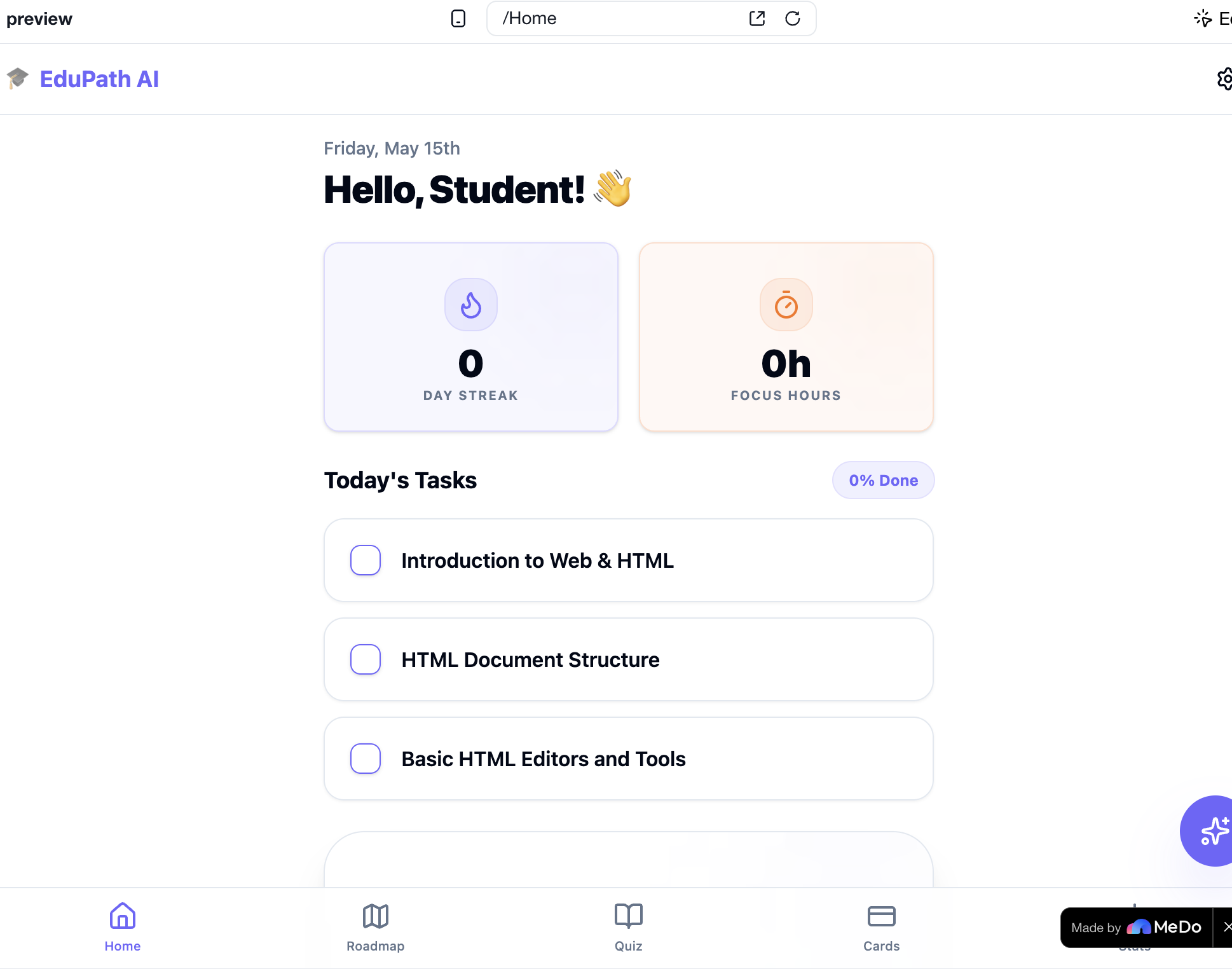
About EduPath AI The Problem That Started Everything I built EduPath AI because I watched my friends and classmates fail at self-learning — not because they weren't smart, but because they didn't know where to start or how to structure their time.
The internet is overflowing with tutorials, courses, and blog posts. But here's the paradox: more content makes learning harder, not easier. Students spend hours on YouTube watching unrelated videos, jump between resources that assume different prior knowledge, and eventually burn out after two weeks of aimless studying.
I wanted to fix that with a tool that does three things:
Understands the learner — their goal, their current level, their available time Generates a real plan — not just a list, but a week-by-week roadmap with timed study blocks Holds them accountable — quizzes, streaks, reminders, and adaptive difficulty that adjusts when they struggle What Inspired Me The "aha" moment came when I tried learning React by myself. I searched "React tutorial," found a 6-hour video, watched half of it, and realized I didn't understand half the prerequisites (JSX, ES6, npm, component lifecycle). I was drowning in content.
Then I wondered: what if an AI could act like the best tutor I never had? One that asks me what I know, checks my understanding along the way, and reshapes the plan when I'm struggling. That's EduPath AI.
How I Built It with MeDo I structured my work in three phases across three versions, each time telling MeDo exactly what I needed:
Phase 1: The Core Foundation (v1) "Build me a full-stack web application called 'EduPath AI' — a personalized AI-powered study roadmap builder for students."
I gave MeDo a complete spec: onboarding with goal/knowledge/time inputs, AI roadmap generation via Edge Functions, week-by-week progress tracking, a Pomodoro timer, YouTube resource fetching, quiz system with adaptive difficulty, and PDF export. MeDo built it end-to-end — React + TypeScript + Tailwind + shadcn/ui + Supabase Edge Functions.
Phase 2: UI/UX Polish (v2) "Improve frontend of EduPath AI — enhance UI, animations, visual polish, and overall user experience across all pages."
I asked MeDo to make it feel like a real product, not a prototype. It integrated Framer Motion for page transitions, added blob animations on onboarding, redesigned the timer with a circular SVG progress arc, built animated counters, and ran a full 375px mobile responsiveness audit.
Phase 3: The "Wow" Features (v3) "Do all these things by yourself"
This was the magic moment. I asked MeDo what would win a hackathon, and it proposed 8 features. I told it to build them all. It delivered:
Feature What It Does AI Tutor Chat Floating chat panel on every page, streaming responses from Gemini 2.5 Flash, context-aware by current topic Flashcards + SRS SM-2 spaced repetition algorithm with 3D flip cards, auto-generated from weak quiz topics Calendar Export One-click .ics generation — imports into Google/Apple Calendar with exact study blocks Voice Study Mode TTS reads quiz questions and options aloud via Edge Function PWA Notifications Service worker + manifest + daily streak reminders via browser push AI Mind Map Per-topic concept tree generated by LLM, rendered as colour-coded hierarchy What I Learned
LLMs Are Incredible at Structure, Not Just Content I learned that the AI doesn't just write text — it can design systems. The SM-2 spaced repetition algorithm, the adaptive difficulty logic, the ICS calendar file format — all were implemented correctly on the first try because I described the rules precisely.
Prompt Engineering Is Product Management The quality of my app directly correlated with the quality of my prompts. When I said "make it look premium", I got good results. When I said "use a circular SVG progress arc with Framer Motion spring physics, with play/pause controls and a confetti celebration on 7-day streak", I got exactly what I imagined.
Edge Functions Are the Secret Sauce Moving heavy AI work (roadmap generation, quiz creation, TTS) to Supabase Edge Functions kept the frontend fast and the API keys secure. No credentials ever touched the client.
The Math Behind the Magic The spaced repetition algorithm I implemented is the proven SM-2 formula:
\text{interval}(n) = \text{interval}(n-1) \times \text{easiness} Where easiness factor (EF) is adjusted by response quality (q \in [0,5]):
EF' = EF + (0.1 - (5 - q) \times (0.08 + (5 - q) \times 0.02)) For a card rated Again ((q = 0)):
EF' = EF - 0.8 \quad \text{(capped at 1.3)} For a card rated Easy ((q = 5)):
EF' = EF + 0.1 This is the same algorithm used by Anki, SuperMemo, and every serious spaced repetition app in the world.
Challenges I Faced Challenge 1: LLM Output Is Unpredictable The quiz generation Edge Function sometimes returned malformed JSON. I solved this by adding strict schema enforcement and a retry loop with error feedback.
Challenge 2: TTS Audio Playback The TTS API returns base64-encoded audio data. I had to decode it client-side into a Blob, create an object URL, and manage audio lifecycle (pause on page change, prevent overlapping playback). It took three iterations to get smooth.
Challenge 3: Mobile Responsiveness At 375px width, the chat panel, flashcard flip animation, and mind map modal all broke. I had to ask MeDo to run a dedicated audit and fix overflow, font scaling, and touch targets.
Challenge 4: SM-2 Algorithm Edge Cases The spaced repetition math has hidden edge cases: easiness factor must never drop below 1.3, intervals must reset on "Again" regardless of history, and duplicate cards must be prevented. Each required careful unit-level thinking.
How we built it
Challenges we ran into
Accomplishments that we're proud of
What we learned
What's next for EduPath AI
Built With
- canvas-confetti
- edge
- react
- sonner
- supabase
- svg
- tailwind
- typescript

Log in or sign up for Devpost to join the conversation.