-
-
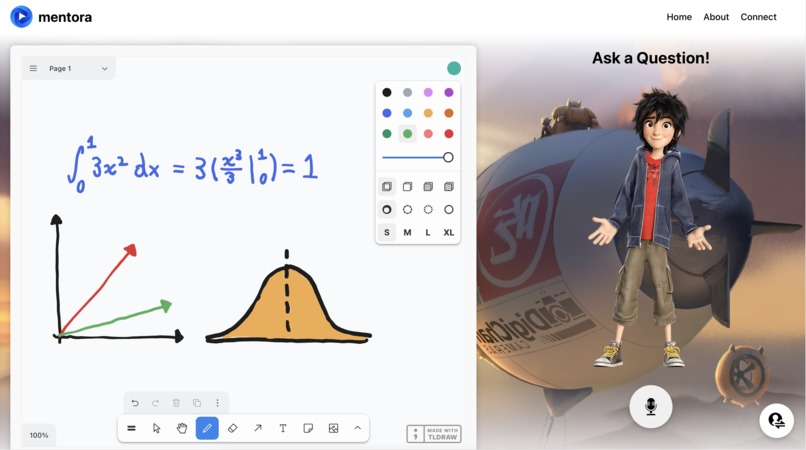
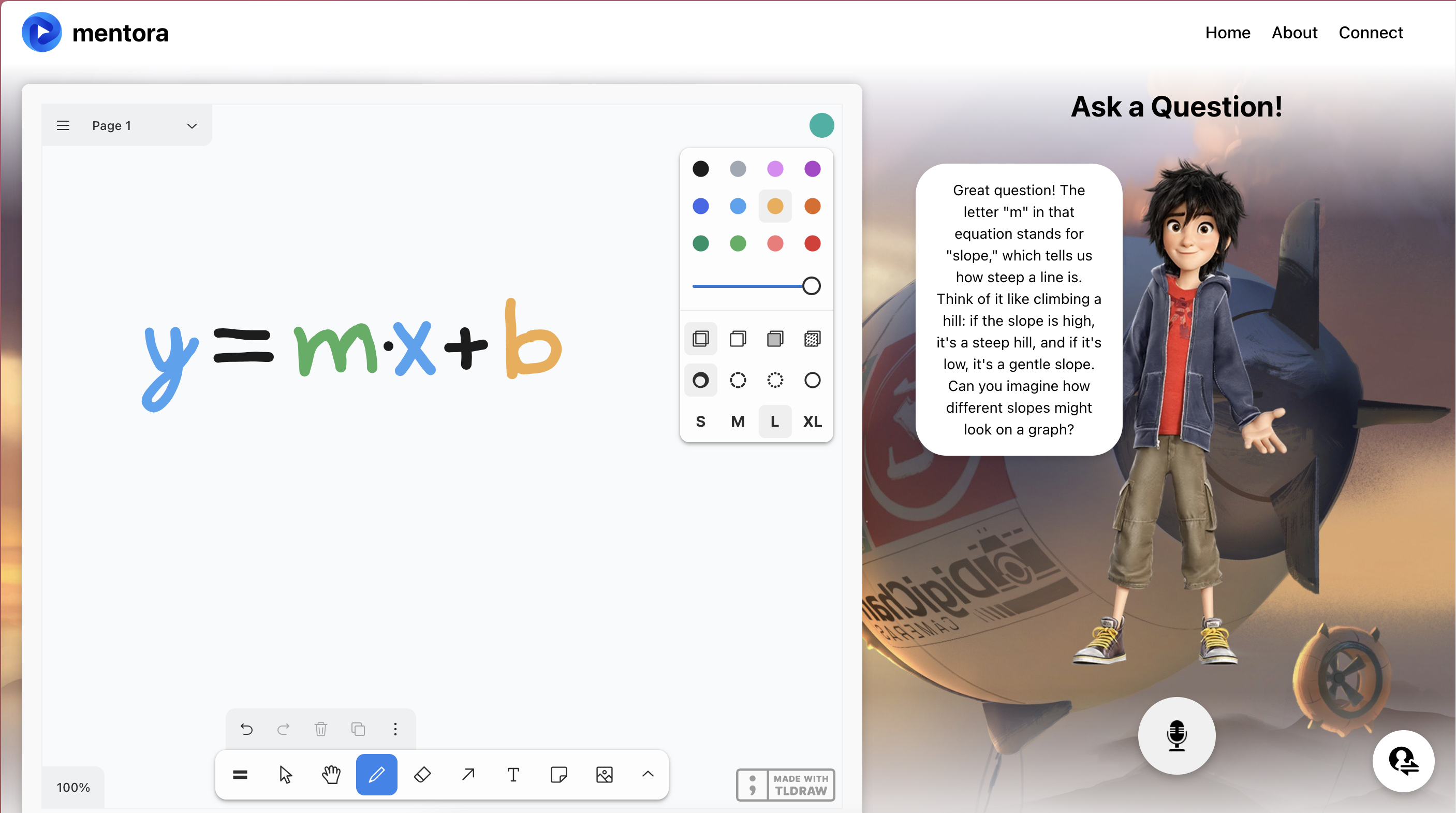
Main Interface
-
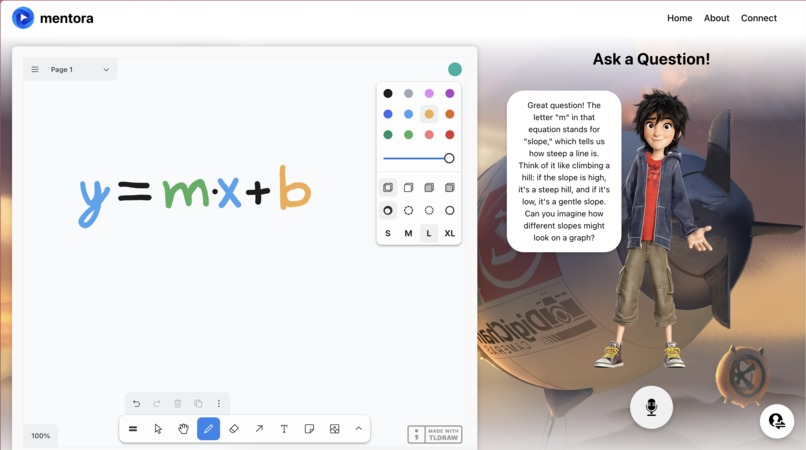
Response After Microphone Input
-
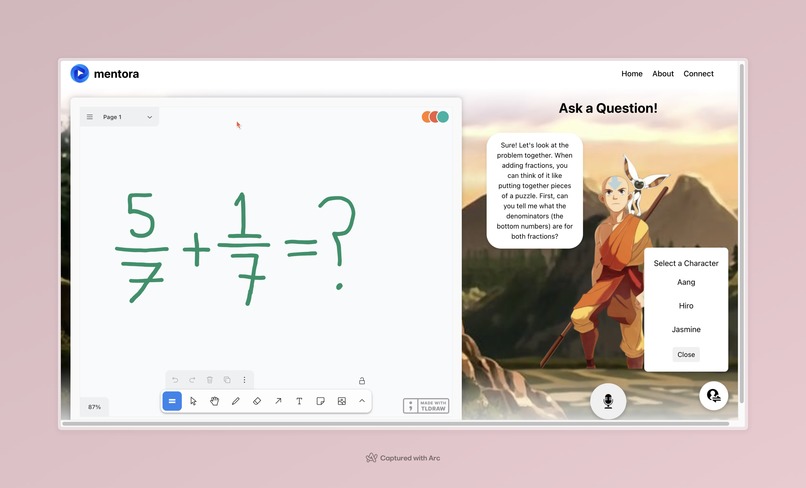
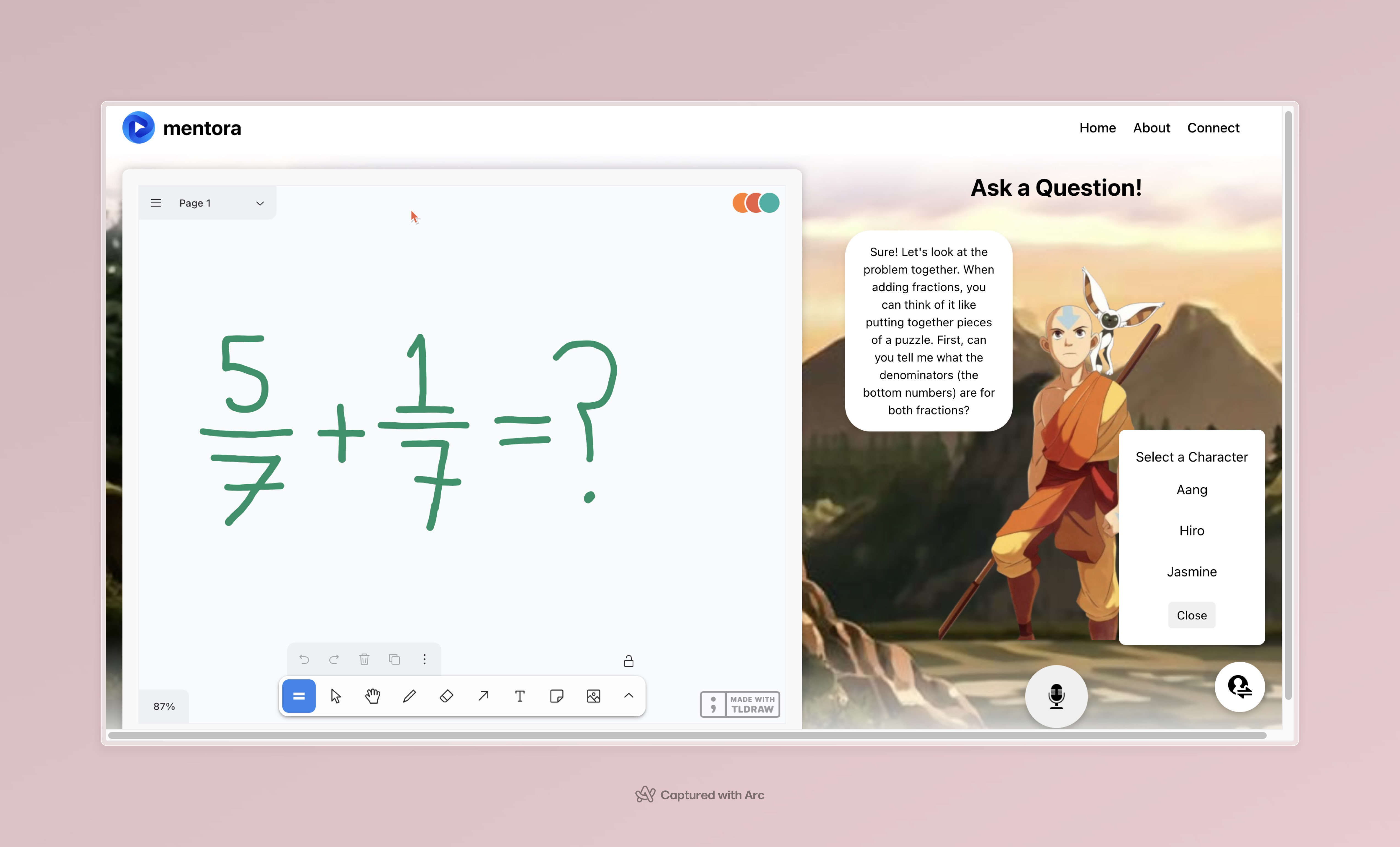
Character Selection Interface
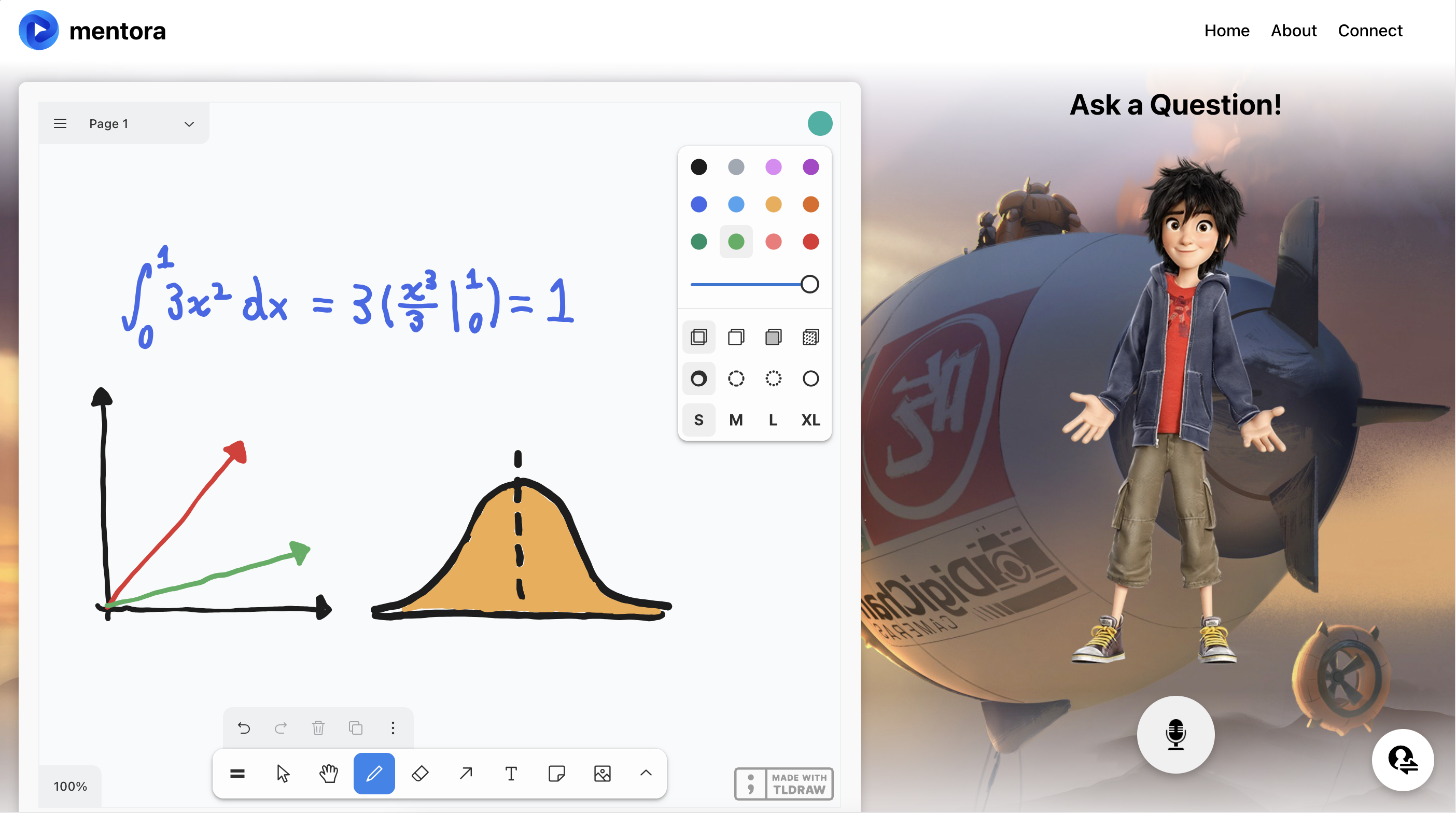
Inspiration
AI is a super powerful tool for those who know how to prompt it and utilize it for guidance and education rather than just for a final answer. As AI becomes increasingly more accessible to everyone, it is clear that teaching the younger generation to use it properly is incredibly important, so that it does not have a negative impact on their learning and development. This thought process inspired us to create an app that allows a younger child to receive AI assistance in a way that is both fun and engaging, while preventing them from skipping steps in their learning process.
What it does
mentora is an interactive Voice AI Tutor geared towards elementary and middle school aged students which takes on the form of their favorite fictional characters from movies and TV shows. Users are provided with the ability to write their work onto a whiteboard within the web application while chatting with an emotionally intelligent AI who sounds exactly like the character of their choice. The tutor is specifically engineered to guide the user towards a solution to their problem without revealing or explaining too many steps at a time. mentora gives children a platform to learn how to use AI the right way, highlighting it as a powerful and useful tool for learning rather than a means for taking short cuts.
How we built it
We built mentora to be a full-stack web application utilizing React for the frontend and Node.js for the backend, with the majority of our code being written in javascript and typescript. Our project required integrating several APIs into a seamless workflow to create an intuitive, voice-driven educational tool. We started by implementing Deepgram, which allowed us to capture and transcribe students' voice inputs in real time. Beyond transcription, Deepgram’s sentiment analysis feature helped detect emotions like frustration or confusion in the child’s tone, enabling our AI to adjust its responses accordingly and provide empathetic assistance. Next, we integrated Cartesia to clone character voices, making interactions more engaging by allowing children to talk to their favorite characters. This feature gave our AI a personalized feel, as it responded using the selected character’s voice, making the learning experience more enjoyable and relatable for younger users. For visual interaction, we used Tldraw to develop a dynamic whiteboard interface. This allowed children to upload images or draw directly on the screen, which the AI could interpret to provide relevant feedback. The whiteboard input was synchronized with the audio input, creating a multi-modal learning environment where both voice and visuals were processed together. Finally, we used the OpenAI API to tie everything together. The API parsed contextual information from previous conversations and the whiteboard to generate thoughtful, step-by-step guidance. This integration ensured the AI could provide appropriate hints without giving away full solutions, fostering meaningful learning while maintaining real-time responsiveness.
Challenges we ran into
A summary of our biggest challenges: Combining data from our whiteboard feature with our microphone feature to make a single openAI API call. Learning how to use and integrate Deepgram and Cartesia APIs to emotionally analyze and describe our audio inputs, and voice clone for AI responses Finding a high quality photo of Aang from Avatar the Last Airbender
Accomplishments that we're proud of
We are really proud of the fact that we successfully brought to life the project we set out to build and brainstormed for, while expanding on our ideas in ways that we wouldn’t have even imagined before this weekend. We are also proud of the fact that we created an application that could benefit the next generation by shedding a positive light on the use of AI for students who are just becoming familiar with it.
What we learned
Building mentora taught us how to integrate multiple APIs into a seamless workflow. We gained hands-on experience with Deepgram, using it to transcribe voice inputs and perform sentiment analysis. We also integrated Cartesia for voice cloning, allowing the AI to respond in the voice of the character selected by the user. Using Tldraw, we created a functional whiteboard interface where students could upload images or write directly, providing visual input alongside audio input for a smoother learning experience. Finally, we used an OpenAI API call to integrate the entire functionality. The most valuable part of the process was learning how to design a workflow where multiple technologies interacted harmoniously—from capturing voice input and analyzing emotions to generating thoughtful responses through avatars. We also learned how important it was to plan the integration ahead of time. We had many ideas, and we had to try out all of them to see what would work and what would not. While this was initially challenging due to all the moving pieces, creating a structure for what we wanted the final project to look like allowed us to keep the final goal in mind. On the other hand, it was important that we were willing to change focus when better ideas were created and when old ideas had flaws. Ultimately, this project gave us deeper insights into full-stack development and reinforced the balance of structure vs. adaptability when creating a new product.
What's next for mentora
There are many next steps we could take and directions we could go with mentora. Ideas we have discussed are deploying the website, creating a custom character creation menu that allows the users to input new characters and voices, improve latency up to real-time speed for back and forth conversation, and broaden the range of subjects that the tutor is well prepared to assist with.
Built With
- cartesia
- deepgram
- javascript
- node.js
- openai
- react
- tldrawapi
- typescript


Log in or sign up for Devpost to join the conversation.