-
-
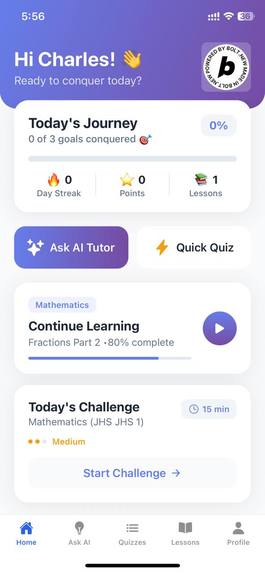
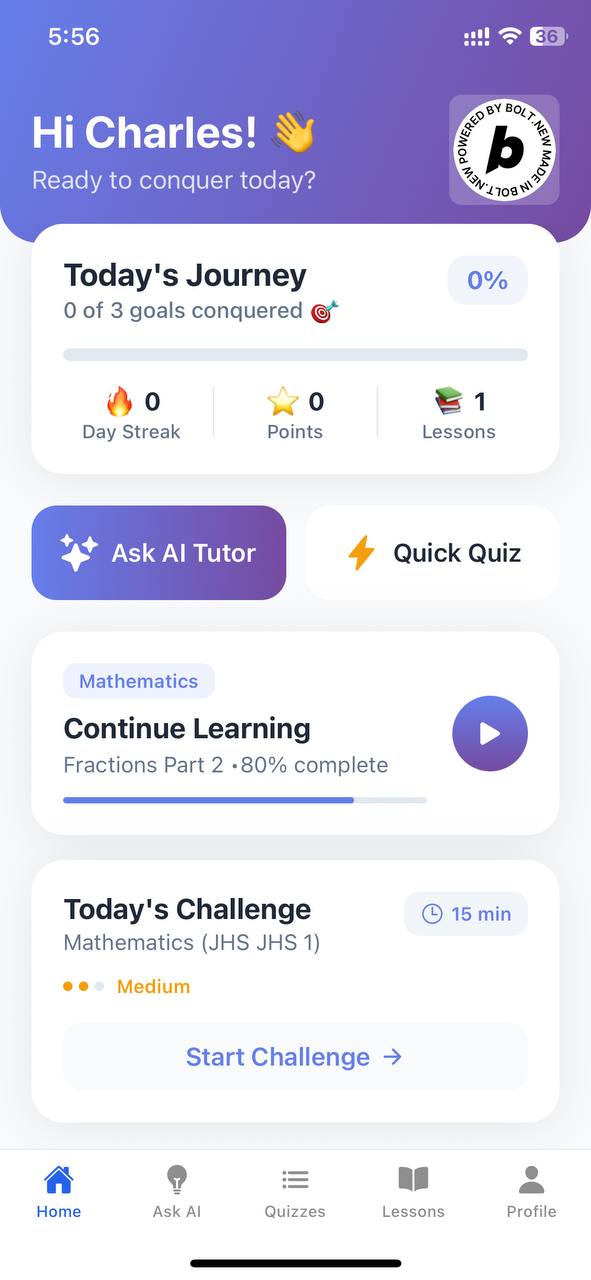
Student dashboard with access to lessons, quizzes, AI assistant, and language options
-
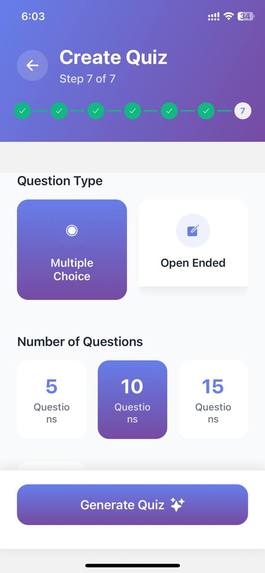
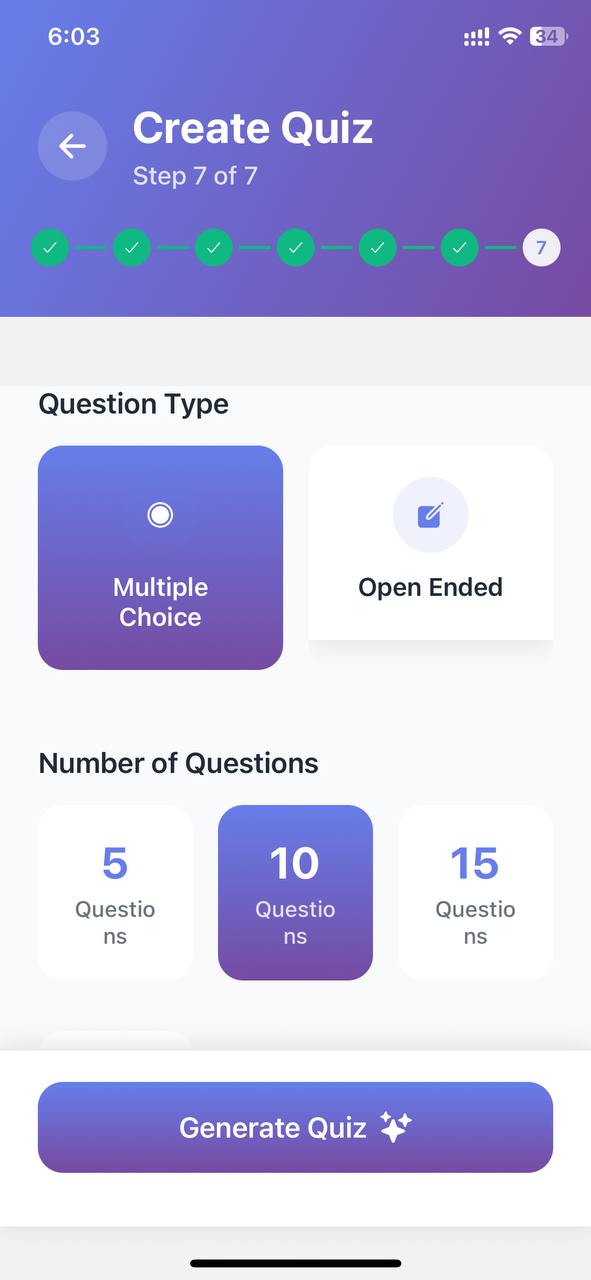
Auto-generate quizzes and exam questions by selecting strand, sub-strand, and indicators.
-
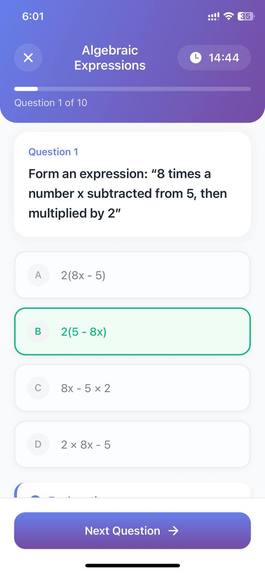
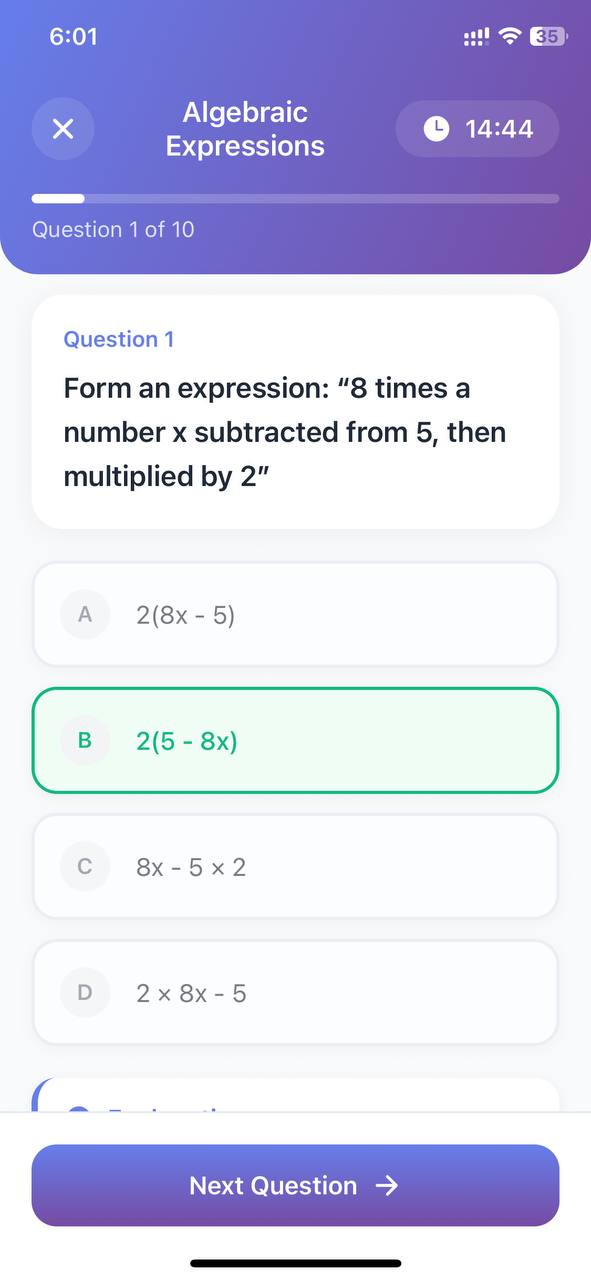
Interactive quiz based on Bloom’s Taxonomy with instant feedback and accessibility support.
-
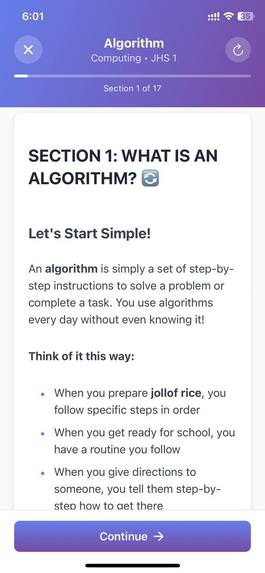
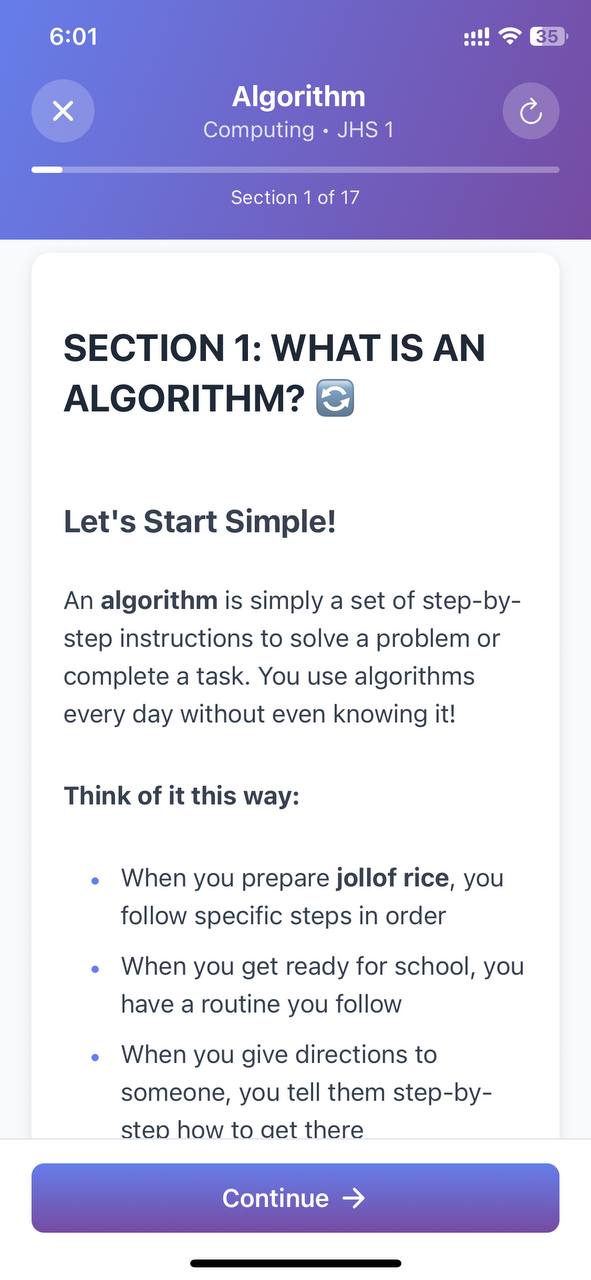
AI-generated lesson aligned with the GES curriculum, available in English and local languages
-
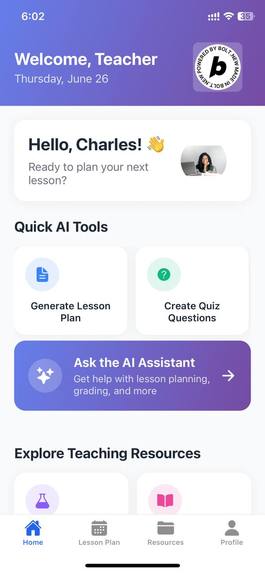
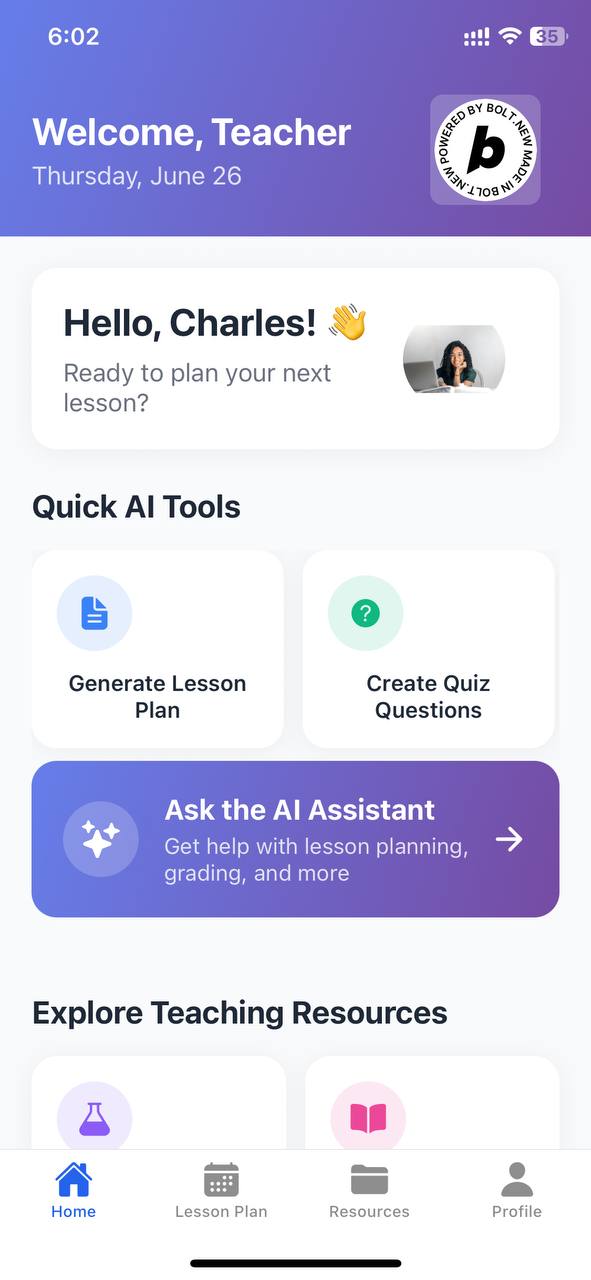
Teacher dashboard with tools to generate lesson notes, access curriculum materials, and download textbooks
-
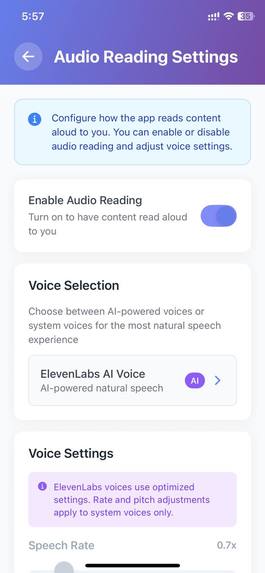
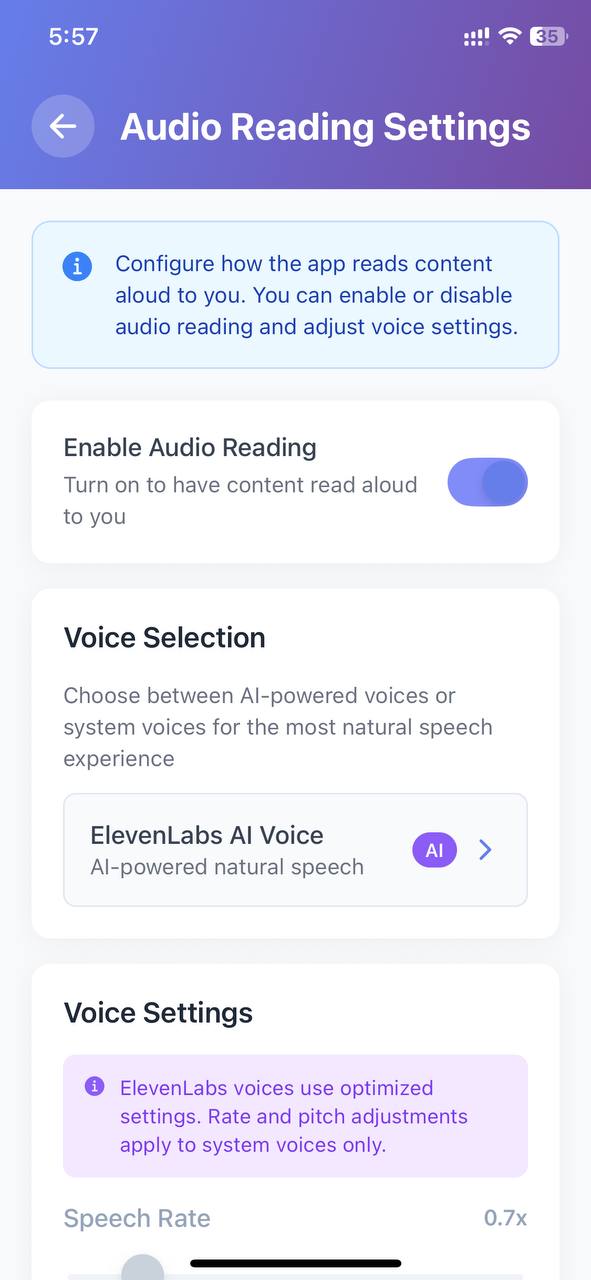
Customize voice narration settings for visually impaired learners using local language options
Inspiration
Access to quality education in Ghana is still limited, especially in rural areas. i was inspired to build EduMate GH to bridge this gap using AI and voice technology. Our goal was to create a learning platform that supports both students and teachers, aligned with the Ghana Education Service (GES) curriculum—accessible anytime, anywhere, and in local languages.
What it does
EduMate GH is an AI-powered learning app for Ghanaian students and teachers.
- Students can access AI-generated text-based lessons, take curriculum-aligned quizzes, interact with an AI assistant for help, and even listen to content via voice—making it accessible to visually impaired learners. The platform supports Twi, Ewe, and Hausa.
- Teachers can generate complete lesson notes, quizzes, and exam questions by selecting options based on the GES curriculum. They also get access to downloadable syllabi, official textbooks, and pre-written lesson plans.
How we built it
I built EduMate GH as a mobile-first Expo app using Bolt.new for rapid development.
- Frontend: Built with React Native via Expo, providing a smooth cross-platform experience.
- Backend: Powered by Supabase, which handles curriculum data, user content, and real-time features.
- AI Assistant: We integrated OpenAI and DeepSeek to power contextual understanding and curriculum-aligned content generation.
Voice & Accessibility:
- Used Expo Speech and ElevenLabs for text-to-speech (including lesson narration and quiz reading).
- Designed with visually impaired learners in mind, offering a fully voice-driven experience.
Challenges we ran into
- Structuring AI output to follow GES curriculum indicators accurately took a lot of iteration.
- Making voice features work seamlessly with AI-generated content required careful timing and formatting.
- Supporting local languages like Twi and Ewe in a meaningful way was challenging due to limited NLP support.
- Delivering offline-accessible features in a mobile app without compromising experience was a tough balance.
Accomplishments that we're proud of
- Delivered a complete student and teacher experience in one Expo app.
- Achieved reliable AI generation of lesson notes and quizzes aligned with real GES standards.
- Built a working TTS system using Expo Speech and ElevenLabs that improves accessibility.
- Designed EduMate GH to support Ghana’s major local languages for better inclusivity.
What we learned
- Structuring AI for educational outcomes is more complex than casual AI chat—it needs scaffolding and domain understanding.
- Voice is a game-changer for accessibility, but it must be paired with thoughtful UX.
- Building locally relevant EdTech requires deep understanding of curriculum, culture, and infrastructure.
- The Expo + Supabase + AI stack can deliver surprisingly powerful results in short development cycles.
What's next for EduMate GH
- Add offline support to enable learning in areas with limited connectivity.
- Expand local language coverage with custom TTS models and basic NLP support.
- Launch teacher analytics tools to help track student performance.
- Build a web companion version for school labs and teacher planning.
- Partner with schools and the GES to roll out EduMate GH in real classrooms.
Testing Instructions:
Login Email for student: [email protected] Password: 123456789 Login Email for teacher: [email protected] Password: 123456789
To test quizzes: Select JHS → Mathematics → JHS 1 → [any strand]. Review the AI-generated quiz.
To test lessons: Select JHS → Computing → JHS 1 → [any topic]. Tap a lesson and use the play icon to hear the voice feature (via ElevenLabs or device TTS).
Built With
- bolt.new
- deepseek-api
- elevenlabs-api
- expo-speech-api
- expo.io
- javascript
- latex
- markdown
- openai-api
- react-native
- supabase
- typescript

Log in or sign up for Devpost to join the conversation.