Inspiration
My inspiration for creating the Edumate platform came from seeing many students who struggle to understand material but feel too embarrassed to ask their teachers. When they turn to regular AI, they’re not provided with quizzes or practice problems they can immediately take to test their skills. I was also inspired by how many teachers find it hard to quickly create questions that match their material on other platforms that are difficult to use and behind paywalls—so I offered a solution that’s free and practical.
What it does
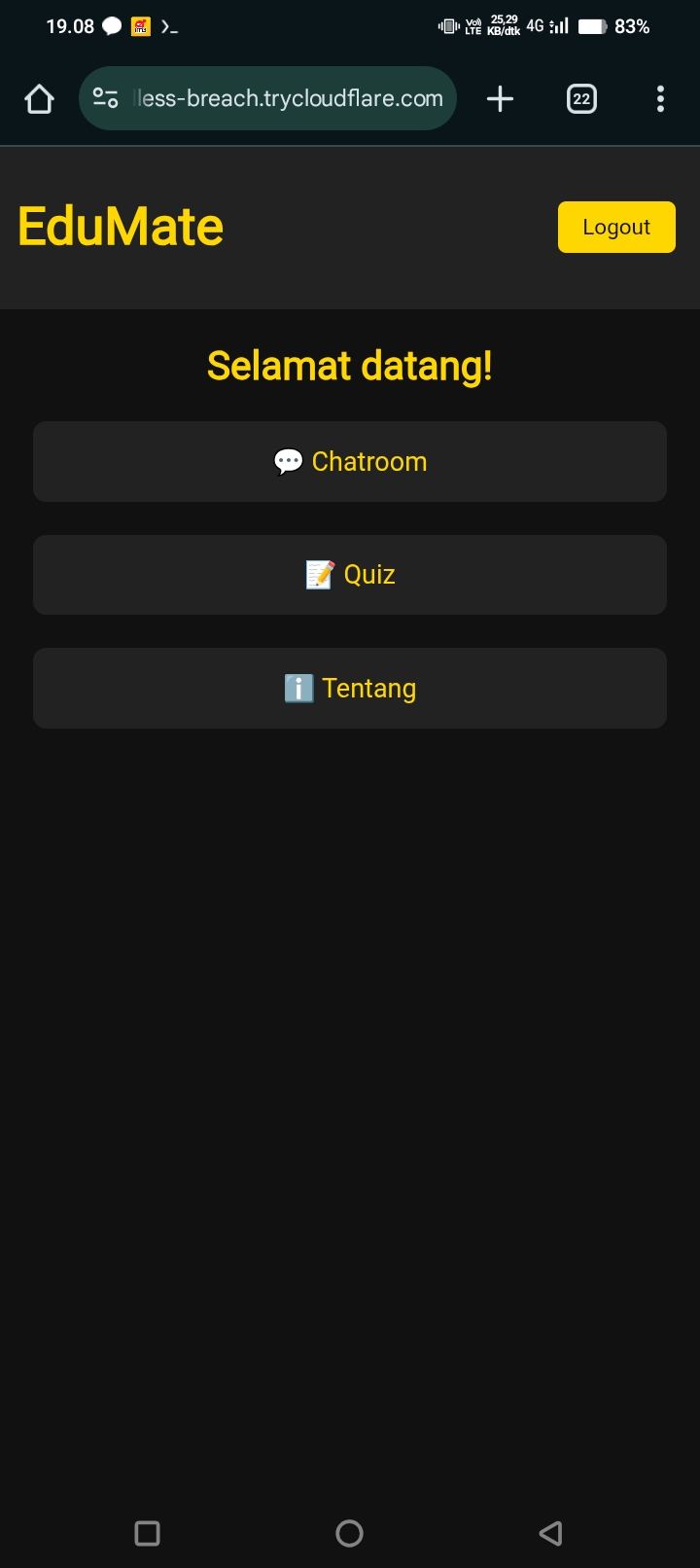
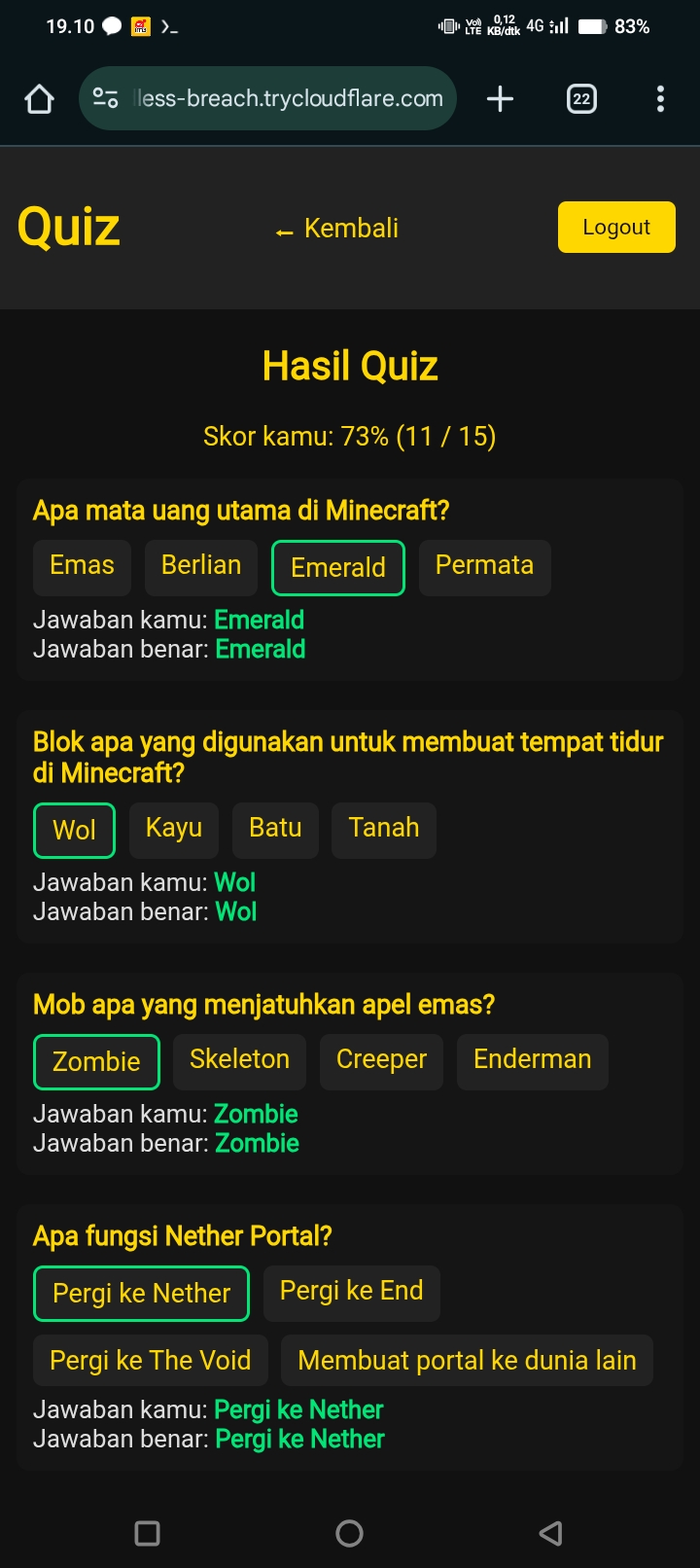
When a student wants to learn a topic, they can select the quiz menu and enter a category based on the material they want to understand. With this learning method, students grasp concepts faster because they immediately see what they got right or wrong. They can also ask questions in the chatroom, powered by the Gemini API, which will answer all their queries.
How we built it
We developed Edumate using a modular architecture. The backend is built with Flask to handle API requests, manage quiz logic, and connect to a lightweight SQLite database for user data and quiz storage. On the frontend, we used JavaScript, HTML, and CSS to create a clean and responsive interface for both chat and quiz features.
For the AI integration, we connected the backend to Google Gemini API, enabling natural language understanding for the chat module and automatic quiz question generation. We also implemented RESTful APIs to synchronize data between the chat, quiz, and scoring system.
Deployment was done in a cloud-based environment, making the system scalable and easier to maintain. Throughout the build, we focused on keeping the codebase simple, well-documented, and adaptable for future features like gamification and multilingual support.
Challenges we ran into
Our challenge in creating the Edumate platform is the limited quota of the Gemini API key because we use the free version of the Gemini API so it has a request limit per day. In addition, the challenge we face is the limited technology used due to the limited device where Edumate was created. We created Edumate only with an Android cellphone with the VIVO Y18 brand and ran all the scripts in the Termux application version 0.118.0 to install the required modules and run all the scripts that have been typed in the Python coding application into Termux. The last challenge we experienced and have not found a solution is the Edumate link that always changes because we use local Cloudflared so when restarted the link will change
Accomplishments that we're proud of
Our proudest achievement in this project is that we were able to create a stable, AI-based educational platform using only a mobile phone. We never expected this project to succeed because it was very difficult for us to implement it on my personal phone.
What we learned
From creating this project, we learned about how to integrate various frontend and backend files and make the files communicate with each other stably. In addition, we also learned how to integrate AI into our platform.
What's next for Edumate - AI education
Going forward, we will develop Edumate with several improvements and additional features, including:
Improvements:
- Fixing less-than-smooth transitions between pages
- Upgrading the AI used from the free to the paid version (if we have the funds)
- Improving the AI's quiz-generating capabilities
- Improving the UI to a better appearance
- Improving Edumate's performance to reduce slow responses
- Upgrading the technology used
Additions:
Language selection feature (currently only Indonesian)
Adding accessibility (text-to-speech or other related features)
Changing the AI used to our own (if I have the funds and capital)
Adding page-loading transitions
Adding more interactive variations to the quiz section
Adding a timer for quizzes
Adding other menus such as AI training, YouTube video transcripts, and quick learning material summarization
Adding sound and image analysis features
Adding file analysis features (with formats (any video) and can analyze videos.
-Added a teacher mode menu for teachers.
Built With
- cloudflare
- css
- flask
- google-gemini-api
- html
- javascript
- openai-api
- python
- sqlite
- tailwindcss


Log in or sign up for Devpost to join the conversation.