-
-
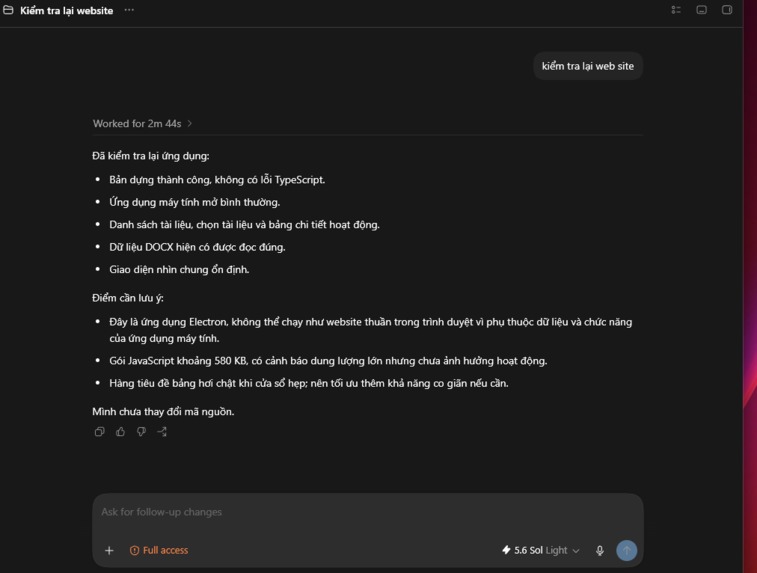
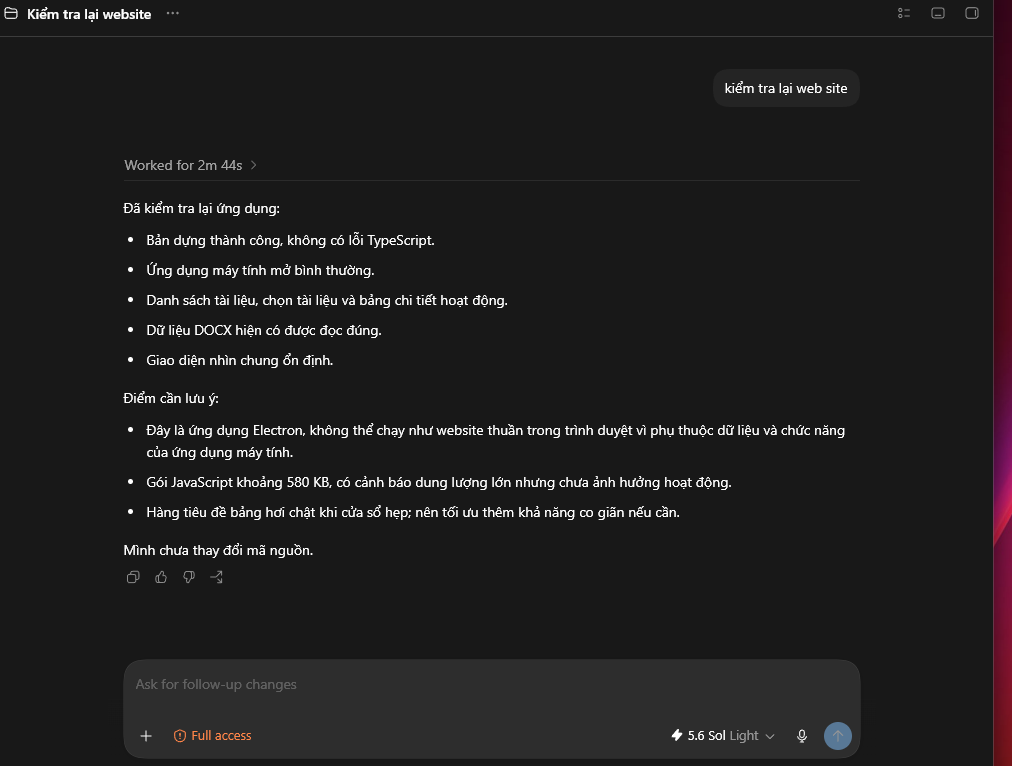
Báo cáo do GPT-5.6 tạo ra.
-
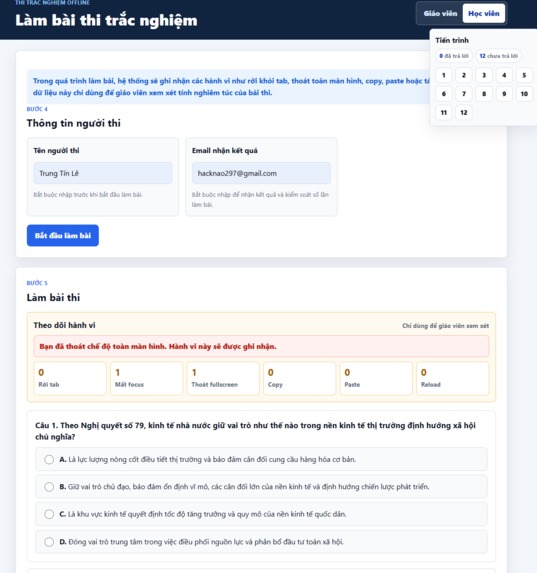
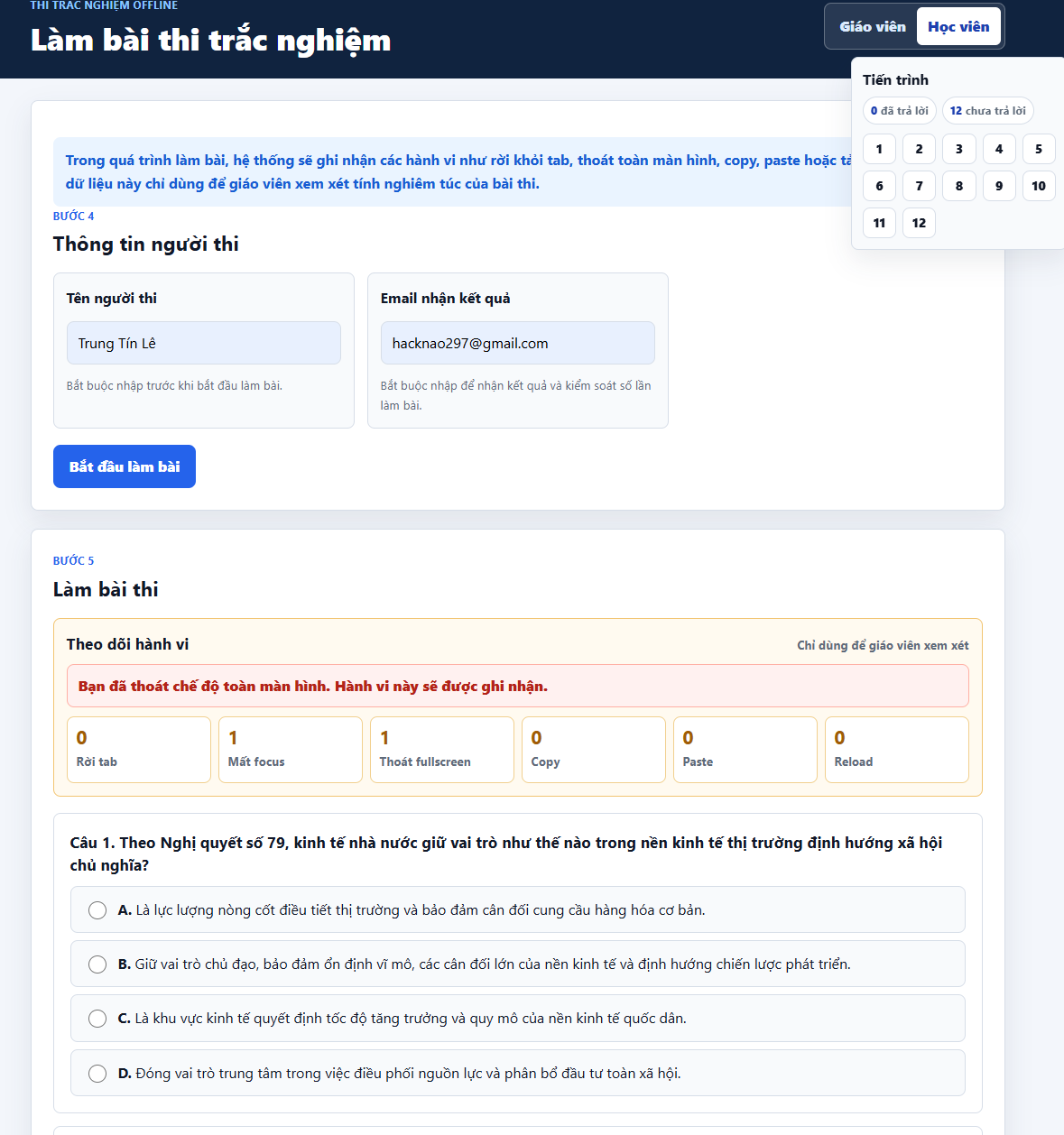
Giao diện học viên làm bài.
-
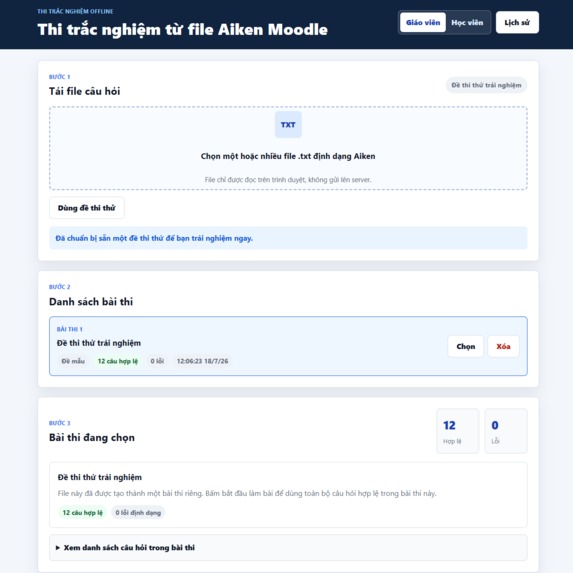
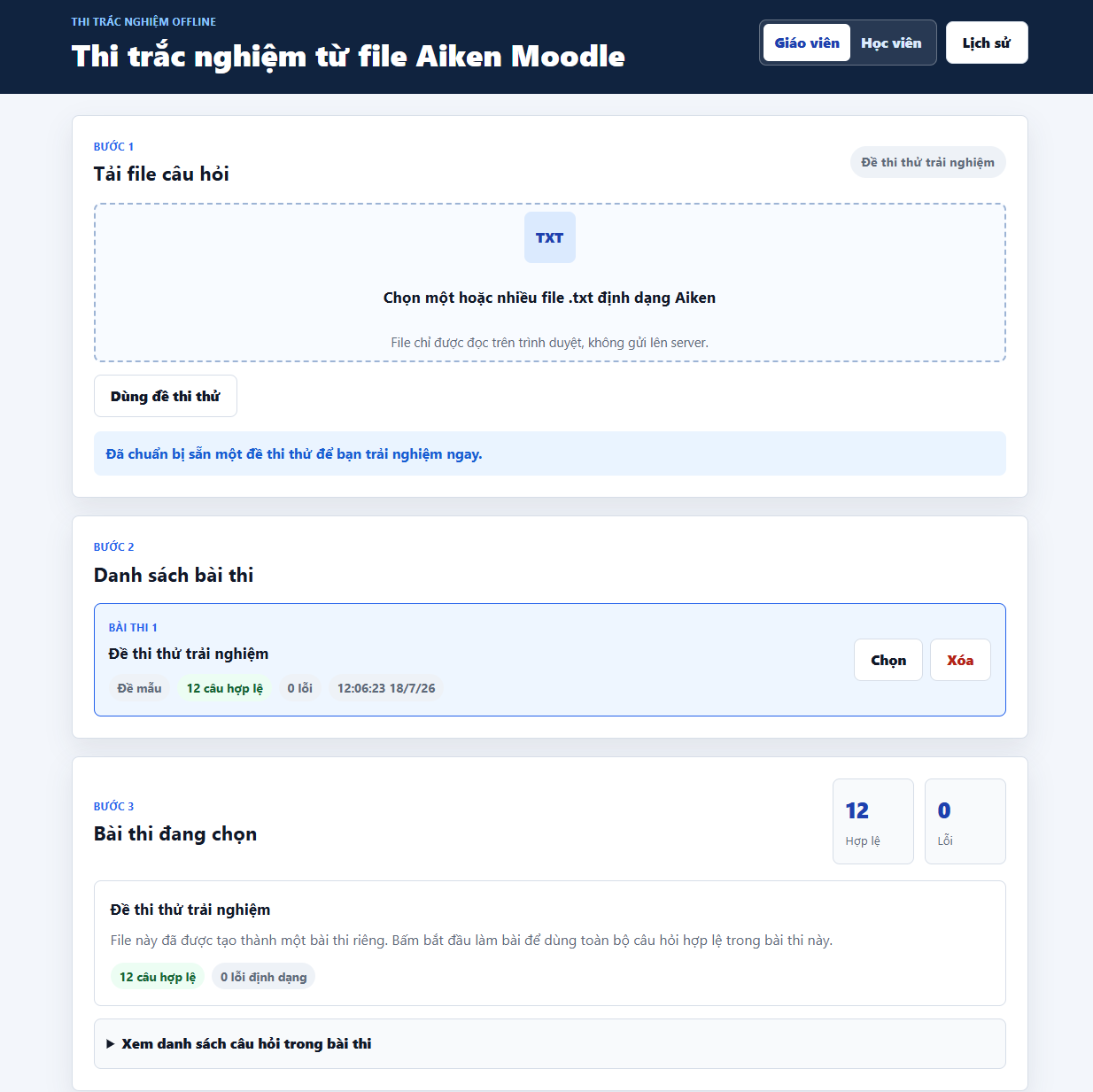
Trang nhập đề thi Aiken.
-
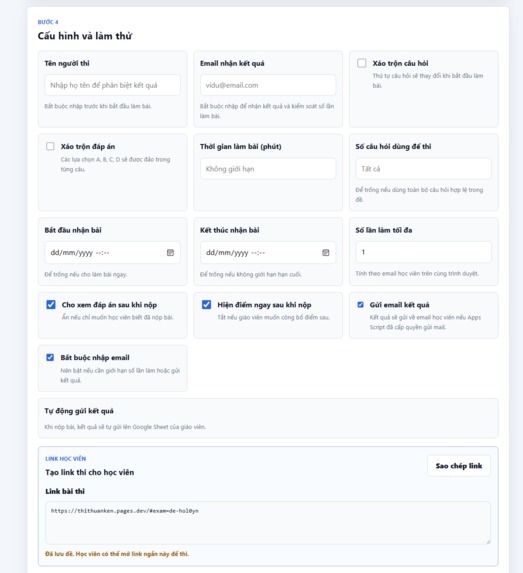
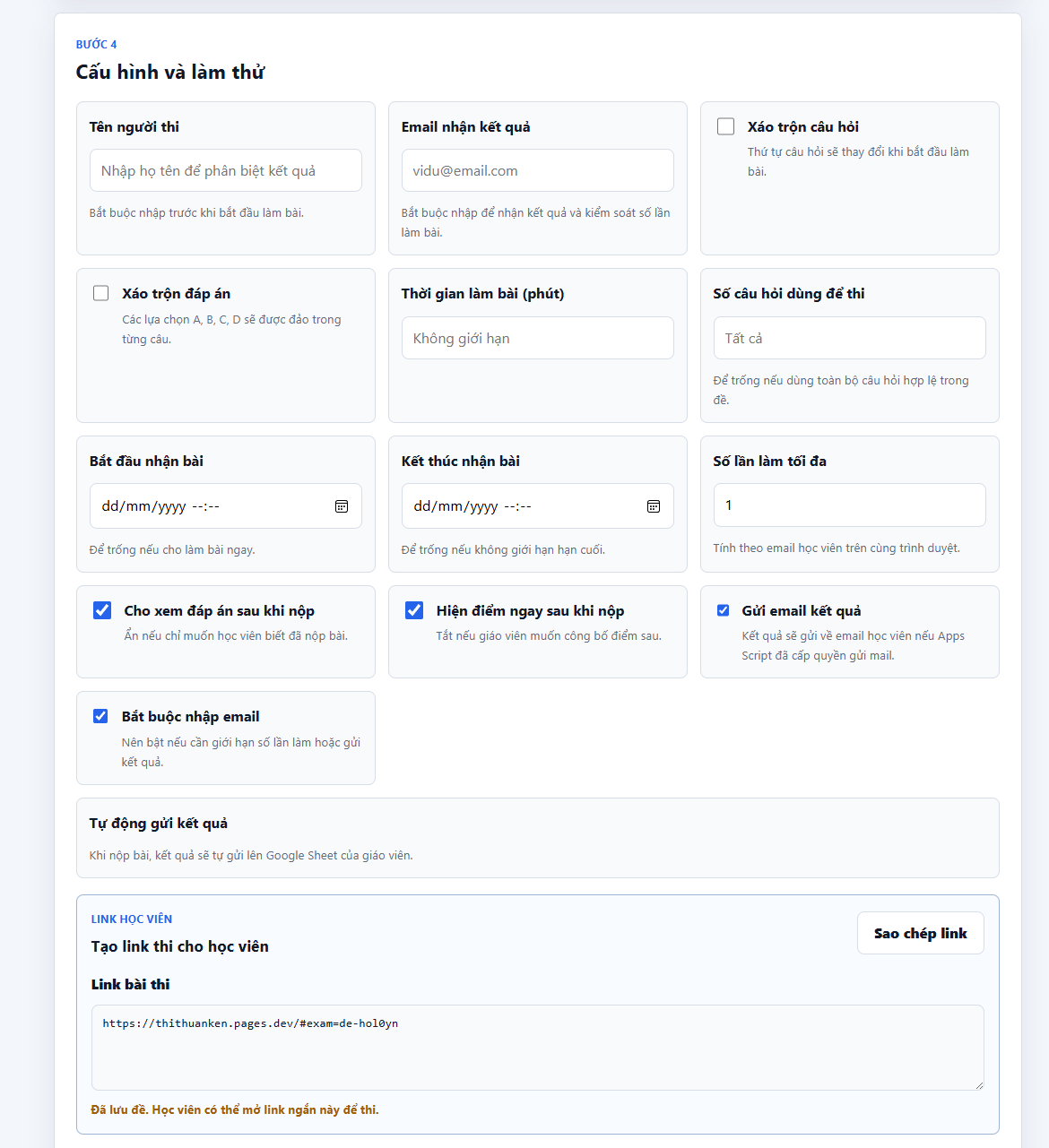
Cấu hình đề thi
Inspiration
Online examinations are convenient, but educators often have limited tools to identify unusual browser behavior without using intrusive surveillance. I wanted to create a practical and privacy-conscious solution for teachers who need to organize digital assessments and review potential integrity issues fairly.
What it does
EduGuard AI is a web-based examination platform designed for educators.
The platform can:
- Import questions written in Moodle Aiken format.
- Support multiple-choice and true-or-false questions.
- Present questions in a simple online examination interface.
- Record events such as leaving the exam tab, switching windows, exiting fullscreen mode, copying, pasting, and reloading the page.
- Store the time, event type, frequency, and related question when available.
- Produce a structured session report for the educator.
- Use GPT-5.6 to summarize event logs and highlight patterns that may require human review.
EduGuard AI does not automatically accuse or penalize a student. It provides supporting information so that the educator can make the final decision in context.
How we built it
The user interface was built with HTML, CSS, and JavaScript. A custom parser converts Aiken-formatted text into structured examination questions.
Browser Web APIs are used to detect visibility changes, window focus changes, fullscreen exits, copy and paste actions, and page reloads. The system records event metadata without storing sensitive clipboard content.
OpenAI Codex was used throughout development to plan the architecture, generate and refactor code, identify errors, improve the interface, and create validation checks.
GPT-5.6 is used to transform raw examination-event logs into a concise educator-facing report. The model is instructed to describe observable events, avoid unsupported conclusions, and recommend human review when necessary.
Challenges we ran into
One major challenge was distinguishing normal user behavior from potentially suspicious behavior. A student may leave fullscreen mode or lose focus accidentally, so a single event should not be treated as proof of cheating.
Another challenge was parsing Aiken files reliably when users included inconsistent spacing or formatting. The importer therefore needs clear validation messages and error handling.
Privacy was also an important consideration. The system records event categories and timestamps, but it does not capture clipboard content, camera footage, or unrelated personal information.
Accomplishments that we're proud of
- Combining Aiken question importing and examination monitoring in one workflow.
- Designing a warning-and-review system instead of automatic punishment.
- Creating structured logs that educators can understand.
- Using GPT-5.6 to turn technical event data into a clear and responsible report.
- Developing the project through iterative Codex-assisted building, testing, and repair.
What we learned
This project showed that effective examination-integrity tools should support educators rather than replace their judgment. Browser events must be interpreted together, and AI-generated reports must remain transparent, cautious, and reviewable.
I also learned how Codex can support an entire development workflow, including planning, implementation, debugging, testing, documentation, and interface improvement.
What's next for EduGuard AI
Future improvements include stronger Aiken validation, configurable integrity rules, educator dashboards, exportable reports, accessibility improvements, multilingual support, and more extensive testing across browsers and devices.
Built With
- aiken
- apis
- codex
- css3
- format
- gpt-5.6
- html5
- javascript
- moodle
- openai
- web

Log in or sign up for Devpost to join the conversation.