-
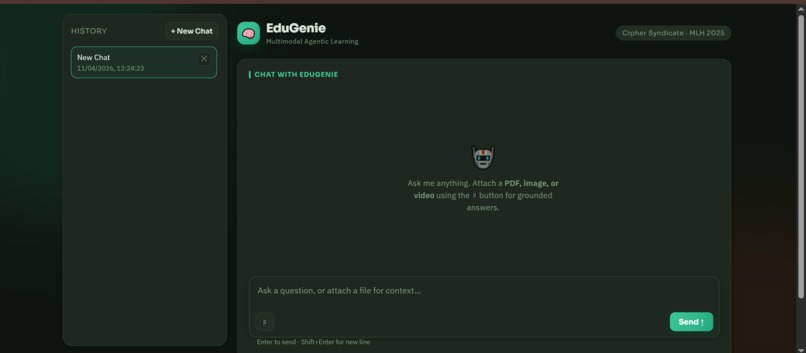
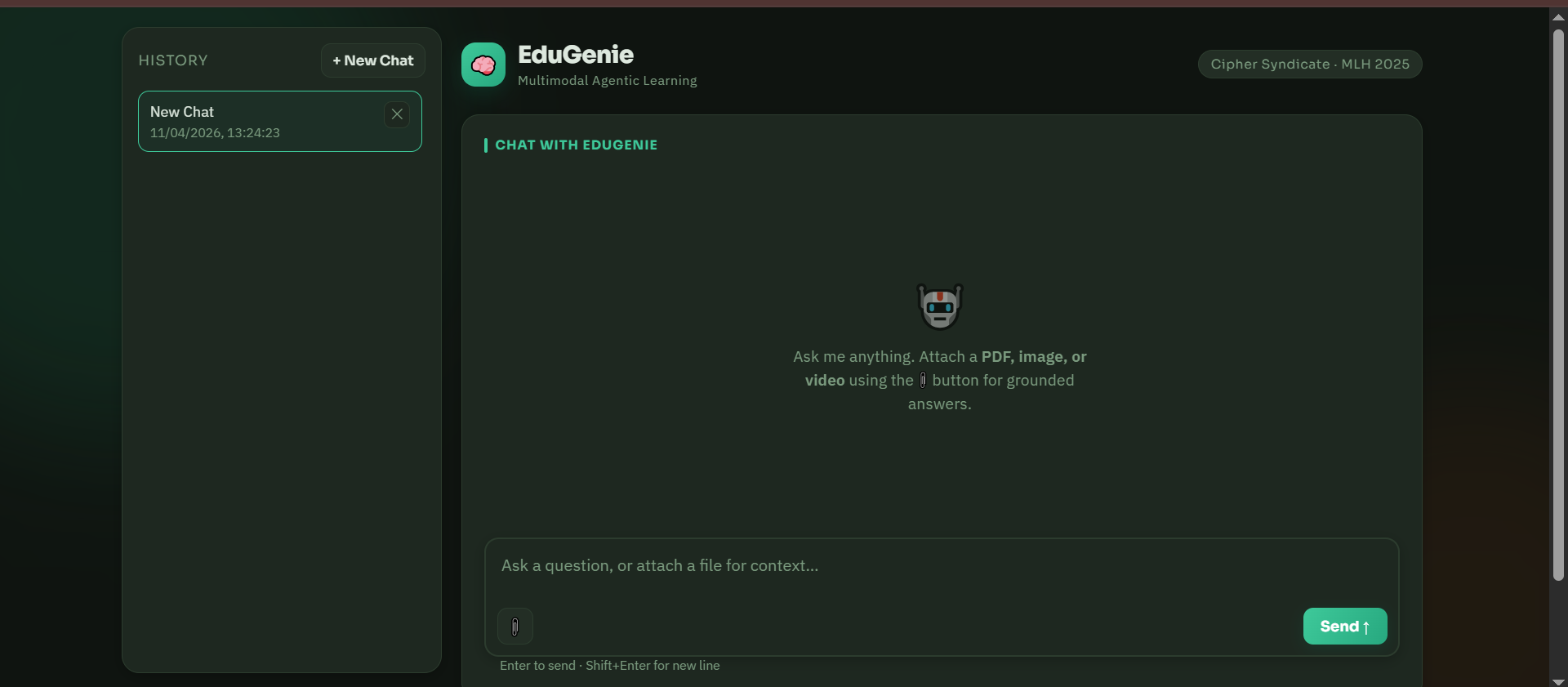
Landing Page
-
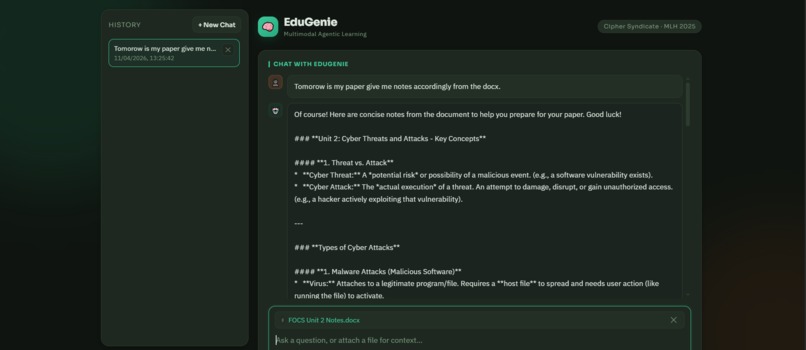
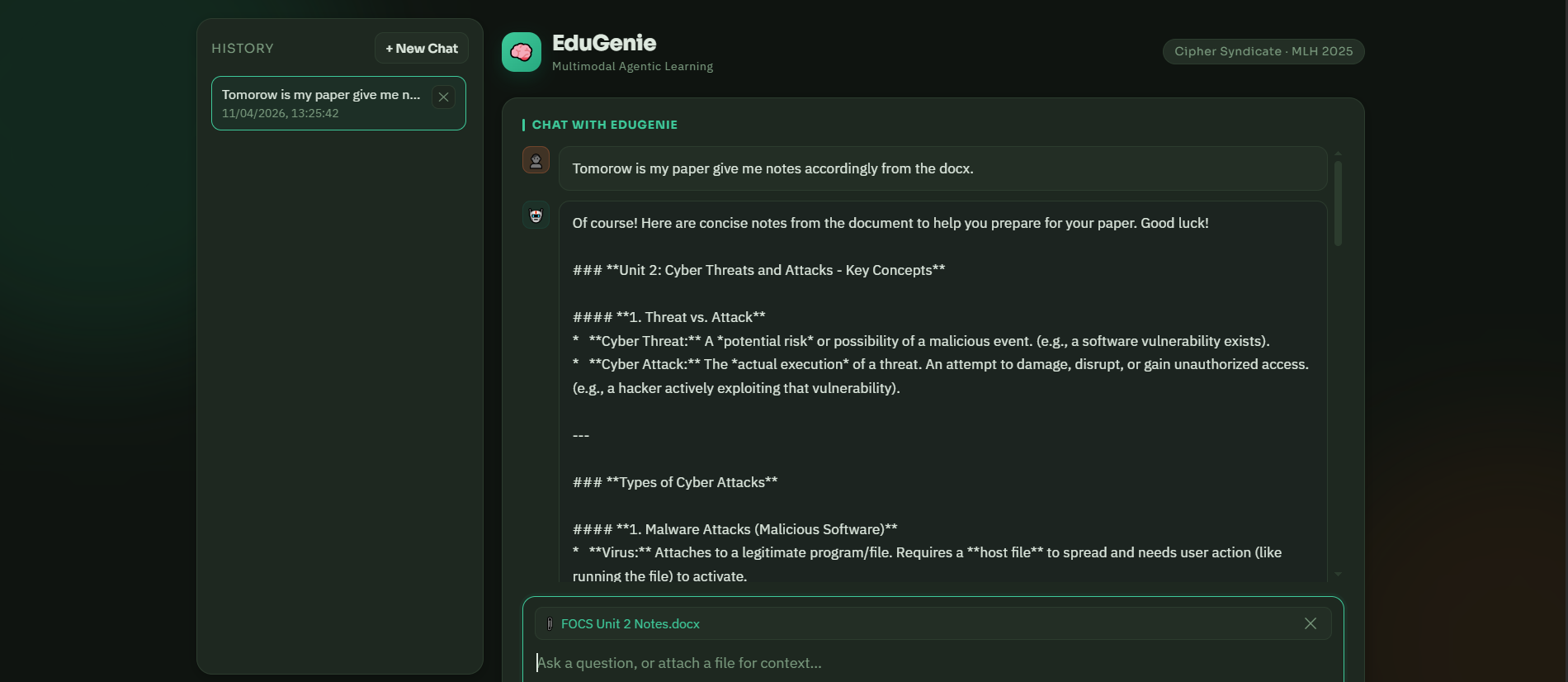
Prompt
Inspiration
As students ourselves, we know the pain all too well. You’re studying, jumping between PDF notes, rewatching lecture videos, PPTs and flipping through messy handwritten pages — constantly losing your train of thought. Research shows students waste nearly 40% of their study time just switching between these different sources. That frustration became our spark. We asked ourselves: What if we could create a single intelligent space where all your learning materials live together and talk to each other — just like the human brain naturally connects ideas? That question led us to build EduGenie.
What it does
EduGenie is your personal multimodal AI study companion that truly understands your entire study ecosystem. Instead of treating Images, PDFs, videos, and questions as separate things, EduGenie sees them as one connected knowledge base. You can: ->Upload your lecture PDFs and videos even images in one go
->Ask natural, conversational questions like "Explain this concept like I’m in 10th grade" or "Summarize the key points from the video and link it to page 47 of my notes"
->Receive smart, context-aware answers that cross-reference across your materials — pulling insights from both the video explanation and the PDF diagrams seamlessly.
It feels less like using a tool and more like having a super-smart study buddy who has read and watched everything you have.
How we built it
->Frontend: Built with React.js and html to give a clean, minimal, distraction-free interface that feels peaceful to use during long study sessions.
->Backend: Powered by Python + FastAPI for fast, smooth, and asynchronous handling so there’s no annoying lag even when processing large videos or PDFs.
->AI Core: Leveraged Google’s Gemini API for its powerful multimodal capabilities, allowing the system to genuinely reason across text, images from PDFs, PPTs, Words Files, and video content at the same time.
Challenges we ran into
Building EduGenie in a short hackathon timeframe was exciting but definitely not easy. We ran into several real technical and practical hurdles that tested our limits:
->Multimodal Integration Nightmare: The biggest challenge was making Gemini truly understand PDFs, videos, and user questions together. Initially, the AI would understand the PDF and video separately but struggled to connect information across both. We had to experiment a lot with prompt engineering and chunking strategies to create meaningful cross-references.
->We also struggled with limited time and computing power. Achieving smooth multimodal understanding while handling large files during a hackathon was tough. Processing videos and PDFs quickly without crashing the system or making users wait forever required heavy optimization and creative workarounds.
->On top of that, we faced annoying practical issues — random file upload failures, sudden runtime errors, and backend crashes that appeared at the worst possible moments. These forced us to debug frantically under intense time pressure while keeping the demo ready.
Another challenge was balancing the UI. We wanted the interface to feel calm, clean, and super simple so students could focus on learning, not fighting the tool. But behind that simplicity, we had to pack powerful AI features. Making complex multimodal interactions feel natural and intuitive took multiple redesigns.
->Despite all the late-night debugging, scope adjustments, and moments of panic, overcoming these obstacles made the final working prototype even more rewarding.
Accomplishments that we're proud of
We’re really happy with what we achieved in such a short time. Here’s what we’re most proud of: ->We created true cross-source reasoning EduGenie can understand both PDFs and lecture videos together and connect the concepts between them. This feature is still missing in most existing tools, and we’re excited we made it happen.
->We built something that solves a real, everyday problem faced by millions of students. It feels meaningful because we’ve experienced this pain ourselves.
->Most importantly, our system has the potential to reduce students’ study time by up to 40% by eliminating the constant switching between notes, videos, and PDFs, letting them understand concepts faster and more deeply.
This project showed us that with the right idea and teamwork, we can create something genuinely useful in a very short time.
What we learned
Beyond the code and the product, here are the most important lessons we’re taking away:
->Understanding the problem clearly is more powerful than adding lots of features. We realized that focusing deeply on the real pain students face (switching between PDFs, videos, and notes) gave us better results than trying to build 10 different things at once.
->Rapid prototyping is the fastest way to turn an idea into reality. Instead of over-planning, we started building early. Making quick versions, testing them, and improving on the go helped us create a working product much faster than we expected.
->Working with multimodal AI is both challenging and exciting. Getting an AI to understand text, PDFs, and videos together taught us a lot about how modern AI systems work and how to make them smarter by connecting different types of information.
->Teamwork and coordination under pressure make all the difference. When things went wrong (and they did), staying calm, communicating well, and supporting each other helped us cross the finish line successfully.
This project reminded us that building something useful isn’t just about technology — it’s about focus, speed, teamwork, and solving real problems.
What's next for EduGenie:
We’re really excited about EduGenie’s future and not stopping here after the hackathon. Our plan is to turn this prototype into a complete, everyday learning companion for students. Here’s what we want to build next:
->Deeper Multimodal Intelligence: Fully integrate real-time Gemini capabilities so the AI can understand ->PDFs, videos, notes, and conversations even more smoothly and accurately.
->Smarter Learning Features: Add intelligent tools like: ->Knowledge Gap Detection – to identify what a student hasn’t understood yet ->Adaptive Revision Plans – that automatically create personalized revision schedules based on how quickly we forget things (using forgetting curves).
Seamless Integration: Connect EduGenie with popular learning platforms like Moodle, Canvas, and Google Classroom so students don’t have to upload materials manually.
Voice Interaction: Enable natural voice conversations so students can simply speak to EduGenie like they would to a helpful tutor — ask questions, get explanations, or get summaries hands-free.
Our big dream is to evolve EduGenie into a complete AI-powered learning ecosystem — one smart, friendly place where all a student’s learning materials come together and adapt to their personal needs. We believe this has the potential to truly change how students learn every day.


Log in or sign up for Devpost to join the conversation.