
Inspiration
Since most of society is functioning through online environments, we thought it would be most important to tackle a way to make our online environments better. We noticed how difficult it is for teachers to navigate through an online environment, so our goal was to make an application for them to accomplish certain tasks with ease. We also wanted to ensure that our application was targeted towards students as well since there is definitely a lack of participation with online school and we want to ensure students are engaged and still receiving the best education they can while using an online platform! Better quality link for youtube video below
What it does
When the discordbot is added to a classroom server on discord, the teacher and students are capable of accessing various commands depending on their role. The commands are used with the $ prefix. Some of the commands include:
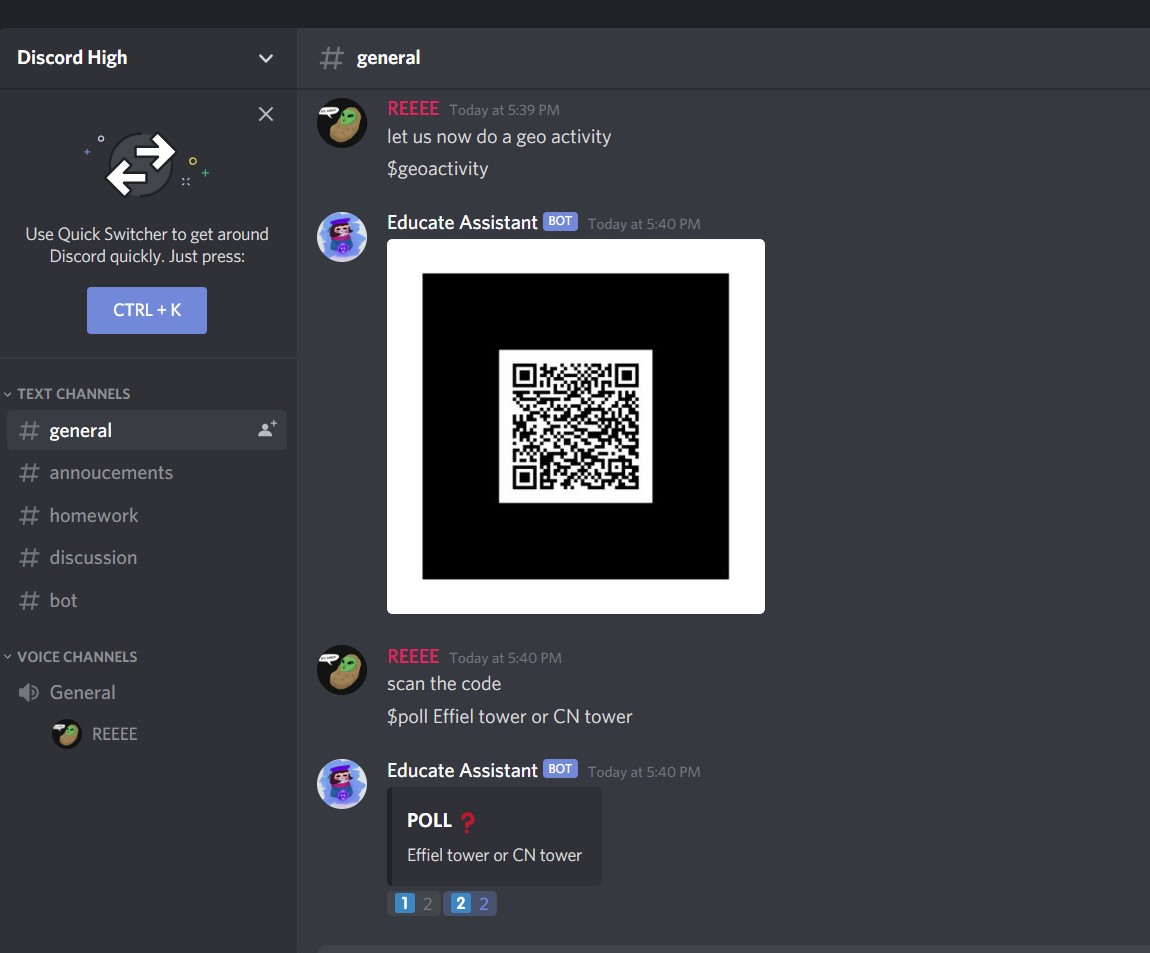
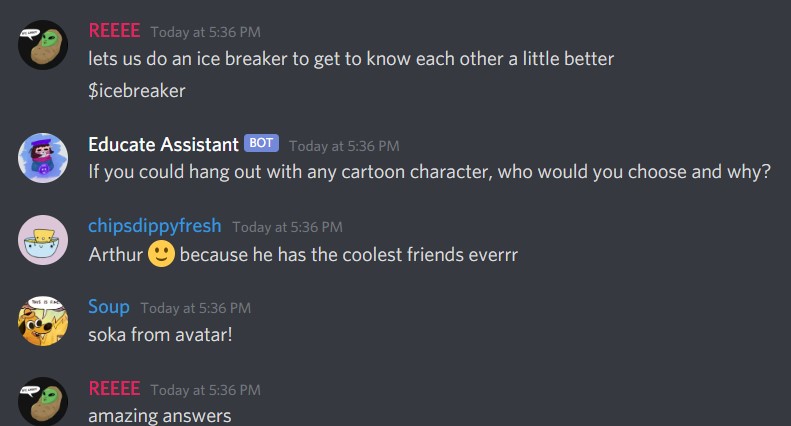
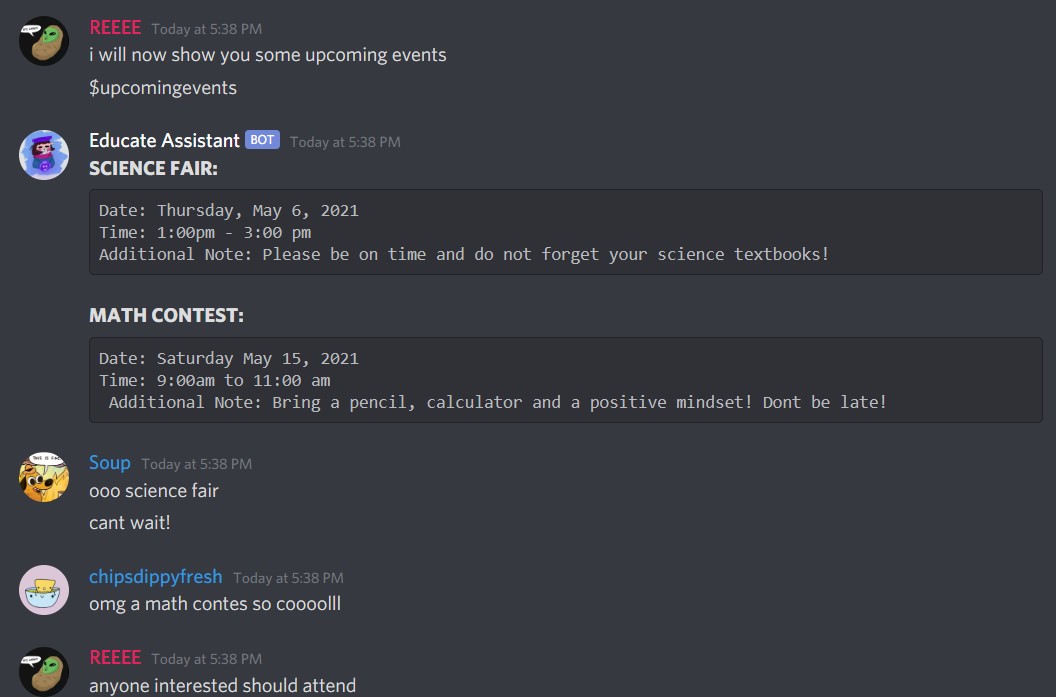
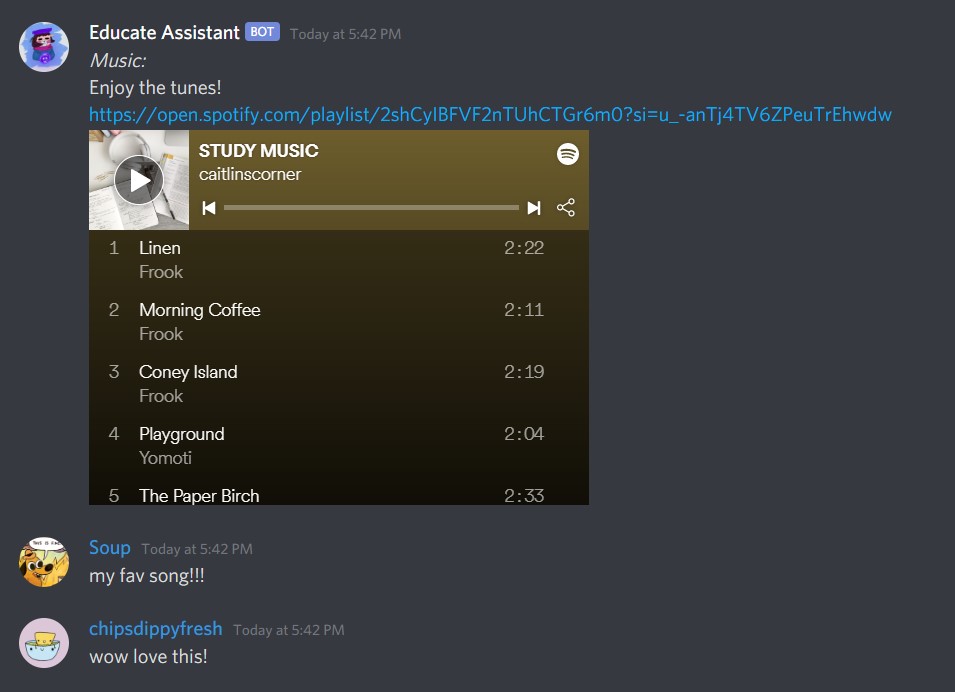
help: To get a list of commands that are possible to use on the servermathhelp: To receive resources to help in the subject mathchemhelp: To receive resources to help in the subject chemistrybiohelp: To receive resources to help in the subject biologyphysicshelp: To receive resources to help in the subject physicsgeohelp: To receive resources to help in the subject geographyhistoryhelp: To receive resources to help in the subject historygeoactivity: To make an activity related to geographyinspire: Generates randomized quotes to motivate and inspire you when you need a pick-me-up (for conversation starters with colleagues)icebreaker: Generates randomized icebreakers to help students engage with each other (and help you make friends!)reminders: To get reminders that the teacher sets in the classroomupcomingevents: To get a list of upcoming events in the classroomupcomingdeadlines: To get a list of upcoming deadlines in the classroomcalendar: To get a calendar of classroom updatesmemes: Generates randomized memes (for a chuckle)mentalhealthcheck: Generates randomized pictures of cute animals to make you feel happier!poll: To create a poll in the classroommusic: To listen to a random playlist of study music
The teacher is able to access many more commands since they have admin access to the server while the students are limited to the commands above. Some teacher-specific commands are:
mute: To mute the entire server in a voice callunmute: To mute the entire server in a voice callattendance: To take attendance of the students
We also included a feature that allows the bot to react to messages depending on the content of the message. Some of the reactions include:
- When a user types messages including the words "sad, depressed, miserable", the discord bot will display an encouraging message to help the student out a little
- When a user types messages including bad words such as "stupid, dumb", the discord bot will display a message asking people to not type those words again
- When a user types a message telling another user "Happy Birthday", the discord bot will display a gif for them to put everyone in a festive mood! :)
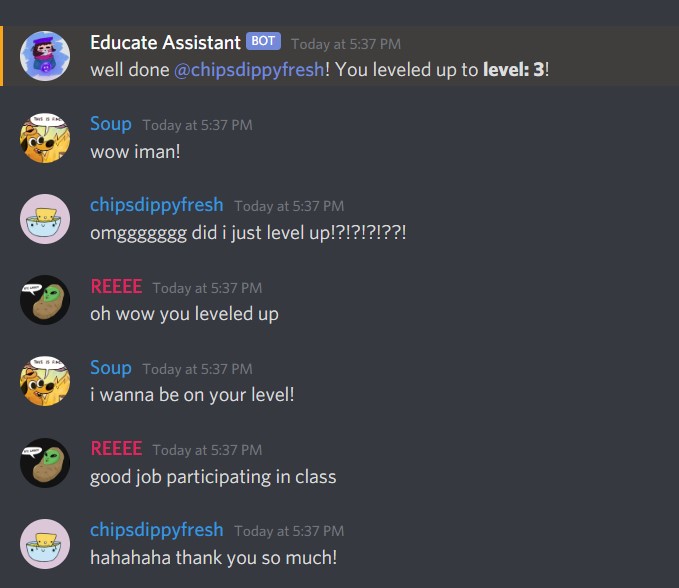
Finally, we included a levelling system on the server so that students will be more engaged and participate in class discussions. The more a student messages in a channel, the more points they will receive which will level them up to higher ranks.
These features on our bot assist the teacher, promote engagement within the classroom, and provided educational learning activities.
How we built it
The Bot was programmed using python with the use of discord.py libraries. The bot has a variety of commands to help students and teachers with daily tasks and encourage them to engage with the class. The bot was designed to provide the students with many resources that are accessible to them at any time. This will help them even when the teacher isn't available! We designed activities using the EchoAR generated QR Codes to interest students with augmented reality activities. We also used echoAR to generated QR Codes of memes and cute animal pictures to motivate students to work and cheer them up. Another tool we used was MongoDB, to store information from the bot from attendance. Overall, the bot has many opportunities for growth and was built with scalability in mind to further enhance the features that we have developed.
Challenges we ran into
The biggest challenge we ran into was not knowing anything about discord bots and starting completely from scratch. There were many components that the team was unfamiliar with and so we were required to take the time to learn and research it. Having our ideas and features work in the given timeframe was definitely a challenge, especially because we were ambitious with what we wanted to accomplish. We had to spend a lot of time debugging the code and working out the syntax since bots have a particular syntax that needs to be understood in order to do develop. However, through trial and error and countless hours on Stack Overflow, we were able to make it work in the end!
Accomplishments that we're proud of
We are proud that we were able to accomplish so many features within a timeframe of 48 hours! We always wanted to make a discord bot but did not know where to start or how to make one at all. We are so thankful for the workshops that this hackathon provided that pushed us to create this!
Some commands that we are especially proud of are:
- $geoactivity because it included echoAR technology. It is a great learning tool and activity that teachers can use to enhance learning in their classrooms. It also helps to make our bot unique and we are super proud of it!
- $inspire because it helps to keep students motivated especially during the pandemic and with the online learning environment
- $level We integrated a levels system so that the more people that participate during class can increase their level and provides some friendly competition between classmates. It helps to encourage students to be involved in classroom discussions.
What we learned
Through this project, we became more familiar with how to make a Discord bot in Python. We used several resources, such as workshops provided by the hackathon and YouTube videos to help enhance our understanding of these topics. Since it was everyone’s first time creating a discord bot, the entire development process was a huge learning experience for the team. In addition to all this, we learned about the importance of focusing on one task at a time. There were so many features that we wanted to accomplish, however since we were unfamiliar with many components, it became overwhelming. Through keeping a task list, prioritizing tasks and managing our time, we were able to make a well-functioning project in a short time period. There were so many opportunities for us to be creative during the development process, and we hope that we can use the knowledge we gained through this competition to help us in the future.
What's next for Educate
We hope to implement more features in our discord bot to help improve the online learning system that is happening during the pandemic. We would love to incorporate more interactive activities using echoAR to help increase engagement in the classroom.

Log in or sign up for Devpost to join the conversation.