-
-
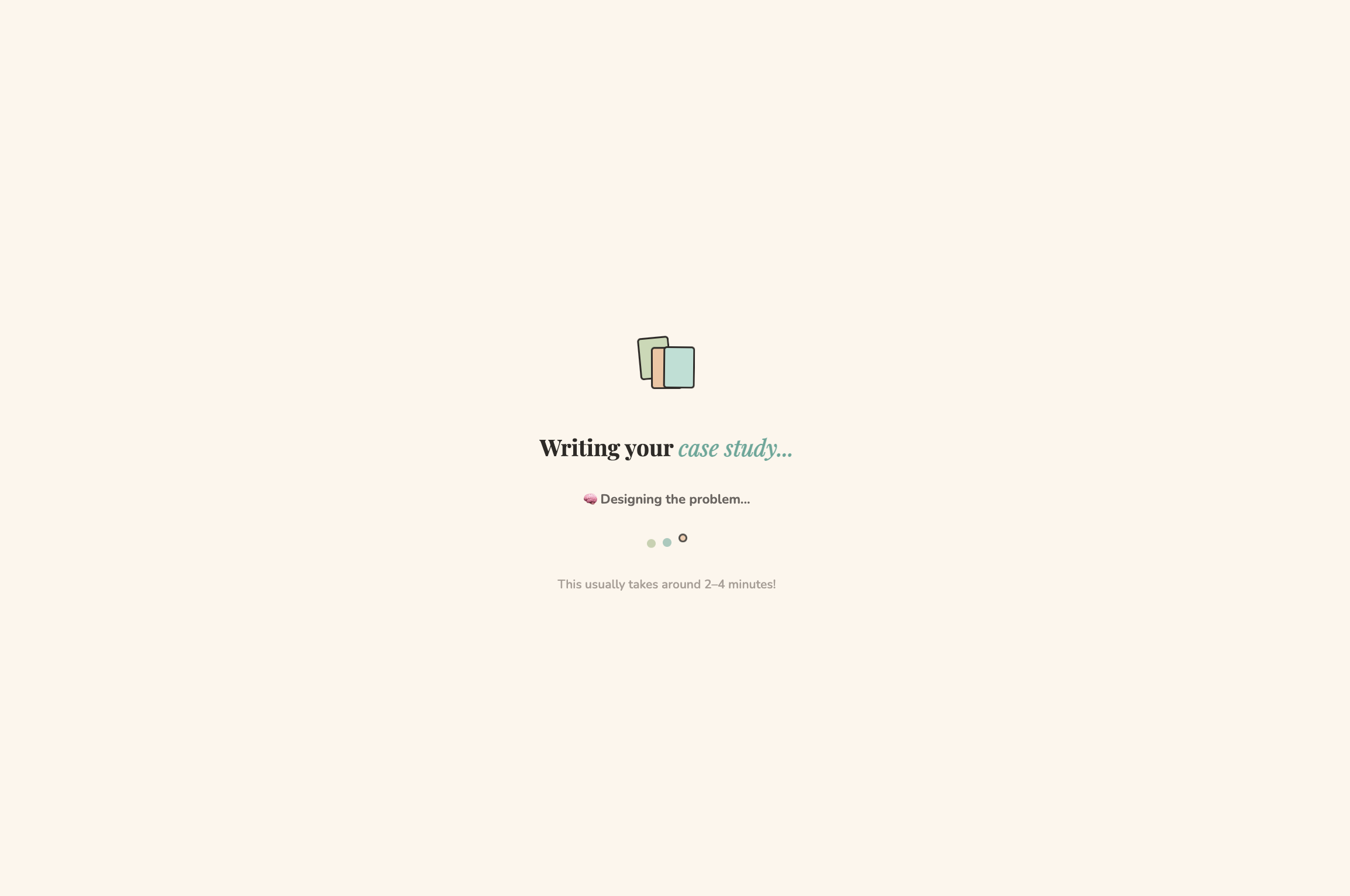
EduCase - Loading/Transition Page
-
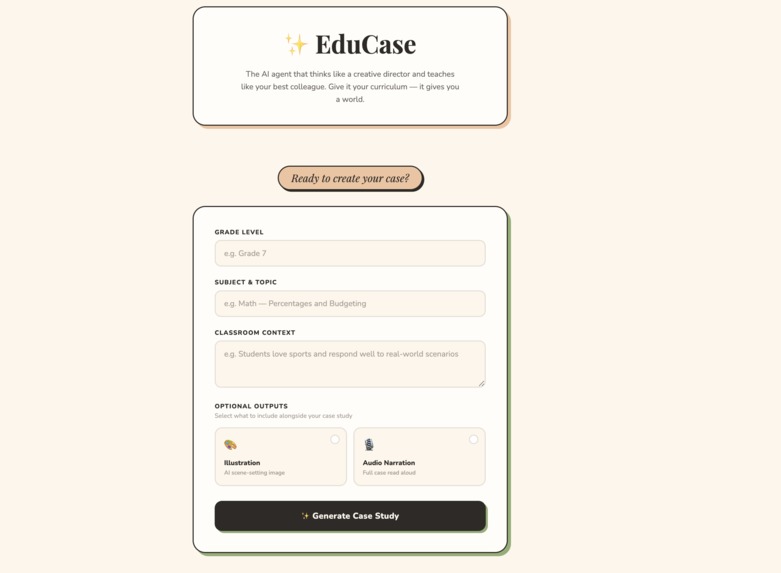
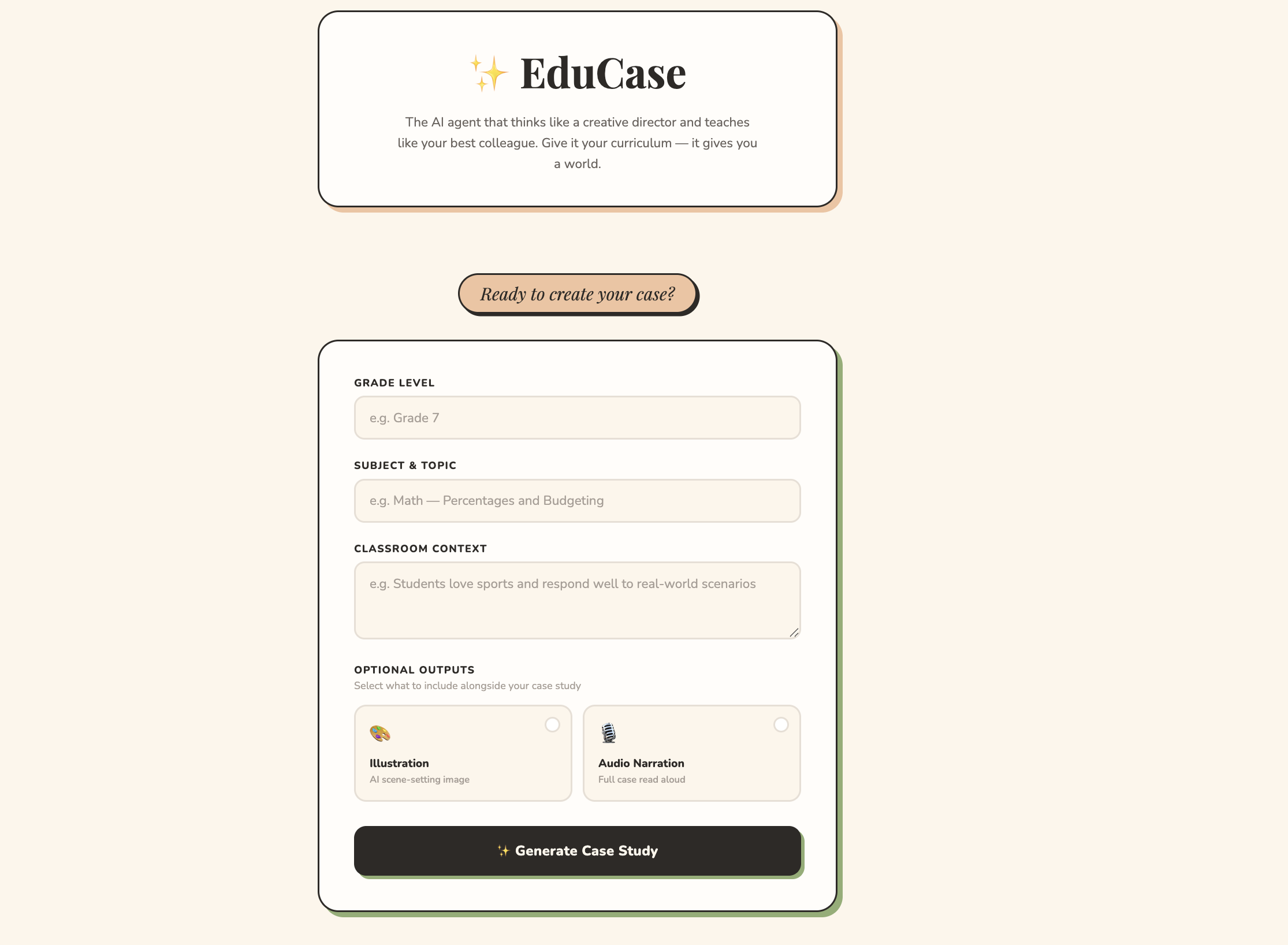
EduCase - Inputs Page
-
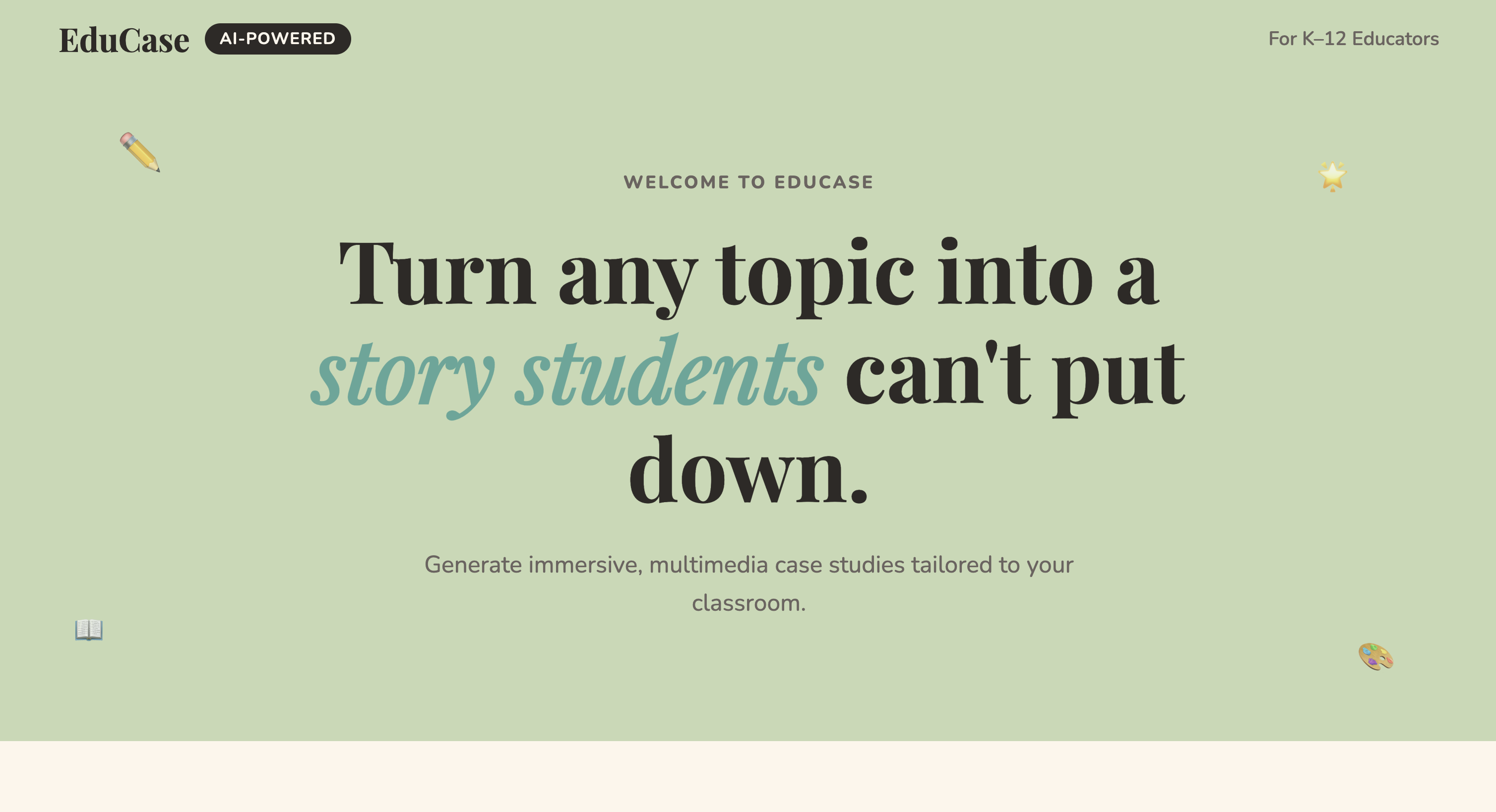
EduCase - Hero Section
-
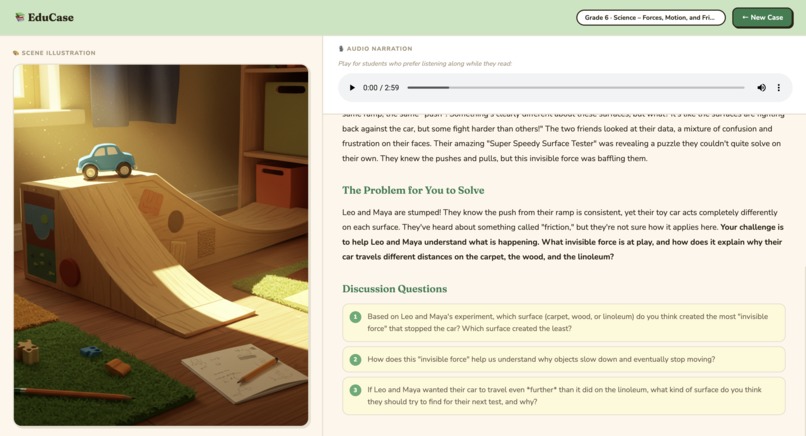
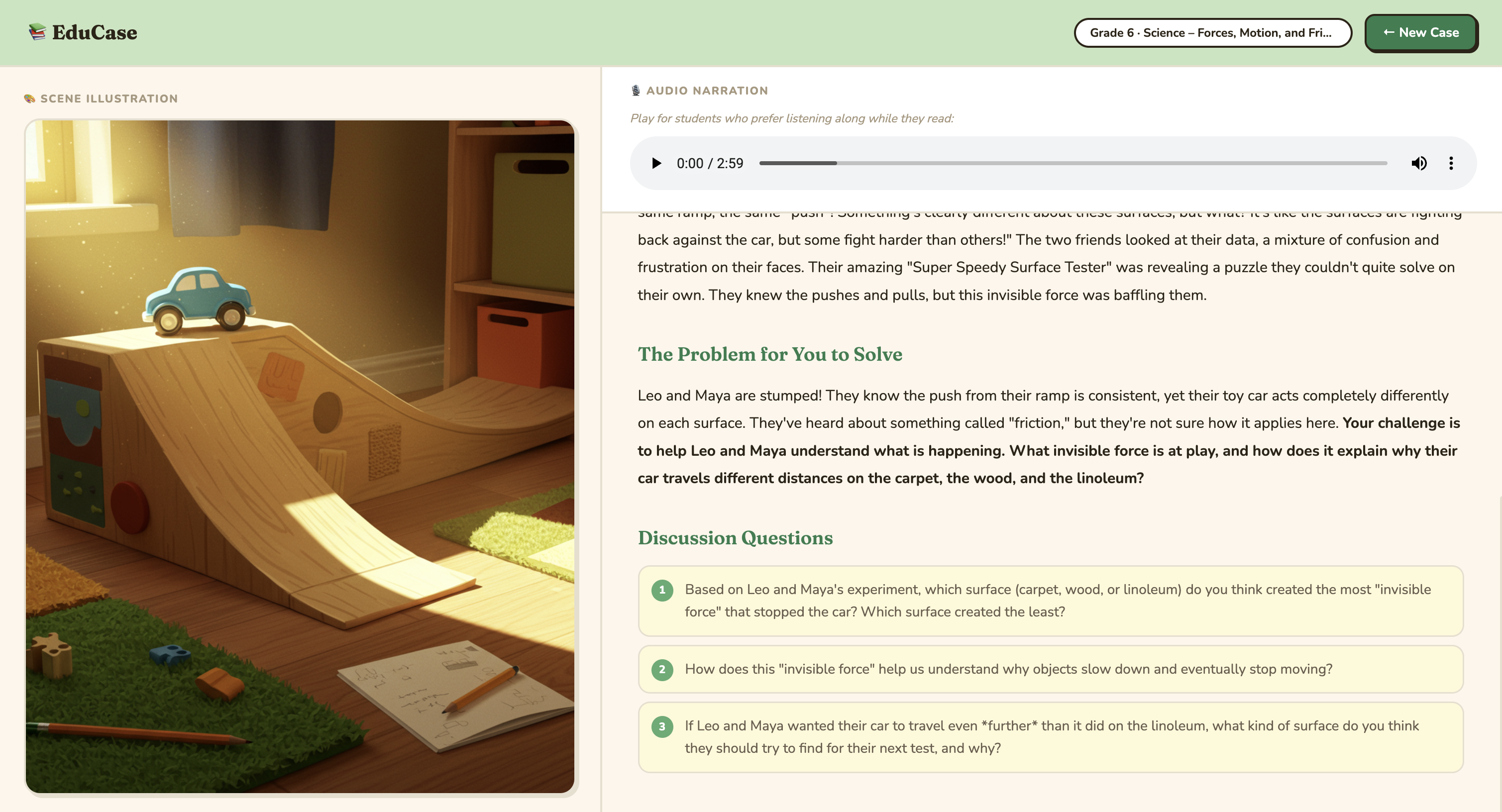
EduCase - Output Page 2
-
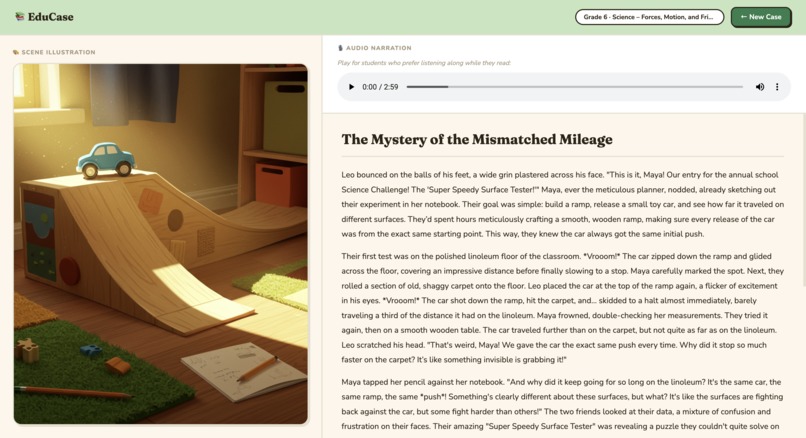
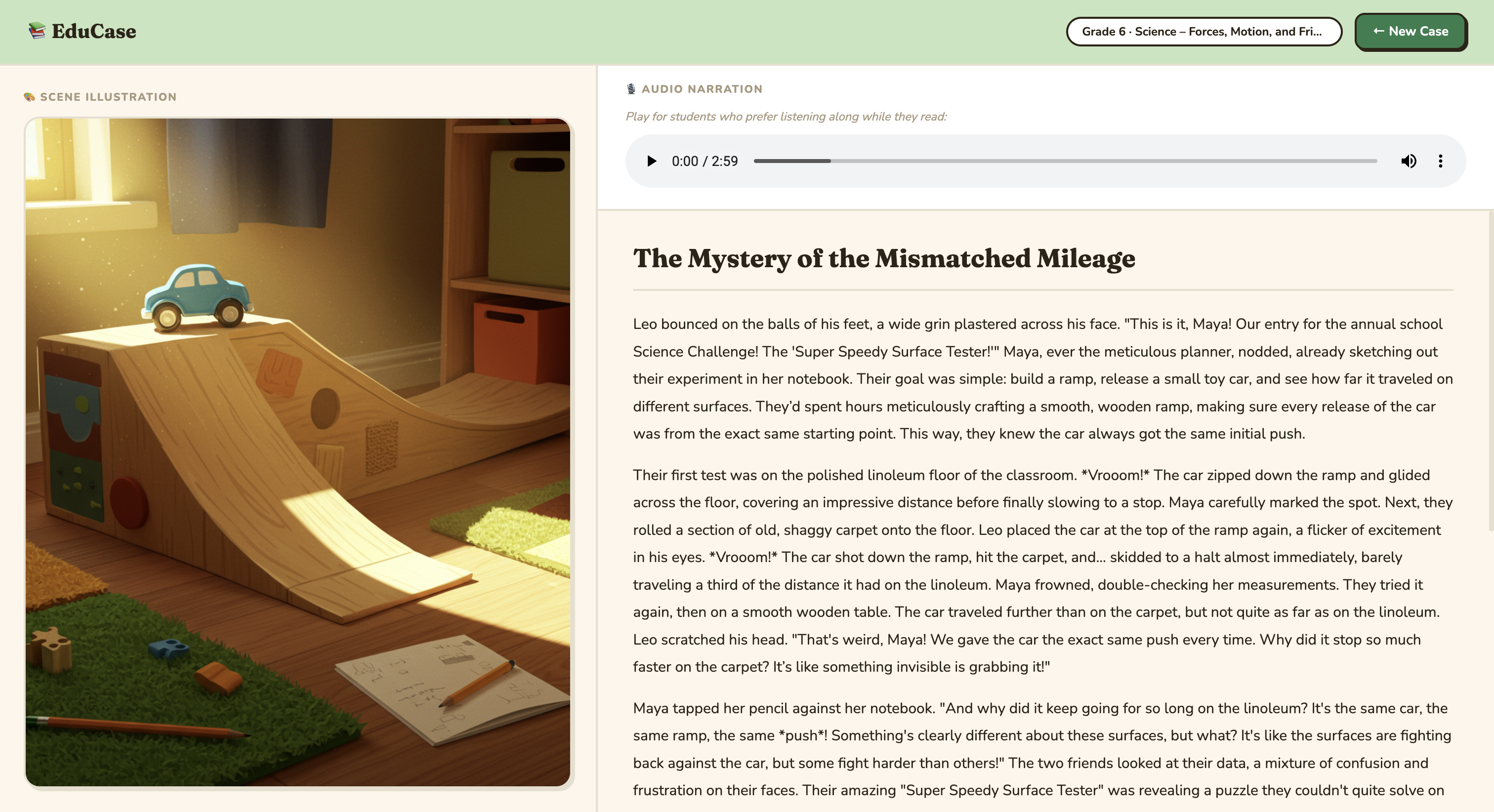
EduCase - Output Page 1
-
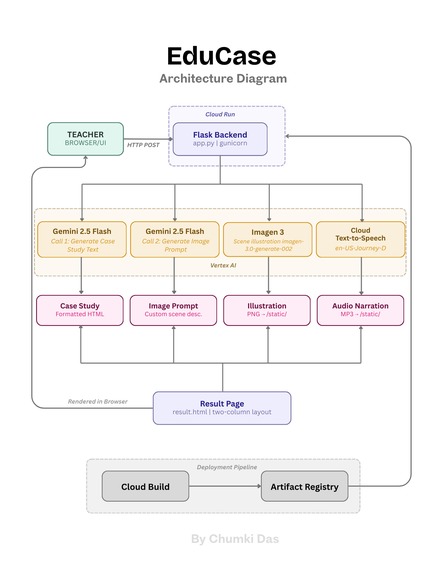
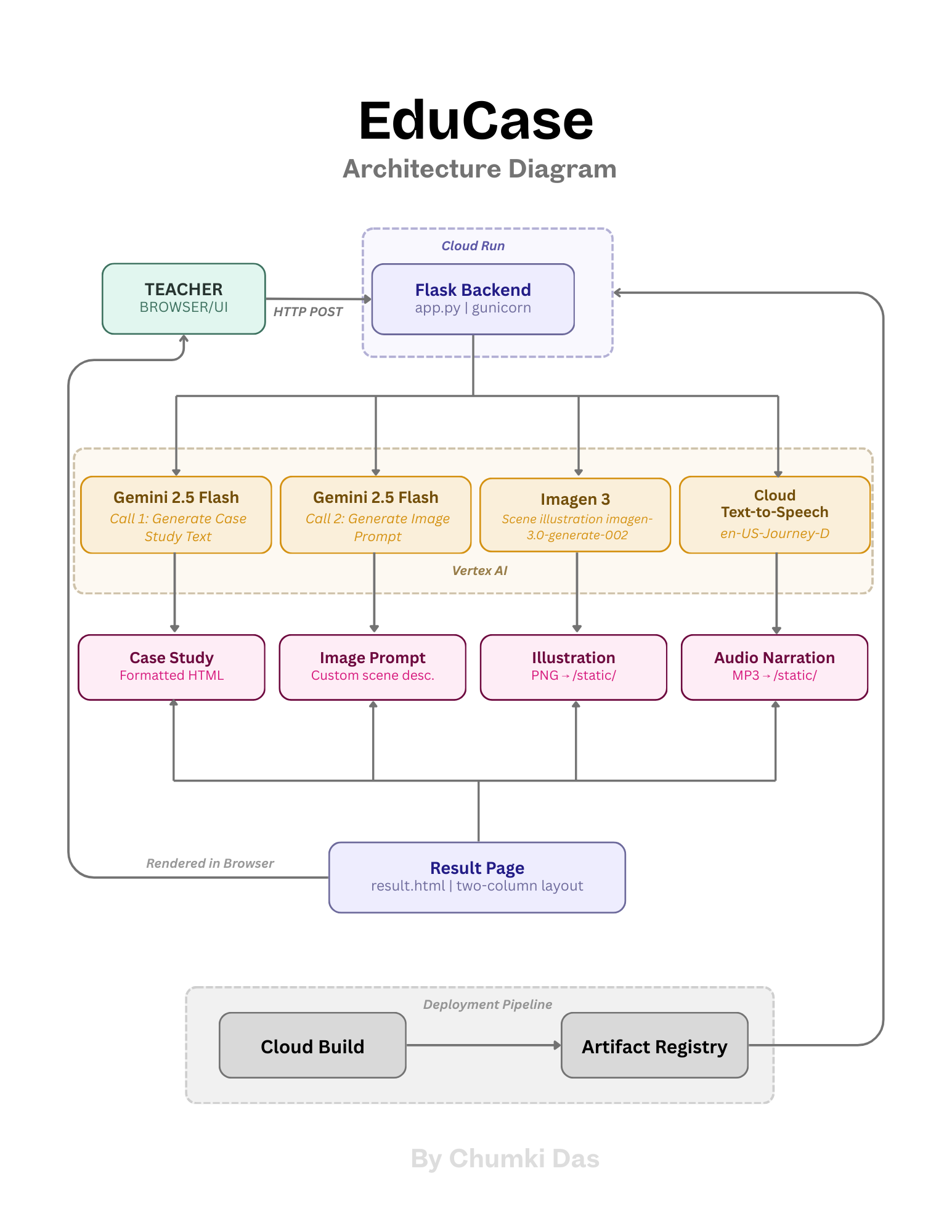
EduCase - Architecture Diagram
Inspiration
Case-based learning is one of the most effective pedagogical approaches for K-12 students. When students engage with a real story - real characters, real stakes, real consequences - they retain concepts better, think more critically, and participate more actively. But despite this, case-based learning is massively underutilized in K-12 classrooms.
The reason is simple: creating a good case study takes hours. A teacher needs to develop a narrative, ground it in curriculum, calibrate it to the right reading level, write discussion questions, and make it feel relevant to their specific students. And this is just one item on an already overwhelming list. Teachers are simultaneously lesson planning, grading, communicating with parents, managing IEPs, and navigating administrative demands. Custom case study creation simply doesn't make it to the top of the pile.
EduCase was built to change that. By making life easier for teachers, and making learning more engaging for students.
What it does
EduCase is an AI agent that transforms any classroom topic into a multimedia case study. Teachers fill in three fields:
Grade level and subject provide the basic scaffolding — EduCase calibrates vocabulary, complexity, and narrative style to the appropriate age group and discipline automatically.
Classroom context is where EduCase becomes truly powerful. This is a free-form field where teachers can describe anything relevant to their students, and EduCase will read and respond to all of it. A teacher might write: "gifted Grade 8 class, push them harder than grade level." Or: "ESL classroom, keep language simple and sentences short." Or: "we just finished a unit on the water cycle, I want to test whether students can apply that knowledge." Or simply: "my students are really into soccer right now." Teachers can write in full sentences, bullet points, fragments — whatever is comfortable. EduCase reads it all and uses it to generate a case study that feels like it was written specifically for that room, on that day, for those students. This is the core differentiator: it's not just AI-generated content, it's AI-generated content that adapts to individual classroom realities.
Teachers can also optionally enable a scene illustration and audio narration. Not every classroom environment calls for both — a teacher running a quick warm-up exercise may just need the text, while one working with younger students or visual learners may want the full multimedia experience. Keeping these optional puts the choice where it belongs: with the teacher.
The result is displayed in a clean two-column layout optimized for classroom technology (projectors, laptops) with the narrative text, a custom storybook-style illustration, and an audio player, all in one cohesive output.
How I built it
EduCase is built on Flask (Python) and deployed on Google Cloud Run. The generation pipeline makes four API calls:
- Gemini 2.5 Flash (via Vertex AI) generates the full case study including the narrative, problem statement, and discussion questions based on the teacher's three inputs
- Gemini 2.5 Flash makes a second call to generate a custom image prompt based on the actual story content
- Imagen 3 (imagen-3.0-generate-002) generates a storybook-style scene illustration from that custom prompt
- Google Cloud Text-to-Speech (en-US-Journey-D) narrates the full case study in a warm, natural voice
The container is built via Cloud Build, stored in Artifact Registry, and served on Cloud Run.
Challenges I ran into
The most significant technical challenge was image generation. The initial approach was straightforward — pass the case study text directly to Imagen 3 and generate an illustration. This failed immediately due to content safety filters blocking prompts that referenced students or classroom contexts, even in completely innocuous ways.
The fix required multiple iterations. First, a separate Gemini call was introduced to generate a custom image prompt from the story — describing only the scene, setting, and mood rather than the characters directly. This helped, but Gemini kept reintroducing flagged language in its descriptions. The prompt instructions had to be refined several times to explicitly prohibit specific words and steer Gemini toward describing environments and objects rather than people. What started as a workaround for a technical constraint ended up producing meaningfully better illustrations — story-specific, visually rich, and more faithful to the narrative than a direct text-to-image approach would have been.
A second significant challenge was the sharing problem. Once a case study is generated, the natural next step is getting it into students' hands. A PDF export seemed like the obvious solution — until I realized it breaks the audio component entirely, which is one of EduCase's core accessibility features. The right solution is a persistent shareable link, but implementing it properly requires Cloud Storage to save generated files permanently, plus a database layer to tie the text, image, and audio assets to a unique URL. What looks like a simple "share" button on the surface is actually a massive infrastructure addition. Given the scope and timeline of this build, it was cut and prioritized for Phase 2 — but it remains the most important missing feature in the current version.
Accomplishments that I'm proud of
The classroom context field is the feature I'm most proud of. The ability to take a completely free-form teacher input — a few sentences, a bullet list, a half-finished thought — and turn it into a case study that genuinely feels tailored to that specific classroom is the core value of EduCase. It makes the product feel less like a generator and more like a teaching assistant.
I'm also proud of the end-to-end multimodal output — text, illustration, and audio all generated from a single teacher input and presented in a clean, classroom-ready layout. The two-column design optimized for projectors & laptops means teachers can use it the moment it's generated, with no reformatting required.
What I learned
Building and deploying a fully functional multimodal AI application as a solo non-technical builder in under a week was the most unexpected learning of all. The barrier to shipping AI-powered products has dropped significantly — the complexity is now in the product thinking, not the infrastructure.
Prompt engineering turned out to be a real and nuanced skill. The image generation challenge taught me that how you talk to an AI model matters as much as what you ask it to do. Getting Imagen 3 to produce the right output wasn't just a matter of describing what I wanted, it required understanding how the model interprets language, where its guardrails are, and how to structure instructions to guide it toward the right result. Every iteration taught me something new about working with generative models, not just using them.
Architecture decisions have downstream consequences that aren't always visible upfront. The decision to skip a database felt like a simplification early on — fewer moving parts, faster to build. But it's exactly what's blocking the sharing feature now. A teacher can generate a beautiful multimedia case study and then has no clean way to send it to students. The right solution was always a persistent URL backed by cloud storage, but that requires infrastructure that wasn't in scope for this build. Choosing simplicity early created a real product gap later.
Scoping is everything. The original vision for EduCase included PDF downloads, shareable links, student-facing interactive mode, and saved case libraries. Every single one of those features got cut — not because they weren't valuable, but because shipping a focused, polished core product is more meaningful than shipping an incomplete broader one. Learning to draw that line, and to be honest about what was actually buildable in the time available, was one of the most valuable parts of this process.
Finally, cloud deployment is a product decision too. Timeout settings, memory limits, container configuration — these aren't just technical details, they directly shape the user experience. A timeout that's too short means a generation fails mid-way. Not enough memory means the container crashes. These decisions sit at the intersection of engineering and product, and understanding that connection made me a better builder.
What's next for EduCase
- Shareable links — persistent URLs so teachers can share cases directly with students, preserving the full multimedia experience including audio
- Curriculum standard alignment — teachers can tag a case to a specific standard (e.g. Common Core, Ontario curriculum) and EduCase ensures alignment
- Real-world data grounding — connecting to subject-relevant datasets to make cases feel grounded in reality rather than purely generated content
- Student-facing interactive mode — a separate view where students can read, listen, and submit their discussion question responses directly
- Saved case library — teacher accounts with the ability to save, edit, and reuse past case studies

Log in or sign up for Devpost to join the conversation.