-
-
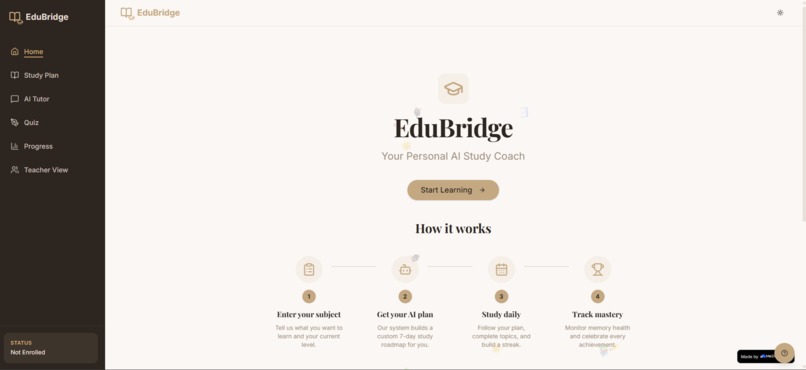
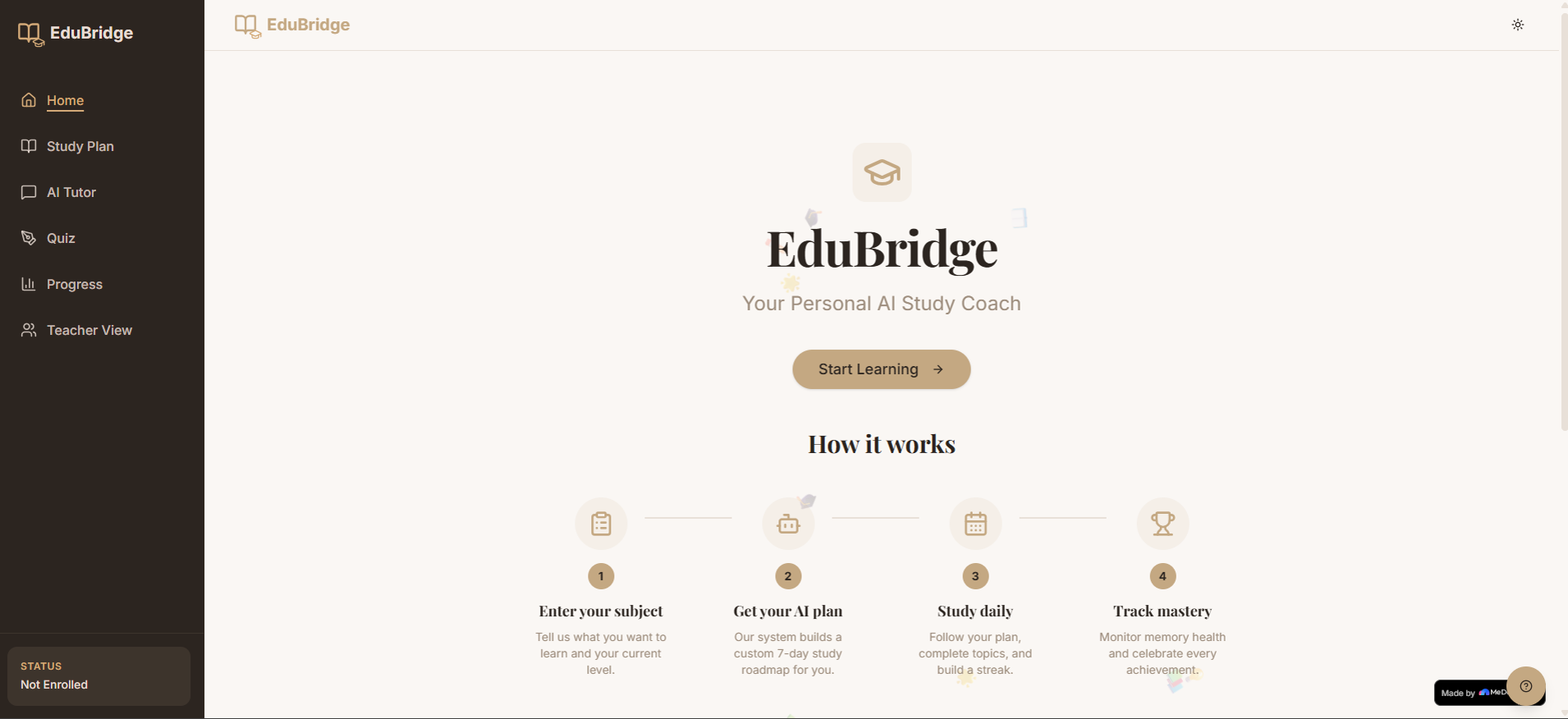
Modern landing page introducing EduBridge’s AI powered personalized learning experience with responsive design and quick onboarding access.
-
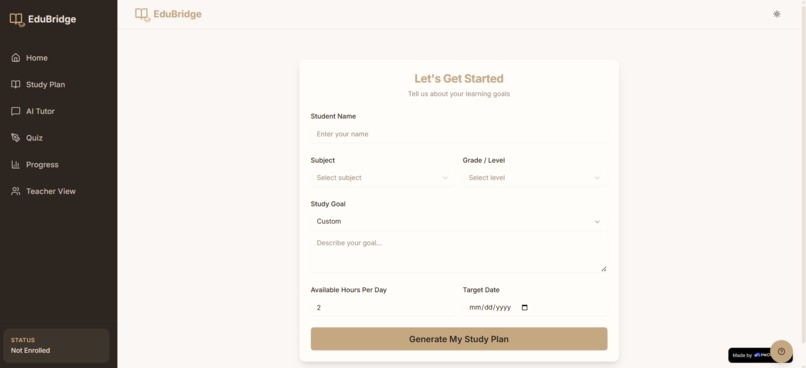
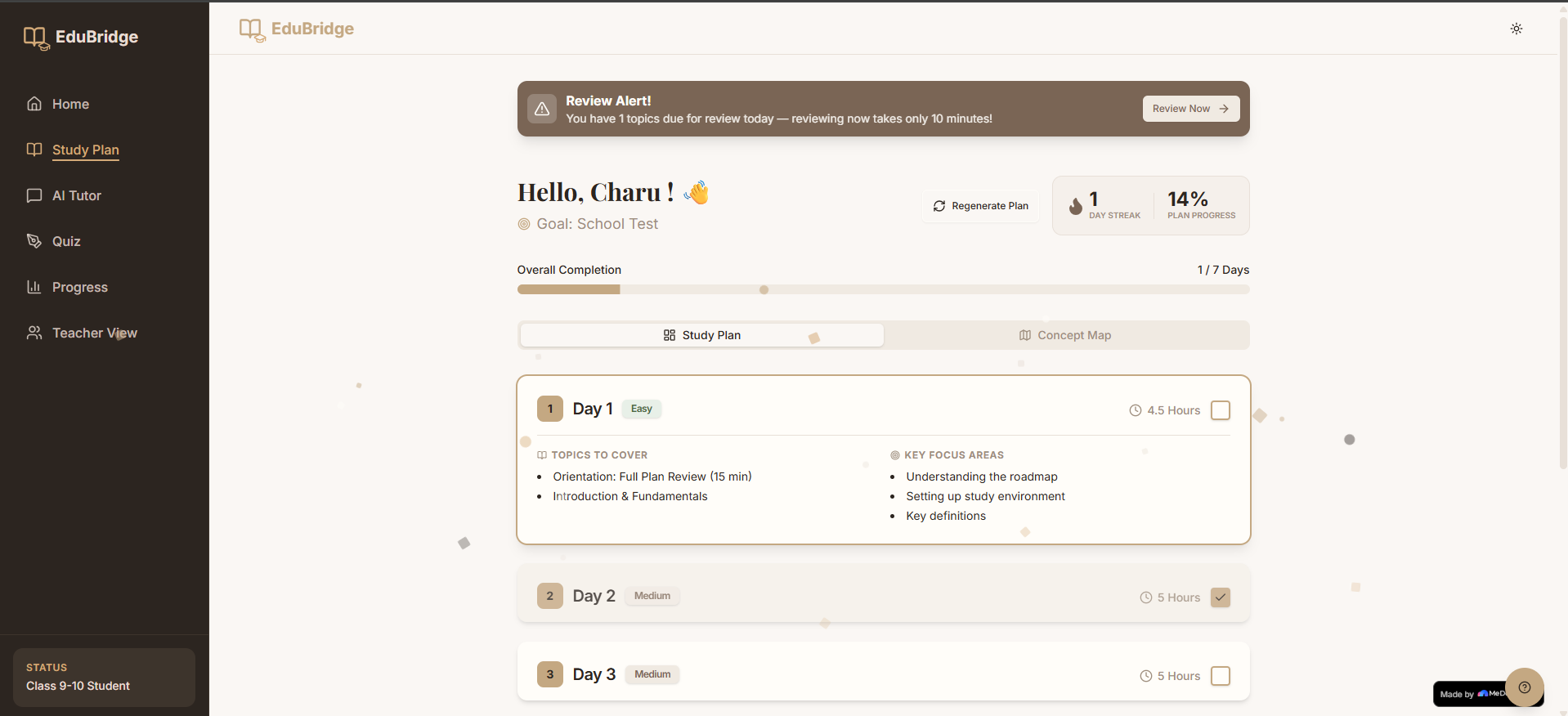
Adaptive study plan displaying personalized learning paths, difficulty indicators, student details, and live Wikipedia educational summary.
-
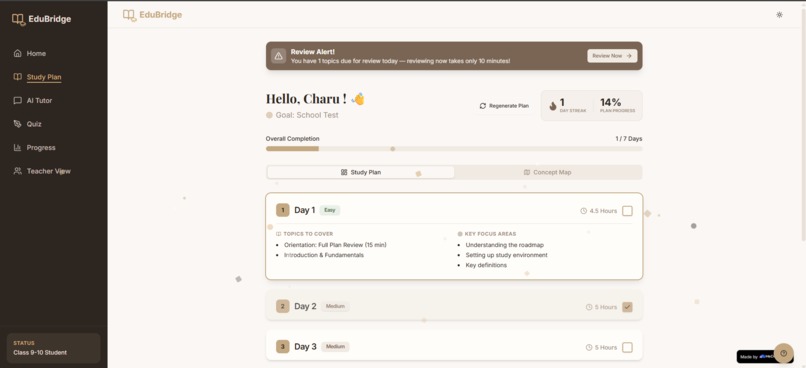
Completed study sessions with tracked progress, finished topics, revision reminders, quiz performance, and adaptive learning milestones.
-
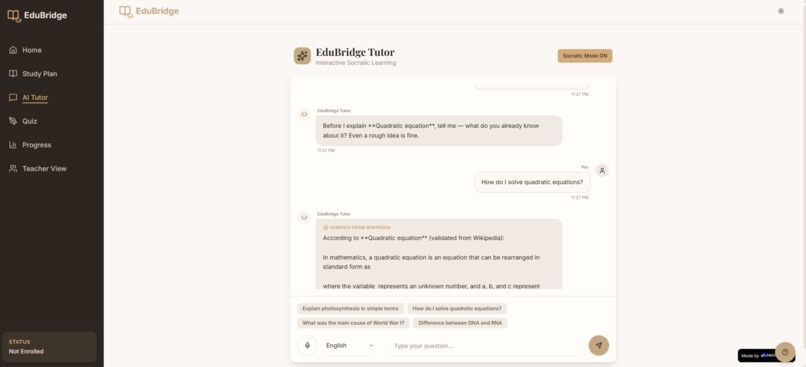
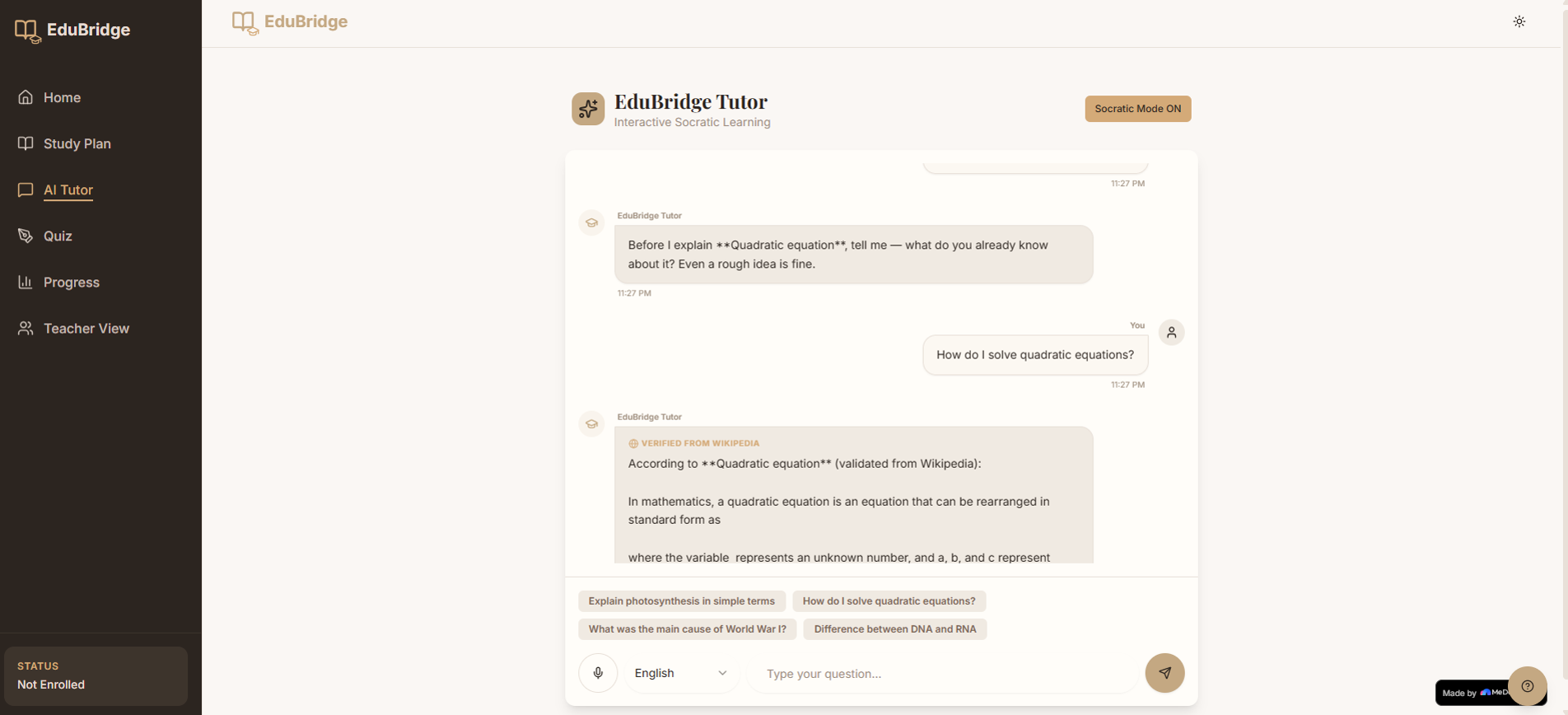
Interactive AI Tutor guiding students through questions step by step with Socratic mode toggle for guided or direct explanations.
-
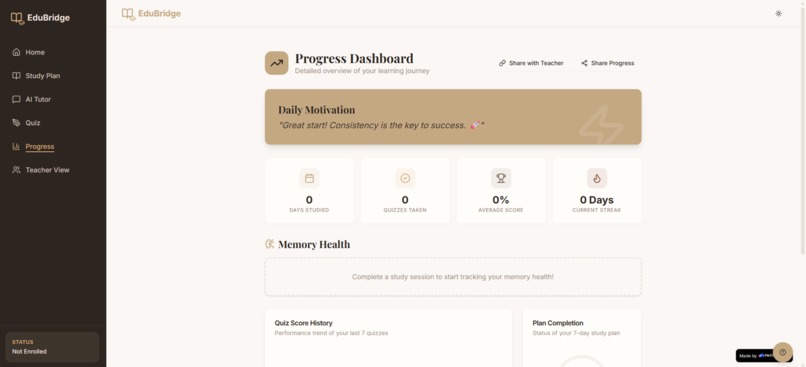
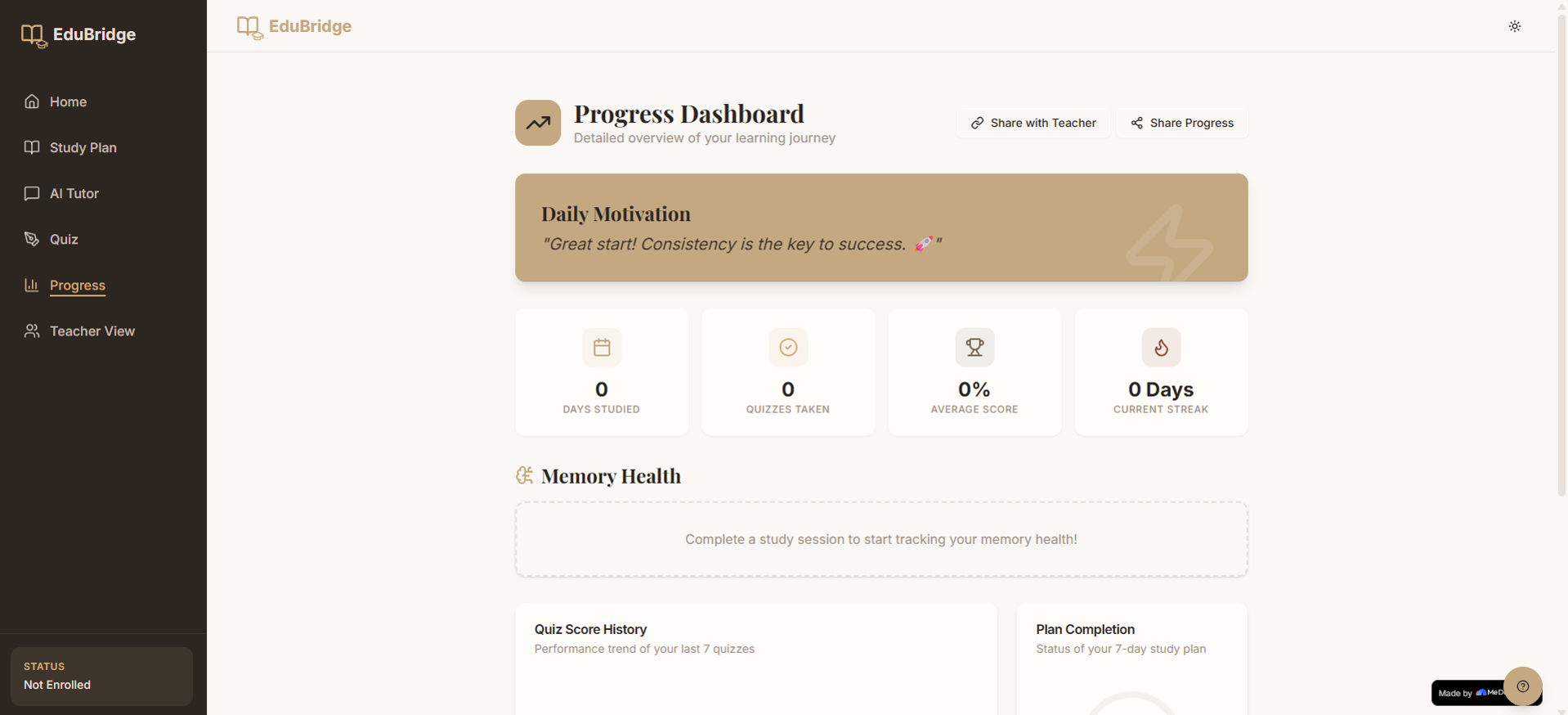
Gamified dashboard showing XP points, learning streaks, analytics, achievement badges, and overall student progress tracking.
-
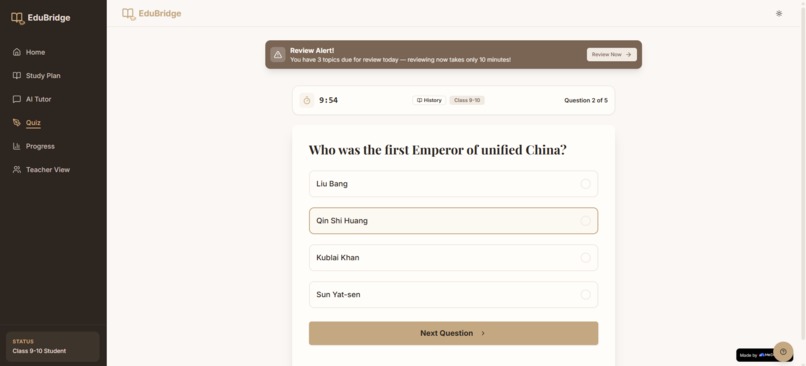
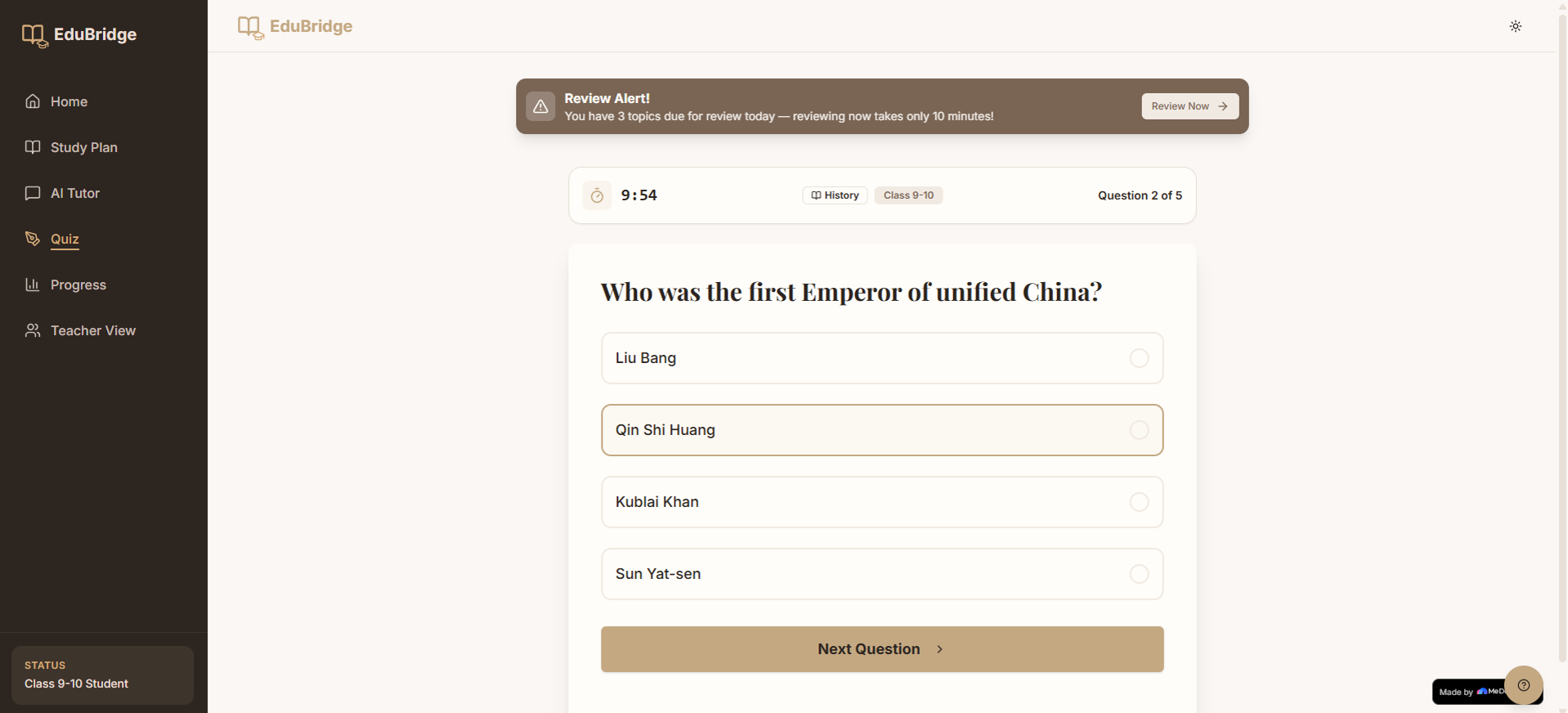
AI Generated Quiz Interface with timed questions, instant feedback, answer explanations, scoring, and performance based learning assessment.
Inspiration
I grew up seeing students around me spend hours studying every single day and still feel confused and stressed, not because they were lazy or incapable, but because they never had proper guidance. Most students do not have someone to tell them where to start, which concepts they should learn first, or how to identify the topics they are weak in. Personal tutoring and mentorship are still luxuries that many families cannot afford, especially in India and other developing regions.
That thought became the starting point for EduBridge. I wanted to create something that feels like a real personal tutor for every student, available anytime they need help. The vision was not just to build another study application with notes and quizzes, but to create a system that actually understands a student’s learning journey and guides them in a smarter and more personalised way. EduBridge was built with the belief that quality education and academic guidance should never depend on a student’s financial background.
What it does
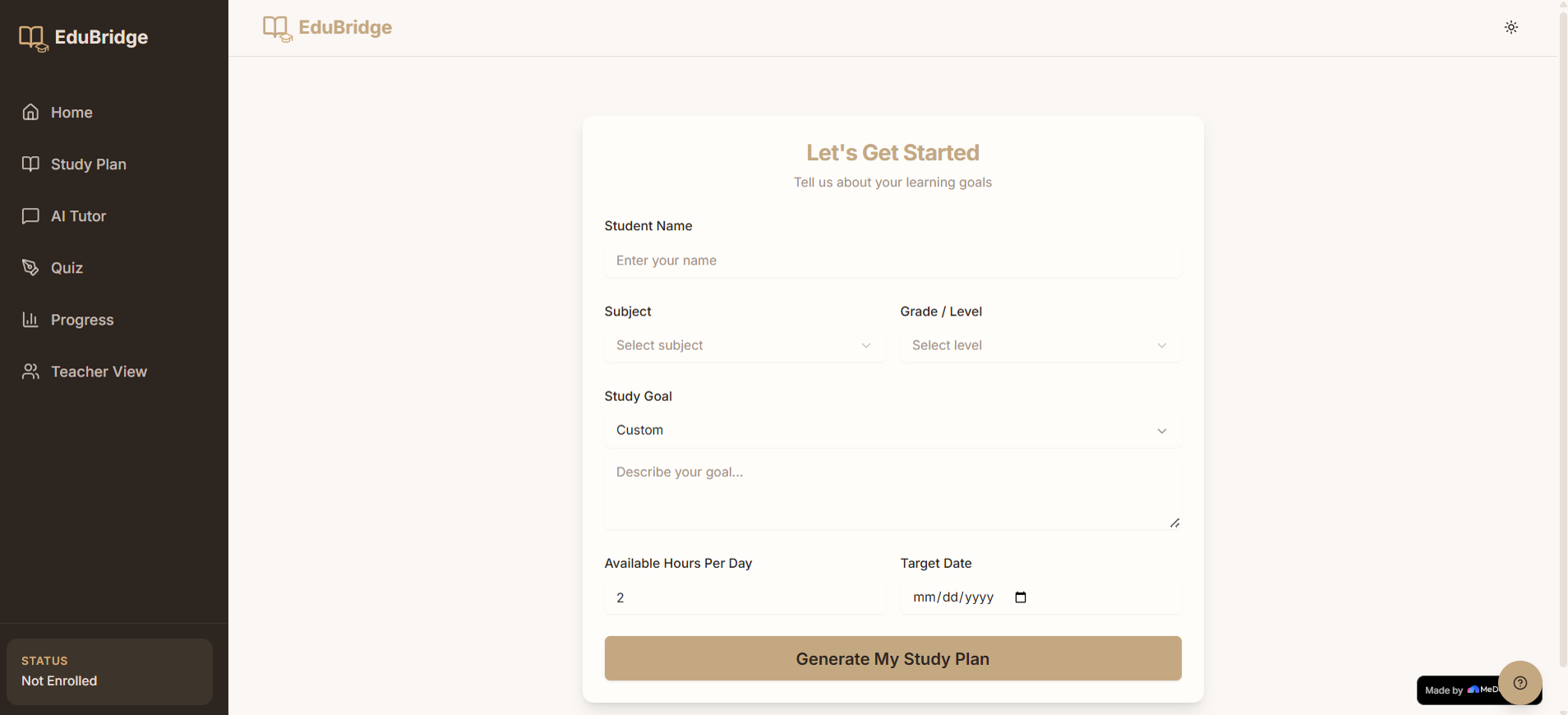
EduBridge is an AI powered study companion that helps students study in a more organised and effective way. When a student enters their subject, grade level, and study goal, the platform automatically creates a personalised seven day study plan that arranges topics from foundational concepts to advanced concepts. This ensures students learn in the correct order instead of jumping into difficult topics without understanding the basics first.
Each study day also includes a difficulty indicator such as Easy, Medium, or Hard so students know what to expect and can prepare themselves mentally before starting.
One of the most important features is the Socratic AI Tutor. Instead of directly giving answers, the tutor first asks students what they already know and then guides them through a few thoughtful questions that help them arrive at the answer themselves. This creates deeper understanding and better memory retention compared to simply reading solutions.
EduBridge also uses spaced repetition based on the Ebbinghaus forgetting curve. After a topic is completed, the app automatically schedules revision sessions at the right intervals so students remember concepts for a longer period of time instead of forgetting them before exams.
To make learning engaging, the platform includes XP points, streak tracking, achievement badges, and visual progress dashboards. Students can also take automatically generated quizzes with timers and answer explanations. Live educational summaries and topic images are fetched using the Wikipedia REST API, giving students quick reference material while studying.
The platform also supports voice input and multilingual learning so students can ask questions naturally in languages such as Hindi, Tamil, Telugu, and more. Another feature is the visual concept map where students can explore the entire curriculum through interactive topic connections and prerequisite pathways.
How we built it
EduBridge was built completely through conversation using MeDo without writing traditional code. Every page, feature, and interaction was created by describing ideas in plain English and refining them step by step through multiple prompts.
The project started with one detailed foundation prompt where I explained the complete product vision including the seven page structure, responsive layout, navigation flow, colour palette, and localStorage persistence. MeDo generated the initial full stack application structure within minutes.
After that, I improved the app through iterative conversations. Each follow up prompt focused on one feature at a time such as adaptive topic sequencing, streak tracking, difficulty indicators, and progress visualisation. This gradual conversational approach helped produce much better results compared to trying to describe everything in one prompt.
The AI Tutor was one of the most exciting parts to build. I carefully described the three stage Socratic conversation flow where the AI first understands the student’s current knowledge, then asks guiding questions, and finally explains the concept fully. MeDo translated this into a working intelligent tutoring system exactly as intended.
For spaced repetition, I described the forgetting curve logic and the review intervals I wanted. MeDo handled the scheduling logic and storage system automatically. The visual concept map was also generated entirely through prompts where I described an interactive node based curriculum diagram with zooming and clickable topics.
Voice support was added using prompts describing the browser speech API and multilingual selection system. Live educational content from Wikipedia was integrated simply by explaining what data should appear and where it should be displayed.
The final phase focused on polishing the experience with dark mode, smooth animations, loading skeletons, confetti celebrations, and full mobile responsiveness for smaller screens.
Challenges we ran into
One of the biggest challenges was learning how important prompt clarity is. In the beginning, vague prompts produced basic and generic results. Over time, I realised that detailed and structured descriptions lead to far better outputs. Prompt engineering became a major skill throughout the project.
Another challenge was balancing features with quality. There were many ideas I wanted to include, but time limitations forced me to focus on the features that would create the biggest impact. This helped shape the platform around four major pillars which were adaptive planning, Socratic tutoring, spaced repetition, and progress tracking.
Mobile responsiveness also required several iterations. Features like the bottom navigation bar and concept map needed careful adjustments to work smoothly on smaller mobile devices without affecting usability.
Accomplishments that we're proud of
The feature I am most proud of is the Socratic AI Tutor because it genuinely encourages students to think instead of depending completely on direct answers. Designing the tutor to ask meaningful guiding questions before revealing the explanation created a much more human learning experience.
The spaced repetition system is another accomplishment that feels impactful because it focuses on long term memory rather than simple task completion. Instead of just helping students finish topics, EduBridge helps them actually retain knowledge.
I am also proud that the platform works immediately without requiring complicated setup processes. Students can simply enter their details and instantly receive a personalised study system that runs directly in the browser.
Building an intelligent full stack educational platform entirely through natural language conversations with MeDo also felt like a powerful demonstration of how conversational development is changing the future of software creation.
What we learned
This project completely changed how I think about building software. The biggest lesson was that prompt engineering is a real and valuable skill. The way ideas are described directly affects the quality of the generated output.
I also learned that iterative building works far better than trying to generate everything in one attempt. Building features gradually through focused conversations created a much more polished final product.
Another important lesson was that no code does not mean no effort or thinking. Even though MeDo handled the technical implementation, every product decision still required careful planning. Decisions about learning flow, user experience, revision timing, and student interaction design all required deep understanding of user needs.
Most importantly, this project showed me how tools like MeDo are making software development accessible to more people. A single person with a clear vision and strong ideas can now create products that previously required an entire development team.
What's next for EduBridge - AI Study Companion
EduBridge has the potential to grow into a much larger educational ecosystem focused on making personalised learning accessible to every student. Future improvements include multilingual support for regional languages such as Hindi, Tamil, Telugu, Bengali, and Marathi so students can learn comfortably in their native language.
Offline learning support is another important goal so students in low internet regions can continue studying without interruption. The app will also evolve into a complete classroom support platform where teachers and parents can monitor progress, identify weak areas, and guide students more effectively.
Future versions may also include curriculum integration for CBSE, ICSE, and state boards, collaborative study rooms, AI powered revision reminders through platforms like WhatsApp, and community driven question banks where students help each other prepare for exams.
The long term vision for EduBridge is simple but meaningful. Every student deserves access to a patient, intelligent, and supportive tutor regardless of their financial situation. Technology should make quality education more accessible, not more exclusive.
Built With
- architecture
- based
- biome
- component
- confetti-animations
- css3
- custom-react-hooks
- html5
- interactive-charts
- javascript
- localstorage
- medo-(no-code-ai-builder)
- medo-ai-api-(tutoring
- pnpm-workspace
- postcss
- quiz-generation
- react
- react-context-api
- responsive-mobile-ui
- skeleton-loading-screens
- study-planning)
- supabase-integration
- svg-(concept-map-visualisation)
- tailwind-css
- typescript
- vite
- web-speech-api
- wikipedia-rest-api

Log in or sign up for Devpost to join the conversation.