-
-
Main Project Visual
-
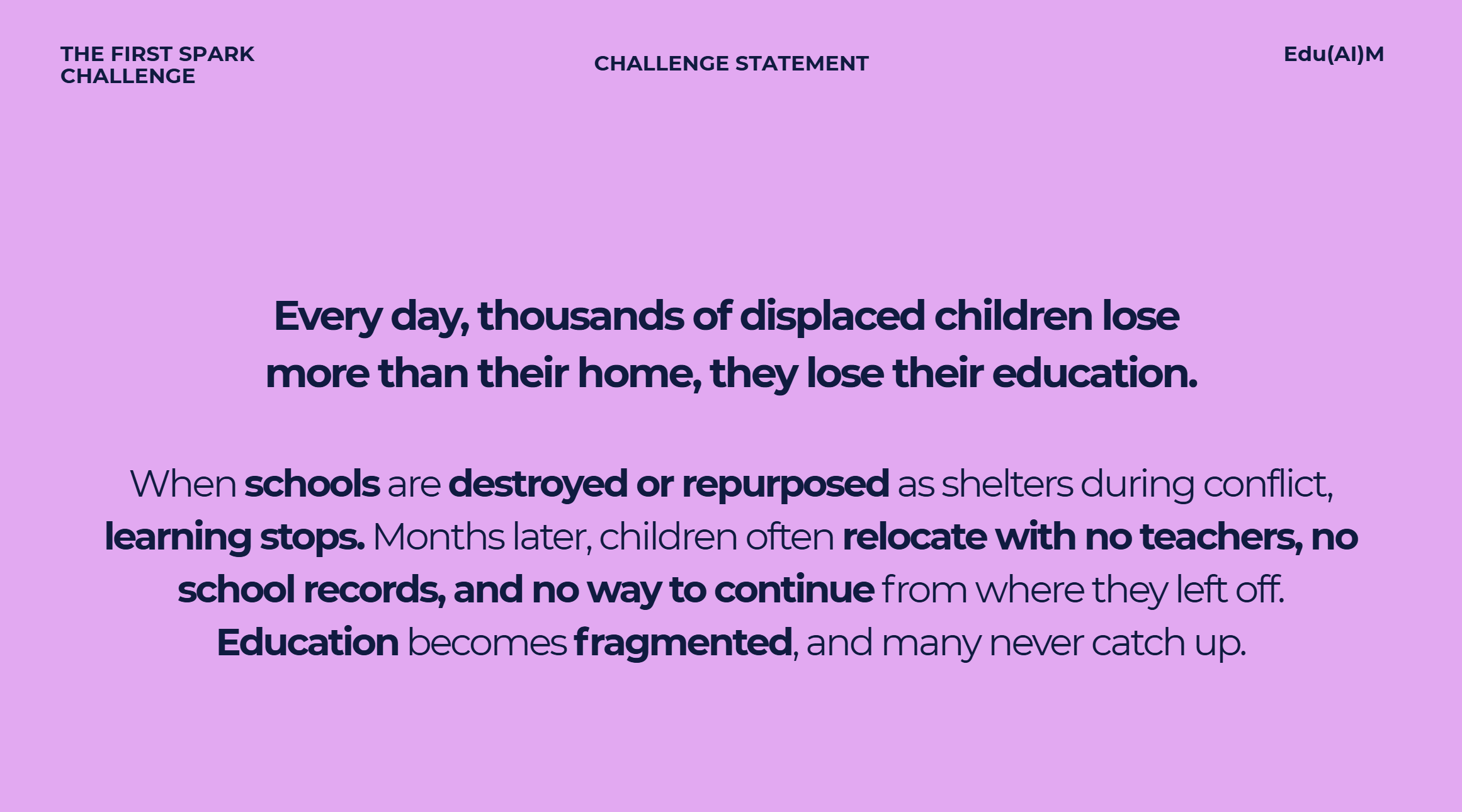
Problem Statement
-
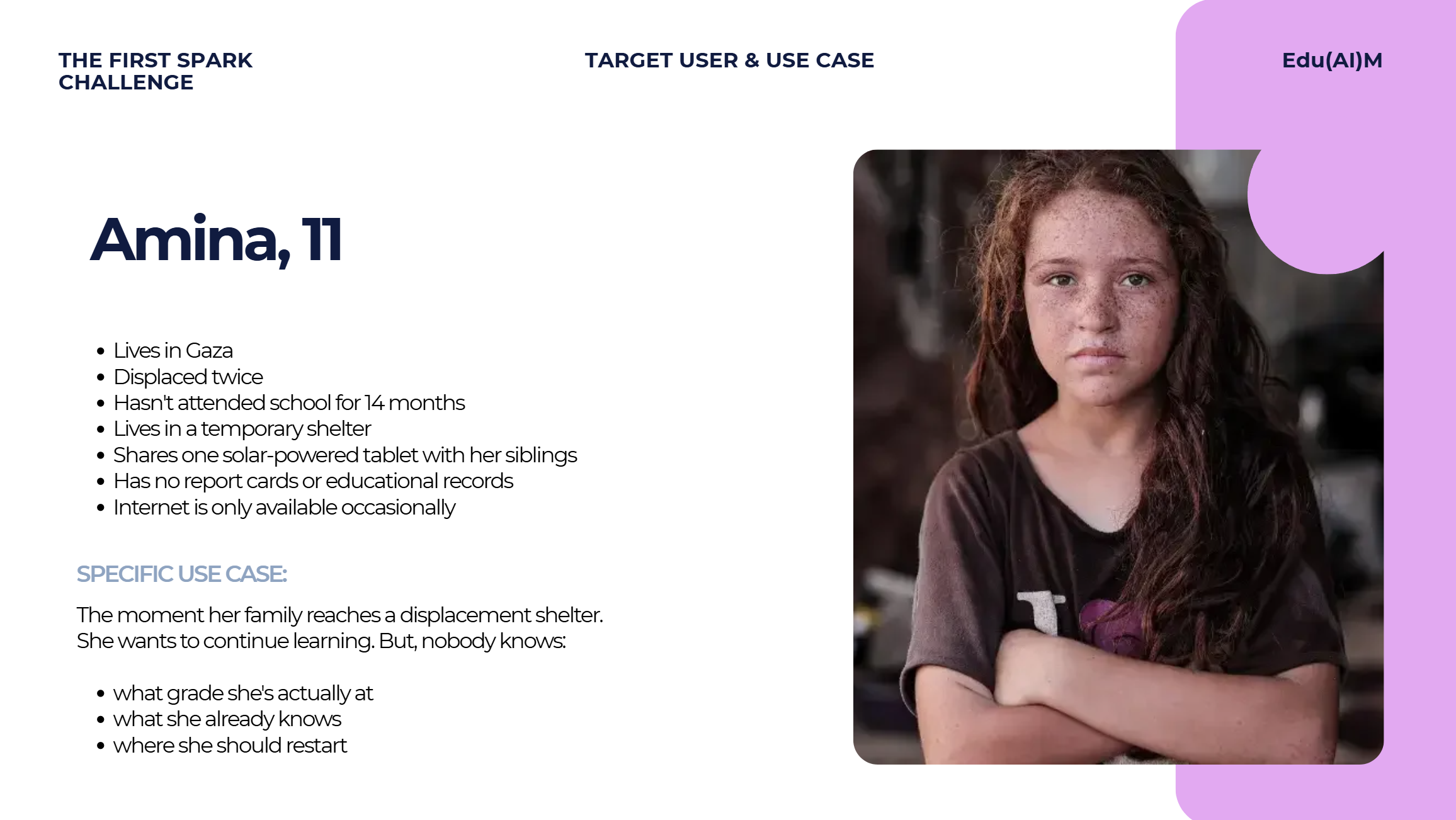
Empathy mapping
-
App Screens
-
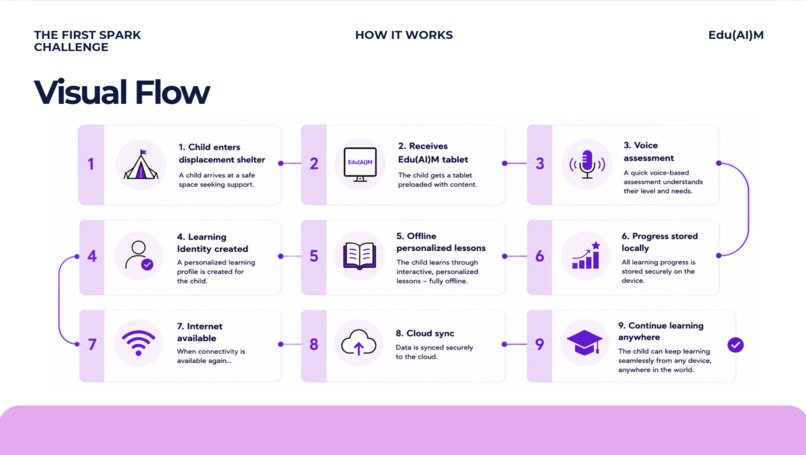
User Journey
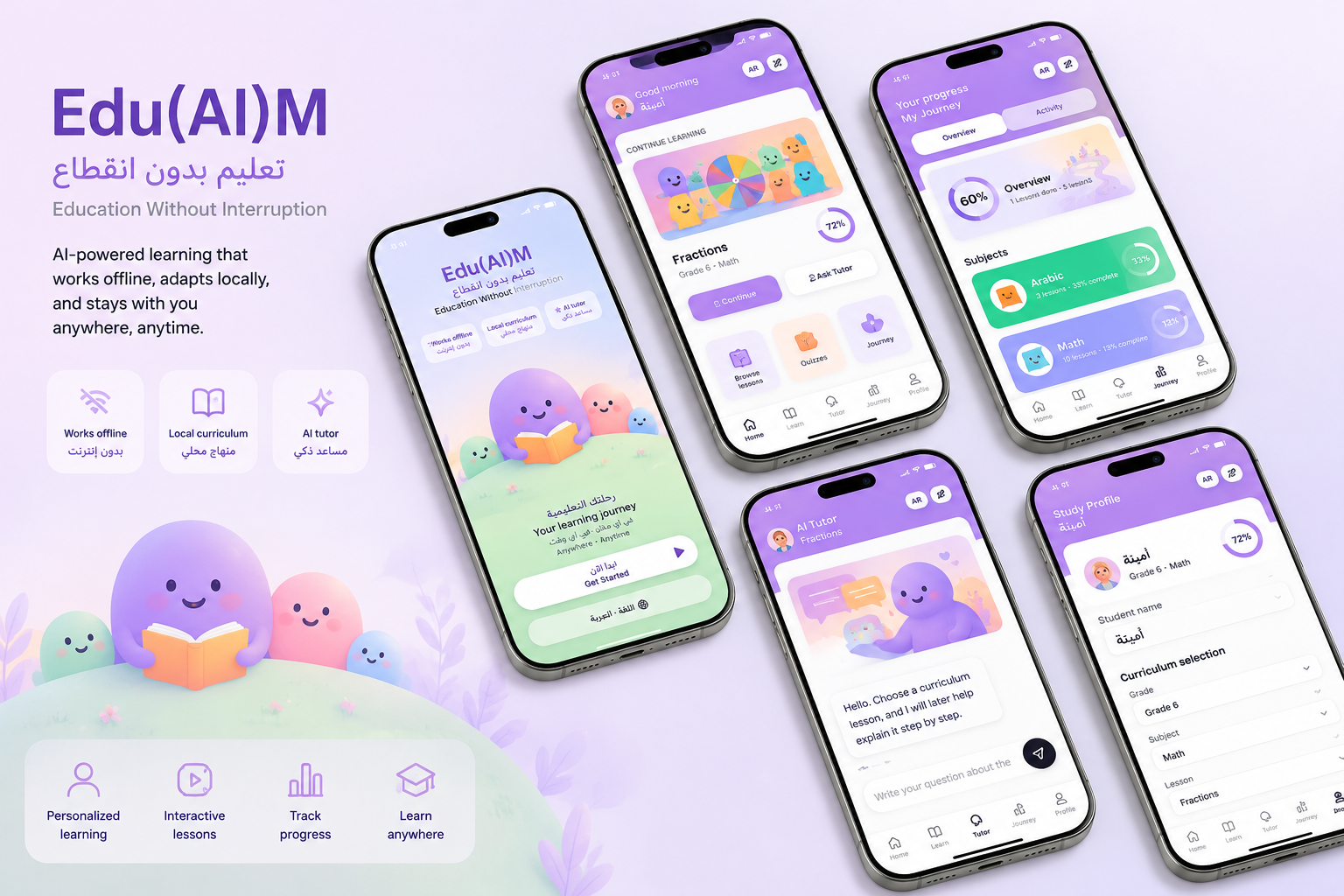
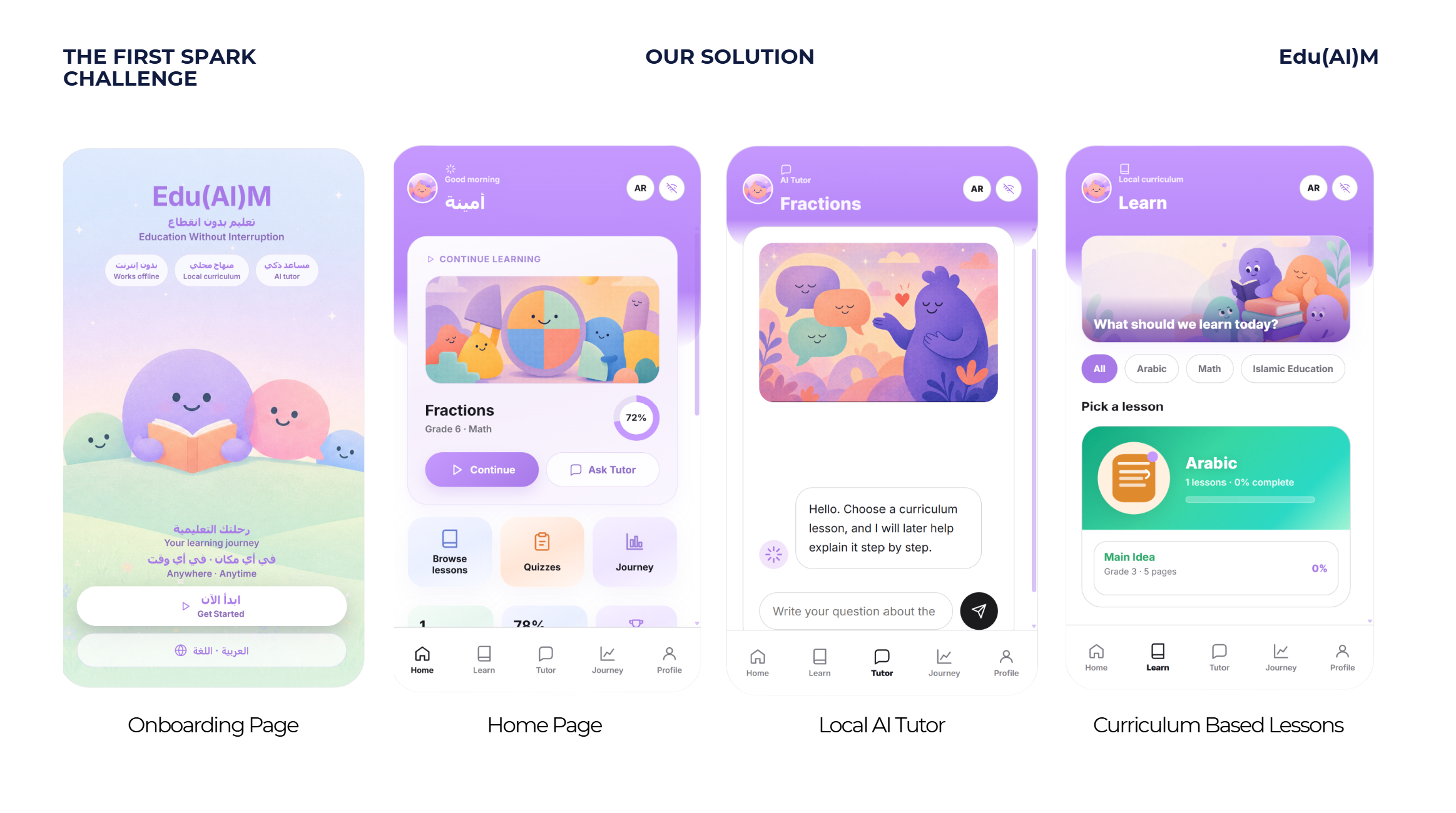
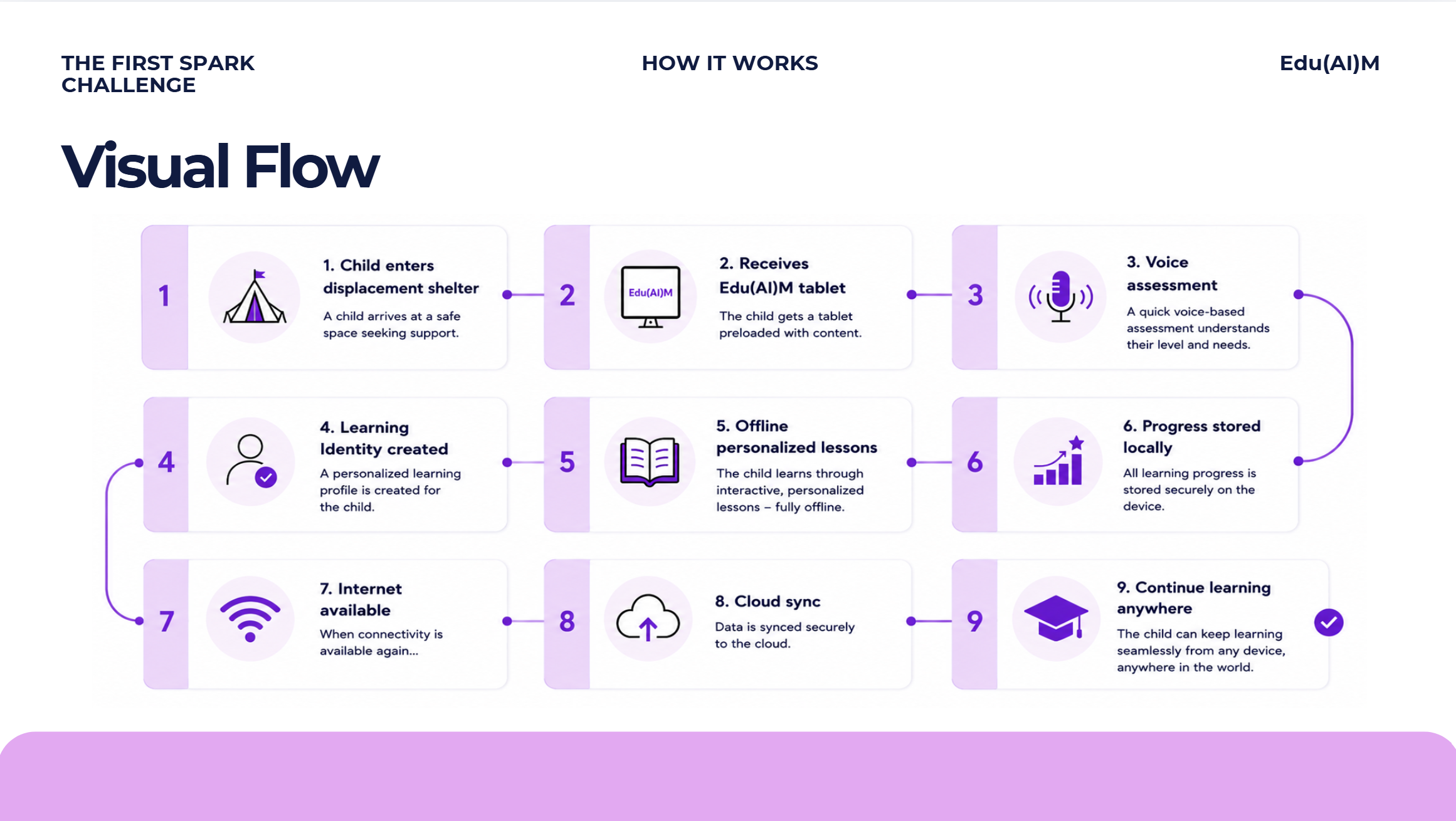
Social Media Post - https://on.contra.com/QcGLPm Presentation Link - https://canva.link/el4tr4td4d6ycwf
AI Edu Kit — Offline AI Learning for Gaza
The Problem
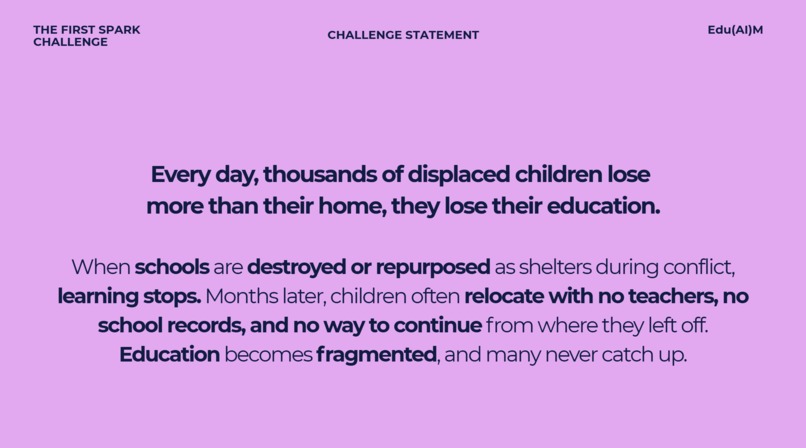
Hackathons are usually about taking existing systems and making them faster, smarter, or more connected. But how do you optimise a system that barely exists anymore?
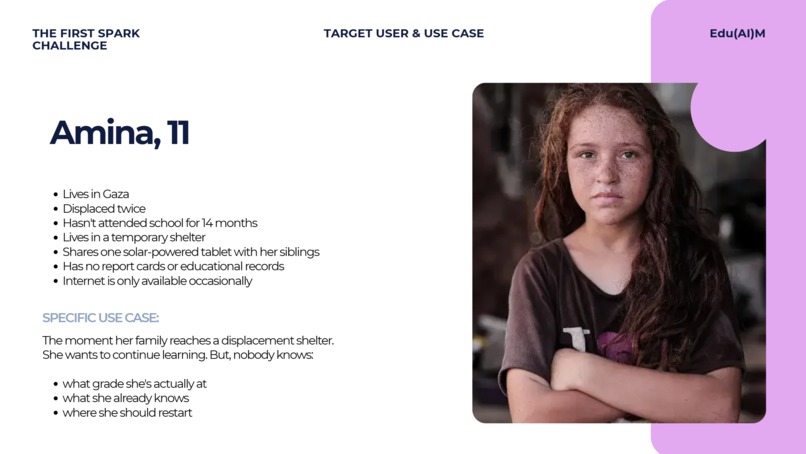
In Gaza, hundreds of thousands of children have been pushed out of formal schooling. Many now study in tents, shelters, and temporary learning spaces where electricity, devices, textbooks, and reliable internet access cannot be assumed.
That means a normal cloud-based learning platform is not enough. It stops working exactly when students need it most.
The challenge was not simply to build another AI tutor. It was to design one that could still work when the internet, power grid, and traditional classroom are unavailable.
Our Solution
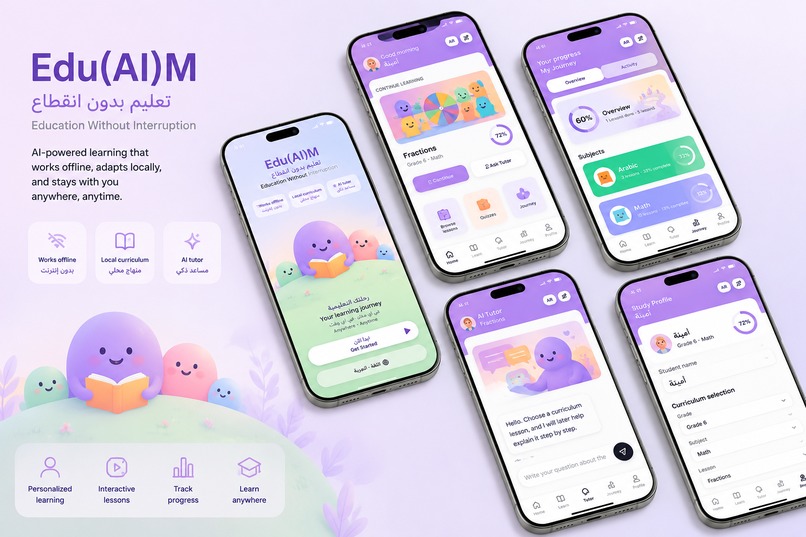
AI Edu Kit is a bilingual, offline AI learning platform designed to support students in conflict-affected and low-infrastructure environments.
It runs a small language model locally, grounds its answers in Palestinian curriculum and Tawjihi materials, and allows students to learn in either Arabic or English without depending on a cloud connection.
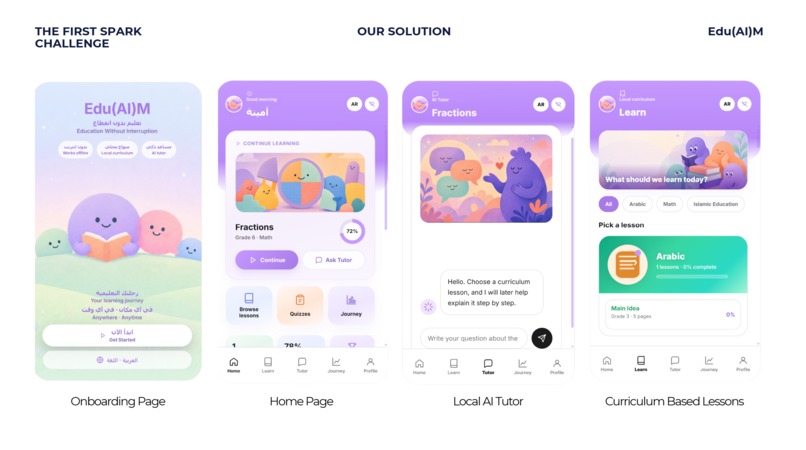
Students can ask questions, revise topics, receive step-by-step explanations, and practise curriculum content through a simple interface designed for stressful and resource-limited environments.
Our goal was not to use the biggest model available.
Our goal was to build the smallest system that could still provide meaningful educational support under difficult conditions.
Designing Around Real Constraints
We started with one question:
What could realistically reach a student in Gaza and continue working when the internet and electricity disappear?
That question shaped every major decision.
The system needed to:
- Work without reliable internet access
- Run on affordable, low-power hardware
- Support existing or donated phones
- Remain usable during power outages
- Work in both Arabic and English
- Follow the Palestinian curriculum instead of giving generic answers
- Keep student data within the local learning environment
- Be simple enough for temporary classrooms and community spaces
These were not extra features. They became the foundation of the project.
What We Built
We built a working prototype of an offline AI tutor powered by Qwen3.5-4B.
Local AI Tutor
The model runs locally instead of sending every question to an external AI service.
Once the model, application, and curriculum materials are installed, the core tutoring experience can operate without internet access. This also improves privacy because students’ questions do not need to leave the local device or learning hub.
Tawjihi Curriculum Grounding
A general-purpose language model may know a lot, but that does not automatically make it a reliable teacher.
One of our biggest priorities was making the tutor accurate and representative of the Palestinian curriculum and Tawjihi requirements.
We organised curriculum materials into a local knowledge base. When a student asks a question, the system retrieves relevant content and gives it to the model before generating an answer.
This helps the tutor:
- Stay focused on the expected syllabus
- Use appropriate educational terminology
- Give clearer, more relevant explanations
- Reduce unsupported or unrelated responses
- Remain easier to update when curriculum content changes
Instead of asking the model to rely only on its general knowledge, we designed the surrounding system to guide it using trusted educational material.
Arabic and English Support
The application works in both Arabic and English.
This was more than translating a few interface buttons. We had to think about how questions are retrieved, how curriculum terms are represented, and how explanations remain consistent across both languages.
Students can learn primarily in Arabic while still using English explanations where useful, especially for scientific or technical subjects.
Simple Student Experience
The interface is intentionally straightforward.
Students choose their language, select a subject or topic, ask a question, and receive a structured explanation. We avoided unnecessary AI controls because the product is meant for learners who may already be studying under stressful conditions.
The technology should reduce friction, not create more of it.
Why We Chose Qwen3.5-4B
We deliberately chose a relatively small 4-billion-parameter model instead of a much larger cloud model.
Larger models may perform better in some situations, but they also require more memory, more expensive hardware, more electricity, and often a permanent internet connection.
Those requirements would make the product less realistic for the communities we are trying to support.
Qwen3.5-4B gave us a better balance between:
- Local deployment
- Multilingual capability
- Hardware requirements
- Response quality
- Power consumption
- Offline privacy
We did not choose it because it was the largest model available. We chose it because it had a more realistic path to reaching the user.
Designing for Phones and Shared Hardware
We assumed that many students would have access to an existing, shared, or donated phone rather than a powerful computer.
However, expecting every phone to run the complete AI model would create another barrier. Lower-cost phones may not have enough memory, processing power, or battery capacity.
Our deployment concept therefore uses a shared local AI hub:
Solar panel → Rechargeable battery → Local AI hub
                                      ↓
                              Offline local Wi-Fi
                                      ↓
                       Students’ phones and devices
A low-power computer runs the model and stores the curriculum materials. Nearby students connect using their phones through a local Wi-Fi network that does not require internet access.
The phones become the interface, while the shared hub handles the heavier AI processing.
This means:
- One local model can support multiple learners
- Students do not each need expensive hardware
- Existing phones can still be used
- Curriculum updates can be managed in one place
- Student activity remains within the local network
- A school or community space can deploy one shared kit
Phones are not just a limitation in our design. They are the main way students access the system.
Solar Power and Offline Distribution
An offline application is still not useful if the hardware cannot be powered.
That is why our deployment concept includes a rechargeable battery and solar charging system for the local AI hub.
Solar power is not there as a decorative sustainability feature. It directly addresses one of the project’s biggest risks: long and unpredictable electricity outages.
We also considered how the software would reach places where downloading large files is not realistic.
The model, application, and curriculum package could be distributed through:
- USB drives
- Memory cards
- Preloaded local devices
- Offline update packages
This would allow organisations or educators to install new subjects and updated curriculum content without requiring every student to connect to the internet.
Our current prototype focuses on the local tutor, bilingual interface, and curriculum-grounded experience. Testing the full hardware, battery, and solar deployment is part of the next stage.
Technology and Tools
Qwen3.5-4B
Qwen3.5-4B powers the local tutoring experience.
We selected it because its size and multilingual capability make it more suitable for resource-conscious, offline deployment than a large cloud-dependent model.
Cursor
We used Cursor as our main development environment.
It helped us move quickly between the interface, local model integration, bilingual experience, and curriculum workflow during the limited hackathon period.
OpenAI Codex
We used OpenAI Codex for implementation support, debugging, and code refinement.
Because this was our first time integrating a local language model into a complete application, Codex helped us trace errors, restructure parts of the codebase, and test different approaches more efficiently.
Cursor and Codex supported the development process, but the finished tutoring experience does not depend on them at runtime.
OpenAI Image Generation
We used OpenAI Image Generation to create original educational illustrations and interface assets.
These visuals were generated during development and packaged with the application, meaning students do not need an internet connection to access them.
This helped us make the interface more welcoming and engaging without relying on live external image services.
Challenges We Faced
Running Local AI for the First Time
This was our first time deploying and integrating a local language model.
Cloud APIs usually hide problems such as model setup, memory use, inference speed, hardware compatibility, and communication between the model and the application. Running locally meant we had to work through these issues ourselves.
Making the Tutor Curriculum-Accurate
Getting the model to answer a question was not the hardest part.
The real challenge was making sure the answer was accurate, age-appropriate, bilingual, and aligned with the Tawjihi curriculum.
We had to carefully organise the educational content, improve how relevant passages were retrieved, and refine the tutor’s instructions so that it behaved like a learning assistant rather than a generic chatbot.
The biggest lesson was that educational quality does not come from the model alone. It comes from the full system built around it.
Supporting Arabic and English Consistently
Educational terminology does not always translate cleanly between Arabic and English.
We had to consider language at every stage: the interface, the student’s question, curriculum retrieval, subject terminology, and the final explanation.
Building Beyond the Demo Laptop
It would have been easy to make a polished demo that only worked on a powerful development computer.
Instead, we kept asking:
- Could this eventually run on lower-power hardware?
- What happens when the internet disappears?
- How would students access it from their phones?
- How would the system be charged?
- How would curriculum updates be delivered?
- Could a teacher operate it without technical expertise?
These questions made the project harder, but they also made it more realistic.
What We Are Proud Of
AI Edu Kit is not simply another interface placed on top of a cloud chatbot.
We designed it around constraints that many AI products ignore:
- Local model inference
- No required cloud connection
- Arabic and English support
- Tawjihi curriculum grounding
- Student privacy
- Shared access through low-cost devices
- A realistic path toward solar-supported deployment
Most importantly, the project shows that responsible AI does not always mean using the most powerful model available.
Sometimes, the better choice is a model small enough, private enough, and resilient enough to reach people whom cloud-first technology leaves behind.
Why It Matters
AI Edu Kit is designed to preserve access to education when normal digital infrastructure cannot be relied upon.
It turns local hardware into a shared learning resource, gives educators control over curriculum content, protects student privacy, and allows learners to receive personalised support without depending on a permanent internet connection.
The project is currently focused on Gaza and the Palestinian curriculum, but the same approach could eventually support refugee camps, remote communities, disaster-response learning centres, and other places where conventional educational technology struggles to operate.
A child’s ability to learn should not disappear when the internet does.
What Comes Next
Our next steps are to:
- Test the system on representative low-cost hardware
- Optimise the model for lower memory and power use
- Expand the available Tawjihi subjects and practice material
- Add clearer curriculum sources to generated answers
- Work with Palestinian educators to review accuracy and terminology
- Test the full battery and solar deployment concept
- Add educator controls for managing local content
- Create portable offline curriculum updates
- Conduct structured testing with students and teachers
AI Edu Kit is not intended to replace teachers or rebuild schools by itself.
It is designed to help preserve access to learning while educators and communities continue the much larger work of supporting the next generation.
Built With
- codex
- css
- cursor
- figma
- generation
- gpt-5.5
- image
- lm
- netlify
- next.js
- openai
- qwen3.5-4b
- react
- studio
- tailwind
- typescript


Log in or sign up for Devpost to join the conversation.