Inspiration
Creating short-form videos usually means jumping between a video editor, stock-media libraries, transcription tools, caption generators, voice tools, and export services. We wanted to bring that workflow into one focused workspace.
Editify was inspired by the idea that AI should handle repetitive editing decisions while creators keep control of the timeline and final creative direction.
What it does
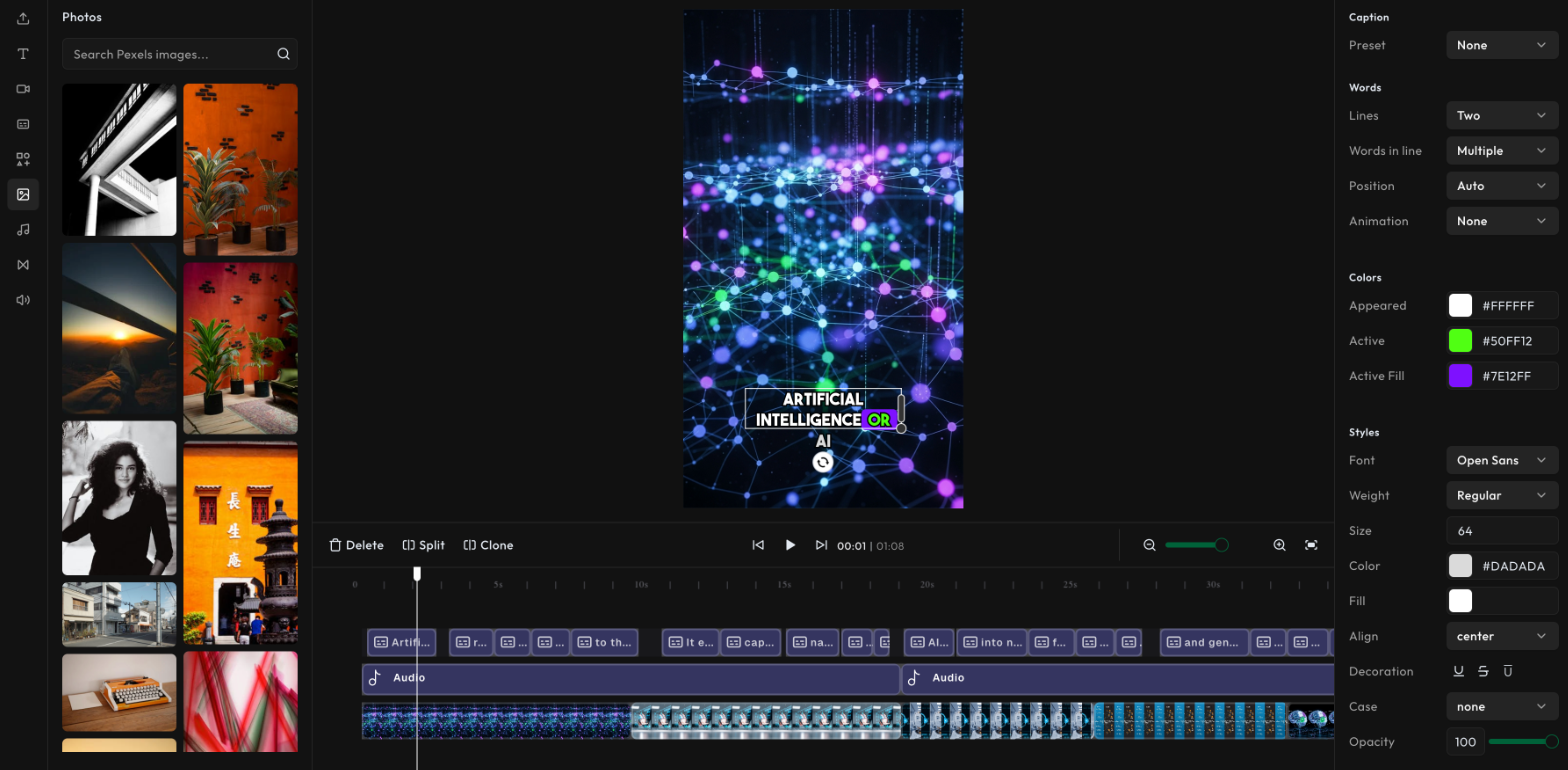
Editify is an AI-powered video editor for creating Reels, TikToks, and other short-form content.
- Import video, image, audio, and text assets
- Generate storyboards and timelines with AI
- Search and select stock footage from Pexels
- Automatically transcribe audio with word-level timings
- Create synchronized captions
- Edit clips across multiple timeline tracks
- Add text animations, transitions, effects, and audio
- Preview edits in real time
- Export videos through a dedicated Remotion rendering worker
How we built it
Editify is built with Next.js, React, TypeScript, Tailwind CSS, Zustand, and DesignCombo for the editor experience.
The preview and editing workflow uses Remotion and custom timeline modules. The AI pipeline uses LangChain and Anthropic for storyboard generation, scene planning, stock-video selection, and timeline enhancement. ElevenLabs handles transcription and word-level timing. Pexels provides stock footage, while AWS S3 stores uploaded assets and rendered exports.
Video rendering runs through a separate Remotion worker that can run locally or on RunPod Serverless.
Challenges we ran into
The biggest challenge was keeping the timeline, preview player, AI-generated storyboard, and final export synchronized. Small timing differences can cause captions, A-roll, B-roll, and audio to drift apart.
We also had to coordinate browser interactions, server-side AI processing, asynchronous rendering, S3 uploads, and progress updates across multiple environments.
Accomplishments that we're proud of
- Built a complete browser-based video editing workflow
- Connected AI storyboard generation to a real timeline
- Added word-level transcription and synchronized captions
- Implemented multi-track editing with transitions and animations
- Created a separate rendering worker for video exports
- Added local rendering support for faster development and testing
What we learned
Video editing is fundamentally a data and timing problem. A good editor needs a consistent model for assets, scenes, tracks, frames, captions, and audio.
We also learned that AI works best when it assists structured editing workflows instead of replacing the editor entirely. The creator should be able to inspect, adjust, and refine every AI-generated decision.
What's next for Editify
- Add project persistence and user accounts
- Improve collaborative editing
- Support more export formats and presets
- Add richer media management
- Improve render progress and failure recovery
- Expand AI editing commands and timeline suggestions
- Add stronger automated test coverage
Built With
- amazon-web-services
- anthropic-claude
- designcombo
- elevenlabs
- express.js
- langchain
- next.js
- pexels-api
- react
- remotion
- runpod
- tailwind-css
- typescript
- zustand

Log in or sign up for Devpost to join the conversation.