-
-
thumbnail
-
logo
Inspiration
I often needed to make quick image edits—like cropping or resizing—without opening heavy software. Most online tools felt too slow or cluttered. So I decided to build a simple, fast, and login-free image editor that runs entirely in the browser. Also, I wanted to use this project to practice real-time development, build my GitHub habit, and challenge myself during the Kiro hackathon.
What it does
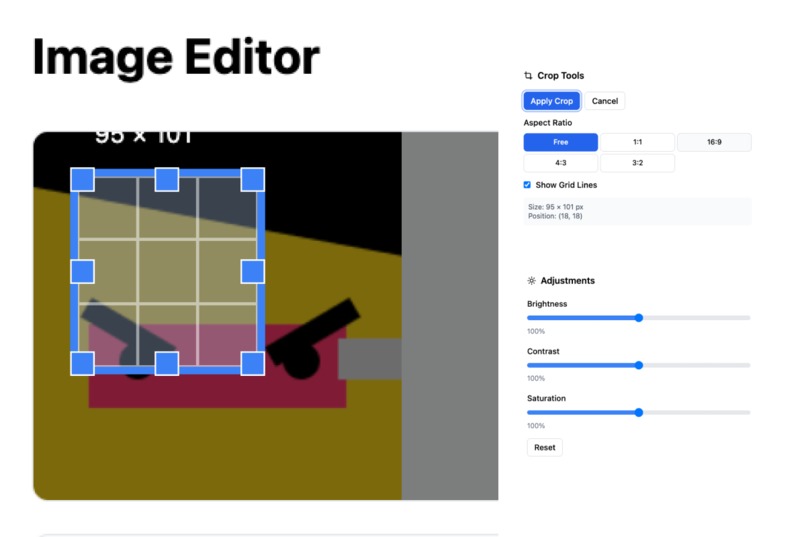
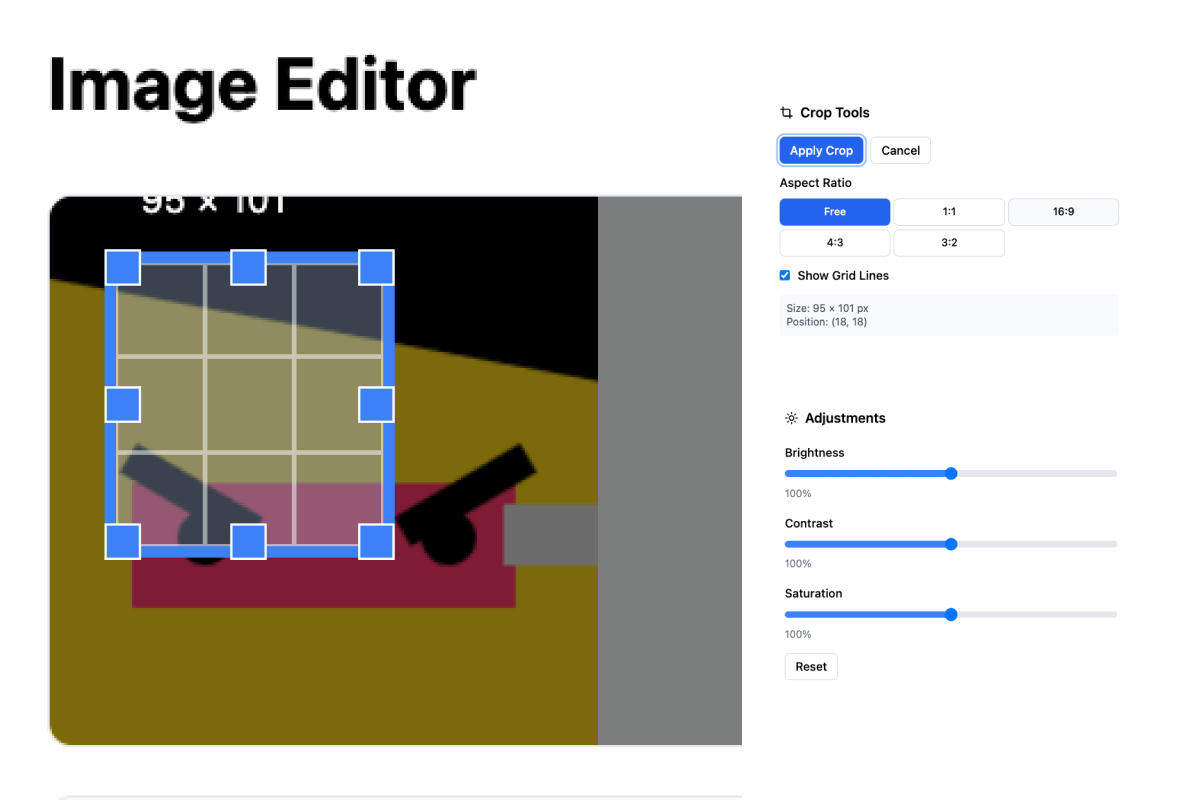
EditImageSimple is a lightweight web app that lets users: Upload an image Crop and adjust image (brightness contrast, saturation) Download the edited image All in a clean, minimal interface—no account needed, no backend.
How I built it
I built the app using the Kiro (Vibecoding) development environment. I am designer, So i had to use Kiro Ai only. and I use the vercel deploy platform with github
Challenges I ran into
Making the image editor work smoothly across different browsers and devices was harder than expected. I also had a tough time integrating it into farcaster(web3 sns), where the app kept scrolling down and unexpectedly reloading. Fixing that took a lot of trial and error—but I learned a lot through it.
Accomplishments that I am proud of
Built and deployed a working image editing tool from scratch Fixed real-time bugs while using Kiro as my main dev tool Integrated it into Pakecaster despite the compatibility issues Started my GitHub streak and pushed code consistently 🌱
What I learned
How to use Kiro for making real image editing Real-time debugging and issue tracking The importance of building small, shippable tools How to adapt and fix issues in embedded app environments and also I learned kind of the sentence.. "npm start... git add."
What's next for edit image
Add filters (grayscale, contrast, etc.) Implement undo/redo Improve mobile experience Polish the UI and animations Possibly open source it and keep improving it post-hackathon
Built With
- kiro
- vibecoding)

Log in or sign up for Devpost to join the conversation.