-
-
dashboard_img_3
-
dashboard_img_2
-
dashboard_img_1
-
source_img
-
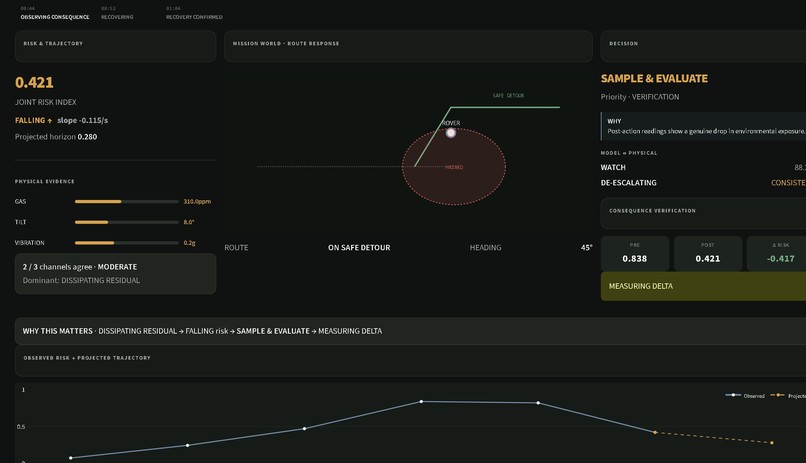
recovery_image
-
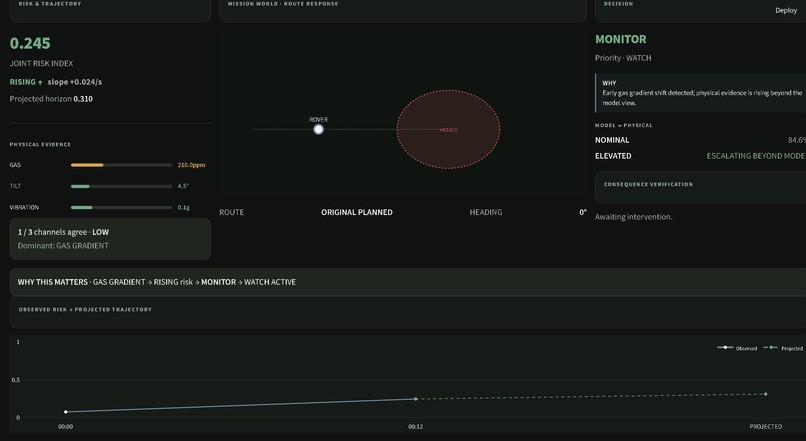
gas_escalation
-
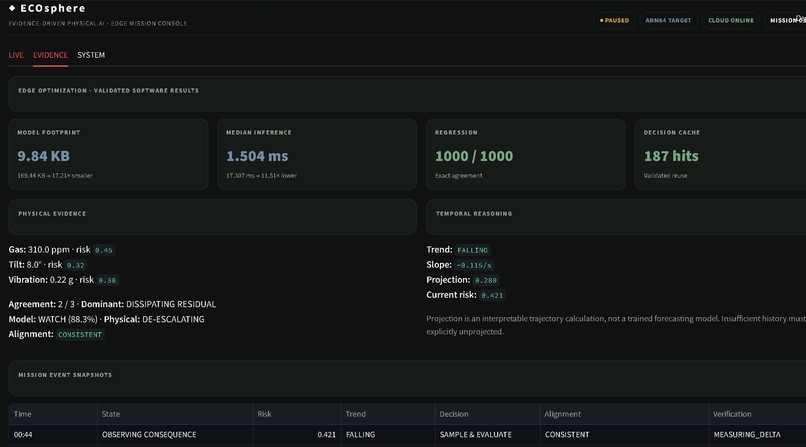
evidence_1
-
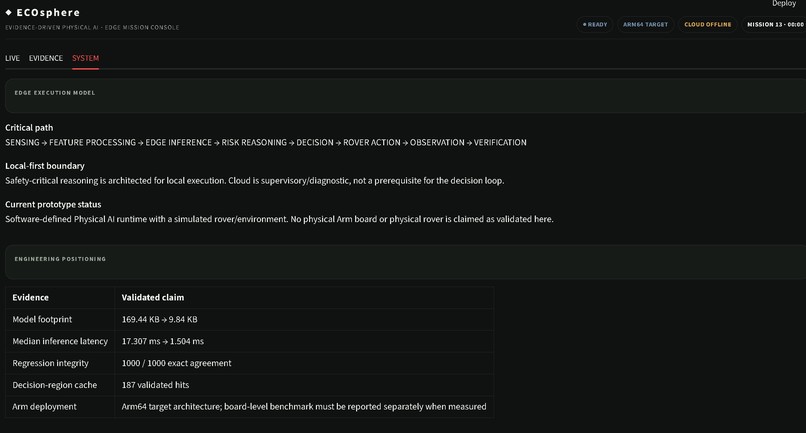
system_Image
Inspiration
We got tired of hazard-detection demos that stop at a label. The dashboard says "CRITICAL," a red badge lights up, and... nothing happens. That felt hollow. We wanted EcoSphere's hazard AI to actually control something — to change what a physical rover does, not just narrate what it thinks is happening. Entering the Arm AI Optimization Challenge added the other half of the mission: it's not enough for a hazard system to be right, it has to be fast and provably right on the actual hardware it'll run on, not just on whatever laptop we happened to build it on.
What it does
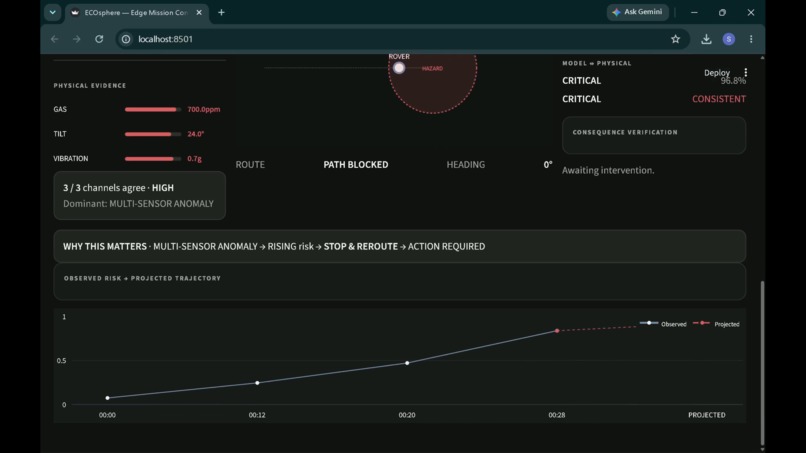
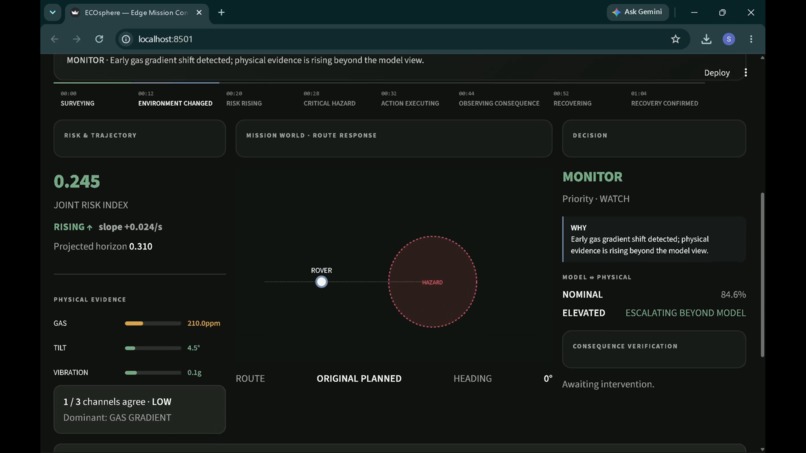
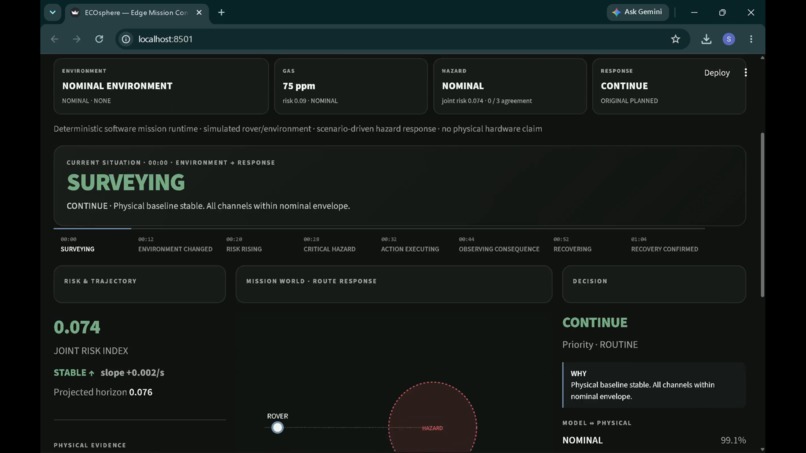
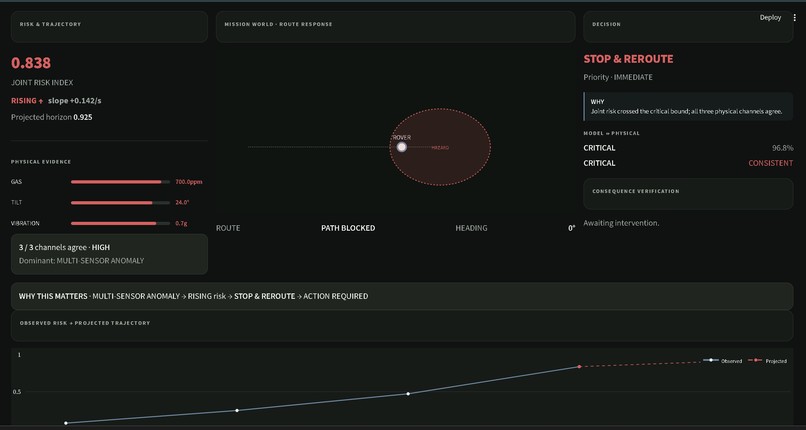
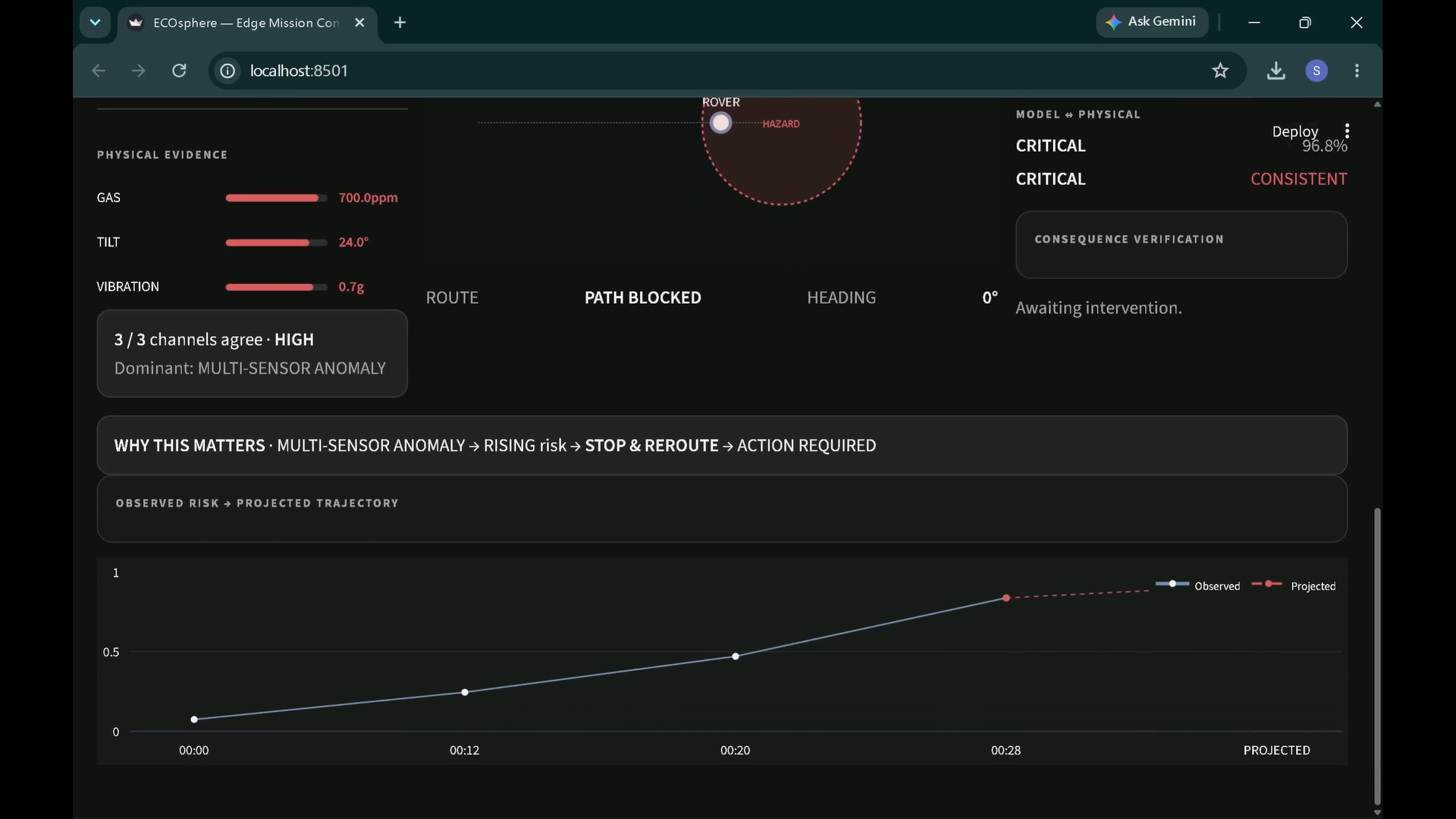
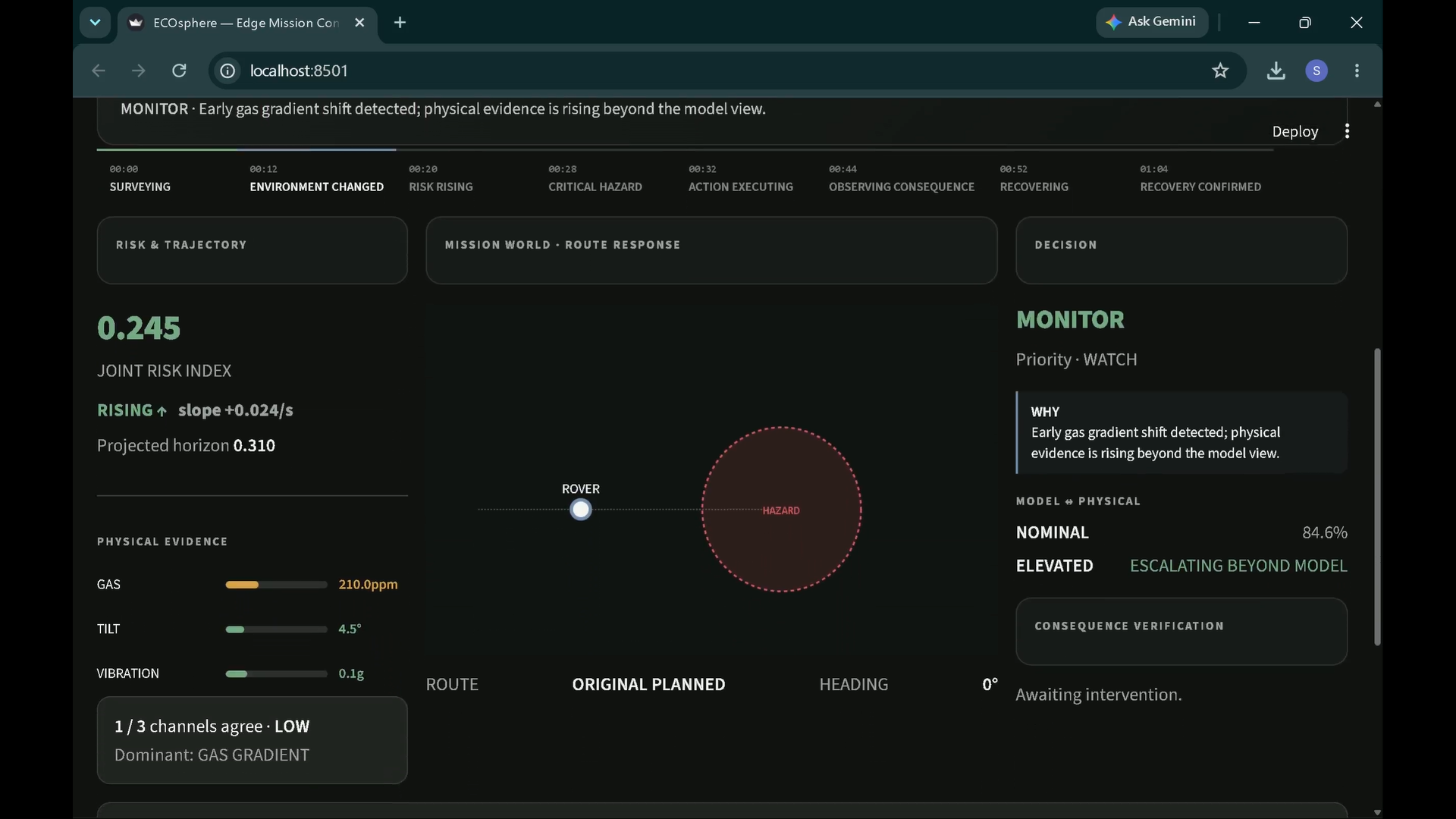
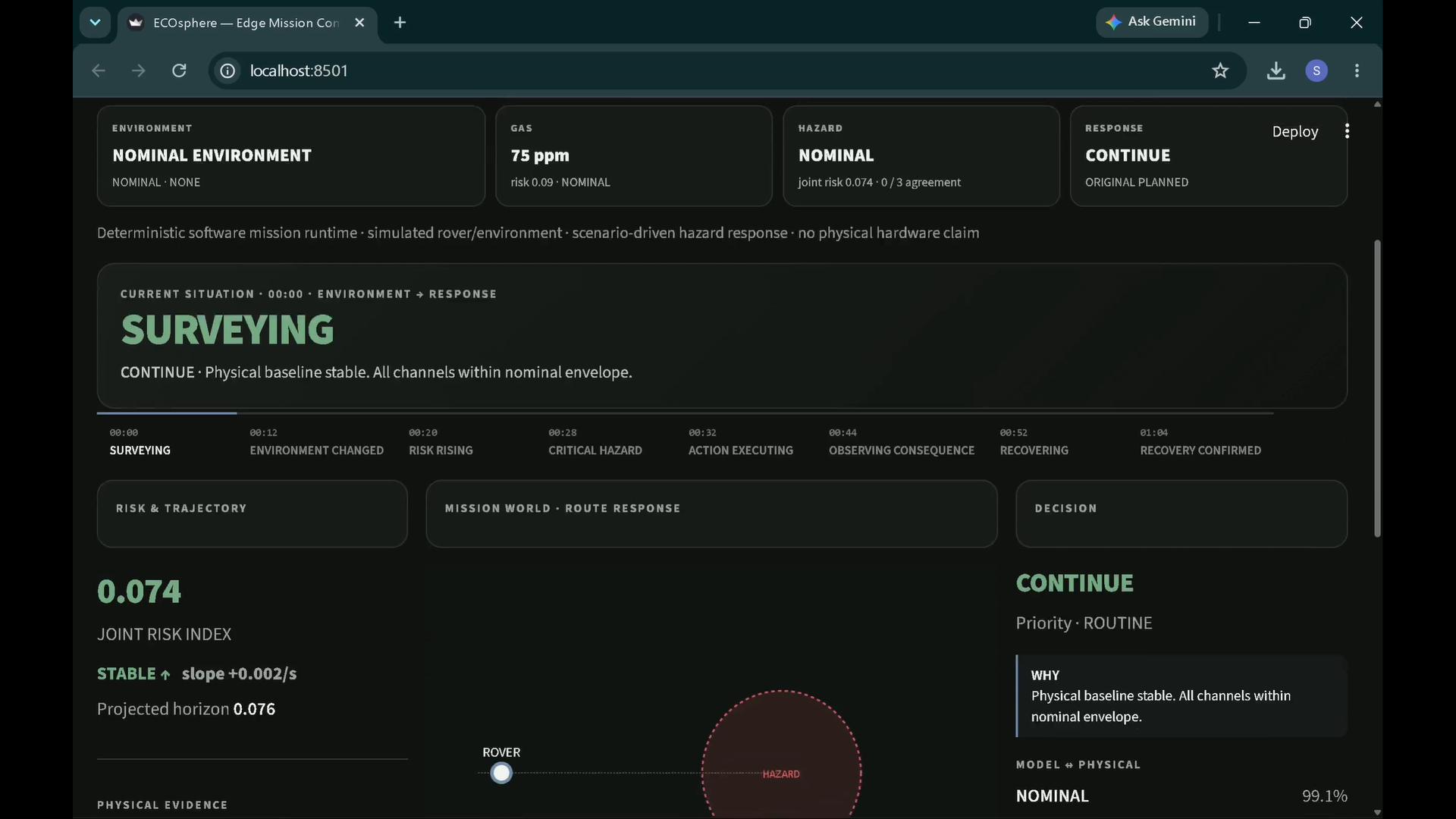
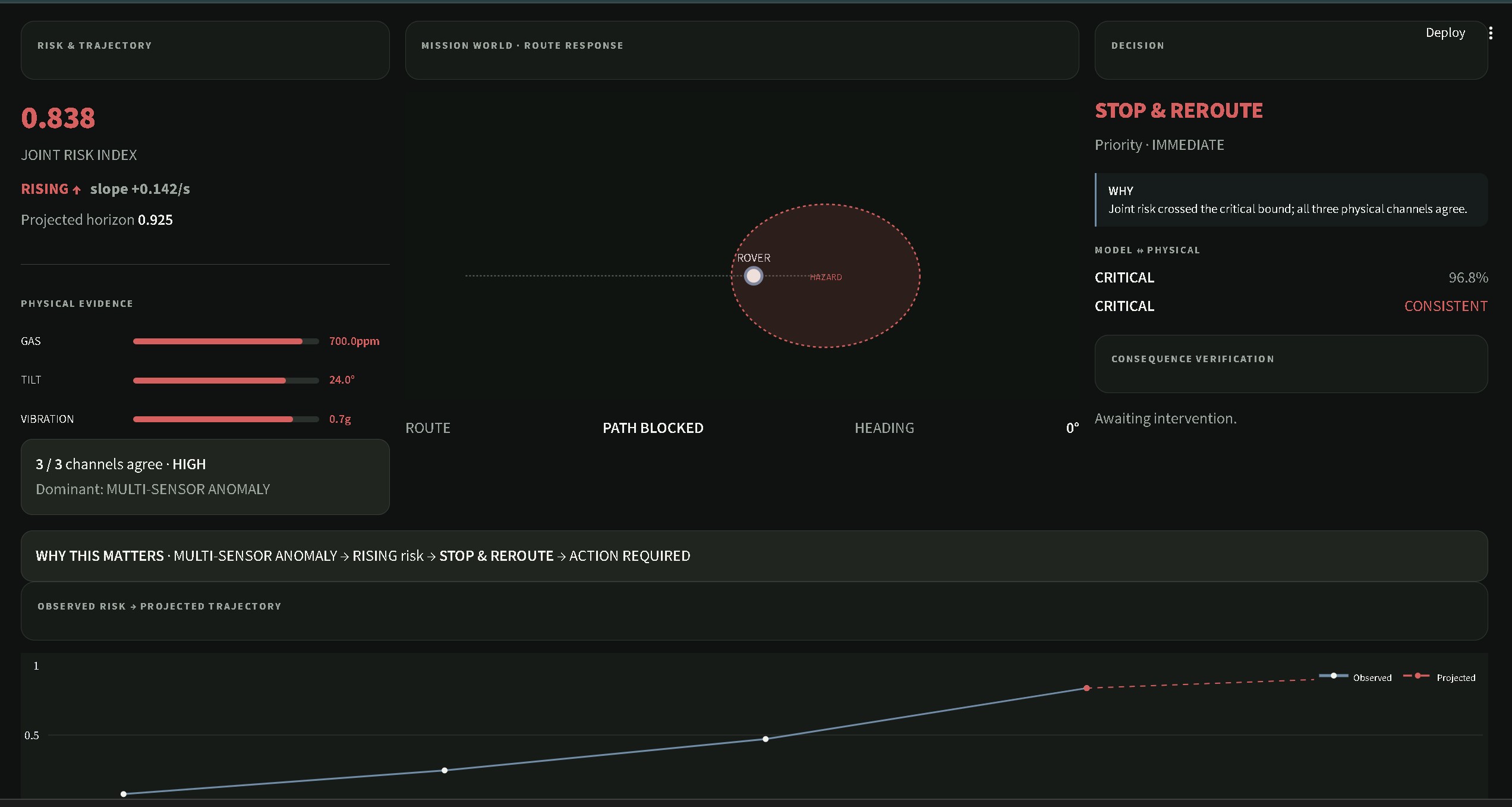
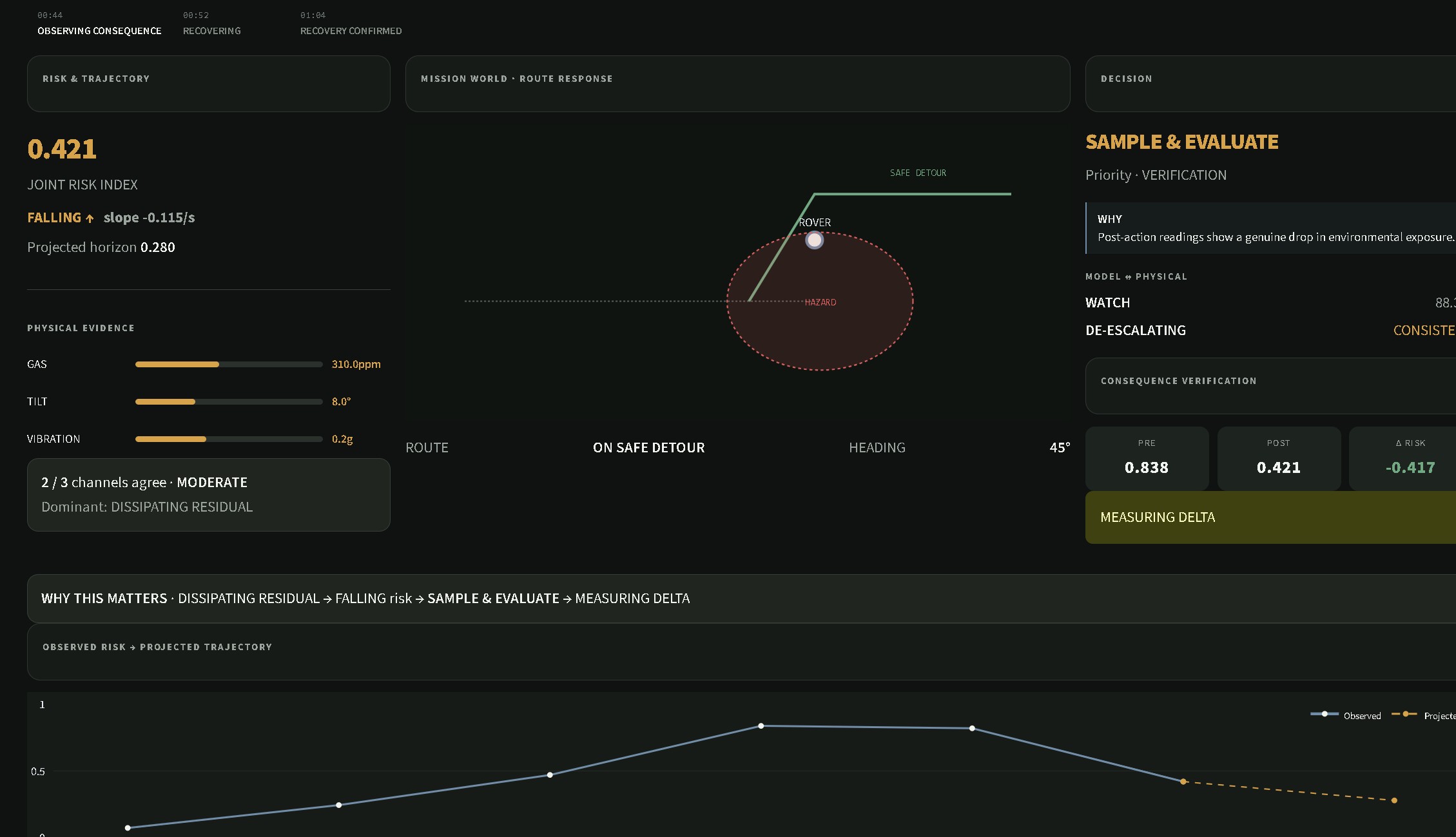
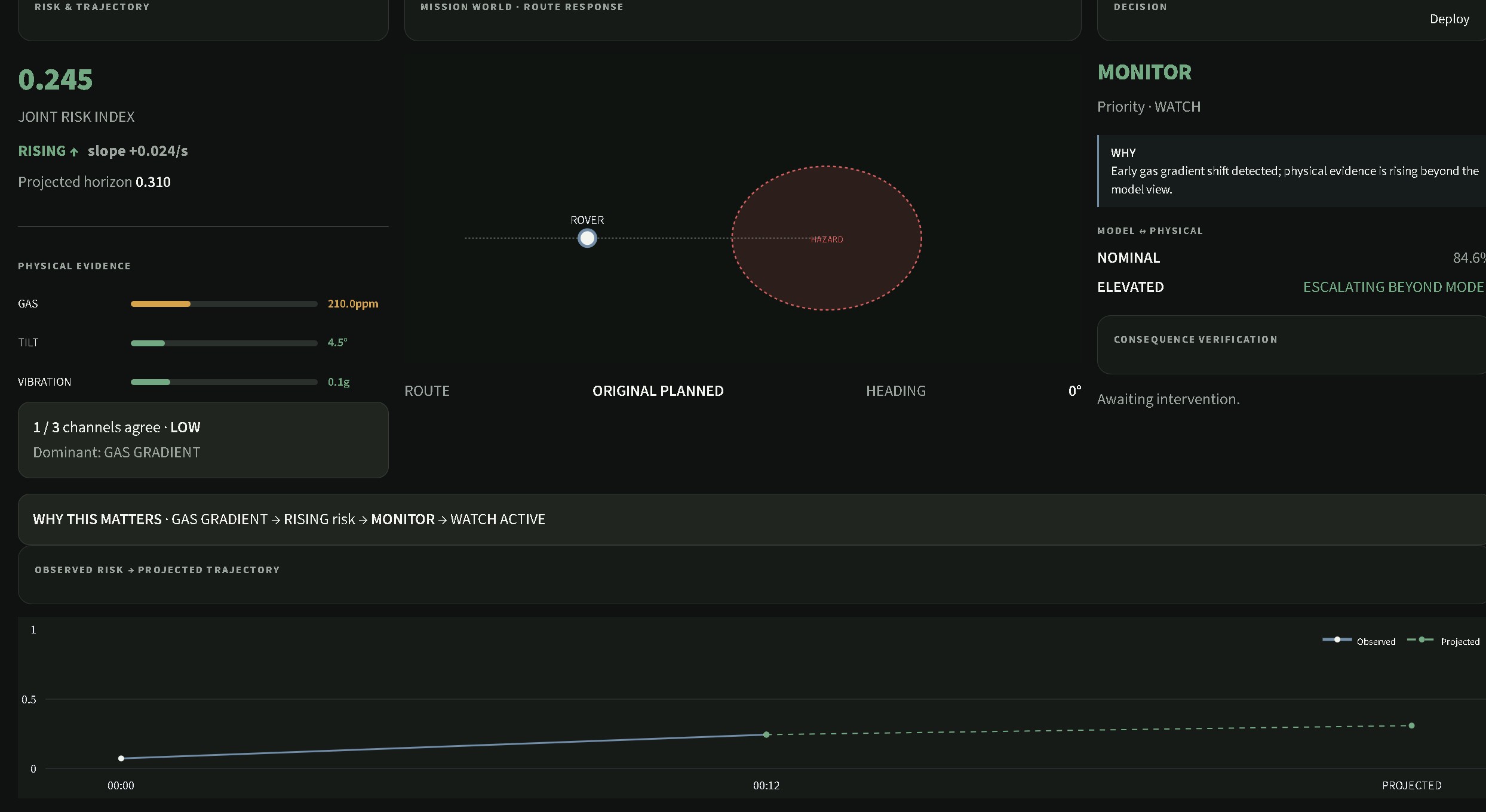
EcoSphere takes in gas, tilt, and vibration readings, runs them through an ML classifier, and lets that classification actually drive the rover:
SAFE — keeps moving normally ELEVATED — slows down CRITICAL — stops dead and flags the hazard point so it can be routed around later Recovery — picks back up once things clear
We wrapped all of that in a dashboard with three modes. OPERATE is for poking at individual sensor scenarios by hand and watching how the AI and the rover react. MISSION runs a full autonomous sequence — normal conditions, a gas hazard, a structural hazard, a combined critical event, then recovery — straight through the real pipeline, and checks whether the rover actually makes it back to SAFE at the end. You can also replay a finished mission exactly as it happened, without re-running the AI or messing with the mission history. PROVE is where the benchmarks and regression evidence live, so the performance claims aren't just asserted.
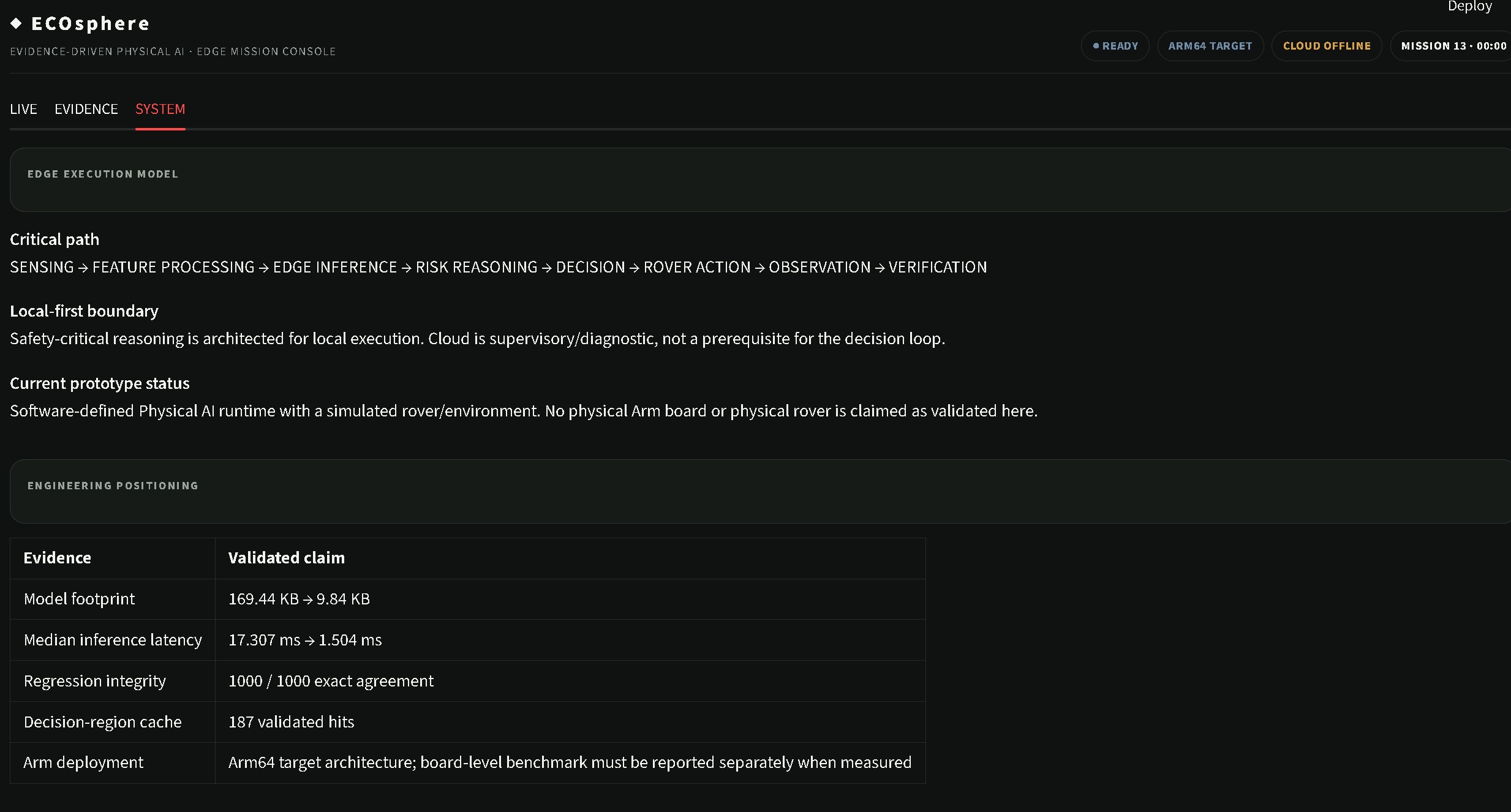
Under the hood it runs on the Arduino UNO Q's dual-brain setup: the Qualcomm QRB2210 side does the inference, and the STM32U585 handles real-time fail-safe control.
How we built it
The AI pipeline — synthetic dataset generation, a Random Forest model, a Keras/TFLite model, a drift demo, and a modular pipeline tying it together — was already there when we picked this up. Our job was turning that pipeline into an actual system.
We started by adding an action layer that takes a hazard tier and turns it into a rover state change instead of just a printed label. Then we built MISSION mode so the full hazard sequence could run on its own through the real runtime, instead of us manually flipping every sensor value by hand. Replay came next, and we made sure it works off recorded decisions rather than quietly re-running the AI in the background.
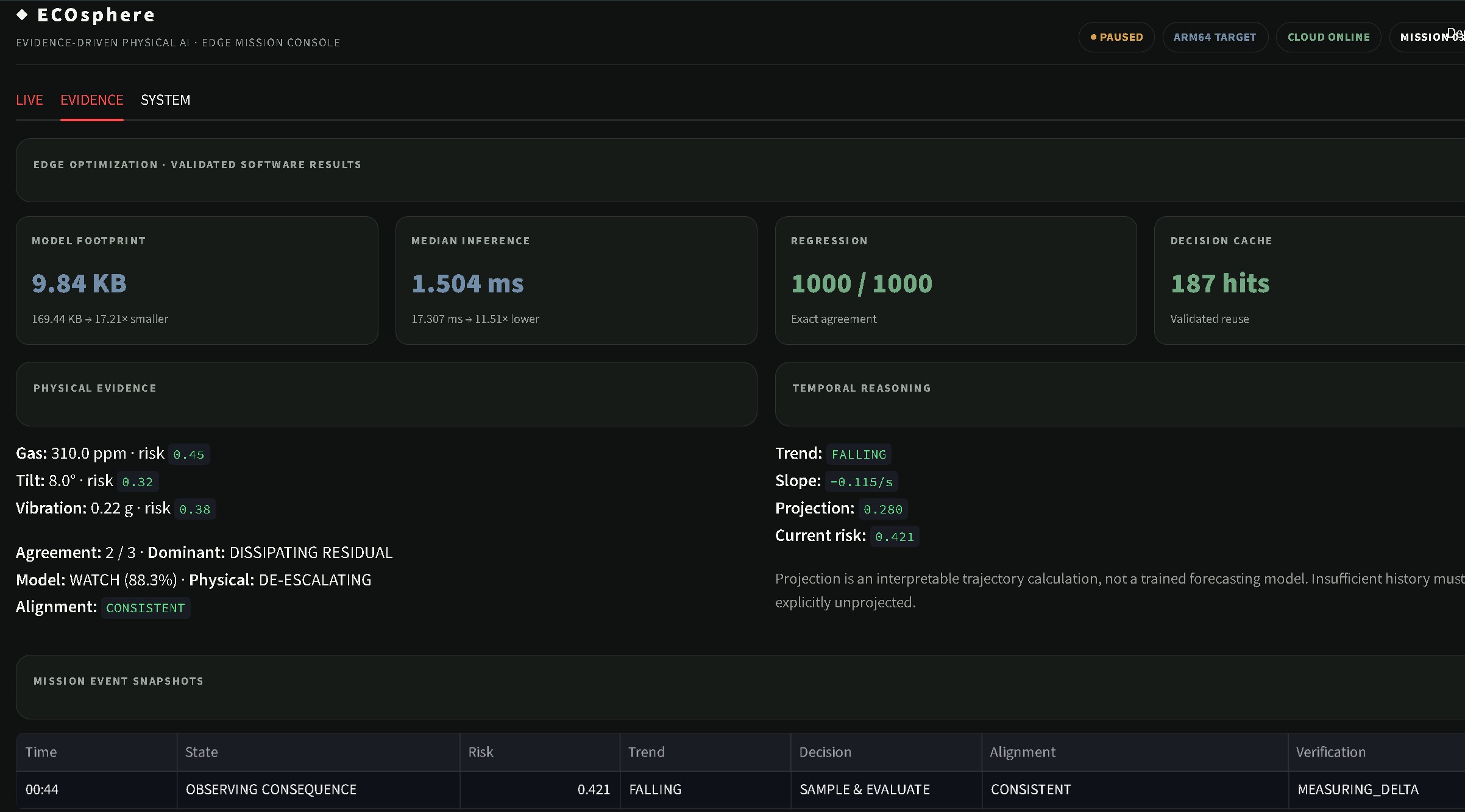
We also tore apart and rebuilt the dashboard around OPERATE / MISSION / PROVE, because the old layout showed information but didn't really demonstrate anything. On the benchmarking side, we ditched the single stopwatch-style timing check for something closer to a real methodology: 10 repetitions, randomized configuration order, 400 timed calls per repetition, and we report mean, median, standard deviation, and p95 instead of one number that could just be noise. After all that churn we went back and re-ran the integration regression to make sure nothing broke — 1000/1000 decision agreement, cache behavior still matching the reference pipeline.
Last, we started on Arm64 validation: an arm64_validation.py script and a GitHub Actions workflow (.github/workflows/arm64-validation.yml) meant to measure baseline vs. optimized performance on actual Arm64 hardware instead of our x86 dev machines.
Challenges we ran into
Turning a classifier into something stateful is deceptively hard. Once the rover, mission history, and runtime all needed to reset cleanly together, we ran straight into real Streamlit session-state bugs — not cosmetic glitches, actual state getting stuck or leaking between runs — and we had to actually fix the implementation instead of patching around it.
Knowing what to cut turned out to matter as much as what to build. We pulled the whole Mission Profile feature once we realized it was really just a dropdown for picking predefined sequences with no real system-level purpose. We also found and removed dead weight — a duplicate profile control and a Custom button that didn't do anything — left over from earlier iterations.
Getting replay right took more discipline than we expected. It has to reuse the exact recorded decisions from a run, with zero chance of quietly re-triggering the AI or polluting the mission history.
And we had to be honest with ourselves on the benchmarking front: our best number, roughly 11.5× faster and about 91.3% lower latency, is an x86 development-machine result. It is not an Arm number. That's exactly why the Arm64 validation workflow exists, and we didn't get it finished in time.
Accomplishments that we're proud of
The AI's decision now genuinely changes what the rover does in real time, which was the whole point — SAFE/ELEVATED/CRITICAL stopped being text on a screen. We got autonomous MISSION mode working end to end with faithful replay, layered on top of an existing pipeline without breaking it. We turned a one-off timing check into an actual benchmark methodology and still held 1000/1000 decision agreement on the regression suite after a lot of refactoring around it. We used Streamlit AppTest to genuinely exercise the dashboard — scenario buttons, sensor inputs, rover movement, hazard-tier transitions, duplicate-reading behavior, mission history, reset, replay — and it caught real bugs before they made it anywhere near a demo. And we were willing to cut features that didn't earn their place instead of leaving clutter in just to pad things out.
What we learned
A hazard classification only means something if it triggers a real action, and building that taught us to design the action layer and the reset/state handling side by side — every new mode we added, like the autonomous mission or replay, multiplied the number of states that had to reset cleanly. We also learned that testing a dashboard properly means testing behavior, not just checking whether it opens; AppTest caught things manual clicking never would have. And performance numbers only mean something in context — an 11.5x speedup on a laptop is a nice start, but it's not the finish line when the actual target is Arm.
What's next for EcoSphere — Evidence-Driven Physical AI
Top of the list is finishing and actually running the Arm64 validation workflow, so we can replace our x86 estimate with real numbers from the target hardware. After that, we want to bring in the vision branch — MobileNetV2 or EfficientNet-Lite fine-tuned on an RTX 4050 — to add a visual hazard signal alongside gas, tilt, and vibration, once we have labeled image data to work with. We also still need to sort out a Python 3.14 / TensorFlow compatibility issue so the pipeline doesn't have to stay pinned to a Python 3.11 environment. And once the Arm64 results exist, we want to fold them into PROVE so the evidence trail covers the real deployment target, not just our dev machines.

Log in or sign up for Devpost to join the conversation.