-
-
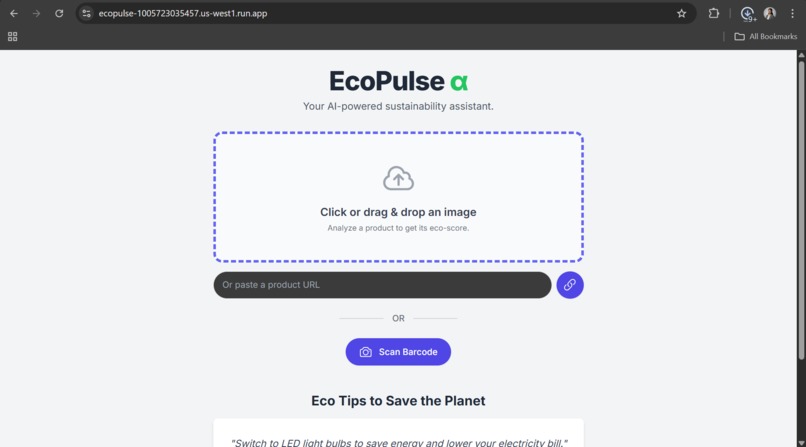
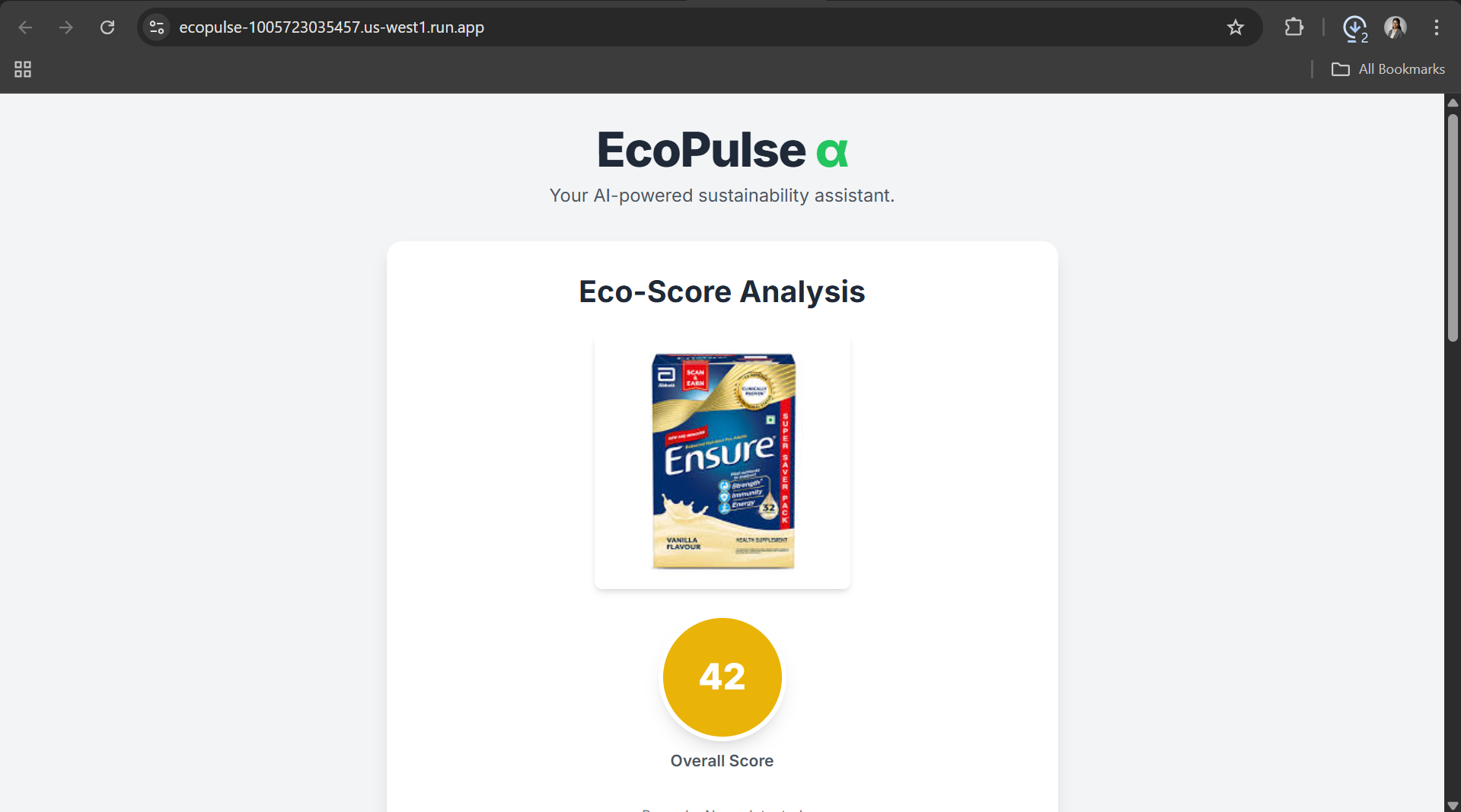
Main page
-
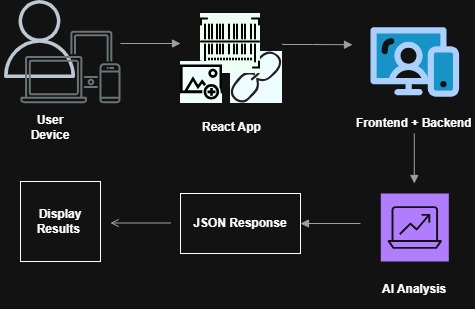
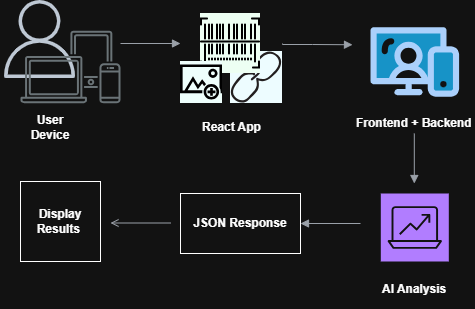
Architecture
-

Eco-Badge
-
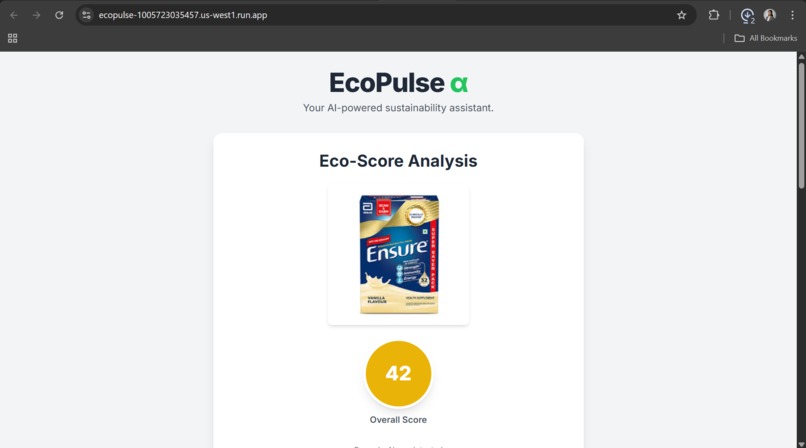
Product Uploaded
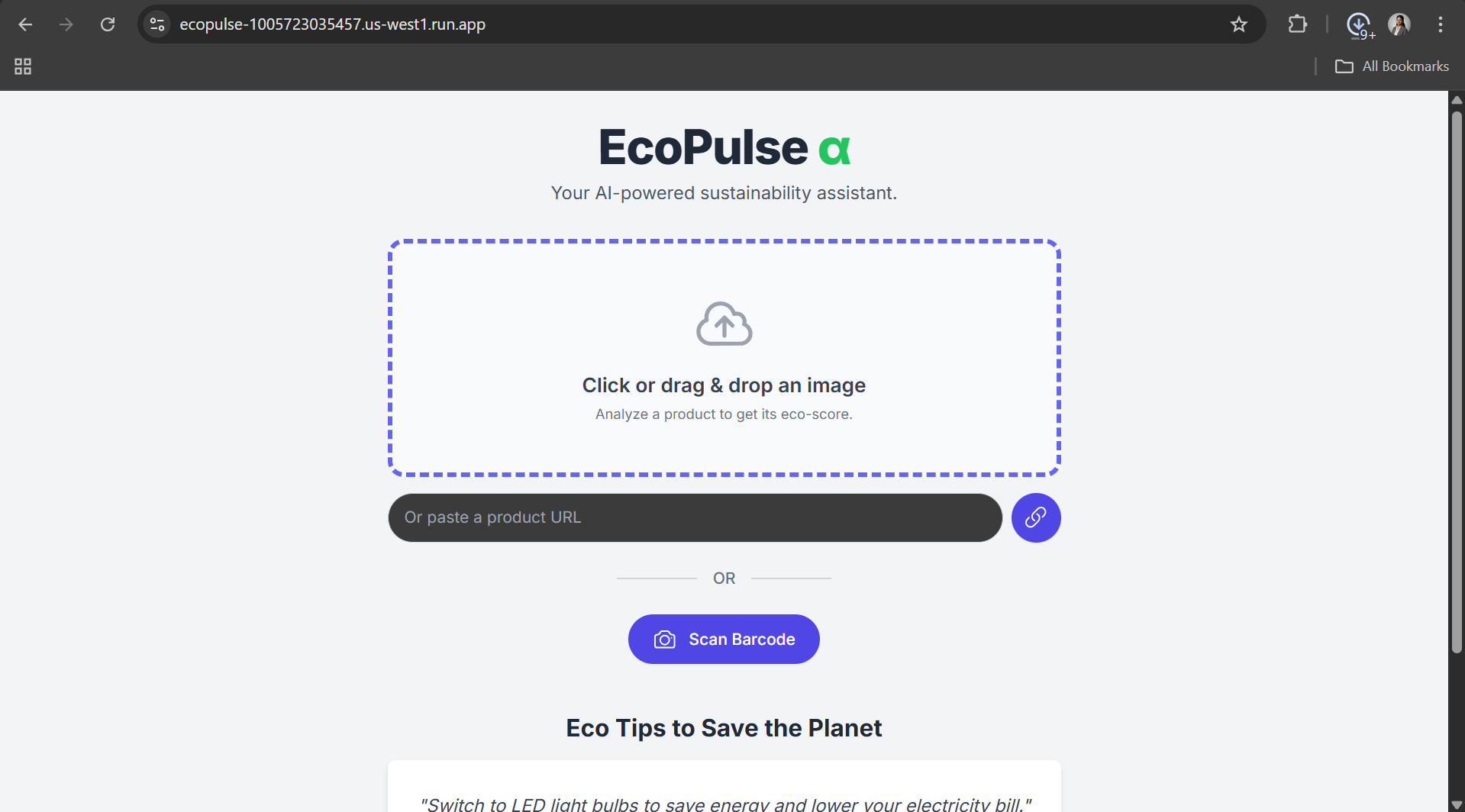

Inspiration
Sustainability data today is buried in jargon, greenwashing, and inconsistent labels. As engineers and conscious consumers, we found it frustrating that there’s no quick, objective way to understand how “eco-friendly” a product really is. EcoPulse α was born out of that frustration — to build an AI-powered tool that makes sustainability transparent, measurable, and actionable for everyone. We wanted to turn environmental awareness from an afterthought into an instant, everyday decision.
What it does
EcoPulse α 🌿 is an AI-powered sustainability scanner that reveals the true eco-cost of any product. Users can:
- 📸 Scan a barcode or upload a product photo
- 🌐 Paste a product URL for analysis
🧠 Get an AI-generated eco-score (0–100), breaking down:
- Carbon Footprint – production & transport emissions
- Recyclability – packaging & material sustainability
- Ethical Sourcing – labor & supply chain responsibility
💡 See quantifiable impact: CO₂ saved, trees protected, plastic bottles avoided
🏷️ Generate a shareable Eco-Badge (PNG)
🌍 Get AI-recommended greener alternatives
🌱 Explore a rotating Eco-Tips Carousel for real-world actions
All built as a responsive Progressive Web App (PWA) — installable on any device.
How we built it
EcoPulse α was designed and built entirely using Google’s Cloud ecosystem and AI Studio:
- 🧠 Gemini API (gemini-2.5-flash) for multi-modal product analysis
- ⚛️ React 18 + TypeScript + Tailwind CSS for a modern, responsive UI
- 🔍 QuaggaJS for real-time barcode scanning
- ☁️ Google Cloud Run to deploy the app as a single, serverless container
- 🧩 AI Studio for prompt engineering, schema-based JSON outputs, and fast iteration
- 📦 PWA + Service Worker for offline-ready functionality
We focused heavily on structured AI output — using AI Studio’s JSON schema enforcement to ensure the Gemini model returns consistent, predictable data (eco_score, impact stats, alternatives, etc.).
Challenges we ran into
- AI Studio conflicts with React 19: The platform auto-injects React 19, causing “Minified React Error #31” — we solved this by force-mapping React 18 through a custom importmap.
- Camera and barcode access in sandboxed browsers: QuaggaJS needed careful permissions and fallback handling for mobile PWAs.
- Ensuring valid JSON responses from the Gemini API required multiple prompt iterations and schema validation logic.
- Time constraints: Balancing AI, frontend animation, and PWA setup in a hackathon timeline was tough but rewarding.
Accomplishments that we're proud of
- Building a fully functional multi-modal AI app within the hackathon window.
- Achieving a smooth real-time barcode scan → AI analysis → Eco report pipeline.
- Designing a clean, mobile-first UI that’s actually installable as a PWA.
- Creating an eco-badge generator that turns sustainability data into a shareable visual.
- Integrating Gemini’s structured JSON seamlessly into the frontend without backend processing.
What we learned
- Prompt design is everything. The same AI model can perform dramatically better with well-structured schema prompts.
- AI Studio is powerful but opinionated — understanding its React constraints and importmap overrides was key.
- Serverless ≠ simple. Proper Cloud Run setup and CORS handling are critical for frontends directly consuming APIs.
- Small UX details (animations, gradients, icons) make sustainability approachable and enjoyable for users.
What's next for EcoPulse α
- 🌎 Integrate live product databases (GS1, Open Food Facts) for verified eco-data
- 🛍️ Add Chrome extension to analyze e-commerce products in real time
- 📊 Build user dashboards to track long-term impact
- 🤝 Partner with sustainable brands to showcase verified alternatives
- 🔒 Deploy an Edge-hosted API layer for faster global inference
Our goal: make sustainability scanning as natural as price checking — and empower millions to shop with environmental intelligence.

Log in or sign up for Devpost to join the conversation.