-
-
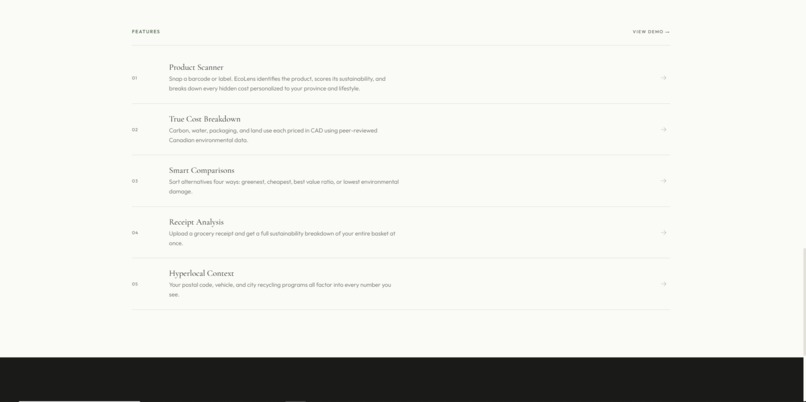
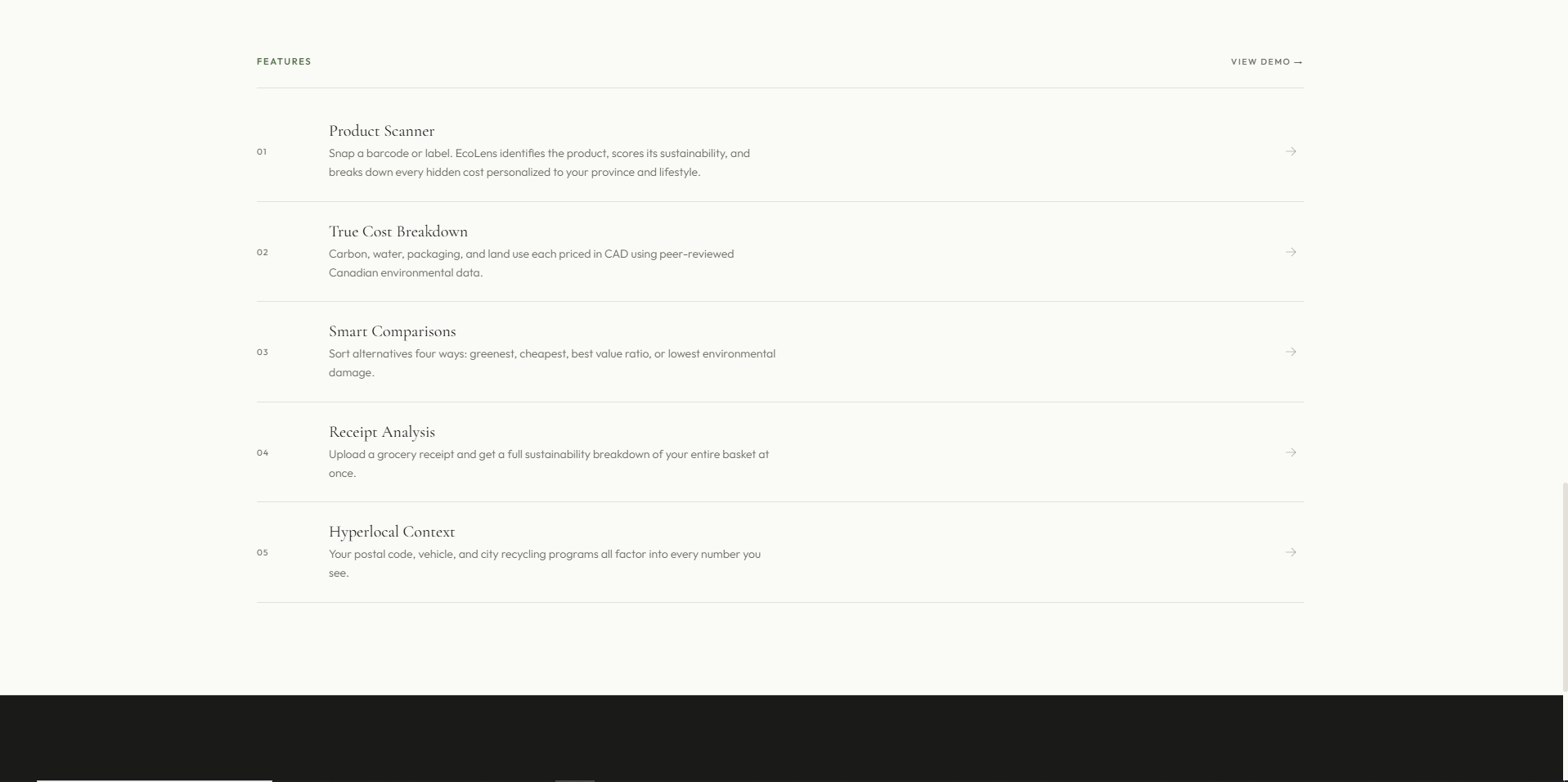
Feature overview in EcoLens
-
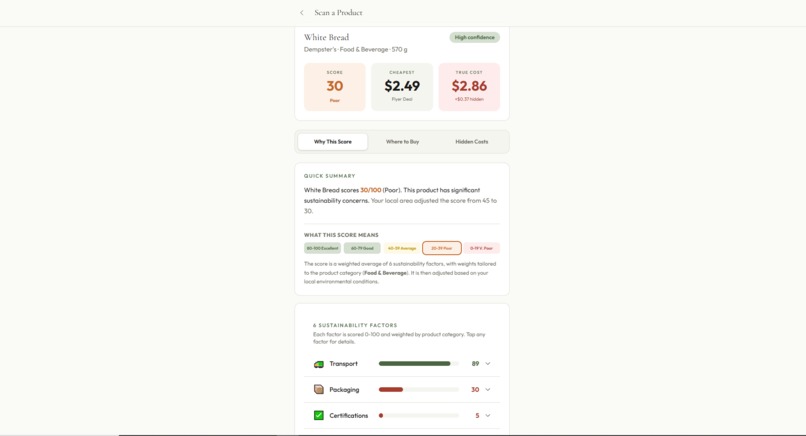
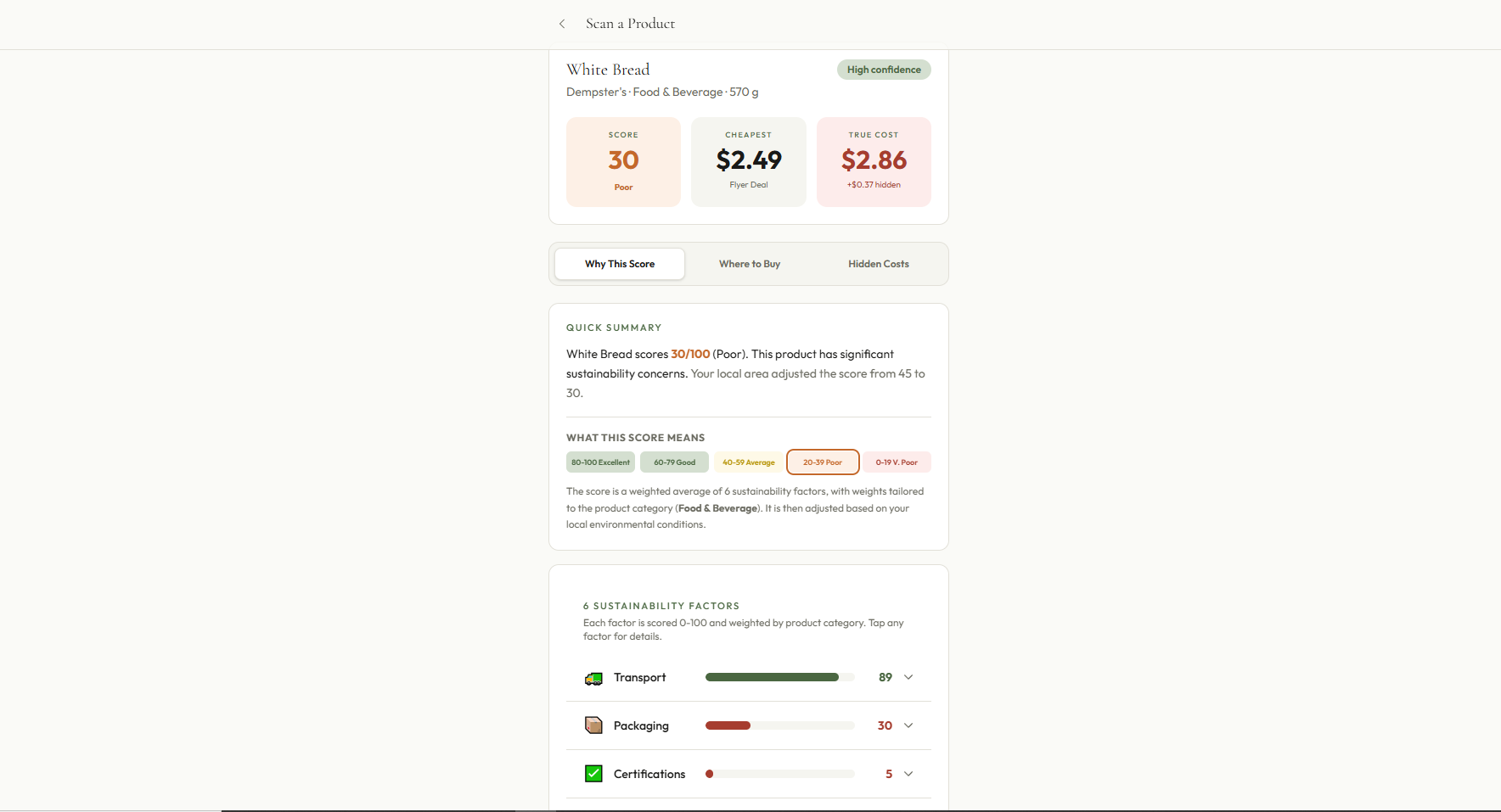
Item scanning and score generation
-
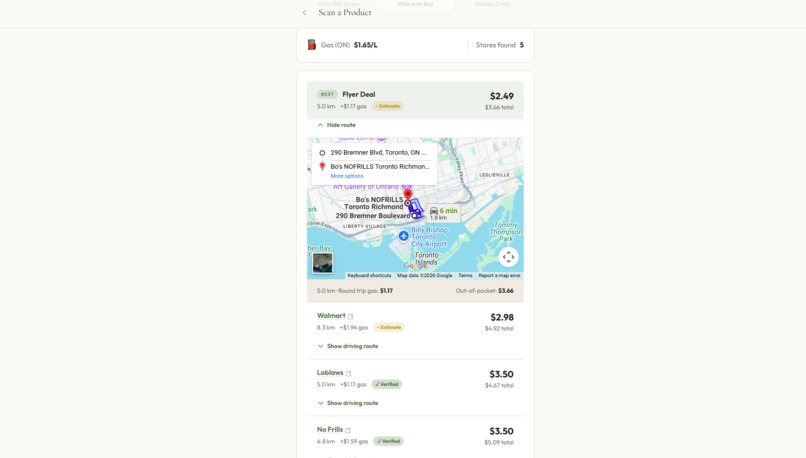
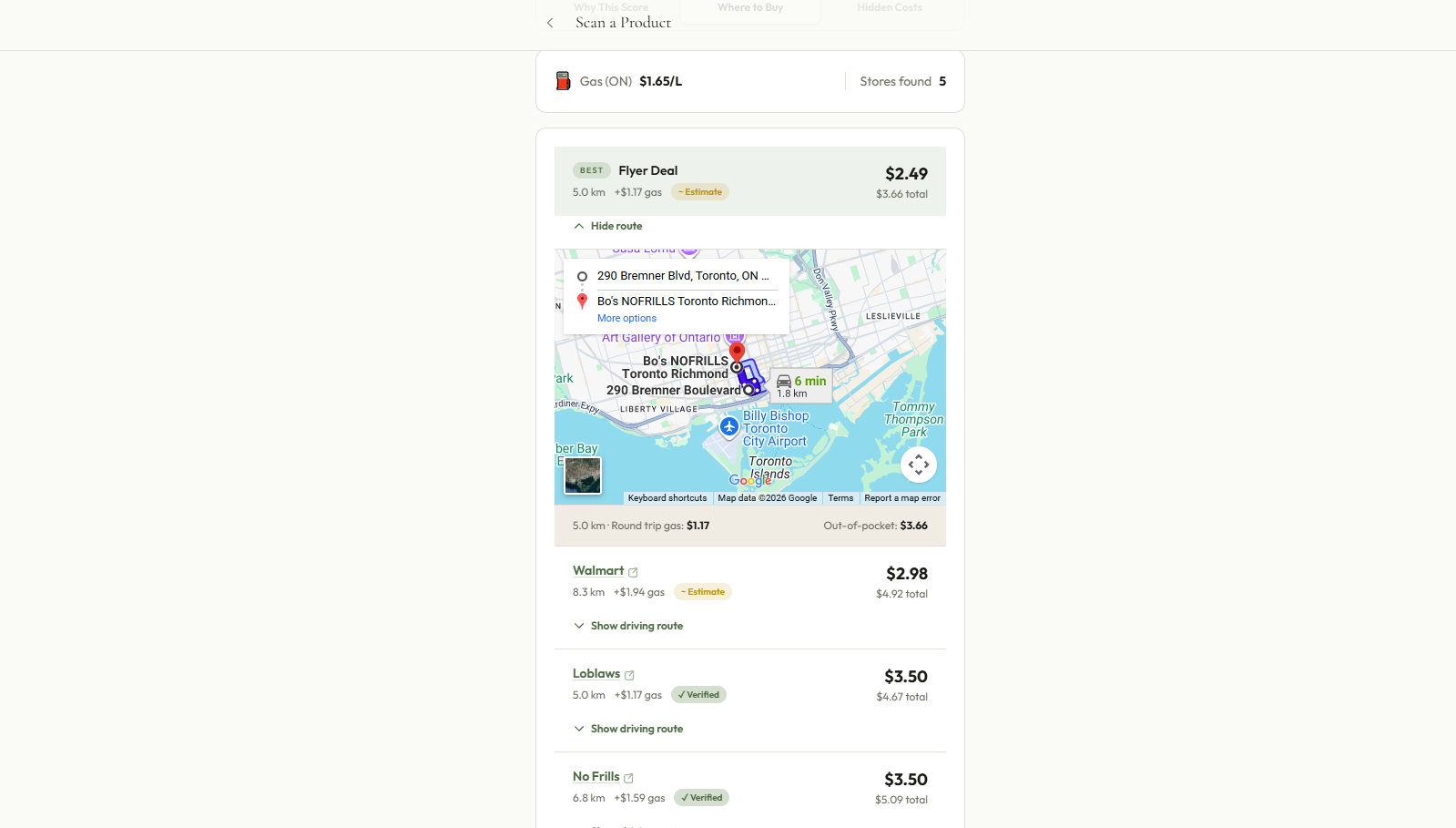
List of stores sorted by best value and sustainability
-
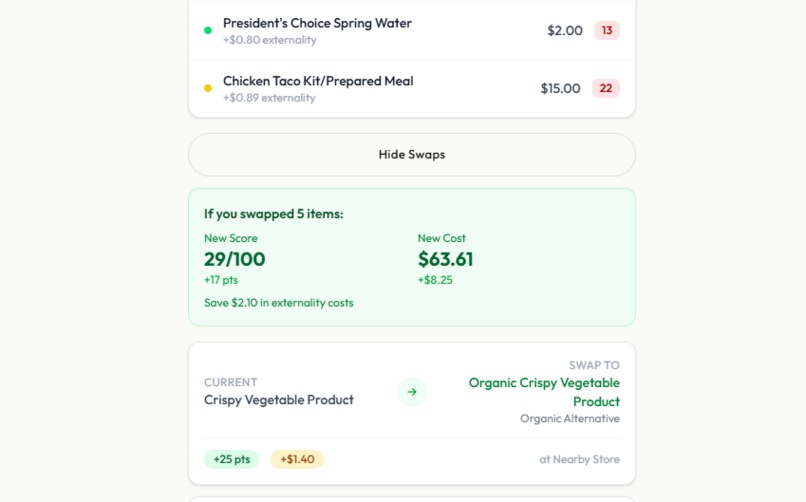
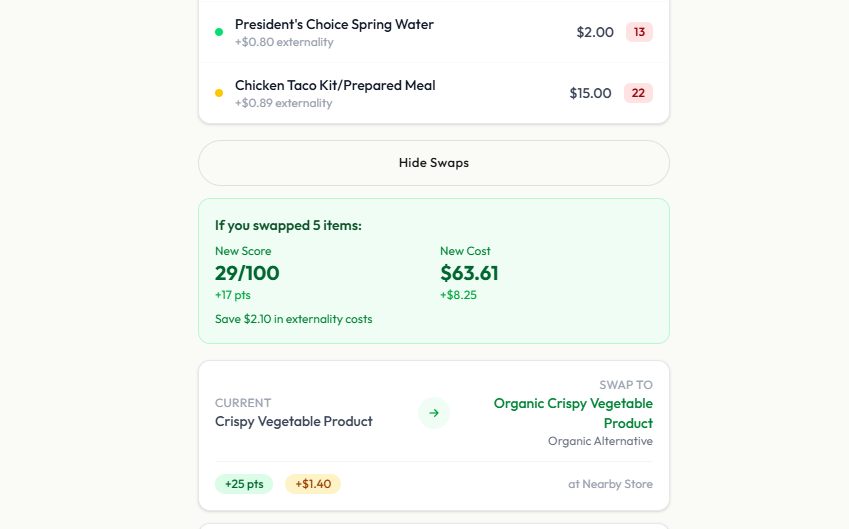
Receipt scanning tool
Inspiration
We've all stood in a grocery aisle trying to make the "right" choice and had no idea what that actually meant. Is the organic option worth it? Is the local brand actually better for the environment? The shelf price tells you one thing, but it says nothing about the carbon burned to get the product there, the water used to grow it, or whether the packaging will actually get recycled.
That frustration is what started EcoLens. We wanted to know the real price of things.
Canada made this feel especially urgent to us. The electricity grid in Quebec is almost entirely hydroelectric (around 0.007 kg CO2/kWh) while Alberta's sits near 0.54 kg CO2/kWh. The same product, refrigerated overnight in two different provinces, has a completely different footprint. Nobody talks about that. We wanted an app that did.
What it does
EcoLens lets you scan any grocery product and see its true cost: what you pay at the register, plus what gets externalized onto the environment.
Point your camera at a barcode or label and EcoLens identifies the product, pulls real shelf prices from nearby stores, and runs it through a sustainability scoring engine. On top of that, it calculates an externality cost by adding up the monetized damage from carbon emissions, water use, packaging waste, and land use.
Total Cost = Shelf Price + Gas Cost to Store + Externality Cost Externality Cost = Carbon + Water + Packaging + Land Use
You can also compare alternatives and sort them four ways: cheapest shelf price, best sustainability score, lowest true cost, or best value for the environmental dollar. Scan a receipt and it'll go through your whole basket and flag where you could do better. Point it at a grocery shelf and it overlays scores across every product in view.
Everything is personalized to where you live. Your province's grid mix, your vehicle's fuel efficiency, your city's recycling programs -- it all feeds in.
How we built it
We built EcoLens on Next.js 16 with TypeScript and React 19, deployed on Vercel.
The core AI work runs on Google Gemini 2.0 Flash. We use it for product identification from photos, sustainability research, lifecycle analysis, and pricing. The pricing part was the trickiest: we needed real, current prices, not guesses. Gemini's grounded search capability pulls prices from live web sources and returns a citation URL alongside the number. If it can't find a verified price, the app shows it as unavailable. We made a rule early on: never fabricate a number.
Images go through Cloudinary first. Barcode detection, label OCR, receipt text extraction all run through Cloudinary's Analyze API before Gemini touches them.
For the hyperlocal layer we pulled together real Canadian data: NRCan's vehicle fuel efficiency database, provincial grid CO2 intensity figures, seasonal produce calendars by province, and municipal recycling program data. For cities we didn't have hardcoded, we use Gemini to research their programs at query time.
Pricing runs through three layers in order: the PC Express API for verified Loblaw prices, then Gemini with Google Search for a web estimate, then Gemini URL Context for direct retailer page scraping.
Challenges we ran into
Getting Gemini to not hallucinate prices was genuinely hard. The model is good enough that its invented prices sound completely believable. We had to be very explicit in every prompt: no prices from training data, live source URL required, and then we validated the URLs. It took a few iterations to get that reliable.
The Canadian data coverage was also a real challenge. Ten provinces, wildly different grids, water stress levels that vary by region, recycling programs that differ city to city. For gaps in our hardcoded data we lean on Gemini, but that adds latency and its own hallucination risk. It's a tradeoff we're still tuning.
The AR shelf scanner pushed what Cloudinary's object detection could do. Getting bounding boxes tight enough to overlay scores in the right place required a lot of threshold tuning and careful fallback handling.
One bug we caught late was a race condition in the pipeline. Externality costs depend on the shelf price, but our externality fetch was firing before pricing had resolved. The numbers were wrong in subtle ways. We fixed it by chaining the fetches explicitly, but it was the kind of bug that only shows up when you look at the actual output carefully.
Accomplishments that we're proud of
We got a real end-to-end pipeline working: camera image in, true cost out, with Gemini and Cloudinary doing actual work at every step rather than returning stubbed data.
The externality model is something we're genuinely proud of. It's grounded in peer-reviewed numbers: the social cost of carbon in Canada is around $190 CAD per tonne, water scarcity pricing comes from published research, and packaging costs reflect real recycling rates. It's not a made-up green score. It's math built on sources you can look up.
The hyperlocal personalisation ended up being more impactful than we expected. A product can be a reasonable choice in Quebec and a poor one in Alberta, and EcoLens shows you exactly why with numbers.
We also shipped 125 files and over 9,600 lines of TypeScript with zero type errors, and every API boundary has a mock fallback so the app runs in demo mode without any keys.
What we learned
Grounded generation is not the same as regular prompting. Getting Gemini to return a real price with a real citation meant writing prompts that were almost adversarial about it, defining strict output schemas, and building a validation layer on top. "Just ask it" doesn't cut it when the answer has to be verifiable.
The externality economics surprised us with how tractable they were. Carbon pricing, water scarcity costs, packaging recycling rates -- these are all published numbers. The hard part wasn't finding the science, it was integrating it into a pipeline that runs fast enough to feel live.
Canada's regional variation ended up being one of our best features, and it almost wasn't one at all. We almost treated the country as uniform to save time. The hyperlocal engine was the right call.
What's next for EcoLens
The most glaring gap right now is that after you scan a product, you can't see alternatives yet. The comparison view exists and works, but it's not connected to the scan flow. That's the first thing we'd fix.
After that: more retailers in the receipt scanner beyond Loblaws, on-device ML for the shelf scanner so it doesn't need a server round-trip, and a history view so users can see how their basket's footprint changes over time.
Longer term, we'd like to open-source the externality calculation model so other developers can use it outside of groceries.

Log in or sign up for Devpost to join the conversation.