-
-
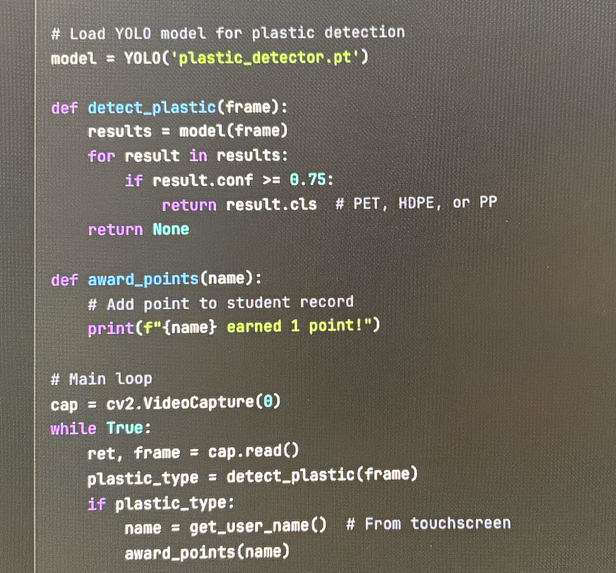
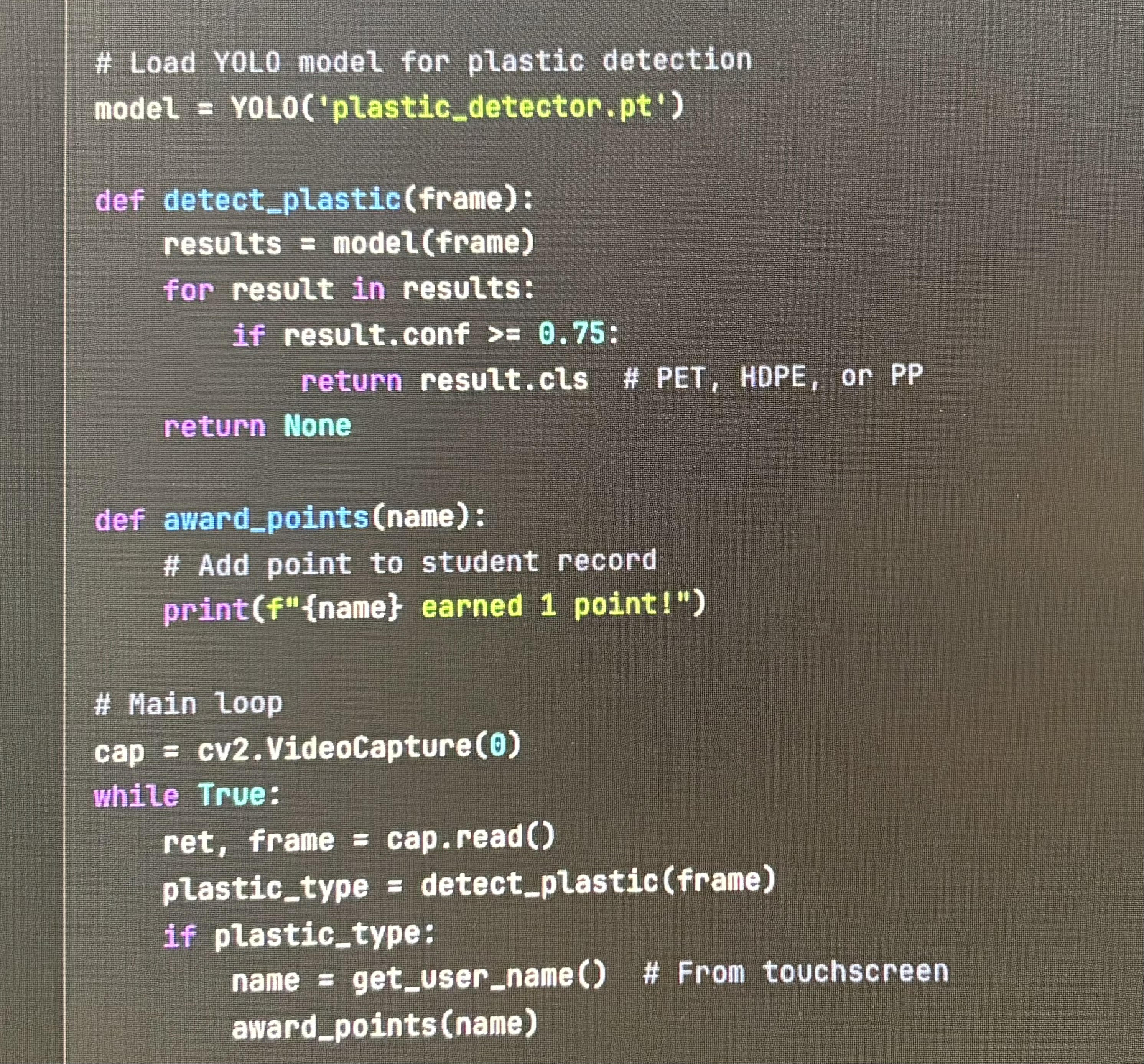
main detection loop for the EcoKiosk plastic classification process
-
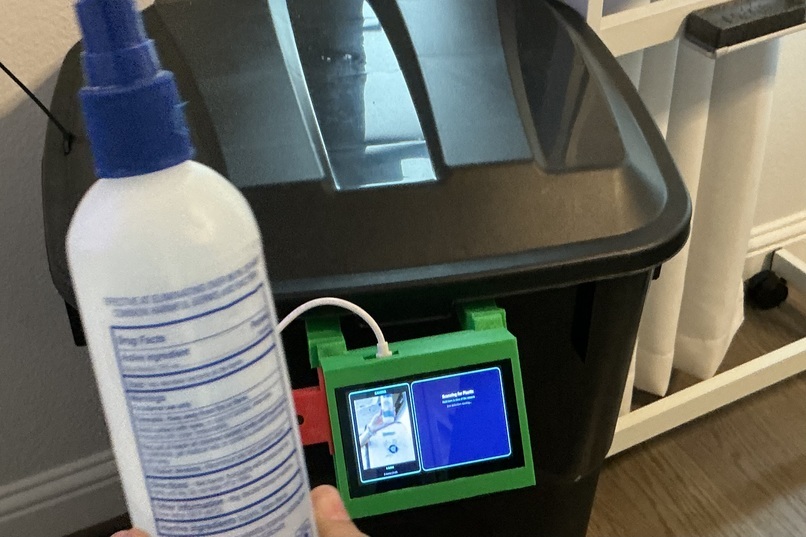
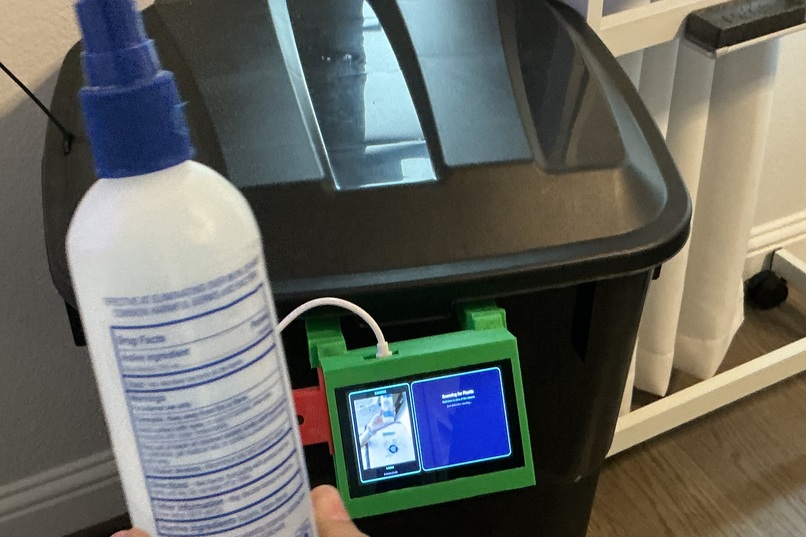
this is the final product prototype being used to scan a plastic item, the machine uses computer vision to separate recyclable items apart.
EcoKiosk
Recycle. Get rewarded. It's that simple.
What It Does
EcoKiosk is an AI-powered recycling station that rewards students for recycling. A student holds up a plastic bottle to the camera, the AI checks if it is a real recyclable item, they type their name on the touchscreen, and they instantly earn school reward points. The whole thing takes about 10 seconds from start to finish.
The AI model detects common recyclable plastics:
| Resin Code | Name | Examples |
|---|---|---|
| PET (1) | Polyethylene Terephthalate | Water bottles, soda bottles |
| HDPE (2) | High-Density Polyethylene | Milk jugs, detergent bottles |
| PP (5) | Polypropylene | Yogurt containers, bottle caps |
When a valid plastic is detected with confidence $c \geq 0.75$, the system prompts the student to enter their name and awards points. The goal is simple. Make recycling feel less like a chore and more like something you actually want to do.
What Inspired Me
It started with something I kept noticing at school. During lunch, I would watch plastic bottles get tossed in the trash over and over. It was not that people hated recycling. It just felt pointless, like nothing happened even if you did the right thing. No feedback. No recognition. No reason to care.
So I looked up the numbers, and they matched what I was seeing. Texas recycles only 23% of its waste, which is 12 percentage points below the national average. Nationwide, only about 5% of plastic actually gets recycled. The system exists, but the motivation is missing.
That made me ask one question. What would actually get students to recycle without needing a lecture. The answer was rewards. If recycling earned something real, people would do it. That is how EcoKiosk started.
How I Built It
EcoKiosk has three layers: hardware, software, and AI.
Hardware
| Component | Purpose |
|---|---|
| Raspberry Pi 5 | Main computer running the kiosk application |
| Pi Camera Module 3 | Captures images for real-time AI classification |
| ELECROW 5" Touchscreen | Displays the interface and accepts user input |
| 3D-Printed Enclosure | Houses all components in a durable, portable shell |
The total hardware cost is under \$150, which makes it realistic for schools to build and copy.
Software
The application is written in Python. The user interface uses PyQt5, and camera input is handled through OpenCV. The flow is kept simple on purpose:
$$ \text{Idle} \rightarrow \text{Camera Active} \rightarrow \text{Plastic Detected} \rightarrow \text{Enter Name} \rightarrow \text{Points Awarded} \rightarrow \text{Idle} $$
Challenges I Faced
Inference Speed
Running YOLO on a Raspberry Pi 5 was slower than I expected. Early tests had inference times over 2 seconds per frame, which made the kiosk feel laggy. I fixed that by:
- Reducing input resolution from $640 \times 640$ to $320 \times 320$
- Using INT8 quantized weights instead of FP32
- Running inference on every 3rd frame instead of every frame
After that, average inference time dropped to about $400 \ \text{ms}$, which feels basically instant to users.
Lighting Variability
The model looked great in my room, then fell apart in the cafeteria. Fluorescent lighting, sunlight from windows, and shadows from students made the same plastic bottle look totally different. I improved reliability by:
- Augmenting training data with synthetic lighting variations
- Adjusting camera exposure and white balance dynamically
- Adding a brightness normalization step before inference
$$ I_{\text{norm}} = \frac{I - \mu}{\sigma} \cdot \sigma_{\text{target}} + \mu_{\text{target}} $$
Where $\mu$ and $\sigma$ are the mean and standard deviation of the input image, and $\mu_{\text{target}} = 127$, $\sigma_{\text{target}} = 60$.
False Positives
Early versions triggered on hands, food wrappers, and sometimes even empty frames. I reduced false positives by:
- Increasing the confidence threshold from $0.5$ to $0.75$
- Requiring detections to persist for at least $t_{\text{min}} = 1 \ \text{s}$
- Restricting valid detections to the center 60% of the frame
User Experience
My first interface had too many steps. Students had to confirm the scan, confirm their name, and wait through an extra success screen. When I tested with real users, it was obvious they wanted to tap once and move on. So I removed the extra confirmations and made it automatic. If the AI detects plastic, the name screen appears. If the name is entered, points are awarded. No extra taps.
Accomplishments I Am Proud Of
Building EcoKiosk from an idea to a working prototype taught me more than any class ever could. Here are the moments that made it all worth it.
Entered the National Geographic Slingshot Challenge 2026
I submitted EcoKiosk to the National Geographic Slingshot Challenge, a global competition for young innovators tackling real environmental problems. Just finishing a project good enough to enter felt like a huge milestone. Competing alongside students from around the world who care about the planet as much as I do is incredible. Win or lose, this experience pushed me to take my idea seriously and build something I am genuinely proud of.
My School's AI Club Uses EcoKiosk
The best validation came when my school's AI club asked to use EcoKiosk as a learning tool. They wanted to see how edge AI works in practice, not just in theory. Watching other students interact with something I built, ask questions about how the model works, and get excited about the possibilities was amazing. It went from being my project to being something that actually helps others learn. That shift from personal project to shared resource is something I did not expect but now appreciate more than anything.
Built Real Hardware That Actually Works
There is a big difference between code running on a laptop and a physical kiosk that real people can walk up to and use. Getting the Raspberry Pi, camera, touchscreen, and 3D-printed enclosure to work together reliably was harder than I thought. But when it finally came together and someone recycled a bottle without me explaining anything, I knew I had built something real.
Kept the Cost Under $150
I wanted EcoKiosk to be something any school could afford to build. Keeping the total hardware cost under \$150 while still having reliable AI detection was a challenge, but I made it work. This means the project can actually scale instead of just being a cool demo that nobody can copy.
What I Learned
Edge AI is different. Deploying on a Raspberry Pi forces you to care about constraints. Memory, power, and speed matter, and optimization is not optional.
User experience is everything. A smart system that feels slow or confusing will not get used. The interface mattered as much as the AI.
Hardware debugging is humbling. Software failures give you error messages. Hardware failures give you silence. I learned to check cables, test power, and assume nothing is connected right until proven otherwise.
Scope creep is real. I wanted leaderboards, sound effects, animations, and cloud sync. I skipped all of it. Getting the core loop working smoothly mattered more than adding flashy extras.
Real testing beats guesses. Testing in my room made me think the model was done. Testing in the cafeteria showed the real problems. Next time, I test in the real environment much earlier.
What's Next
- Deploy at High Schools and measure actual recycling behavior before and after
- Integrate with Minga to automatically distribute school reward points
- Open source the project so other schools can build their own kiosks
- Add a leaderboard to create friendly competition between students
- Expand plastic detection to include more resin types and non-plastic recyclables
