



Inspiration
Finding a disaster management portal with clean UI, responsive design, and actual accessibility? Yeah, might as well try running npm install on a potato. We were creatively stuck. Every other project idea felt like a remix — med-tech, AI bots, edtech dashboards… all done to death.
So we coined a new word for our burnout moment: Satureativity — the creative saturation point where even great ideas feel meh.
And then reality hit harder than a try...catch block — in 2023 alone, over 75 million people were displaced due to natural disasters. Still, disaster management tools remain outdated, fragmented, or totally absent.
So we thought: What if there was one unified platform where:
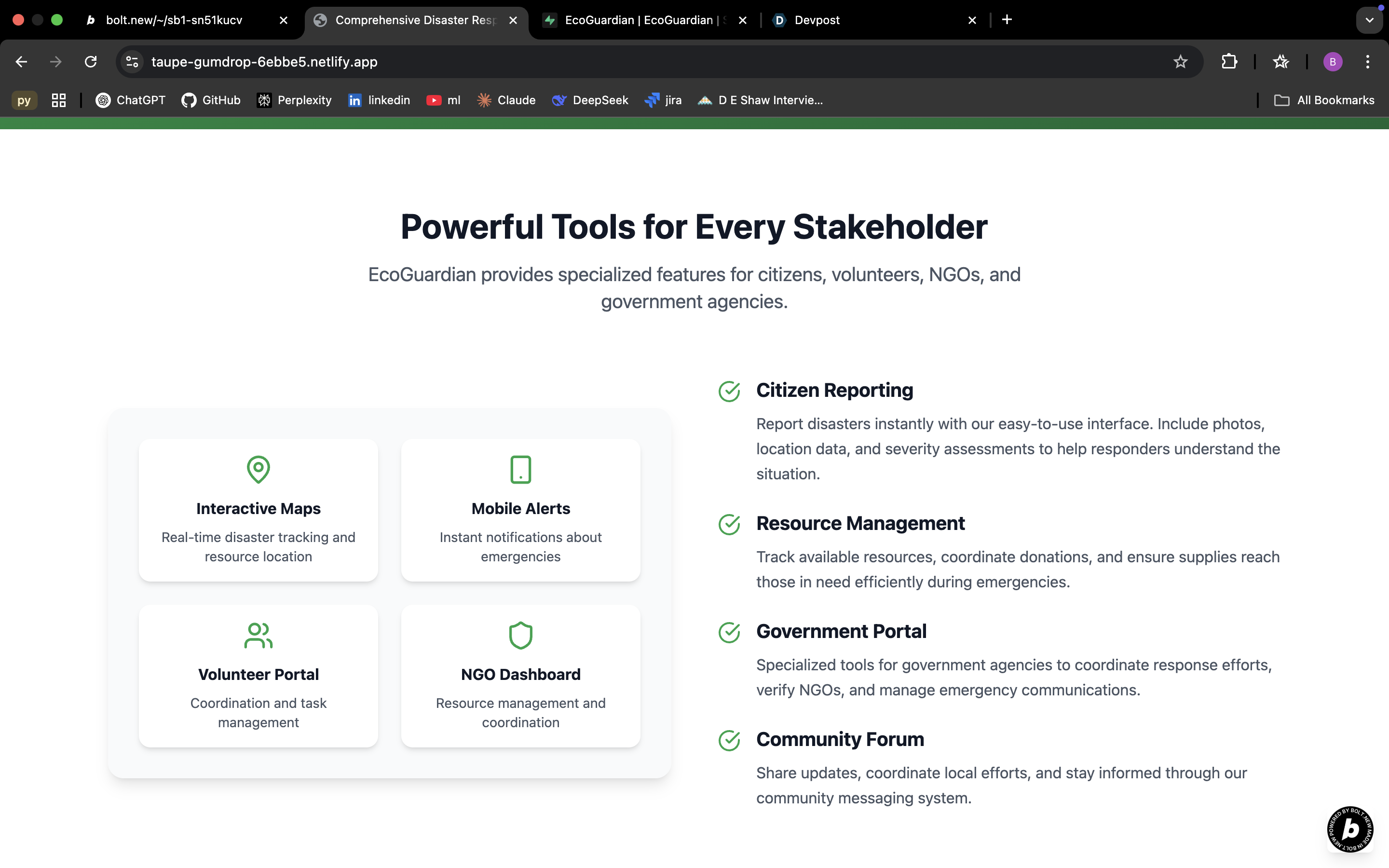
🔸 Citizens report disasters instantly
🔸 NGOs manage their efforts & get verified
🔸 Volunteers & donors engage transparently
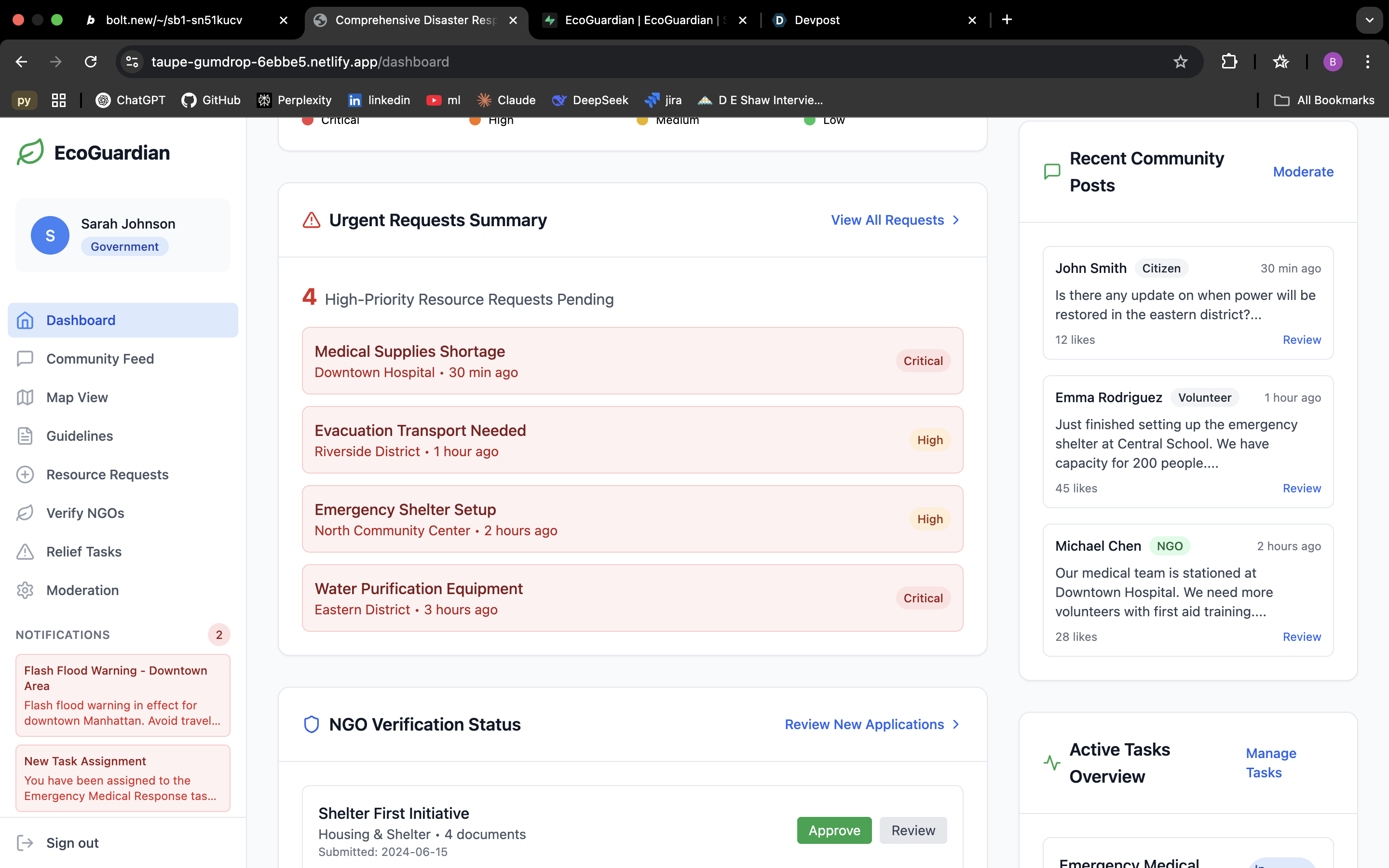
🔸 Government agents can verify and coordinate efforts in real time
It started as an app idea, but when Bolt.new said “we’re not quite there for mobile yet,” we pivoted to a responsive web platform — and that’s how EcoGuardian was born.
What it does
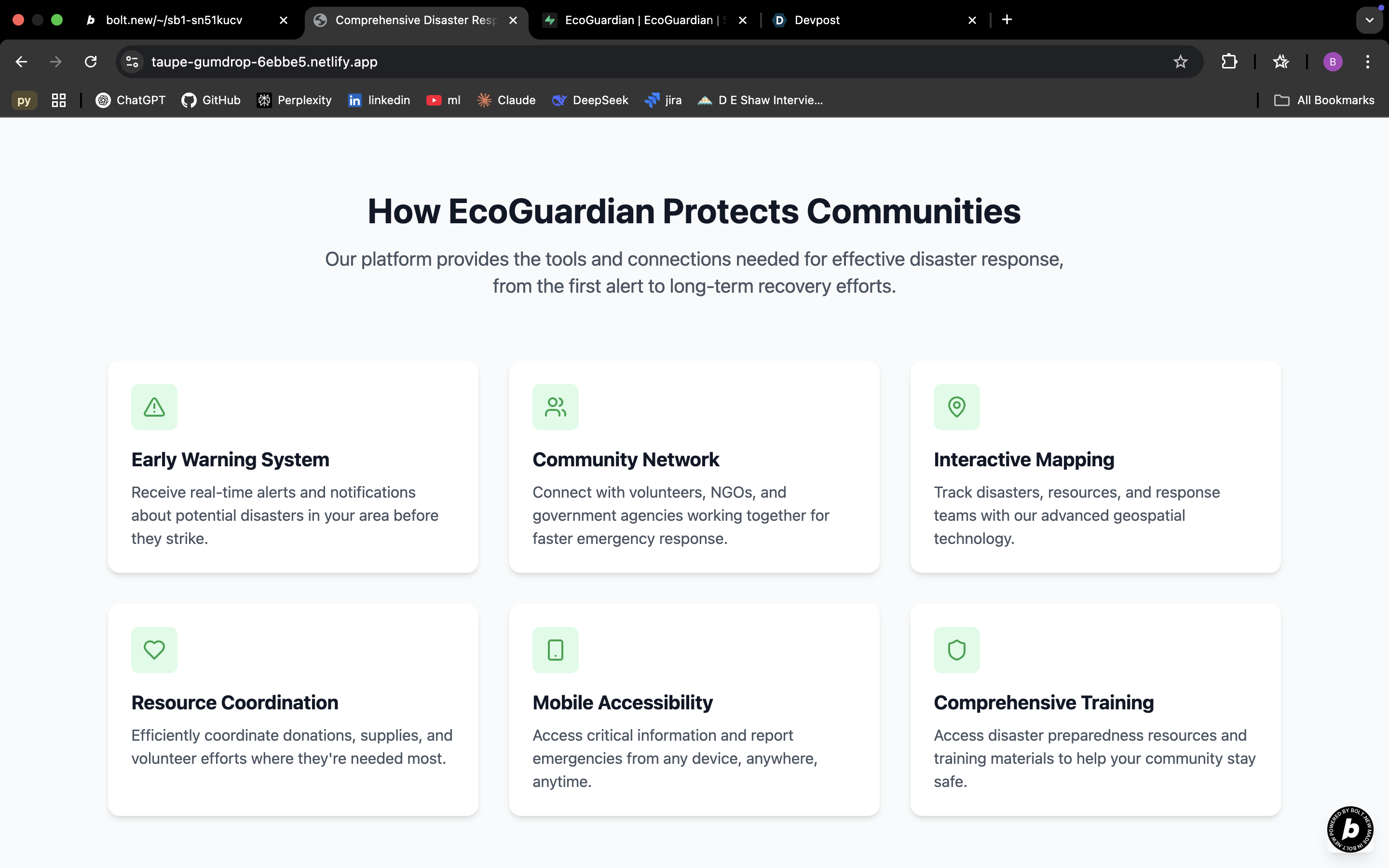
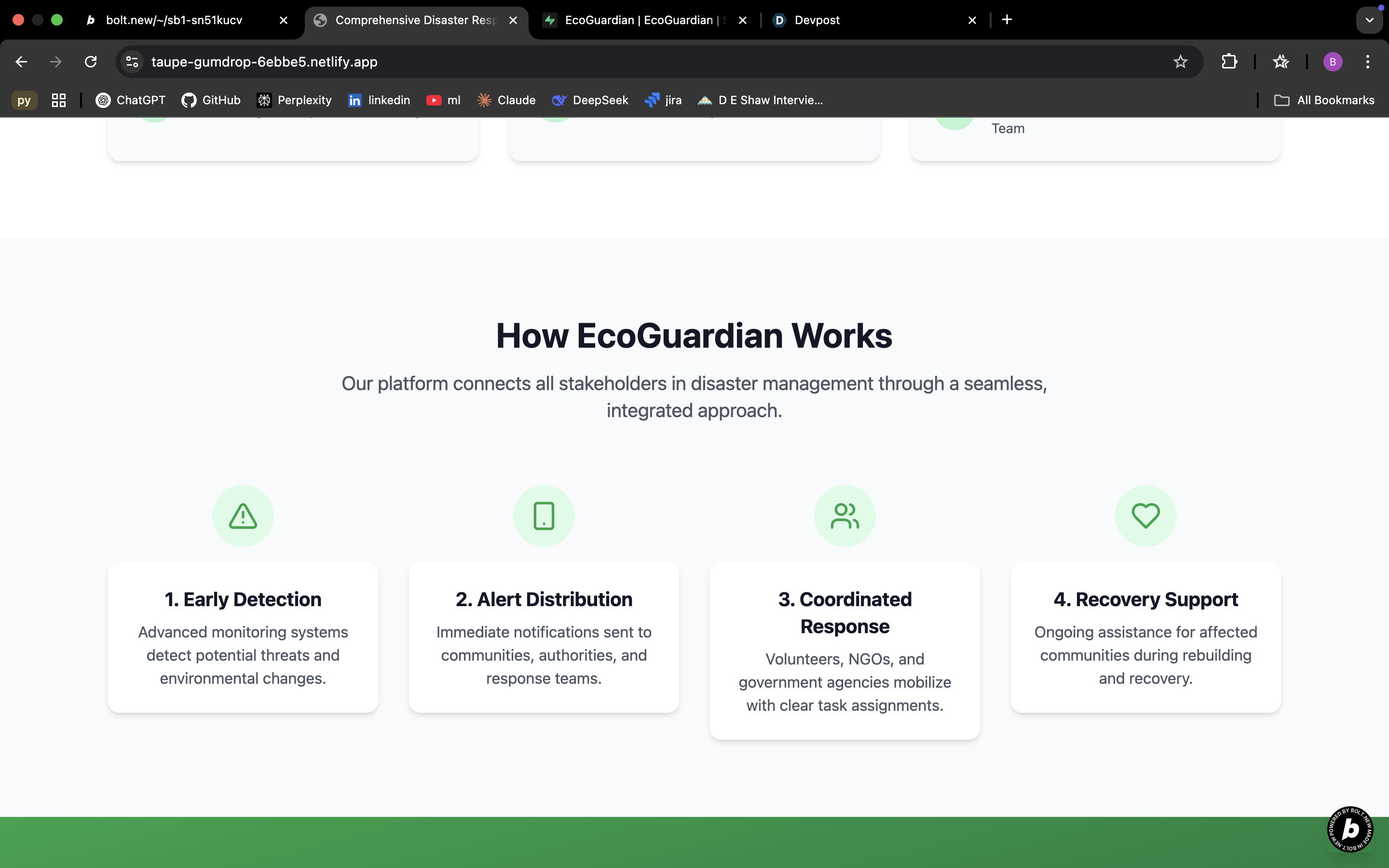
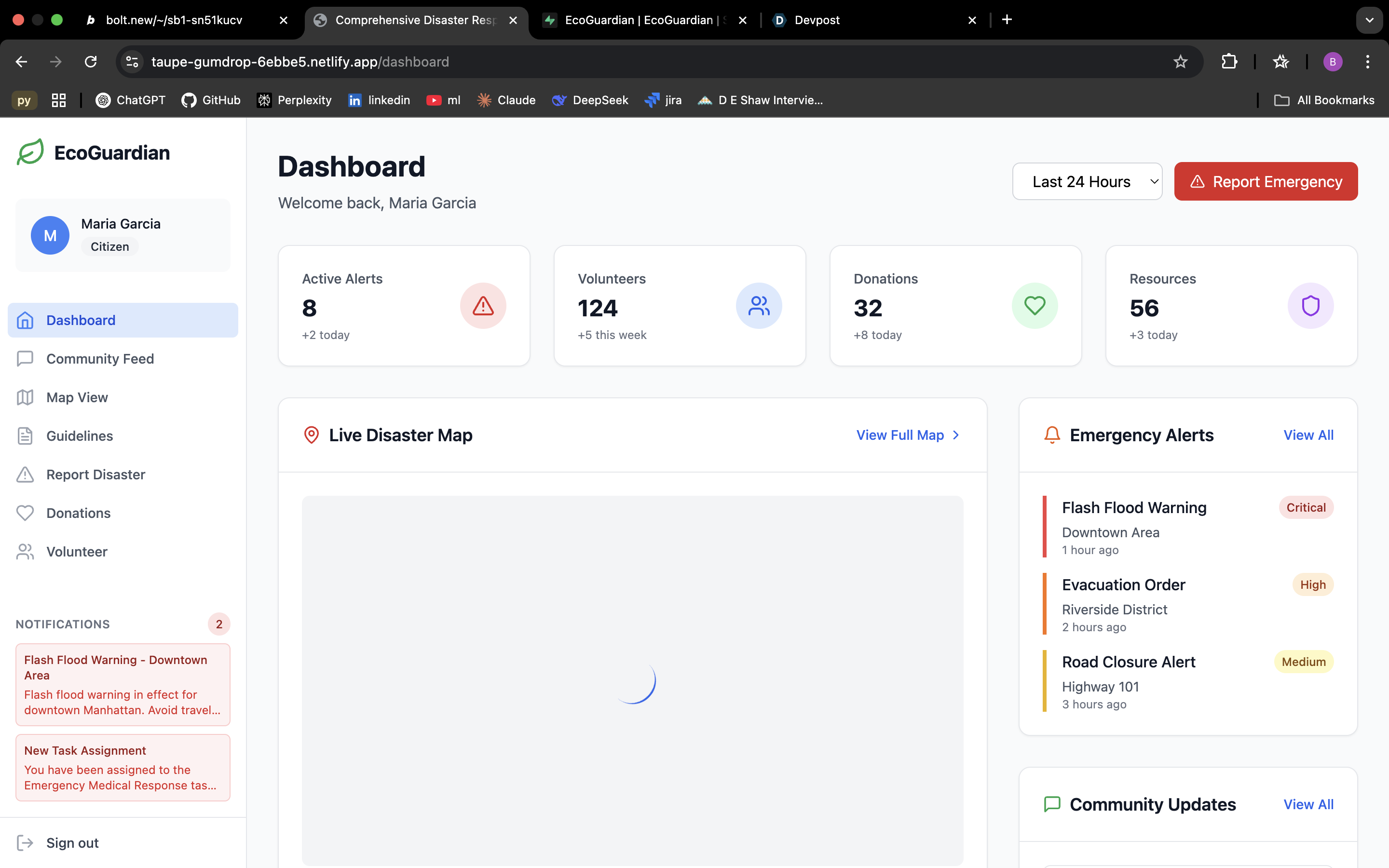
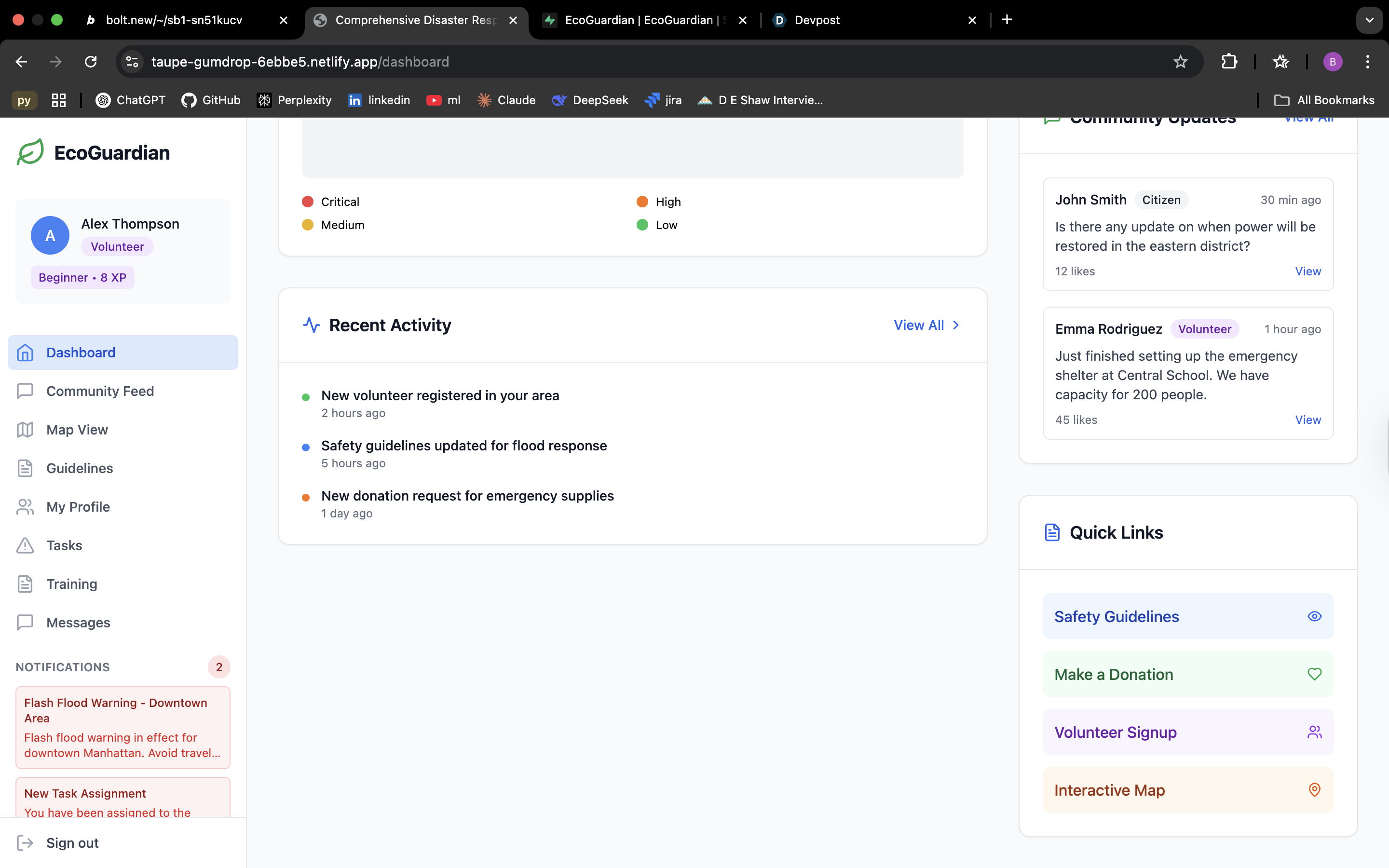
EcoGuardian is a region-wise disaster response dashboard — built using a multi-role portal architecture with real-time updates and centralized data flow. Key technical functionalities:
🔸Geo-tagged Disaster Reporting for citizens
🔸NGO Dashboards with status updates, needs, and auto-verification support
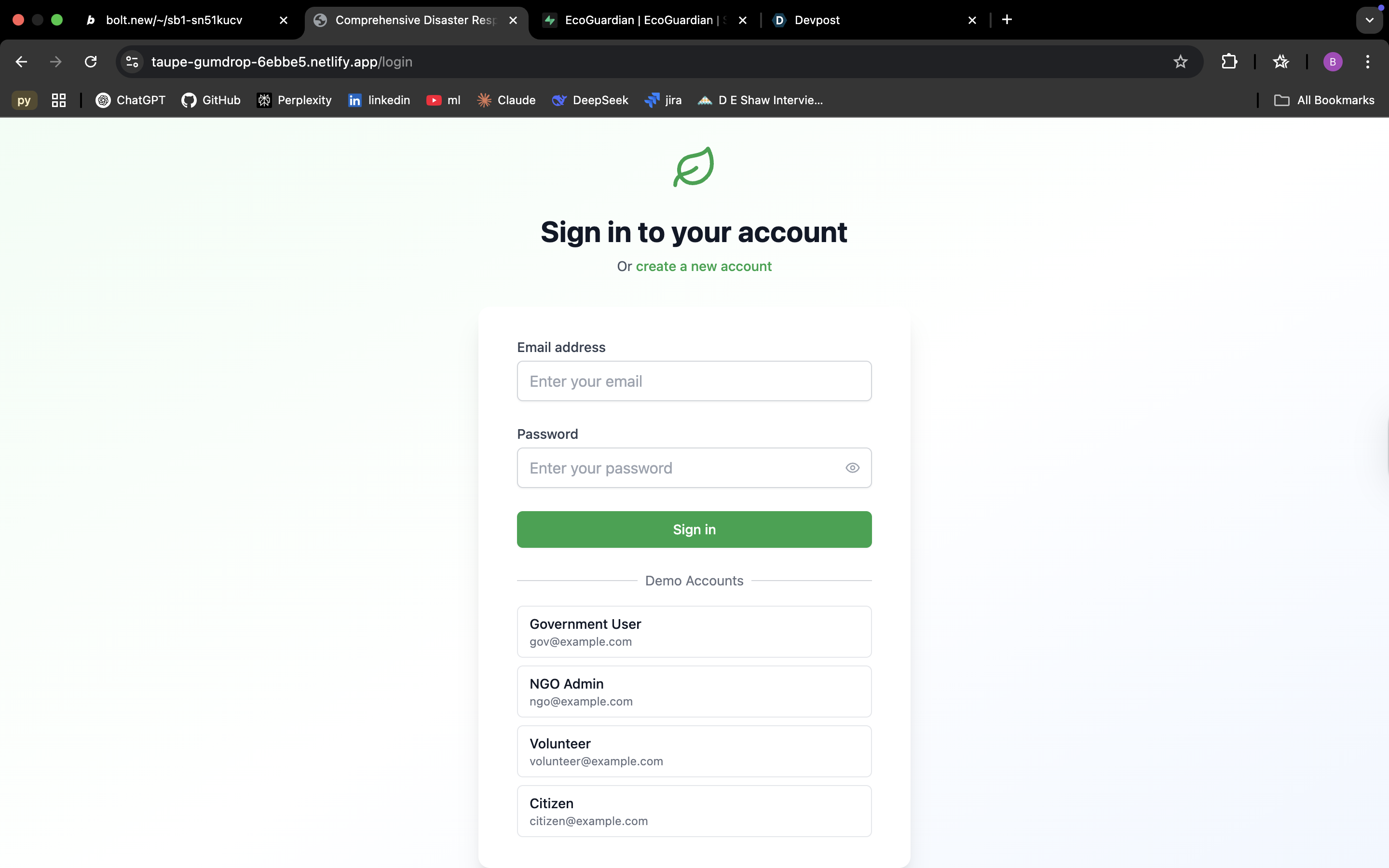
🔸Authentication via Supabase with role-based access controls (RBAC)
🔸Volunteer/Donor registration + tracking
🔸Government Agent Portal for NGO verification and publication of safety guidelines
🔸Live community feed synced via Supabase Realtime DB
🔸Location Services & Disaster Mapping via Google Maps API
🔸(Optional LSTM-based alert prediction model planned for future)
🔸(Optional SMS Alerts Integration using Twilio API)
All portals are tightly connected. UI is built with Next.js (React 18), styled using Tailwind CSS, and deployed via Bolt.new + Entri with full mobile responsiveness.
How we built it
We kicked things off with user segmentation and requirement breakdown — mapping all flows across Citizens, NGOs, Government Officials, and General Users. We started with heated debates. Not even kidding — there were 2AM discussions that felt like Parliament sessions. Who are we building this for? What features make sense? What’s too extra? Slowly, we finalised the user portals and their features.
Then began our Bolt.new journey. The actual dev process was... fun chaos.
Now see, we thought Bolt was gonna be plug-and-play magic. Just write a prompt, hit generate, and boom — website. But reality hit harder than Monday mornings.
One prompt = 300k+ tokens. UI misbehaving.
Half the time Bolt didn’t even understand what we were asking for!!
UI/UX prompts were written, tested, and regenerated across team accounts (Bolt.new uses a token-based generation system — and those tokens run out fast)
We used prompt engineering to generate portals using Bolt’s NLP-based UI builder
Once the frontend skeleton was in place, we layered in custom features manually
Supabase powered the backend — specifically for authentication, role assignment, and real-time community updates
Sign-up/login logic alone took days — dealing with custom claims, session persistence, and cross-portal routing; the fact that it was our first time using it added insult to injury. We spent 4-5 days in first learning about how supabase would work and how we can integrate our things.
Each team member rotated through generation tasks, backend linking, and error debugging. Let’s just say this was less plug and play, more cry and deploy .
Challenges we ran into
🔸Prompt Inconsistencies in Bolt — same prompts behaved differently across accounts
🔸Token Management Woes — high token usage with no clarity on why
🔸UI/UX Conflicts — components vanishing or overlapping post-generation
🔸Supabase Learning Curve — role-based access, DB sync, and protected routing took time
🔸Component Overhead — project size got large quickly, and Bolt started lagging
🔸Limited Collaboration Support — hard to co-edit without manually copying progress
🔸We also had to partially drop some planned real-time integrations and fallback to frontend stubs.
Accomplishments that we're proud of
🔸UI Excellence — Bolt.new + our prompts = sleek, responsive, and intuitive design
🔸Modular Architecture — clear separation of roles & flows per user type
🔸Auth & DB Handling via Supabase (including refresh tokens, RBAC, and protected routes)
🔸Multi-portal Functionality — all portals interconnected and functional
🔸Prompt-First Build Process — successfully leveraged AI tooling to ship faster
🔸Most importantly: we didn’t give up even when everything told us to (insert applause)
What we learned
🔸Supabase workflows (auth, policy rules, schema design, session handling)
🔸Bolt.new prompt strategy — how to write prompts that generate usable output
🔸Tailwind CSS for clean, responsive layouts
🔸Importance of role-based thinking in full-stack design
🔸Learned that AI-based dev tools are great starters — but real work needs humans
🔸Collaboration under pressure is a superpower
What's next for EcoGuardian
We’re planning to take this project full-stack:
🔸Replace frontend-only data stubs with full backend integration (MongoDB, PostgreSQL)
🔸Add proper API-layer for disaster data, donor payment flows, and volunteer assignments
🔸Optimize auth with refresh token flows, 2FA, and verification logic
🔸Improve NGO verification pipeline with external APIs + live tracking
🔸Add multilingual support for wider adoption
🔸We plan to launch city-wise MVPs in partnership with NGOs & local bodies — starting small, scaling regionally. Groundwork > glory.
But first… a nap 🫠 Because Bolt drained our souls and we need to heal.
Final Thoughts
We dreamt of a safer world. So we coded one.
— Team Regex Rangers
Built With
- bolt.new
- elevenlabs
- google-maps
- lstm-(planned)
- next.js
- react-18
- reports
- supabase
- tailwind-css
- twilio
- websockets


Log in or sign up for Devpost to join the conversation.