-
-
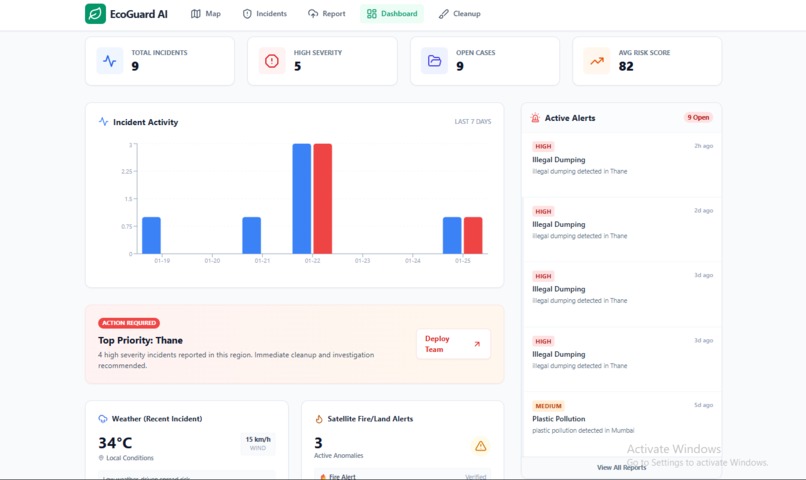
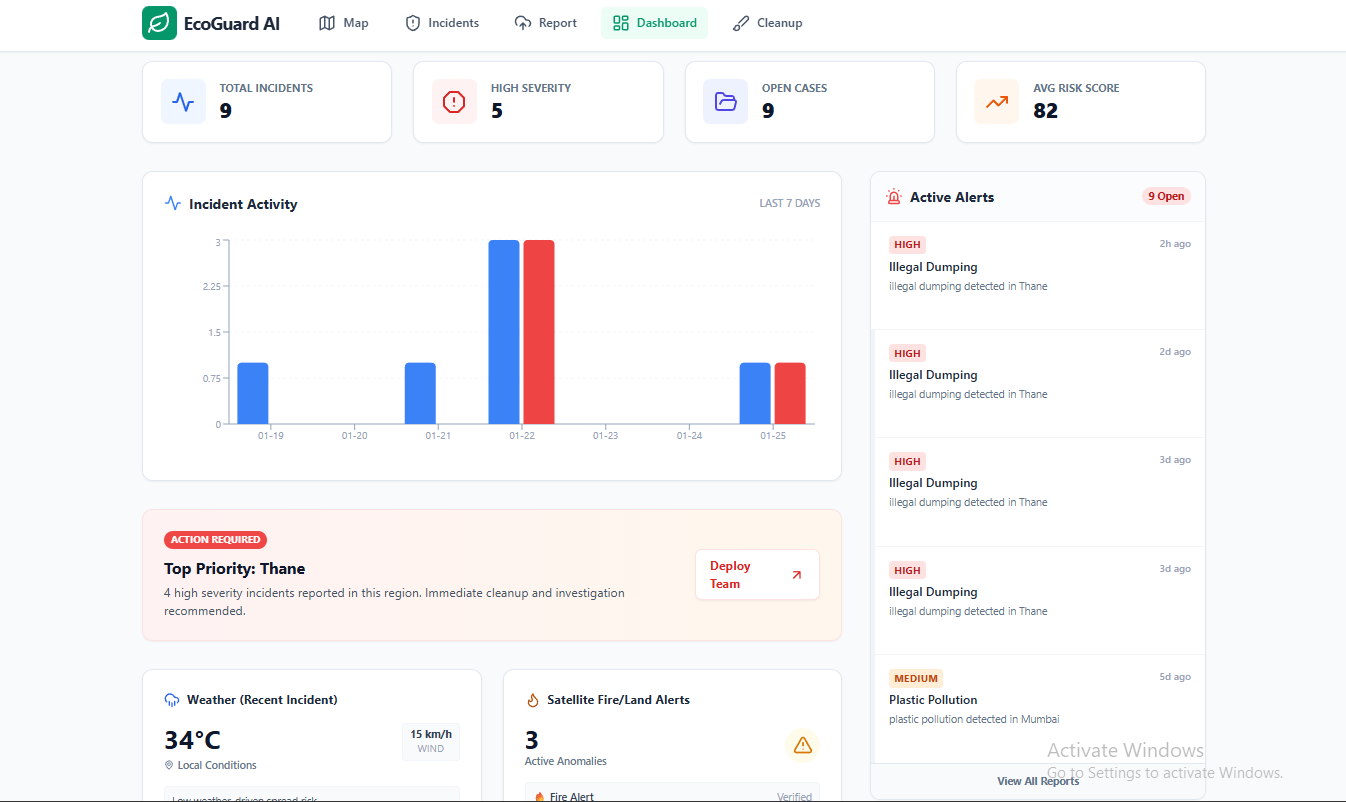
“Dashboard analytics: KPIs, 7-day trends, ecosystem health index, and priority alert feed.”
-
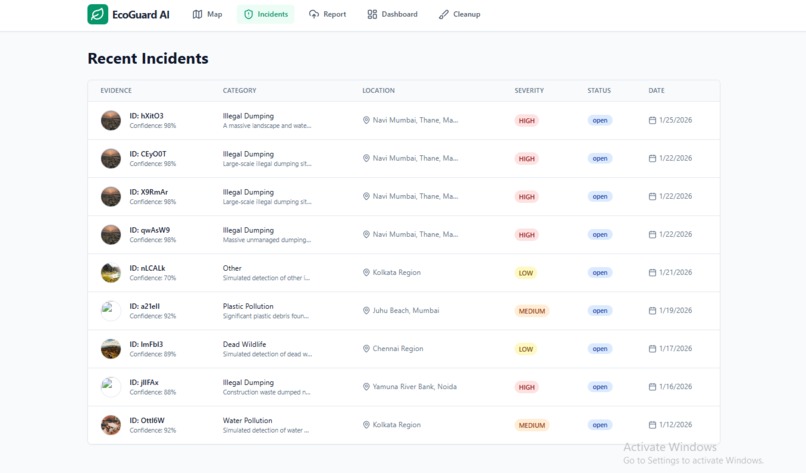
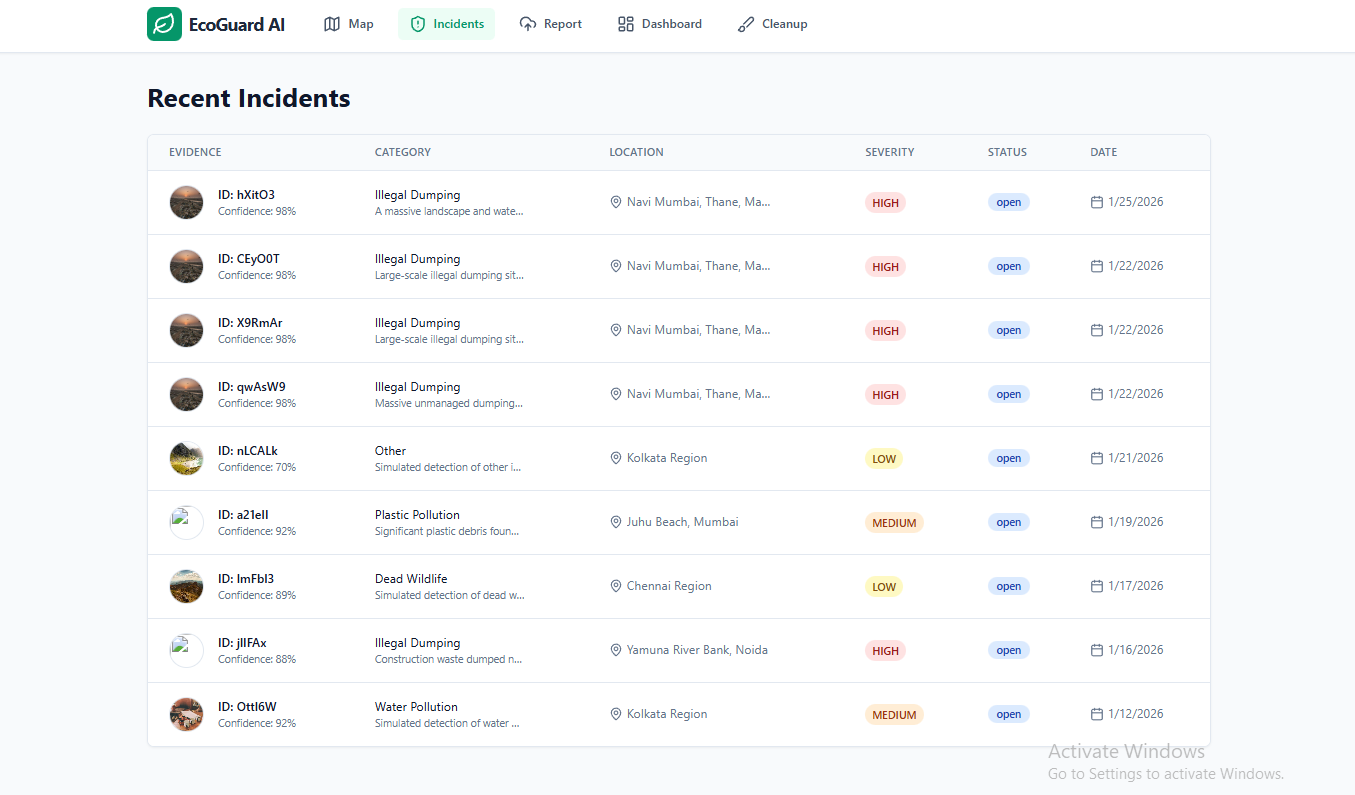
“Incident management table showing severity, confidence, location, and resolution status for transparency.”
-
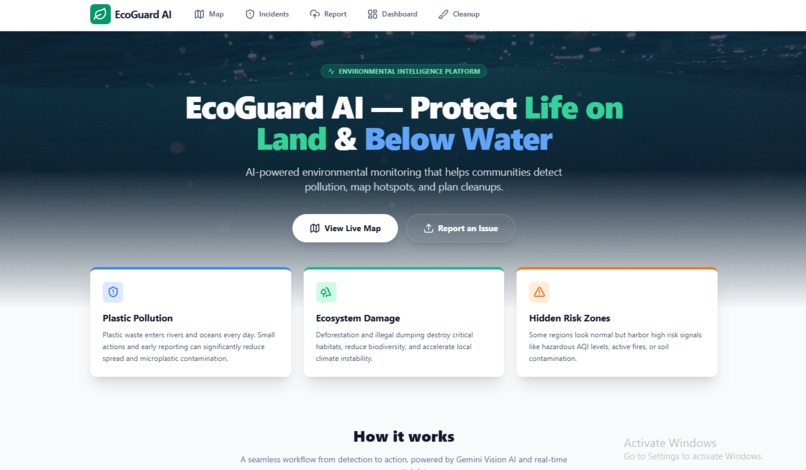
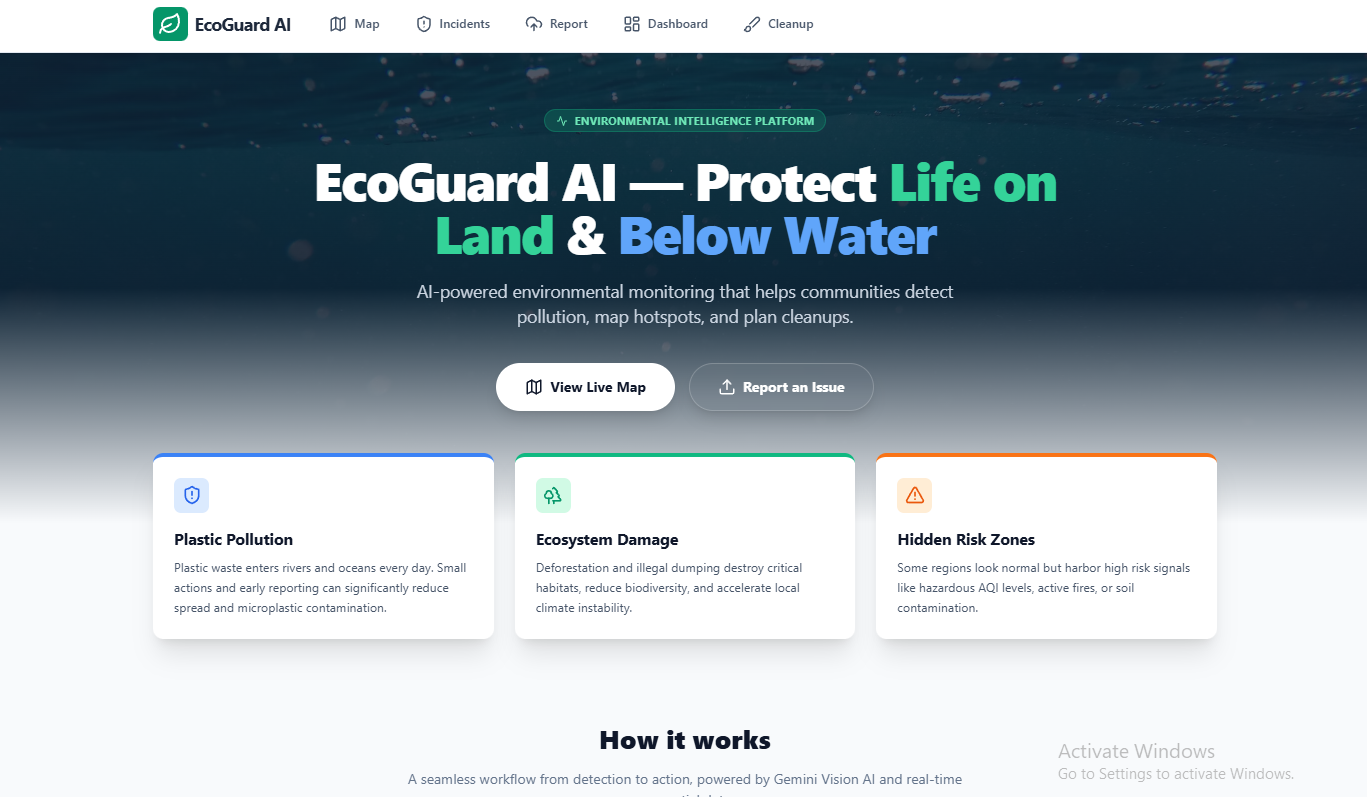
“EcoGuard AI landing page: Detect → Track → Act workflow for protecting land and oceans.”
-
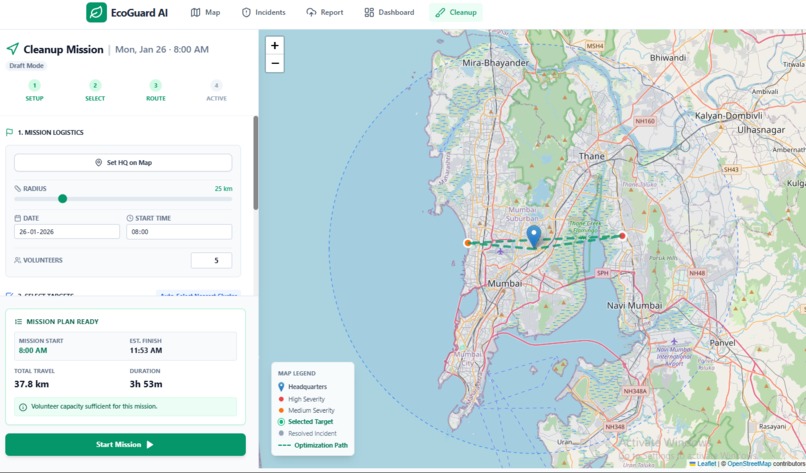
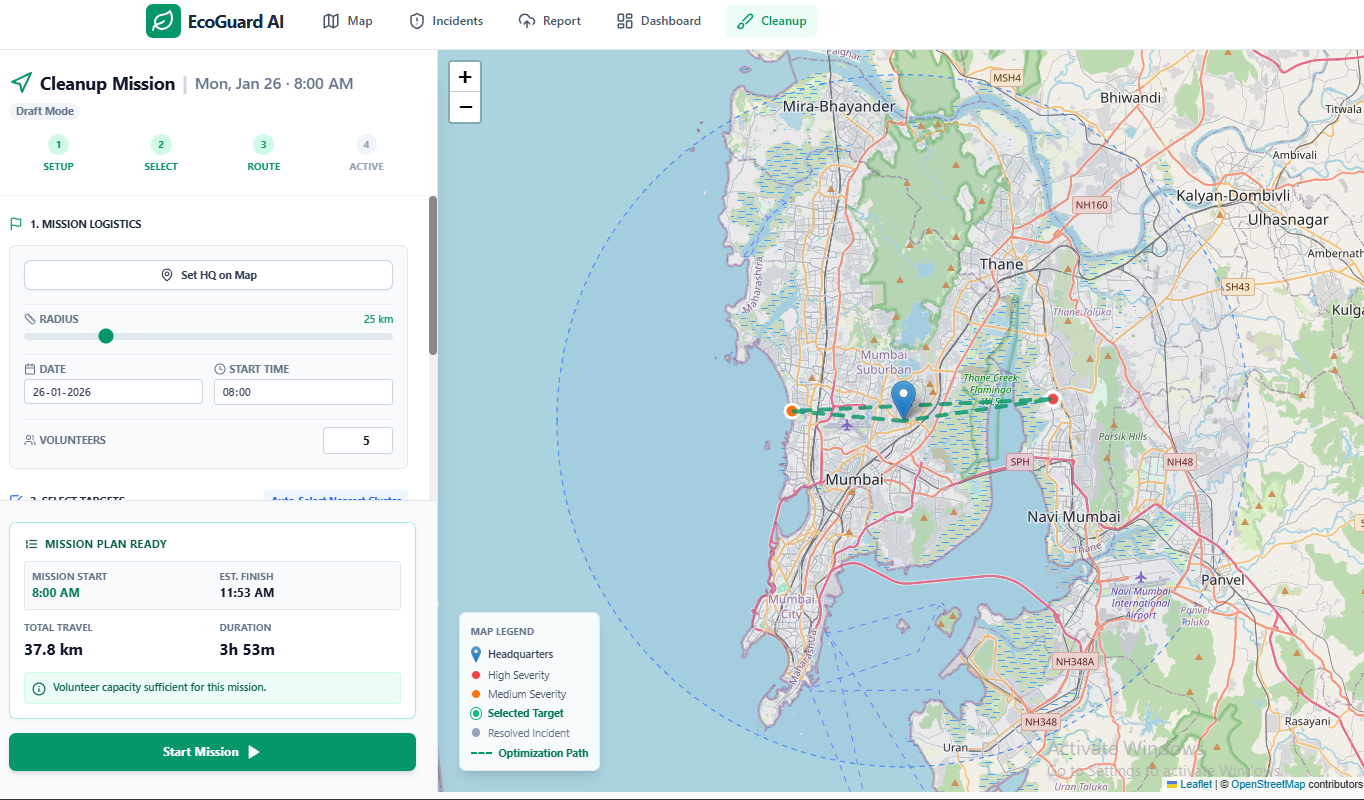
“Cleanup Mission Control: set HQ, select targets within radius, and generate an efficient volunteer route.”
-
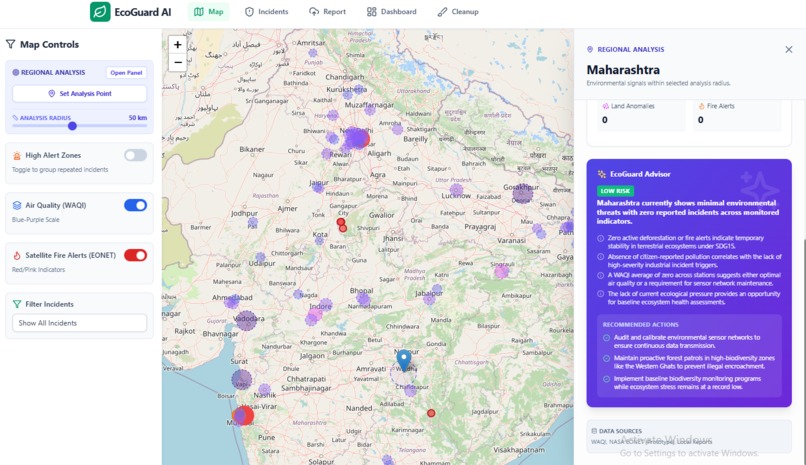
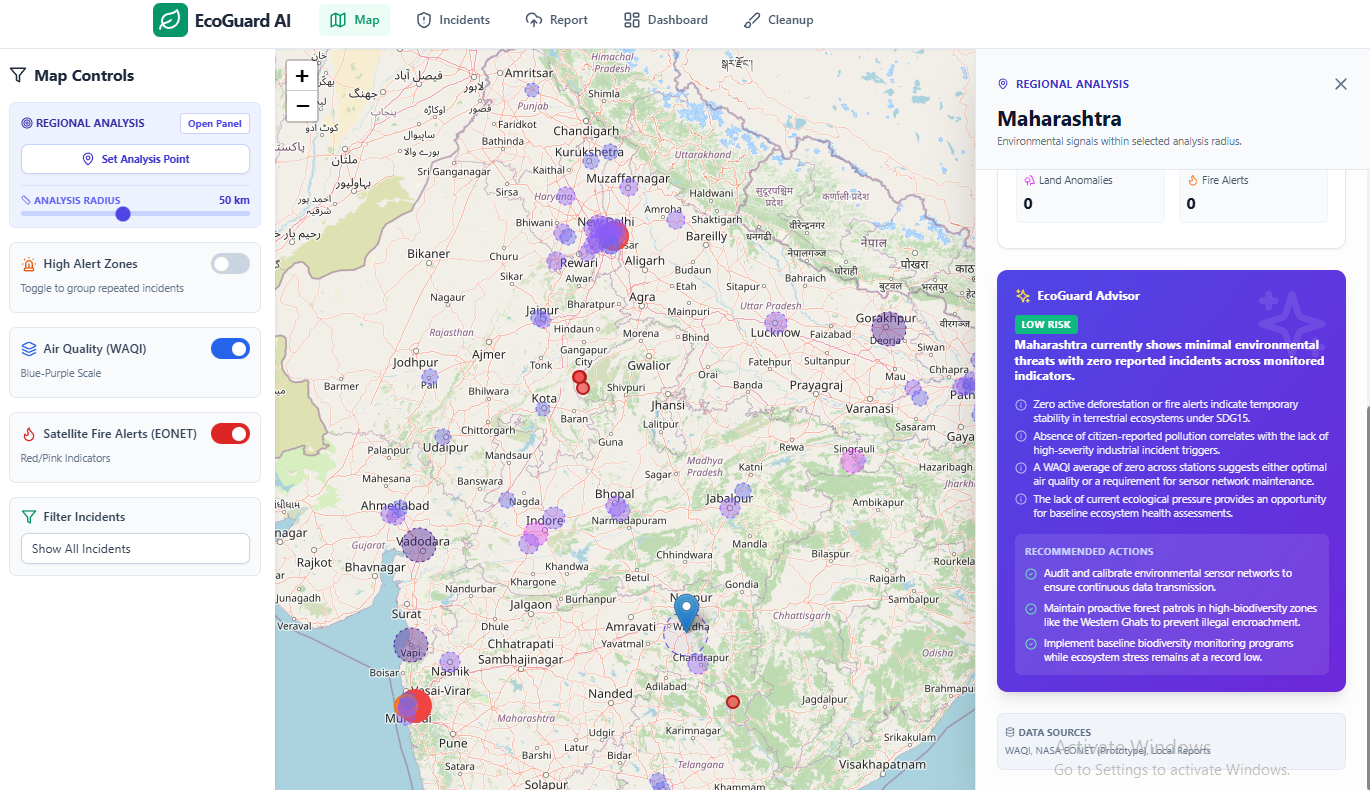
“Live risk map with citizen incidents, WAQI air-quality overlay, and AI-powered regional snapshot advice.”
EcoGuard AI — Project Story
About the Project
EcoGuard AI is a software-based environmental monitoring and action platform that helps communities detect pollution hazards, visualize risk on an interactive map, and coordinate cleanup missions. The goal is to convert scattered environmental observations into structured reports, meaningful insights, and real-world action.
🔗 Live App: https://ai.studio/apps/drive/19AawODUvHvs_JUH79NqAB9-1S2fnmG8o?fullscreenApplet=true
What Inspired Me
This project started from a simple observation: environmental damage is everywhere, but reporting and response are often slow, fragmented, or inaccessible. People might see illegal dumping, plastic waste on beaches, or damaged land areas—but they don’t always know what to do next.
I wanted to build something that makes the response process easier by answering:
- What is the hazard?
- How severe is it?
- Where is it happening?
- What actions should be taken?
- How can volunteers plan cleanup efficiently?
What I Learned
Building EcoGuard AI taught me that a “map app” alone isn’t enough—impact comes from turning information into action. The main things I learned were:
- How to convert real-world inputs (images + locations) into structured datasets using AI
- How to build interactive geospatial interfaces that remain clear even with multiple data layers
- How to design simple risk models and clustering logic that helps users prioritize areas
- How to prevent common reliability issues like excessive API calls and invalid sensor readings
- How important UX clarity is in tools meant for citizen use (not just technical users)
How I Built It
EcoGuard AI is designed as a simple end-to-end flow:
1) Detect (AI Reporting)
Users submit environmental reports by uploading images. The system analyzes the image using an AI model and produces a structured incident record:
- category (plastic pollution, dumping, deforestation, etc.)
- severity level
- confidence score
- summary and recommended actions
2) Track (Live Map + Context Layers)
Reports are plotted on a Leaflet-based interactive map with:
- citizen incident markers (severity-based styling)
- live air quality hotspots (WAQI overlay)
- land/forest risk signals (prototype layer)
Users can click any hotspot to open a Risk Advisor panel with context and recommended actions.
3) Act (Cleanup Mission Planner)
The Cleanup Planner helps volunteers or organizers:
- set a cleanup HQ
- select nearby incidents within a defined radius
- generate an efficient visit order (route planning heuristic)
- estimate mission distance and time
This makes EcoGuard AI not only a monitoring tool but also an operational planning tool.
Challenges I Faced
Handling unreliable external data
Some live API values (like extremely high AQI readings) can be noisy or outliers. I had to add validation and safe handling to prevent misleading results.
Avoiding too many API calls
Map-based apps can easily overload external APIs because users pan/zoom frequently. I solved this by adding caching, debouncing, and only fetching data when needed.
Making the interface understandable
A key challenge was keeping the UI understandable when showing multiple layers (incidents, AQI, land alerts) at the same time. I introduced clear toggles, summaries, and an advisor panel to improve usability.
Turning data into real action
The hardest part wasn’t visualizing reports—it was designing the “action layer.” The Cleanup Planner and hotspot clustering were created to help users prioritize and respond efficiently.
What’s Next
EcoGuard AI can be improved by adding:
- a fully persistent backend for incidents and missions
- stronger verification workflows to reduce false reports
- integration with more open environmental datasets
- NGO/government reporting workflows and escalation automation
- offline-first improvements for field cleanup teams
Built With
- React + TypeScript + Tailwind CSS
- Leaflet / React-Leaflet
- Gemini (AI image analysis + structured summaries)
- WAQI (Air Quality overlay)
- Basic clustering + route planning heuristics
Built With
- api
- context
- firebase-firestore-(cloud-incident-storage)
- google-gemini-(google-ai-studio-/-genai-sdk)-(image-analysis-+-structured-incident-summaries)
- leaflet-/-react-leaflet-(interactive-maps)
- localstorage-(prototype-data-persistence)
- openstreetmap-tiles-(map-base-layer)
- openweathermap
- react
- tailwind-css
- typescript
- waqi-api-(world-air-quality-index)-(live-air-quality-hotspot-overlay)
- weather

Log in or sign up for Devpost to join the conversation.