Inspiration
The idea for EcoBite started with a moldy bag of spinach.
We have all been there: you go to the grocery store with the best intentions, buy a bunch of healthy food, put it in the bottom drawer of your fridge, and then completely forget about it. A week later, you are throwing away a slimy, green mess. One evening, after throwing out yet another forgotten block of cheese and some wilted vegetables, we realized we weren't just throwing away food—we were throwing away our hard-earned money.
We asked ourselves, "What if our fridge could tap us on the shoulder before things went bad? What if our grocery list actually learned from our mistakes?" We saw that AI was out there writing essays and doing complex math, but it wasn't being used to solve a very normal, everyday human problem: figuring out what is for dinner using exactly what we already have. We wanted to build a friendly, invisible helper that takes the stress out of meal planning, protects the planet by stopping food waste, and keeps our personal data completely safe while doing it. That simple "moldy spinach moment" was the spark that created EcoBite.
What it does
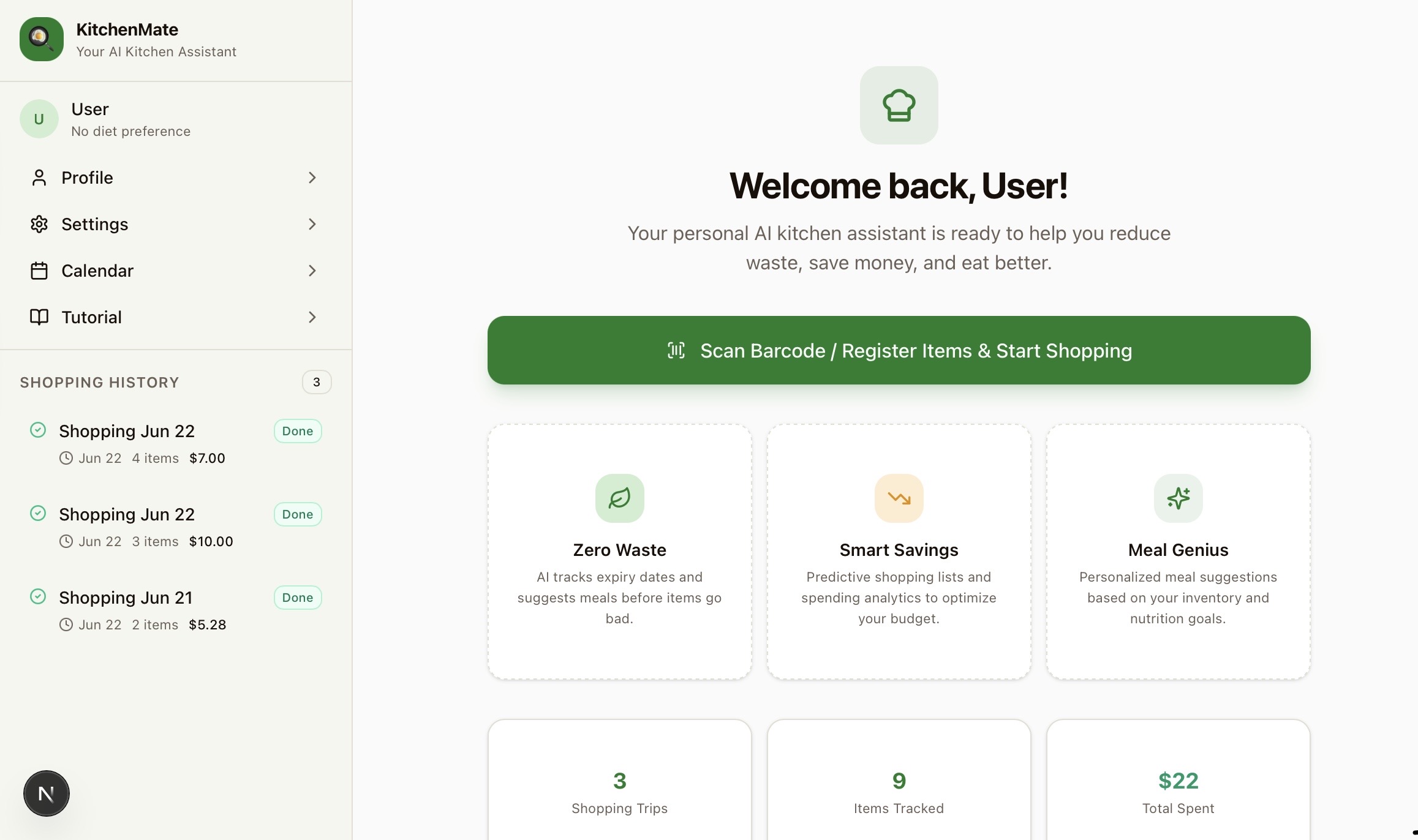
Have you ever looked in the back of your fridge and found a bag of spinach that has turned into green slime? Or maybe you bought a huge block of cheese, forgot about it, and had to throw half of it away? We all do it, and it feels terrible. Wasting food is bad for the planet, and it feels like throwing your hard-earned money straight into the trash can.
That is exactly why we built EcoBite. It acts like a super-smart bridge between the grocery store and your kitchen. When you buy groceries, the app puts them into a "Shopping Cycle." You can think of a Shopping Cycle like a digital box that holds exactly what is in your fridge right now. The app keeps a close eye on the expiration dates of everything in that box. Before your food goes bad, the app taps you on the shoulder and says, "Hey, this chicken expires in a few days, want me to give you a recipe for it?" It completely takes away the stress of trying to figure out what to cook for dinner. It tracks your food, helps you hit your healthy eating goals, and even shows you charts of where you are spending your money. If it notices you keep buying too much of something and throwing it away, it will actually tell you to buy less next time! It is all about making your life easier, saving money, and helping the environment.
How we built it
We wanted to make sure this app could run smoothly for anyone, even if they are using an older or slower computer. So, we built it in two separate pieces.
The Front Part (What you see): We used tools called React, Vite, and Tailwind CSS. This makes the app look beautiful, work lightning-fast, and fit perfectly on both a giant computer screen and a small mobile phone.
The Back Part (The brain): We used Node.js and a database called Supabase. This is the hidden engine room where all the math happens. It counts your groceries, checks the dates, and runs an invisible alarm clock that wakes up once a day to see if your food is running low.
Challenges we ran into
One of the biggest hurdles we faced was figuring out how to use AI safely. Today, everyone is worried about apps stealing their information or listening to their private lives. Our biggest motive from day one was absolute user safety. We wanted to build a helpful AI, but we refused to let that AI peek into our users' personal data.
Figuring out how to protect the user while still giving them smart recipe ideas was really tough. We had to build a strong wall between the user's private account details and the AI's brain. Another big challenge was simply stopping the AI from getting confused. Sometimes, AI likes to make things up—we had to write very strict rules so it wouldn't suggest cooking a meal using ingredients the user already ate three weeks ago!
Accomplishments that we're proud of
We are incredibly proud that we successfully built a fortress around our users' data. In our app, the AI does not run the show. Our own app does almost all of the heavy lifting behind the scenes. It does the math, tracks the money, and manages the inventory.
We strictly use the Gemini AI as a "consultation helper" just for food recommendations. When you ask for a recipe, we do not send Gemini your name, your location, or your personal habits. We literally just pass it a list of ingredients and say, "Give us a 30-minute recipe using chicken and rice." Keeping the user's data locked safely on our end, while still getting amazing recipes from Gemini, is our favorite accomplishment.
We are also super proud of our "Habit Tracker." If the app notices you always throw away a certain food, it automatically adjusts your next shopping list to save you money. Oh, and we built a feature where you can take a picture of your messy fridge, and the app will organize it for you!
What we learned
We learned so much about the balance between cool technology and user trust. We figured out exactly how to build an app that achieves its goals and helps people, without ever compromising their private information. You don't have to spy on people to build a great app.
We also learned a fascinating lesson about how an AI's brain works, specifically something called the "Context Window." You can think of a context window like the AI's short-term memory. If you feed an AI way too much information at once, or talk to it for too long, it forgets the beginning of the conversation and gets totally confused.
To solve this, we learned how to chop all the information up into tiny, bite-sized pieces. By putting groceries into separate, locked "Shopping Cycles," we only ever feed the AI the small, specific chunk of information it needs for that exact day. Because we break everything into small parts, the AI never gets overwhelmed, never loses its context, and always gives perfect answers.
What's next for EcoBite: The Smart Grocerie Helper
Local NGO Donations: Sometimes, the app might tell you a food is expiring soon, but you just know you won't have time to eat it. We want to build a feature that connects you straight to local charities! You could hit a button to donate that food to people in need. The big puzzle we are trying to figure out next is the logistics: how do we make sure there are enough days left for the charity to pick it up and hand it out before it goes bad? And how do we double-check that the food is actually safe and unexpired before they collect it? It's a big challenge, but we are excited to solve it.
One-Click Grocery Ordering: We want to connect our smart shopping list directly to local grocery stores so you can order your food with just one button.
Family Accounts: Creating a way for a whole family to share one account, so if mom buys milk on her phone, dad can see it on his phone too.
Built With
- express.js
- google-gemini-api
- node-cron
- node.js
- postgresql
- prisma
- react
- supabase
- tailwind-css
- vite

Log in or sign up for Devpost to join the conversation.