-
-
-
-
-
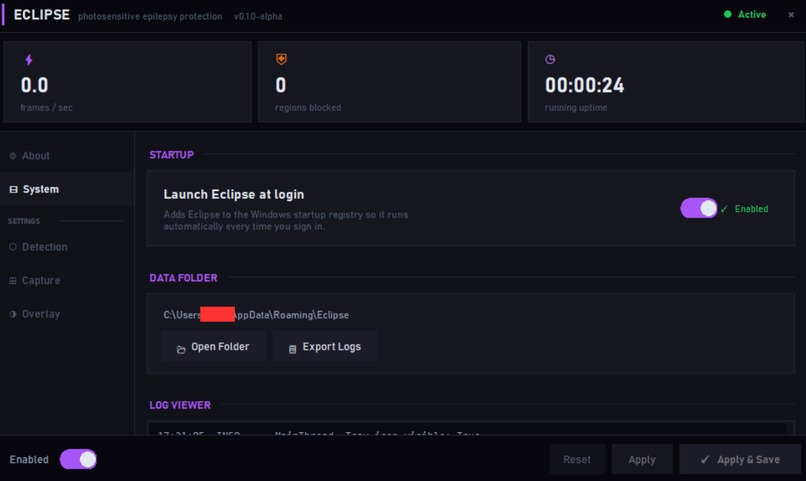
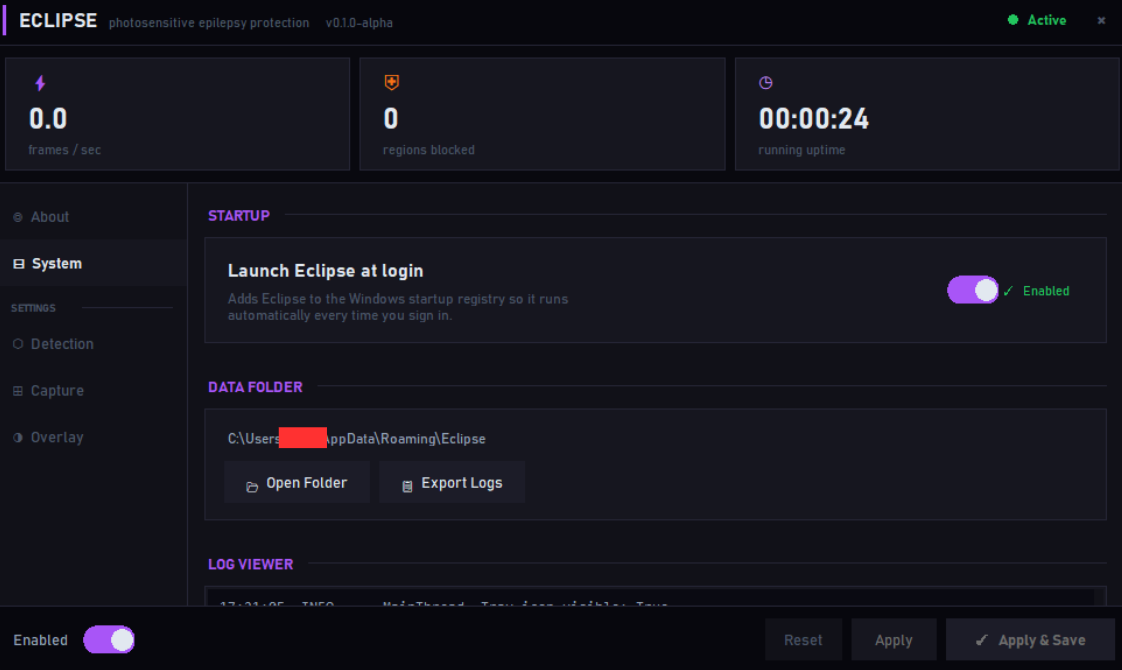
Capacity to auto start for more convenience
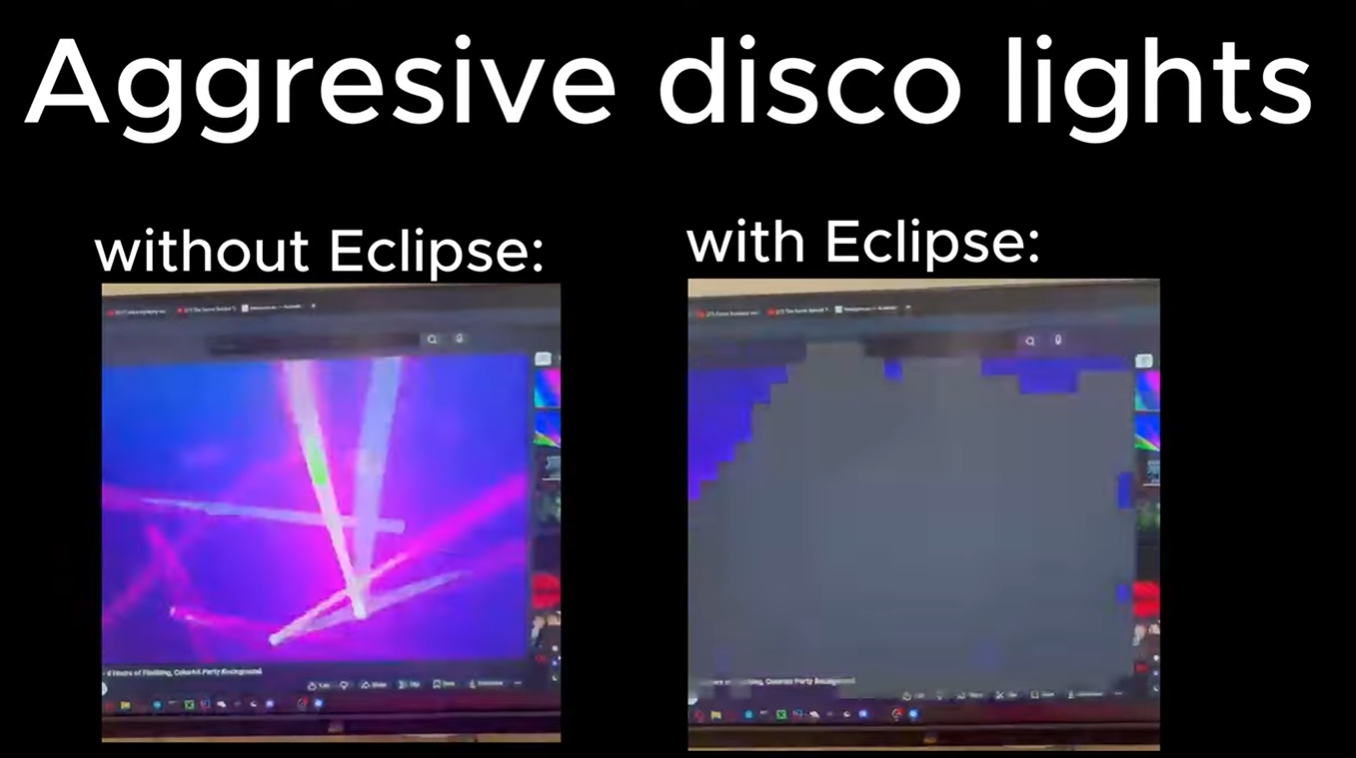
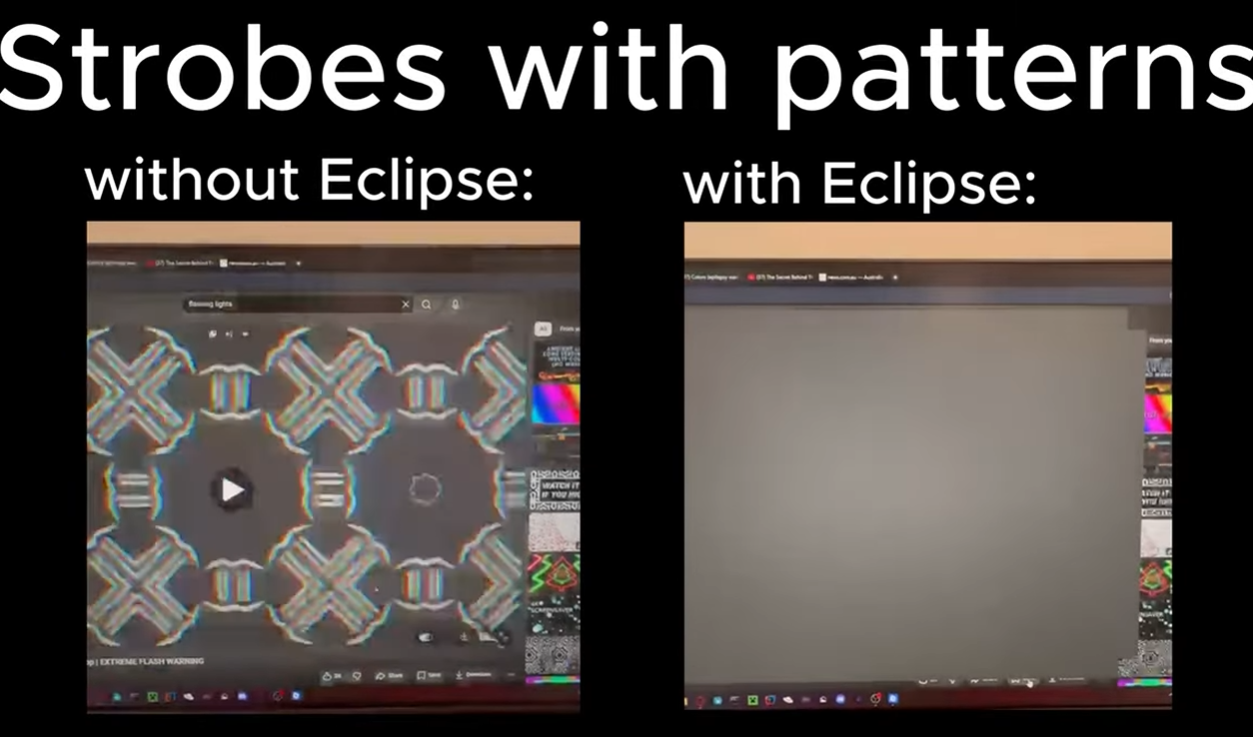
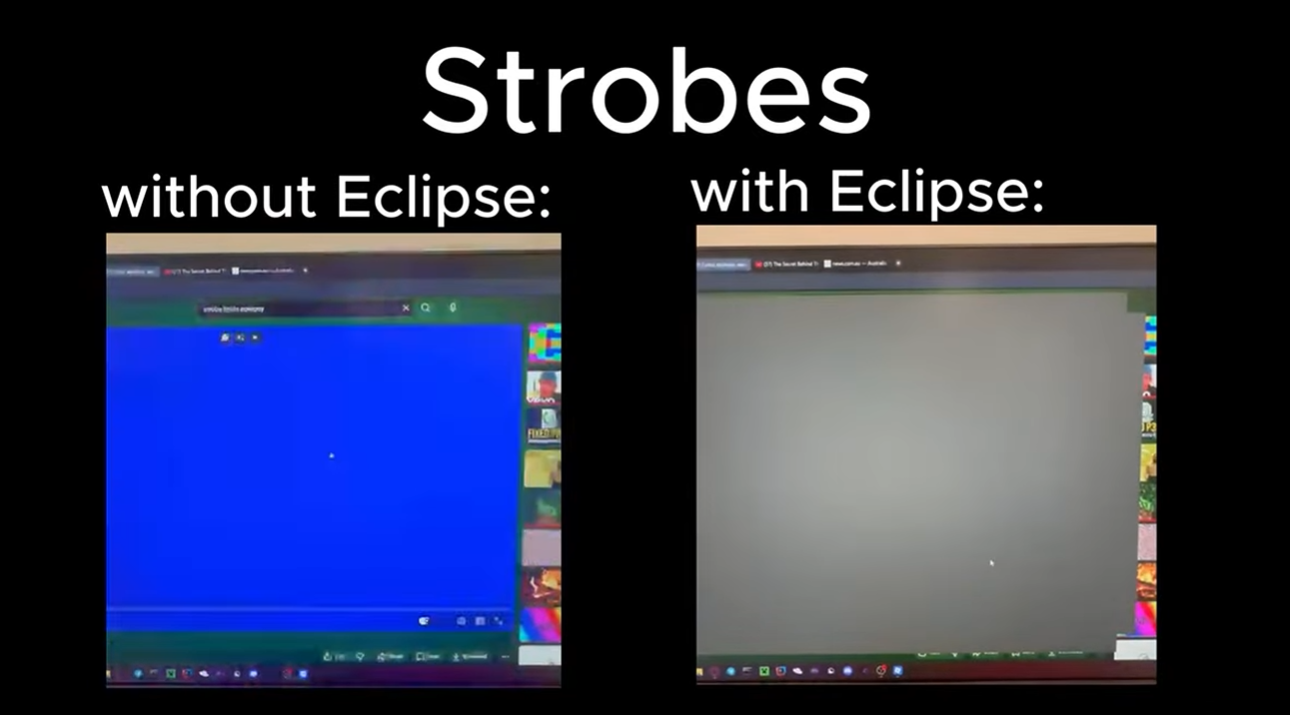
The Problem
Epilepsy affects 1 in 100 people, yet the digital platforms they use every day — social media, streaming services, games — have no obligation to screen for dangerous flash content. This leaves the epileptic community chronically underserved; there is no systemic safety net, and the burden of protection falls entirely on the individual. Existing tools are either paywalled, browser-only, or non-existent at the OS level, leaving millions exposed.
The Solution
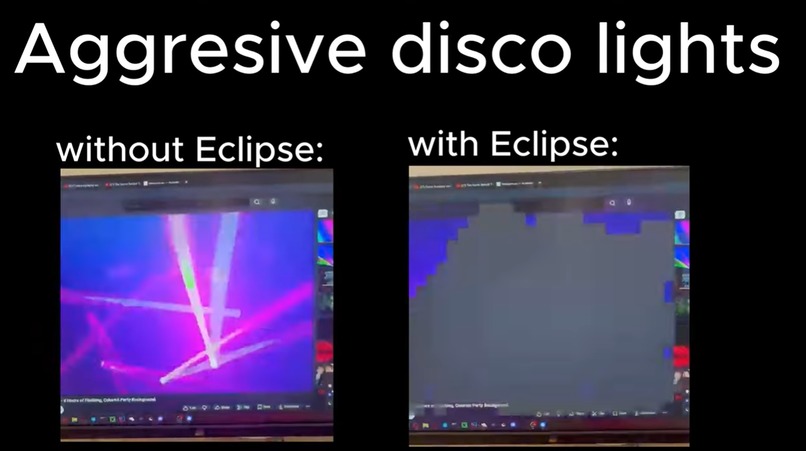
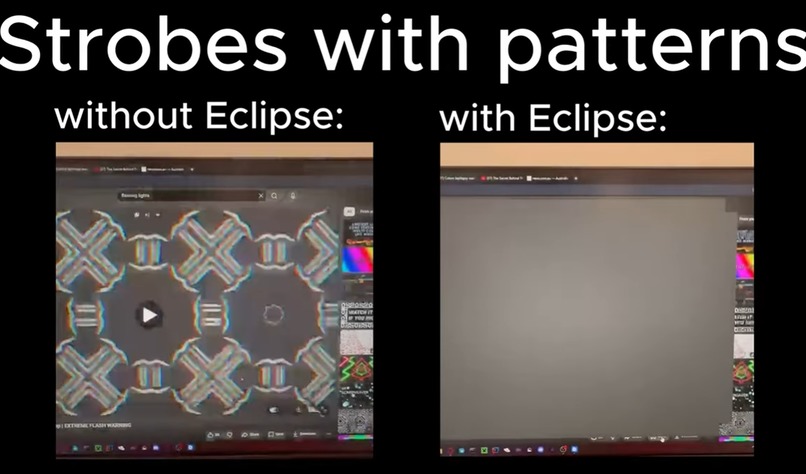
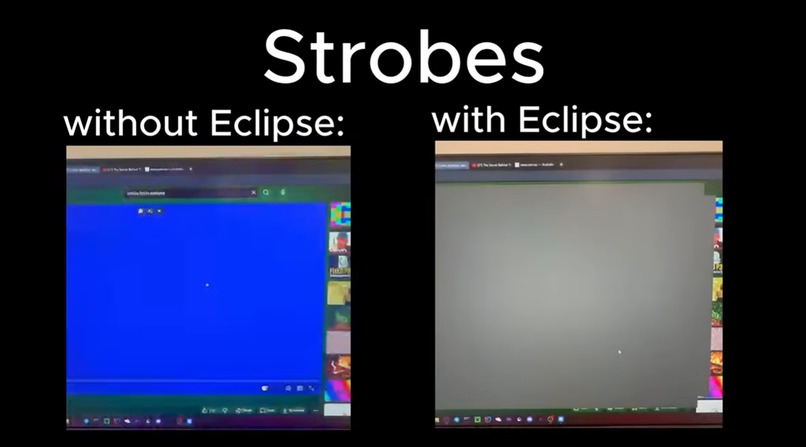
Eclipse is a lightweight Windows application that gives the epileptic community automated, real-time protection across their entire screen. It captures screen data and instantly masks dangerous flash patterns with a grey overlay. Running silently in the system tray, it acts before the user can react; once the flashing stops, the mask lifts. A dedicated dashboard allows for sensitivity tuning and more conservative settings for maximum safety.
How We Built It
We engineered Eclipse based on the Harding FPA framework, the international standard for broadcast safety. To translate clinical danger into code, we developed a detection pipeline using five specific gates:
- Amplitude & Luminance: Measuring brightness swings.
- Pixel Fraction: Assessing the area of the visual field affected.
- Coherence & Periodicity: Identifying rhythmic, dangerous frequencies.
- Spatial Clustering: Detecting localized strobe threats.
The technical stack utilizes Python with PyQt6 for the overlay, mss for low-latency DXGI screen capture, and NumPy for vectorized frame analysis. Gemini was instrumental in translating complex Harding constraints into functional algorithms and unifying the various pipeline components.
Challenges
Our primary hurdle was minimizing false positives in dynamic environments like gaming. We refined the coherence gates to distinguish irregular game effects from genuine strobes. Ensuring the software didn't "capture itself" required implementing undocumented Windows display affinity flags to exclude the overlay from the capture API.


Log in or sign up for Devpost to join the conversation.