-
-
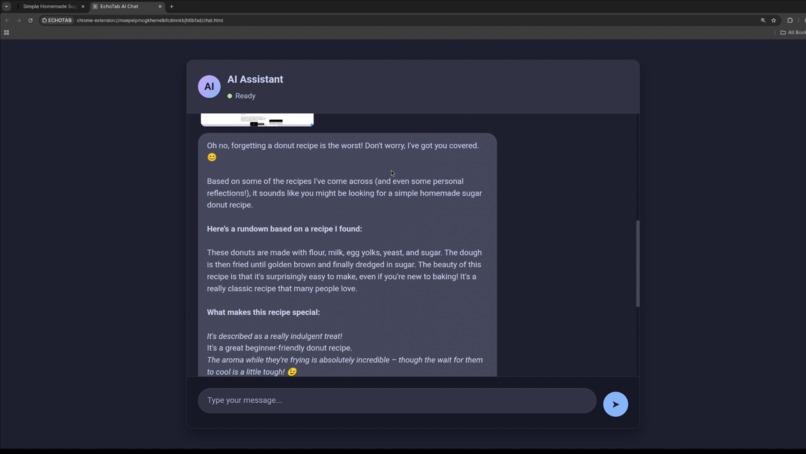
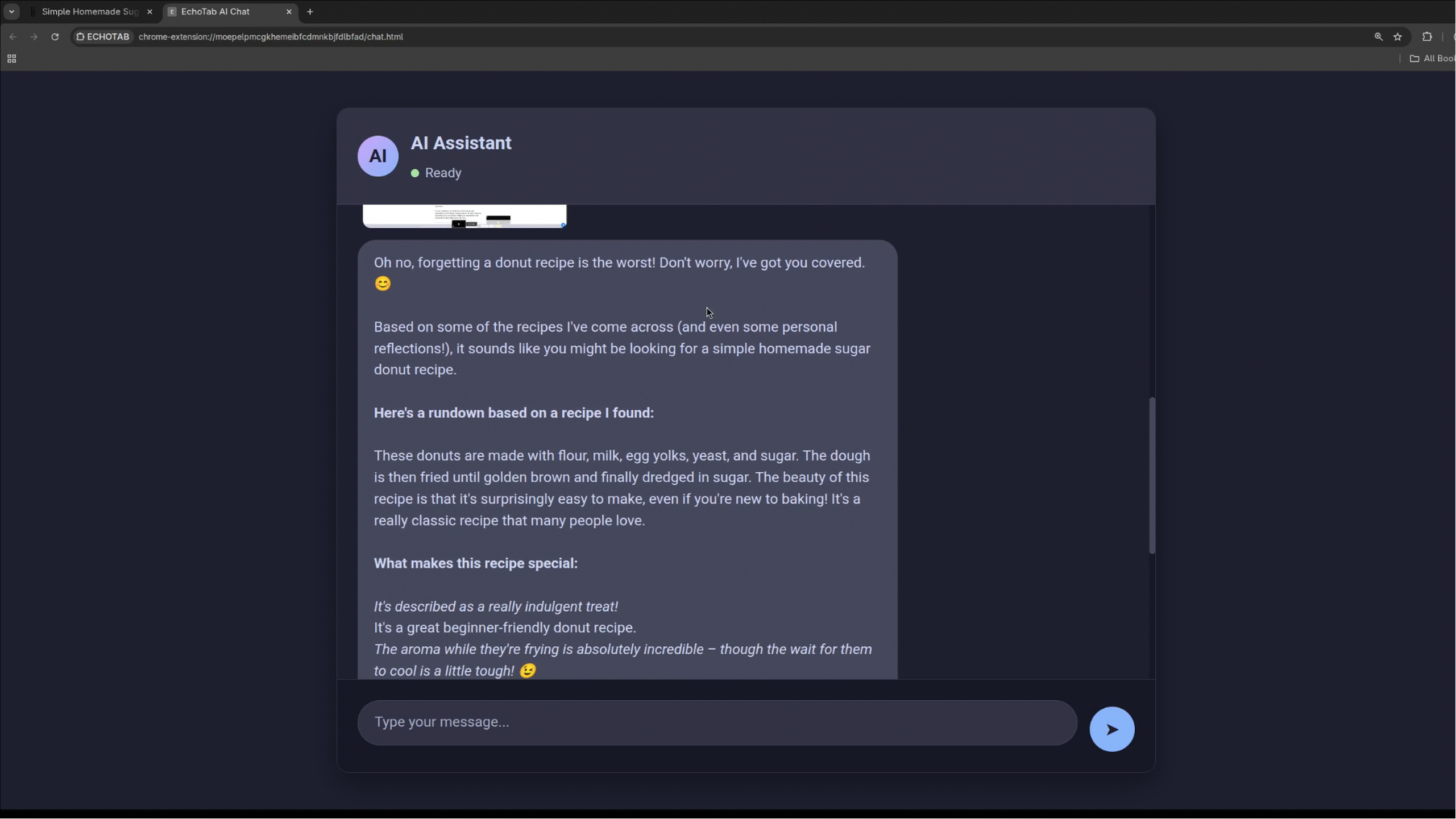
chat interface
EchoTab AI: Your Intelligent Browsing Memory
Inspiration
We've all experienced that frustrating moment: you spend hours researching a topic, only to forget crucial details when you need them most. The average person visits dozens of websites daily, yet our brains retain surprisingly little. Traditional bookmarking feels like digital hoarding - saving pages we never revisit. We wanted to create something that doesn't just store links, but actually understands and remembers content, making your browsing history a searchable, conversational knowledge base.
The equation that inspired us: Memory Retention=Time Spent BrowsingInformation Overload→0Memory Retention=Information OverloadTime Spent Browsing→0 We set out to flip this relationship entirely.
What it does
EchoTab AI automatically saves and indexes every webpage you visit, then lets you have natural conversations with an AI that has perfect recall of your entire browsing history.
Key features:
Auto-save: Silently captures page content after 2 seconds of viewing

Smart filtering: Automatically excludes banking and sensitive sites

Vector search: Finds relevant memories using semantic similarity

Conversational AI: Chat naturally about anything you've read

Visual memory: Preserves screenshots alongside text content
Ask anything from "What was that donut recipe I saw?" to "Tell me about the quantum computing article I read last week" and get instant, contextual answers. How we built it
Frontend:
Chrome Extension (Manifest V3) with modern JavaScript

Custom popup interface with real-time memory counts

Chat interface with message streaming and image support
Backend & Storage:
IndexedDB for local vector storage (no cloud dependency)

TF-IDF based embedding system with chunking (500 token chunks, 100 token overlap)

Content extraction engine that strips navigation, ads, and boilerplate
AI Integration:
Gemini 2.5 Flash API for intelligent responses

Hybrid memory system: vector similarity + temporal recency

Duplicate prevention with 1-hour LRU cache
Architecture Flow: text
Browser → Content Extraction → Text Chunking → Vector Embedding → IndexedDB User Query → Vector Search → Context Building → AI Response → Conversation
Challenges we ran into
Content Extraction Hell: Websites are messy! We spent days refining our content extraction to handle everything from Wikipedia's complex layouts to modern React SPAs. The breakthrough came when we implemented a hybrid approach combining DOM pruning with semantic scoring.
Vector Search Precision: Early versions returned irrelevant results because our similarity threshold was too aggressive. We learned that $similarity_{optimal} = 0.25$ provides the best balance between recall and precision for our use case.
Memory Management: Storing embeddings for hundreds of pages quickly bloated storage. Our solution was intelligent chunking and implementing an LRU cache that automatically prunes less-recently-used memories while preserving important content.
Banking Site Detection: Creating a comprehensive financial site detector was surprisingly complex. We ended up with a multi-layered approach checking TLDs, domain patterns, and path keywords across global banking institutions. Accomplishments that we're proud of
🔄 Zero-Config Operation: Users install it and it just works - no setup, no training, no complicated onboarding.
📊 Scalable Local Storage: Our vector database efficiently handles 10,000+ memory chunks while maintaining sub-100ms search times.
🎯 Intelligent Filtering: The banking site detection has near-perfect accuracy, giving users peace of mind about privacy.
💬 Natural Conversations: The AI feels genuinely knowledgeable about your specific browsing history, not just generic information.
🚀 Performance: Auto-saving happens seamlessly without noticeable browser slowdown - a non-trivial achievement!
What we learned
Vector databases aren't magic: They're powerful tools, but their effectiveness depends entirely on quality embeddings and smart chunking strategies.
User trust is everything: People are (rightfully) paranoid about their browsing data. Building everything to work locally was crucial for adoption.
Content quality > quantity: A few well-extracted paragraphs are more valuable than entire poorly-parsed pages. Our extraction pipeline became the most critical component.
The $80/20$ rule of AI: 80% of the user value comes from 20% of the AI capabilities - in our case, reliable memory recall mattered more than fancy reasoning. What's next for EchoTab
🔍 Advanced Search: Temporal filters ("what I read last week"), domain-specific searches, and saved search sessions
🤝 Social Features: Anonymous memory sharing between users with similar interests (opt-in only)
📱 Mobile Expansion: Bringing EchoTab to mobile browsers where the "forgetting problem" is even more acute
🎓 Learning Mode: Automatic summarization of research topics and identification of knowledge gaps
🔗 Cross-Device Sync: Encrypted, user-controlled synchronization across devices
The vision: EchoTab evolves from a memory assistant to a true thinking partner that helps you connect ideas across your entire digital life.
Built With
- ai
- api
- css3
- gemini
- html
- javascript
- manifest

Log in or sign up for Devpost to join the conversation.