-
-
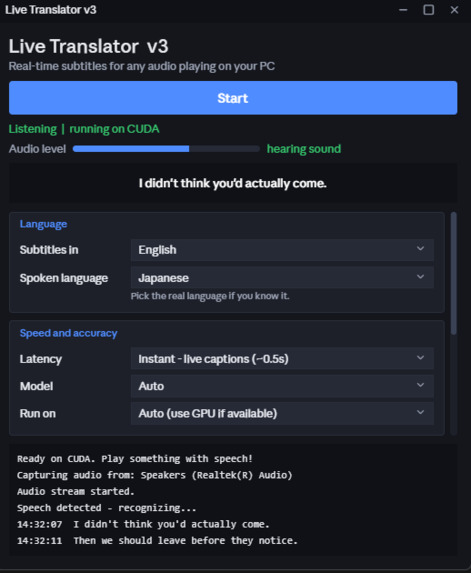
GUI
-
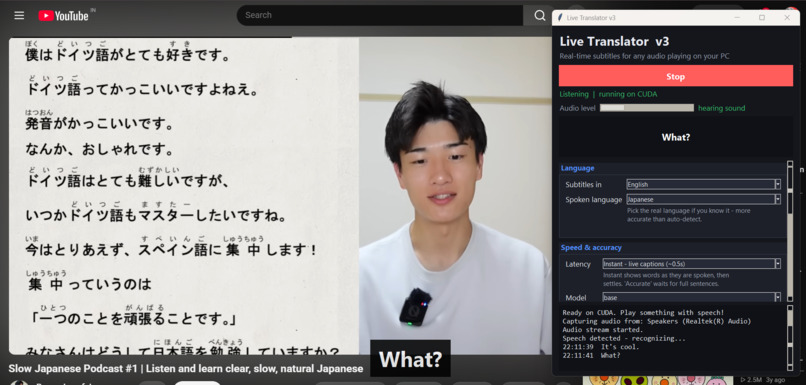
Working
EchoSub Live subtitles for anything playing on your PC, in the language you choose.
Inspiration Great videos, games, and streams are locked away from people who don’t speak the language. Built-in captions are often missing, wrong, or only in one language. I wanted subtitles that work on anything playing on a computer, not just one app. [Add one personal sentence here: what you tried to watch or play that made you want this.]
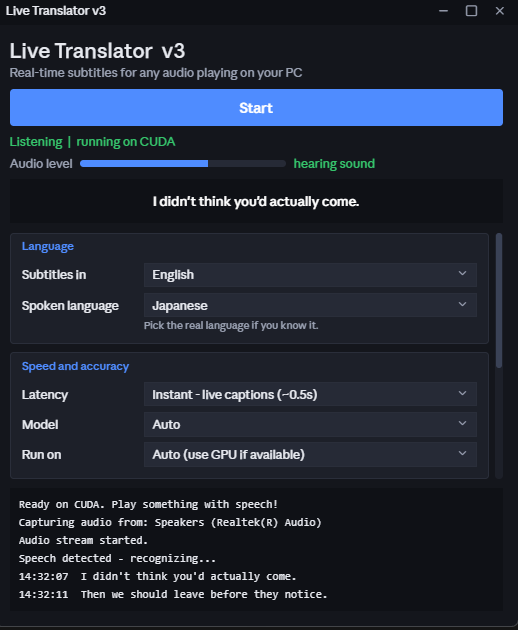
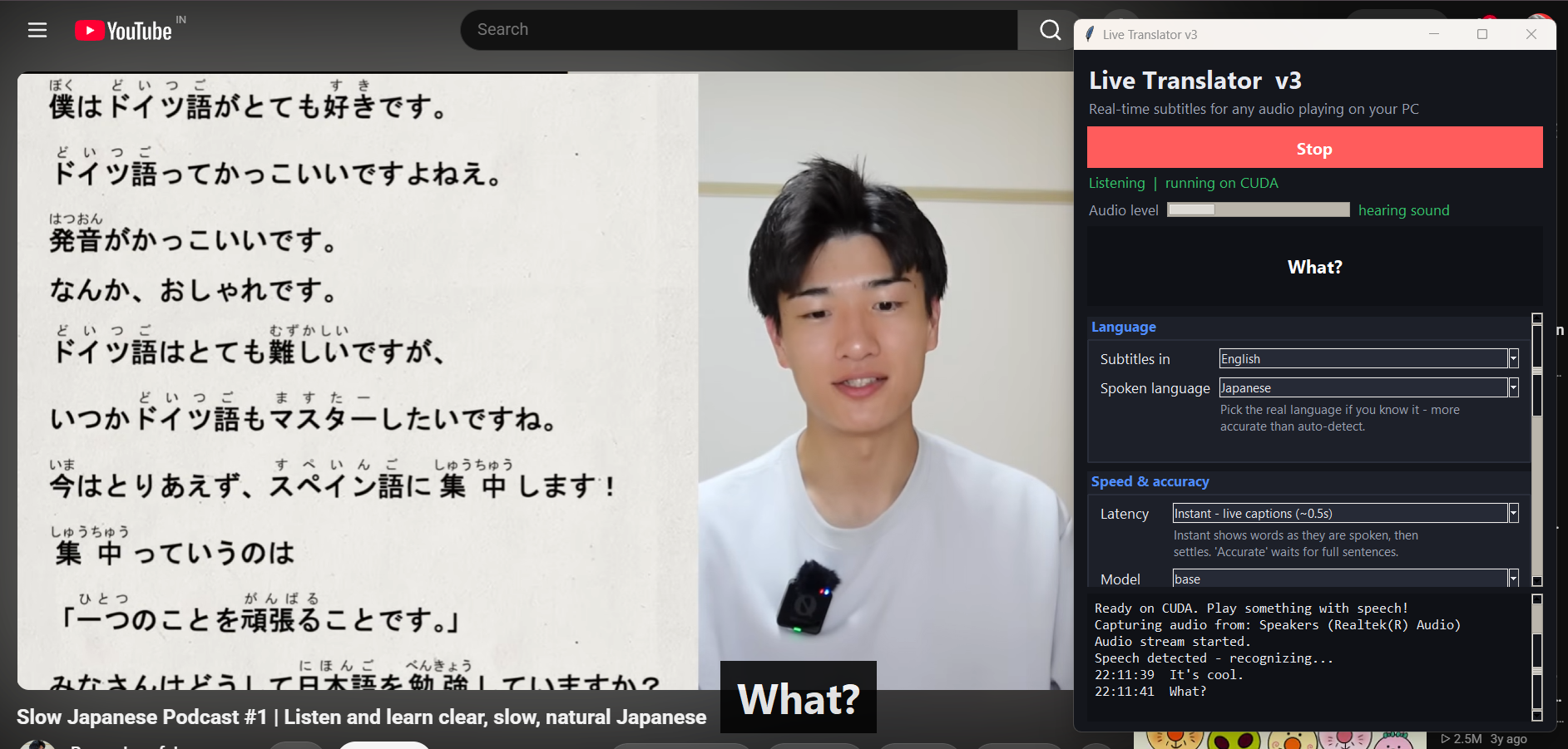
What it does EchoSub listens to whatever your PC is playing and shows live, movie-style subtitles over the screen. You pick the language you want, and it translates as people talk. It supports 26 languages and can detect the spoken language on its own. The subtitles sit in a transparent overlay that clicks pass through, so it doesn’t get in the way of a game. A settings window lets you change language, speed, model size, and the look of the subtitles.
How we built it It’s written in Python and has four stages:
Audio capture: it records the system’s output audio (loopback) with the soundcard library. Speech recognition: it runs OpenAI’s Whisper locally through faster-whisper, using the NVIDIA GPU (CUDA) when available and falling back to the CPU. Translation: English subtitles come straight from Whisper. Other languages go through Google Translate (online) or Argos (offline). Display: a Tkinter interface for settings and a transparent, always-on-top overlay for the subtitles.
I built it as a solo project, with Claude (Anthropic’s AI assistant) as a coding partner. I directed the design and the features and ran, tested, and debugged everything on my own laptop.
Challenges
Lag. My first version ran on the CPU and the subtitles were around 10 seconds behind, which made them useless. Fixing the lag. Moving to the GPU helped, but the bigger change was switching to streaming recognition. Instead of waiting for a full sentence, it updates the text a few times a second while someone is still speaking, then settles when they pause. That brought the delay down to about half a second. Setup problems. My Python version was too new for one of the libraries, which broke installation until I moved to Python 3.11. Getting the GPU libraries working on Windows took extra steps. Debugging a silent pipeline. When subtitles didn’t appear, it wasn’t obvious whether the problem was audio capture, recognition, or the overlay. I added an audio level meter, a live preview, and step-by-step log messages to find out.
Accomplishments that we’re proud of
Cutting the delay from about 10 seconds to about half a second. A overlay that works over games without blocking them. Everything runs locally for speech recognition, so no audio is sent to a server.
What we learned Real-time software is about latency at every step. I learned how audio capture, threading, and GPU-accelerated models fit together, and why good logging matters when several parts can fail silently.
What’s next
A hotkey to start, stop, and pause the subtitles. Subtitle history you can save to a file. Capturing audio from a single app instead of the whole system. Better handling of background music and sound effects. A packaged installer, so it doesn’t need a Python setup.
Built with: Python, faster-whisper (OpenAI Whisper), CUDA, soundcard, Tkinter, deep-translator, Argos Translate
30-second pitch

Log in or sign up for Devpost to join the conversation.