Inspiration
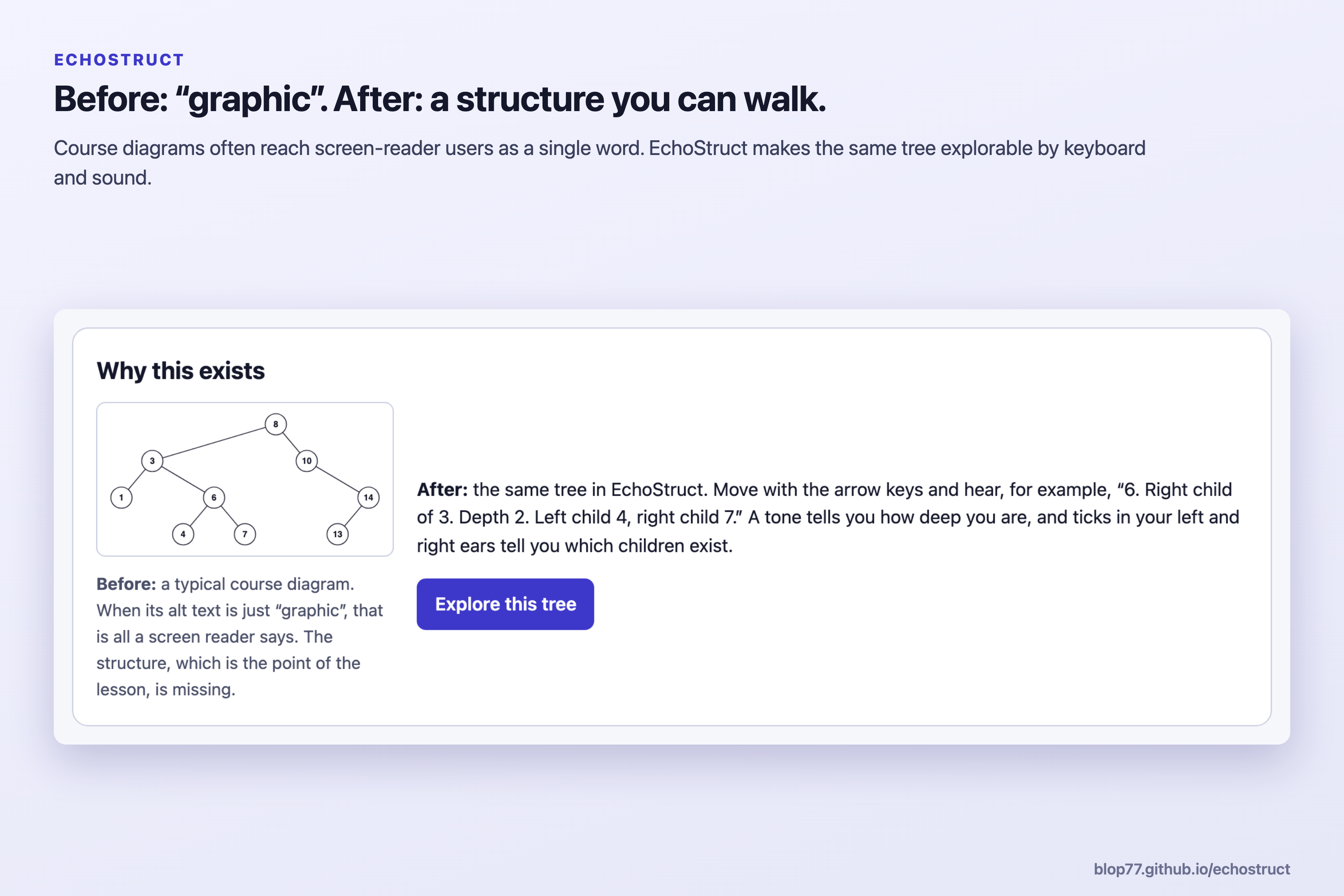
Data structures are taught through pictures: boxes and arrows for linked lists, a pile for a stack, a branching drawing for a tree. For a student who uses a screen reader, that picture is often announced as just "graphic", or squeezed into one sentence that can't be explored. The structure, which is the whole point of the lesson, disappears. We wanted a blind student to be able to walk a tree the way a sighted student traces one with a finger.
The barrier, before and after
Learner: a blind student in an introductory data-structures course who uses a screen reader. Task: "Where would 5 be inserted in this binary search tree?"
- Before: the tree is an image with alt text "graphic". The student can't trace a path from the root, so they depend on a sighted helper or skip the question.
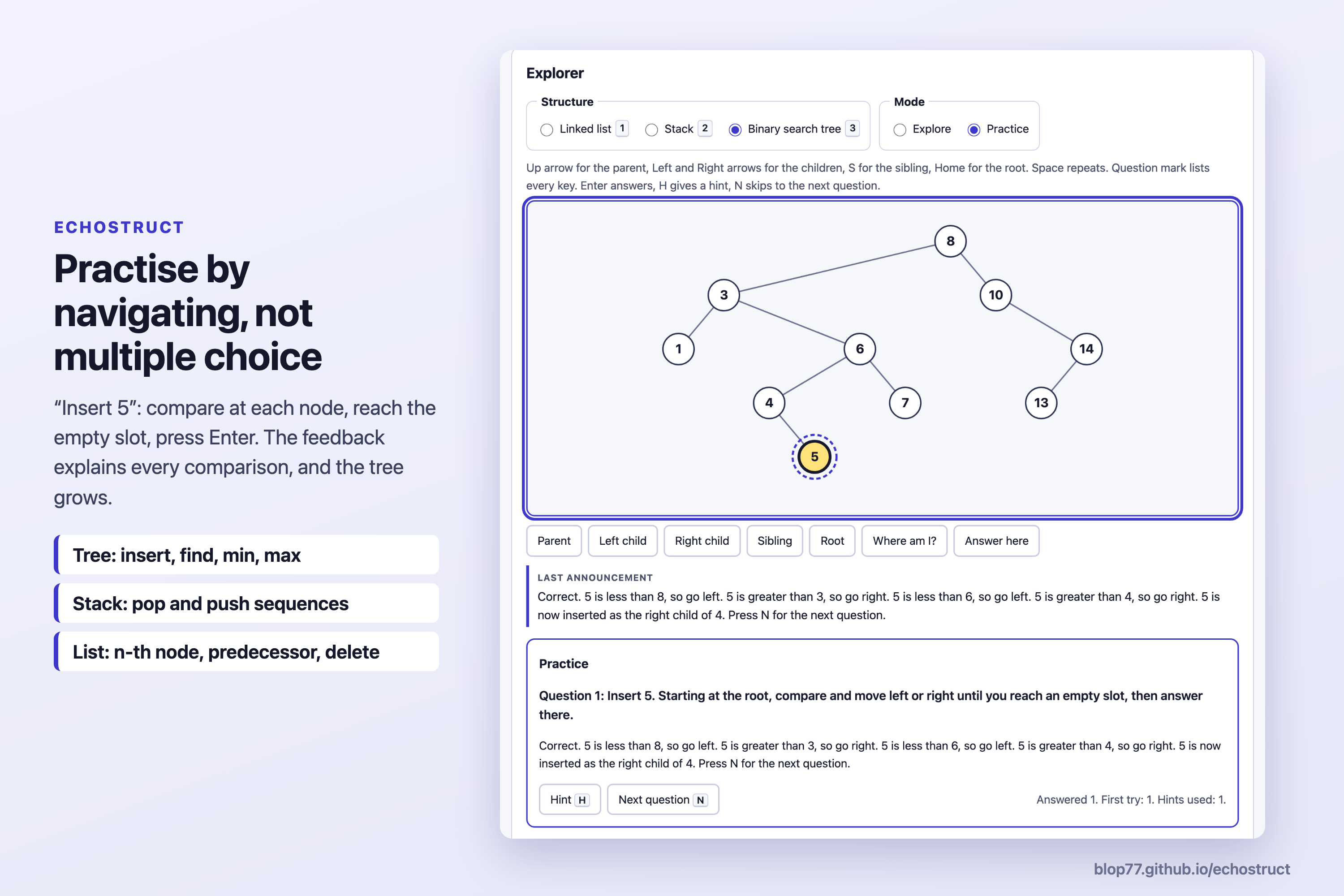
- After: in EchoStruct they hear "8. Root. Depth 0. Left child 3, right child 10." They use the arrow keys to compare and go down until they hear "Empty right slot under 4", then press Enter: "Correct. 5 is less than 8, so go left. 5 is greater than 3, so go right. 5 is less than 6, so go left. 5 is greater than 4, so go right."
What it does
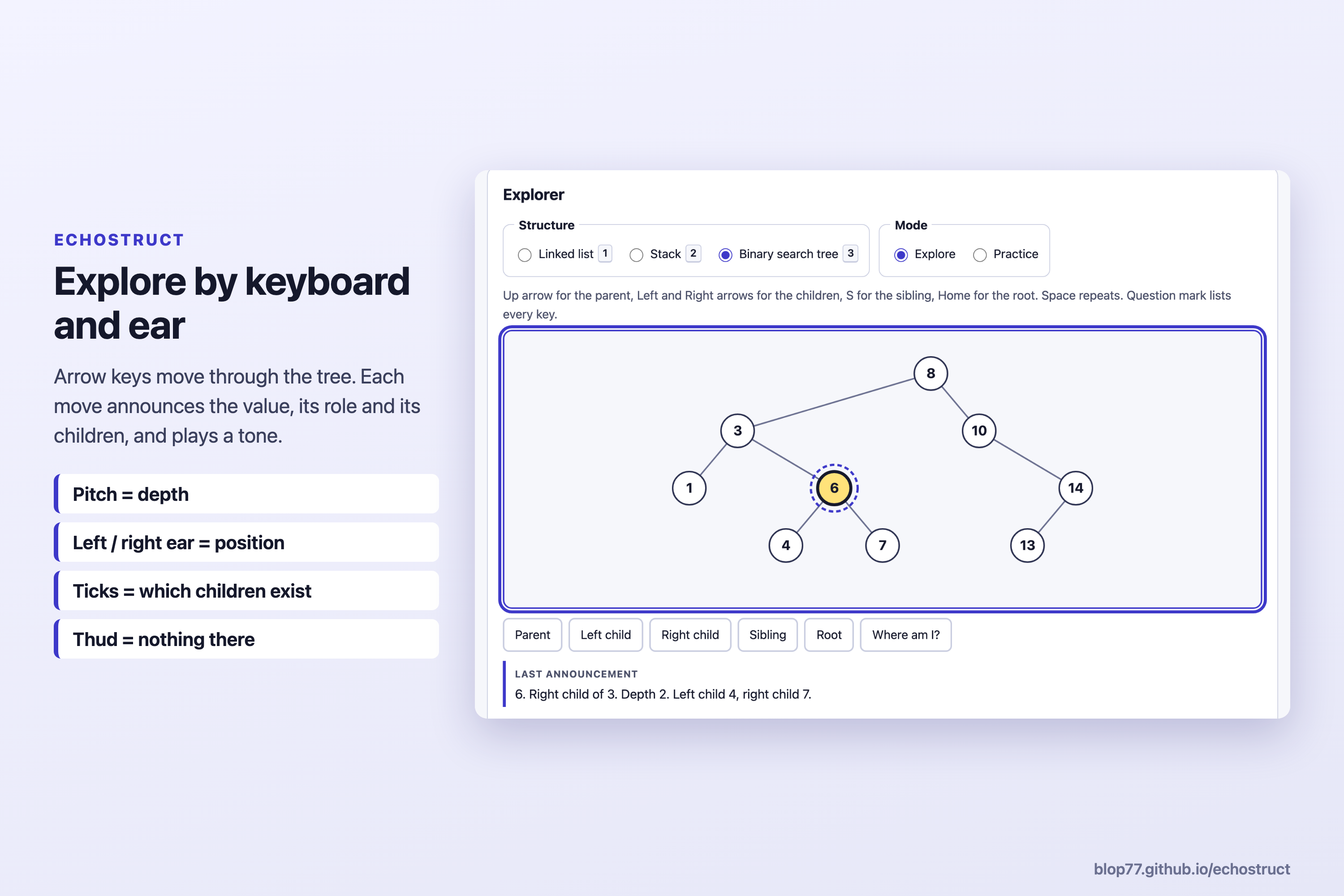
- Explore a linked list, stack or binary search tree with the arrow keys. Each move announces the value first, then its role and neighbours.
- Hear the structure: pitch is position (tree depth, stack height, place in the list), stereo is left-to-right order, and short ticks in the left or right ear tell you which children a node has.
- Listen to the shape: play the whole tree in sorted order. A balanced tree and a degenerate "chain" built from sorted input sound clearly different.
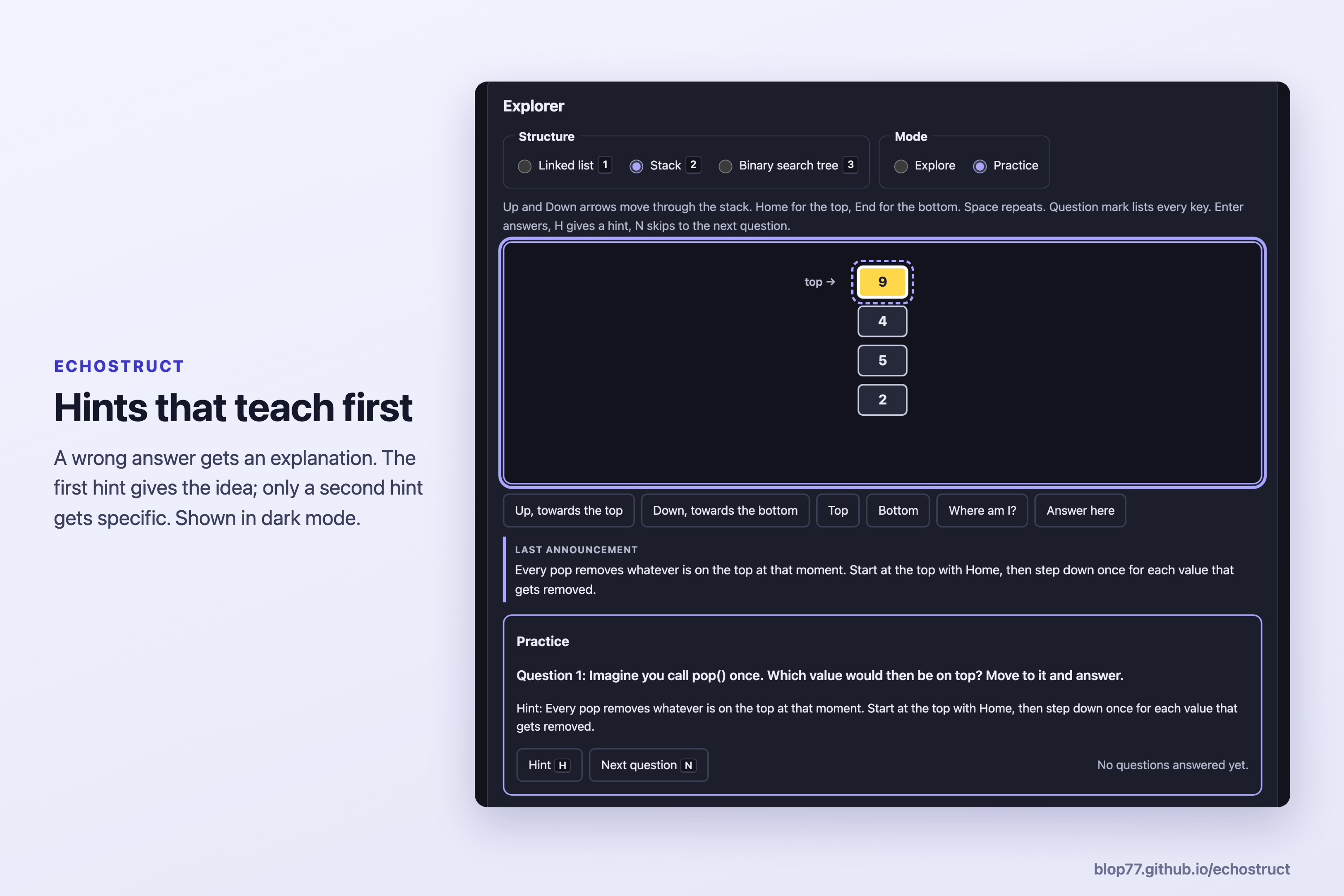
- Practise the questions exams ask, answered by navigating, not multiple choice: tree insert, find, min and max; what a stack's pop() returns after a sequence of pushes and pops; a linked list's n-th node, its predecessor, and which pointer changes on delete. Hints start with the idea and get more specific. Wrong answers explain where the path went off.
- Edit and build your own structures. Every operation is explained in words.
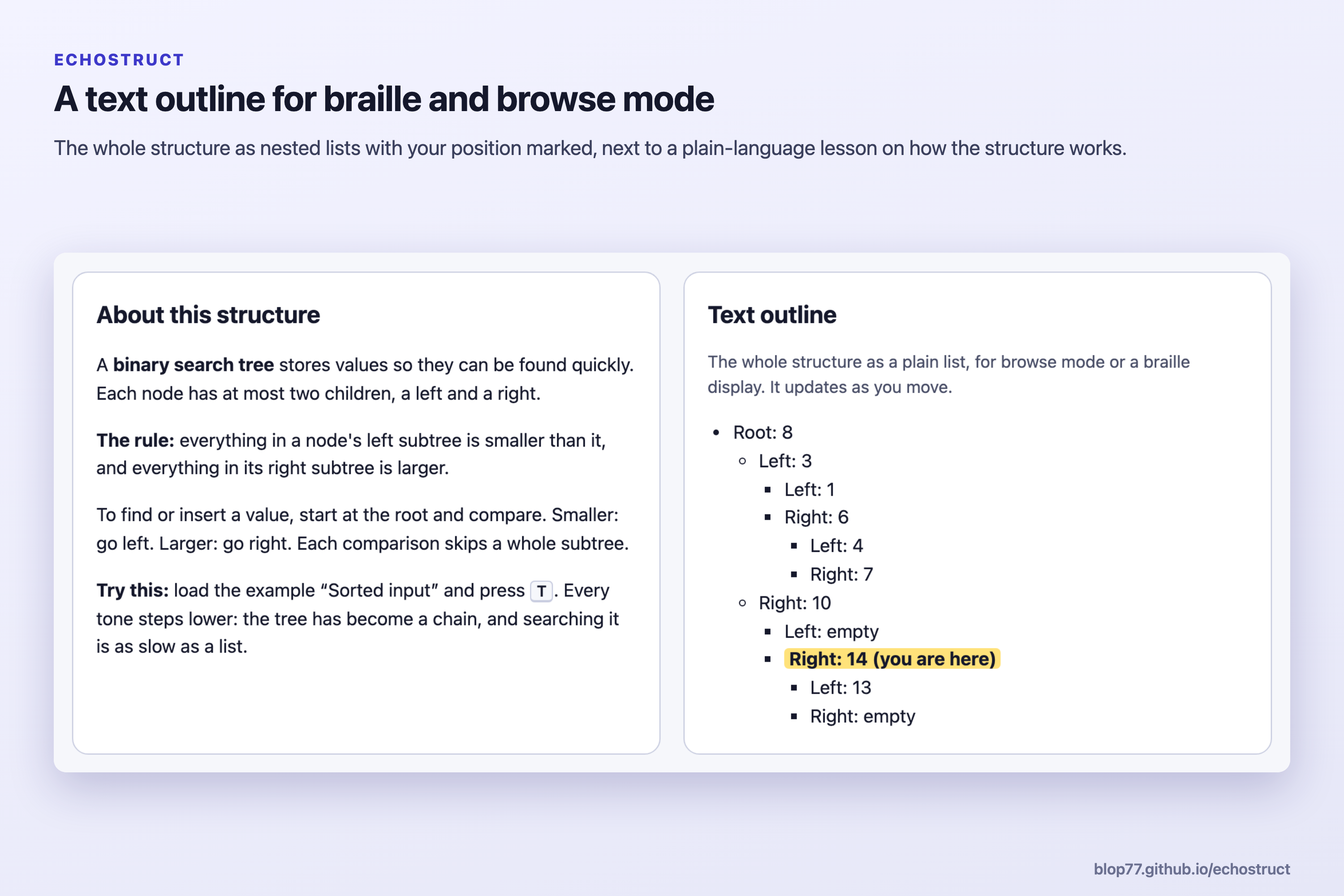
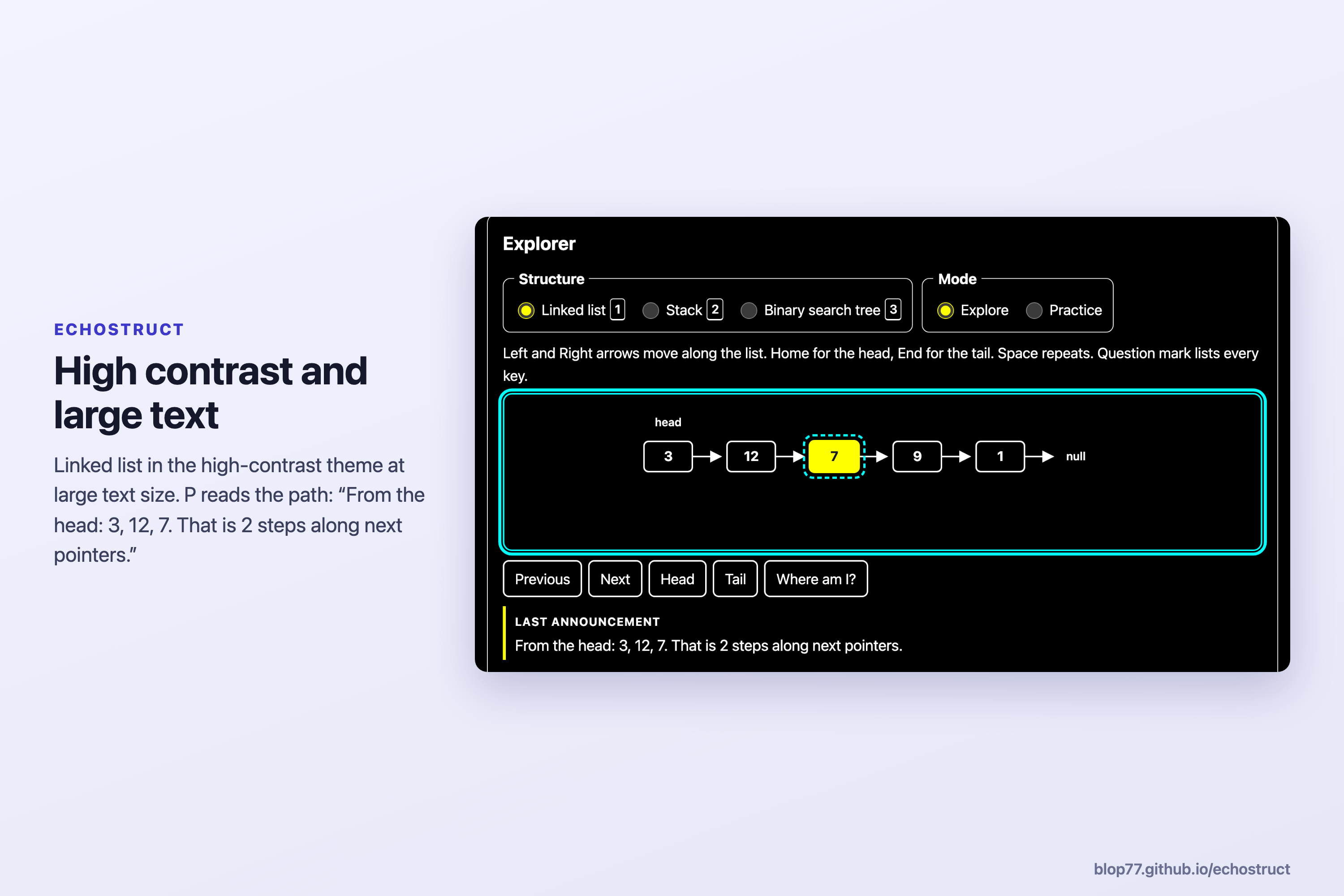
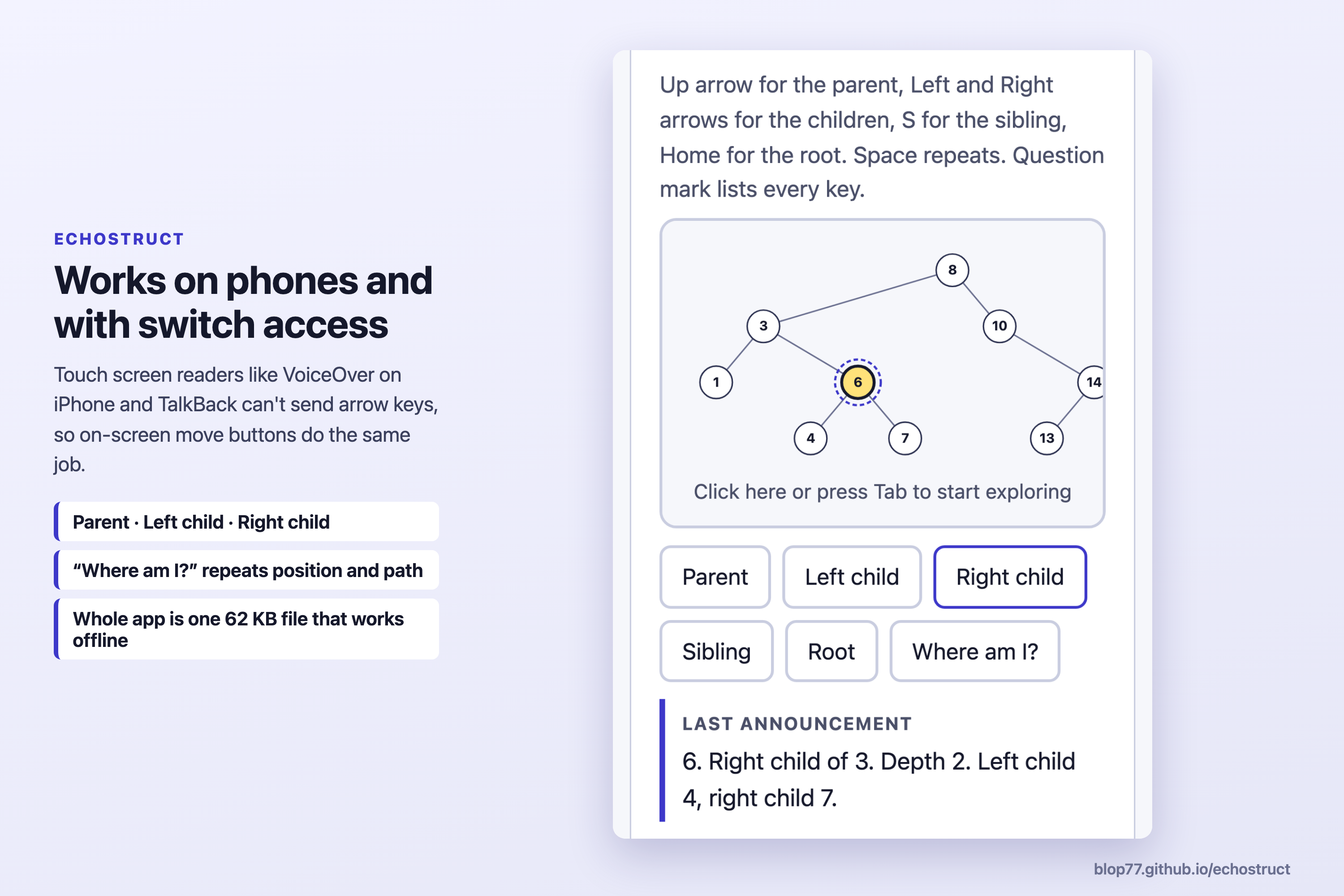
- Alternatives: a text outline for browse mode and braille displays, on-screen move buttons for phone screen readers and switch users, an optional built-in voice (on-device voices only), brief or full announcements, large text and a high-contrast theme.
- Works offline: the whole app is one ~62 KB HTML file with no network requests, so it can be shared over USB, chat or email.
How we built it
TypeScript and Vite, with no runtime libraries. The structures, spoken descriptions and sound mapping live in a pure model module with unit tests. Sound is synthesised live with the Web Audio API, so there are no audio files. The explorer is a focusable role="application" region, so arrow and letter keys reach the app instead of the screen reader's browse mode. Announcements go through aria-live regions, and the position on entering the explorer is queued politely after the screen reader's own speech. The visual diagram is hidden from screen readers; a semantic text outline replaces it. vite-plugin-singlefile bundles everything into one file, deployed to GitHub Pages.
Challenges we ran into
- Keys vs. screen readers: screen readers use the arrow keys themselves. We used the application-region pattern, and added on-screen buttons because touch screen readers (VoiceOver on iOS, TalkBack) can't send arrow keys at all.
- Sound that means something: we limited it to three ideas a learner can hold in their head (pitch = depth, ear = side, ticks = children) and added a sound guide and a sound check. Very tall trees shrink the pitch step so every level stays distinct.
- Practice that teaches: questions are answered by moving, so practice builds the same skill as exploring. Duplicate values needed care so a question never has two right answers that look the same.
- Testing with a real screen reader: we recorded a full run with VoiceOver on macOS. Every announcement matched what we designed. VoiceOver also reads its own long built-in hint when you enter the explorer ("To interact with items in this group…"), which adds several seconds of speech. A web page can't switch that hint off, but users can turn hints off in VoiceOver Utility, and our testing notes now say so.
Accomplishments that we're proud of
- Zero violations in an automated WCAG 2.2 AA audit (axe-core) across light, dark and high-contrast themes.
- 27 unit tests covering the structures, spoken descriptions, sound mapping and practice logic.
- A complete "insert a value by ear" flow that works offline from a single file.
- Completed a full task with VoiceOver on macOS, recorded in the demo video: exploring the tree, hearing the path and overview, answering "Insert 5" by following the hints, and hearing a sorted-input tree as a chain of falling tones.
What we learned
Designing for a screen reader is mostly about order and brevity. Every announcement starts with the value, because that's what you need on every move, and the rest stays short. Testing with VoiceOver showed that the screen reader adds its own speech too, so the app's messages have to leave room for it. Sound only helped once each cue had one clear meaning: pitch for depth, ears for side, ticks for children.
What's next for EchoStruct
- Test with blind CS students and instructors, and tune the sound mapping based on what they find.
- More structures: queues, heaps, graphs and hash tables.
- Step-through algorithm traces, such as hearing an in-order traversal or a BST deletion.
- Let instructors share a structure from an assignment as a link or file.
Limitations
- Tested by us with VoiceOver on macOS only. Not yet tested with blind students, NVDA, JAWS or phone screen readers.
- Linked lists, stacks and binary search trees only. No BST deletion yet.
- Stereo cues need headphones or stereo speakers.
- Practice progress isn't saved between visits.
Credits and disclosures
- Built during AccessED Hacks (Nov 2026). No pre-existing code.
- Dev tools: TypeScript, Vite, vite-plugin-singlefile, Vitest, axe-core. No third-party code runs in the page.
- All example data is synthetic. No student data.
- AI assistance: Claude (Anthropic) helped write the code and documentation. Our role: the idea and the choice of learner and barrier; design decisions such as which structures to cover, practising by navigating, and the sound mapping; directing and reviewing the build; and testing with VoiceOver and recording the demo.
- Source and testing log: https://github.com/Blop77/echostruct
Built With
- aria
- css3
- github
- html5
- typescript
- vite
- web-audio-api
- web-speech-api
