
Inspiration
Many AAC apps are powerful but overwhelming for children who are non‑verbal or minimally verbal. We wanted a calm, low‑effort experience that focuses on speed and clarity—one tap to start, a few big choices, and a clear spoken phrase.
What it does
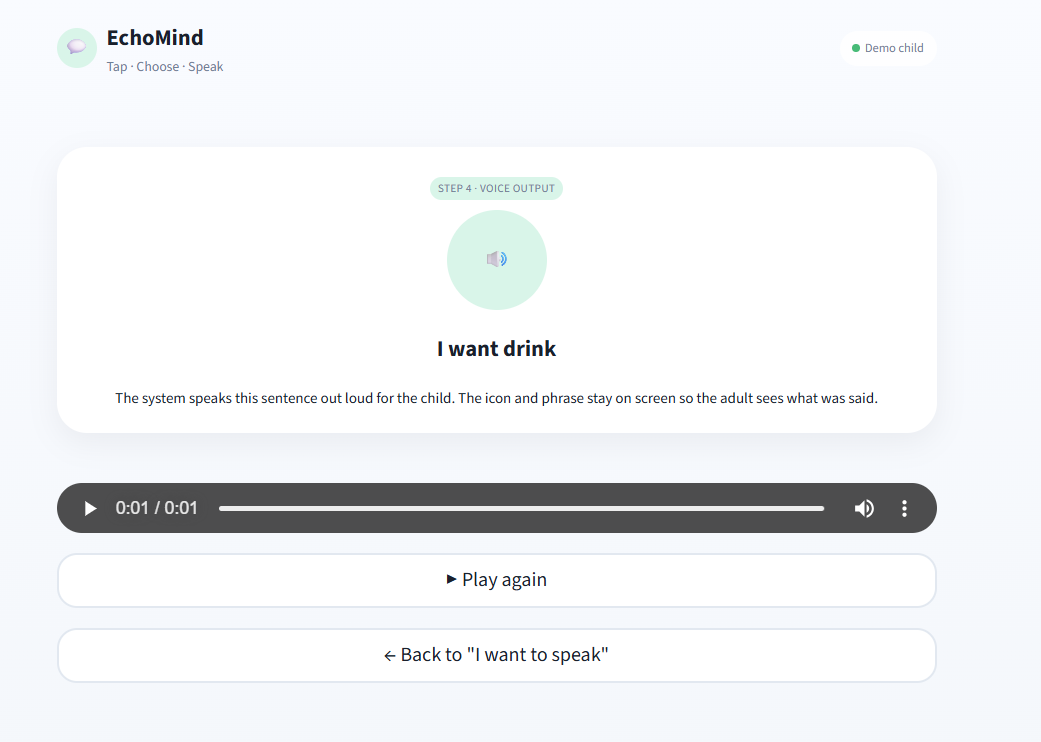
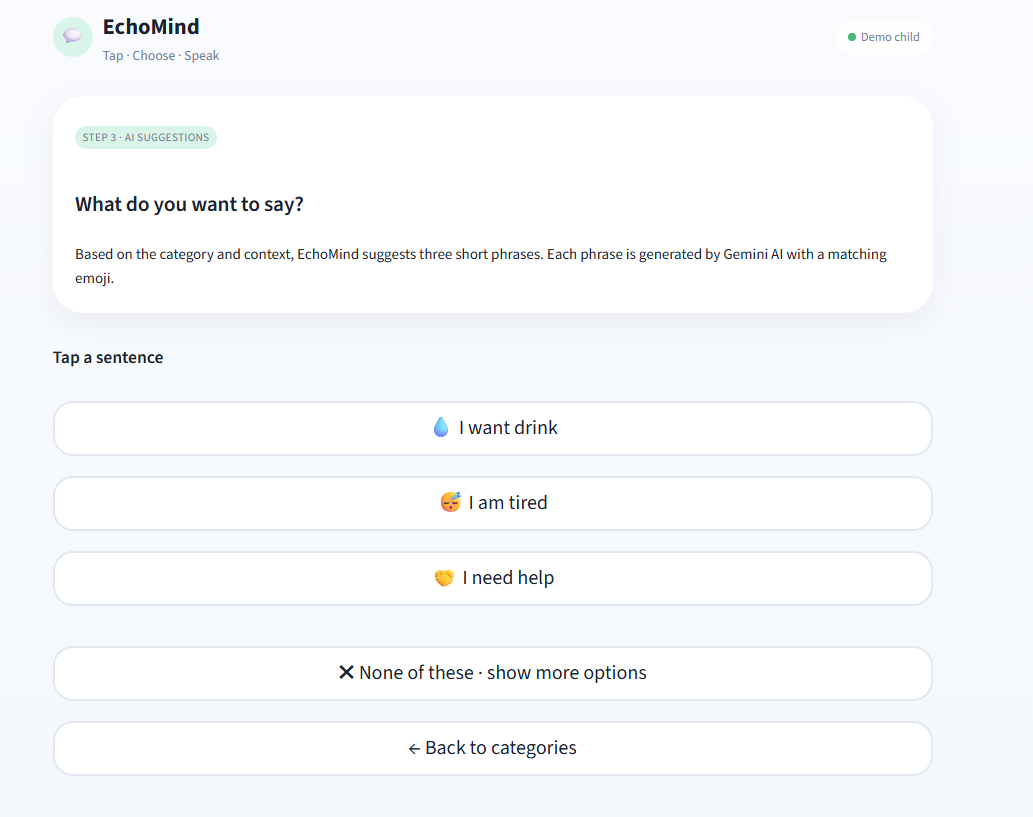
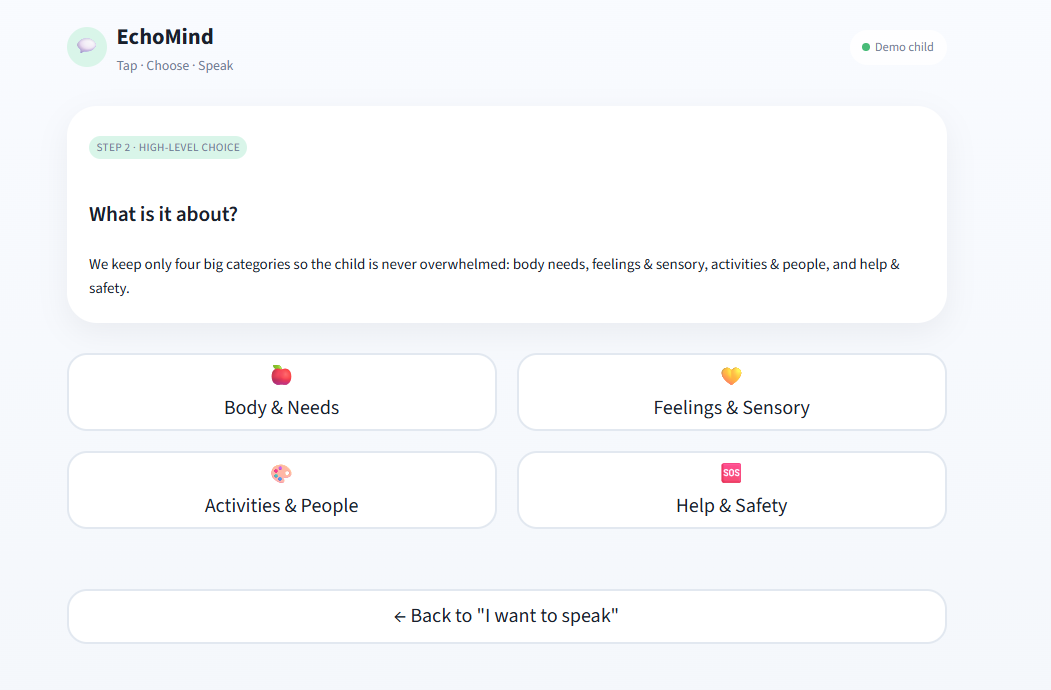
EchoMind lets a child tap “I want to speak”, pick from 3–4 large categories, then choose one of three AI‑generated phrases with matching emojis. The app speaks the selected phrase out loud using text‑to‑speech.
How we built it
We used Streamlit for a fast, accessible UI; Gemini/Groq for phrase generation; gTTS for voice output; and optional Qdrant to store usage patterns for personalization. Prompts are template‑driven so the phrasing stays short, literal, and easy to understand.
Challenges we ran into
- API model availability and rate‑limits across providers
- Latency while generating phrases and audio
- Keeping outputs simple, literal, and child‑friendly
- Handling secure key management in a public deployment
Accomplishments that we're proud of
- A very low‑friction flow (tap → choose → speak)
- Clean, calm UI with large touch targets
- Safe fallback behavior when APIs fail or time out
- Privacy‑minded configuration (no hardcoded keys)
What we learned
We learned how much UI simplicity matters in assistive tools, and how small latency improvements can drastically change the user experience. We also learned to design prompts that keep AI outputs consistent and literal.
What's next for EchoMind
- Multi‑language support
- Offline/local phrase packs for zero‑latency
- Smarter personalization per child
- Caregiver dashboard for custom phrases and analytics

Log in or sign up for Devpost to join the conversation.