## Inspiration
I kept finding myself re-listening to hour-long meeting recordings and sorting through scattered voice notes just to work out what to do next. Most transcription tools only record text. They don't organize, prioritize, or connect it. I wanted a tool that doesn't just listen, but understands the conversation and turns it into something you can act on.
What it does
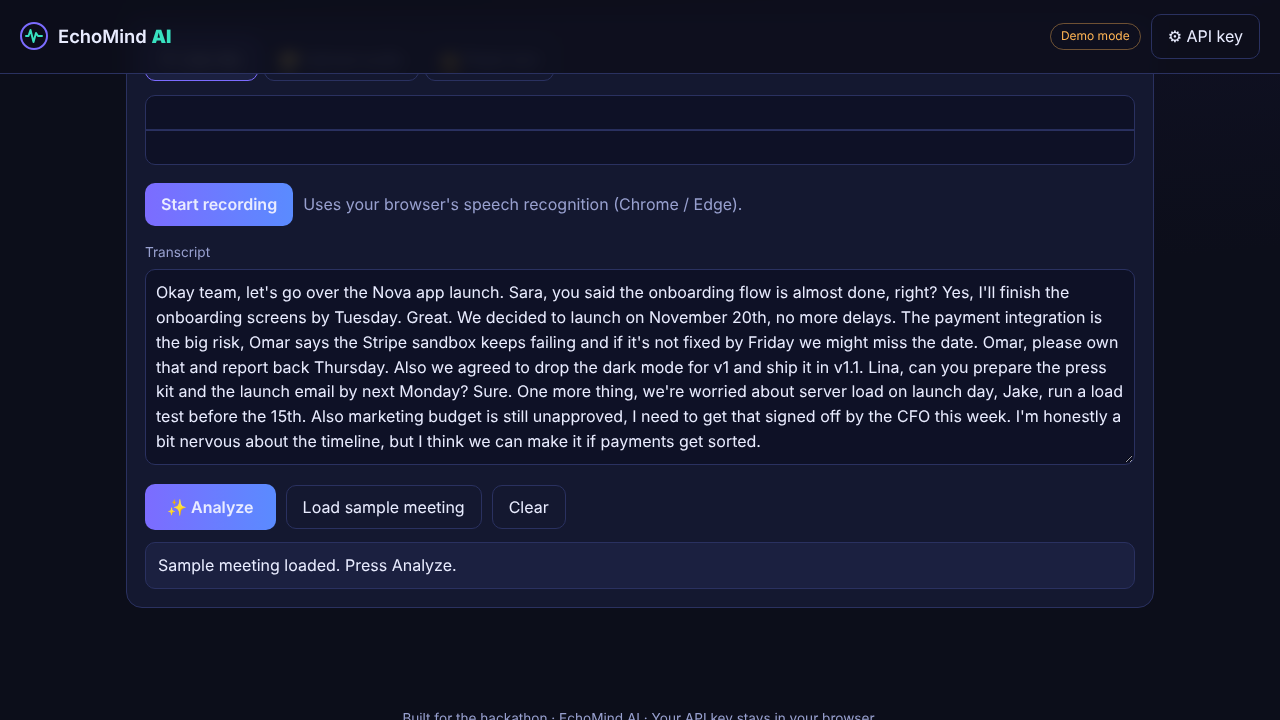
EchoMind AI turns raw speech into a structured workflow. You record live with your microphone, upload an audio file, or paste a transcript. EchoMind then generates:
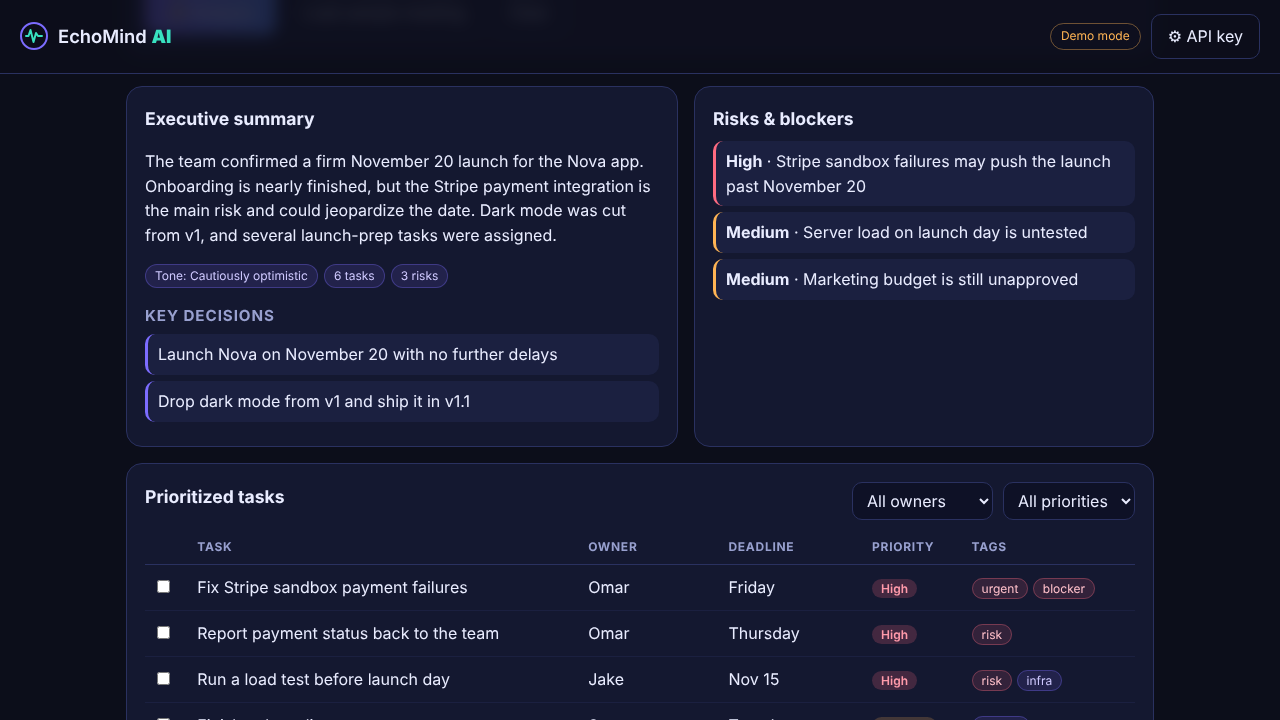
- An executive summary with key decisions and overall tone.
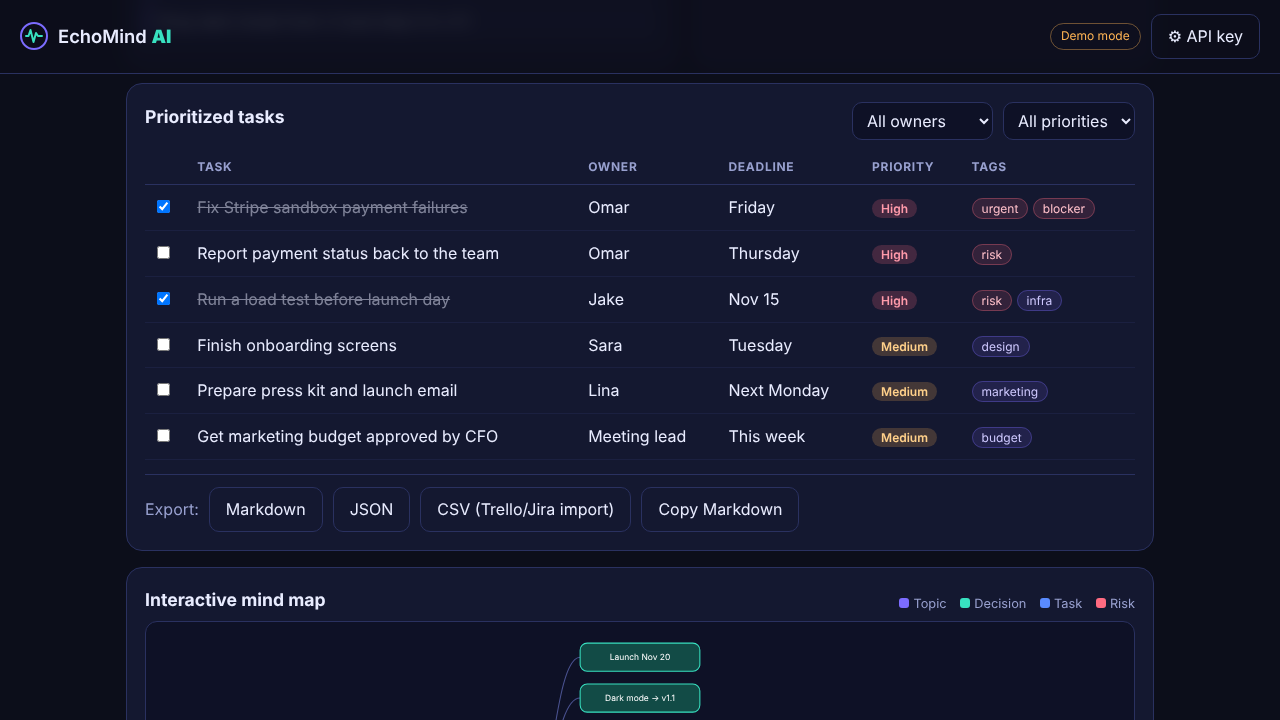
- A prioritized task table with owners, deadlines, priority levels, and tags such as
urgentandblocker. - A risk list that flags blockers and high-priority concerns.
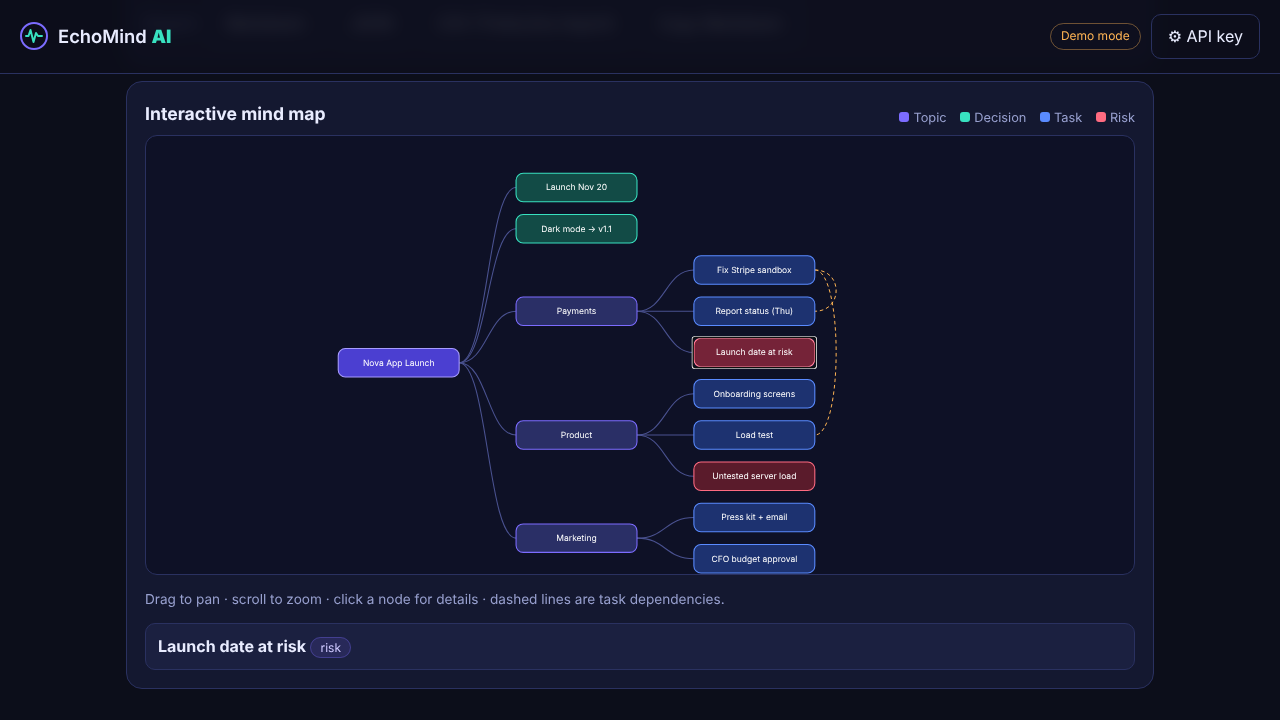
- An interactive mind map that shows how topics, decisions, tasks, and risks connect, including task dependencies.
- One-click export to Markdown, JSON, or CSV, which can be imported into task boards like Trello or Jira.
How I built it
- Frontend: plain HTML, CSS, and JavaScript, with no framework and no build step, so it is fast and easy to run.
- AI engine: the Google Gemini API reads the audio or transcript and returns structured JSON for the summary, tasks, risks, and mind map.
- Audio: the Web Audio API draws a live waveform, and the browser's SpeechRecognition API provides live transcription.
- Mind map: a custom SVG tree layout with pan, zoom, and clickable nodes, written from scratch with no charting library.
Challenges I ran into
- Getting clean JSON: language models don't always return strictly formatted output. I solved it with careful prompt engineering, a strict schema, and a validation step that cleans up the response before it is displayed.
- Latency: I had to balance quick live transcription feedback with slower, higher-quality structured extraction, so the transcript appears instantly and the analysis runs when you press Analyze.
- Interaction bugs: during testing I found that panning the mind map blocked node clicks, which I fixed by only capturing the pointer once a real drag begins.
Accomplishments that I'm proud of
- A working end-to-end prototype built within the hackathon timeframe.
- A clean interface that turns long, complex text into simple visual maps.
- A demo mode, so anyone can try the full experience without an API key.
What I learned
- Prompt and schema strategies that make LLM output reliable enough to render directly.
- Handling live audio and speech recognition in the browser.
- Turning loosely structured data into a readable graph layout.
What's next for EchoMind AI
- Slack, Jira, and Trello integrations to send tasks straight to the tools teams already use.
- Speaker diarization to detect and label who said what.
- A secure backend and saved workspaces, so teams can keep and share their meeting maps.
Built With
- css
- gemini-api
- html
- javascript
- svg.
- web-audio-api
- web-speech-api
