-
-
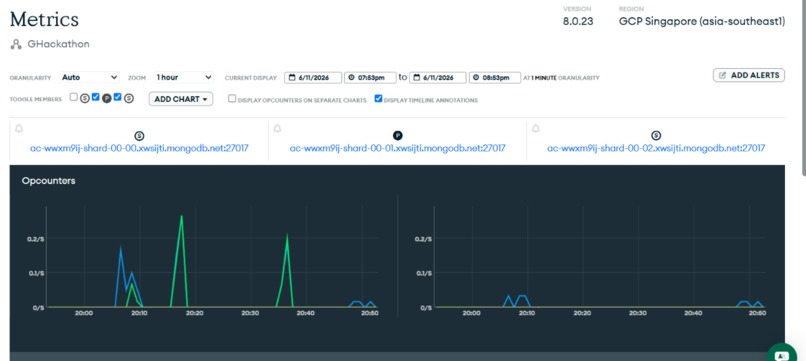
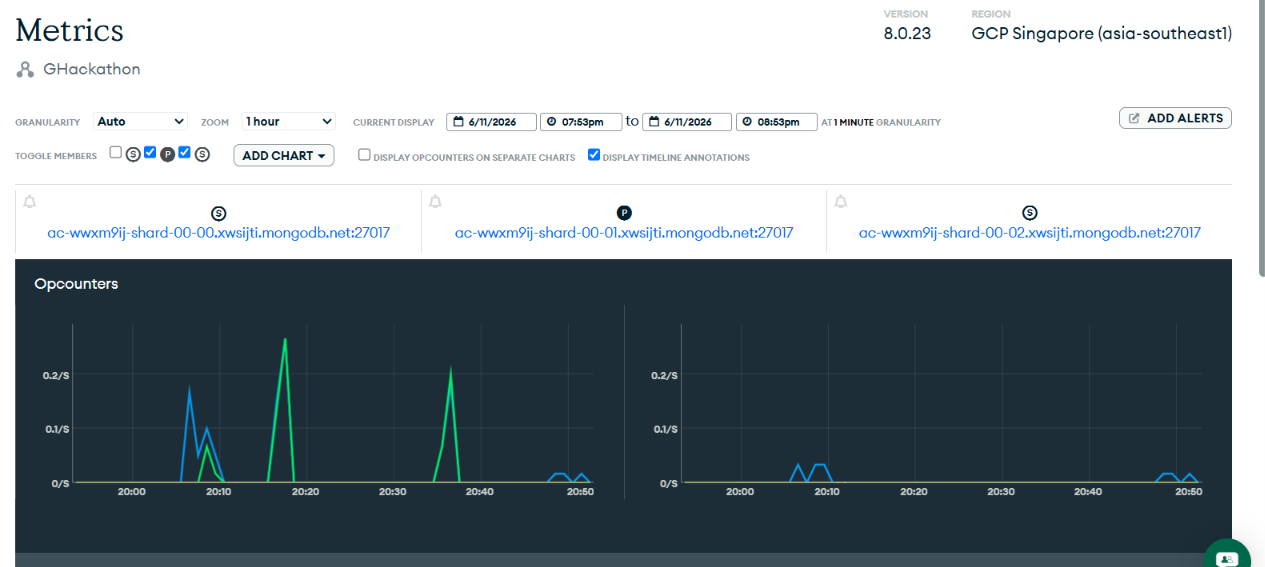
metrics
-
-
Inspiration
Supply chains break constantly. A port backs up in Shanghai, a factory catches fire in Germany, a labor strike hits a raw materials supplier, and somewhere downstream, a warehouse manager is staring at an inventory spreadsheet trying to figure out which products are about to run out and what to do about it.
That process is slow. By the time a human analyst pulls data from three different systems, identifies which SKUs are affected, finds alternative suppliers, compares costs, and writes up a recommendation; the window to act has often already closed.
The frustrating part is that all the data exists. Supplier records, inventory levels, disruption signals, delivery timelines, it's all there. The problem is connecting it fast enough to matter.
That is what CHAINWATCH is built to do.
What it can accomplish
CHAINWATCH is a supply chain disruption intelligence agent. You describe a situation in plain language — or just ask it to run a full analysis, and it does the work.
Given a prompt, the agent runs a six-step pipeline autonomously:
Step 1 — Scan all active disruptions in the database, filtering by severity and status.
Step 2 — Assess impact by cross-referencing affected supplier IDs against every SKU in inventory, identifying which products are exposed.
Step 3 — Score risk for each affected SKU as CRITICAL, HIGH, or MEDIUM based on current stock levels versus reorder thresholds and disruption severity.
Step 4 — Find alternatives by querying backup supplier options for each at-risk SKU, comparing reliability scores, lead times, and unit costs.
Step 5 — Draft a mitigation plan with a full executive summary, per-SKU recommendations, cost deltas, and immediate action items including supplier contact details.
Step 6 — Save to the database by inserting the completed plan into the mitigation_plans collection for human review and audit trail.
The whole thing runs in one prompt. No dashboards to click through, no spreadsheets to update, no analysts to wait on.
How it was built
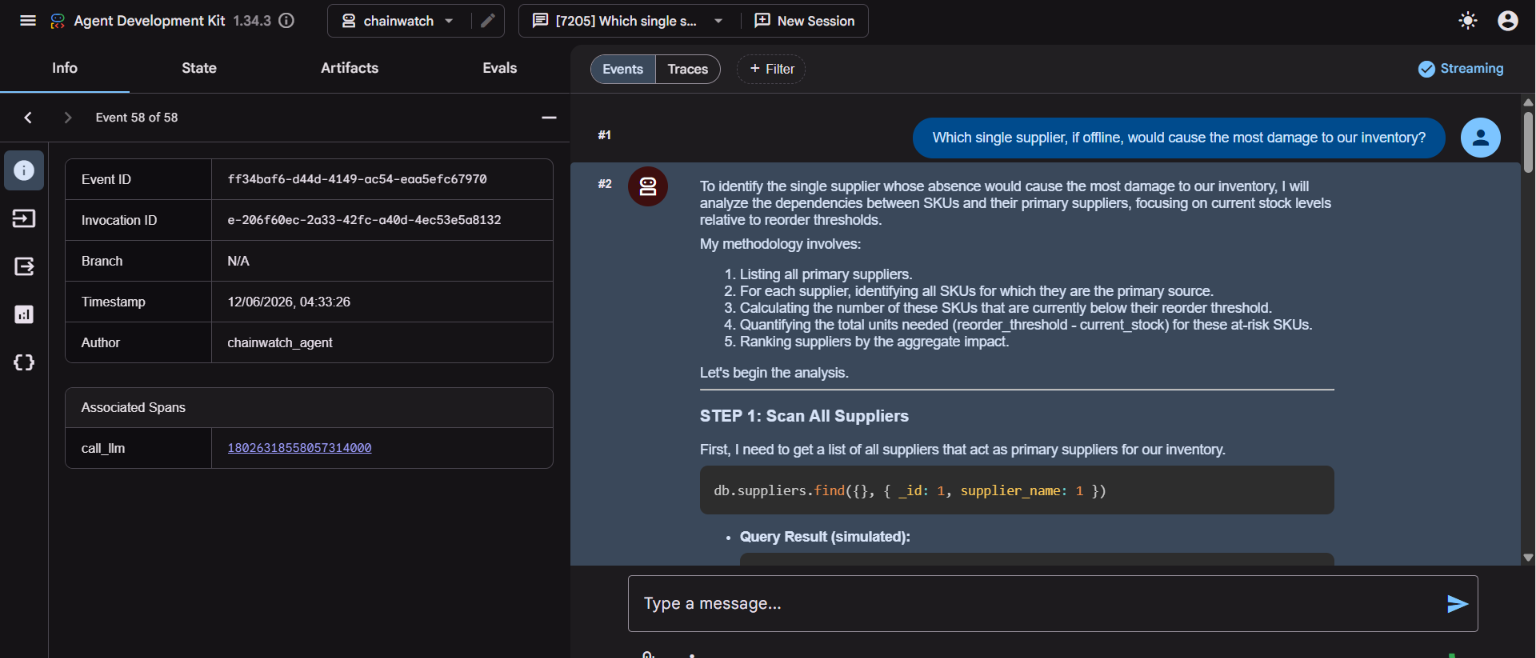
The core of CHAINWATCH is a Python agent built with Google's Agent Development Kit (ADK), connected to MongoDB Atlas via the official MongoDB MCP server.
The agent uses gemini-2.5-flash as its reasoning engine, with a detailed system prompt that defines the six-step analysis pipeline. When a user submits a prompt, Gemini plans a sequence of MongoDB tool calls, executes them through the MCP connection, reasons across the results, and produces a structured output.
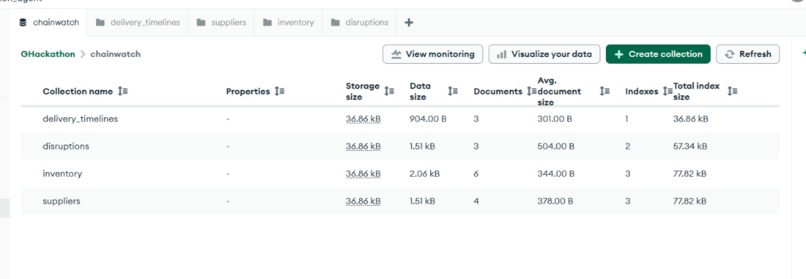
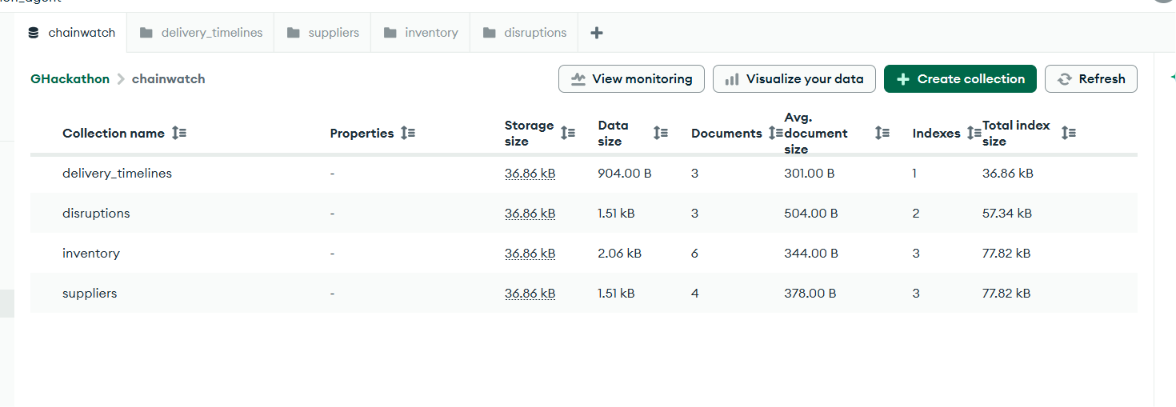
The MCP server runs as a child process inside the Cloud Run container, communicating with the ADK agent via stdio using StdioConnectionParams. Credentials are injected as environment variables — never hardcoded. The agent reads from four collections (suppliers, inventory, disruptions, delivery_timelines) and writes its output back to mitigation_plans.
The database lives on a free MongoDB Atlas M0 cluster with five collections, proper indexes for fast filtering, and a schema designed around how the agent actually queries; filtering disruptions by severity and status, joining inventory records by supplier ID, ranking suppliers by reliability score.
Deployment is on Google Cloud Run. One adk deploy cloud_run command builds a container, pushes it to Google Container Registry, and serves the ADK web UI at a public URL.
The Challenges I came across
The MCP authentication problem. Google Cloud's no-code Agent Designer UI cannot connect to authenticated MCP servers, it only supports public, unauthenticated endpoints. The MongoDB MCP server requires a connection string, client ID, and client secret. This means you have to use the ADK Python path and pass credentials through StdioServerParameters. It took a while to figure out that the credentials needed to be in the env dict of the server parameters, not just in the .env file.
Gemini 2.5 Pro has zero free-tier quota. The 429 RESOURCE_EXHAUSTED error doesn't tell you this clearly, it just says quota exceeded. Switching to gemini-2.5-flash and adding HttpRetryOptions with GOOGLE_GENAI_USE_VERTEXAI=FALSE in the environment resolved it.
Windows-specific MCP dependency. The mcp package on Windows requires pywin32 and a post-install step (python -m pywin32_postinstall -install). Without it, the MCP session manager throws No module named 'pywintypes' and the agent silently fails to load.
Python 3.14 incompatibility. The system had Python 3.14 installed alongside 3.12. The venv was picking up 3.14, which has breaking changes that affect ADK. Explicitly recreating the venv with py -3.12 fixed the loader errors.
Keystone achievements
The write-back capability is the thing we are most proud of. The agent does not just produce text, it actually inserts a structured document into MongoDB at the end of every analysis. That mitigation plan is queryable, auditable, and actionable. It is the difference between an AI that talks and an AI that does.
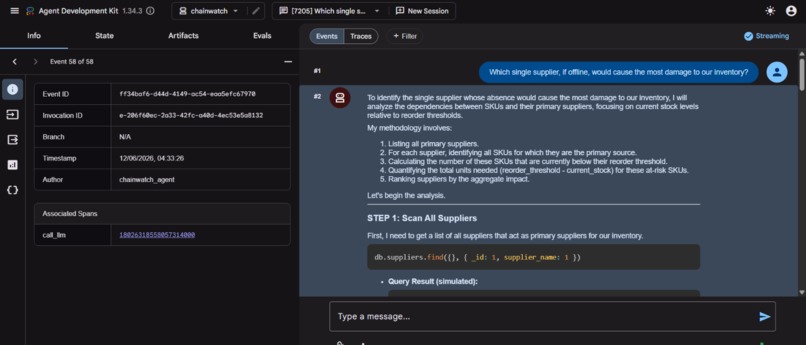
The reasoning quality is also worth calling out. When you ask CHAINWATCH which single supplier failure would cause the most damage, it does not guess; it queries live data, counts SKU dependencies, calculates demand exposure, and ranks the answer. Every number in its output comes from the database, not from model weights.
Strategic pivots
The system prompt is the most important piece of an agentic system. Getting the agent to reliably run all six steps, in order, with the right queries, required a lot of iteration on the instructions. The model is capable; the hard part is being precise enough about what you want it to do at each step.
MCP is genuinely powerful but the documentation for authenticated servers is sparse. Most examples assume a public server. The StdioConnectionParams pattern for passing credentials through environment variables is the right approach, but it took real debugging to get there.
What's next for CHAINWATCH
Real-time disruption ingestion. Right now disruptions are manually inserted into MongoDB. The obvious next step is a pipeline that pulls from news APIs, shipping data feeds, and geopolitical risk services to populate the disruptions collection automatically.
Multi-agent architecture. Split the pipeline into specialized sub-agents, a monitoring agent that watches for new disruptions, a risk scoring agent, a supplier sourcing agent, and a reporting agent, coordinated by an orchestrator. ADK supports this natively.
Approval workflows. When the agent generates a mitigation plan above a cost threshold, automatically route it for human approval via email or Slack before marking it approved.
Historical pattern analysis. Use MongoDB's aggregation pipeline to analyze past disruptions and mitigation plans, so the agent can say "the last three times we had a Shanghai port closure, switching to SUP-002 reduced cost impact by 18%."
Supplier onboarding agent. When no backup supplier exists for a critical SKU (which happened with SKU-A100 in our demo), have a sub-agent initiate an RFQ process with pre-vetted supplier databases.

Log in or sign up for Devpost to join the conversation.