Inspiration
We were inspired by real-life situations where people feel unsafe and need immediate help — but don’t have time to unlock their phones or make a call. ResQon was born from a simple idea: what if your phone could silently alert someone just by pressing the volume button or shaking it? That’s where our journey began.
What it does
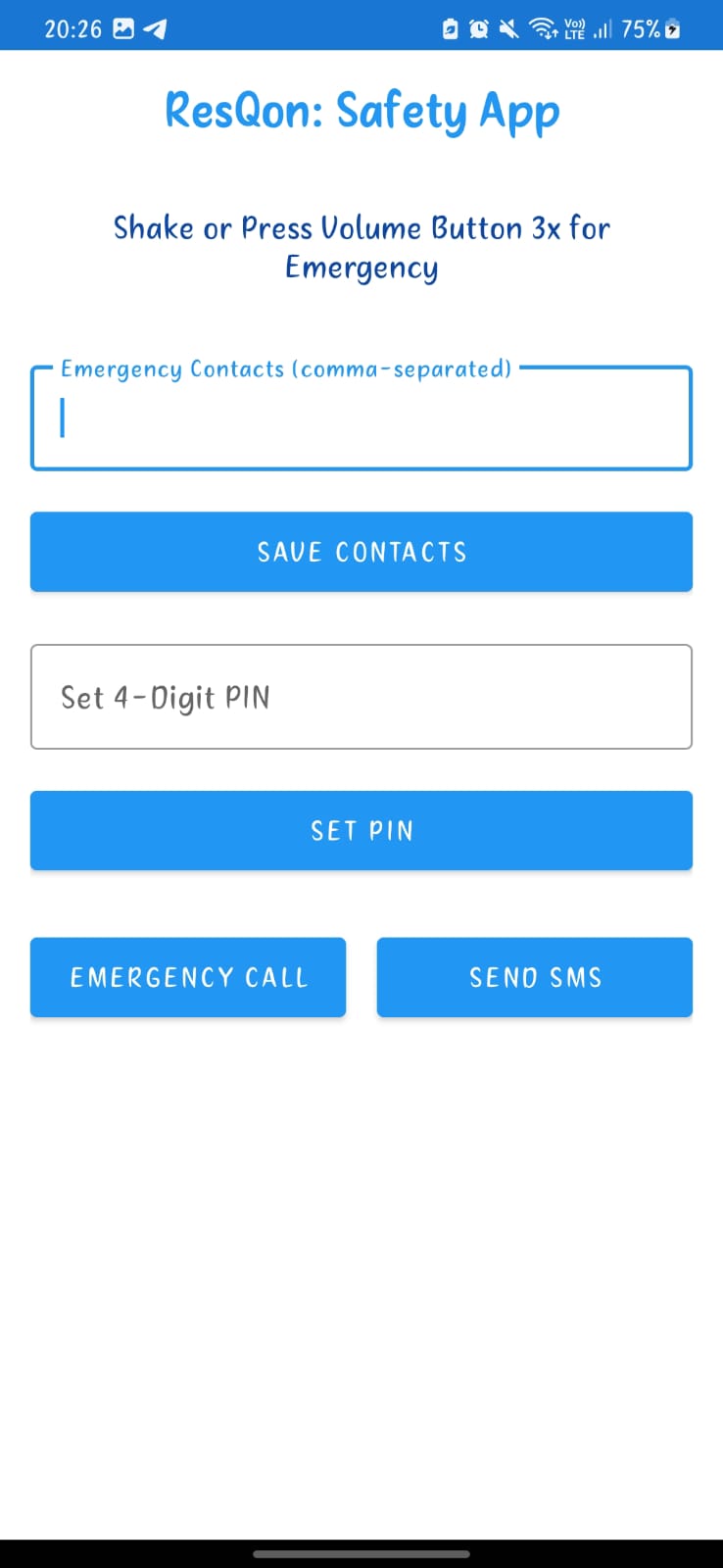
ResQon is a smart personal safety app designed to send emergency alerts without needing to unlock or open the app. The app allows users to:
- Trigger an emergency alert by shaking the phone 3 times or pressing the volume button 3 times.
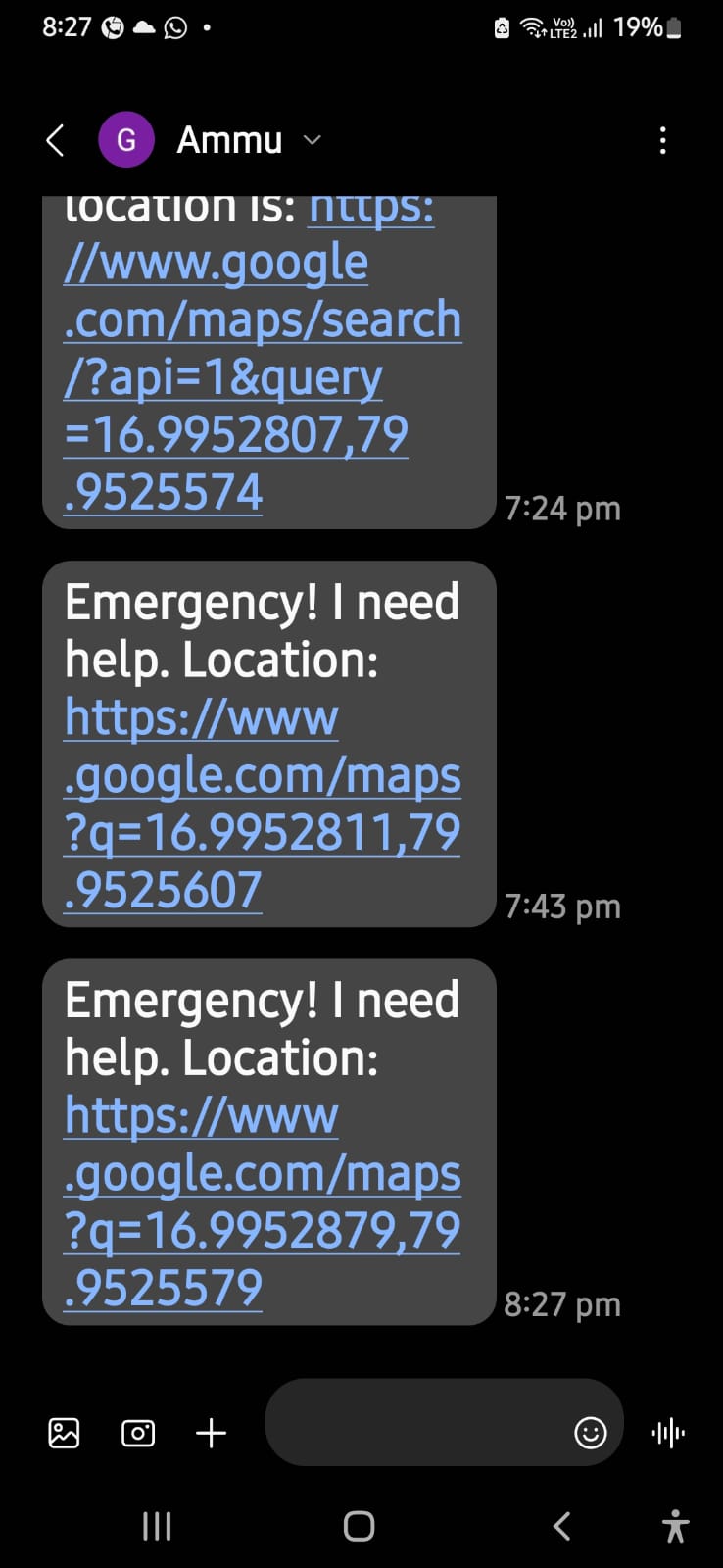
- Automatically send an SMS to saved emergency contacts with a live Google Maps location link.
- Automatically initiate a call to the first saved emergency contact.
- Securely protect the app with a PIN, required to exit the app. 5.Work offline, without needing internet access after setup.
How we built it
We built ResQon using:
- Java in Android Studio
- Sensor APIs for shake detection
- Volume key listeners for emergency triggers
- SMSManager and Call Intent for communication
- Google’s FusedLocationProvider for location
- SharedPreferences to store emergency contacts and PIN
- XML for designing a clean and simple UI The app was tested on real Android devices and emulators, with special attention to compatibility with Android Lollipop and above.
Challenges we ran into
- Voice detection limitations: Initially planned a voice-trigger system, but due to technical and compatibility issues across devices and Android versions, it was dropped.
- Instant background trigger: Making the emergency actions work without needing the app open was difficult, especially for older Android versions.
- Location permissions: Ensuring real-time location access without crashing or delay required careful handling of permissions and location services.
- Shake and button press accuracy: Avoiding false triggers while still detecting actual emergencies was a fine balance.
Accomplishments that we're proud of
- Successfully created an emergency app that works with no internet and with just opening the app and shaking the device sents an Auto SMS with the help message and exact live location to the saved emergency contact .
- Integrated shake and volume button triggers that function even in high-pressure situations.
- Built a simple and intuitive UI suitable for real users of any age.
- Implemented location-based SMS alerts and direct call functionality in emergencies. 5.Maintained a lightweight, secure, and privacy-respecting application.
What we learned
- How to handle hardware sensors and volume button events
- Working with location APIs in Android
- Building privacy-first features with proper permissions
- Creating reliable and accessible emergency solutions
What's next for ResQon - Your safety shortcut
- Background service support: Improve background operation to ensure emergency detection works even when the app is not running or the phone is locked.
- Voice activation: Reintroduce a reliable voice trigger (like saying “Help”) using offline-compatible voice recognition.
- SOS Flashlight and Alarm: Add features like flashlight blinking and loud sound alerts to draw nearby attention.
- Multiple emergency modes: Allow users to customize different triggers for different emergency levels (e.g., medical, personal safety).
- Contact grouping: Enable saving contacts under labels (family, friends, emergency services) for more flexible alerting.
- Cloud backup: Offer encrypted backup of saved contacts and settings for restoring on new devices.
Built With
- android
- android-studio
- customappicon
- fusedlocationproviderclient
- intent-api
- java
- minimalui
- permissions
- responsive-ui-layout-android-studio-?-as-the-primary-development-environment-android-sdk-?-for-integrating-sensors
- sensor-manager
- sensormanager
- sharedpreferences
- smsmanager
- volumebutton-detection
- xml


Log in or sign up for Devpost to join the conversation.