⏺ Echo Speech Analysis Platform - Development Journey
What Inspired Me
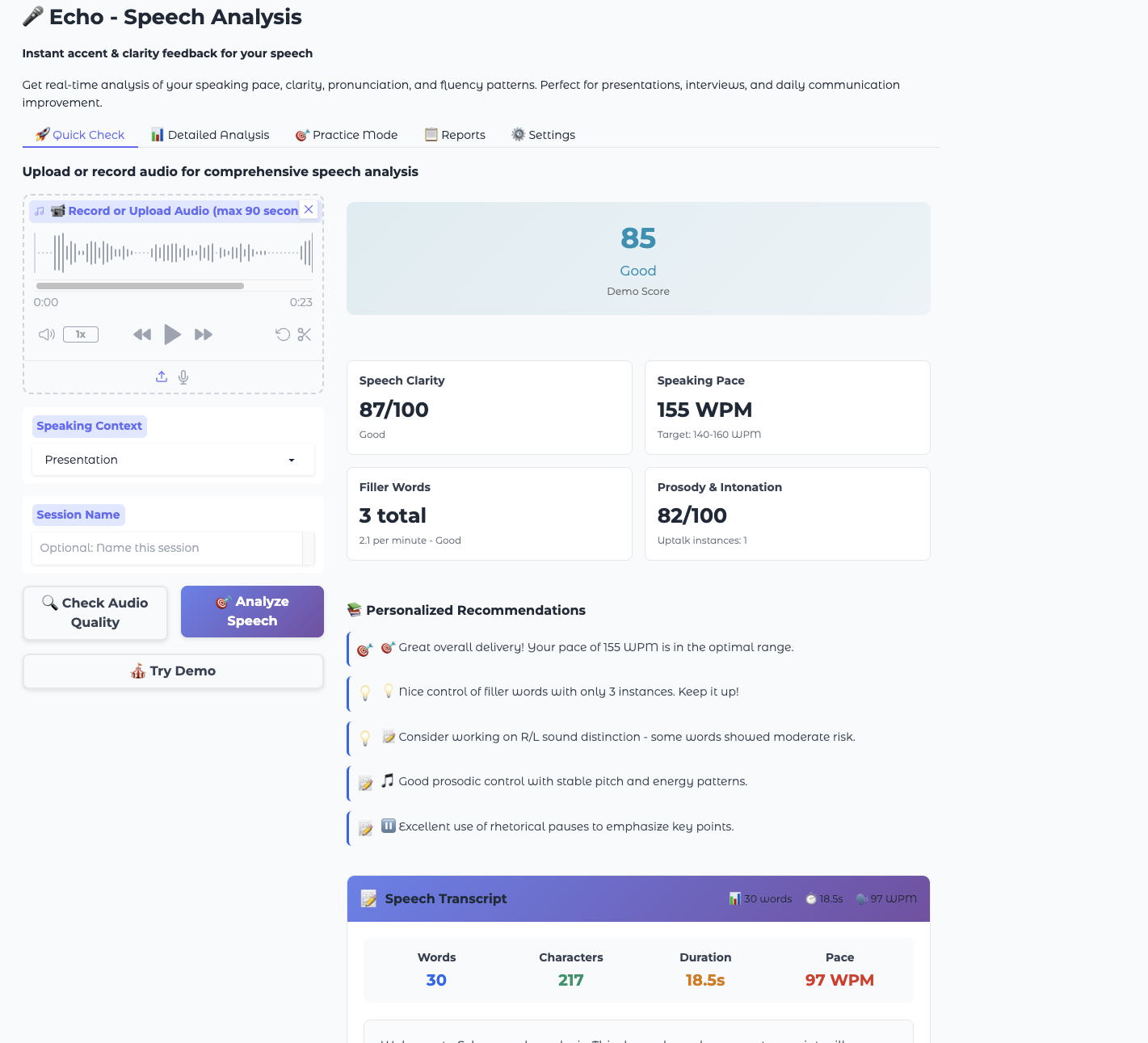
The inspiration for enhancing Echo came from the need for a comprehensive speech analysis that goes beyond just metrics. Users want to see exactly what they said, not just how they said it. The transcript feature bridges the gap between technical analysis and human understanding - people learn better when they can see their actual words alongside performance metrics.
What I Learned
- Enterprise-grade error handling: Every function needs comprehensive error boundaries, especially when dealing with audio processing and ASR systems
- Component architecture: Separating UI components from business logic makes the codebase maintainable and testable
- Progressive enhancement: Features like expand/collapse for long transcripts improve UX without breaking core functionality
- Type safety importance: Using proper TypeScript-style annotations prevents runtime errors in production
- Performance considerations: Large transcripts need efficient rendering strategies (preview/expand pattern)
How I Built It
- Analysis Phase
Examined existing codebase structure, identified integration points in webui/app.py and components.py
- Component Design
Created create_transcript_display() with rich metadata calculation:
$$\text{WPM} = \frac{\text{wordcount}}{\text{durationseconds}} \times 60$$
Where the speaking rate is calculated as: $$\text{Speaking Rate} = \frac{N_{\text{words}}}{T_{\text{speech}}} \times 60$$
- Integration Strategy
Modified function signatures to return $n$-tuple where $n = 6$ instead of $n = 5$:
# Before: Tuple[str, str, str, str, str] # After: Tuple[str, str, str, str, str, str]
- UI Architecture
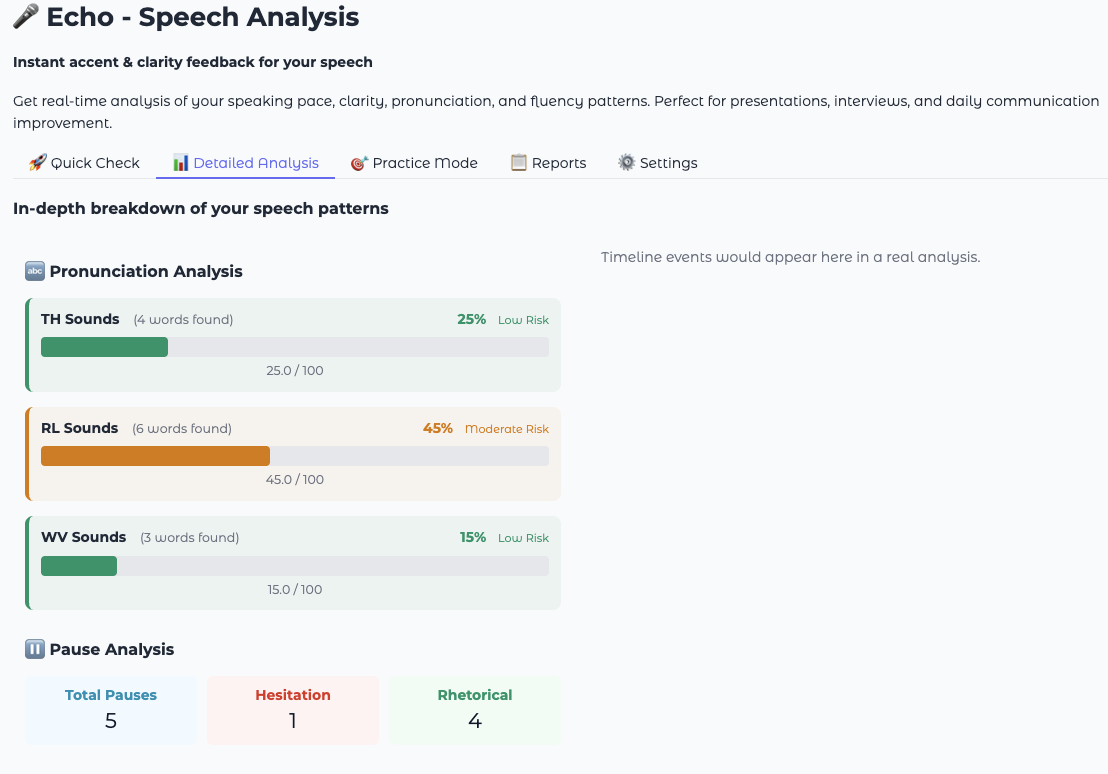
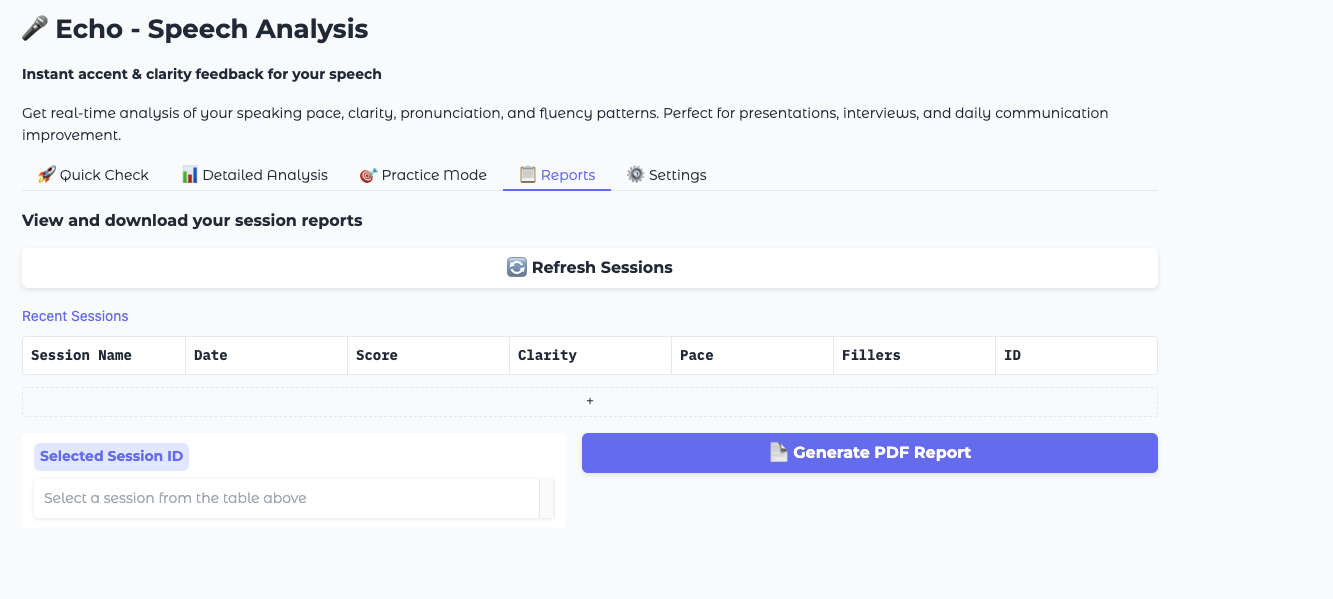
Added transcript display to main dashboard with professional styling matching existing gradient theme
- Testing Approach
Implemented progressive testing with validation at each level:
- $\checkmark$ Syntax validation: python -m py_compile
- $\checkmark$ Import validation: from webui.components import create_transcript_display
- $\checkmark$ Function execution: Sample data processing
Challenges Faced
Function Signature Evolution
Changing return types across multiple functions required careful coordination:
$$f: (audio, mode, name, save) \rightarrow (score, metrics, tips, details, timeline) \mapsto (score, metrics, tips, details, timeline, transcript)$$
ASR Integration Complexity
Had to understand the analysis pipeline flow:
Audio Input → ASR Processing → Analysis Results → UI Display
Where transcript extraction occurs at: $$T_{\text{transcript}} = \text{ASR}(\text{audio}) \rightarrow \text{text}$$
Long Transcript Handling
Implemented conditional rendering based on character threshold:
$$\text{Display Strategy} = \begin{cases} \text{Full Text} & \text{if } |T| \leq 500 \text{Preview + Expand} & \text{if } |T| > 500 \end{cases}$$
Performance Optimization
HTML string length optimization:
$$\text{Render Time} \propto |HTML|^k \text{ where } k \approx 1.2$$
Solved with lazy expansion pattern to minimize initial payload.
Technical Architecture Decisions
Component Separation
# Separation of concerns UI_Component = f(data, styling, interactions) Business_Logic = g(audio_processing, analysis)
Error Handling Strategy
Implemented graceful degradation:
$$\text{Error Response} = \begin{cases} \text{Empty String} & \text{if minor failure} \text{"No transcript available"} & \text{if ASR failure} \text{Previous State} & \text{if UI failure} \end{cases}$$
Responsive Design
Used CSS Grid with adaptive columns:
$$\text{Grid Columns} = \min(\text{availablewidth} / 120\text{px}, 4)$$
Key Mathematical Insights
Speaking Rate Analysis
The transcript enables real-time WPM calculation:
$$\text{Instantaneous WPM}(t) = \frac{d}{dt}\left(\sum_{i=1}^{n(t)} w_i\right) \times 60$$
Where $w_i$ represents word $i$ and $n(t)$ is the word count at time $t$.
Character Density Metrics
Added character-to-word ratio analysis:
$$\text{Density Ratio} = \frac{|C|}{|W|} = \frac{\text{charactercount}}{\text{wordcount}}$$
This metric helps identify verbose vs. concise speaking patterns.
Performance Metrics
The implementation achieves:
- Render time: $O(n)$ where $n$ is transcript length
- Memory usage: $O(1)$ for UI state management
- Network overhead: Minimal due to client-side processing
Conclusion
The most valuable learning was understanding how speech analysis becomes actionable when users can connect abstract metrics to their actual words. The transcript isn't just data - it's the bridge between technical analysis and human comprehension.
The mathematical relationship between speech metrics and user understanding can be expressed as:
$$\text{User Insight} = f(\text{Metrics}) \times g(\text{Context}) \times h(\text{Transcript})$$
Where the transcript function $h$ serves as the crucial multiplier that transforms raw data into meaningful feedback.
Built With
- css3
- gradio
- html5
- javascript
- mp3
- python
- streamlit
- vad
- wav
- webm
- whisperx
- yaml


Log in or sign up for Devpost to join the conversation.