-
-

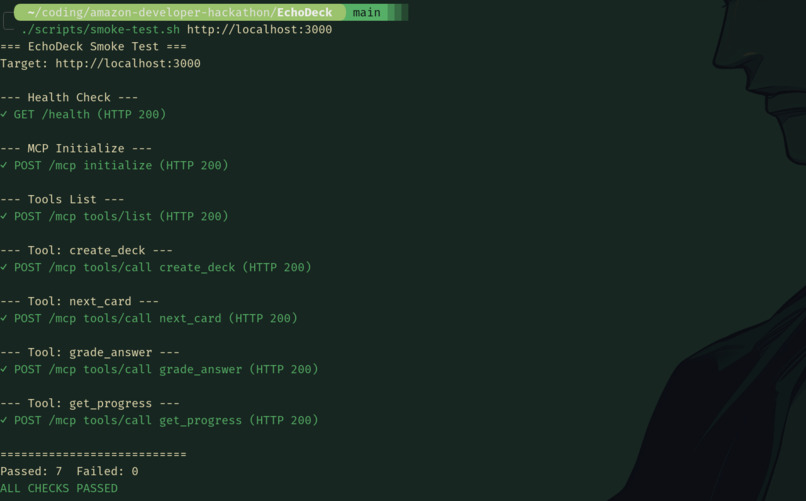
EchoDeck server starts up on port 3000, successfully loading local JSON data and the card UI HTML layout.
-
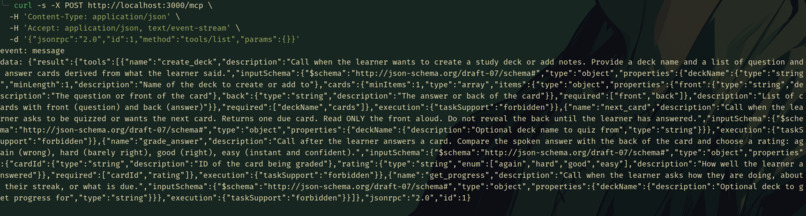
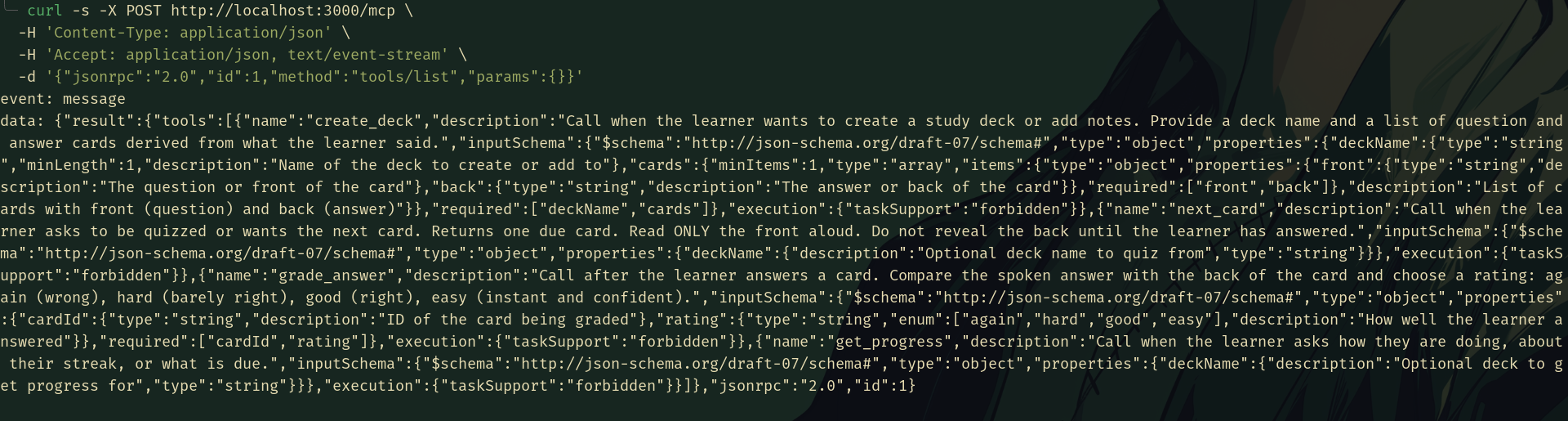
A cURL test to /mcp returns JSON-RPC tools: create_deck, next_card, grade_answer, and get_progress schemas.
-
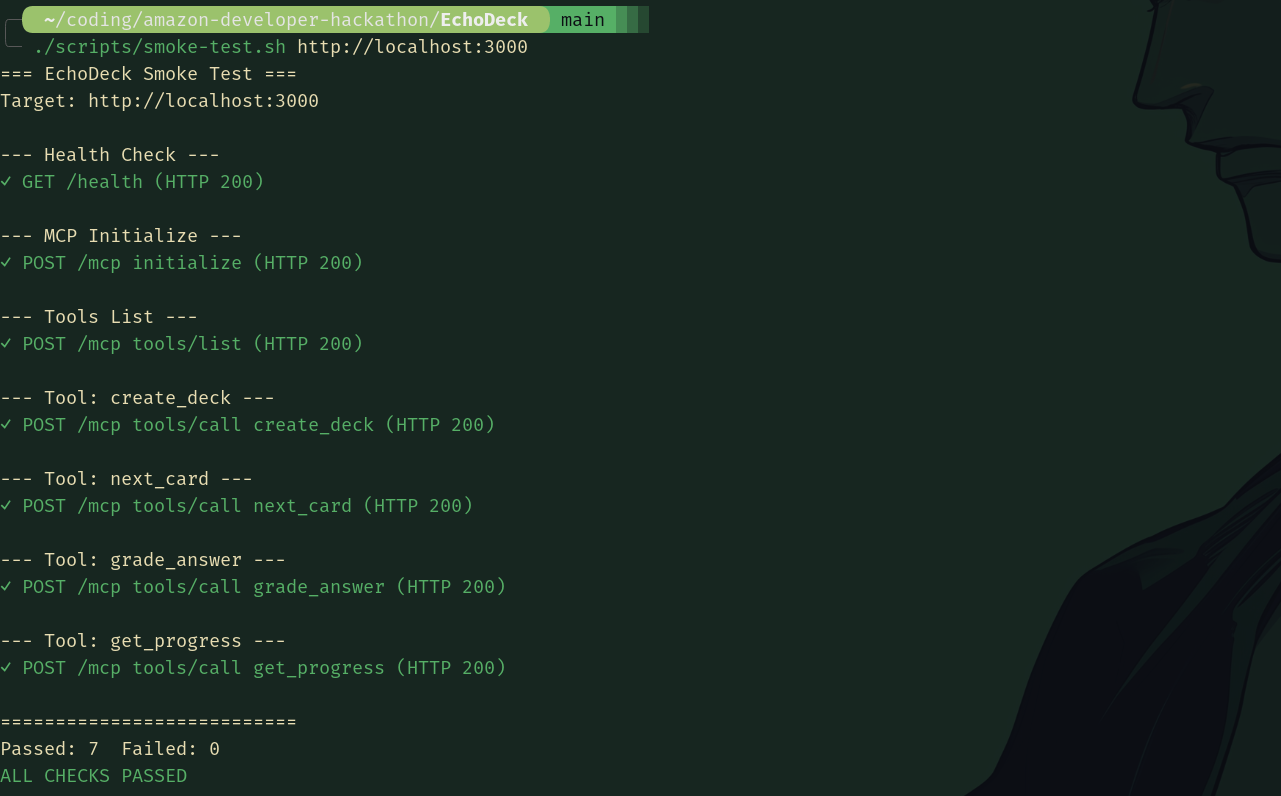
Automated test suite validates endpoints, tool calls, and health checks, with all seven tests passing cleanly.

EchoDeck
Build flashcard decks by voice, then review them just in time with spaced repetition and daily streaks.
Inspiration
Almost everyone who studies falls into the same trap: you read your notes once, feel confident, and a week later most of it is gone. The fix has been known for decades. Reviewing material at increasing intervals, right before you would forget it, works far better than rereading. But flashcard apps ask you to type out cards, open a screen, and remember to come back.
That friction is exactly where a voice assistant should help. Study time is often hands-busy or screen-free: cooking, commuting, folding laundry, or pacing around a room before an exam. As a team of students and builders, we wanted to see whether Alexa+ could act as a study coach that builds the deck from what you say, quizzes you out loud, and shows a card and your streak when you are near an Echo Show.
What it does
EchoDeck is an Alexa+ add-on that turns spoken notes into a spaced-repetition flashcard coach.
- Create a deck by talking. Say a deck name and dictate a few facts. Alexa's AI turns them into question-and-answer cards.
- Get quizzed one card at a time. Ask to be quizzed and Alexa reads only the question.
- Answer out loud. Alexa judges whether your spoken answer matches the stored answer and records how well you did: again, hard, good, or easy.
- Reviews come back at the right time. Cards you miss return soon. Cards you know come back after longer gaps, using Leitner boxes with intervals of 0, 1, 3, 7, and 14 days.
- See your progress. On a screen-equipped Alexa device, a large card shows the question, your position in the session, and your daily study streak. Ask "how am I doing?" to hear your streak and what is due.
Example:
You: Alexa, make an EchoDeck called Networking Basics. TCP is connection oriented and reliable. UDP is connectionless and faster. DNS translates names to IP addresses. Alexa: Done. I made 3 cards. Want to start? You: Quiz me. Alexa: Card 1 of 3. What does DNS do? You: It turns domain names into IP addresses. Alexa: Correct. I'll show that again in 3 days. You're on a 4 day streak.
How we built it
EchoDeck is built on the Alexa+ MCP Toolkit. Alexa+ acts as the MCP client and handles language understanding, speech, and UI rendering, while our server exposes tools through the Model Context Protocol.
User voice or touch
  -> Alexa+ (AI reasoning, speech, UI host)
  -> Alexa+ MCP add-on (deployed with the Alexa AI CLI)
  -> EchoDeck MCP server (Streamable HTTP over HTTPS)
       - four tools: create_deck, next_card, grade_answer, get_progress
       - an MCP App UI resource for the card screen
       - JSON file persistence
Let Alexa's AI do the language work. Alexa converts spoken notes into cards and judges whether a spoken answer is correct. Our server never tries to string-match free speech. It stores decks, picks the next due card, applies the rating Alexa chooses, and computes streak and progress. This keeps the server small and fast, which matters because the platform expects tool responses in under 500 ms.
Tool design. Each tool maps to one clear user intent, and each description tells Alexa when to call it and what it returns. The quiz tool's description tells Alexa to read only the front of the card and to hold back the answer until the learner responds.
Spaced repetition. We used a Leitner box system because it is simple, explainable, and reliable: five boxes, a rating moves a card up or down, and the box decides the next review time. A demo mode shortens the intervals to minutes so re-review is visible in a short video.
Streaks. Review dates are recorded in a configured timezone, so the streak rolls over at midnight in that timezone and not at UTC midnight.
Visual card. The card screen is an MCP App, using the MCP Apps extension that Alexa+ supports. It is designed for reading at arm's length on an Echo Show, with large type, high contrast, and no dependence on small controls.
Tooling. TypeScript, Node.js, Express, the MCP TypeScript SDK, and the MCP Apps SDK, with the official Alexa+ documentation as our source of truth for platform behavior. We also used an AI coding agent to speed up implementation and tested the server with the Alexa+ Local Inspector before deploying.
Challenges we ran into
- Designing for a surface we cannot script. With Alexa+, we cannot write exactly what Alexa says. We shape the spoken reply through the data we return. That meant writing precise tool descriptions and rich structured output so Alexa asks questions naturally and does not read out the answer.
- Fuzzy voice answers. People say the same fact many ways ("it translates names to addresses" versus "it turns domains into IPs"). Instead of building brittle matching on the server, we delegated judgment to Alexa and kept the server's job to accepting a simple rating.
- Staying inside the latency budget. Tools have to respond in well under 500 ms, so we kept data in memory, used small atomic file writes, and made no external calls inside any tool.
- Interruptions. People pause mid-quiz to ask something else. The server remembers the current card so the session can resume cleanly.
- A very short build window. We limited the scope to four tools, one screen, and one scheduling algorithm, and cut everything else.
Accomplishments that we're proud of
- A complete voice loop: create a deck, get quizzed, answer, get graded, and see the card come back on schedule.
- A deliberately small and explainable design: four tools, one screen, one algorithm, and a clear division of labor between Alexa's AI and our server.
- A card UI built for the Echo Show's viewing distance and checked against Alexa+ design guidance.
- A working product built and deployed by a small team inside a tight hackathon window.
What we learned
- Spaced repetition and voice fit together well. The scheduler only needs a rating, and Alexa's AI can produce that from natural speech.
- On a conversational platform, tool descriptions and returned data are the interface. Small wording changes in a description change when and how Alexa calls a tool.
- Delegating language understanding to the platform, and keeping our server simple, is what made the project buildable in such a short time.
- Designing for voice and screen together forces clarity: if the spoken reply and the card do not agree, the experience feels broken.
What's next for EchoDeck
- Account linking so every learner has private decks. This version uses a single shared demo user.
- Shared decks for classes and study groups.
- Import from notes, documents, and other flashcard tools.
- Smarter scheduling, moving from Leitner boxes to a more adaptive algorithm.
- Study modes such as timed sprints, weak-cards-only practice, and a daily briefing of what is due.
- Multi-language decks for language learners.
Built with
Alexa+ · Alexa+ MCP Toolkit · Model Context Protocol · MCP Apps · TypeScript · Node.js · Express · Alexa AI CLI
Links
- Demo video: [ADD DEMO LINK]
- Code repository: https://github.com/loveyadav1015/EchoDeck
Built With
- alexa+
- alexacli
- express.js
- mcp
- node.js
- typescript

Log in or sign up for Devpost to join the conversation.