-
-
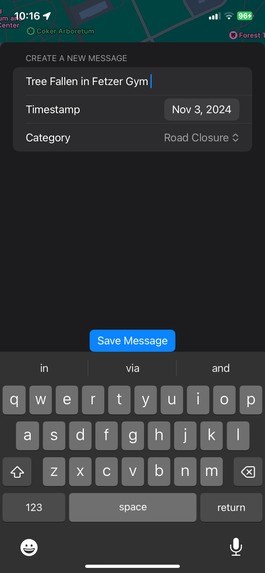
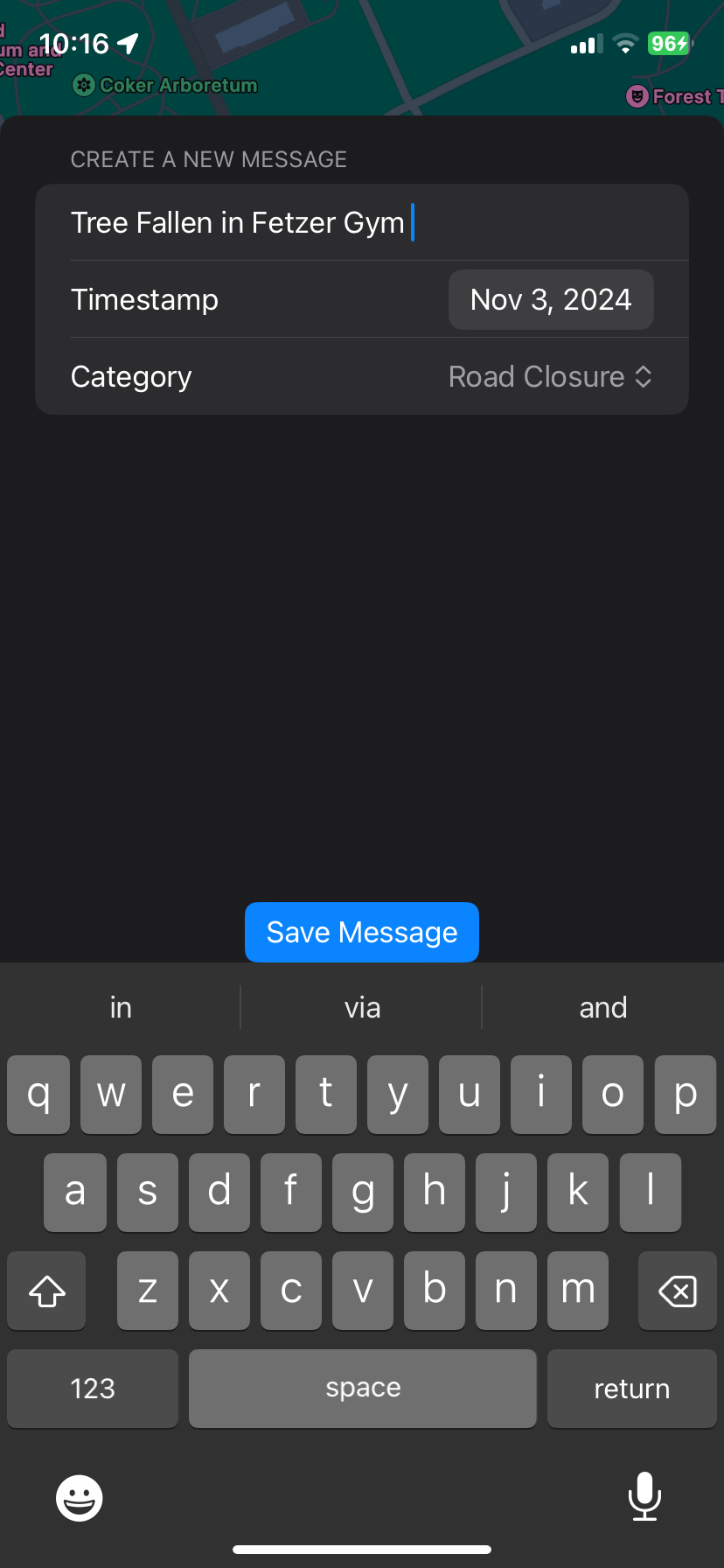
If you add an alert, this page pops up
-
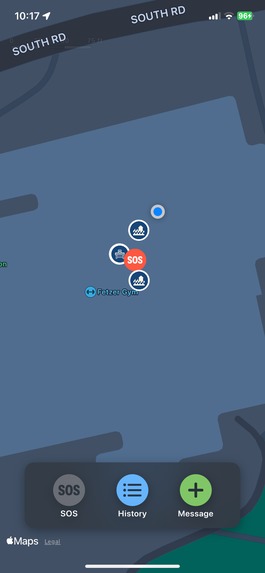
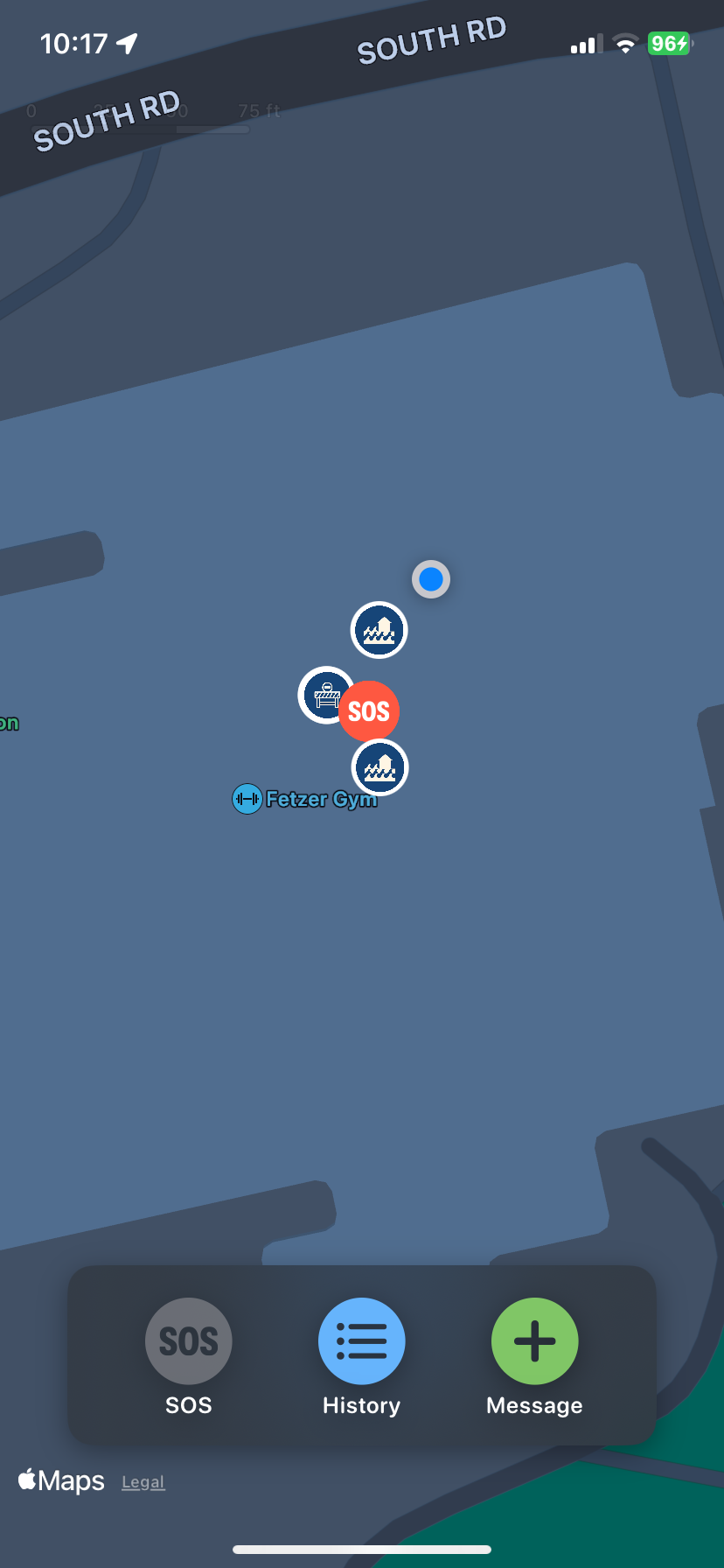
New alert is made and placed at your location
-
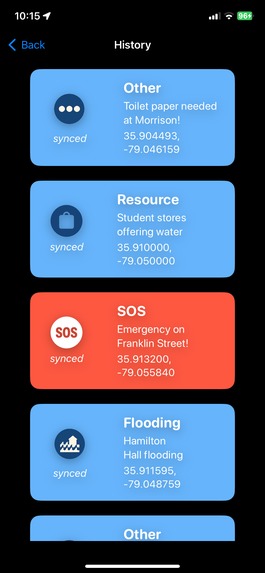
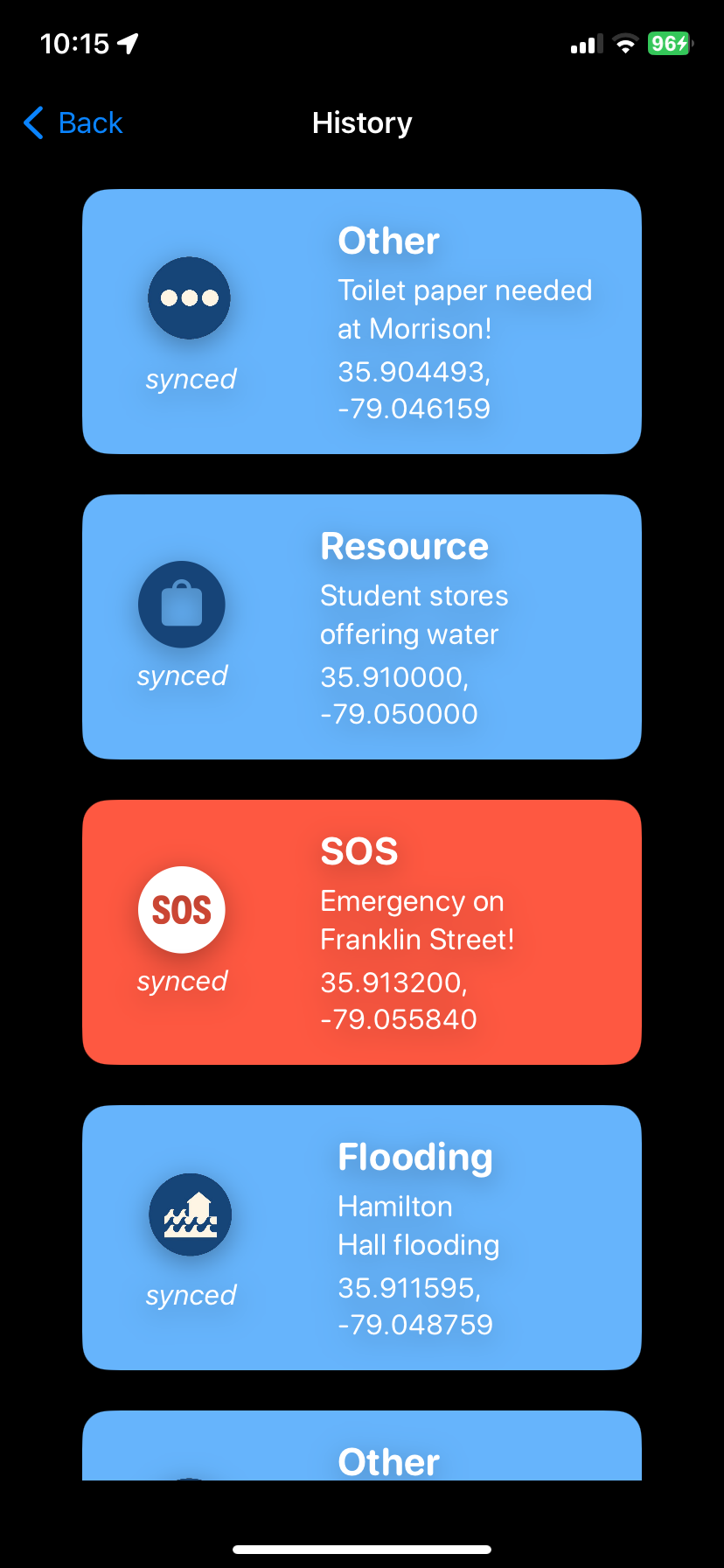
History of all alerts
-
Loading Screen
-
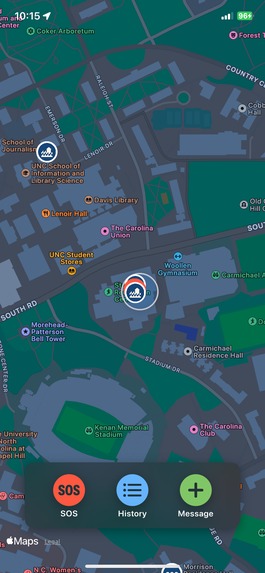
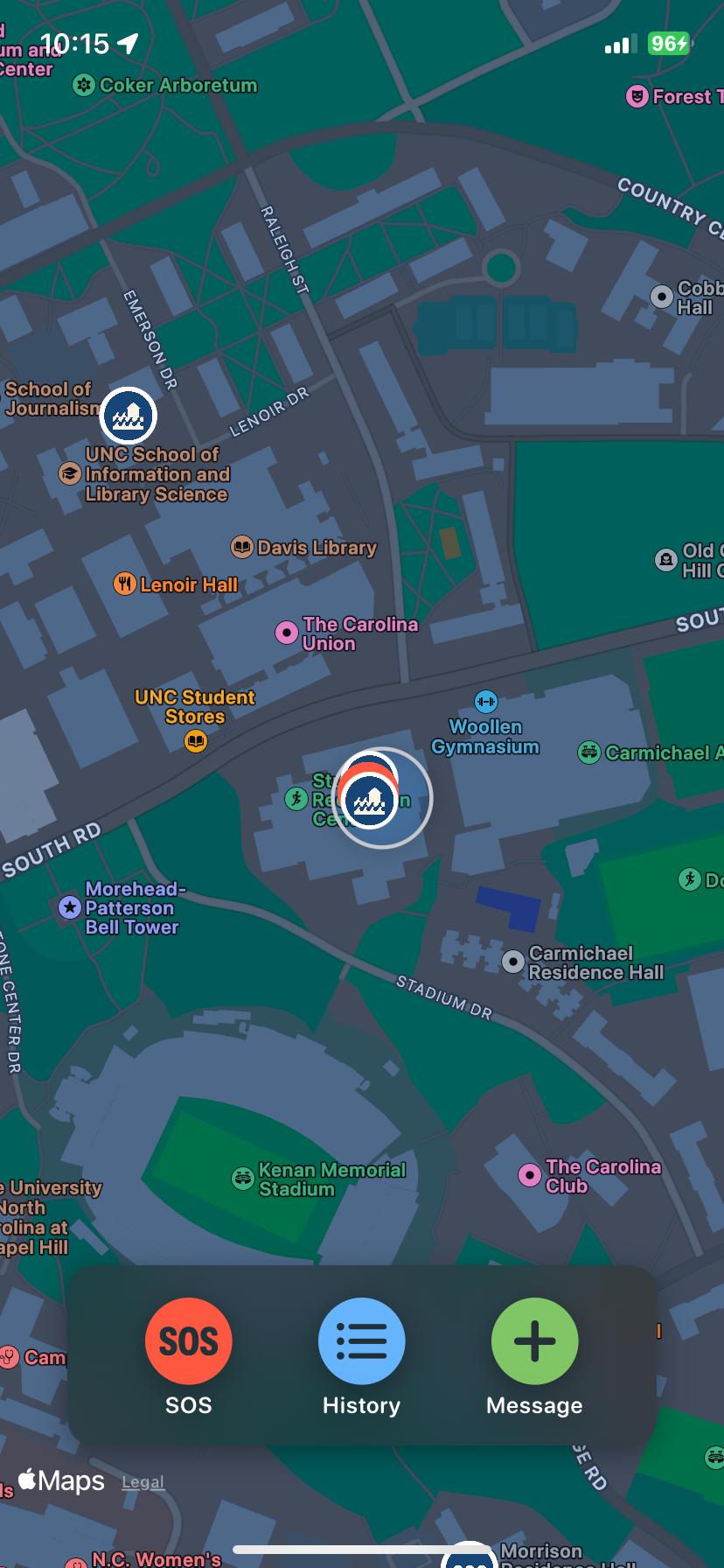
Map to view all alerts and add alerts/SOS alert feature
Inspiration
The idea for Echo Alert was born from the challenges our community faced during Hurricane Helene. When the hurricane hit, many were left stranded without transportation and with limited or no internet access. Vital information like road closures, shelter locations, and available resources became difficult to share and access, leaving people feeling isolated and unsupported. Echo Alert aims to solve this problem by enabling Bluetooth-based communication that doesn’t rely on WiFi or cellular service. With Echo Alert, users can receive critical updates, mark hazards, and find resources on a live map, ensuring that even in the midst of a disaster, people stay informed and connected to the information they need to navigate safely
What it does
EcoAlert is a Bluetooth-based emergency app for disaster scenarios, enabling users to share location-based alerts like "Road closed" or "Medical help needed" offline. It includes an SOS feature to broadcast distress signals within range. With categorized messages and a map showing Bluetooth coverage, EcoAlert keeps users informed of nearby hazards and resources.
Key Features
Location-Based Emergency Message Drops As mentioned above, allows users to leave Bluetooth based emergency messages at the location they are at. If the user encounters a road closure, or needs medical help, or needs to send out important information pertaining to their location, they simply drop a pin on the map These messages are automatically picked up by any device within Bluetooth range and stored offline for future reference. This ensures that even if users move out of range, they retain access to critical updates.
Proximity SOS Alerts EcoAlert’s SOS feature allows users in distress to broadcast an immediate distress signal to all devices within Bluetooth range. This alert can include the user’s location and urgent details, such as “Trapped on 2nd floor, injured.” Nearby users receive a bright red notification, making it impossible to overlook someone in need of immediate assistance.
Message Categories and Filters In the high-pressure environment of a disaster, filtering through messages for relevant information is essential. EcoAlert allows users to tag their messages with categories like Road Closure, Shelter, Flooding, Resource, SOS, other. This categorization helps users quickly sort and filter messages to find the most relevant information when it’s needed most.
Map View with Bluetooth Range Indicator All pins are dropped on a map, and users are able to click on previous pins on the map to view the message at that location. This ensures the user knows where exactly the disaster or help takes place or needed.
How we built it
EcoAlert was built using SwiftUI for a clean, intuitive interface and SwiftData for offline message storage, ensuring critical messages are always accessible. The app’s core communication relies on CoreBluetooth, allowing devices within range to connect even without cellular or Wi-Fi networks, making it ideal for disaster-prone environments. We leveraged MapKit to provide a map interface, displaying user location, nearby message drop points, and a Bluetooth range indicator to help users understand the reach of their messages. EcoAlert also includes a Proximity SOS feature, which uses CoreBluetooth to broadcast urgent alerts to nearby devices, including location and distress details. The app can operate offline via Bluetooth and online to pull a history of messages from a public API endpoint, ensuring flexibility and reliability in diverse connectivity scenarios. The backend for the online storage, was made using Terraform scripts. These scripts created the AWS RDS instance of a PostregresSQL database and ensured that our database was set up properly. We also have a public REST API built using FastAPI, Python, and SQLAlchemy as our ORM, that is hosted on an EC2 server that was also created through terraform scripts that interacts with out public database to create messages, update message statuses, and delete messages. We also created security measures, like a VPC with attached subnets and attached security groups, that was also configured through Terraform and through use of the AWS Management Console.
Challenges we ran into
- Our first challenge was integrating offline and online storage, requiring two separate databases and consistent state management. This created two distinct app states—offline and online—making it tricky to ensure smooth transitions and accurate state tracking before each function call.
- Another challenge was working with Terraform for the first time. Writing the scripts and understanding its integration with our application demanded a steep learning curve and careful attention to infrastructure setup.
Accomplishments that we're proud of
We’re really proud of the technical achievements we accomplished with EcoAlert.
- Implementing a SwiftData local storage database was a major milestone, allowing users to retain access to critical messages even without an internet connection—essential for disaster scenarios where connectivity can be unreliable.
- We integrated MapKit from Apple’s Framework to create an intuitive map interface that displays message drop points and a Bluetooth range indicator, giving users a clear view of where to find important updates nearby and implementing real-time message synchronization across devices.
- Additionally, setting up AWS with Terraform was a big win for us, as it allowed us to establish a scalable and reliable backend for message storage and retrieval when online.
Combining these technologies in such a short time was challenging, but we’re proud of the final product and how each component enhances EcoAlert’s functionality,
What we learned
Implementing SwiftData for local storage showed us the value of data persistence, especially in situations with unreliable connectivity. Using MapKit helped us learn Apple’s tools for visualizing locations and Bluetooth range, which will be useful for future location-based projects. Setting up AWS with Terraform gave us hands-on experience with cloud infrastructure, teaching us about scalability, reliability, and backend structuring. On the teamwork side, we learned to handle branch merging conflicts and saw just how important clear communication is for complex projects! Going through the entire development cycle—from brainstorming and problem-solving to integrating and debugging—showed us the full process behind creating a functional app.
What's next for EchoAlert
- Integrate directions to a given alert based on the provided coordinates. In addition, creating a FindMy-like way to “track” the specific alert location like a compass.
- Add alert type filtering to both the map and message history.
- Offer translations for alerts to make EcoAlert accessible to a broader audience, especially in diverse regions where multiple languages are spoken.
Built With
- amazon-rds-relational-database-service
- amazon-web-services
- corebluetooth
- ec2
- mapkit
- postgresql
- python
- sqlalchemy
- swift
- swiftdata
- swiftui
- terraform


Log in or sign up for Devpost to join the conversation.