Inspiration
We've all been there: copying data between apps, clicking through the same dashboard every morning, running the same multi-step process on repeat. Existing automation tools like Zapier and n8n mainly work at the API level; they can't interact easily with actual UI or the desktop, and not every software has an API integration. Meanwhile, newer AI agent demos are impressive but fragile, hard to set up, and don't save your workflows for later use. Additionally, there are people who have difficulties interacting with technology like computers — whether due to age, disabilities, or just unfamiliarity — and there aren't many tools to help them navigate their computer, which has become increasingly important in this age. We wanted to build something that utilizes the power and flexibility of a vision-language AI agent and reduces the barrier of entry so that anyone can automate their workflows and navigate their computer with ease.
What it does
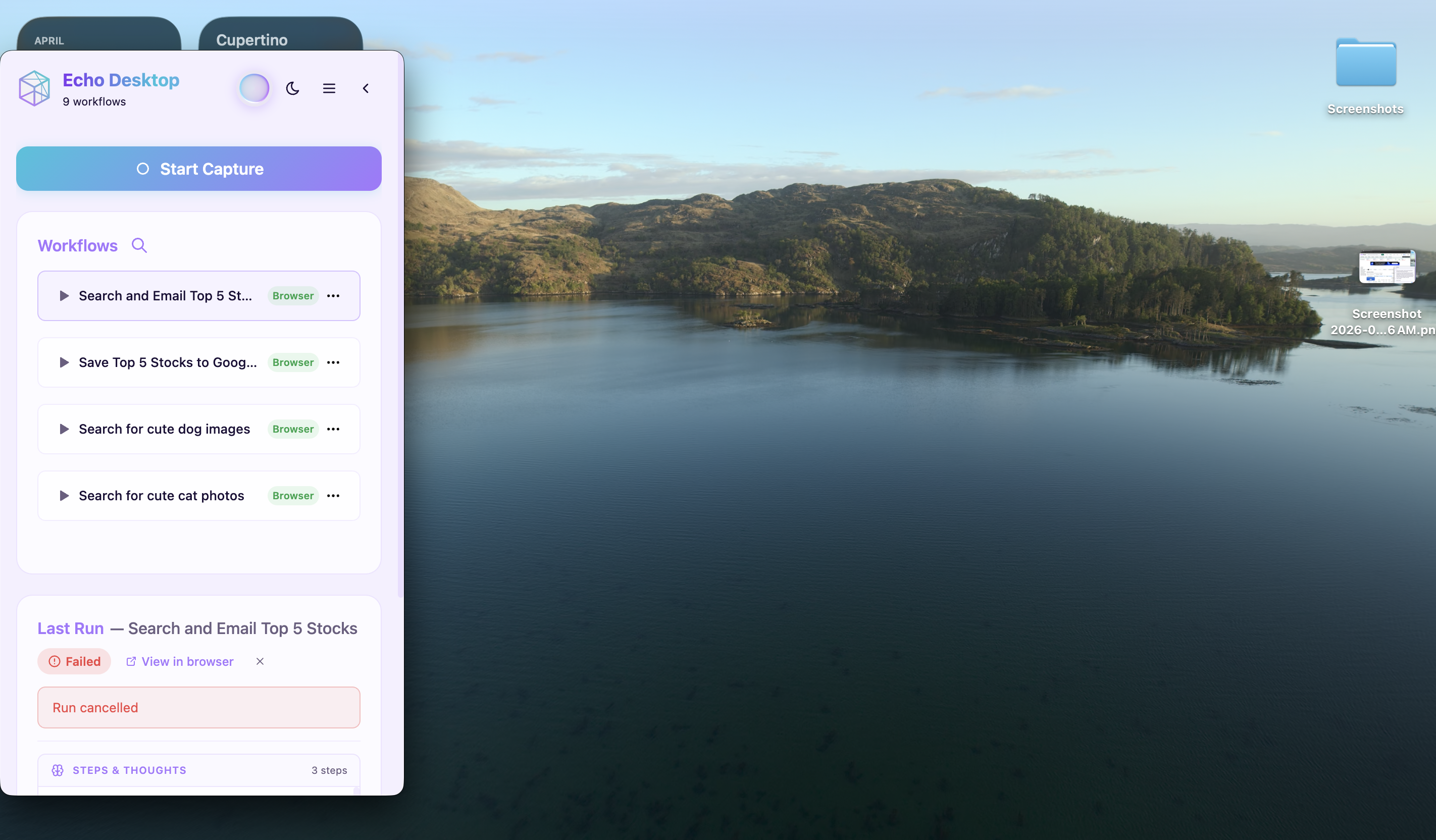
Echo is an AI-powered desktop and browser automation platform. Users can create, run, and share workflows that automate real tasks across their entire computer — not just the browser, but native desktop applications, file system operations, and multi-app workflows.
Key capabilities:
- Synthesize workflows from recordings, voice, or chat — record yourself doing a task, and Echo converts it into executable steps. Voice and chat are alternatives as well.
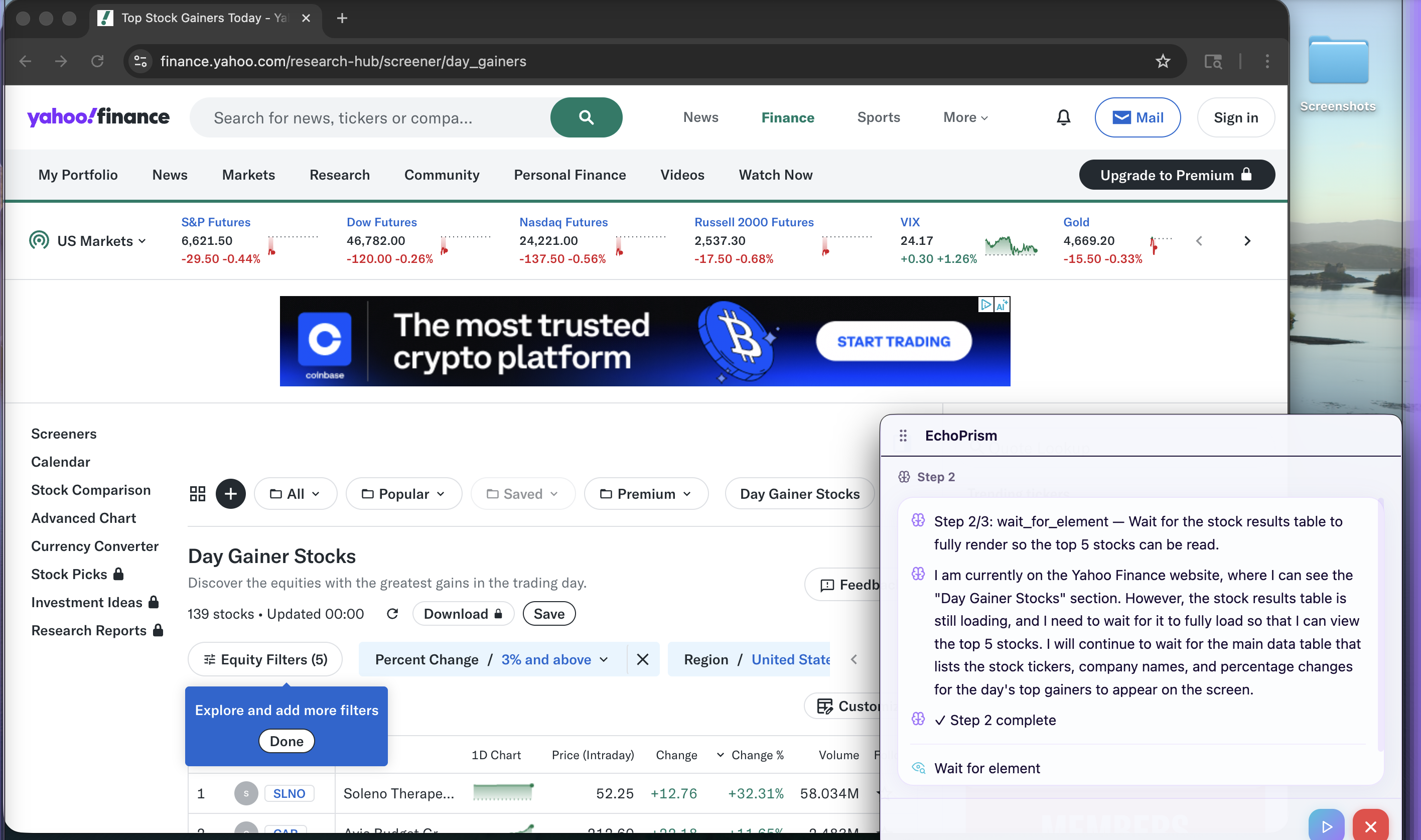
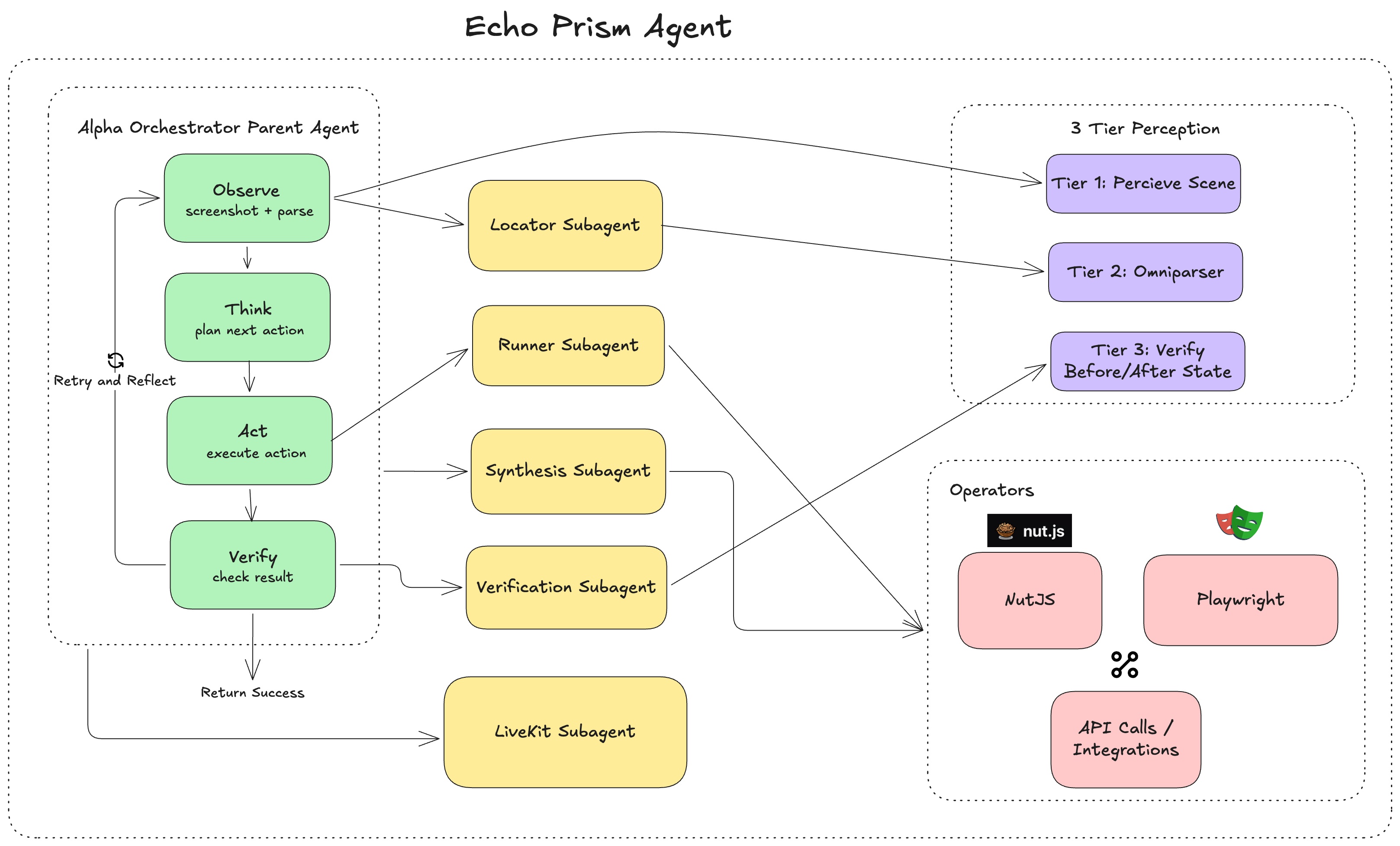
- Run them with EchoPrism, our GUI agent that sees the screen via screenshots, grounds UI elements, reasons about the next action, and executes it autonomously in a loop
- Controls the full desktop: browser tabs, native apps, OS-level mouse/keyboard, file dialogs, and cross-app workflows all in one run
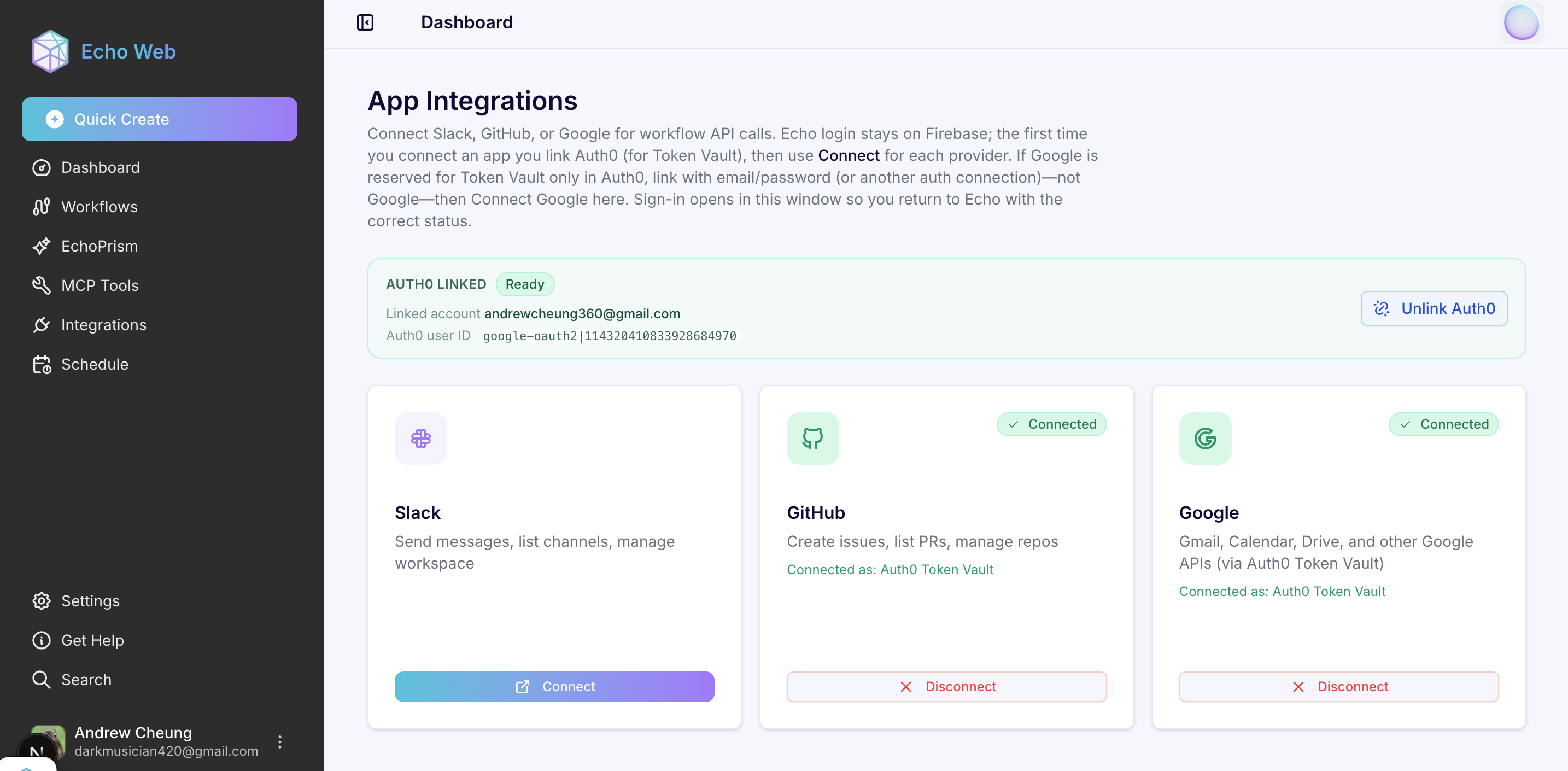
- Auth0-powered integrations: users connect Slack, Google, GitHub, Notion, Linear, and more via OAuth through the Auth0 My Account API. During workflow execution, EchoPrism calls these APIs in real time using Auth0 Token Vault — short-lived provider tokens are fetched on demand, with zero long-lived credentials stored anywhere.
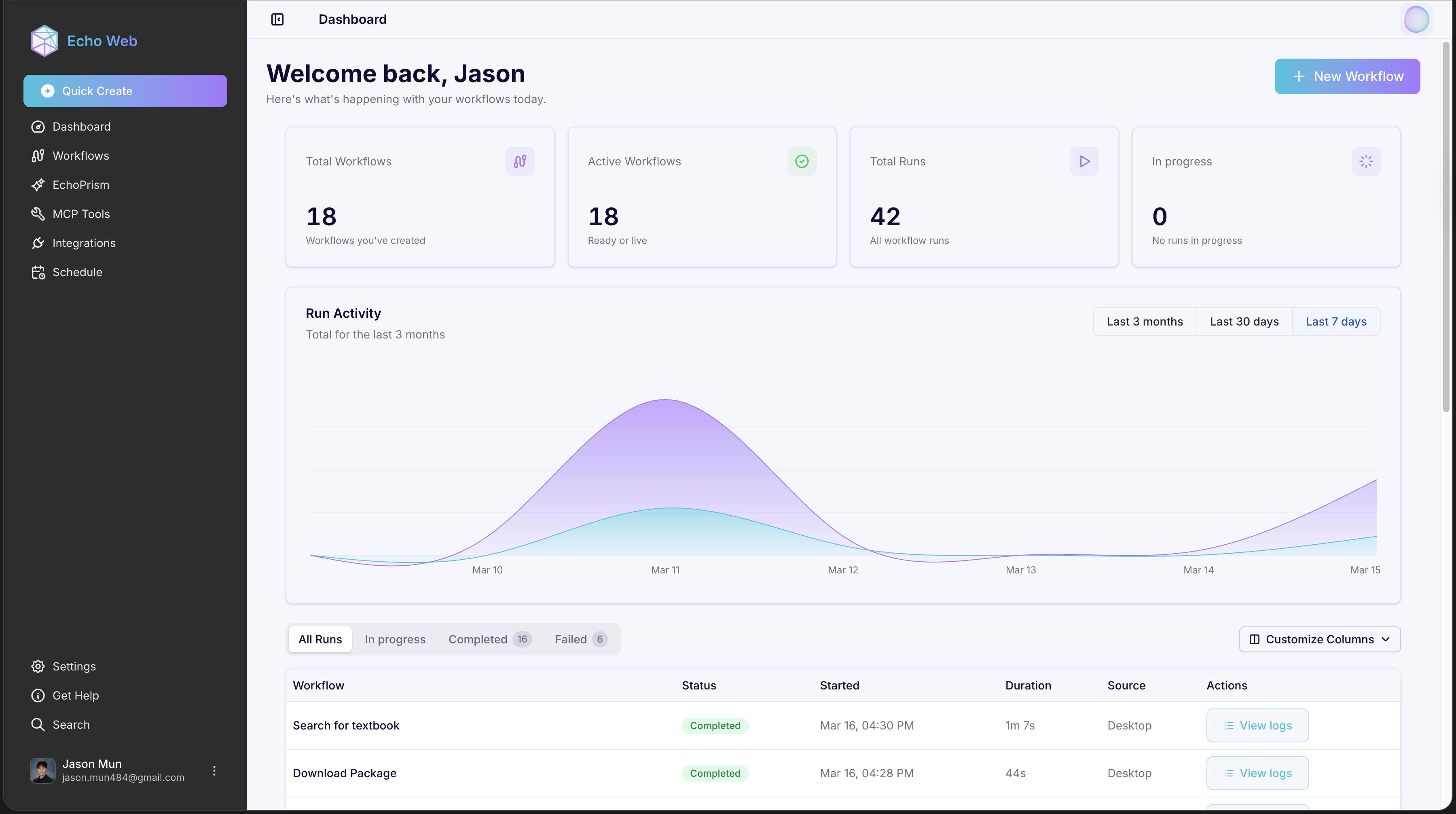
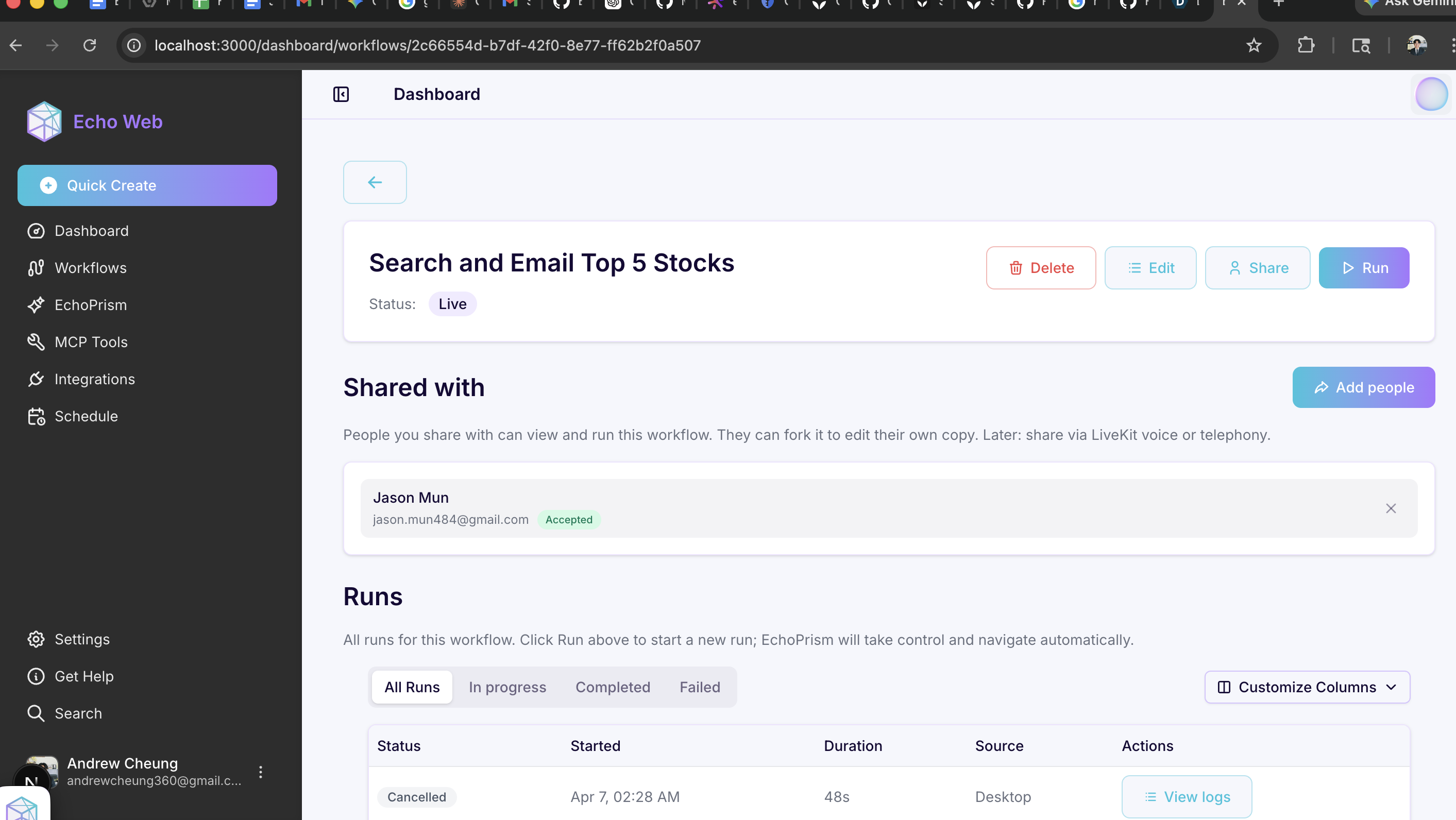
- Manage, view, and edit workflows in the desktop app, web dashboard, and mobile app — including live step-by-step execution tracking
- Share workflows with other users
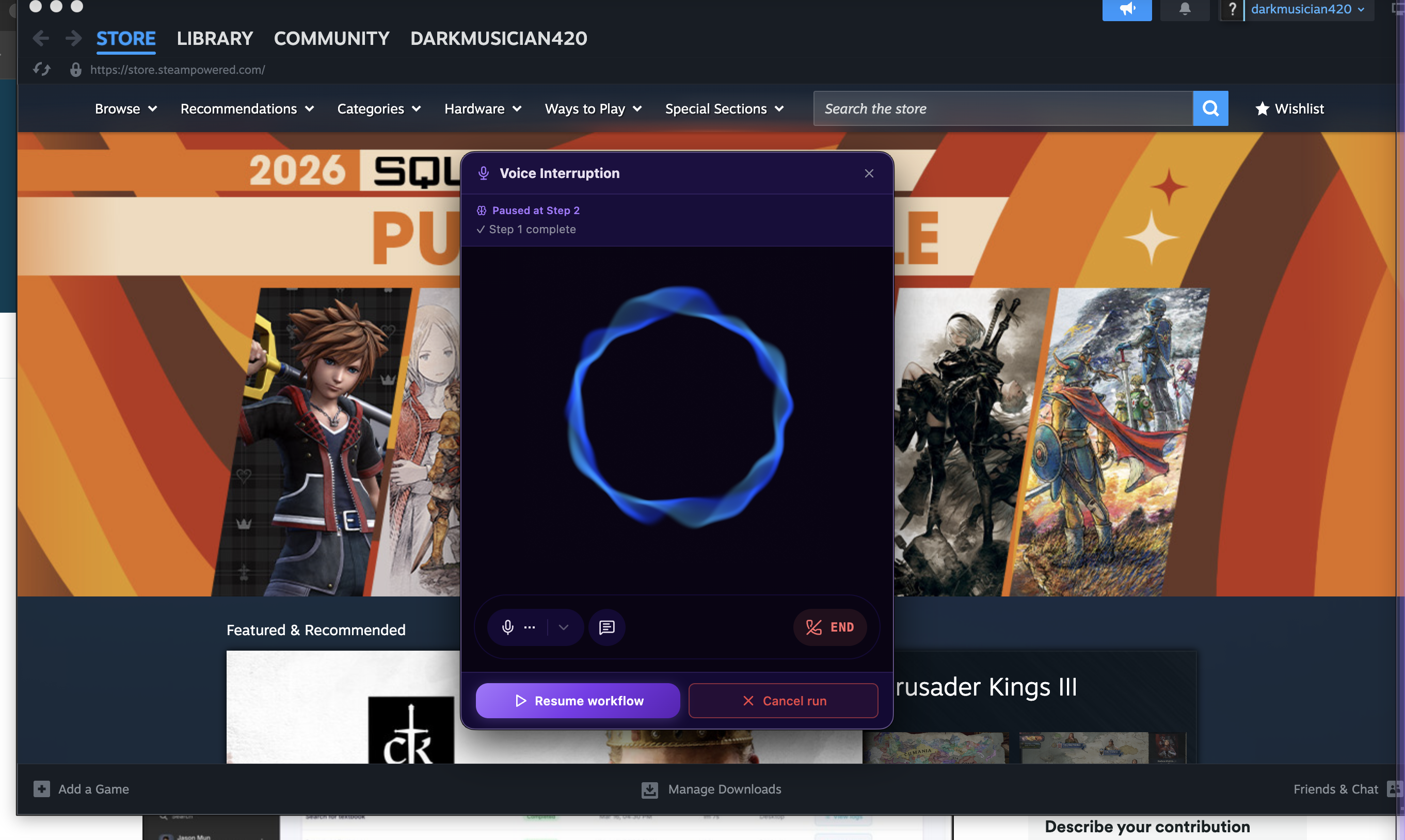
- Trigger actions from your phone — chat with our agent on the mobile app via text or voice, view and manage integrations, and once you speak your intent, our agent can list, create, or run workflows for you
Available as a desktop app with a web app dashboard and mobile app.
How we built it
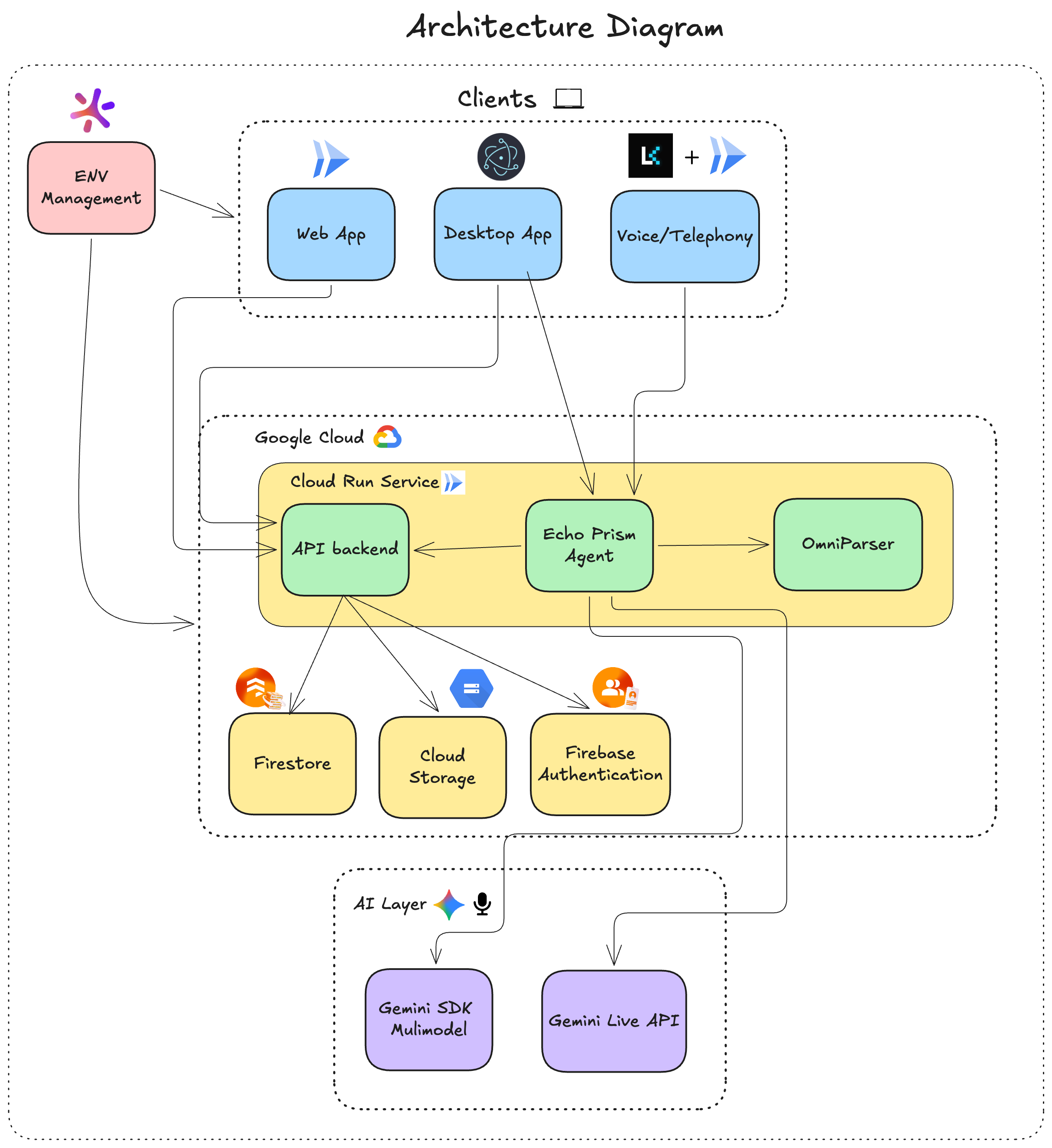
- Desktop App: Electron app (TypeScript) with Playwright for browser control and NutJS for OS-level mouse/keyboard and native app interaction
- Web app: Next.js + React (TypeScript) for the landing page and dashboard — workflow management, run history, and monitoring
- Mobile app: React Native + Expo (TypeScript) with NativeWind for styling; features include a full workflow dashboard with live step-by-step run tracking, voice/text chat with the agent, and an integrations management screen for connecting Slack, Google, GitHub, and more
- Backend API: FastAPI (Python) for REST endpoints (workflow synthesis, run management, storage, schedules, integrations) + Firestore for workflow/user data + Google Cloud Storage for media + Firebase Authentication for Google sign-in
- EchoPrism Agent: LangGraph (Python) orchestrating two compiled graphs — an inference graph (context subgraph → reasoning subgraph with retry) and a GUI run graph (prepare → inference → execute → verify). Vision inference runs via OpenRouter using the open-source
bytedance/ui-tars-1.5-7bmodel, which significantly reduced costs vs. closed models. Gemini handles chat turns, workflow synthesis, and voice. - Auth0 Token Vault: Auth0 My Account API for OAuth connection setup; at agent runtime,
auth0_token_vault.pyexchanges the user's Auth0 refresh token for a short-lived provider access token (Slack, Google, GitHub) viaurn:auth0:params:oauth:grant-type:token-exchange:federated-connection-access-token. A LangGraph HITL interrupt (api_call_gate_node) gracefully pauses execution and prompts re-auth when token exchange fails. - LiveKit Agent: LiveKit + Gemini Live for real-time voice and SIP/phone integration
- Secrets/Infra: Doppler for secrets, Docker for deployment, Cloud Run for all services; GitHub Releases for desktop auto-updates
Challenges we ran into
The biggest challenge was agent accuracy and reliability. Getting EchoPrism to consistently identify and interact with the correct UI element across different apps, window states, and screen layouts was hard — a wrong click cascades into a broken workflow. We integrated OmniParser initially, then shifted to UI-Tars-1.5-7B via OpenRouter, which significantly improved accuracy and cut inference costs. We spent extensive time on prompt engineering, screenshot quality, coordinate normalization, and pixel-diff verification logic.
Other challenges:
- Auth0 Token Vault integration: mapping Echo's internal integration IDs to Auth0 connection names, handling per-provider OAuth scope requirements, and designing the LangGraph HITL interrupt pattern to gracefully pause a running workflow and prompt the user to reconnect a third-party account when token exchange fails
- LangGraph orchestration: designing the retry subgraph for deterministic UI-Tars action parsing (up to 4 retries with
Command(goto="think_llm")), and coordinating the inference graph and GUI run graph cleanly - Multi-service coordination: managing multiple independent Cloud Run services with proper IAM permissions, shared secrets, and low-latency inter-service communication
Accomplishments that we're proud of
- Full desktop + browser automation in one platform — Echo can control native apps, the file system, and browser tabs within a single workflow, something browser-only or API tools can't do
- Auth0 Token Vault: zero long-lived OAuth tokens stored anywhere in our system; all third-party API access is mediated through short-lived federated tokens fetched at runtime
- LangGraph + UI-Tars rework: a production-grade agent loop with deterministic action parsing, retry subgraphs, and pixel-diff action verification — significantly more reliable than our earlier architecture
- Accessible workflow creation — the bar to automate something is just describing what you want in plain language (voice or chat) or recording yourself doing it once
- Phone-triggered automation — you can chat with our agent on the mobile app or call our LiveKit number, say what you need, and Echo can list, create, or run a workflow
- Smooth video-to-workflow synthesis — record a screen capture and get a runnable automation in seconds
- Full product prototype across web, desktop, and mobile platforms
What we learned
- Vision-language models are powerful enough to drive real automation, but the grounding step (knowing where to click) is one of the hardest parts
- Monorepo architecture with shared types saved enormous coordination overhead across five services
- Latency, reliability, and infrastructure are critical factors for AI products — not just model quality
- Auth0 Token Vault is a genuinely elegant solution to the "AI agent credential problem": instead of granting agents broad long-lived access, you can issue short-lived federated tokens on demand
- Multi-agent architecture with specialized subgraphs (LangGraph) is much more maintainable than a monolithic loop
- Different models have sharp tradeoffs; open-source vision models like UI-Tars can outperform larger closed models for specific tasks at a fraction of the cost
What's next for Echo
- Mobile app automation: allow Echo to automate tasks on phones as well
- Fine-tuning: improve accuracy of models by training on user data with Vertex AI
- Expanded integrations: add more third-party app connectors
- Workflow marketplace: a library of community-shared automations users can install and customize
- Scheduled workflows: allow users to schedule workflows to run at specific times
Bonus Blog Post: How We Used Auth0 Token Vault to Build Secure, Federated Integrations in an AI Agent
This blog post is submitted for consideration for the Auth0 Bonus Blog Post Prize.
The Problem: AI Agents Need User Credentials — That's Scary
Echo is an AI-powered workflow automation platform. Our agent, EchoPrism, can automate tasks across your desktop and browser — but many of the most valuable workflows involve calling third-party services: posting a summary to Slack, reading your Gmail inbox, creating a GitHub issue. To do that, the agent needs access tokens for those services.
The naive approach is obvious and terrible: store OAuth tokens in your database, load them at runtime, hope nothing leaks. Long-lived tokens sitting in Firestore are a liability. If your database is compromised, every user's Slack workspace, Google account, and GitHub repo is exposed. More subtly, you're accumulating a sprawling surface area of credentials that drift out of scope, expire unpredictably, and are a nightmare to audit.
We needed something better.
The Solution: Auth0 Token Vault
Auth0 Token Vault solves this problem elegantly. Instead of storing provider tokens yourself, you store a single Auth0 refresh token per user. At runtime, when your agent actually needs a Slack or Google token, you exchange the Auth0 refresh token for a short-lived provider access token — and throw it away when the API call is done. Nothing persists. The vault holds the provider tokens; you just borrow them.
The grant type that makes this work is:
urn:auth0:params:oauth:grant-type:token-exchange:federated-connection-access-token
Our auth0_token_vault.py module handles the exchange:
response = requests.post(
    f"https://{AUTH0_DOMAIN}/oauth/token",
    json={
        "grant_type": "urn:auth0:params:oauth:grant-type:token-exchange:federated-connection-access-token",
        "client_id": AUTH0_CLIENT_ID,
        "client_secret": AUTH0_CLIENT_SECRET,
        "subject_token": auth0_refresh_token,
        "subject_token_type": "urn:ietf:params:oauth:token-type:refresh_token",
        "connection": connection_name,  # e.g. "sign-in-with-slack", "google-oauth2"
    }
)
access_token = response.json()["access_token"]
That access_token is used immediately for the API call, then discarded.
Connecting Accounts: Auth0 My Account API
Before the agent can exchange tokens, the user has to connect their accounts. We use Auth0's My Account API for this — specifically the connected accounts flow:
POST /v1/connected-accounts/connect— initiates the OAuth consent screen for the provider (Slack, Google, GitHub, etc.), supporting PKCEPOST /v1/connected-accounts/complete— completes the connection and populates the Token Vault
Once connected, Auth0 holds the provider's refresh token. Our system only stores the user's Auth0 refresh token in Firestore, and only reads it at agent runtime to perform the exchange.
Wiring It Into LangGraph
The trickiest part was integrating Token Vault with our LangGraph agent loop gracefully. When a workflow step requires calling Slack, our resolver.py tries the Token Vault exchange. If it fails — because the user hasn't connected the integration, or the connection expired — we can't just crash the workflow.
Instead, we use a LangGraph HITL (Human-In-The-Loop) interrupt: api_call_gate_node raises an integration_auth interrupt, which pauses the running graph and surfaces a prompt to the user to reconnect the integration via Auth0. Once they do, the workflow resumes from where it left off.
This pattern is powerful: the agent can autonomously call real APIs mid-workflow while still being able to request fresh authorization when needed — without the user having to think about OAuth at all during normal operation.
Why It Matters
- Security: No long-lived provider tokens stored anywhere in our infrastructure
- Simplicity: One Auth0 refresh token per user covers all integrations — Slack, Google, GitHub, Notion, Linear
- Auditability: Every token exchange is a discrete, logged event
- Graceful degradation: LangGraph HITL means a missing token pauses the workflow cleanly rather than crashing it
Auth0 Token Vault turned what would have been a credentials management headache into a clean, secure, and auditable integration layer — letting us focus on building the agent rather than building a secrets vault.
Built With
- auth0
- cloud-build
- cloud-run
- docker
- electron
- expo.io
- fastapi
- firebase
- firebase-auth
- firestore
- gemini-live-api
- google-cloud
- langgraph
- livekit
- next.js
- python
- react
- react-native
- typescript



Log in or sign up for Devpost to join the conversation.