Inspiration
Learning a physical skill takes more than an explanation. You need to see it, try it, and learn what to change.
Fingerspelling shows this clearly. You can copy a picture or pause a video, but small differences in thumb placement, finger curl, or fingertip contact are hard to judge yourself, and a prerecorded example can’t answer “What am I doing wrong?” We wanted explanation, demonstration, and feedback in one experience, so we built a robot hand you can talk to, learn from, and practice with.
ECHO is for beginners, including students, friends, and family members learning to sign. We start with a supported set of fingerspelling letters, where a spoken request can connect to a physical example and a measurable hand pose.
What it does
You interact with ECHO through Grok bot, a proactive AI voice agent that guides the lesson and controls the robotic hand. You can ask it to demonstrate a letter, explain a handshape, or check your attempt. For example:
“Grok, teach me D.”
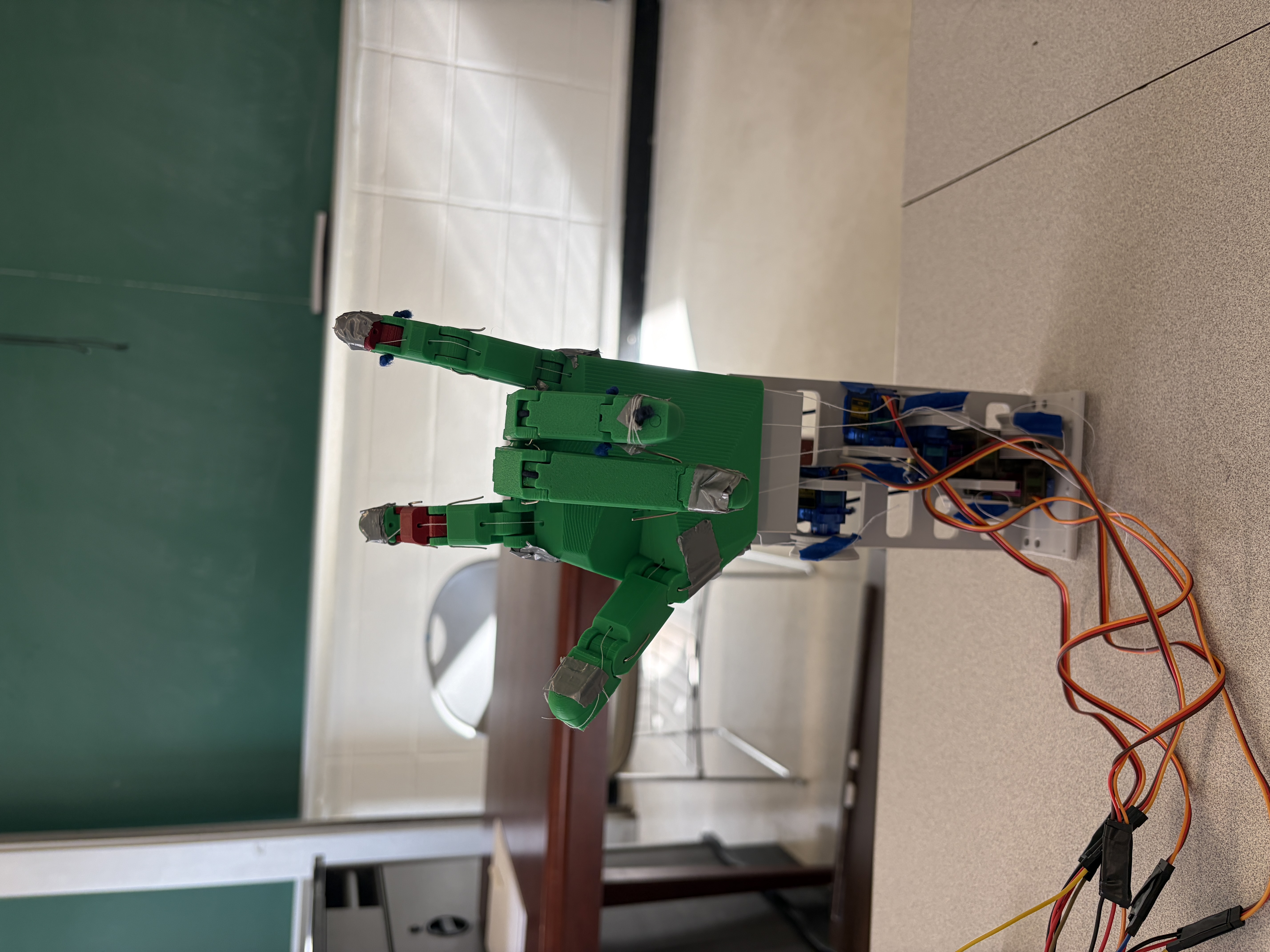
ECHO forms the letter with its physical hand, holds the pose, and explains how to copy it. You raise your hand to the camera, and the system compares your attempt with the target and gives a specific correction, such as curling a finger or adjusting your thumb. Hold a matching pose for 0.6 seconds and an on-screen confirmation and chime mark success.
- Voice: Ask for a letter, request help, or change modes with your hand in position.
- Physical demonstration: Inspect a real hand holding the target pose.
- Computer vision: Your actual attempt is evaluated against the target.
- Visual and audio feedback: See your hand beside the digital reference and get a clear success cue.
All four channels share one lesson target. ECHO also supports letter-by-letter practice for supported words, recognition quizzes, and memory exercises.
How we built it
- Conversation: Grok handles spoken interaction and calls a Python Flask teaching API through a Cloudflare tunnel. The API selects lessons, requests demonstrations, and returns feedback Grok can speak.
- Perception: MediaPipe supplies 3D hand landmarks. Our code estimates finger curl and compares it with the target, with extra checks for thumb position, fingertip contact, and finger spacing to separate similar handshapes. The differences become corrections.
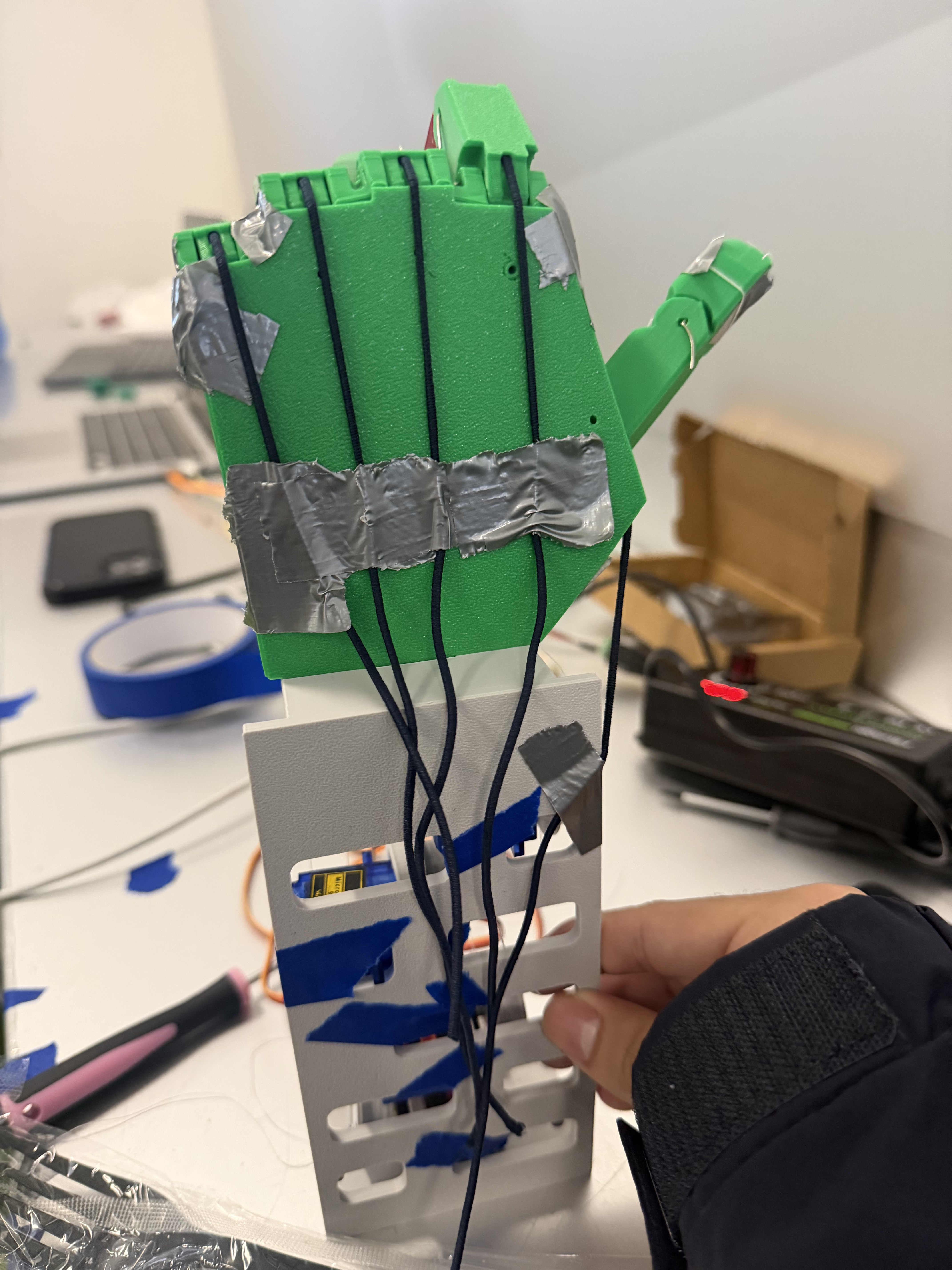
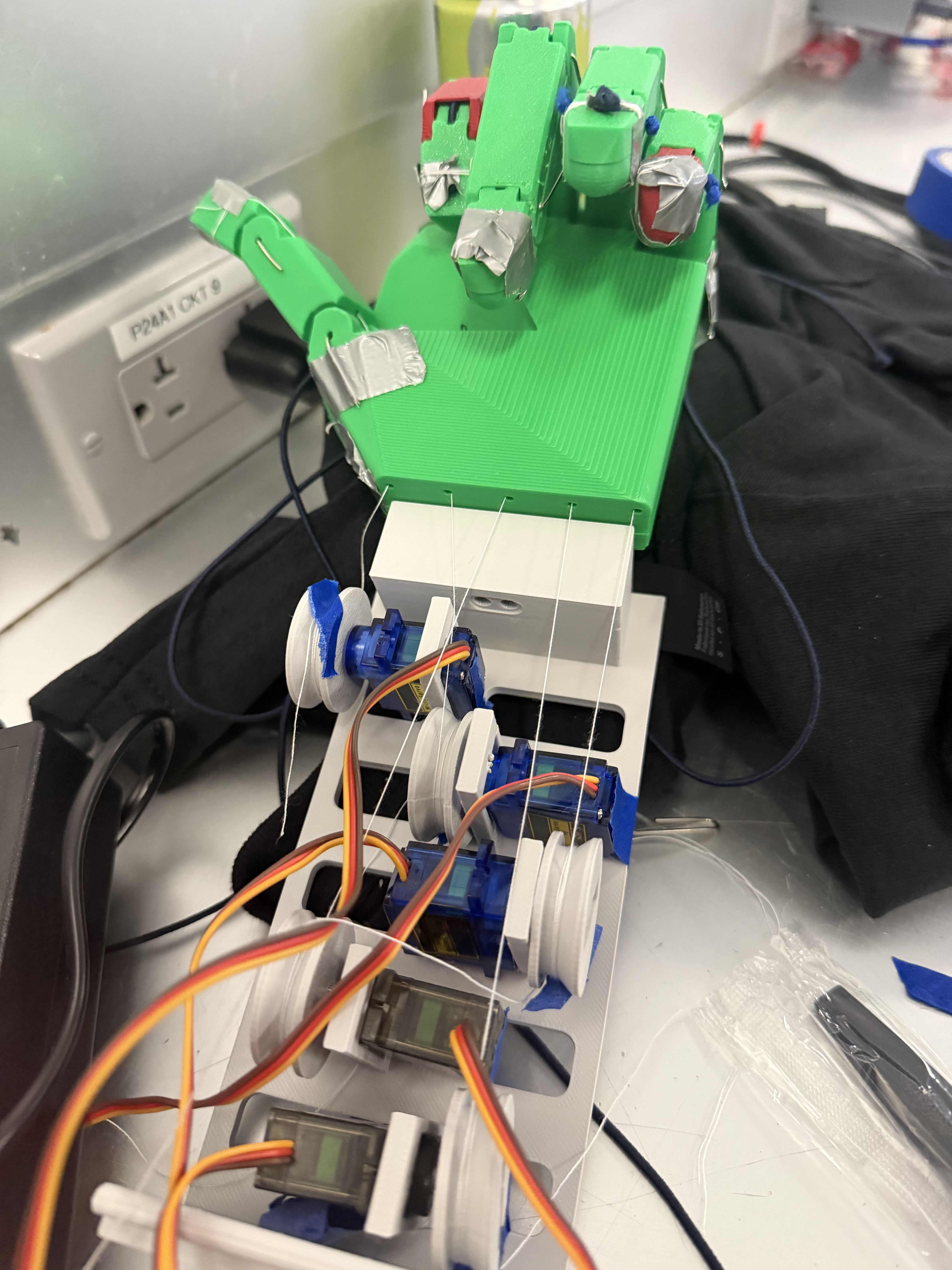
- Physical control: The laptop sends target finger positions over Bluetooth LE to an ESP32 driving a five-servo robotic hand. The physical hand and on-screen reference follow the same target as the teaching logic.
- Development process: We used Cursor extensively throughout our software development, as our core AI coding agent. It helped us write and refactor the Flask teaching API, the MediaPipe pose-comparison logic, the OpenCV interface, and the ESP32 firmware and Bluetooth controller, and to debug problems along the way.
- Credit: The robot hand is based on the free Tendon-Driven Robot Hand design by Shapekit (https://shapekit.cc/robot-hand), licensed under CC BY-NC 4.0. We printed and assembled it during the hackathon, and wrote our own servo control, Bluetooth protocol, and pose tables for it.
An OpenCV interface combines the camera view, digital hand, feedback, and progress. Pose checks and success cues run locally, so a result doesn’t wait on another voice response.
Challenges we ran into
- Consistency: The explanation, robot pose, and camera verdict all had to refer to the same letter. Sharing one target across the teaching logic, visualization, and robot controller solved it.
- Recognition: Checking open or closed fingers wasn’t enough. Similar letters differ in thumb placement or fingertip contact, so we added geometric checks.
- Hardware: Frequent Bluetooth updates and simultaneous servo movement caused connection problems. We switched to sending final target poses, staggering finger movements, and reconnecting when needed.
- Responsiveness: Voice and vision run at different speeds, so we kept pose checks local.
Accomplishments that we’re proud of
We got the full loop working on physical hardware: a spoken request moves the robot, the learner copies it, the camera evaluates the attempt, and the tutor responds. We’re most proud that a learner can change a finger after a correction and watch the system recognize the new pose. We also built guided practice, quizzes, and memory exercises on the same hardware. The prototype covers supported static letters, and motion and more complex articulation are future work.
What we learned
Multimodal interaction works best when each channel contributes something useful: voice while your hands are busy, the robot as a physical reference, vision to observe, and the screen and chime to confirm. The channels need shared state and different response times. Hardware limits, from Bluetooth behavior to which handshapes the mechanism can demonstrate, shape the experience directly. Working with Cursor let us iterate quickly across the whole stack, from firmware to vision code, which mattered with only 24 hours.
What’s next for ECHO
Next, we want to evaluate the handshapes and feedback with Deaf educators and beginner learners, measuring recognition errors, how useful corrections are, and whether learners can reproduce a letter without the robot showing it. We also want to compare the robot with an on-screen reference to see where it adds the most, and improve thumb and wrist articulation and cross-user calibration.
ECHO focuses on fingerspelling practice as one part of learning ASL, alongside Deaf-led instruction and real conversation.
Built with: Cursor, Python, ESP32, PlatformIO, Bluetooth LE, Bleak, MediaPipe, OpenCV, NumPy, Pillow, Flask, Grok, Cloudflare Tunnel, Shapekit Tendon-Driven Robot Hand (CC BY-NC 4.0), servo motors.
