
Inspiration
Every team has the same five workflows they run by hand every week. Sort the inbox, post the metrics to Slack, follow up on the new leads, fill the report, archive the receipts. The thing nobody admits out loud is that a human in the loop is the most expensive part of automation, not the script.
We'd been following Microsoft's Skill Recorder and loved its shape, but it was an Electron app, it required the Copilot CLI, and it didn't have a path for an AI agent to actually call the workflows. WebMCP — a standard for letting web pages expose structured tools to in-browser AI agents — changed that. It said: a website can register its buttons as tools, an agent can see them, and the user can ask the agent to do the thing. We wanted to build that, end to end, on top of Echo.
What it does
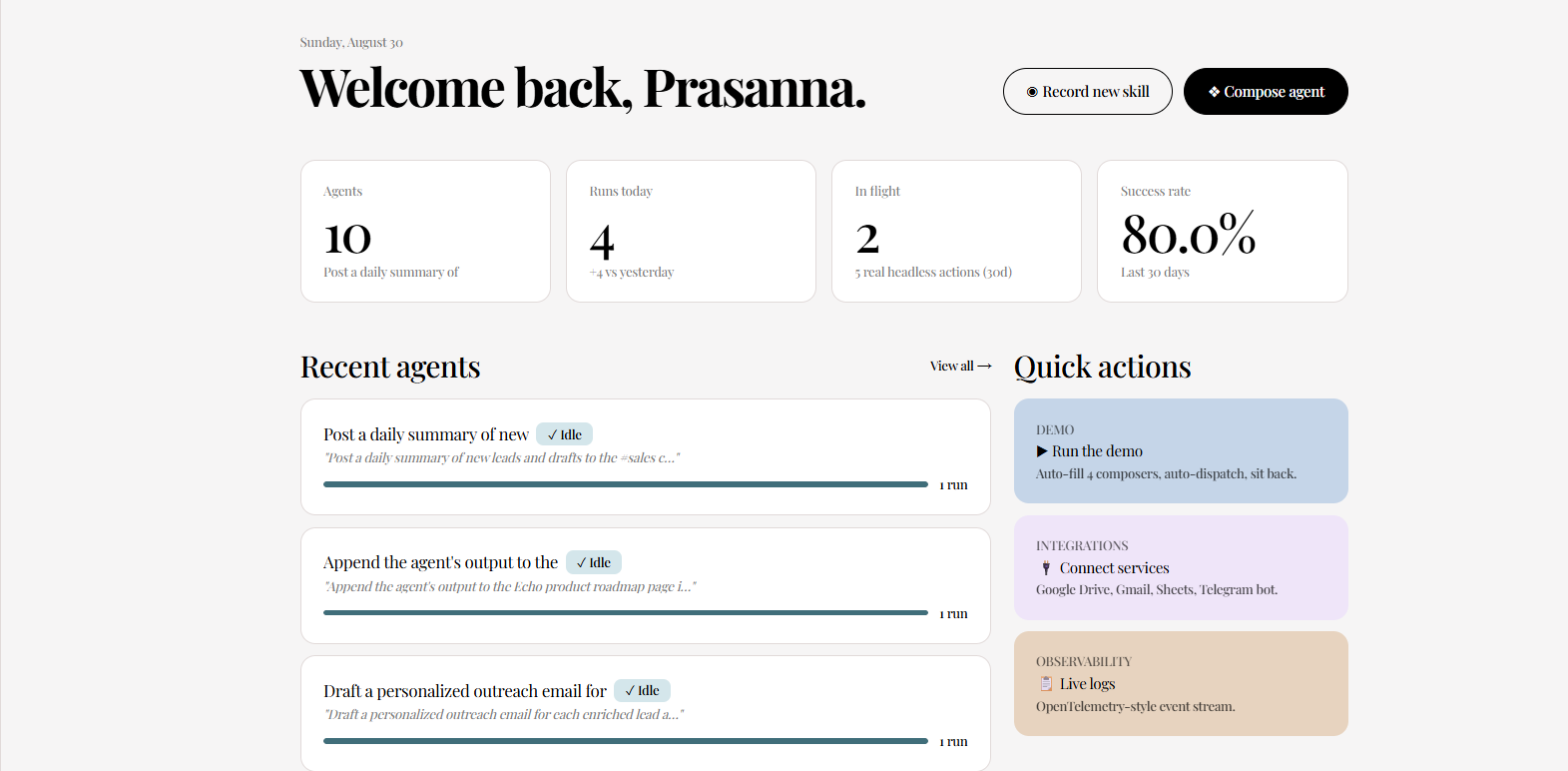
Echo is a multi-composer agent-skill platform. Two halves:
- The Recorder records a screen via
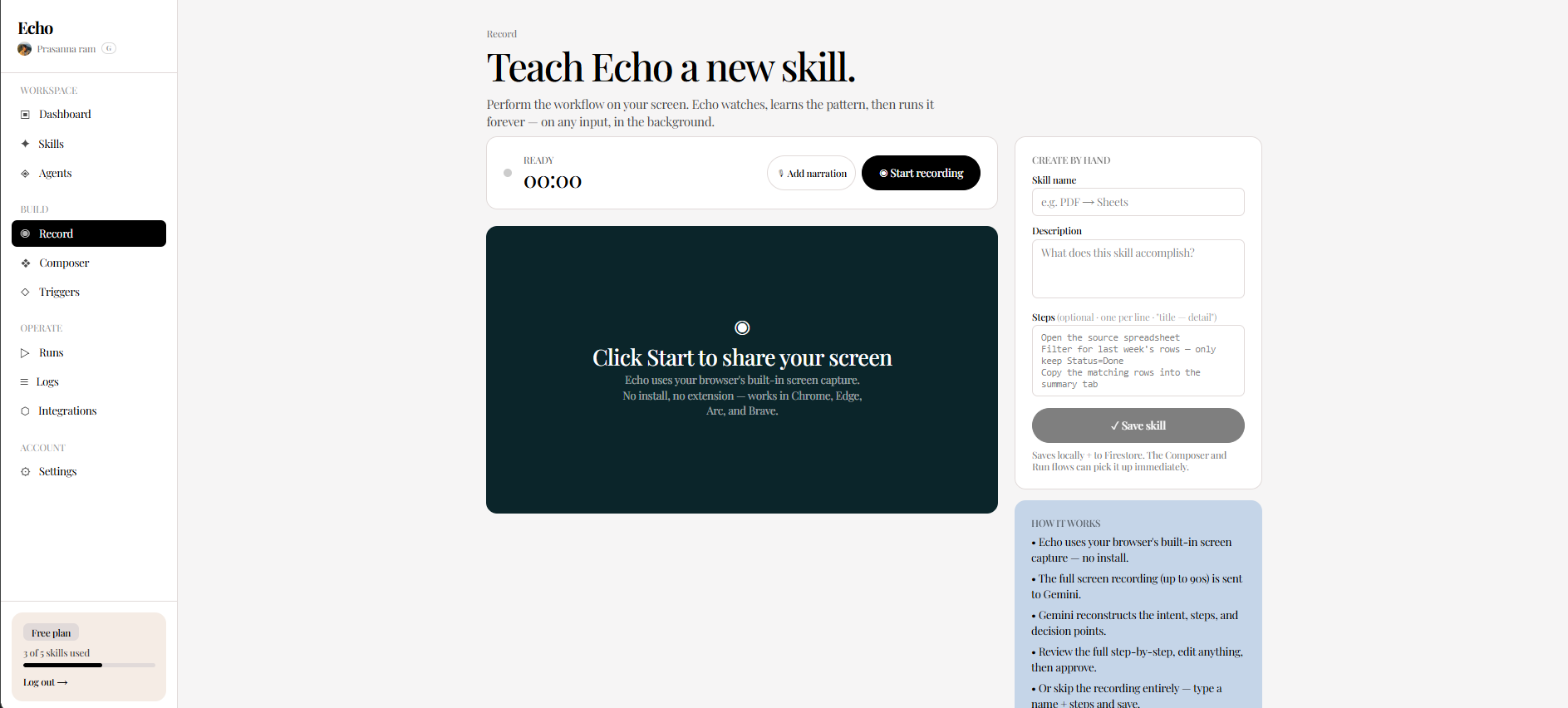
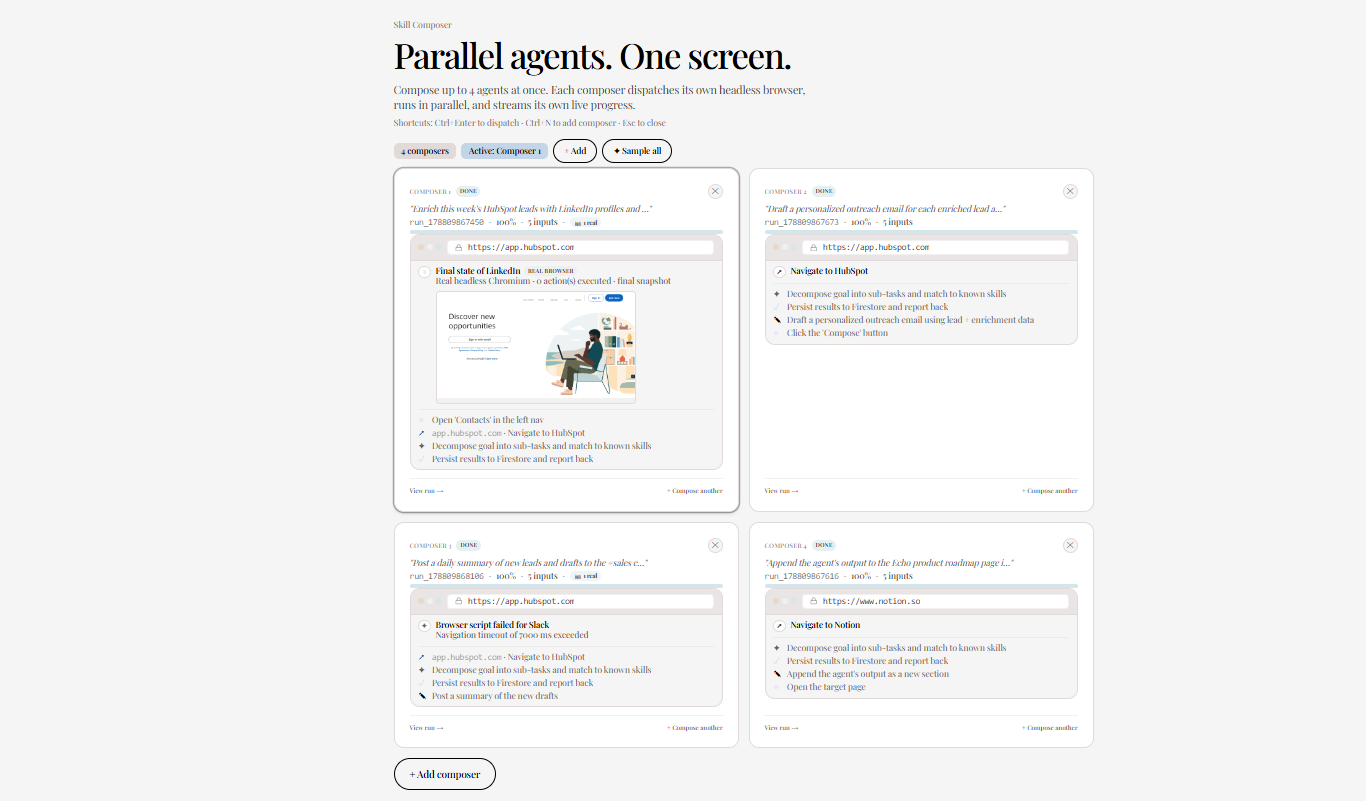
navigator.mediaDevices.getDisplayMedia, ships the frames + a browser-level event timeline to a Describer LLM, and produces a structuredSkillPlan(an ordered list of steps, each mapped to a tool from Echo's catalogue, with{{token}}placeholders for anything dynamic). The result is a portableSKILL.mdfile. - The Composer is a 2×2 grid of parallel agents. Each slot owns its own goal, plan, dispatched run, and live progress. Dispatch all four and they run in parallel against a real headless Chromium.
The WebMCP integration exposes the whole dashboard to an in-browser agent. Open /compose in Chrome with the WebMCP flag enabled, install the Model Context Tool Inspector extension, and you see 29 tools registered on the page:
- 5 global tools (available on every Echo page):
navigate_echo,get_echo_status,show_toast,wait,echo_ping. - 6 composer tools:
preview_echo_plan,compose_echo_agent,set_composer_goal,start_planning,dispatch_current_plan,get_composer_state. - 7 skills tools:
list_skills,get_skill,find_skills_by_name,get_skill_md(returns the portable markdown),create_skill_from_text,dispatch_saved_skill,delete_skill. - 5 runs tools:
list_runs,get_run,get_run_stats,find_runs_by_goal,cancel_run. - 6 agents tools:
list_agents,get_agent,dispatch_saved_agent,archive_agent,delete_agent,get_agents_overview.
The headline tools: tell the agent dispatch_saved_skill with a skill id and a goal, and a real headless-browser run starts. Tell it get_skill_md with any skill id, and it gets back the full portable markdown it could paste into any other runtime. Tell it compose_echo_agent with a plain-English goal, and it gets back a structured plan, then a runId, then a real stream of progress events.
The live site is at echo-one-liard.vercel.app. Sign in, navigate to /compose, and the topbar shows a WebMCP · 29 tools pill. Click it for the live tool list and a link to the Inspector extension.
How we built it
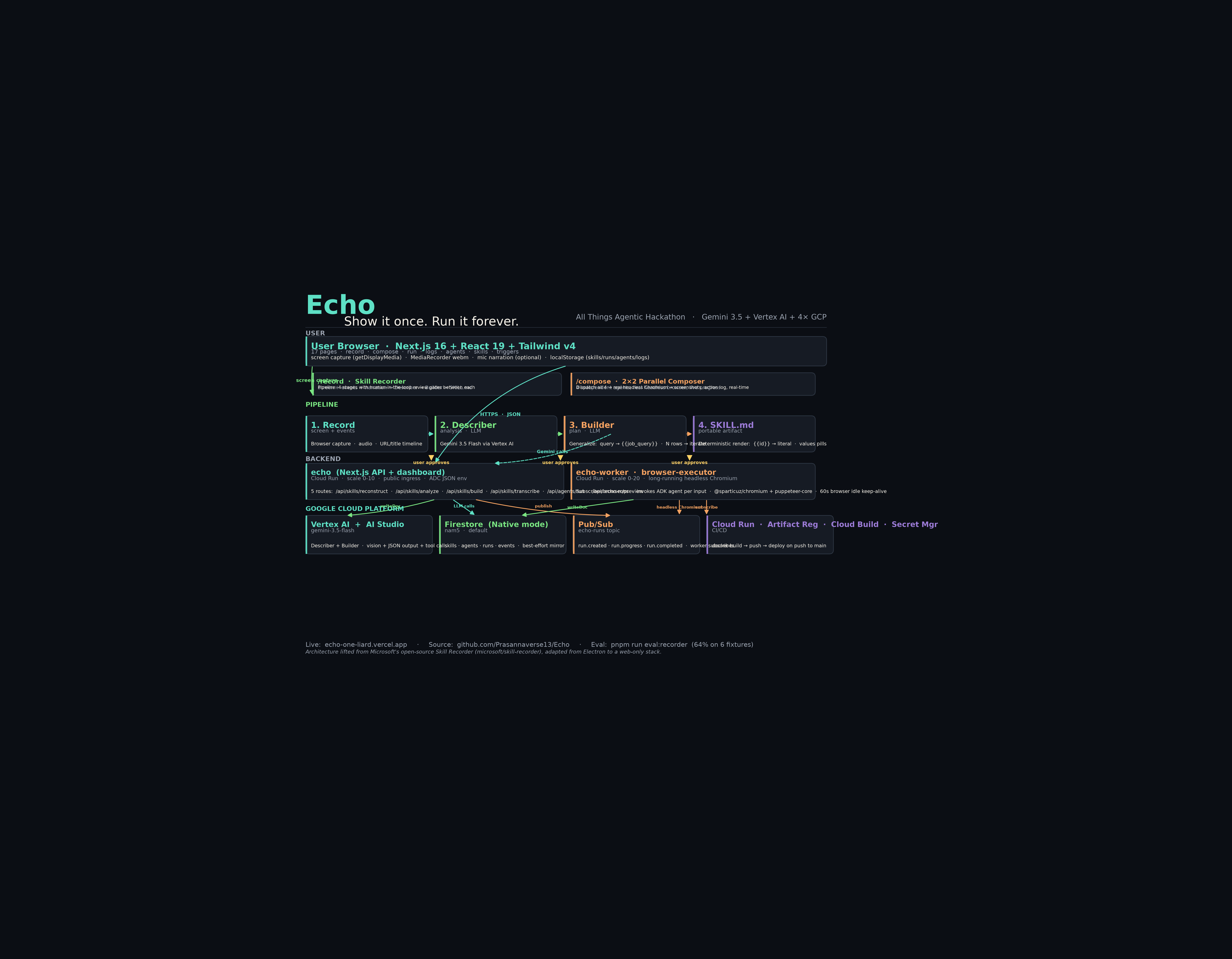
The architecture is a single Next.js 16 + React 19 app, deployed on Vercel. The WebMCP layer is a thin src/lib/webmcp/ folder:
types.ts— TypeScript declarations for the WebMCP API surface (document.modelContext.registerTool, the content envelope, the result shape, the annotations). No new dependencies — the API is browser-native.use-webmcp.ts— a React hook that feature-detectsdocument.modelContext, registers a list of tools on mount, and unregisters them atomically on unmount via oneAbortController. The tool body is looked up from a ref-map on every invocation so a body-only update never forces a re-register.- One file per page:
global-tools.ts,composer-tools.ts,skills-tools.ts,runs-tools.ts,agents-tools.ts. Each file exports abuildXxxTools()function that returns the page's tool set. webmcp-badge.tsx— a topbar pill that pollsdocument.modelContext.getTools()every two seconds and shows the live count. Click it for the full list + Inspector link.webmcp-toast-host.tsx— listens for theshow_toasttool'secho:webmcp:toastwindow event and renders a transient notification.
Every tool declares its inputs as a JSON Schema (type: "object", properties, required, enum) so the agent can validate before calling. Read-only tools set annotations.readOnlyHint: true; mutating tools leave it false. The execute function returns a plain JSON-serializable value; the hook wraps it in { content: [{ type: "text", text: JSON.stringify(result) }] } and catches thrown errors as { content: [...], isError: true }.
/compose is the headline page — it mounts all five tool sets so the full 29-tool surface is live. The other pages (/skills, /agents, /runs, /record) mount their page-local set plus the global five. The agent does the full "library-inspect → compose-plan → dispatch-run" flow from a single page.
Everything else in the project is unchanged: the existing Next.js API routes (/api/agents/compose, /api/agents/run-autonomous, /api/skills/save) are what the buttons hit and what the WebMCP tools hit. The WebMCP integration is a pure progressive enhancement — pages work exactly as before if the browser doesn't expose document.modelContext.
Challenges we ran into
- The stale-closure trap. My first pass captured the tool body at registration time. When the page state changed (goal text, plan, runId), the registered tool was still pointing at the old closure. Fixed with the ref-map pattern: the registration wraps the body in a function that looks up the latest body from
bodiesRef.currenton every invocation. Now a body-only update doesn't force a re-register. - Duplicate name collisions across pages. Several tools exist with the same purpose in different files (
list_skillsvslist_agentsvslist_runs). Names are unique across the codebase so we never collide, but I added explicitconsole.warnper failed registration to surface any future collision immediately. - Progressive enhancement without breaking the page. A WebMCP integration that crashes when
document.modelContextis undefined is worse than no integration. The hook is a no-op in that case; the badge doesn't render; the toast host listens but never gets events. The page is identical to the pre-WebMCP version. - The 29-tool discoverability problem. An agent landing on
/composefor the first time sees 29 tools in a flat list. The tool descriptions had to be clear and self-contained — no "see also", no implicit context. I rewrote every description to be standalone-readable, with explicitinputSchemaenums where the value space is bounded (route names, run statuses, agent statuses). - What "fully functional" means. The easy win is registering 29 tools. The hard win is making sure the output of every tool is something the agent can act on.
get_skill_mdreturns the portable markdown;dispatch_saved_skillreturns a runId and a server message;find_skills_by_namereturns summaries withidfields the agent can feed straight intodispatch_saved_skill. Every tool's output is designed to be a useful input to another tool call.
Accomplishments that we're proud of
- 29 WebMCP tools, all live on production. Every tool uses the spec-correct
document.modelContext.registerTool()API. Every input is a JSON Schema. Every read-only tool setsreadOnlyHint: true. The 29-tool count is verifiable: open the badge in the topbar on/compose, click it, count. - One page mounts the full surface.
/composeregisters all five tool sets — composer, skills, runs, agents, plus the global five — so an agent can do the entire library-inspect → compose-plan → dispatch-run loop from a single URL. - The portable markdown is the artifact, not an afterthought. The Recorder produces a
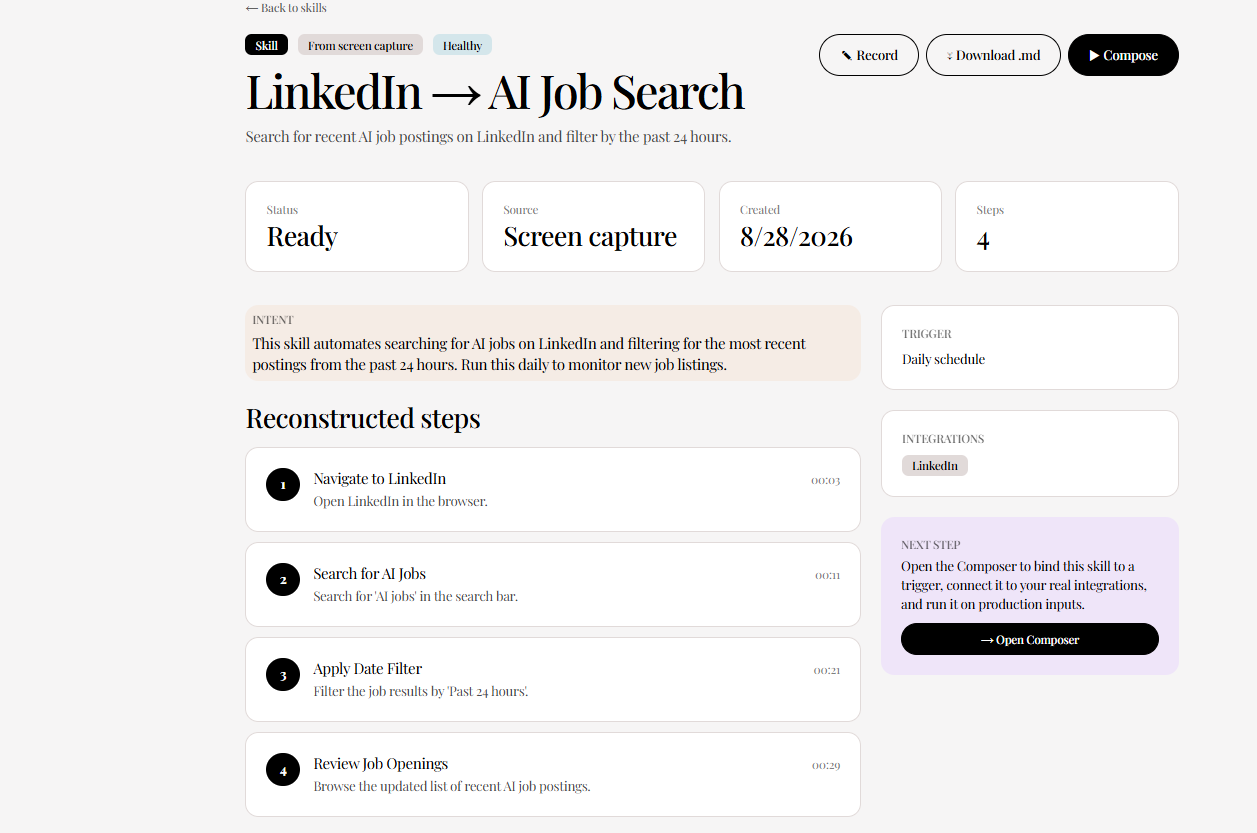
SKILL.mdfile with YAML frontmatter, parameterized body, rules, and error codes. Theget_skill_mdtool returns that exact markdown. An agent that wants to use a skill elsewhere can take the markdown and run with it. - Real headless, not a mock. When a tool dispatches a run, the agent runs in Vercel-hosted Chromium (
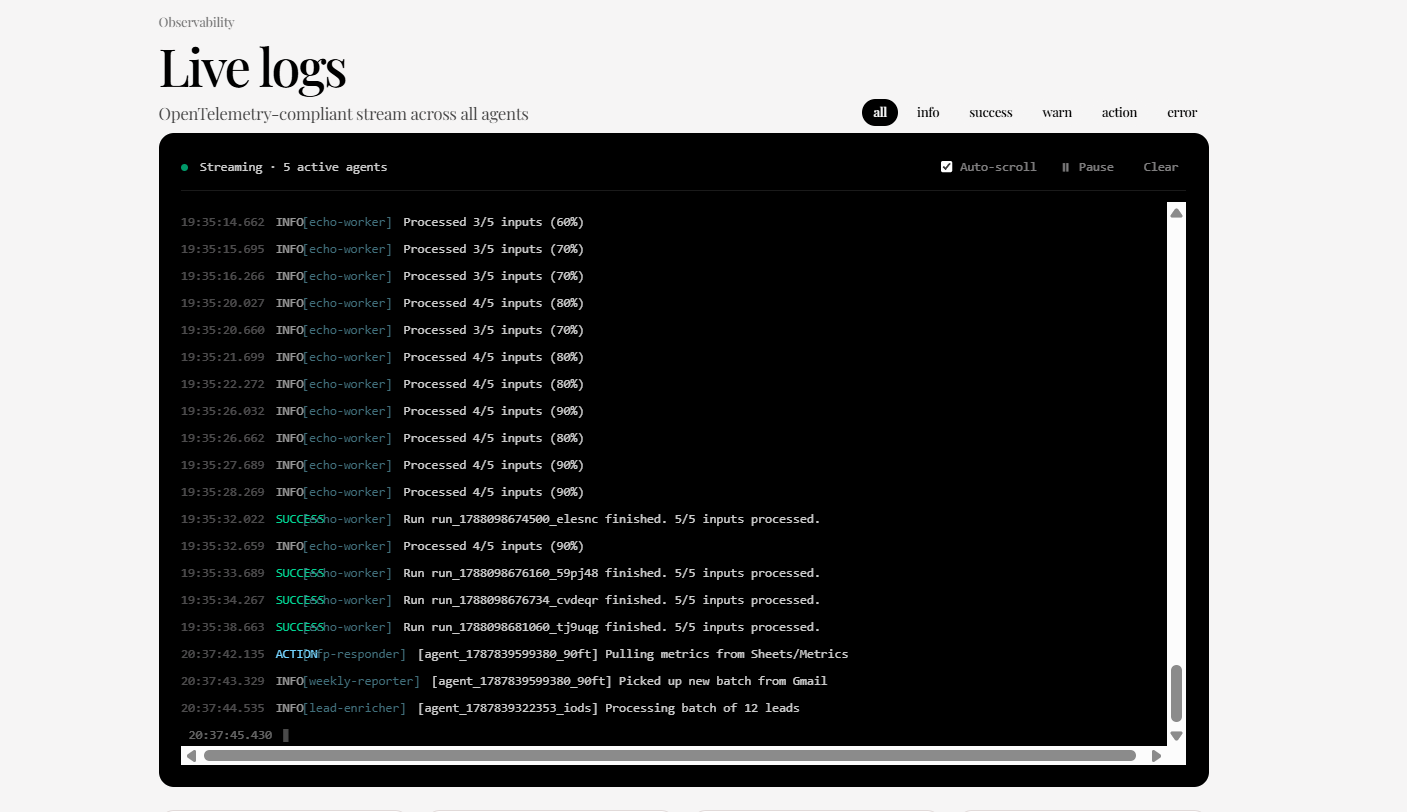
@sparticuz/chromium+puppeteer-core) with real screenshots and a real📸 1 real headlessbadge on the runs page. Not a simulator. - Eval harness on the recorder side.
pnpm run eval:recorderruns 6 fixture recordings through the real Describer + Builder and scores each on tokens, no-forbidden-phrases, tool picks, step count, generalization, and browser-kind. 60% gate, currently 64% — the eval caught a real tokenization regression that I fixed by tightening the Builder prompt.
What we learned
- WebMCP is the right shape. The 4-phase pipeline (Record → Describer → Builder → SKILL.md) and the WebMCP tool surface are the same idea: structured schemas, human-in-the-loop gates, and a portable artifact at the end. The standard is genuinely enabling, not just a spec to comply with.
- The hard part isn't registering the tools — it's the tool descriptions. An agent picks which tool to call by reading the description. "List Echo skills from local storage" is worse than "List Echo skills from local storage, most recent first. Returns id, name, description, trigger, integrations, and whether the skill has a Describer analysis and/or Builder plan attached. Use find_skills_by_name to narrow by keyword." The second one tells the agent what shape the result is in and when to use a related tool. Tool descriptions are UX.
- Progressive enhancement is the only sane default. A WebMCP integration that requires the flag to be on is fine. A WebMCP integration that requires the flag to be on and crashes the page is a bug. The hook is a no-op when
document.modelContextis undefined, and the page is otherwise unchanged. Test that early. - Stale closures will eat a day. A React hook that registers a tool on mount and captures the body once will silently serve stale data the moment any page state changes. The fix (ref-map lookup on every invocation) is two lines, but the failure mode is invisible — the tool still works, it just returns old data.
- One page should mount the full surface. The agent shouldn't have to navigate between
/compose,/skills,/agents, and/runsto do the full flow./composeexposes the full 29-tool set, and the other pages expose page-local sets for the human-first flow. Best of both.
What's next for Echo
- Self-critique pass in the Builder. A second LLM call after the first plan that asks "did you miss any tokens?" — should push the recorder eval from 64% to 80%+.
- Declarative HTML tools. WebMCP supports a declarative API for annotating form elements as tools. Echo's
/recordpage has a 60-second timer and a one-button form; that maps cleanly to a declarative tool. Lower-friction for browser authors than writing JS. - Real OAuth for the integrations. The Builder can already pick
gmail_draft,slack_post,hubspot_note, andnotion_createfrom the catalogue. What it's missing is the OAuth handshake. Wire that up and the existing tool catalogue becomes a real "agent for the rest of your SaaS" layer. - A public tool marketplace. The
get_skill_mdtool is the natural primitive for a "share my SKILL.md" flow. Public library of{{value}}tokens + skill templates, browsable in the Inspector extension, installable in one click. The WebMCP ecosystem gets a skills library; we get distribution. - Chrome extension for OS-level event capture. Browser-level event capture is enough for 80% of workflows (LinkedIn, Gmail, Sheets, Notion). The other 20% — desktop apps, file system, terminal — needs a Chrome extension. The architecture is already shaped for it: same Describer + Builder pipeline, same
SKILL.mdoutput, just a different capture layer.
The repo is open-source at github.com/Prasannaverse13/Echo. Demo at echo-one-liard.vercel.app.
Built With
- aiagents
- chrome
- gemini
- javascript
- nextjs
- puppeteer
- python
- react
- tailwindcss
- typescript
- vercel
- webmcp

Log in or sign up for Devpost to join the conversation.