Inspiration
It was an idea that came about after realizing the previous ideas I had been implemented by google already, such as the Live translation caption. So, the idea for eCat came from a desire to make browsing more engaging and practical by combining fun with functionality. The animated cat adds a lighthearted element to the browsing experience, while tools like AI chat and translation bring real value to the users. The goal was to create something that could entertain while also being genuinely useful.
What it does
eCat is a Chrome extension powered by Google's Gemini REST API and Translate API. It provides users with features like AI-powered chat, instant text translation, and customization options for the cat's appearance. The extension allows users to resize the interface, hide or run the cat, and interact with it dynamically, blending utility with entertainment.
How we built it
eCat was built using JavaScript, HTML, and CSS for its frontend and functionality. The backend relies on Google's Gemini REST API for advanced AI-driven chat capabilities and Google Translate REST API for seamless text translations. The interface was carefully designed to be intuitive and responsive, offering easy-to-use buttons and draggable components for flexibility.
Challenges we ran into
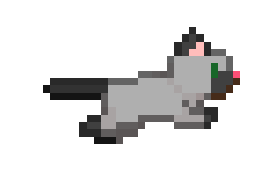
It was the first time I've ever attempted to build a chrome extension so there many challenges I ran into. One of the main challenges was creating the cat animation, it was also my first time working with sprite images so it was an enlightening experience. Another challenege was integrating multiple APIs smoothly while maintaining a responsive and lightweight interface. Managing the interplay between dynamic animations, user inputs, and API responses required alot of testing and debugging. Ensuring that the cat's playful animations didn't compromise usability also proved to be a tricky balance.
Accomplishments that we're proud of
I'm proud of successfully integrating Google's AI APIs into a fun and interactive Chrome extension. Creating a responsive and visually appealing UI, complete with animated elements, was a rewarding achievement. Additionally, striking the balance between functionality and entertainment made the project unique. I able to build my first Chrome extension so I'm happy that I was able to make one.
What we learned
This project taught me valuable lessons in API integration, JavaScript event handling, and user interface design. I learned how to efficiently combine practical tools with playful design, ensuring that neither aspect overshadows the other. The process also enhanced my problem-solving and debugging skills.
What's next for eCat
Moving forward, Iplan to expand eCat’s features by adding more customization options for the cat’s appearance and animations. I also aim to enhance the AI chat functionality with more context-aware responses and potentially integrate additional APIs for broader functionality. Additionally, I’d like to gather user feedback to refine the experience further and explore open-source collaboration. This is so I can look towards publishing the extension
Built With
- css3
- gemini
- html5
- javascript
- translation-api


Log in or sign up for Devpost to join the conversation.