-
-
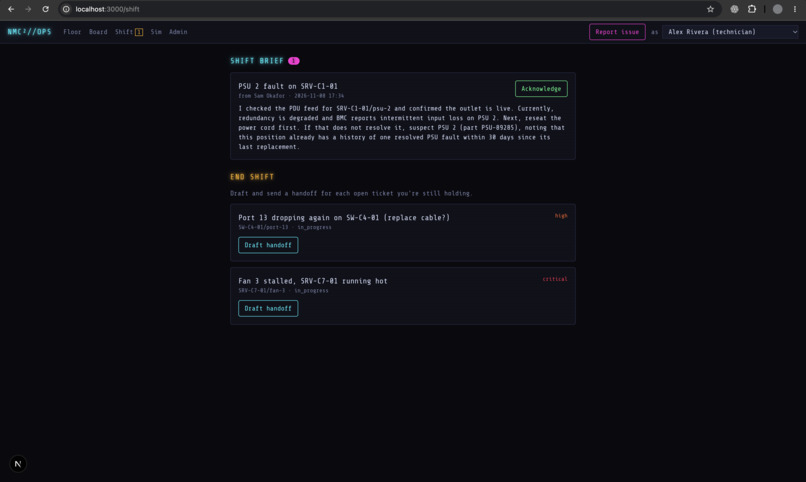
Agentic Handoffs
-
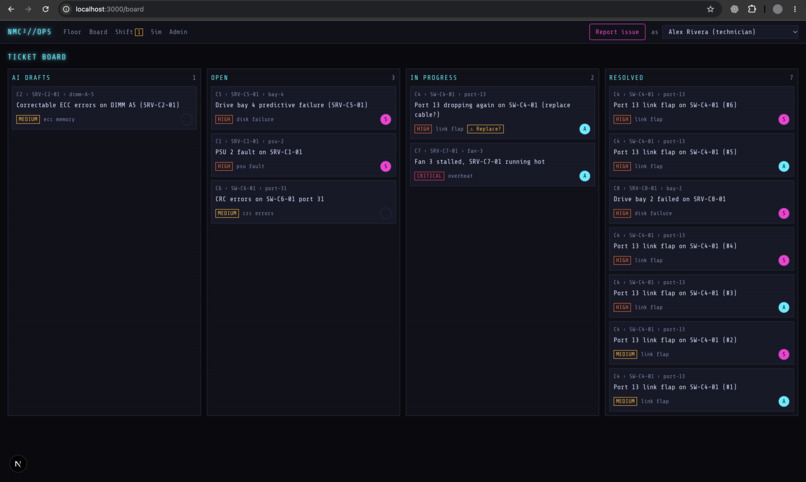
Dashboard
-
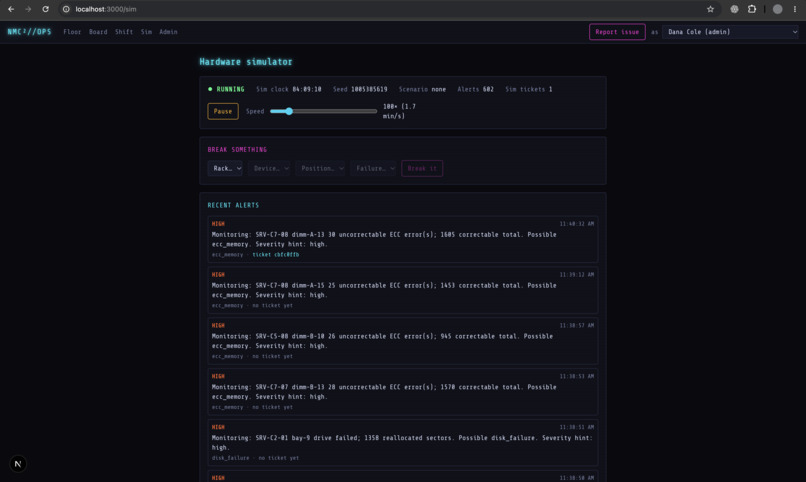
Simulation
-
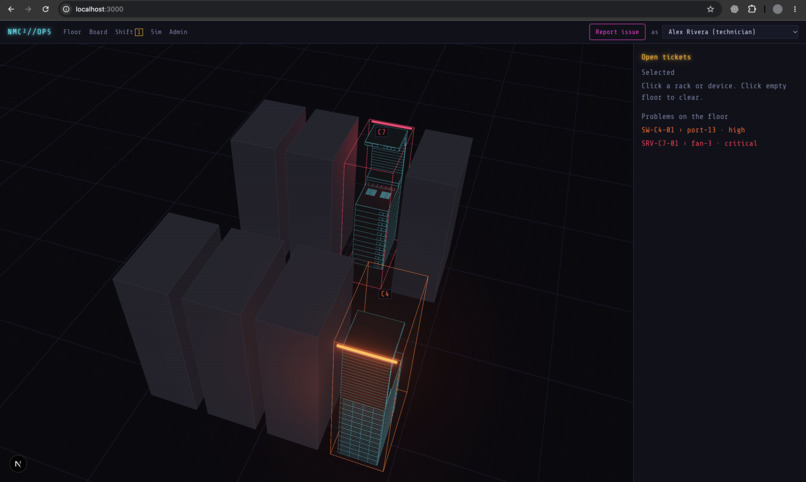
Model
Inspiration
We know people who've worked in colocated data centers, and human knowledge gaps can lead to big issues. One story stuck with us: a switch port that kept dropping, and three different techs reseating the same cable over a month. None of them knew the others had already tried it. Then there's shift change. Someone's halfway through a fix, their shift ends, and the next person walks in with no idea what was tried, what's been ordered, or what to keep an eye on.
In a colocation, every rack belongs to a paying customer, so those gaps turn into repeat outages. We wanted the data center itself to remember what happened, right down to the port.
What it does
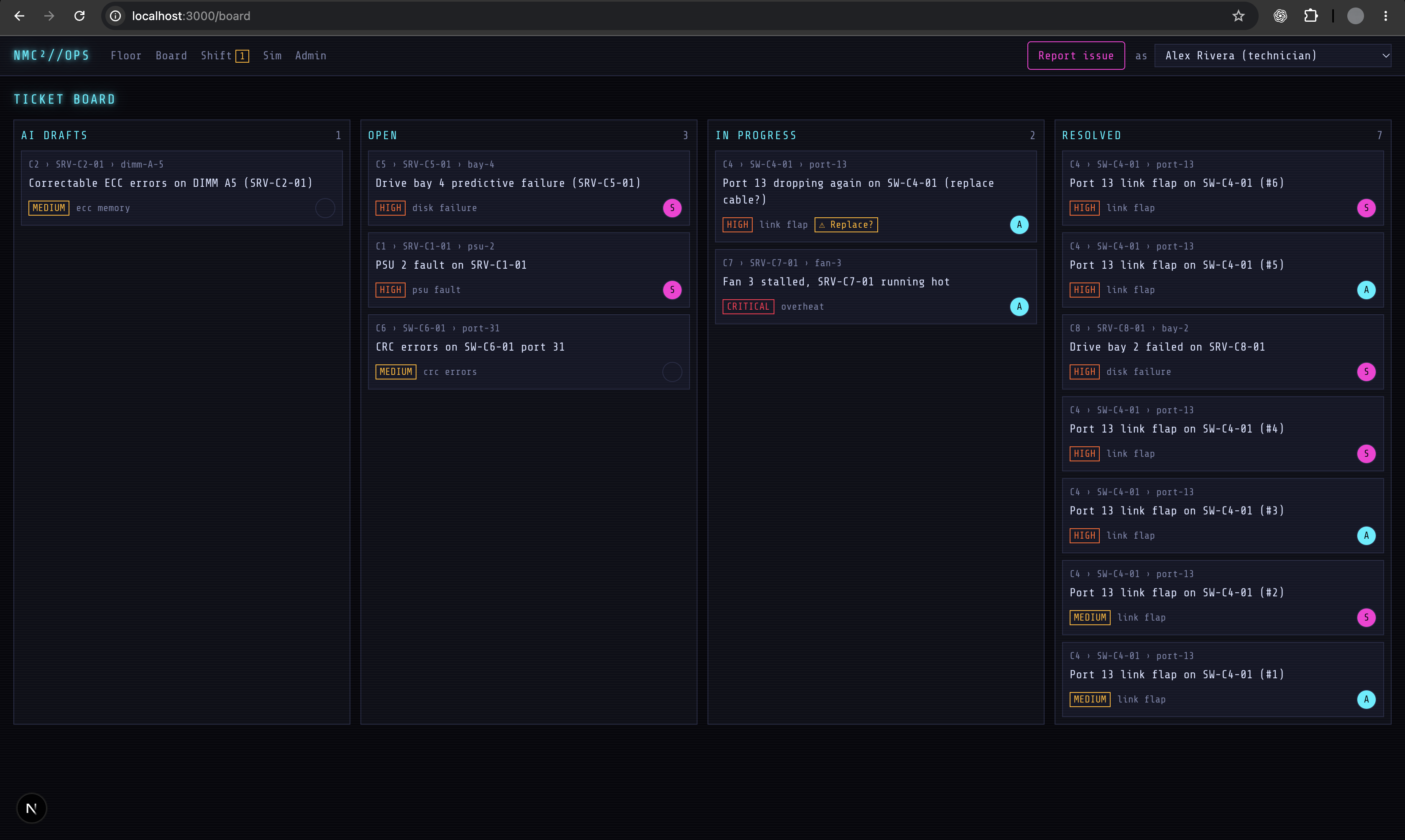
DCBK is a ticketing system where every ticket is tied to the exact part that broke: a specific switch port, drive bay, memory slot, fan or power supply. Over time each of those spots builds up its own history. Click port 13 on a switch and you see every time it failed, what people did about it, and which cables have been swapped in and out.
When the same problem keeps coming back to the same spot, the app flags it with a "Replace?" badge, and an AI summary spells out what hasn't worked so far (for port 13 it says reseating hasn't held, so replace the cable or SFP).
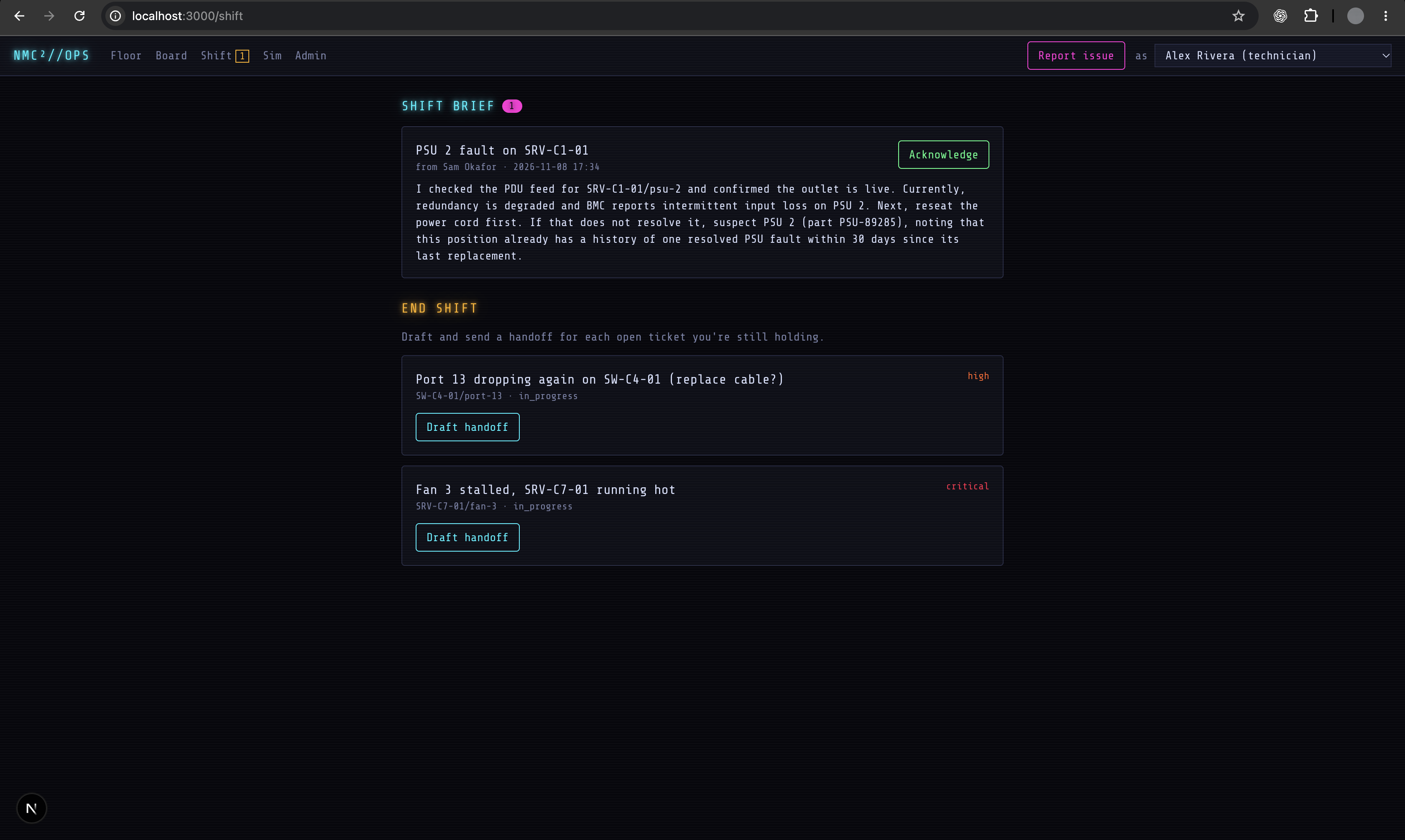
Techs can just describe a problem in plain English, like "port 13 on the C4 top switch dropping again". The AI turns that into a draft ticket pointing at the right rack, device and port, and a person approves it. At the end of a shift, the AI also drafts a handoff note for each open ticket from its work log. The tech edits it and sends it to someone approved to work on that customer's equipment. Once the next person acknowledges it, the ticket is theirs.
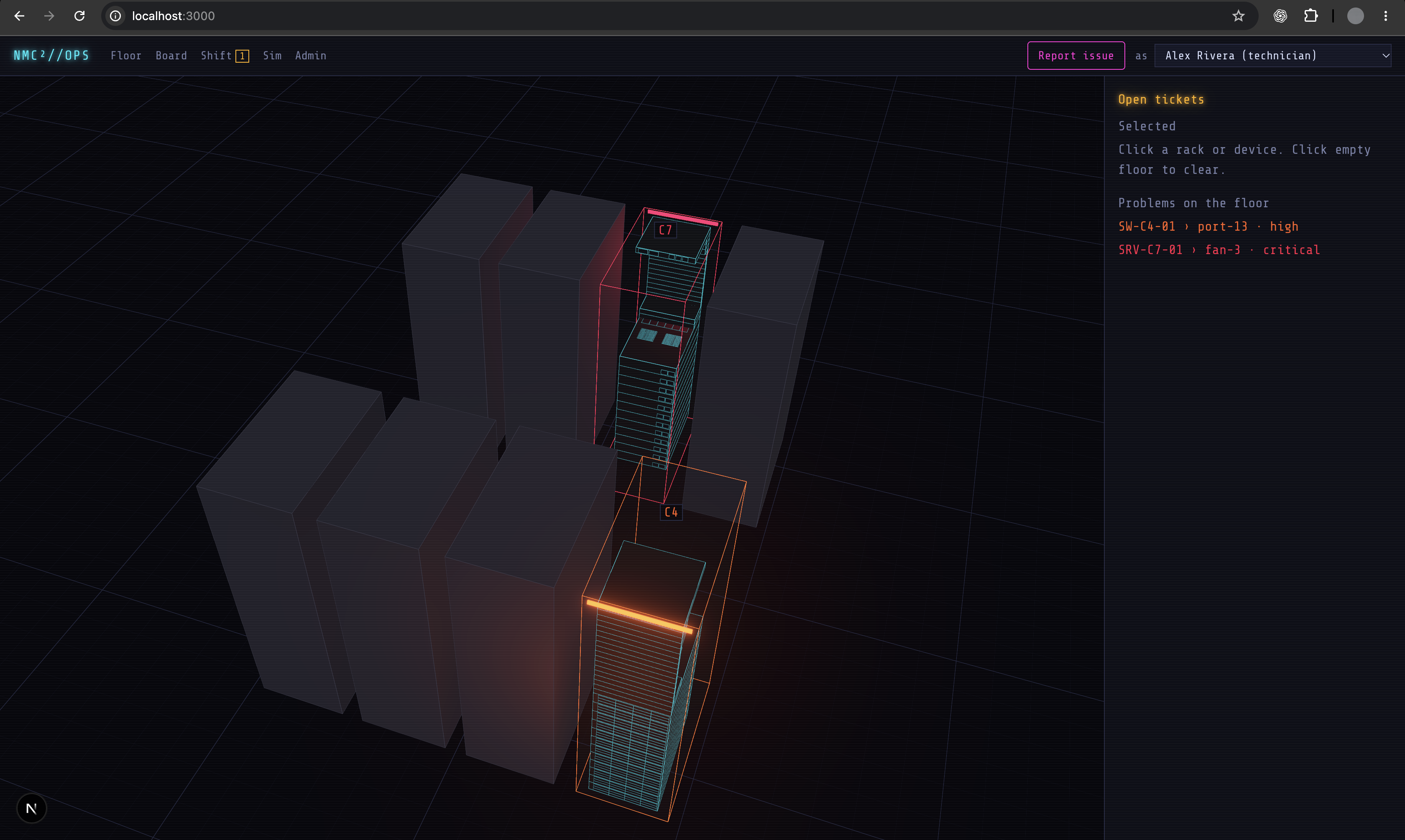
All of this sits on top of a 3D model of the data hall. Racks glow by their worst open problem, and clicking one flies the camera in to the exact port. If the problem is a fan or memory inside a server, the server slides out on its rails the way it would in real life. There are step by step 3D guides for swapping cables, SFPs, fans, power supplies, drives and memory, with Back and Replay so you can go over a step again.
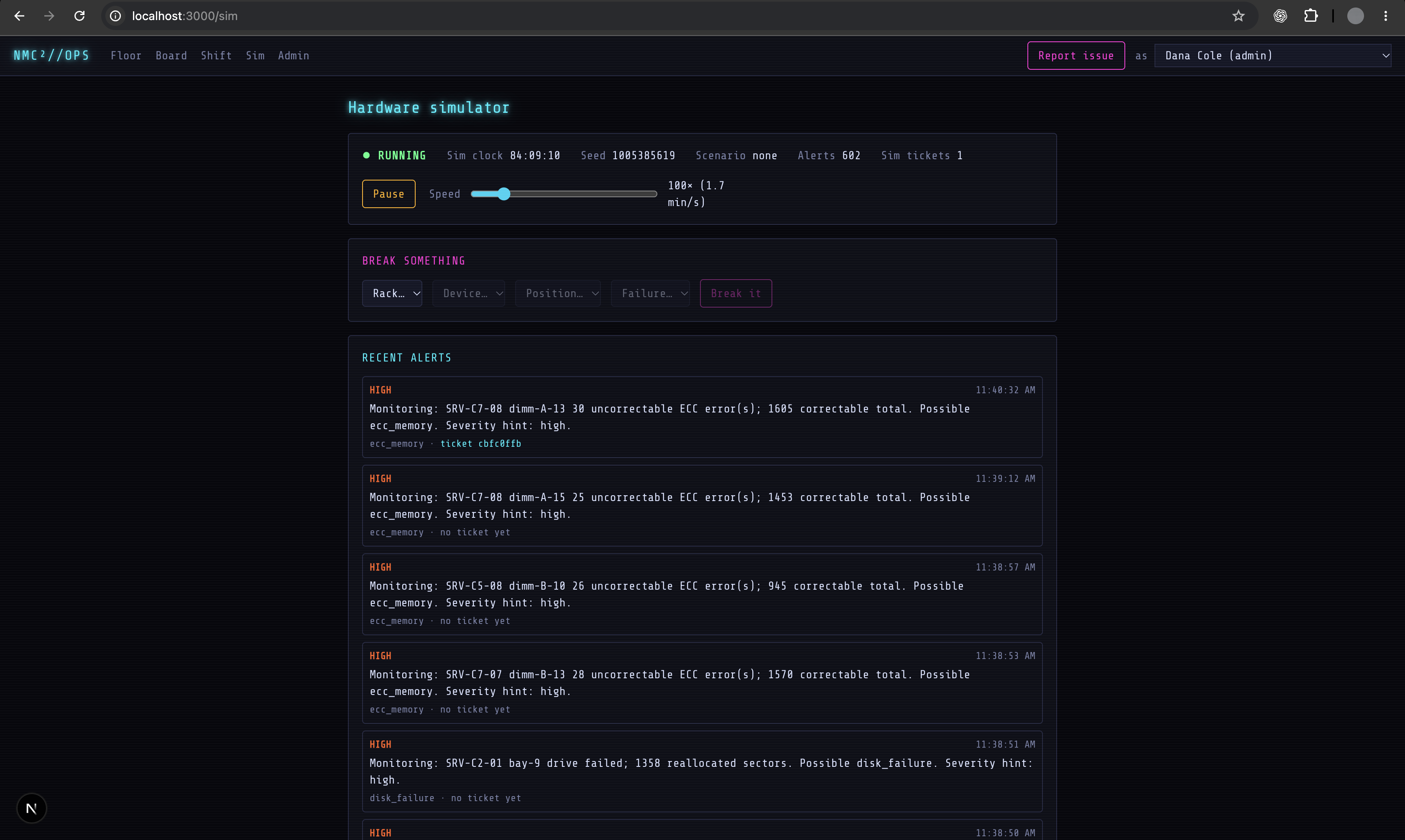
Who sees what works like a real colo too. Customers only see their own racks. A subject matter expert told us technicians should only see the jobs assigned to them, so that's how it works, and shift leads see everything. A hardware simulator runs in the background, slowly wearing parts out and raising alerts, so the problems on the floor aren't scripted.
How we built it
It's a Next.js and TypeScript app with a Supabase Postgres database. Supabase Realtime drives the live board updates and handoff notices. The 3D floor uses react-three-fiber, with a bloom effect for the neon glow.
The piece we're proudest of is the chassis builder. It takes real dimensions from spec sheets (a Cisco Catalyst 9300 style switch and a Dell R750 style server) and builds the 3D models from them, with each port and bay as its own object named exactly like its database record. That's what lets a ticket light up the right port. Across 240 devices, that's 5,448 parts you can click, ticket and repair.
The AI runs on Gemini. We validate every response against a schema, retry once if it's malformed, and keep cached answers for the demo script so a flaky API call can't sink the presentation.
The repeat-failure rule is deliberately simple and not AI at all. A position $p$ gets flagged for an issue category $c$ when
$$\big|{\, t : t \text{ at } p,\ t \text{ is category } c,\ t \text{ after } \max(\text{now} - 30\text{ days},\ \text{last part swap at } p)\,}\big| \ge 3$$
Swapping the part resets the count, so a real fix clears the flag on its own.
We split the work three ways (3D, data and access, AI and workflows) and agreed on shared TypeScript types up front, which let us build in parallel without waiting on each other.
Challenges we ran into
Sharing one database between three people got messy. At one point old seed data left four phantom racks sitting exactly on top of real ones in the 3D view, and we had to clean that up mid-build.
The 3D model and the database have to agree perfectly. If a mesh is called "port-13" but the database says something slightly different, the wrong port lights up. So we wrote a check that builds every device and confirms all 5,448 parts match.
Realism kept biting us. Once we filled the racks, the server above was sitting right on top of the fans we needed to show. That's how we ended up adding the slide-out rails. We also had both rows of racks facing the same way, blowing hot air into each other's fronts, which anyone who's worked in a data hall would spot immediately. We turned one row around to make a proper hot aisle.
The AI side had its own surprises. The model we'd been using was retired for new keys partway through the weekend, and the cached fallbacks are the only reason the demo didn't break.
Adding a Back button to the 3D repair guides was harder than it sounds. The animations only knew how to move forward, so going back means resetting the scene and quietly replaying the earlier steps.
What we learned
The useful knowledge in a data center lives at the level of individual parts, not servers or tickets. Small physical details like aisles, rails and what's hot-swappable are exactly what experts notice first. And AI is most useful here as a writer, not a decision-maker: a simple rule flags the problem, a person approves the ticket, and the AI writes the summaries and handoff notes nobody has time to write.
Built With
- claude
- gemini
- next.js
- supabase


