-
-
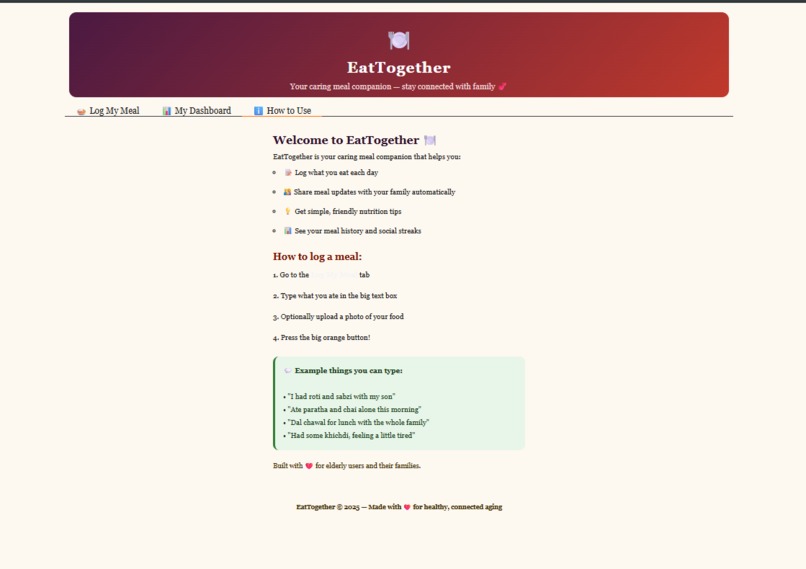
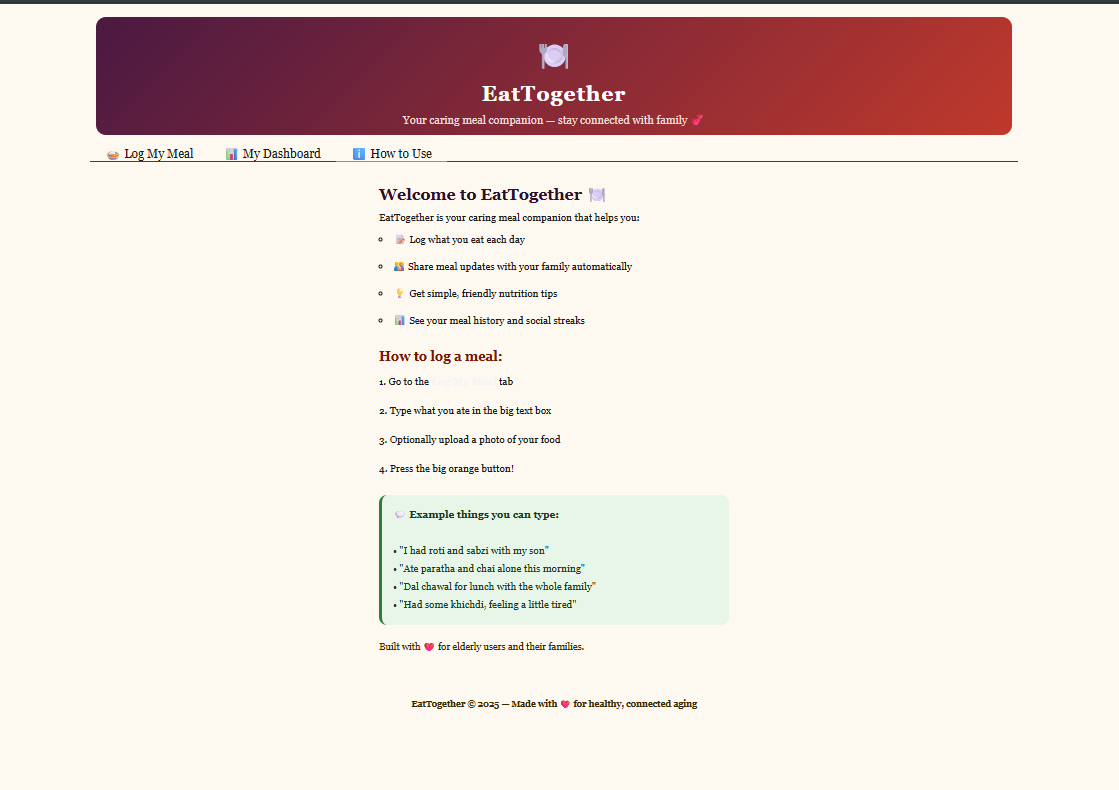
How to use this app??
-
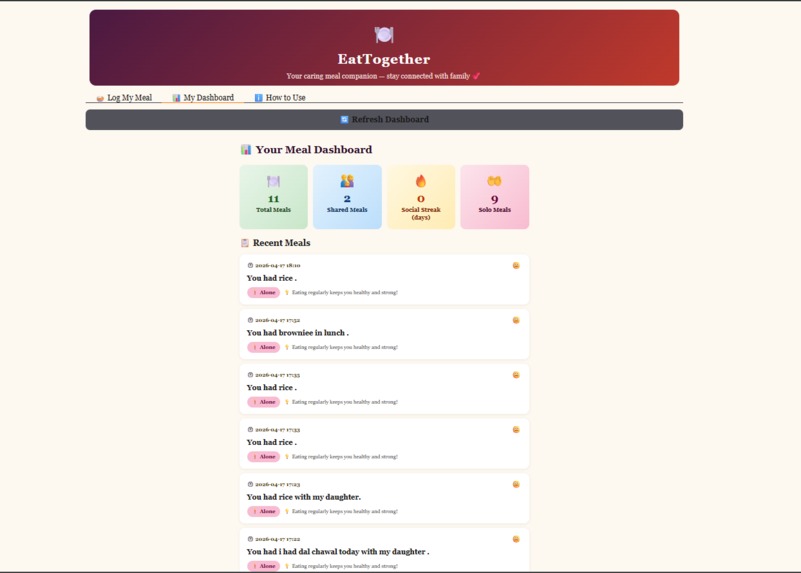
My Dashboard
-
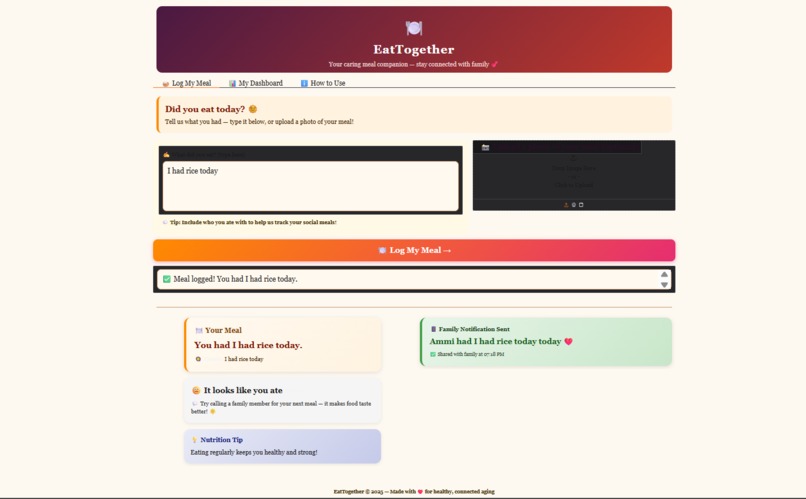
Main Page
Inspiration
The inspiration behind EatTogether came from a simple but deeply human observation — elderly people living alone often skip meals, eat in silence, and slowly disconnect from their families without anyone noticing. In many South Asian households, the dinner table is the heart of family life, but as parents age and children move away, that connection fades. We wanted to build something that bridges that gap — not through complex technology, but through something as simple and universal as food. The idea was to create a compassionate AI companion that turns meal logging into a moment of family connection rather than a chore.
What It Does
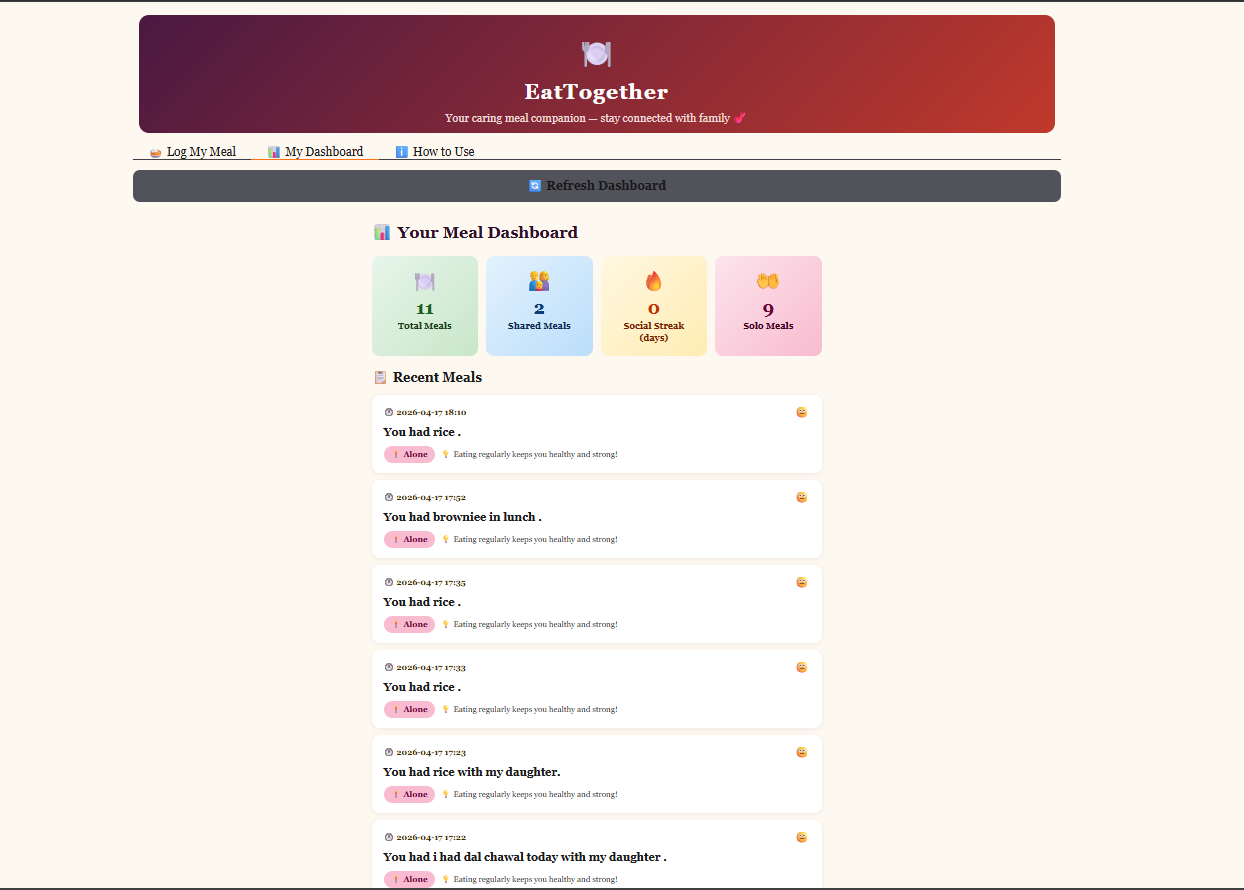
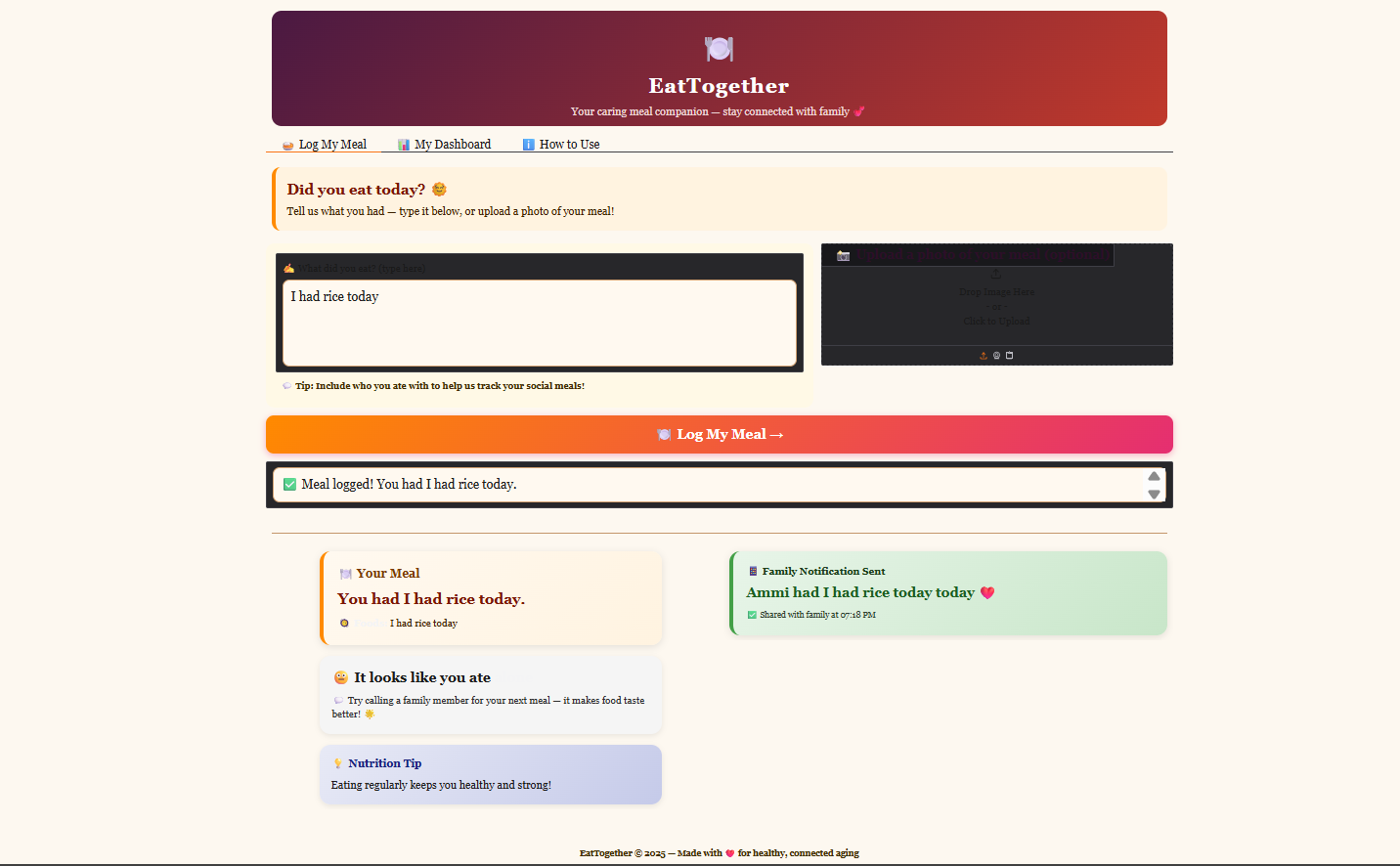
EatTogether is a voice-first, AI-powered meal logging app designed specifically for elderly users. The user simply describes what they ate — in plain, natural language like "I had dal chawal with my daughter" — and the app does the rest. It uses Google Gemini AI to parse the meal, detect the user's mood and social context (whether they ate alone or with someone), generate a warm nutrition tip, and automatically compose a family notification message. A live dashboard tracks meal history, social streaks, and alerts the family if no meal has been logged today. The interface is built with extra-large fonts, warm colors, and big buttons to ensure it is accessible and comfortable for elderly users.
How I Built It
The application is built entirely in Python and runs on Hugging Face Spaces. The UI is powered by Gradio, which allowed rapid prototyping of an elderly-friendly interface without writing any frontend JavaScript. Meal data is stored in a lightweight SQLite database using Python's built-in sqlite3 module — no external database server required. The AI backbone is Google Gemini 2.0 Flash, accessed via the official google-genai SDK. Gemini processes natural language meal descriptions and optionally analyzes uploaded food photos using its multimodal vision capability. Pillow handles image conversion before sending to the Gemini Vision API. The API key is stored securely as a Hugging Face Secret and accessed via os.environ at runtime.
Challenges I Ran Into
Several challenges came up during development. The first was SDK migration — the older google.generativeai package was deprecated mid-development and had to be replaced with the new google.genai client, which required rewriting all API calls. The second was deployment environment differences — code written for Google Colab used Colab-specific syntax (!pip install) and paths (/content/) that broke completely on Hugging Face Spaces. Getting the DB path, launch configuration, and package installation right for HF took multiple iterations. The third challenge was designing for elderly users — balancing large, readable text with a clean layout in Gradio's CSS system required careful overriding of default styles across labels, inputs, buttons, and tab components.
Accomplishments That I'm Proud Of
The biggest accomplishment is that the app genuinely works end-to-end — a user types a casual sentence, and within seconds they get a parsed meal summary, a nutrition tip, a sentiment reading, and a simulated family notification, all powered by a single Gemini API call. The dashboard's social streak tracker is a feature we're particularly proud of — it gamifies family connection in a gentle, non-intrusive way. We're also proud of the elderly-friendly design: large fonts, warm cream tones, high-contrast cards, and a layout simple enough for a first-time smartphone user to navigate without help.
What I Learned
This project taught several important lessons. On the technical side, we learned how to work with Google's latest GenAI SDK, handle multimodal inputs (text + image) in a single API call, and structure Gradio apps cleanly with separate functions for input handling, AI processing, and UI rendering. On the product side, we learned that accessibility is not just about font size — it is about reducing cognitive load at every step, from the button label to the output phrasing. We also learned how quickly deployment environments can break working code, and why environment-agnostic practices (relative paths, secrets management, no shell magic commands) matter from day one.
What's Next for EatTogether
The roadmap for EatTogether is exciting. The next step is real family notifications via WhatsApp or SMS using Twilio, so family members actually receive a message when their parent eats. We also want to add voice input so elderly users can simply speak their meal instead of typing. A weekly health report generated by Gemini — summarizing nutrition patterns, loneliness signals, and meal consistency — could be emailed to a family caregiver. On the AI side, integrating a personalized nutrition model that accounts for conditions like diabetes or hypertension would make the tips genuinely medical-grade. Finally, a mobile-first PWA version would make the app accessible without needing a laptop at all.

