-
-
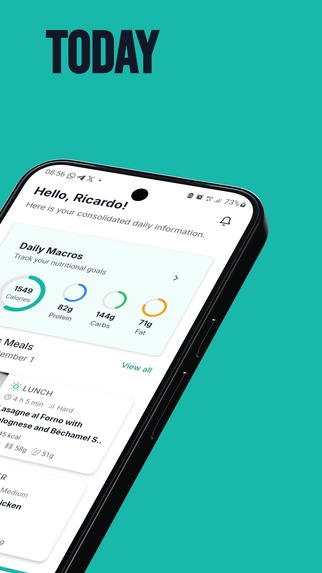
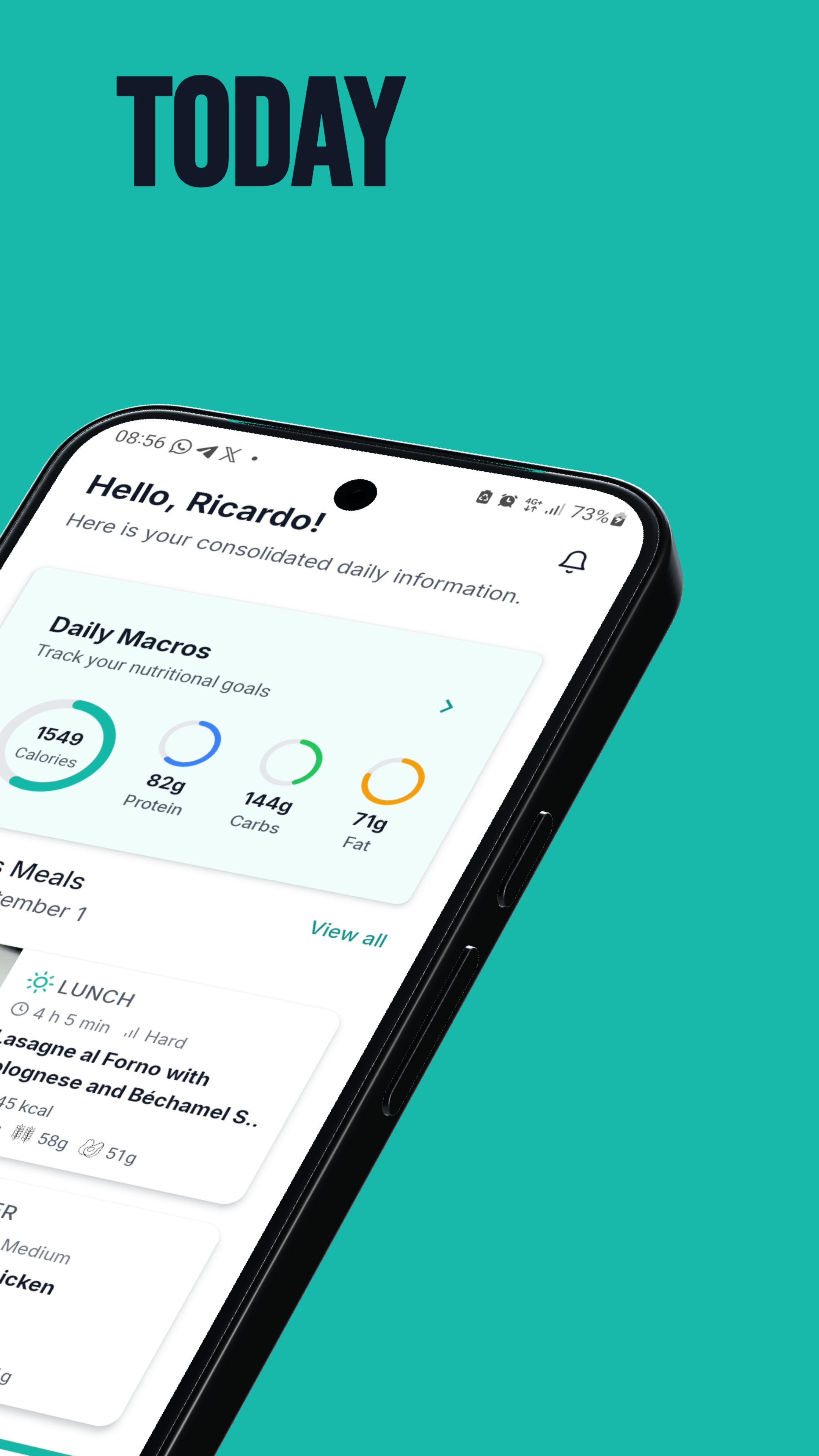
Home Screen
-
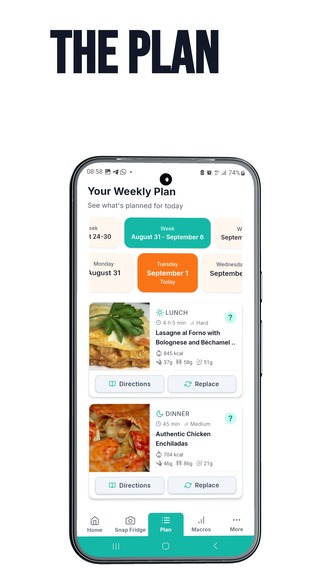
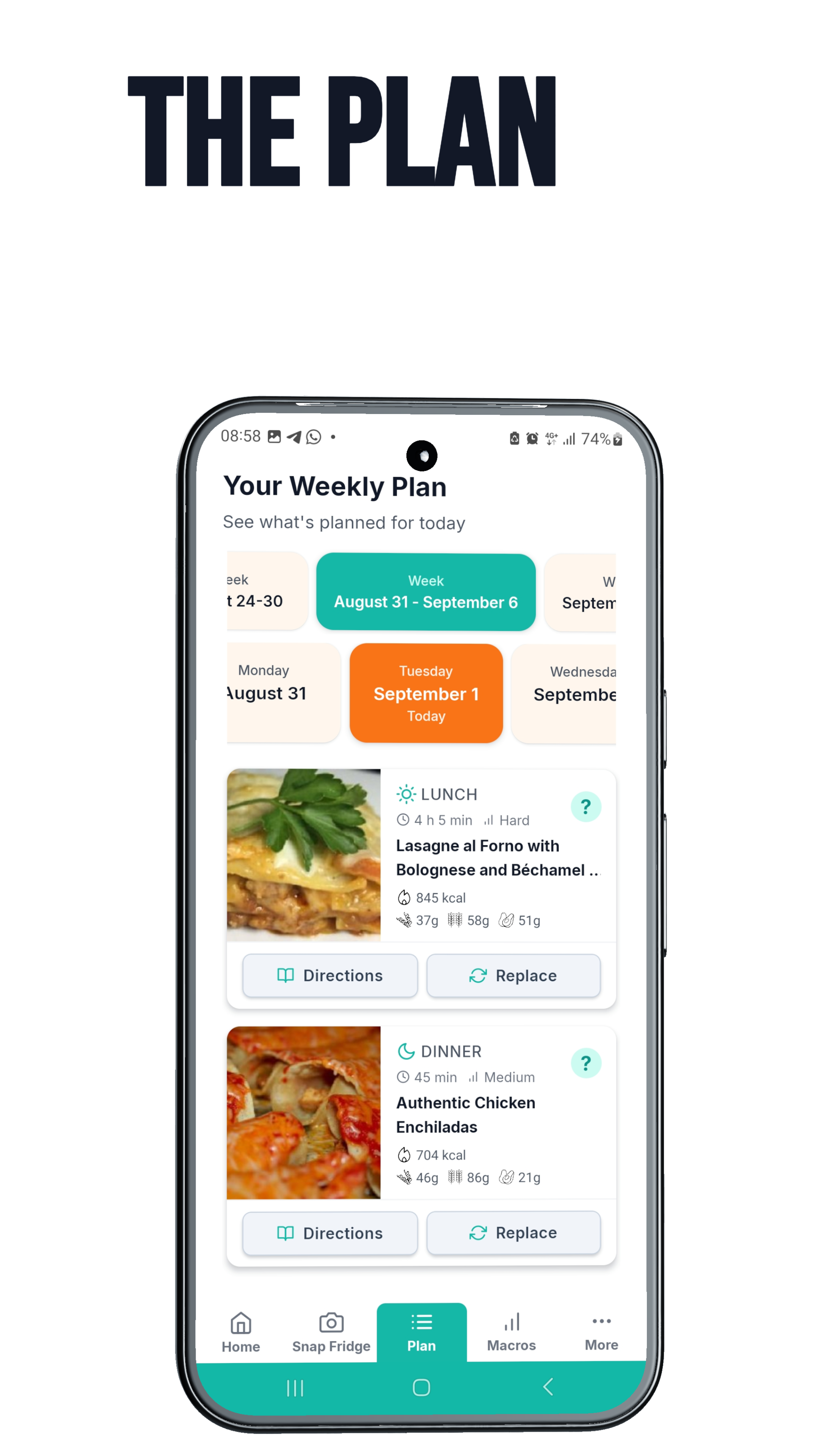
Meal Plan Screen
-
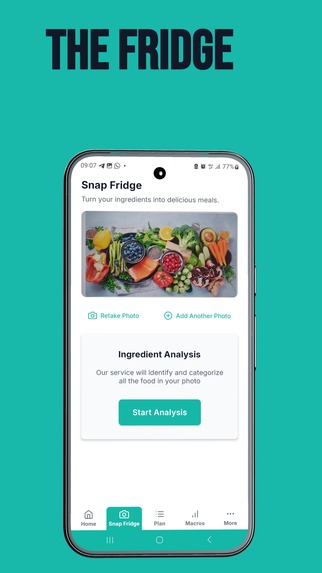
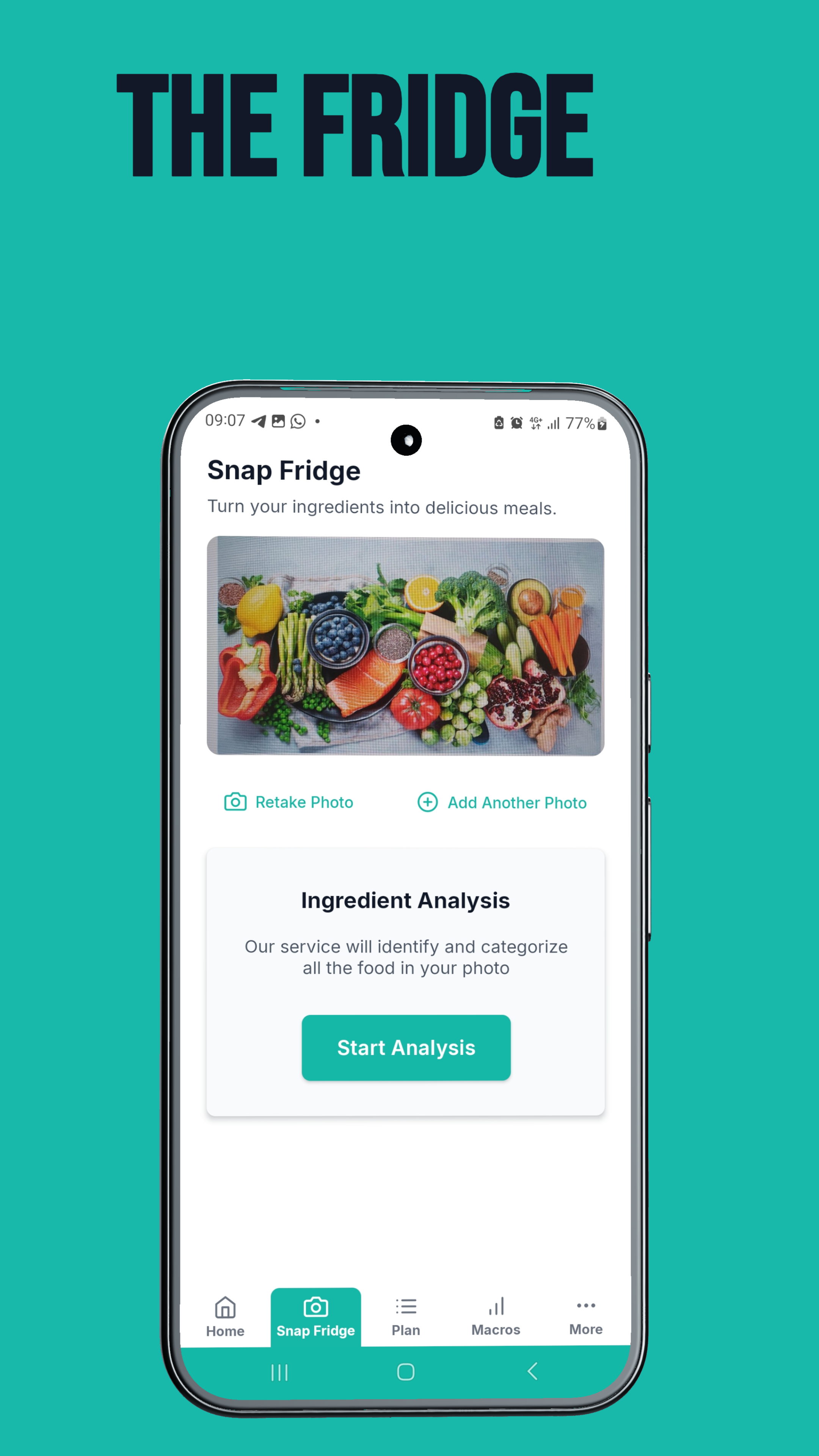
Snap Fridge Screen
-
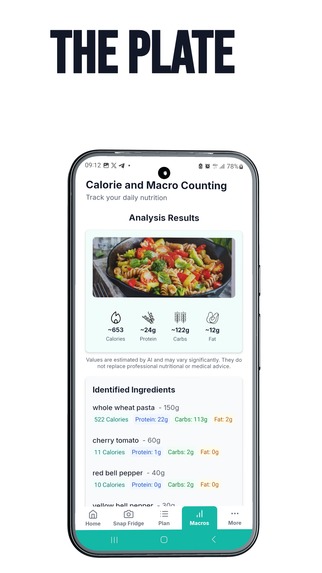
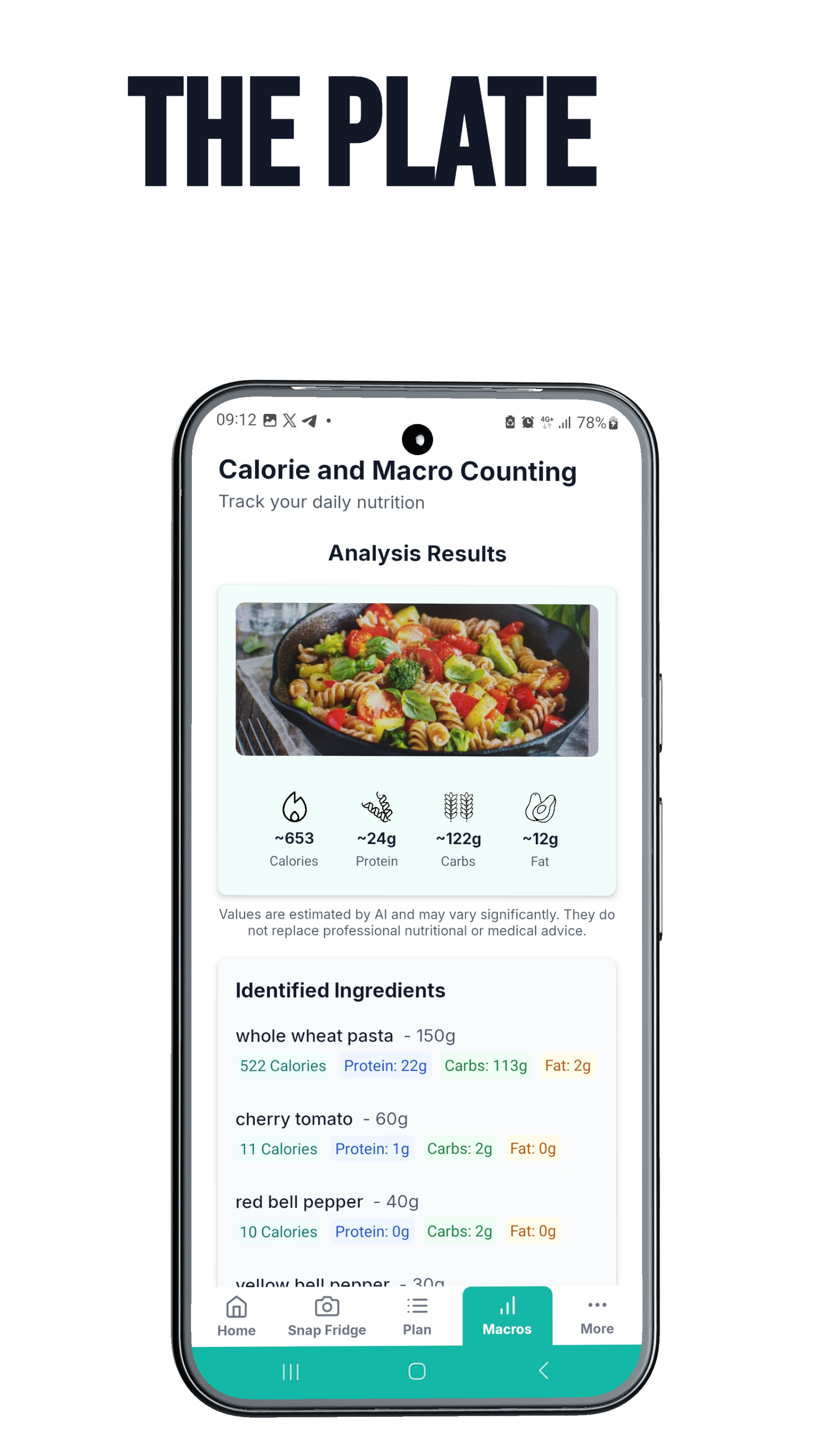
Macro Count Screen
How to try it
Eatease is in a closed test on Google Play (Android), while our production release is under review. To install it:
- Join the testers group with the Google account you use on your Android phone: groups.google.com/g/eatease-testers → Join group.
- Accept the test: open play.google.com/apps/testing/com.eatease.app with the same account and tap Become a tester.
- Install Eatease from the link on that page (or search the Play Store). It can take a few minutes after joining the group for the app to become available.
Every new account gets 30 days of full access, so SnapFridge and MacroCount are unlocked without a subscription.
Once the app is live in production, it will be available to everyone at play.google.com/store/apps/details?id=com.eatease.app.
Inspiration
Deciding what to eat should be simple, but it often becomes another task in an already busy day. Between work, studies and family responsibilities, planning meals easily turns into a last-minute decision — and a family rarely has one set of needs: an adult trying to lose weight, a teenager who trains, a seven-year-old who just needs to grow.
Eatease started with the idea of making meal planning easier and more practical. I wanted to help people spend less time deciding what to cook and more time enjoying their meals.
What it does
Eatease is a meal-planning app that organises a household's week around real recipes and real nutritional needs.
With Eatease, users can:
- Plan the week — generate a weekly meal plan from real recipes, filtered by diet, allergies, cuisine and cooking time.
- Eat the right portion — every family member gets a personalised dose of the same recipe, based on their own calorie and macro targets (children included, with paediatric energy equations rather than adult formulas).
- Get better suggestions — recipes are scored against each person's macro targets before they are suggested, so the plan fits the goals instead of just the preferences.
- Shop once — a shopping list generated from the whole plan, with ingredients merged across recipes and written in the user's language.
- Cook what's in the fridge — SnapFridge: photograph the fridge or pantry (up to 3 photos), confirm the ingredients found, and get recipes that use them — less food wasted.
- Count calories with a photo — MacroCount: photograph a plate, review what was identified, adjust the quantities, add anything the photo missed, and log the meal.
- Use it in their language — the whole app is available in 10 languages.
Our goal is to turn "What should I eat?" into a clear, manageable plan — for the whole family.
How we built it
We started by mapping the core user journey: choosing meals, organising a plan, and preparing for the week. From there, we built it as a production app rather than a mock-up, because the hard problems only show up with real data.
- App: React Native with Expo and TypeScript, in a layered architecture (UI → hooks → services → data).
- Backend: Supabase — authentication, PostgreSQL with row-level security, Deno Edge Functions, and scheduled jobs for reminders and data curation.
- Recipes and nutrition: the Spoonacular API for recipe search and USDA-based nutrition data.
- AI: vision models identify foods and ingredients in photos; a language model translates recipes and ingredient names. All AI calls go through our own server proxy, where each task maps to a configurable chain of providers — switching or adding a provider is configuration, not code.
- Communication: Resend for templated emails, plus push notifications.
- Payments: Google Play subscriptions, validated server-side, with real-time developer notifications so a cancellation made in the Play Store reaches our database.
- Quality: over 4,800 automated tests, including architecture tests that fail the build when a rule is broken (for example, any screen computing macros outside the single calculation pipeline).
Challenges we ran into
The shopping list. It looks simple and was the hardest part of the project. The same ingredient arrives from different recipes under different names ("ground beef", "minced meat"), different units (grams, cups, "2 cloves") and, once translated, different wordings. Worse, the recipe API's ingredient IDs are guesses: one ID was stamped on lamb, beef and "ground meat" alike, so merging by ID quietly turned lamb into beef. We solved it by resolving each ingredient's name once, merging by name, and using the ID only for physics and grammar (density, plurals). A curated ingredient catalogue and a translation glossary keep names stable across plans, and we chose our translation provider by measurement: on the same 20 recipes, one model followed the glossary in 50.7% of the lines and the other in 97.6%.
Trusting AI with numbers. We never let a model invent calories. The model only identifies the food and estimates the quantity; the nutrition comes from USDA-based data. Even that needed care: the recipe API's first search result for "chicken" was chicken fat, which logged 1,350 kcal for 150 g of chicken. We now pick the product that actually matches the name, and when nothing matches we show nothing rather than a wrong product. When the model wrote British English ("minced beef") for a database that speaks American English ("ground beef"), searches failed at random — fixed deterministically on the server, not by pleading in the prompt.
Bugs that only exist in release builds. A black band appeared at the top of the camera flow, only in the store version. We traced it layer by layer on a real device with Android's compositor dumps, and found an orphaned camera surface left behind when the camera closed.
We also had to balance our ambitions with the time available. That meant making deliberate choices about what belonged in this version and what could wait.
Accomplishments that we're proud of
We're proud of turning an everyday problem into a working application that real testers use — it is in a closed test on Google Play.
In particular, we're proud of:
- The full loop works end to end: profile → personalised weekly plan → recipes with each person's portion → one shopping list.
- Family personalisation done properly — one recipe, a different dose per person, with safe targets for children instead of adult formulas scaled down.
- MacroCount's editable analysis — the photo is a starting point, not a verdict: users can correct quantities, remove items, add a missing ingredient by search, or type one in from its label.
- Measuring instead of guessing — every AI provider, prompt and matching rule was chosen against real samples, not intuition.
Above all, we're proud of keeping the project focused on a practical goal: making everyday meal planning feel easier.
What we learned
Building Eatease taught us that AI is most useful when its job is narrow: recognise the food, estimate the amount — and let trusted data do the maths. It also gave us hands-on experience with the gap between a development build and what users actually install, from environment variables to native rendering.
We also learned how important it is to define a realistic scope early. A focused experience that works well is more valuable than a long list of unfinished features.
Testing with real users showed us assumptions we didn't know we had — like how often a photo misses an ingredient, which is why we added ways to fix the analysis rather than chasing a perfect model.
What's next for Eatease
Our next step is the public launch, and to keep learning from real users which parts of meal planning create the most friction.
Based on that feedback, we want to explore:
- Barcode scanning for packaged foods, using open food databases (under implementation).
- A personal food library, so a food typed in once is there the next time.
- More personalised suggestions that learn from the meals people actually accept.
- Better support for dietary preferences and ingredient exclusions across the whole household.
- Planning around what's already at home, combining SnapFridge with the weekly plan.
- More languages and iOS, as we launch in new markets.
Our long-term vision is to make Eatease a useful part of everyday life: less time deciding, less effort organising, and more confidence about what to cook next.

Log in or sign up for Devpost to join the conversation.