-
-

Logo
-
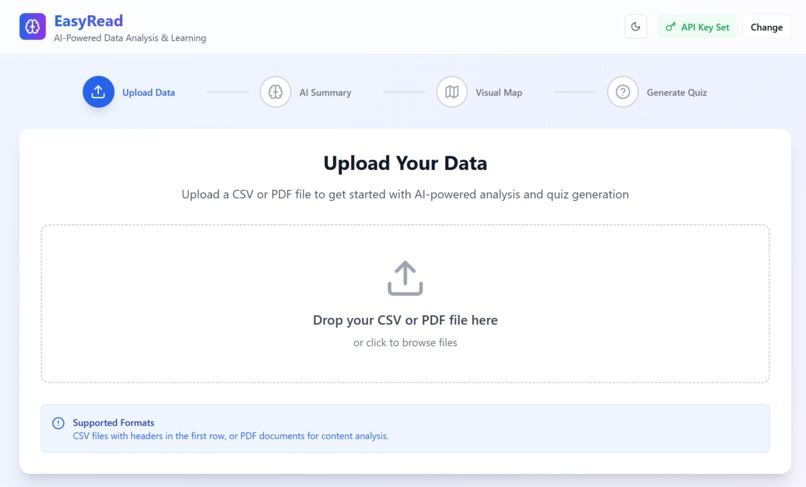
homepage
-
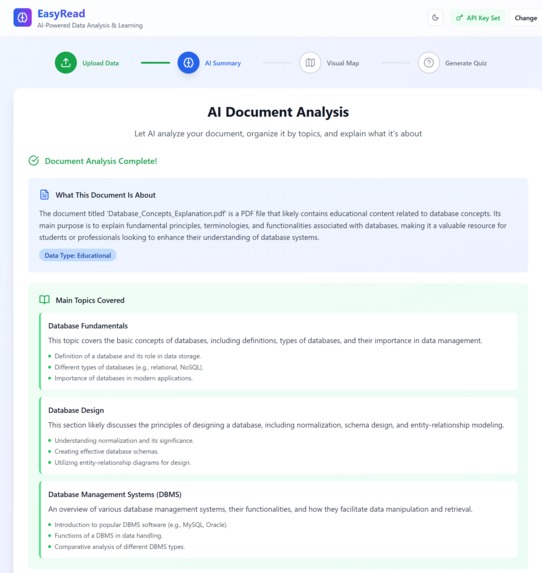
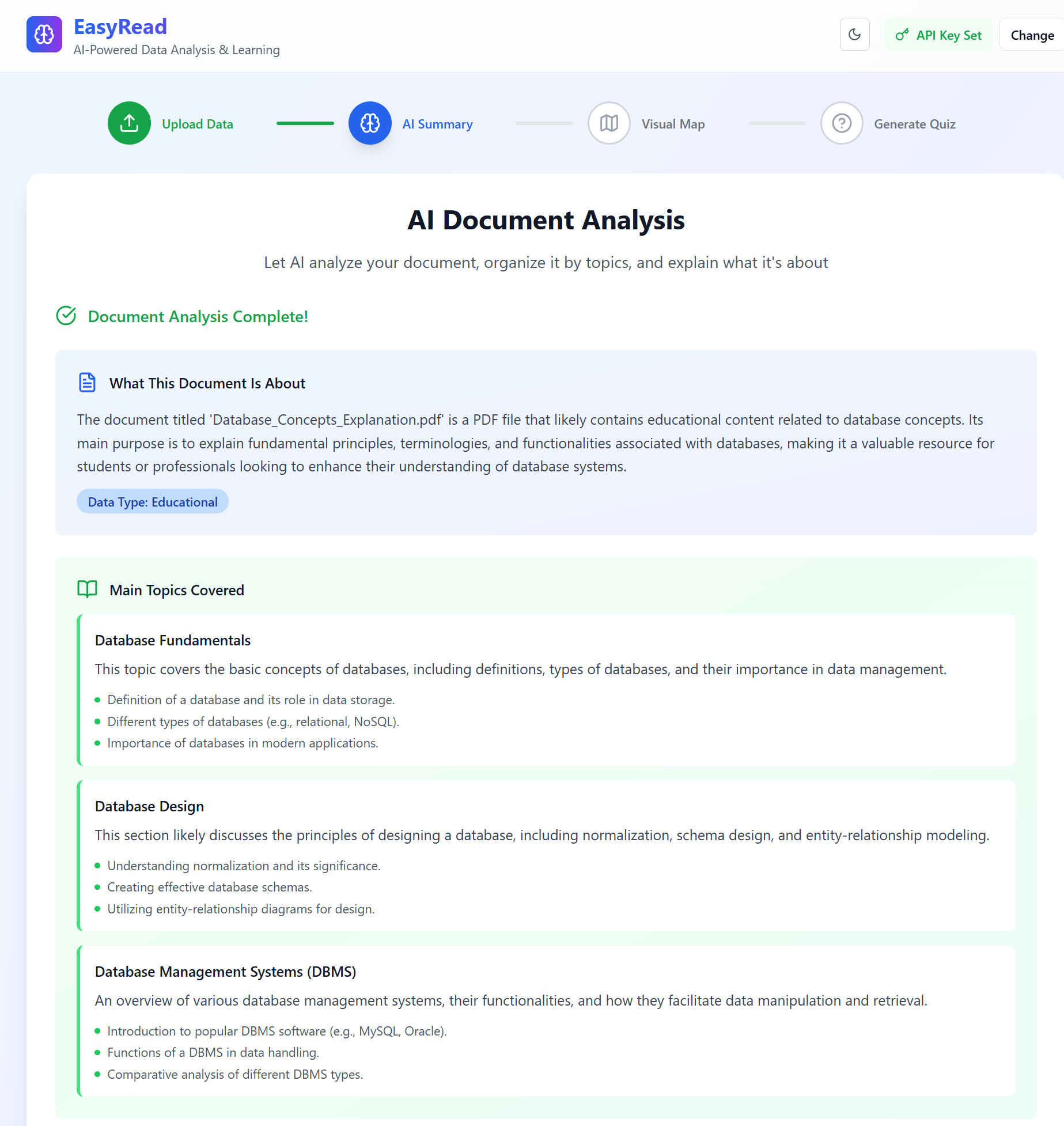
Summary
-
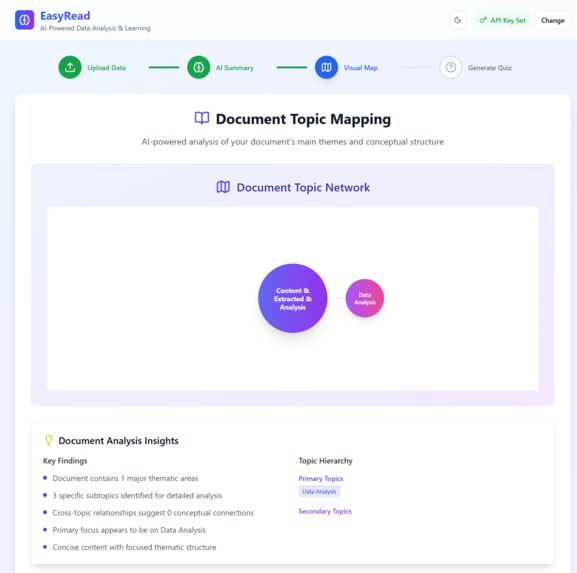
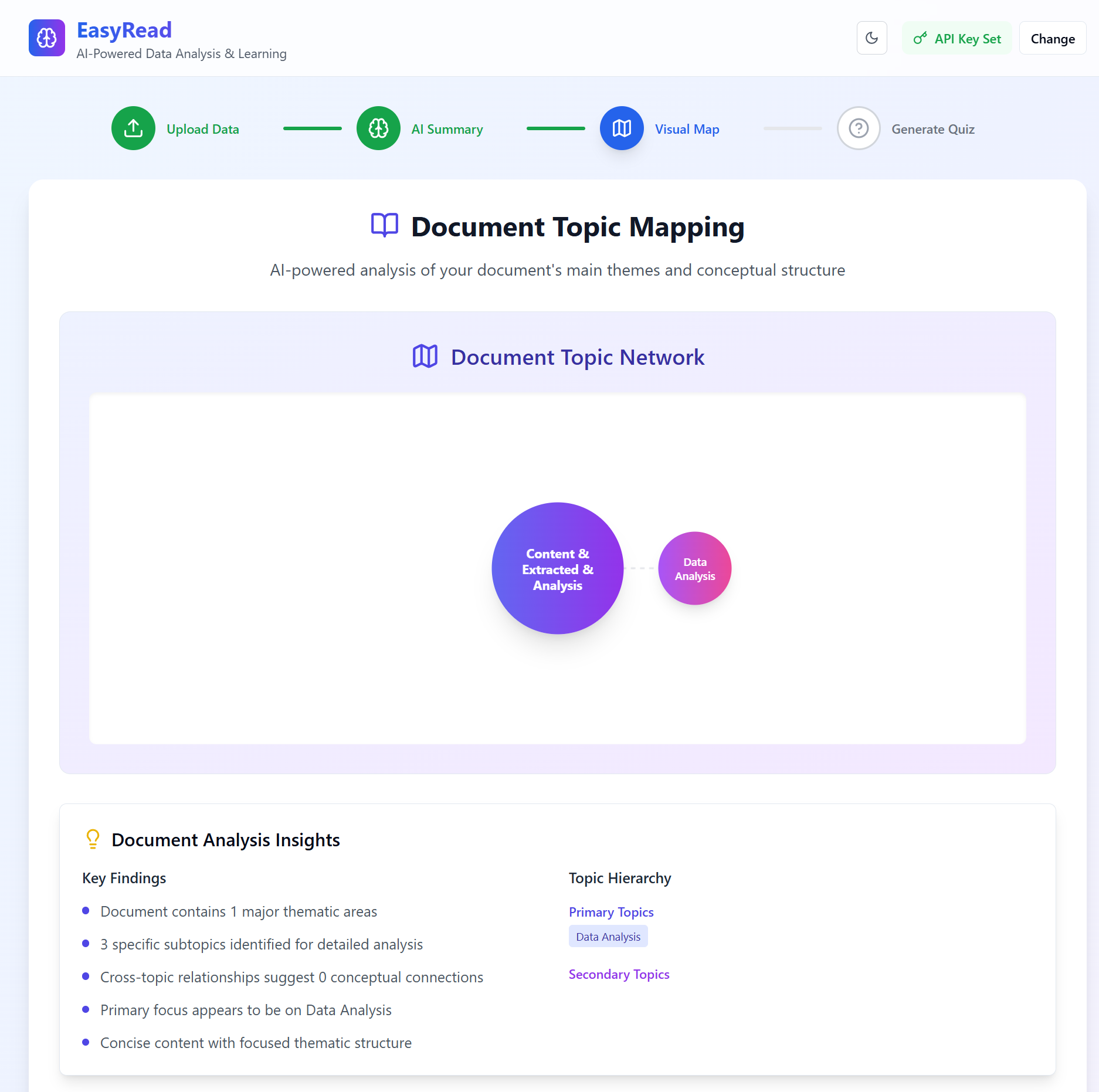
Mapping
-
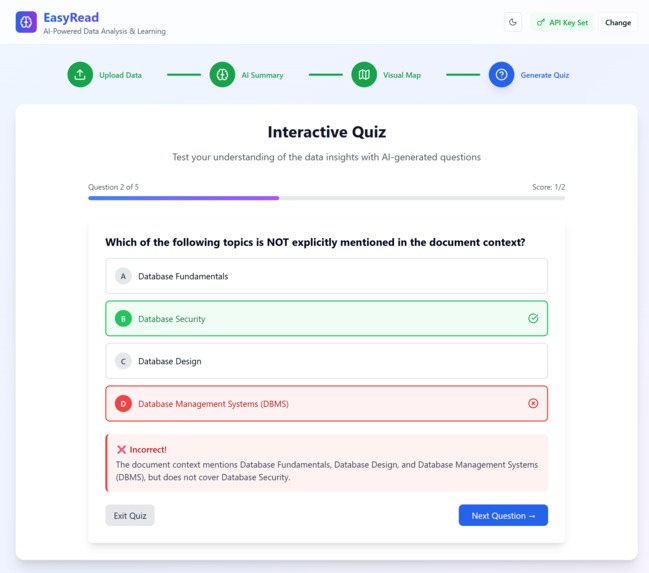
Quiz
-
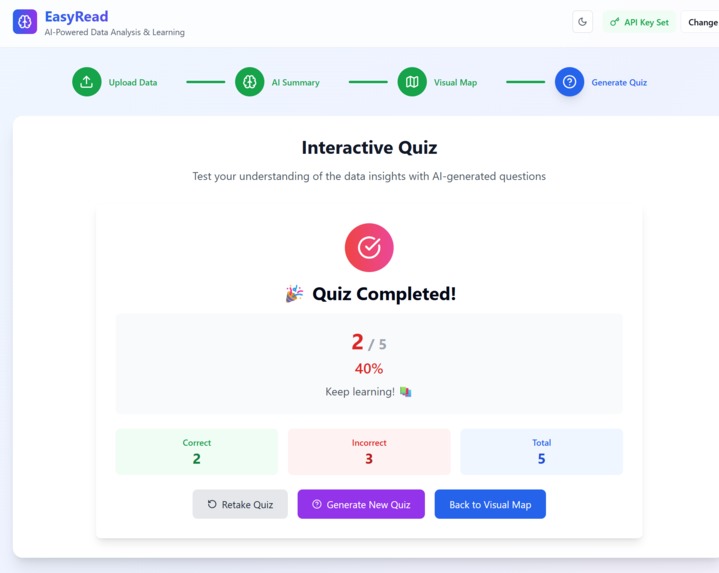
Result

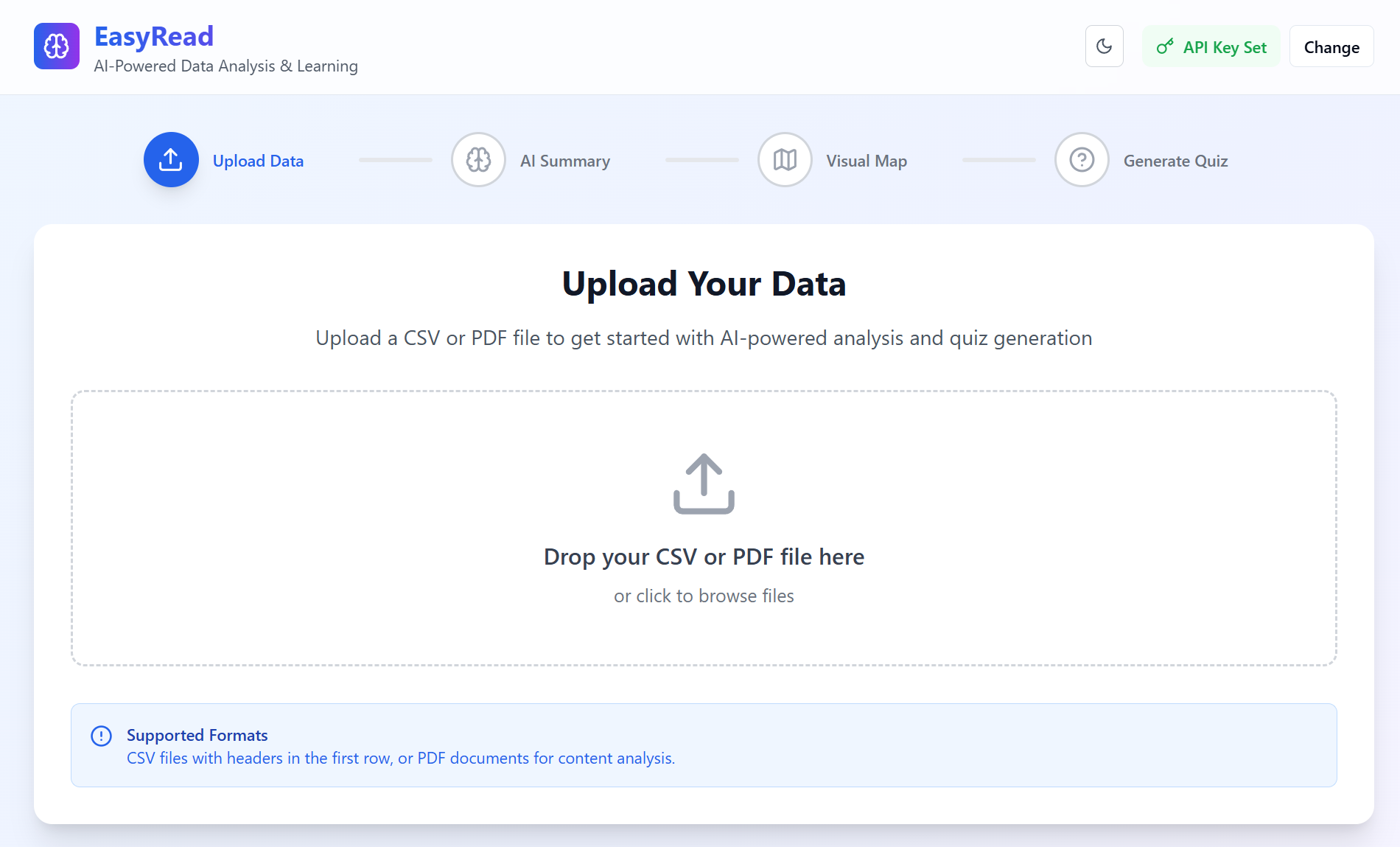
Inspiratio
We built EasyRead because we were tired of pretending we actually read that PDF.
Whether it’s a 30-page academic paper, a corporate report, or a user manual — they’re often overwhelming, dense, and impossible to absorb quickly.
We asked ourselves: “What if understanding a document was as easy as scanning a TikTok?”
What if AI could instantly break down any document… into the core ideas, visual concepts, and even quiz us to make sure we truly understand?
That’s how EasyRead was born — an AI-powered platform that turns PDFs into insights, concept maps, and learning tools — instantly.
Built for students, educators, professionals, and anyone who wants to learn smarter — EasyRead isn’t just about reading faster. It’s about understanding deeper.n
What it does
What EasyRead Does EasyRead makes understanding documents effortless.
📄 Upload a PDF
🤖 AI summarizes it
🗺️ Creates a visual concept map
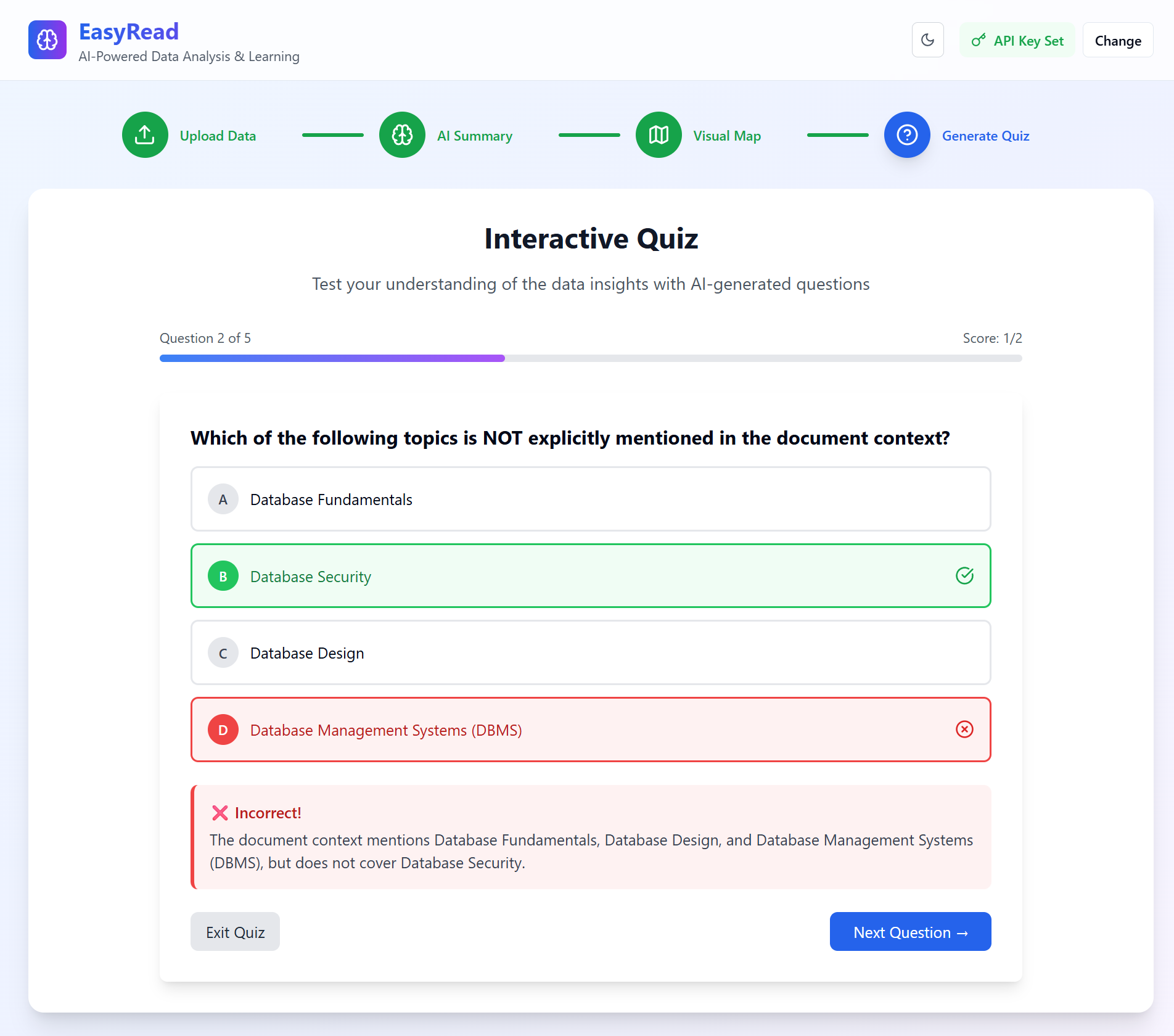
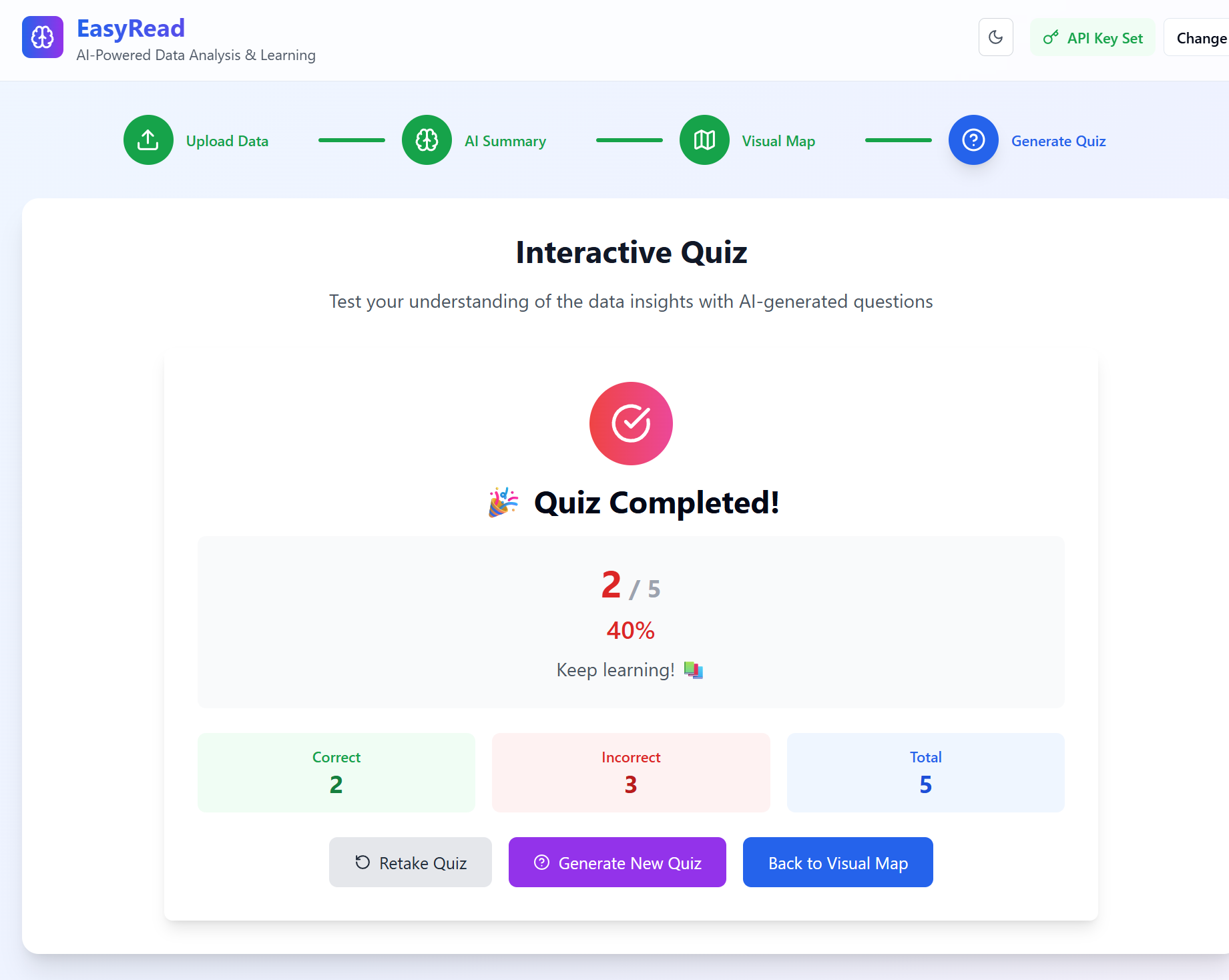
❓ Generates quizzes to help you learn
All in one click. No more skimming. No more guessing. Just Easy. Just Read.
How we built it
🔧 Tech Stack React + TypeScript — for a fast, reliable frontend
TailwindCSS — for responsive, clean UI with dark mode
PDF.js — to extract text from uploaded PDFs
OpenAI GPT-4 API — to summarize, map concepts, and generate quizzes
Lucide-react — for icons
Vercel — for fast deployment
🧠 How It Works Upload PDF → text is extracted with PDF.js
Text is sent to GPT-4 with a custom prompt
GPT returns structured JSON: summary, topics, map, and quizzes
We render everything in a clean, interactive UI — including the concept map and quiz section
Challenges we ran into
Extracting clean text from PDFs Some PDFs had formatting issues, special characters, or missing structure, making it hard to analyze.
Forcing GPT to return structured JSON GPT-4 sometimes responded with markdown or incomplete data. We had to fine-tune our prompts and handle parsing errors gracefully.
Concept map layout Dynamically placing related topics in a circular layout without overlaps took multiple iterations of math + CSS transforms.
Token limits on large documents Long PDFs exceeded GPT's token limit. We had to chunk content while preserving context.
Balancing AI detail vs simplicity Too much information made the UI overwhelming. We learned to trim output for better readability.
Accomplishments that we're proud of
✅ Turned raw PDFs into full learning experiences Not just summaries — we added concept maps and auto-generated quizzes.
⚡ Real-time GPT-4 analysis with structured output Successfully engineered prompts to return clean, usable JSON for direct UI rendering.
🗺️ Built an interactive concept map from scratch Visually mapped relationships between topics with dynamic node placement and scaling.
📚 Created a tool that's useful for real learners Students, teachers, and professionals can actually use EasyRead to save time and learn smarter.
🌐 Deployed a complete AI web app end-to-end Fully responsive, dark-mode friendly, and live on the internet within the hackathon timeframe.
What we learned
🧠 Prompt design matters The way you talk to GPT changes everything. We learned how to craft prompts that return clean, structured, and useful results.
🧩 Parsing AI output isn’t always simple Even with good prompts, handling edge cases like incomplete or malformed JSON was a real challenge.
🗺️ Turning abstract ideas into visuals is hard but rewarding Concept mapping pushed us to think visually — and to design for clarity, not just data.
🚀 Small UX details make a big difference Dark mode, loading states, and hover effects made the app feel polished and intuitive.
💡 AI + education = real impact We realized this tool isn’t just a demo — it’s something people could actually use to learn faster and better.
What's next for Untitled
📝 Support for more file types Add DOCX, TXT, and web page support — not just PDFs.
🎓 Smarter quizzes Generate multi-level questions (MCQs, true/false, short answer) with auto-grading and explanations.
🗂️ Document history & saved sessions Let users revisit past analyses, notes, and progress.
👥 User accounts & personalization Allow login, personal learning dashboards, and adaptive quizzes based on user performance.
🧠 Multilingual support Analyze and summarize documents in other languages — starting with Thai, Japanese, and Spanish.
📱 Mobile version Build a responsive mobile experience or native app for learning on the go.
🌍 Launch for real-world use We want to test EasyRead with students, educators, and knowledge workers — and keep improving from real feedback.
Built With
- css
- html5
- javascript
- json
- lucide-react
- node.js
- openai-api
- pdf.js
- react
- typescript
- vercel


Log in or sign up for Devpost to join the conversation.