-
-
https://github.com/phornsinet1302/easyRead.git
Inspiration
Many people get official papers they can't fully understand. These include clinic instructions, medicine labels, school notices and government forms. Refugees, rural communities, older adults and people with low literacy are especially affected. A misread dose, a missed appointment or a lost deadline can cost someone their health or their benefits.
My mom is one of the people who inspired me to care about this problem. I have seen how hard she works every day and how she sometimes faces difficulties because of limited access to technology and information. Her experience made me realize that technology should not only be advanced, but also useful and accessible in people’s daily lives.
We wanted a tool that answers two questions in your own language: "What does this say?" and "What do I need to do?"
What it does
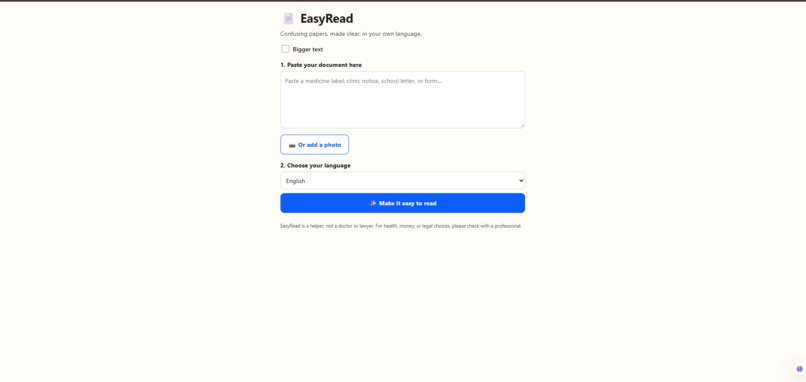
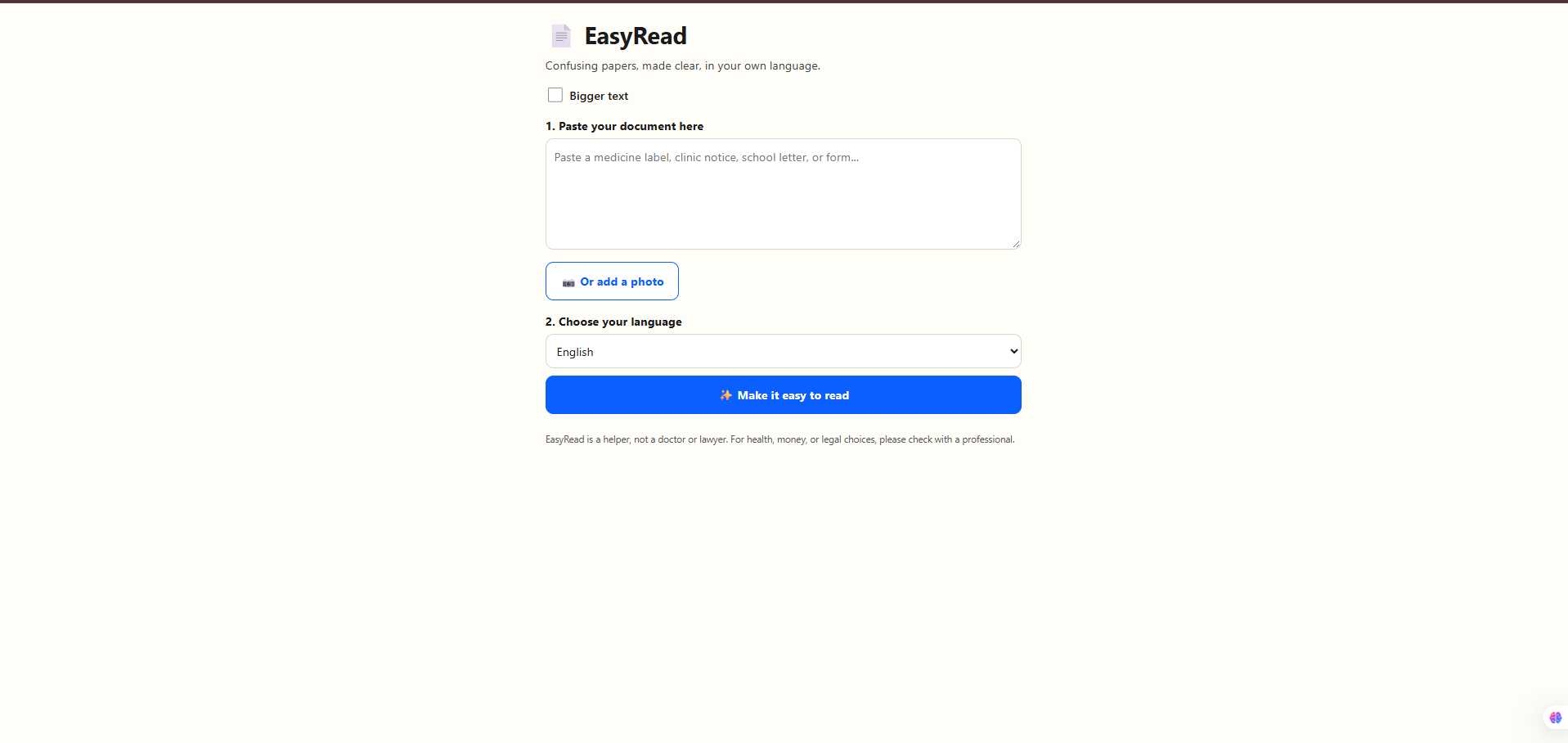
EasyRead takes pasted text or a photo of a document and returns:
- A short summary in very simple words, at about a 5th-grade reading level.
- "What do I need to do?", which is 2–4 action steps with deadlines highlighted.
- A translation into 13 languages, including Khmer, Thai, Vietnamese, Burmese, Arabic, Hindi and Swahili.
- A clear warning card for doses, urgent deadlines and penalties.
- Read aloud, for people who can't read well.
- Accessibility features, which are a bigger-text toggle and large, high-contrast buttons.
- A "Show English" toggle, so a helper or family member can check the original meaning.
EasyRead never invents doses or dates. If something is unclear, it says so and points the person to a doctor, pharmacist, teacher or official office.
How we built it
- Backend: a small Node.js server (
server.js) with zero npm dependencies. It serves the page and calls the Gemini API. The API key stays on the server and never reaches the browser. - Frontend: a single
index.htmlin vanilla JavaScript. It has no framework and no build step, so it loads fast on weak phones and connections. - AI: one carefully written system prompt makes Gemini read the text or photo and return structured JSON. The JSON holds the document type, summary, steps, warning and a full translation. A single call handles simplifying and translating together.
- Voice: the browser's built-in Web Speech API (
speechSynthesis) reads the result aloud with no extra service or cost. - Photos: the camera or photo picker feeds Gemini's vision input, so the user doesn't have to type anything.
Challenges we ran into
- A working end-to-end flow from photo to simple steps in the user's language, with no dependencies to install.
- Support for Southeast Asian languages that many tools handle poorly.
- Safety built into the design, with a visible warning card and an honest "check with a professional" message.
- Read-aloud, which makes the tool usable by people who can't read well.
Accomplishments that we're proud of
-A working end-to-end flow from photo to simple steps in the user's language, with no dependencies to install. -Support for Southeast Asian languages that many tools handle poorly. -Safety built into the design, with a visible warning card and an honest "check with a professional" message. -Read-aloud, which makes the tool usable by people who can't read well.
What we learned
-Prompt design is product design. Structured JSON output made the UI simple and predictable. -Accessibility is a set of concrete choices (size, contrast, audio, simple words), and they matter most for the people this tool is for. -Reliable software around an AI model needs retries, size limits and defensive parsing. -Keeping the stack small (plain Node and plain JavaScript) made it easier to build, debug and deploy.
What's next for EasyRead
- Reading-level score that compares the original and simplified text, for example with the Flesch–Kincaid grade: $$\text{FKGL} = 0.39,\frac{\text{words}}{\text{sentences}} + 11.8,\frac{\text{syllables}}{\text{words}} - 15.59$$
- Offline mode, so it works with poor connectivity.
- Saved documents, so people can revisit past papers and reminders.
- SMS / WhatsApp version for people without smartphones.
- Better voices for low-resource languages, and testing with real users such as clinic staff and community groups.


Log in or sign up for Devpost to join the conversation.