Inspiration
As a computer science student at VIT Vellore, I've watched countless talented peers struggle with the internship hunt—not because they lack skills, but because they don't know how to communicate them effectively. Modern internship hunting isn't just about applying anymore; it's about personalized outreach, follow-ups, and showing genuine interest in companies. But crafting these messages is exhausting: copy-pasting job descriptions, rewriting cover letters, and constantly wondering, "Does this sound professional enough?"
I found myself using ChatGPT to draft these messages, but the workflow was tedious—upload resume, paste job description, write a prompt, repeat 50 times. As a Gen-Z developer who believes in automating repetitive tasks, I thought: Why not build a tool that does this in one click?
What it does
EasyReach is a Chrome extension that generates personalized internship outreach messages using AI. Here's how it works:
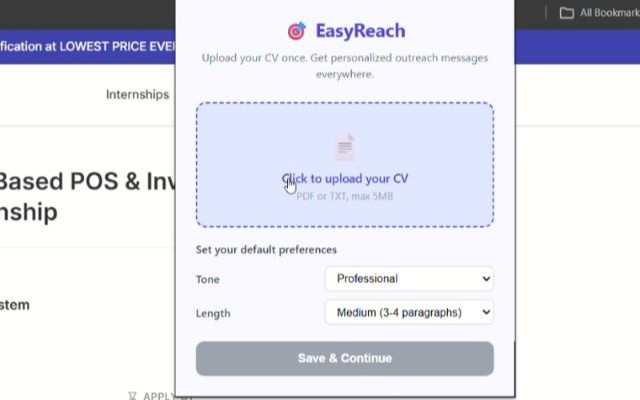
- One-time setup: Upload your CV once. The extension parses it using AI and stores your profile locally.
- Visit any job page: Open any internship posting on LinkedIn, Internshala, or company career sites.
- Click "Generate": EasyReach scrapes the job description and combines it with your CV to create a tailored message.
- Choose your style:
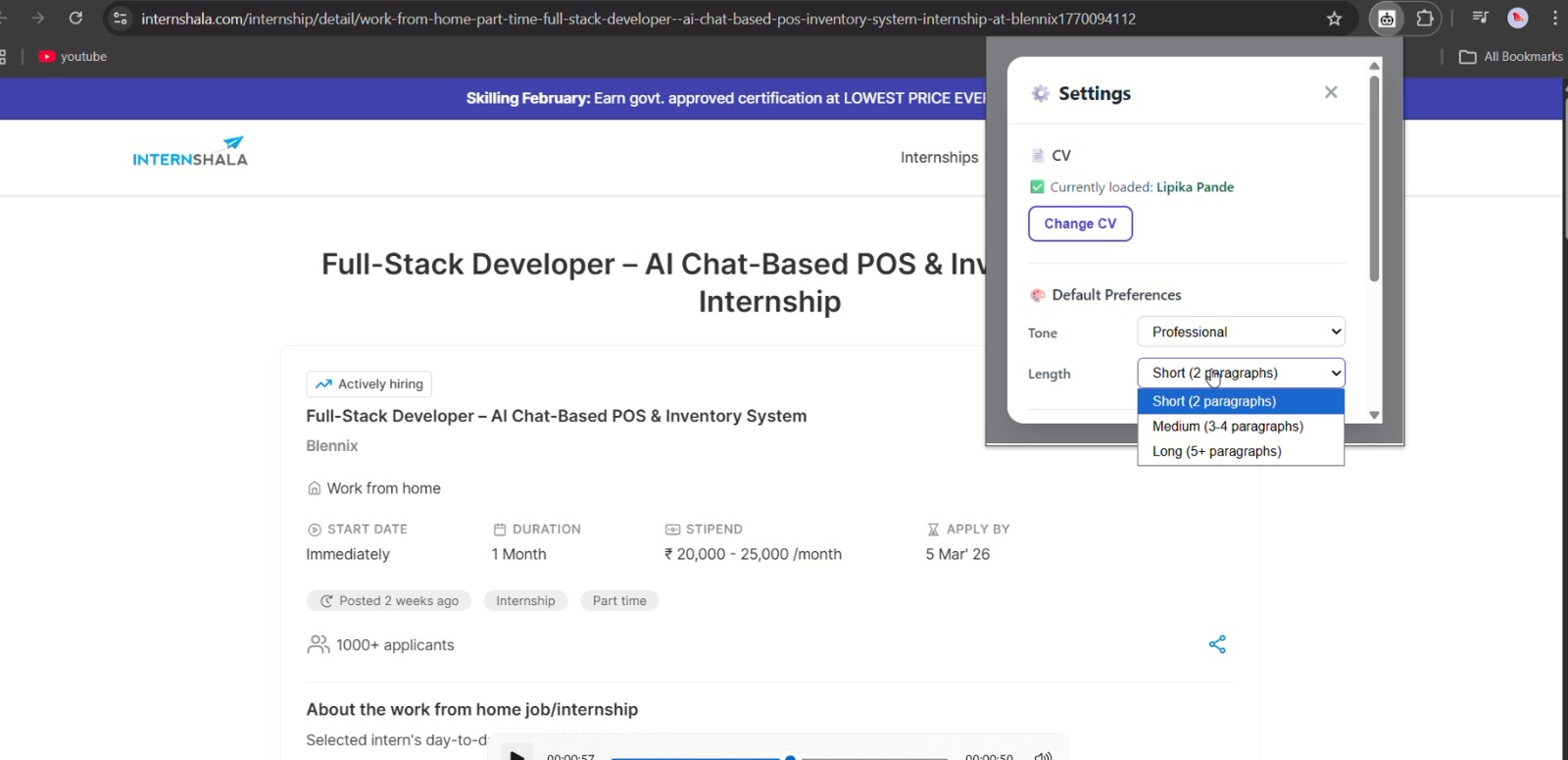
- Tone: Casual, Professional, or Enthusiastic
- Length: Short, Medium, or Long
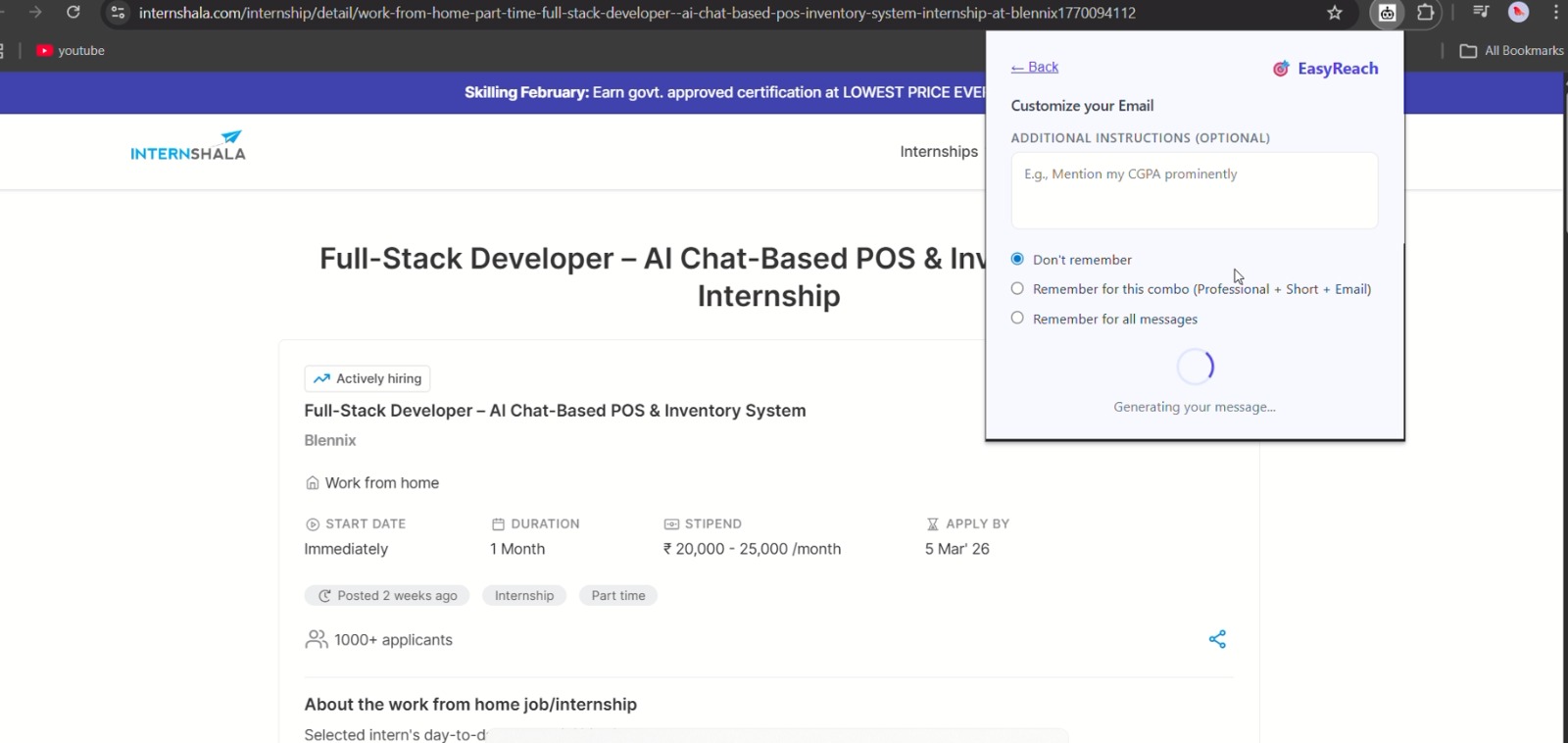
- Custom instructions: Add specific requests like "Mention my CGPA" and save them for future use
EasyReach generates three types of messages:
- Cold emails (with subject lines and extracted email addresses)
- LinkedIn connection requests (under 300 characters)
- Follow-up messages (polite nudges after initial outreach)
All data is stored locally in your browser—no server storage, no tracking, completely private.
How we built it
Tech Stack:
- Frontend: Vanilla JavaScript (Manifest V3), Chrome APIs for storage and scripting
- Backend: Node.js + Express deployed on Google Cloud Run
- AI: Google Gemini 2.5 Flash API for CV parsing and message generation
- Security: CORS restrictions, rate limiting, secret token validation, input sanitization
Architecture:
Student's Browser (Extension)
    ↓ (scrapes job page)
Cloud Run Backend (Node.js)
    ↓ (structured prompt)
Gemini 2.5 Flash API
    ↓ (generates message)
Student receives personalized output
Key design decisions:
- Local-first data storage: Used
chrome.storage.localto keep CV data on the user's device, ensuring privacy and eliminating server costs. - Generic scraping: Instead of hardcoding specific sites, the extension works on ANY webpage, making it future-proof.
- Smart CV parsing: Built a structured JSON schema for CV data extraction, including education scores, achievements, certifications, publications, and patents.
- Cost optimization: Implemented rate limiting (30 requests per 15 minutes), max instance caps (10 containers), and input validation to prevent abuse while keeping the service free.
Challenges we ran into
1. PDF Parsing Reliability
Initially, pdf-parse struggled with complex resume formats. Some CVs had tables, multiple columns, or embedded images that broke the text extraction. I solved this by:
- Limiting input to 4000 characters (enough for most resumes)
- Using Gemini's intelligent parsing to handle messy text
- Supporting both PDF and plain text uploads
2. AI Output Consistency
Gemini sometimes included placeholders like [Your Name] or [CGPA] instead of using actual data. I fixed this by:
- Explicitly instructing the AI: "Use the student's actual name. DO NOT use placeholders."
- Adding validation to ensure the AI-extracted name wasn't the filename
- Iterating on prompts to make outputs sound human, not corporate
3. Security Without Server-Side Storage
I wanted zero data collection, but still needed to prevent abuse. The solution:
- CORS: Backend only accepts requests from my specific extension origin
- Rate limiting: Per-IP caps to prevent spam
- Token validation: Shared secret between extension and backend
- Instance caps: Max 10 concurrent Cloud Run containers to limit costs
4. Balancing Tone and Professionalism
Early outputs sounded robotic—full of buzzwords like "leveraged," "robust understanding," and "honed skills." After testing with friends, I rewrote prompts to:
- Avoid corporate jargon
- Use first-person ("I built..." not "The student built...")
- Sound like a real student, not a resume generator
5. Chrome Web Store Requirements
Navigating Chrome's strict policies was tricky:
- Removed
<all_urls>host permissions in favor ofactiveTabfor faster approval - Wrote detailed justifications for each permission
- Created a privacy policy that clearly explained data handling
Accomplishments that we're proud of
Built a production-ready tool in under a week that actually solves a real problem students face daily
Zero data collection: Designed a privacy-first architecture where user data never touches my servers
Cost-efficient at scale: With rate limiting and instance caps, even 500 users would cost less than ₹500/month
Genuinely useful AI: The messages don't sound AI-generated—they're personalized, natural, and actually get responses
Customization without complexity: Users can save custom instructions like "Always mention my CGPA" and never think about it again
Open-source ready: Designed the codebase so other students can fork it, deploy their own backend, and customize it for their needs
What we learned
1. AI prompt engineering is an art
Getting Gemini to output natural, human-sounding text required dozens of iterations. I learned that being specific (e.g., "Write in first person, avoid buzzwords like 'leveraged'") works better than being generic (e.g., "Write naturally").
2. Privacy-first design is possible (and cheap)
By storing data locally and only processing it on-demand, I eliminated the need for databases, authentication, and complex backend infrastructure. This made the entire system simpler, faster, and more private.
3. Real users reveal real problems
When I shared an early version with friends, they immediately pointed out issues I hadn't noticed:
- "Why does it say 'Resume.pdf' instead of my name?"
- "Can I make it sound less formal?"
- "I want to always mention my CGPA without typing it every time"
These insights shaped V2's custom instructions and tone/length controls.
4. Security layers > security through obscurity
I initially worried about exposing the backend URL and secret token in client-side code. But CORS, rate limiting, and origin validation made the system secure regardless. Defense in depth beats hiding secrets.
5. Deployment is a product feature
Making deployment easy (Cloud Run + gcloud CLI) meant others could self-host. This turned EasyReach from "my extension" into "a template anyone can use."
What's next for EasyReach
Short-term (next 2 months):
- Message history: Store past generated messages locally so users can reference them
- A/B testing: Let users generate 2-3 versions of a message and pick the best one
- Multi-language support: Expand beyond English for international students
- Email integration: One-click send directly from the extension (via Gmail API)
Medium-term (6 months):
- Company research integration: Automatically pull recent company news and suggest mentioning it in messages
- Analytics dashboard: Show users response rates and what message styles work best
- LinkedIn auto-connect: Integrate with LinkedIn API to send connection requests directly
- University partnerships: Work with career services offices to offer EasyReach to all students
Long-term vision:
Transform EasyReach from a messaging tool into a full internship assistant:
- Track application status across platforms
- Suggest when to follow up based on typical response times
- Generate interview preparation materials based on job descriptions
- Connect students with alumni at target companies
Monetization (if needed):
- Keep the core free forever
- Premium tier (₹99/month): Unlimited messages, priority support, advanced analytics
- Enterprise tier for universities: Bulk deployment with usage analytics for career services
The goal: Make internship hunting less about "who can write the best email" and more about "who has the right skills." Every student deserves a fair shot at their dream internship—EasyReach is my attempt at leveling the playing field.

Log in or sign up for Devpost to join the conversation.