-
-
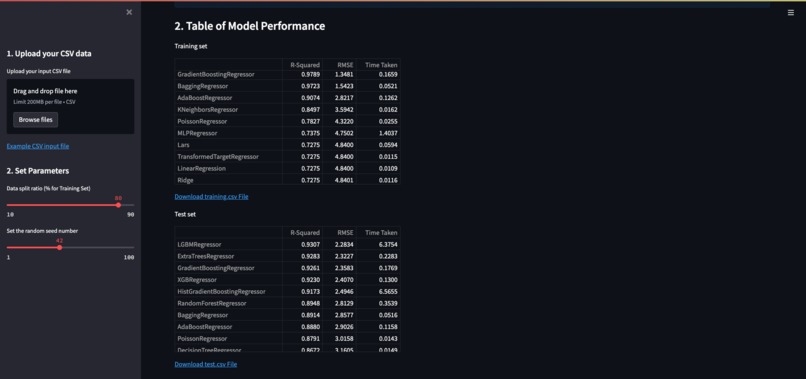
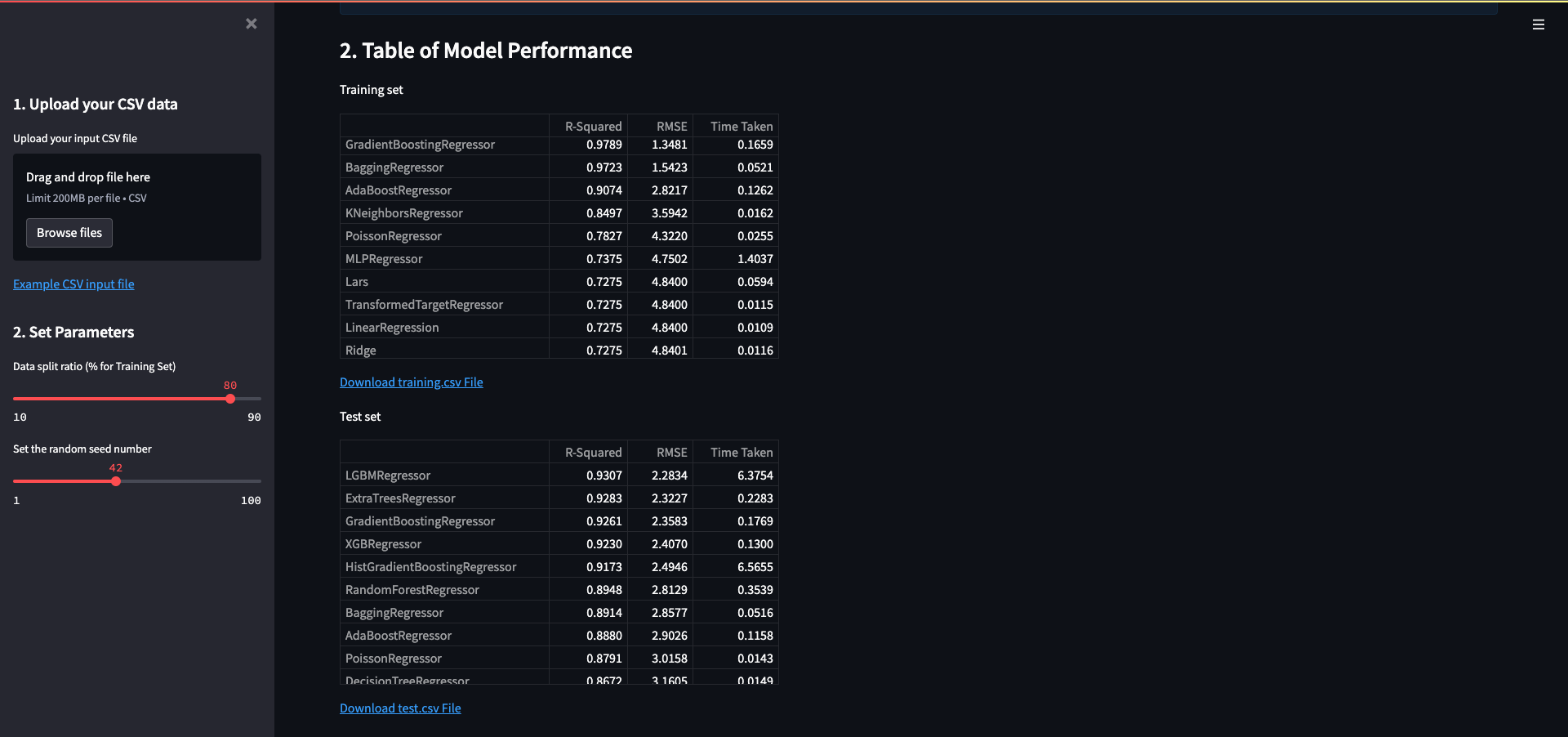
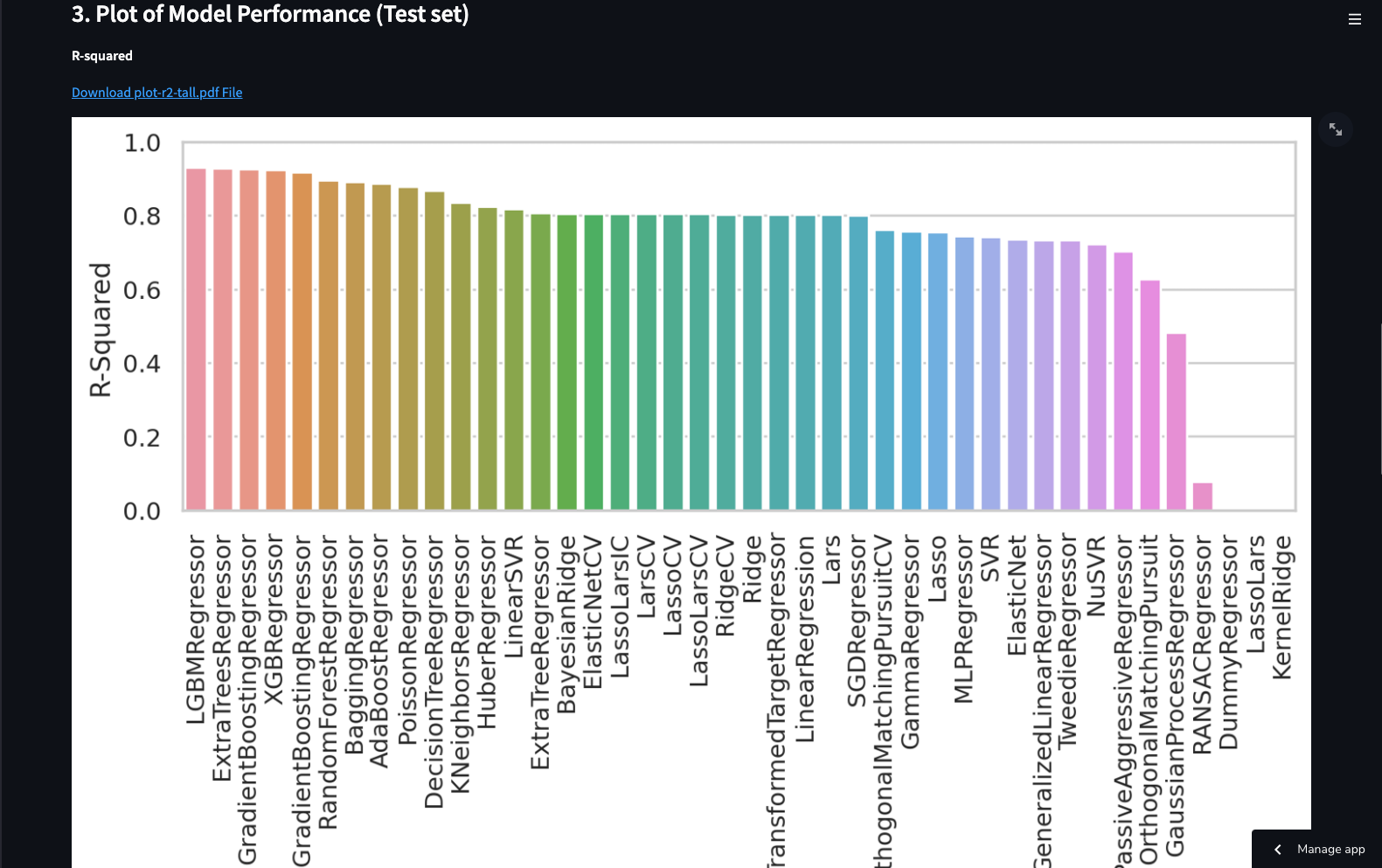
Example of LazyCompare table output
-
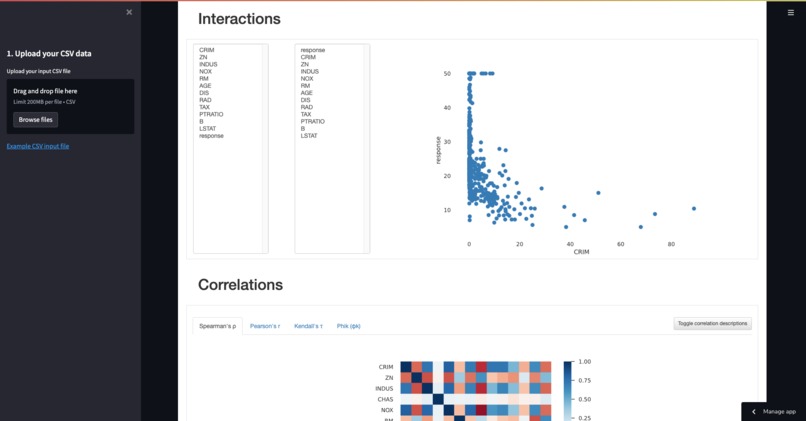
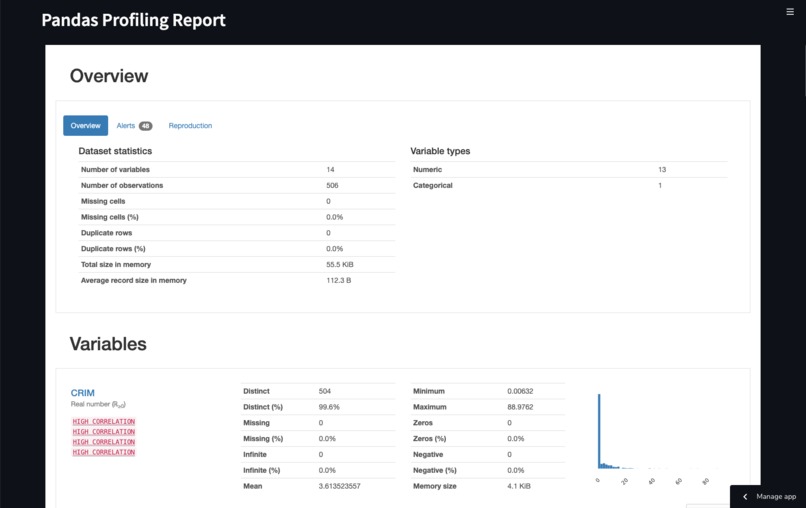
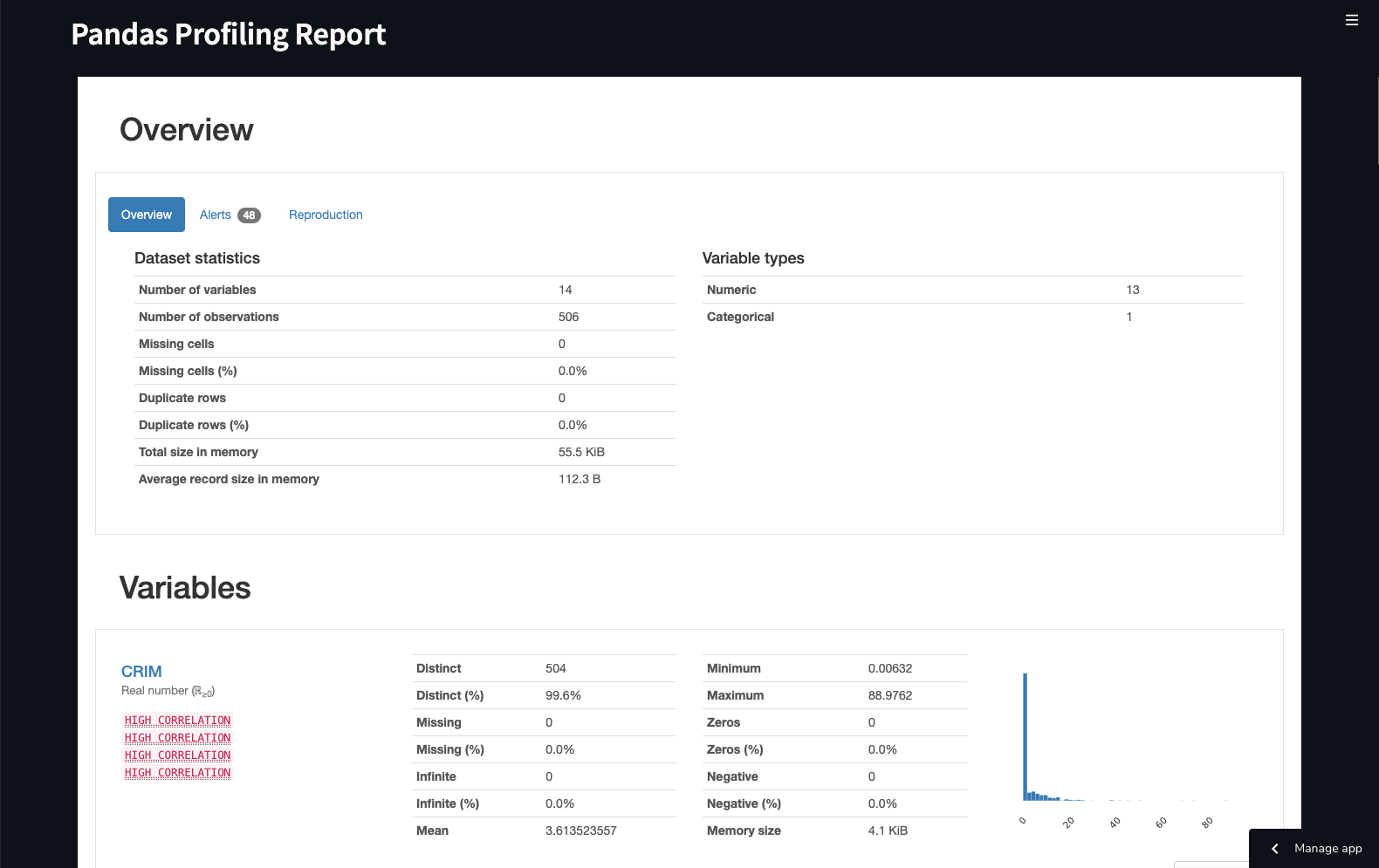
Example of IdleEDA profiling report
-
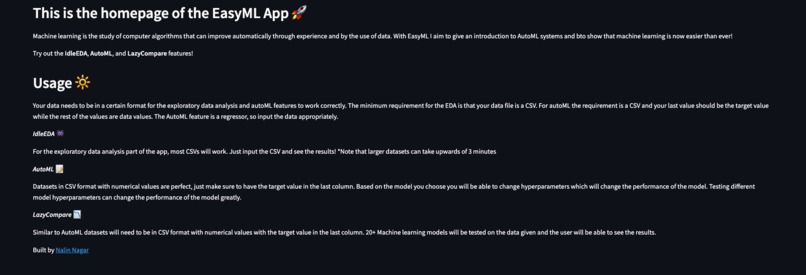
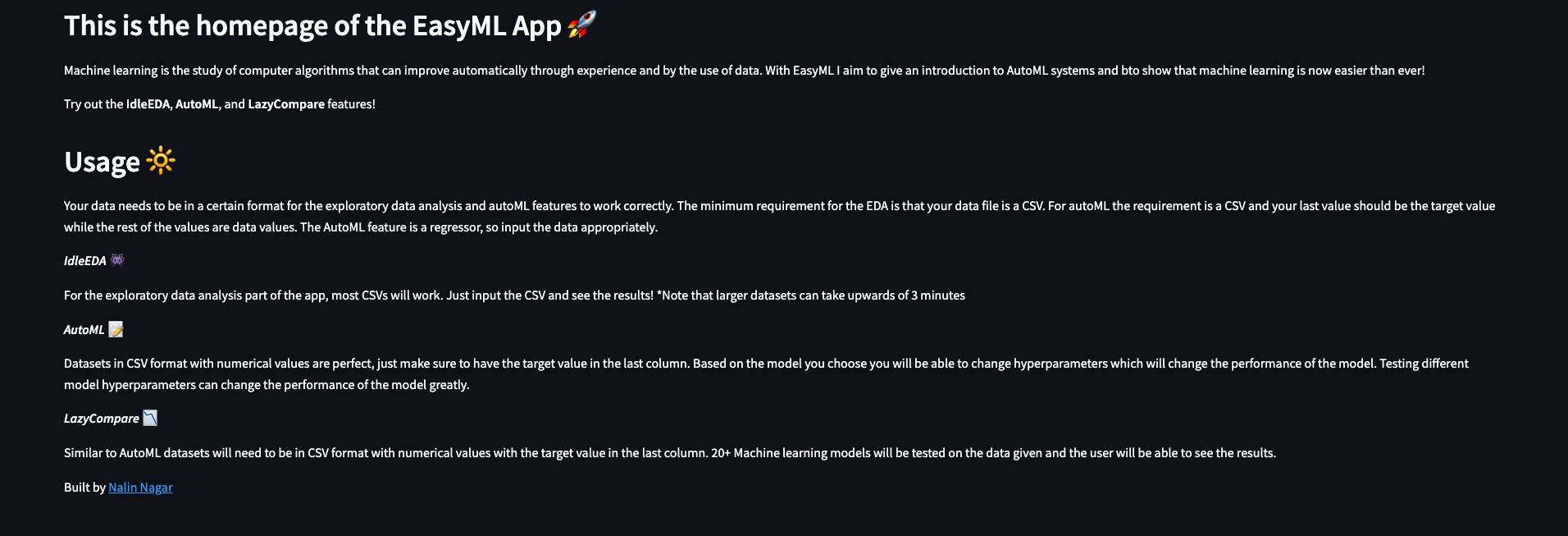
The homepage
-
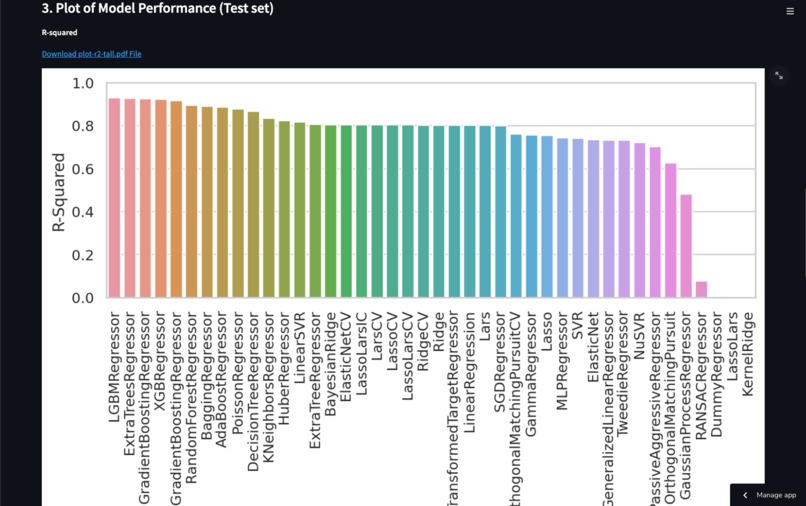
The image produced by the LazyCompare tool for RMSE
-
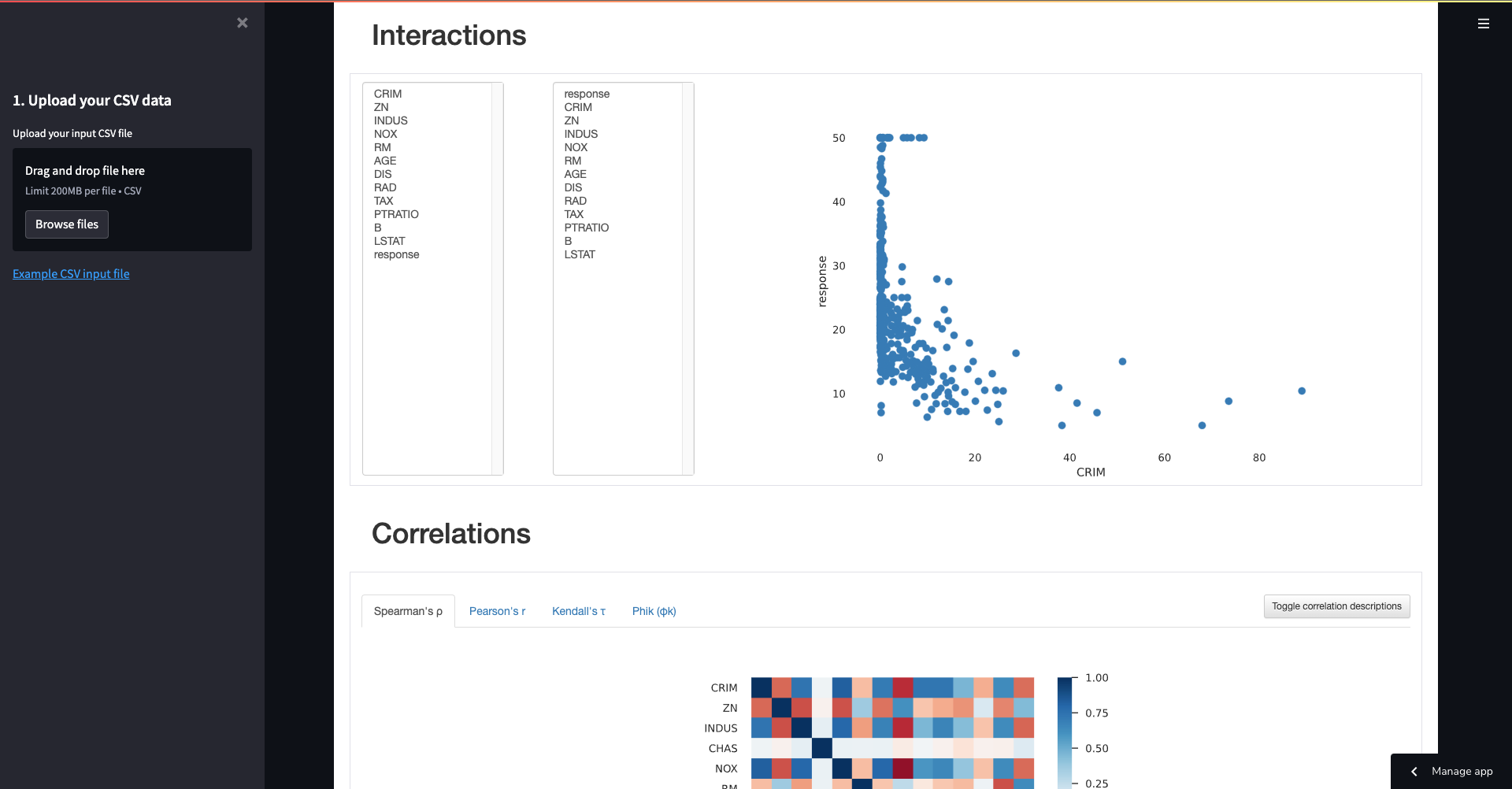
Another example of information produced from the IdleEDA profiling report
Inspiration 💡
Want to hassle the power of machine learning without training massive models for hours on end? Want an easy way to explore your data? With EasyML I aimed to make a small experimentation tool for everyday people that want to use machine learning models to help them but don't want to go through the hassle of building models and training them.
What it does ❓
The web app has multiple features including a exploratory data analysis tool(IdleEDA), a tool to compare different machine learning models(LazyCompare), and a tool to build your own machine learning model(AutoML). All of these features can be used with your own data as well making it extremely versatile.
With IdleEDA you will be able to check correlation values, data types, missing values, distributions and much more!
Using LazyCompare you will be able to compare the performance and training time of more than 30 different machine learning models!
With AutoML you will be able to change 10+ hyperparameters from 3 different machine learning models and check the performance of that model with metrics like RMSE(root mean square error) to make your perfect machine learning model!
How I built it 🛠️
Using Python, Google Cloud Platform, Streamlit, LazyPredict, Scikit Learn, Pandas, XGBoost, and LightGBM I was able to create a functioning webapp. Streamlit handled the web app part of development, GCP handled training the models using their TPU's, and the rest of the technologies focused on implementing the various AutoML tools.
Challenges I ran into 🚧
Never developing a machine learning web app I had challenges integrating the web development side with the machine learning aspect of the project. However, the integration between Streamlit and the multiple machine learning technologies made for a powerful web app!
Another challenge I faced was the all the different machine learning models that needed to be handled by my application. This was solved using GCP I was able to quickly train 3 models using their Compute Engine that is built in with Google's own TPUs(Tensor Processing Units) and then use the Compute Engine API to make calls straight from my application to the model.
The last challenge I faced was the implementation of the custom screencast feature in the Streamlit app menu.
Accomplishments that I'm proud of 🏆
I am proud that I was able to successfully put together web development and machine learning together to make a cool application. I am proud that I was able to integrate not only 1 but 3 different machine learning and data science features into my application that are extremely versatile and work fairly quickly for the user. Lastly, I am proud that I was able to train my models using GCP and then put them into production with their Compute Engine API!
What I learned 🧠
I learned more about multiple different machine learning models and how to use them. I learned how to use Streamlit to build powerful web applications that involve machine learning features and how to implement a screencast feature in a Streamlit web application. I learned how to harness the power of Google's TPUs to train models quickly and put them into production fast.
What's next for EasyML ⏭
Adding more tools and a wider selection of models that can be tweaked to the AutoML tool. Lastly, I would like to make the user experience better by decreasing the waiting time for the IdleEDA and LazyCompare features which can be achieved through continued use of GCP.
Built With
- google-cloud
- lazypredict
- lightgbm
- numpy
- pandas
- python
- scikit-learn
- streamlit
- xgboost

Log in or sign up for Devpost to join the conversation.