-
-
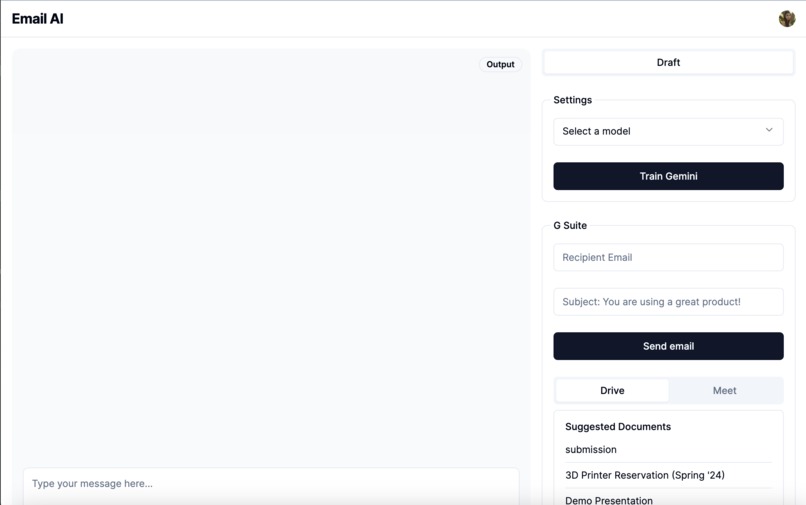
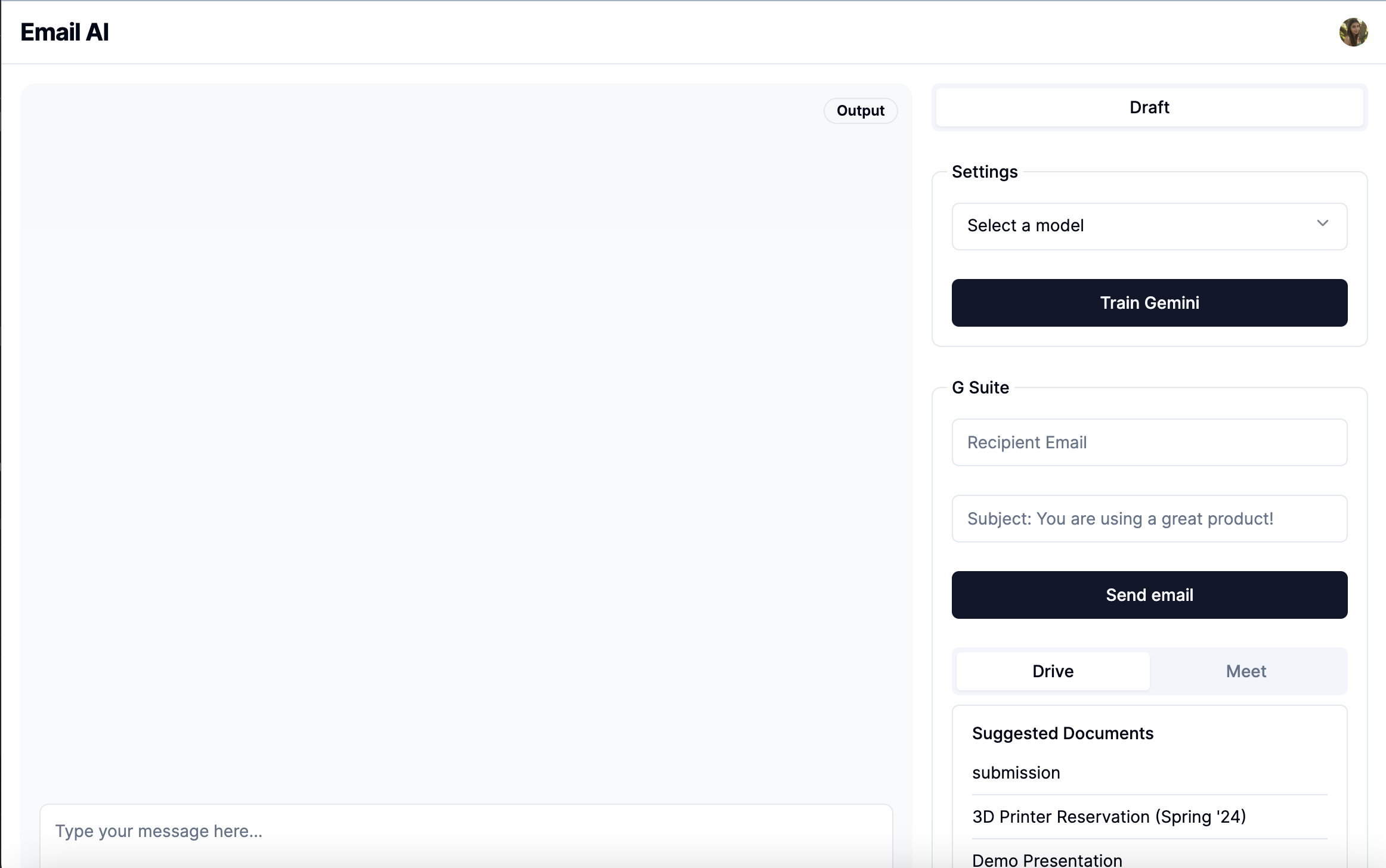
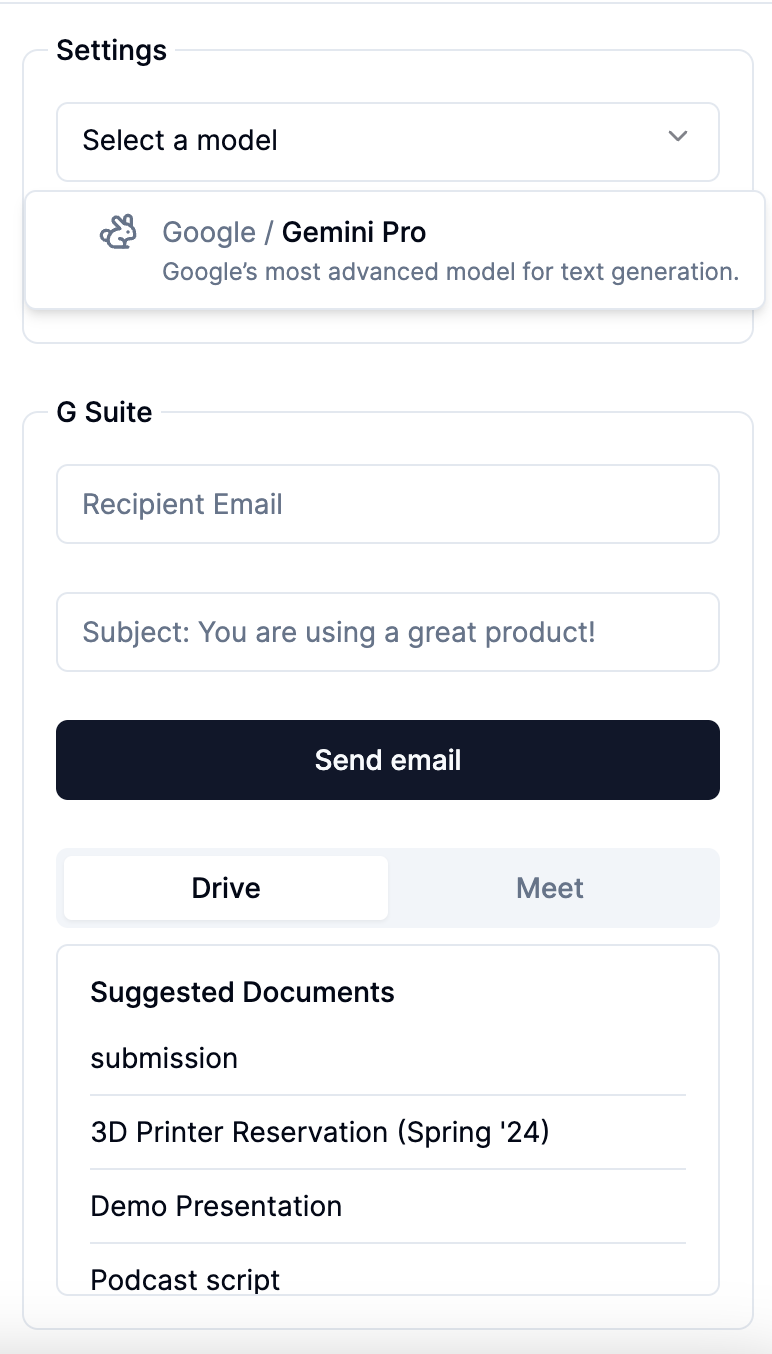
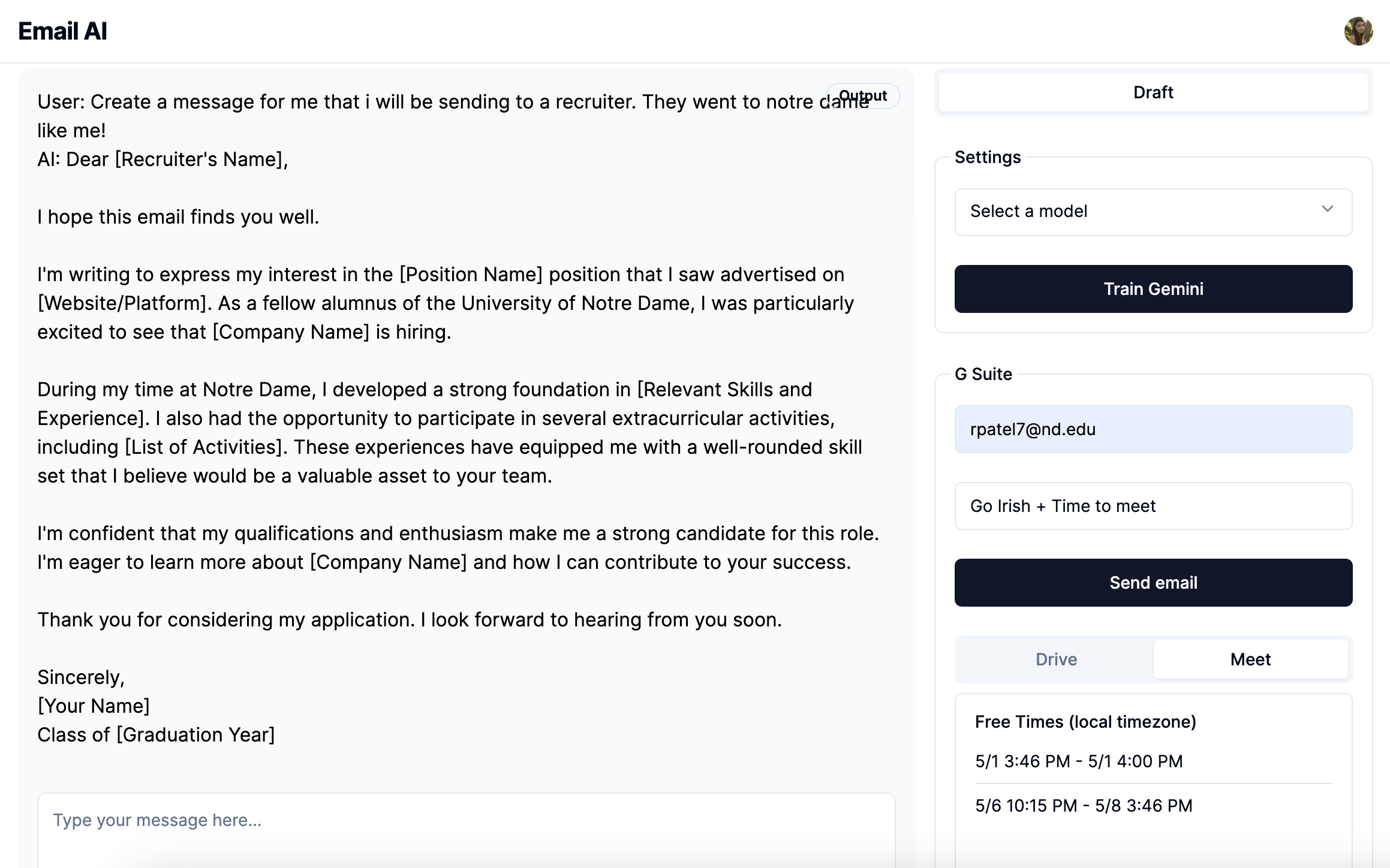
Home Page. Click train model to send email data to Gemini for prompt engineering
-
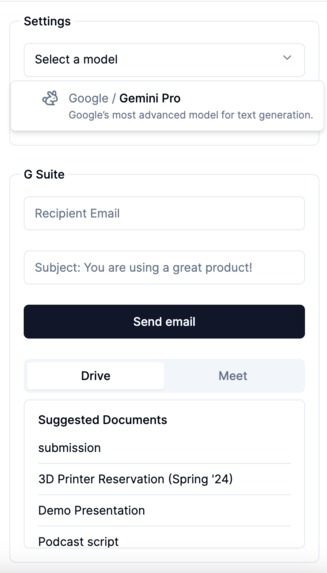
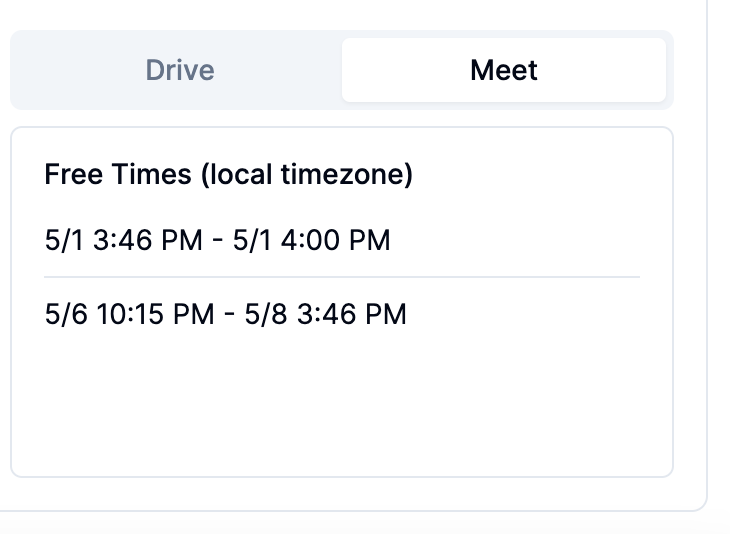
Side bar where user can add recipient email, view documents, and free times on their calendar.
-
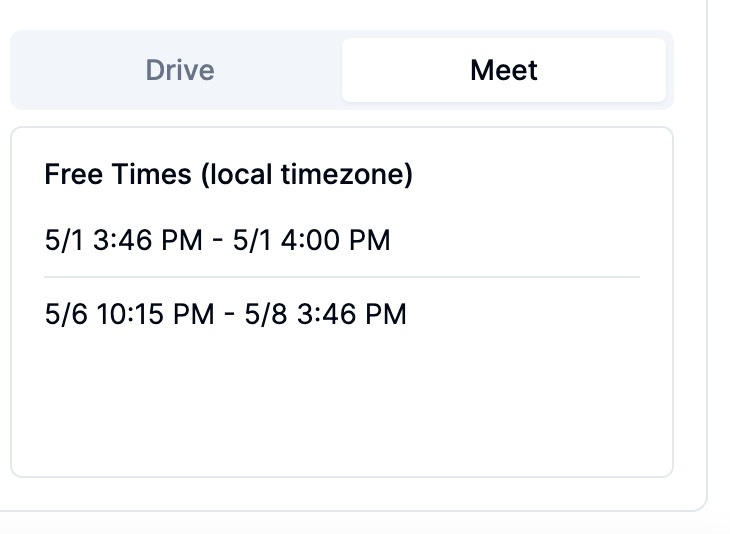
Free times on calendar (displayed in local timezone of user).
-
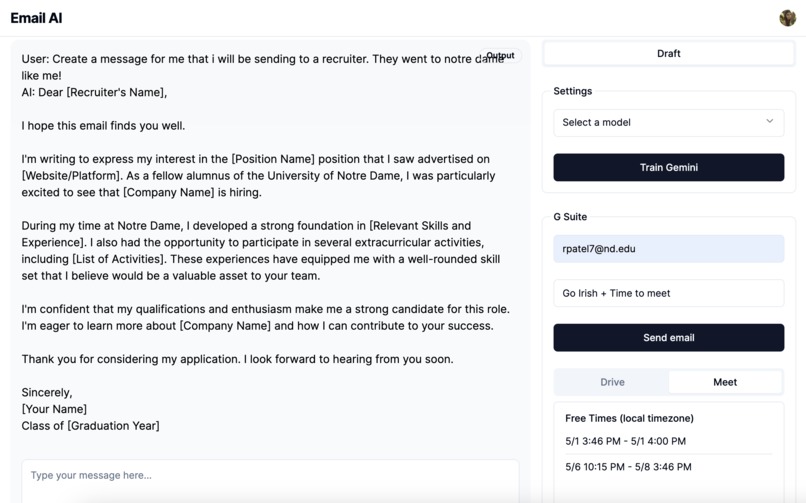
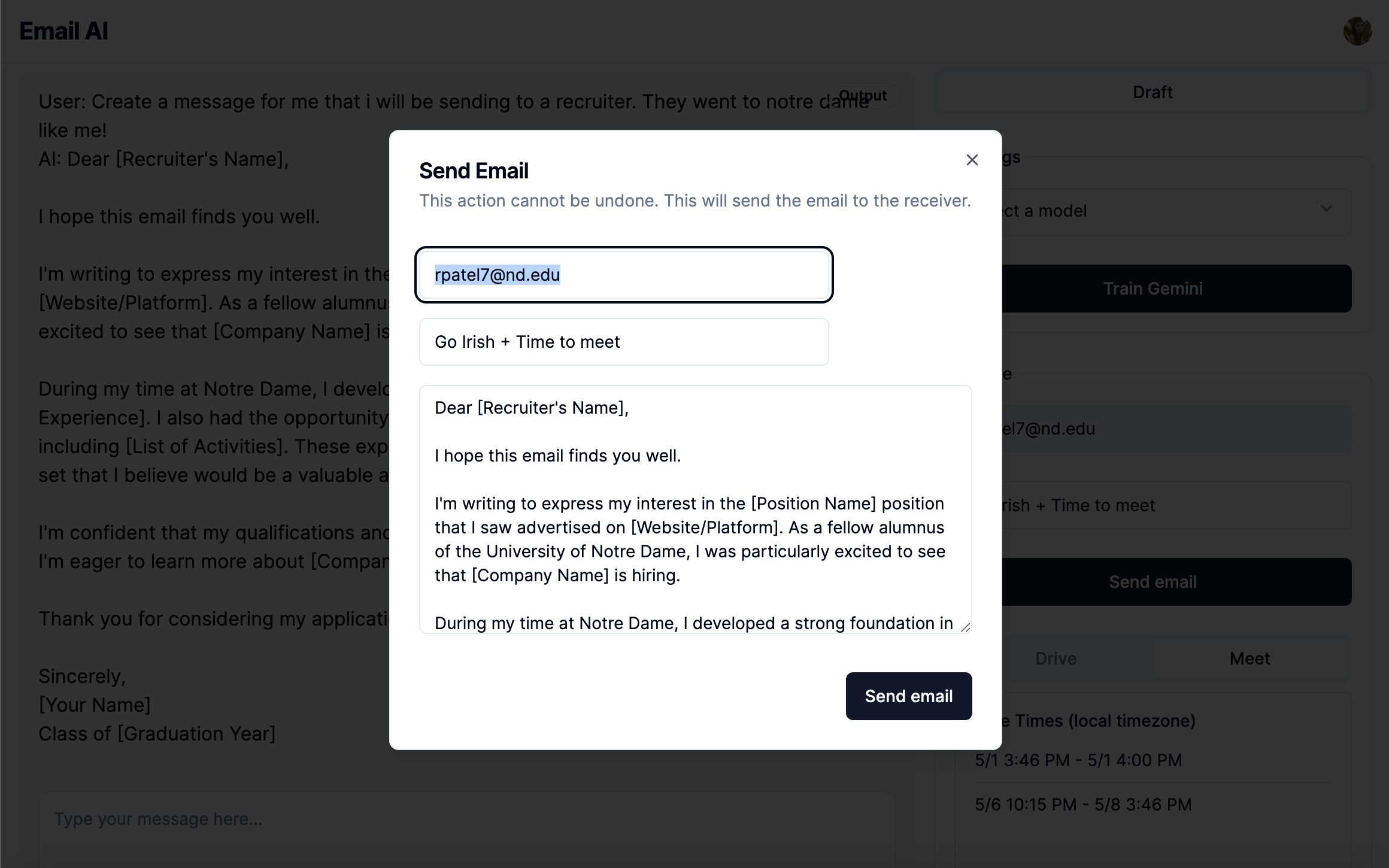
Email is generated based on the users prompt. Click "Send Email" button.
-
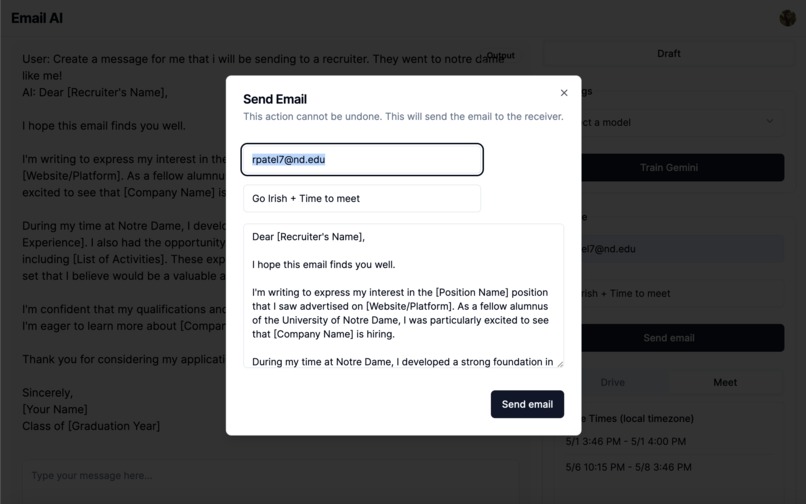
Once the email is generated, the user checks over, adds any documents and calendar times if needed. Pressing "confirm" will send the email.
Inspiration
As college students and recent graduates, we are constantly engaged in networking activities via email. This involves arranging meetings, attaching resumes, and crafting engaging messages to capture the attention of our recipients. However, we've noticed that we often find ourselves sifting through old emails for appealing sentences or catchy subject lines, which can be quite time-consuming. Additionally, managing multiple tabs while searching for available time slots on our calendars and locating resumes in our Google Drive further complicates and lengthens the process.
Recognizing this inefficiency, we came up with the idea of developing an application that could learn from our writing styles and optimize the email composition process. Many existing email generators produce generic and robotic-sounding messages, which fails to generate genuine engagement from the user, while also adapting to their writing styles. While they do achieve writing an email, these products usually don’t work to create an email that sounds like its users. Our goal is to address this issue by creating an application that streamlines the email writing process while maintaining a personal touch.
What it does
- A user signs into their gmail account
- They consent to allowing our application to access their Gmail, Drive and Calendar via Google’s 3. various APIs
- We send the email data to Gemini AI and, utilizing prompt engineer, send in a message with the email data
- The user can now send a prompt which will be sent with the email data to Gemini AI
- Once an email is generated, the user can edit it, add a recipient, look at available times (the meet time provides free blocks for the next seven days), and look through documents as well
- The user can then confirm to send the email once they have edited it to their liking
How we built it
We utilized Next.js for our full-stack framework, and used ShadeCN for the design and UI/UX functionality. Everything is stored in this application including the cookies for authentication, so there was no need to create a backend where we pull data. We utilized the suite of API’s provided by google for sending/getting an email, accessing calendar information, and drive information. Additionally, using Gemini AI and the AI Studio, we used prompt engineering to be able to craft personalized messages based on the way users write.
Challenges we ran into
The Google Suite API was hard to use at first. Finding the right request body to get email snippets and full body emails was a meticulous process. There wasn’t as much documentation as we anticipated, so it took a lot of trial and error to get the response we were looking for. On top of that, training and fine-tuning the Gemini Model was also challenging, as we were pulling an input and output that didn’t fit the formatting.
Furthermore, the Gemini AI version released to the public does not account for history, so the user was not able to have an ongoing chat with the AI model in order to modify or change the email. Training the model was difficult and came with its own complications, so we had to send in all the email data plus the users initial prompt and receive a response that way. Otherwise, we would need an individual model for each user which is not feasible with Gemini right now.
The smaller details definitely made this project very challenging; however, we were able to overcome them!
Accomplishments that we're proud of
I think we are all around happy with how much we accomplished with this project, especially given how complicated our project seemed at first. Being able to do everything in one place was daunting at first, but it was really cool to see that it worked!
What we learned
We are definitely well-versed in the Google Suite API and also how to use Gemini AI API now! We also learned what it takes to fine tune a model on a singular users data. It is incredibly difficult to copy natural human language and lingo, so training a model on that was time consuming but also a great learning lesson. It also gave us a glimpse of what the future of AI may be, and we are excited to see how we can continue to train models to become assistants that are exactly like us.
What's next for EasyMail
Our next stride for EasyMail involves integrating GeminiAI to empower users to effortlessly train their email models. Currently, we lack a seamless feature for this purpose, which leads to prompt engineering vs. a model that continue to learn from the user. In the future, we would love to add this capability, so each user has a personal email assistant.
Moreover, we aim to enhance our model by training it to recognize patterns in users' meeting booking habits, thereby refining the accuracy of suggested free times in their calendars. Furthermore, leveraging AI search via Gemini for document retrieval would be great—for instance, locating resumes when the prompt seems like it is a networking email. Our commitment lies in refining the model until we achieve an email generator that is personal towards each user!
Built With
- gemini
- next.js
- typescript

Log in or sign up for Devpost to join the conversation.