-
-
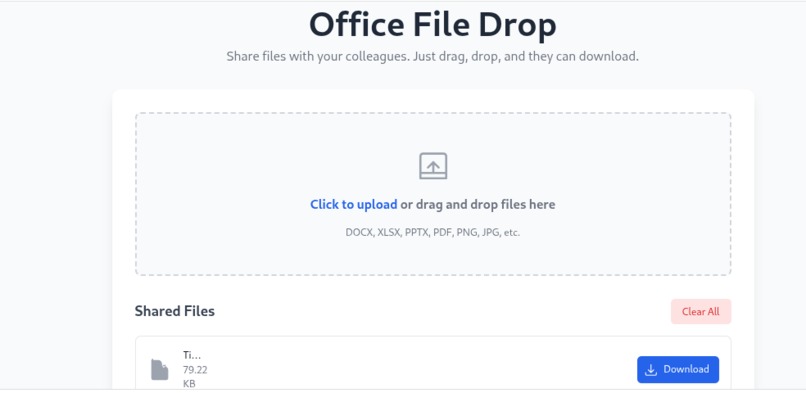
Project page screen shot

Project Story: The Office File Drop
What Inspired Me
The Office File Drop was inspired by the common workplace pain point of cumbersome file sharing. Often, simple documents like a quick spreadsheet, a presentation draft, or a team photo get buried in email threads or require navigating complex, slow cloud services. I wanted to create a solution that was dead simple—a single, universal digital desktop where colleagues could drag, drop, and instantly access files without friction. The core goal was to make sharing as fast and intuitive as physically handing a document to a teammate.
How the Project Was Built
The entire application was built as a modern, self-contained web app primarily using three core technologies:
HTML and Tailwind CSS: The entire application lives in a single HTML file. I used Tailwind CSS to rapidly develop a clean, responsive, and user-friendly drag-and-drop interface, ensuring the tool looks professional and works well on any device, from desktop to mobile.
Firebase Firestore for Real-Time Synchronization: This was the crucial component for "instant" sharing. I used a public Firestore collection to store the file data. The onSnapshot listener ensures that the shared file list updates across all team members' screens in real time, making the sharing experience instantaneous.
Client-Side File Processing (Base64): Files dropped onto the zone are read asynchronously using the native browser FileReader API. The file is converted into a Base64 Data URL string, which is then saved to Firestore. This Data URL holds the entirety of the file's content, allowing the receiving user to click "Download" and reverse the process, reconstructing the original file on their local machine.
What I Learned
Developing the Office File Drop provided significant learning in asynchronous file handling and database architecture under strict limitations. I gained a deeper understanding of:
Data Serialization: Efficiently using Base64 encoding to serialize binary data (files) into a text format suitable for database storage and transport.
Optimizing User Experience (UX): Designing drag-and-drop event listeners to provide clear visual feedback (the :dragover state) and correctly handling browser default behaviors to ensure a seamless interaction.
Auth Flow: Implementing robust Firebase Authentication logic to ensure every user has a clear ID, even if they are only signed in anonymously or via a custom token, which is essential for identifying the file sharer.
Challenges Faced
The biggest challenge was circumventing the strict data size limit imposed by the underlying technology.
The 1MB Firestore Constraint: Firestore documents have a maximum size of 1MB. Since we are storing the file content itself (as a large Base64 text string) within a document, this immediately created a hard limit.
Mitigation Strategy: I had to implement a strict file size check (1MB) before the upload process begins, notifying the user with a modal if their file exceeds this technical boundary.
Asynchronous Performance: Handling the large, asynchronous conversion of file data to Base64 in the browser required careful management of promises and loading states to ensure the application remained responsive during the upload process.
