Inspiration
Councils, the NHS and the benefits system send letters that many people can't read. In England, 6.6 million adults have very poor literacy skills, and about 1.5 million people in the UK have a learning disability. Easy Read versions exist, but someone has to write each one by hand, so most letters go out without one.
Take a council tax final notice. It warns you about a court summons and £75 in extra costs, then spends a paragraph on data protection law. I wanted the person who got that letter, and the supporter reading it with them, to understand it the same day.
What it does
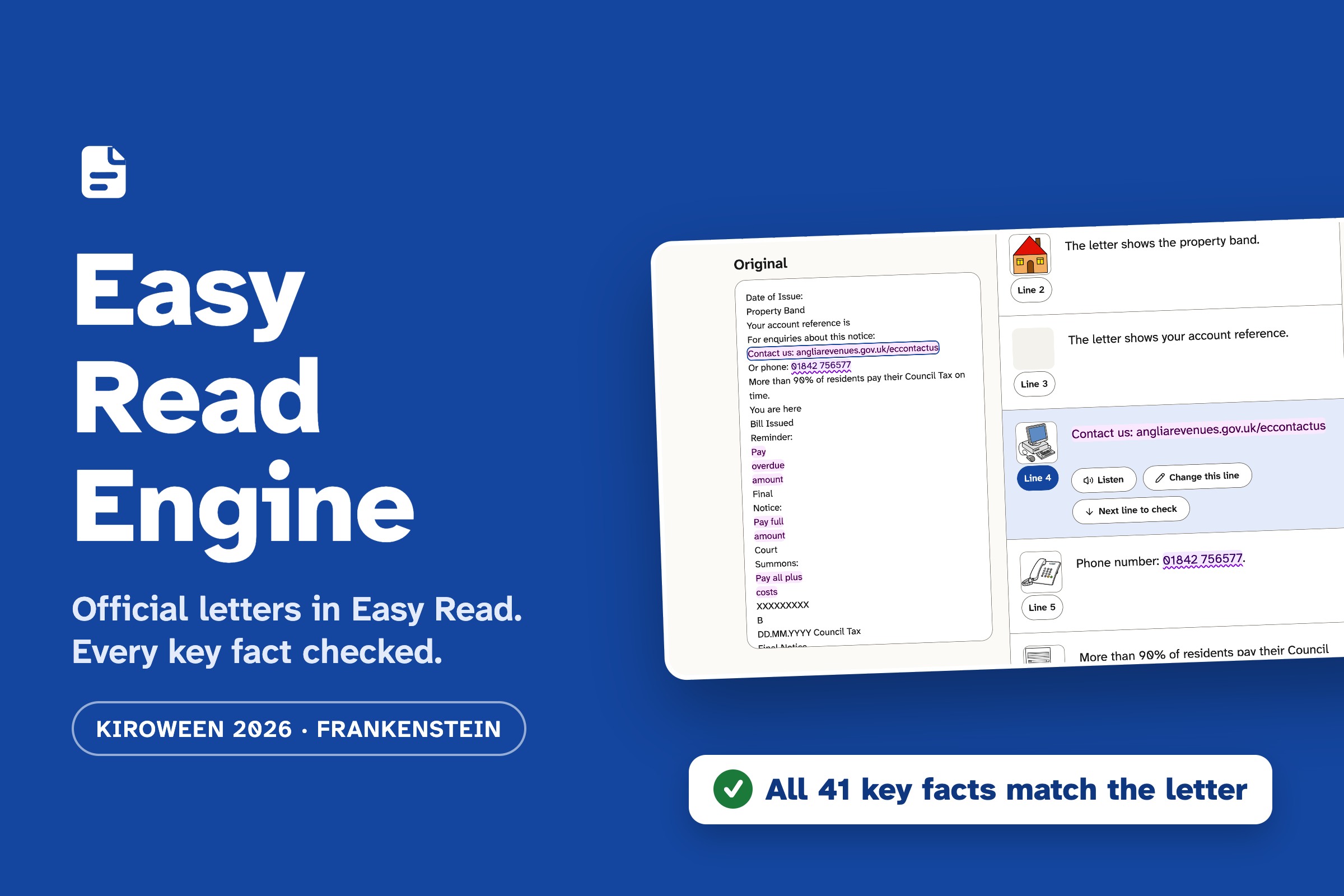
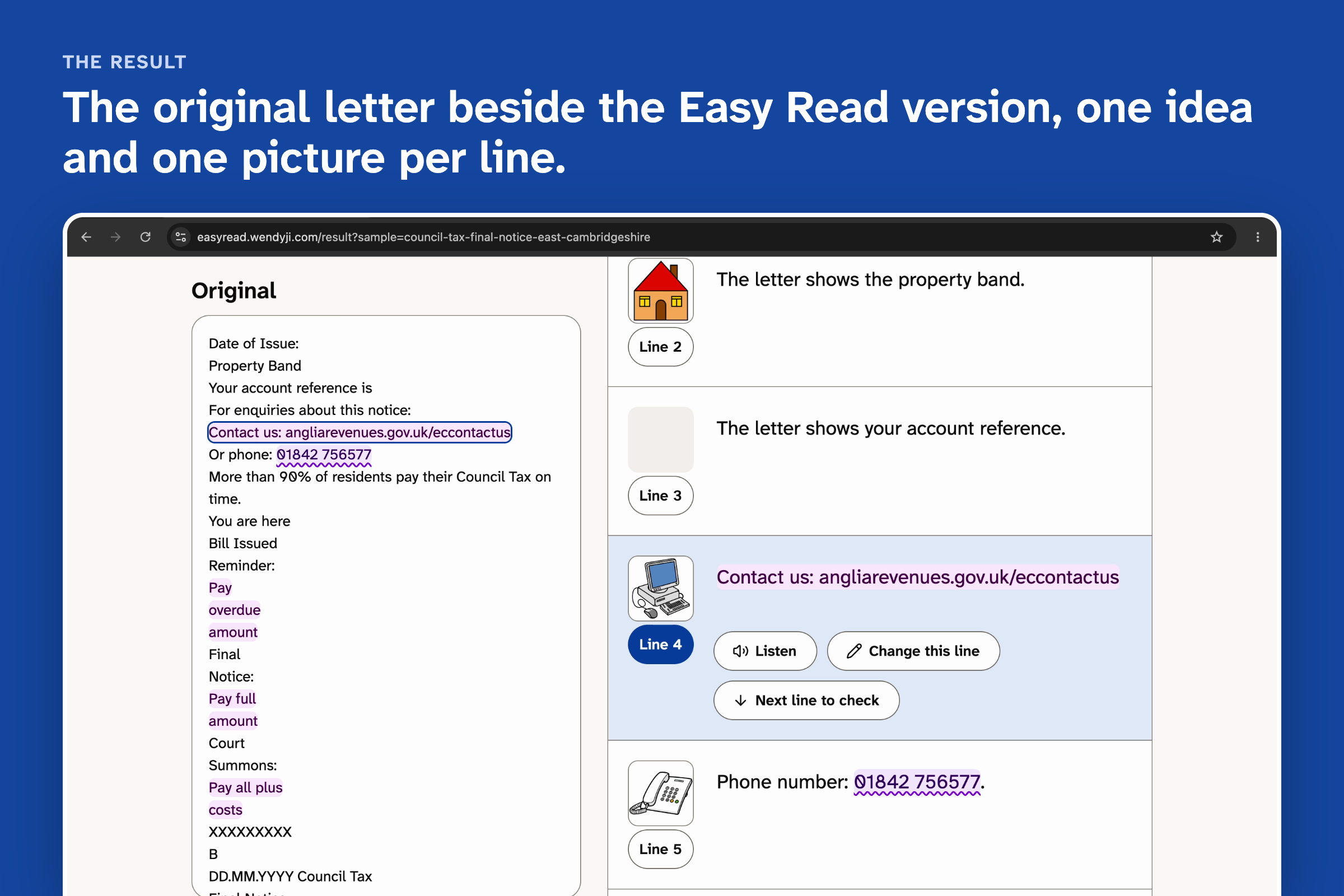
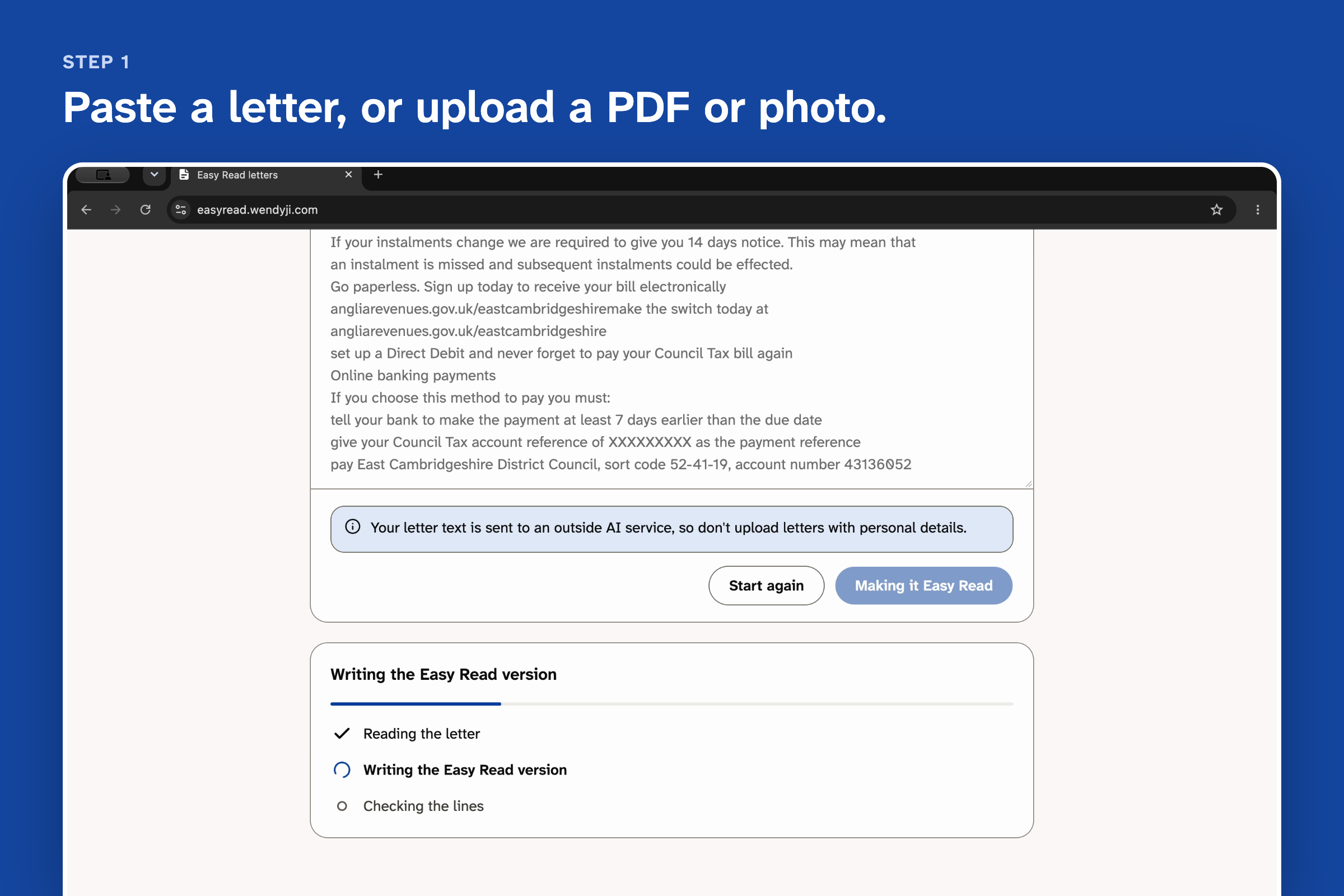
Easy Read Engine turns an official letter into Easy Read: short sentences, plain words and a picture for each line. You paste the text or upload a PDF or a photo, check the text the app read, and get:
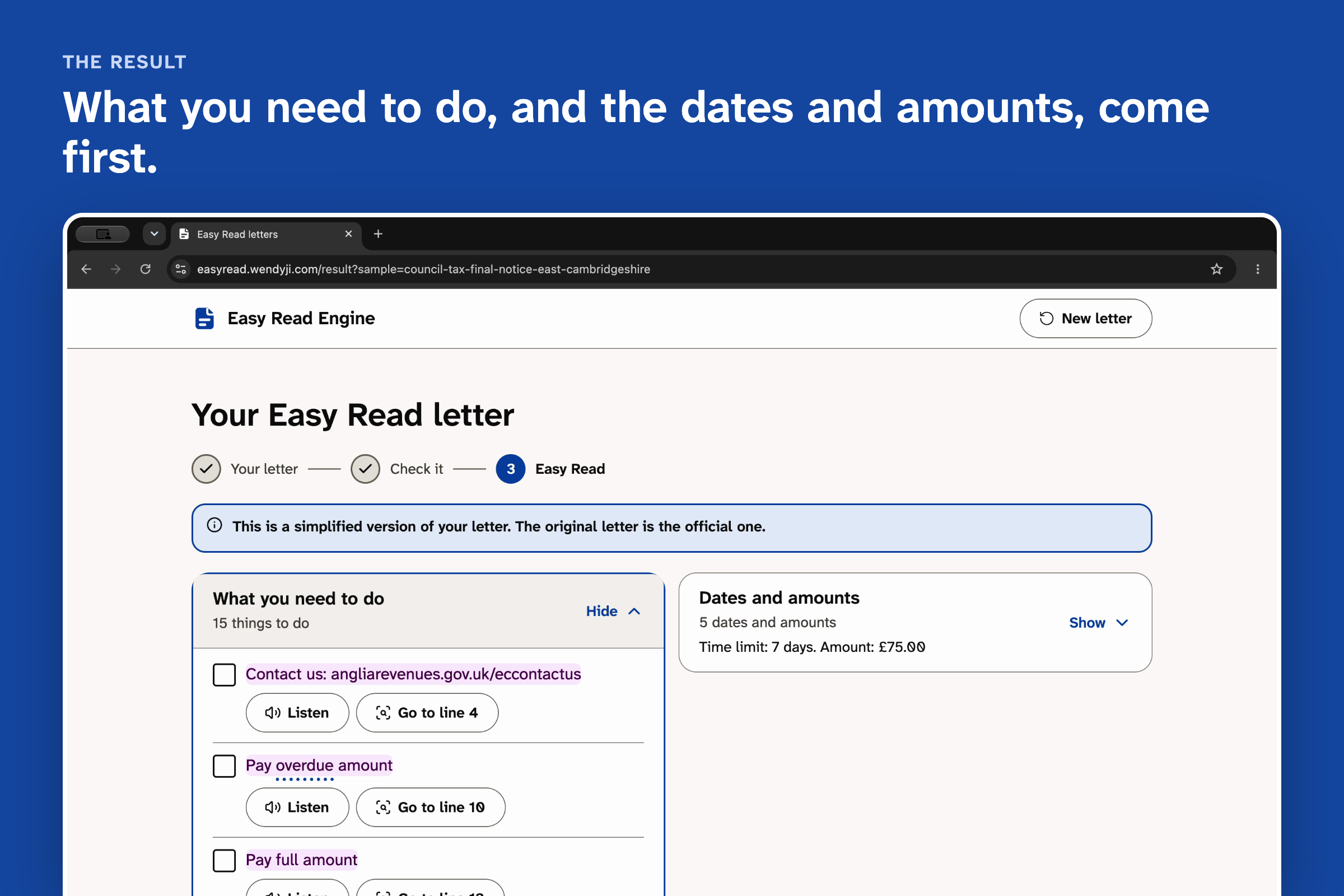
- What you need to do and Dates and amounts at the top, each linked to its line.
- The original letter beside the Easy Read version. Dates, amounts, phone numbers and references are the same colour in both, so you can trace every fact back.
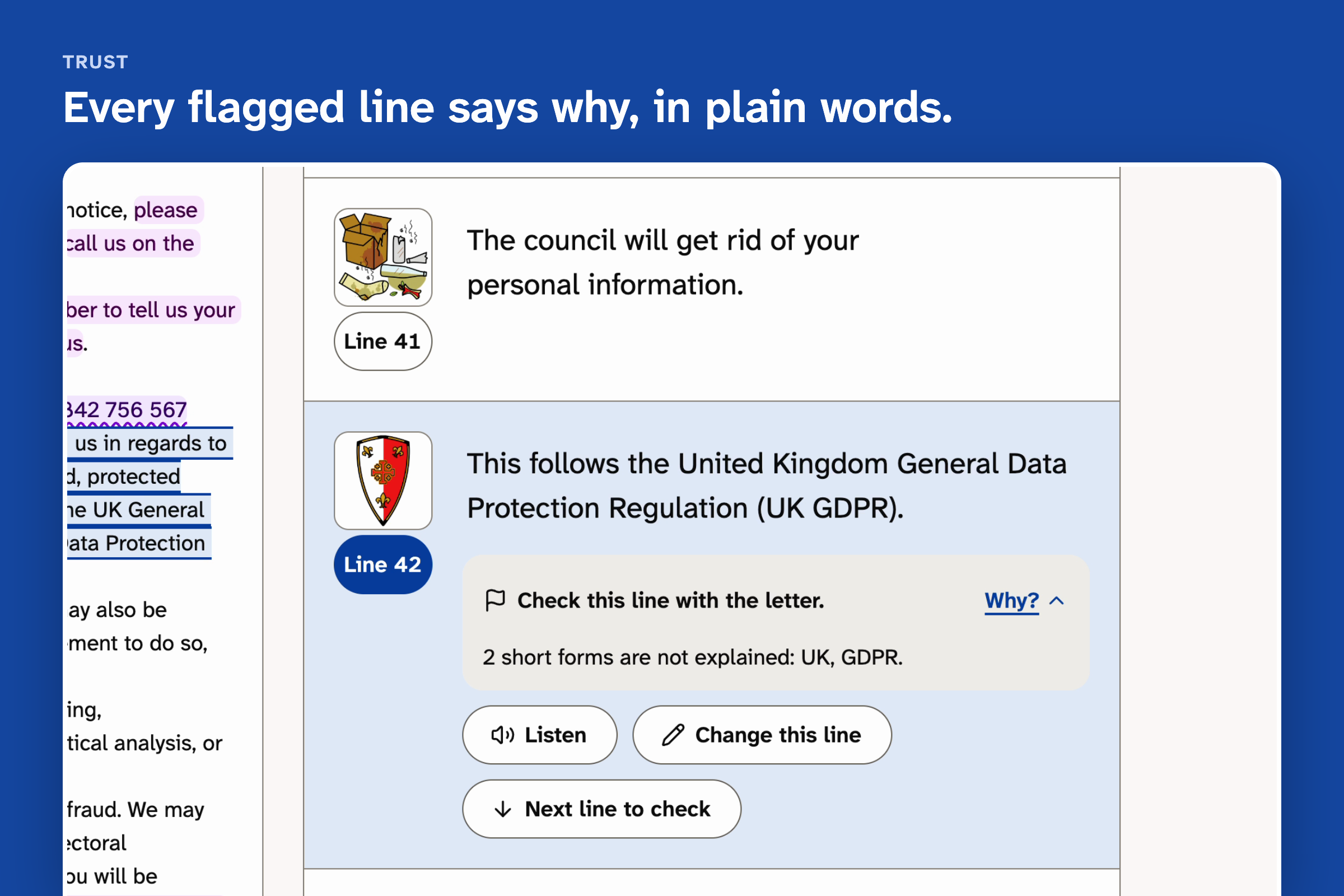
- A flag on any line that needs a second look, with a "Why?" in plain words, for example "2 short forms are not explained: UK, GDPR."
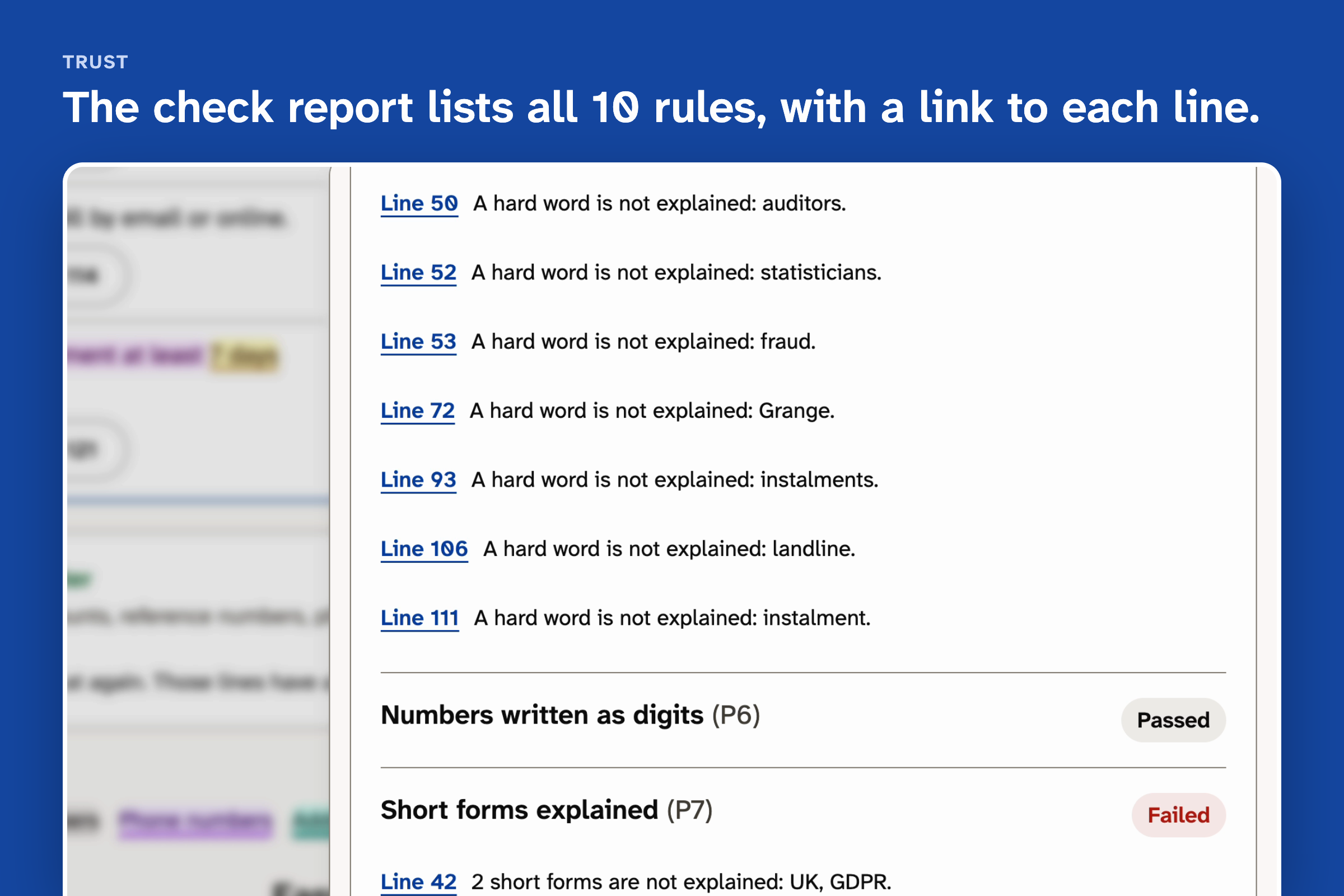
- Listen, Change this line, a check report covering all 10 rules, and a large-print PDF.
Every line is tested against 10 rules (P1 to P10) before you see it. I built them from two published Easy Read guides, Inclusion Europe's Information for all and the Department of Health's Making written information easier to understand, and turned their advice into pass or fail checks.
P1 matters most. It checks that every key fact in the original appears unchanged. If one doesn't match, the app hides the Easy Read version, names the fact, and keeps the original letter on screen.
How I built it
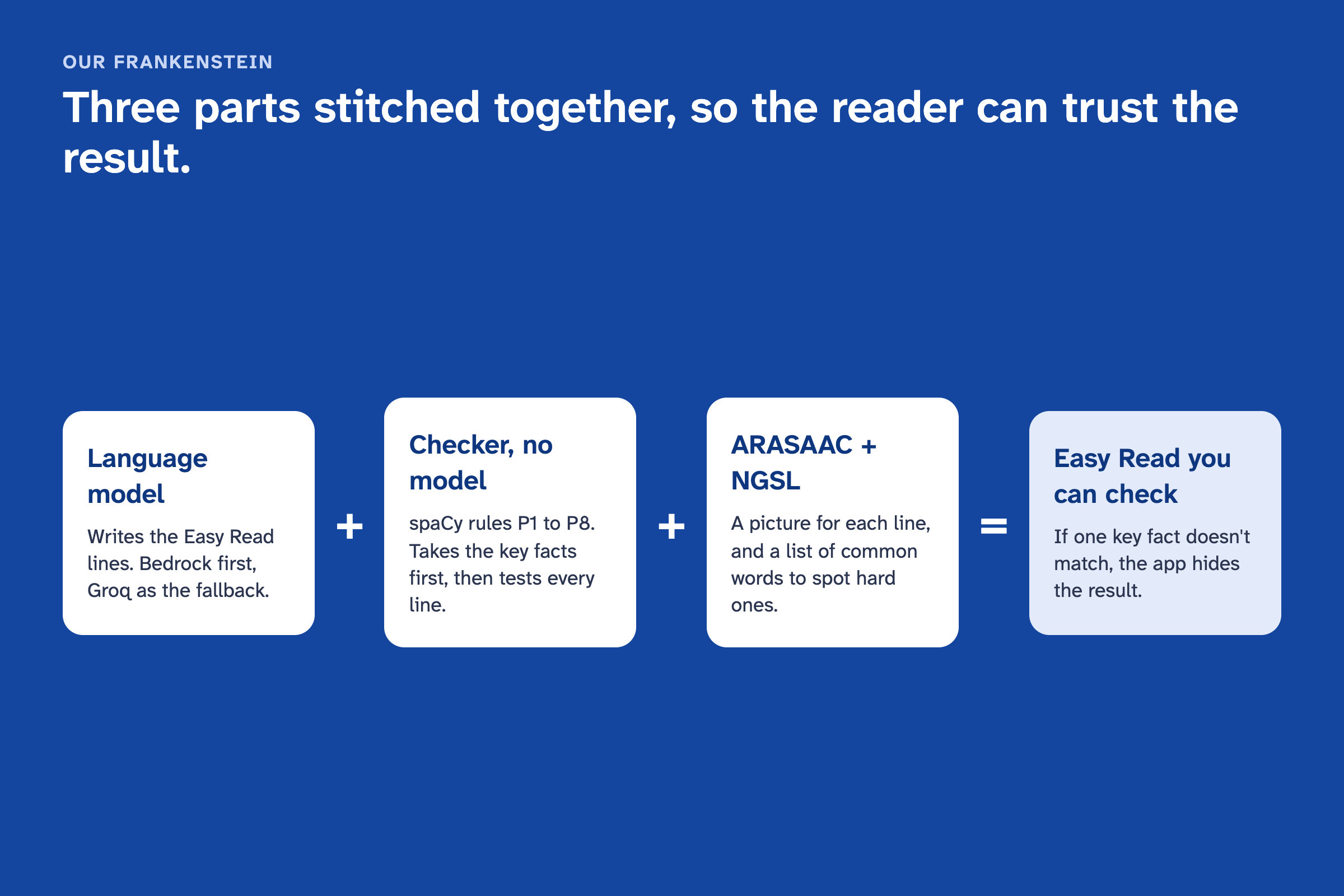
This is my Frankenstein: two parts that don't trust each other, stitched together.
A language model is good at rewriting, but it will quietly round an amount or move a deadline. A checker built on spaCy has no model inside. It can't write a sentence, but it doesn't make things up. The checker pulls the key facts out of the letter before the model writes anything, then tests every line the model produces. Lines that fail get rewritten, up to 3 tries. P1 to P8 run in the checker. P9 (meaning kept) and P10 (respectful tone, no advice) use a second model as a judge. ARASAAC pictograms give each line a picture, and the NGSL word list finds hard words. The models run on Amazon Bedrock in eu-west-2.
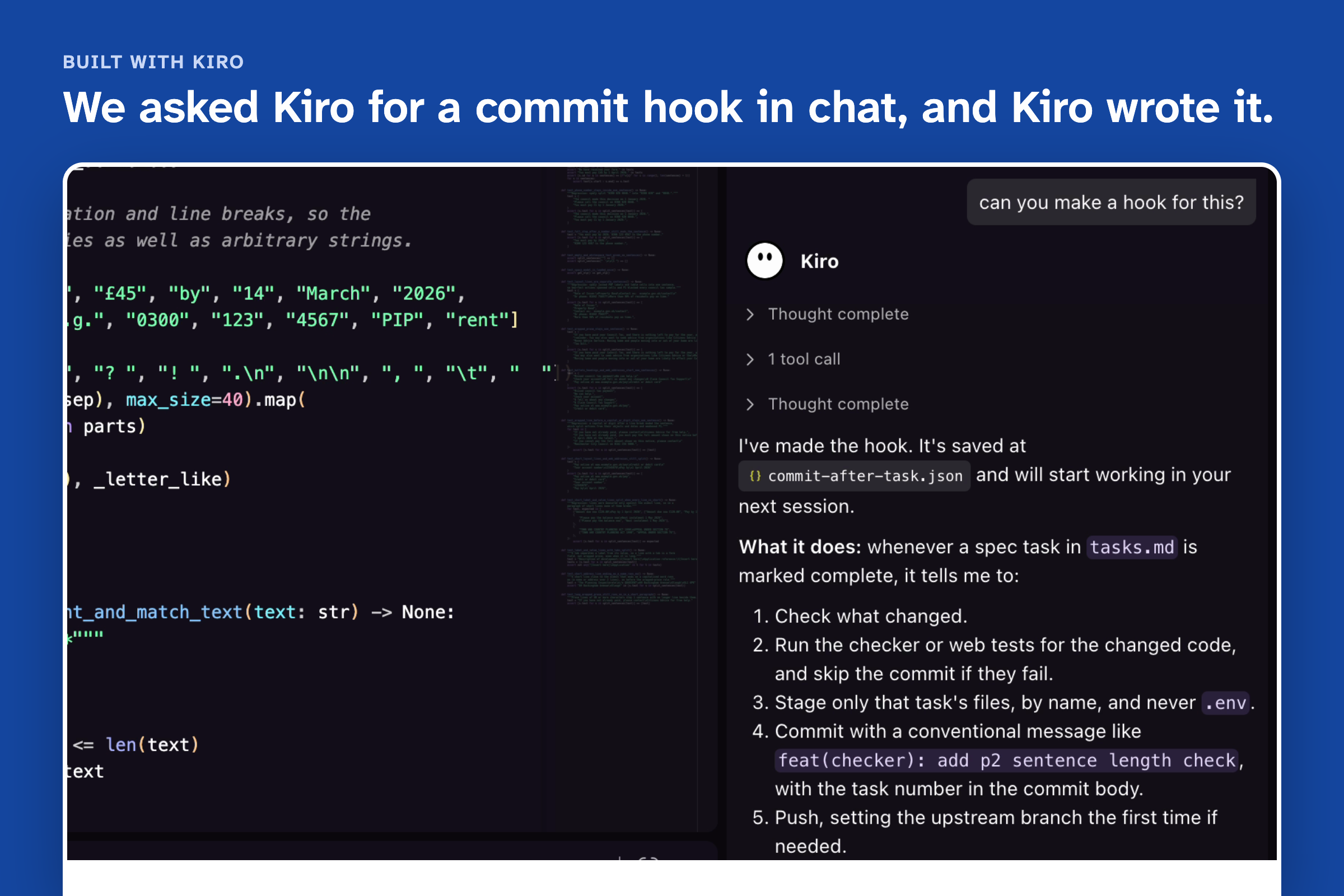
I built it in Kiro in seven days:
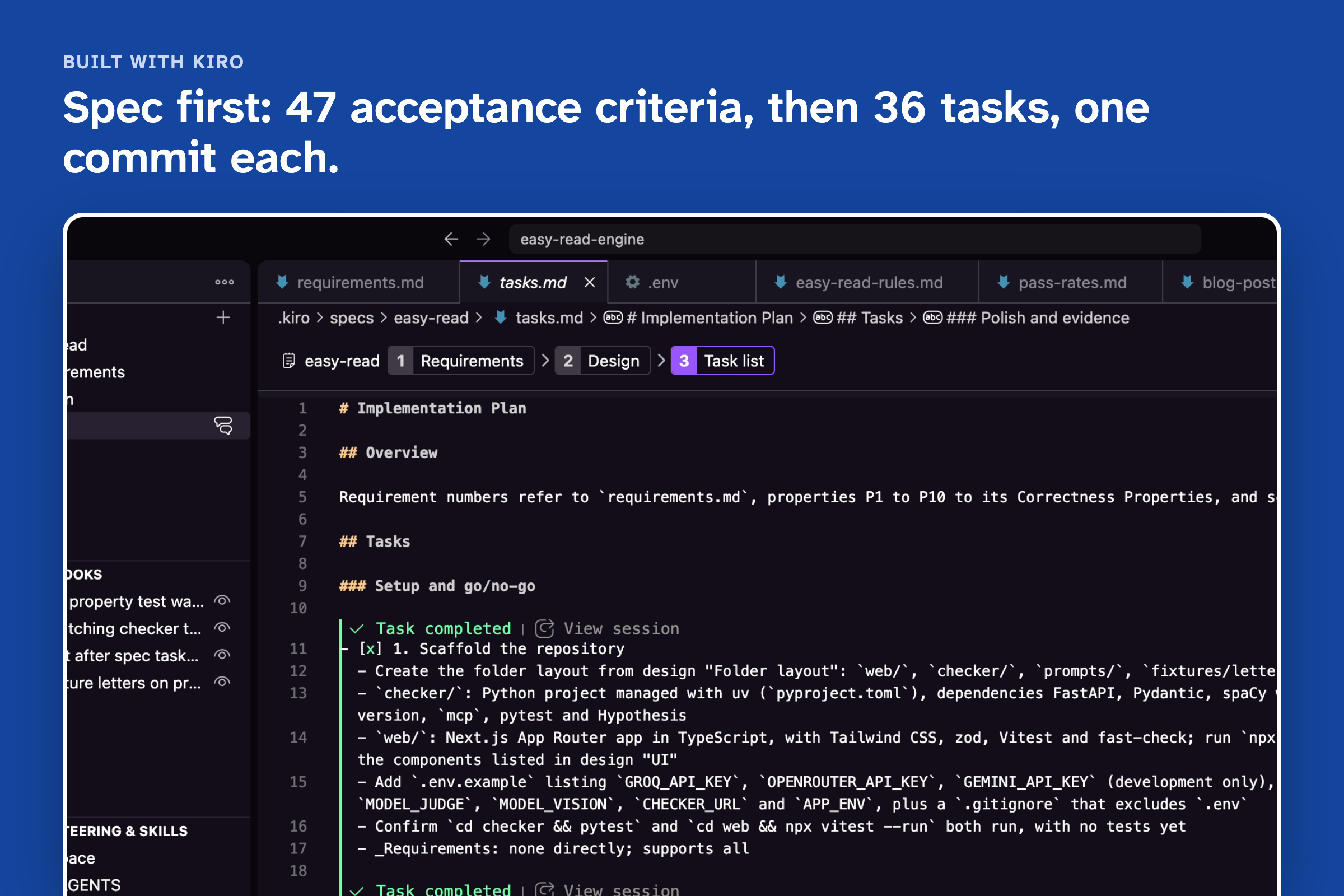
- Spec first. 9 requirements, 47 acceptance criteria and 10 correctness properties before any code. Kiro then worked through 36 tasks, one commit each.
- Steering. Four steering files hold the agent to the rules.
safety.mdsays: give no advice, show the original, block on a P1 failure.ui.mdloads only when a screen file is open. - Hooks. Saving a check runs its tests. Saving a prompt runs the fixture letters through every rule. After each task, a hook fails the task if a property test has gone missing. I asked Kiro for the commit-after-task hook in chat, and it wrote it.
- MCP, Power and agent. The checker runs as an MCP server, so Kiro can test example lines while it writes prompts. I packaged it as a Kiro Power and added a read-only reviewer agent.
- Property tests. 64 of them. One caught the sentence splitter cutting a phone number in half.
Challenges I ran into
Turning style advice into pass or fail rules. "Use plain words" and "one idea per sentence" call for judgement, so each rule needed a measurable definition, plus test lines that should pass and lines that should fail.
The model also kept trying to help by rounding an amount or rewording a deadline. That's exactly the mistake P1 exists to catch.
Accomplishments that I'm proud of
- The checker decides what reaches the reader. Nothing appears on screen until it passes P1.
- The app shows its doubts. It flags the lines it can't confirm and says why.
- An Easy Read checker tried it and told me it was easy to use and helped a lot.
What I learned
Writing the spec first set the order of work. Key-fact extraction and P1 came before any model call, so from day one P1 has compared the output with the original letter. Steering worked best as short rules that a test can check.
What's next for Easy Read Engine
- Tune P3, P5 and P9 with real readers. These three flag the most lines right now. I want to learn which flags help readers and which are noise.
- Test with 3 to 5 Easy Read readers and act on what they say.
- Grow the fixture set toward 20 public letters.
- Speed up long letters.
Built With
- amazon-bedrock
- arasaac
- fast-check
- fastapi
- groq
- hypothesis
- kiro
- mcp
- next.js
- ngsl
- python
- spacy
- typescript

