-
-
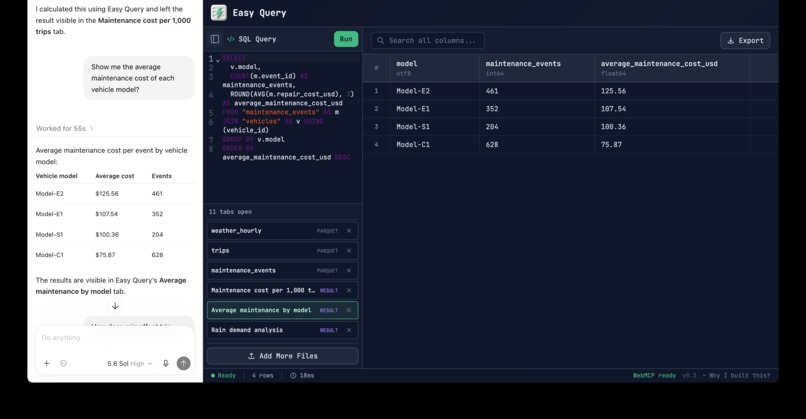
demo1
-
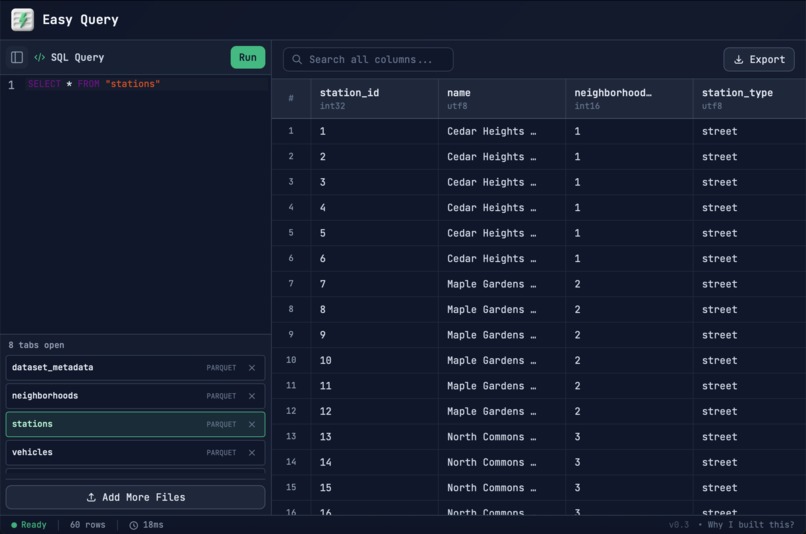
demo2
-
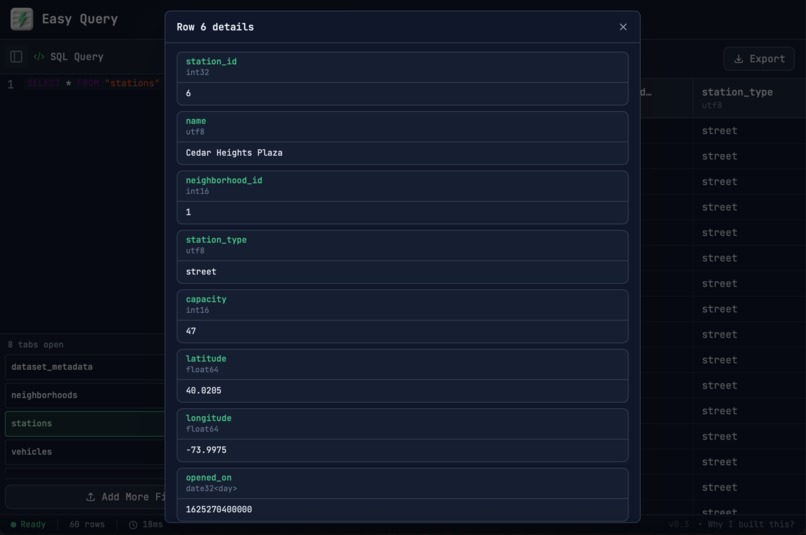
demo3
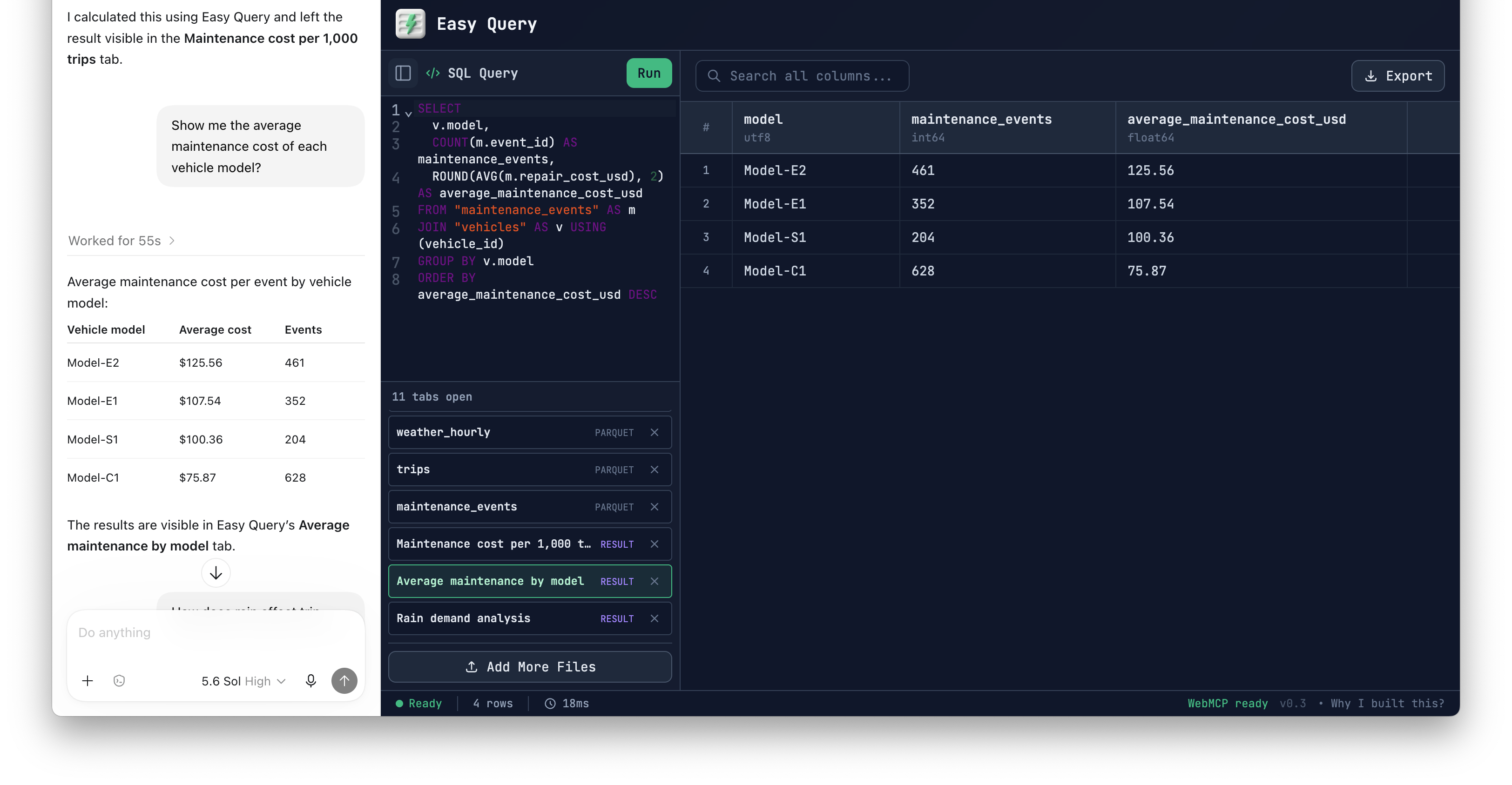
Inspiration
Why this is a strong fit for WebMCP
- Pain: Writing complex SQL requires expertise. Solution: Using WebMCP, the agent can help users write accurate SQL queries.
- Pain: Most AI assistants and data tools operate in separate contexts. Users are forced to repeatedly copy information between tools and manually apply every suggestion. Solution: The agent works directly in Easy Query, eliminating constant copy-pasting between tools.
- Pain: Long, deeply nested SQL queries maintained by multiple people are difficult to understand, modify, and debug. Solution: WebMCP gives the agent access to the full query, schema, errors, and results to explain the logic, make changes, and verify the fix.
How it creates a better user experience
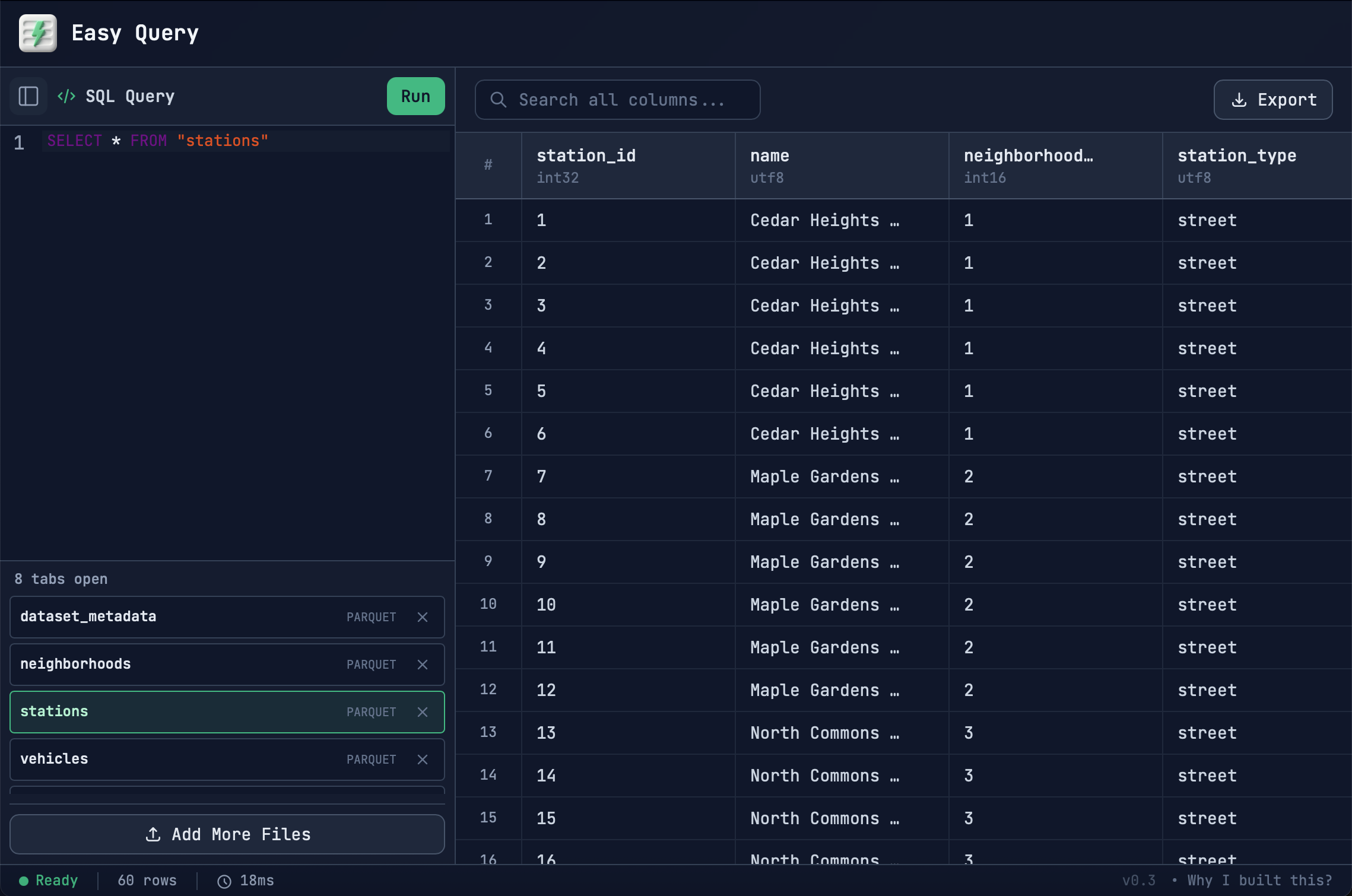
- Pain: Basic file viewers such as Excel are easy to use but building complex queries quickly becomes awkward. Solution: Easy-to-use GUI features such as: infinite scrolling, search, sorting, and filtering.
- Pain: On the other hand, database tools are powerful but intimidating. Solution: Easy Query gives users the power of SQL and AI through a familiar table interface, making advanced data analysis far less intimidating.
- Pain: Formats such as Parquet are difficult to inspect. Solution: Easy Query displays them directly in a fast, familiar table.
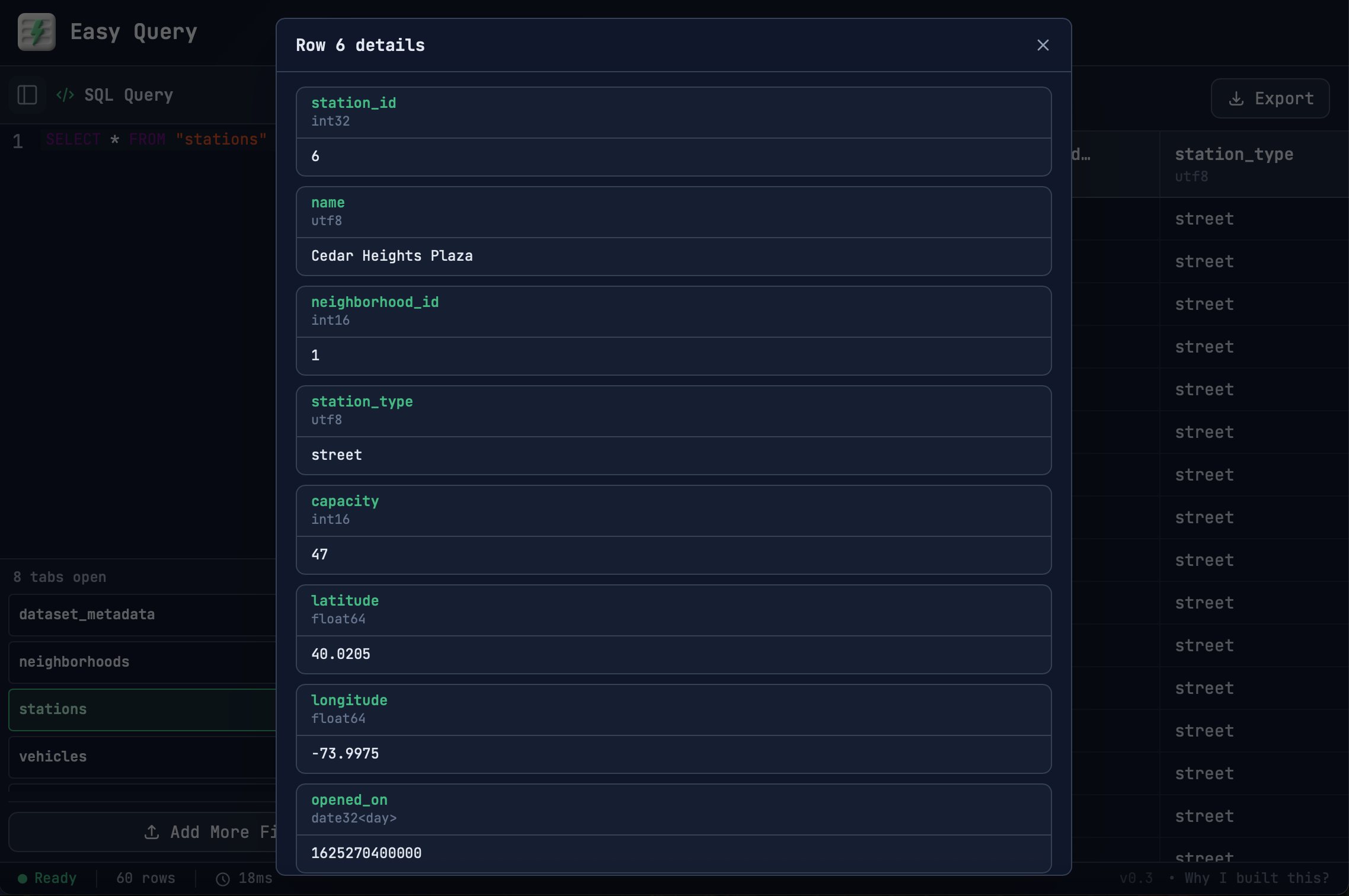
- Pain: Most AI tool's chat history buries earlier queries and results. Revisiting an earlier query means scrolling through the conversation, finding the right response, and interrupting the current discussion to refine it. Solution: Every query and result appears in a browser-style tab that users can inspect, edit, rerun, rename, and reuse.
What people and agents can do together
- Every query and result remains visible and editable, making advanced analysis accessible without taking control away from experienced users.
- Either the user or agent can independently perform full data analysis.
- They can also collaborate: the user guides the question while the agent handles complex SQL and iterative debugging.
- Because both operate on the same live workspace, either can immediately continue, refine, or verify the other's work.
What it does
Easy Query loads CSV, TSV, Parquet, JSON, and JSONL files into DuckDB-Wasm and lets users explore them entirely in the browser.
Users can write DuckDB SQL themselves or ask a WebMCP-enabled agent to:
- Discover tables, columns, and relationships
- Write joins, aggregations, CTEs, and window queries
- Execute SQL and inspect complete results
- Diagnose errors and revise queries
- Create, rename, activate, and close workspace tabs
Every query and result remains visible in a tab, allowing the user to inspect, edit, rerun, and learn from the agent’s work.
How we built it
Easy Query is built with Svelte 5, TypeScript, CodeMirror, Apache Arrow, and DuckDB-Wasm. Files are loaded into an in-memory DuckDB database, while virtual scrolling keeps large query results responsive.
We implemented WebMCP using the imperative document.modelContext.registerTool API. The application exposes structured tools for inspecting the DuckDB catalog, managing workspace tabs, reading and writing SQL, executing queries, and retrieving help.
These tools operate on the same Svelte state and DuckDB connection used by the visible interface. When an agent creates a query tab or runs SQL, the result immediately appears for the user. When the user edits or renames a tab, that updated state is available to the agent.
Challenges we ran into
Tables, SQL, active tabs, query results, and schema changes must remain synchronized between the user interface and WebMCP tools.
Accomplishments that we're proud of
We built an end-to-end WebMCP workflow rather than a collection of isolated demo commands. An agent can discover an unfamiliar dataset, create a query, run it, inspect an error or result, revise its approach, and leave the finished analysis visible to the user.
We are also proud that Easy Query supports two collaboration styles. An agent can complete an analysis autonomously, or it can behave as a copilot by drafting SQL and waiting for the user to review and execute it.
What we learned
We learned that WebMCP tool design is product design, not just an implementation task. Delegating it entirely to a coding agent can produce tools that work technically but create a confusing user experience. Human judgment was essential for defining clear capabilities and boundaries. For example, explicitly identifying DuckDB as the SQL dialect and separating database tables from workspace tabs made agent behavior far more reliable and predictable.
What's next for Easy Query
Next, we want to grow Easy Query into a broader, local-first data analysis workspace:
- Add charts and maps so people and agents can turn query results into clear trends, relationships, and geographic insights.
- Explore additional query paradigms, including dataframe-style transformations and specialized languages for graph or time-series data.
- Support more data sources, including local SQLite and DuckDB databases, plus optional remote databases through secure, user-controlled connectors.
Built With
- codex
- duckdb
- svelte
- vercel

Log in or sign up for Devpost to join the conversation.