-
-
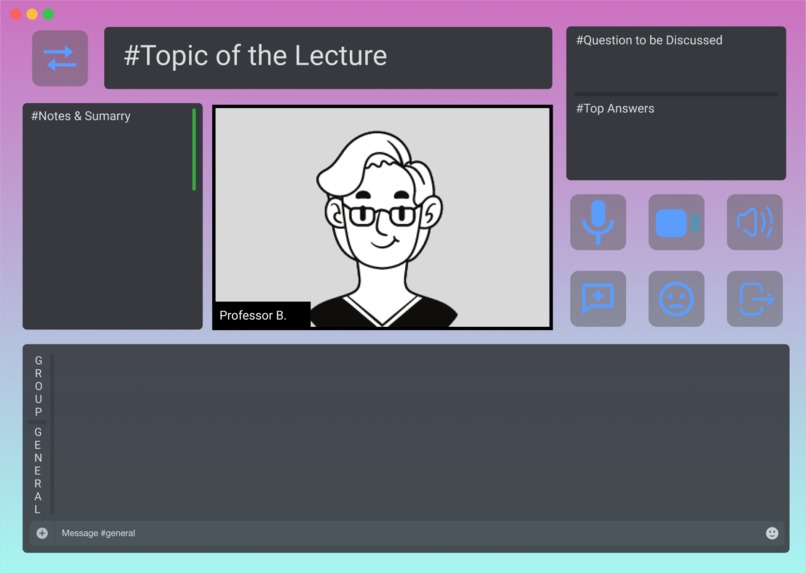
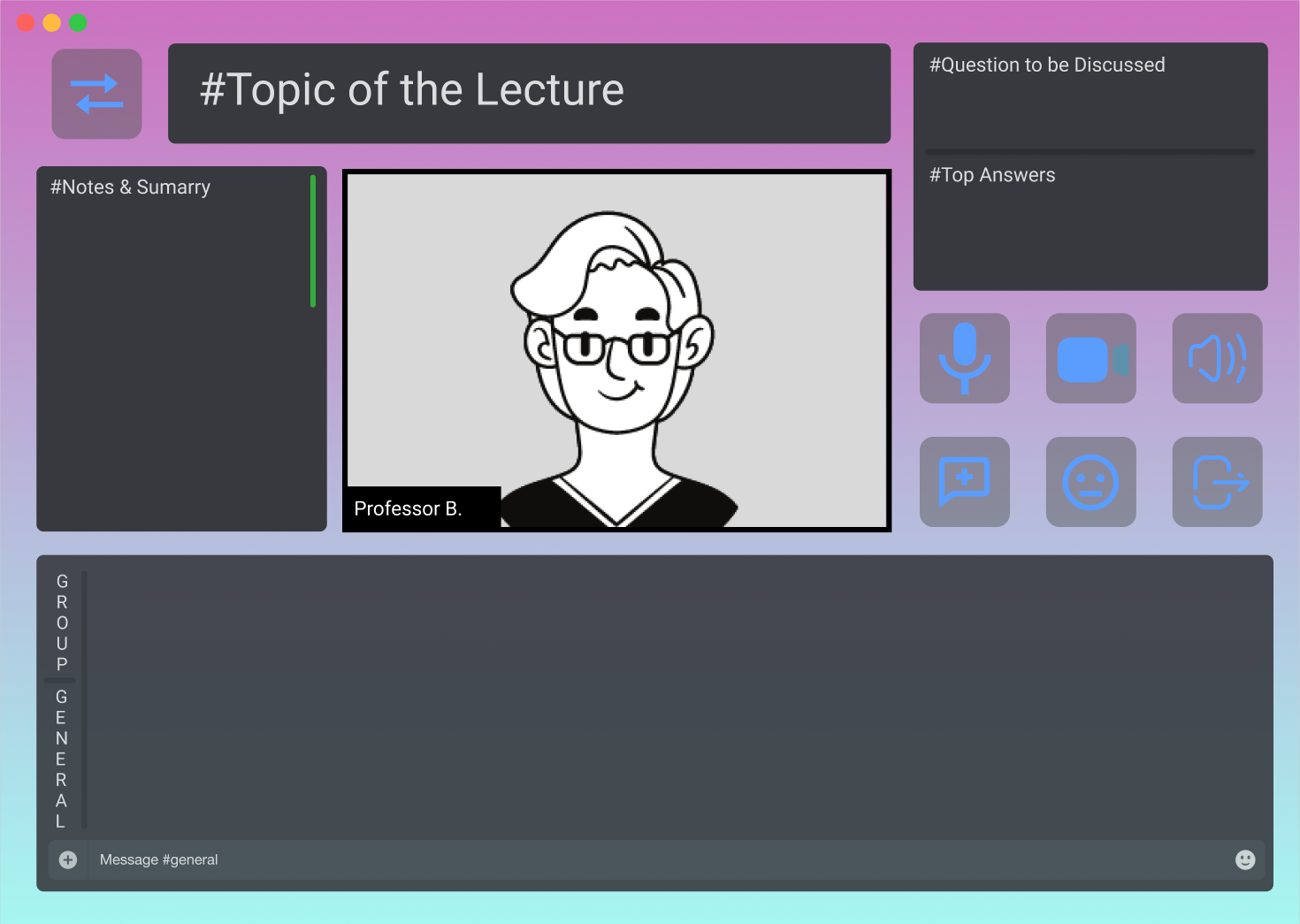
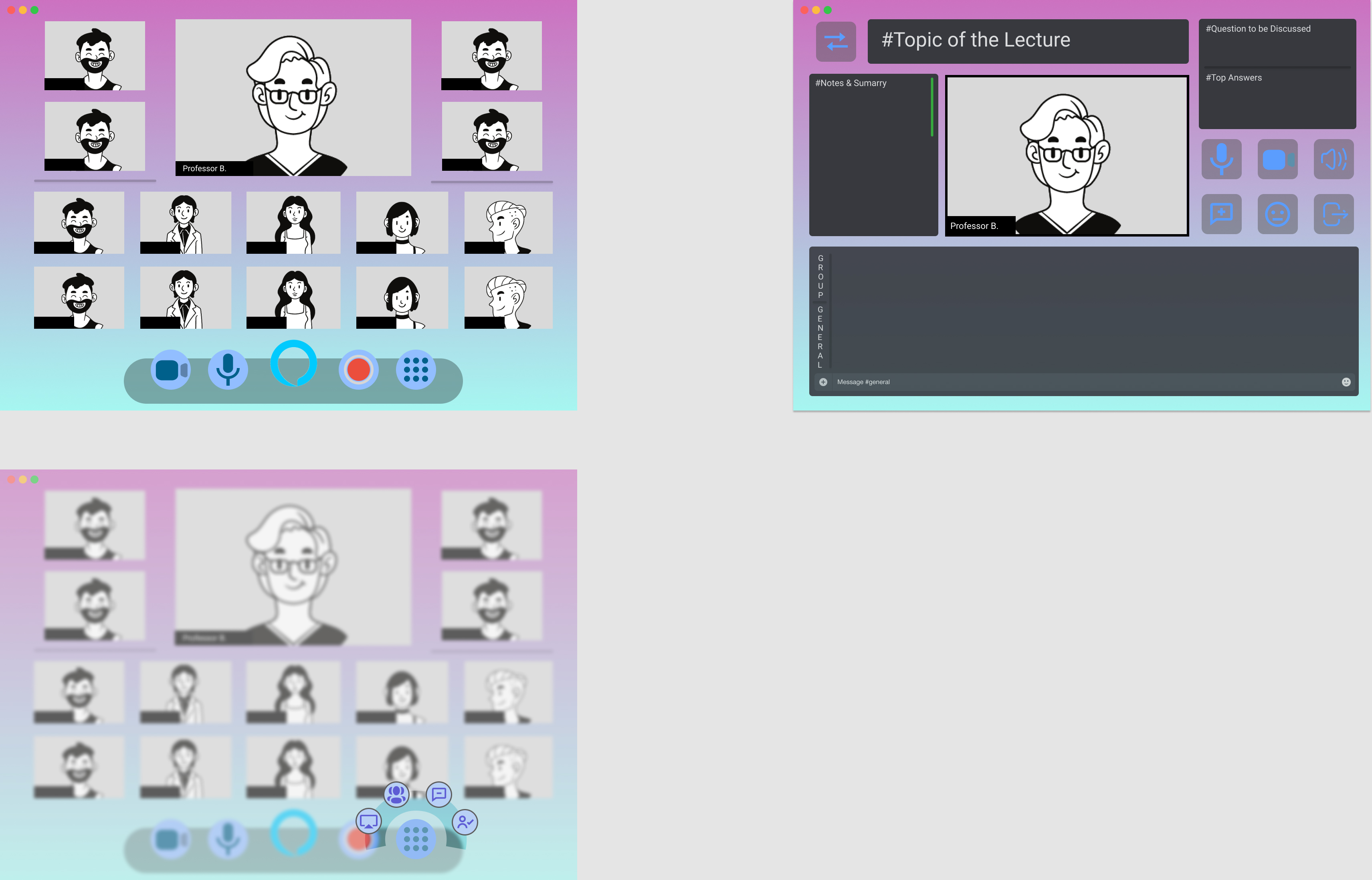
The discussion mode, where the professors can present the key points on the board, students can free feel to chat on the discussion board.
-
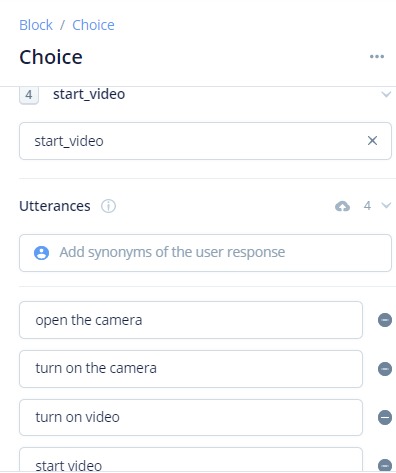
Accessibility Demo
-
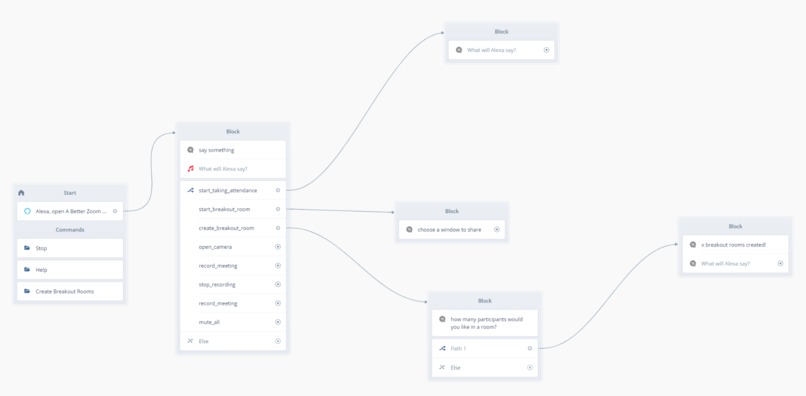
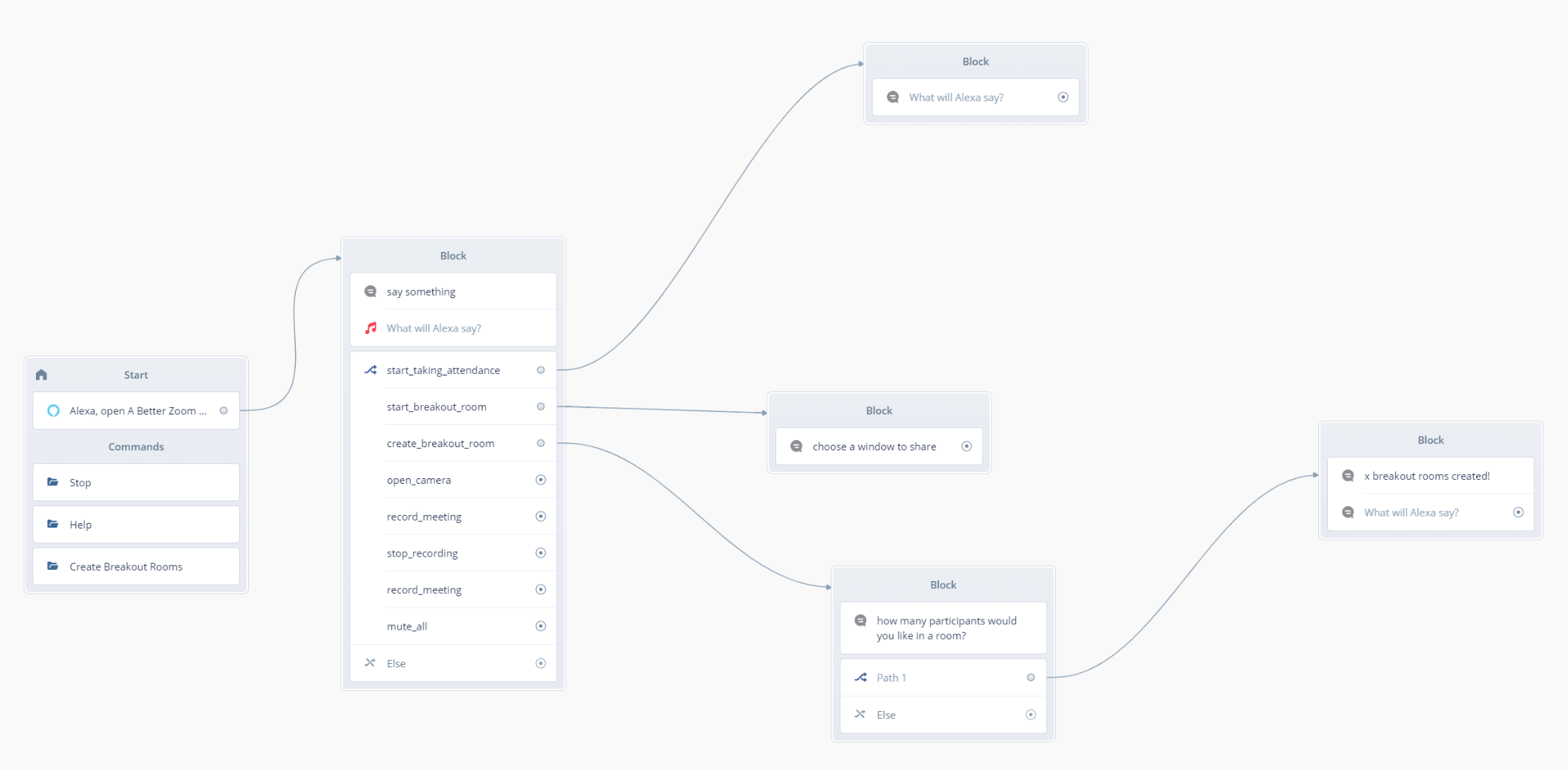
Voiceflow implementation process for creating breakout rooms function
-
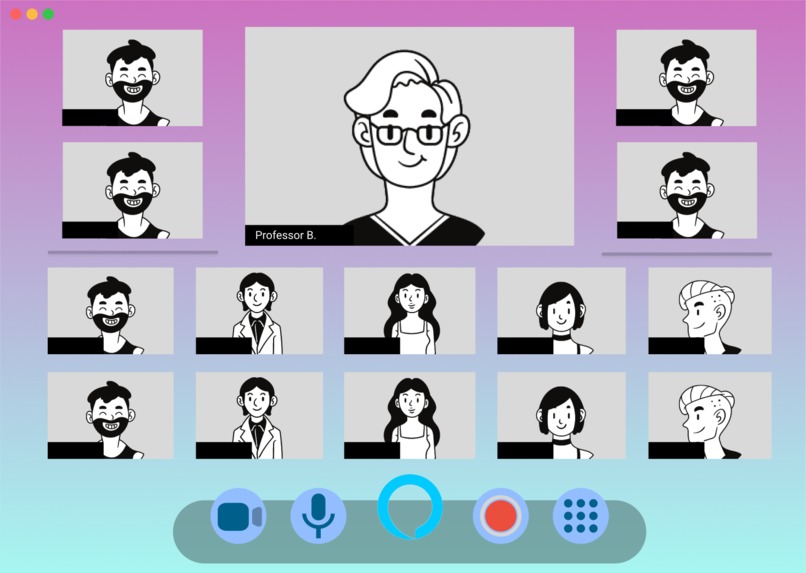
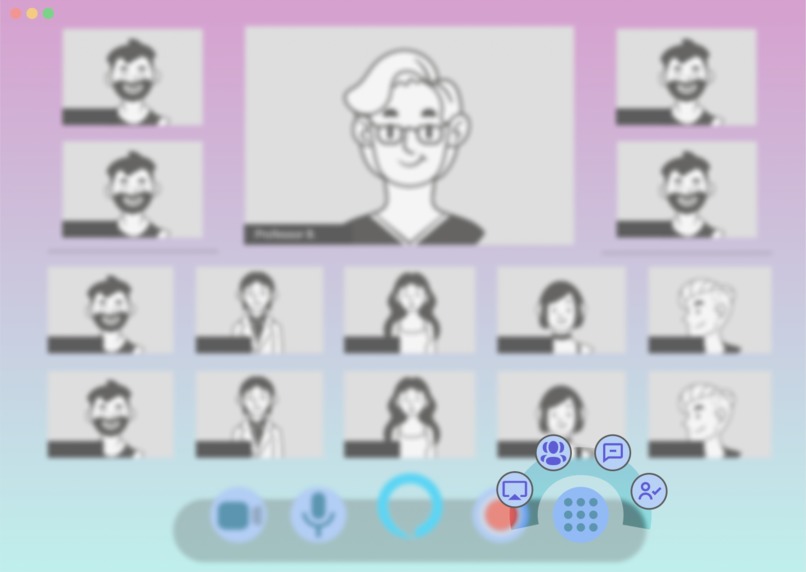
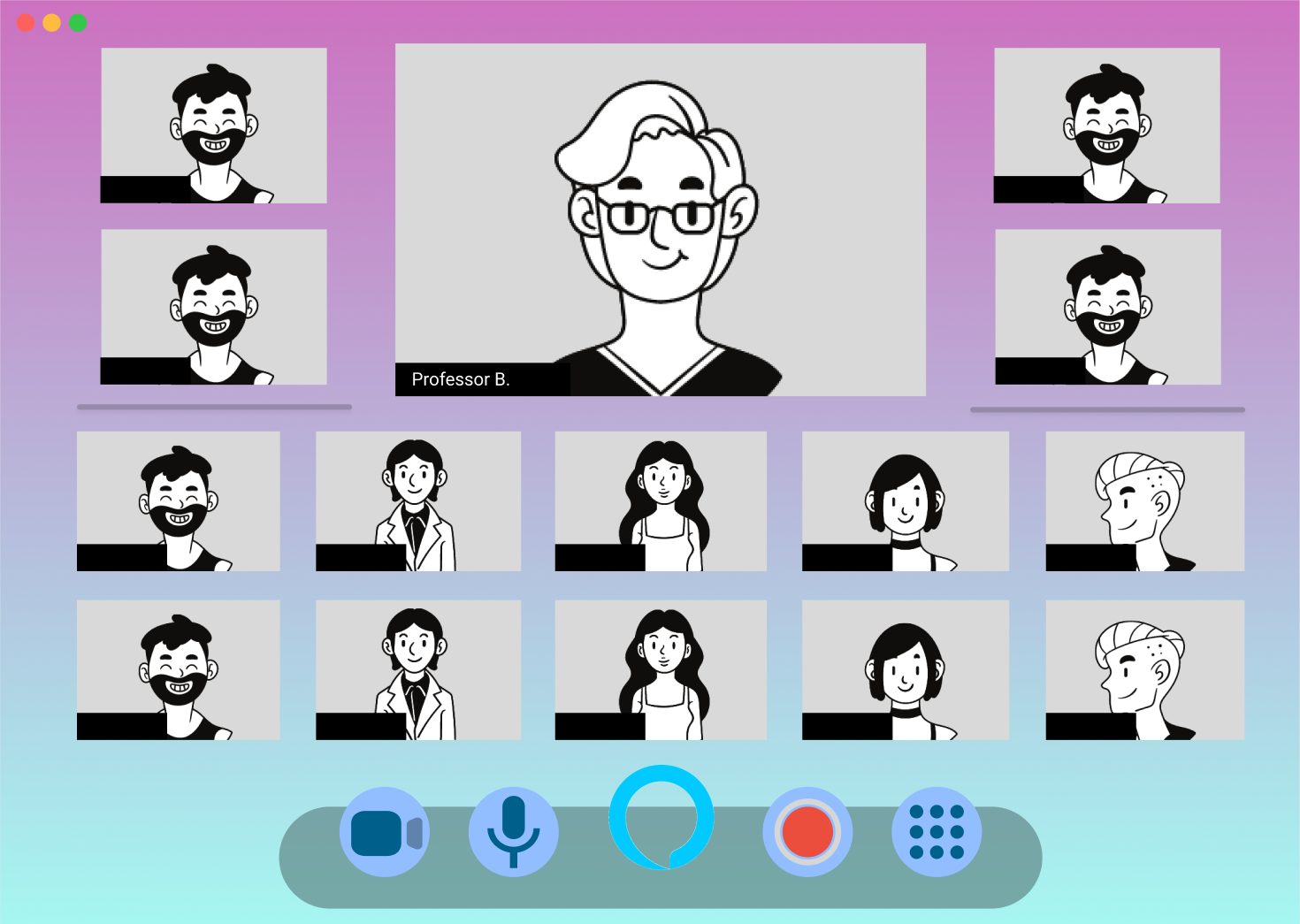
The professor window at top and a larger window. We also have a simpler UI for the control panel at the bottom for easy navigation.
-
the discussion mode of the lecture, where the professors can present the topics and key points on the board, and students can chat on board
-
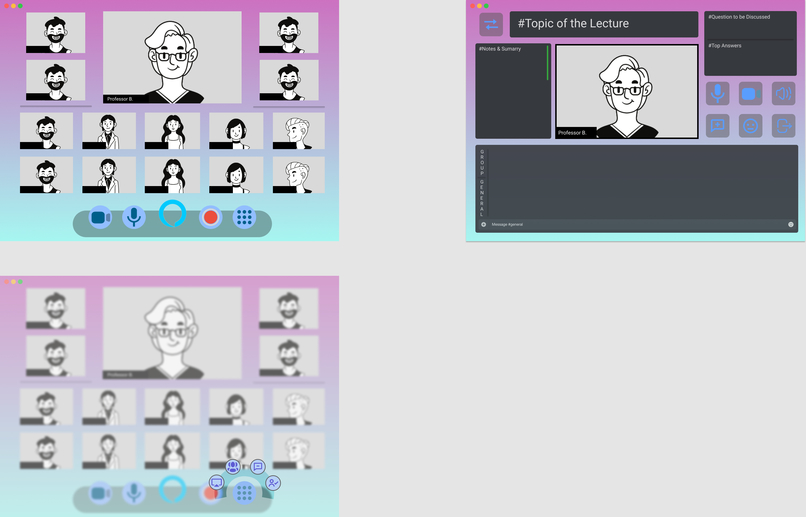
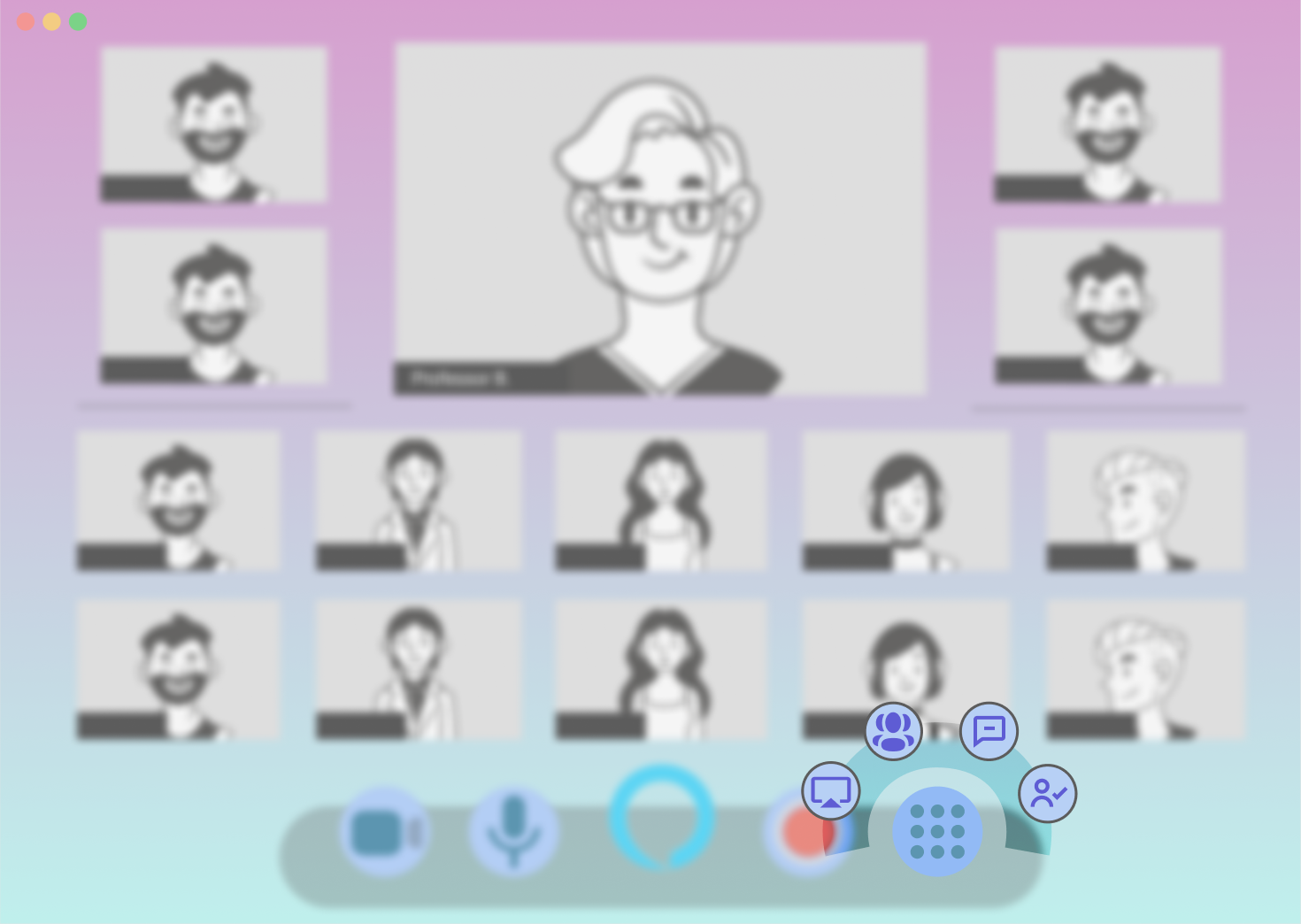
When you hover over the Alexa home button at the rightmost on the control panel. More functions will pop up surrounding the home button.
Inspiration
Having lectures on Zoom is hard! The UI design is not intuitive enough and many lecturers and professors are having a hard time navigating through Zoom. On top of that, even though Zoom is compatible with screen readers, it's almost impossible for the visually-impaired communities to use Zoom during lectures due to the complicated UI design.
What it does
- Voice control the command(Using Alexa/Siri through Voiceflow)
- Take attendance for lecture
- Auto generate the breakout room
- Intuitive icon design
- Split up the Personal Control Panel and Administrative Control Panel
How to use it
Under the current situation, Zoom is more important than ever before. Since the beginning of the pandemic, wonderful features such as breakout rooms have been added to better serve the user population. However, many existing features could be improved and new services could be added to make Zoom more accessible for people who might not be familiar with technology and for the visually impaired community.
Our proposal for a new Zoom UI mainly focuses on adding the feature of voice recognition by connecting Zoom with Alexa devices. Users would be able to say commands instead of manually clicking buttons. They would be able to use the Zoom features by simply saying phrases instead of trying to figure out which button to click, which could be challenging for people who are visually impaired or not familiar with technology.
Here are some of the voice command features that Zoom would be able to execute: Start sharing Mute/unmute speaker Mute all Take attendance of Participants Breakout room management such as verbally assign certain people to a group I.e. “Hey, Alexa, put Stephanie and Ayaz in group 2”
How I built it
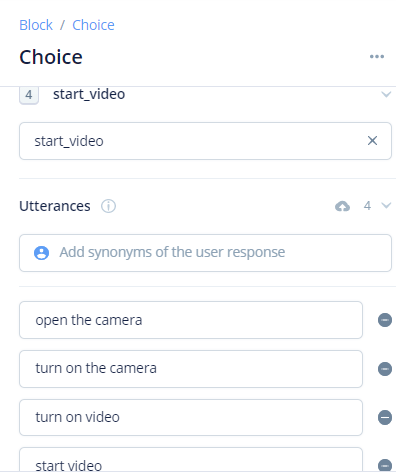
We start building a prototype in figma for a zoom new UI. Then we use Voiceflow to create a voice demo where we give Alexa different kinds of commands to execute. For example, when the host for a zoom meeting wants to create breakout rooms, we create an intent for the user to input their command. And then through voice recognition and machine learning, Alexa is able to recognize and execute different kinds of commands from the host, such as asking follow-up questions “how many participants would you like in a room”, and then auto-calculating the number of rooms needed based on total participants humber, and return “x breakout rooms created!” As we also want to enhance the experience of both professors and students in a virtual learning environment, we created a new function called take attendance.
Challenges I ran into
Initially we would like to find a platform that can both create UI design and incorporate voice recognition functions. However we want to use figma to design UI but it doesn't have the voice recognition function needed. Then we turn to discuss the platform of Bubble, but we've found that we need to pay for its voice recognition function. So we decided to do this project on two different platforms and combine the UI demo and voice recognition demo together. Another challenge we ran into was that our team members were in different time zones (with a 14-hour time difference), so clear communication was crucial for us.
Accomplishments that I'm proud of
Through this project we’ve learnt how to think about software in a different way. Instead of trying so hard to figure out what to do with or how to improve the functionalities, we could create software to understand what we need. By adding this virtual functionality, video conference is becoming more convenient for people without technical background and the voice recognition system would allow users to navigate through Zoom without having to use a keyboard or a mouse.
What I learned
As a group, we got to practice working collaboratively and all of us gained skills in prototyping with Figma and VoiceFlow. We also learned to put users first by researching their needs and the important role of accessible technology in the digital age.
TRY IT OUT: Click the bottom of the website to go to NEXT interface. https://www.figma.com/proto/L6knH3hvOZF3kTFTPm5Jqu/DubHacks-2020?node-id=11%3A2&scaling=scale-down
Built With
- figma
- javascript
- voiceflow


Log in or sign up for Devpost to join the conversation.