-
-
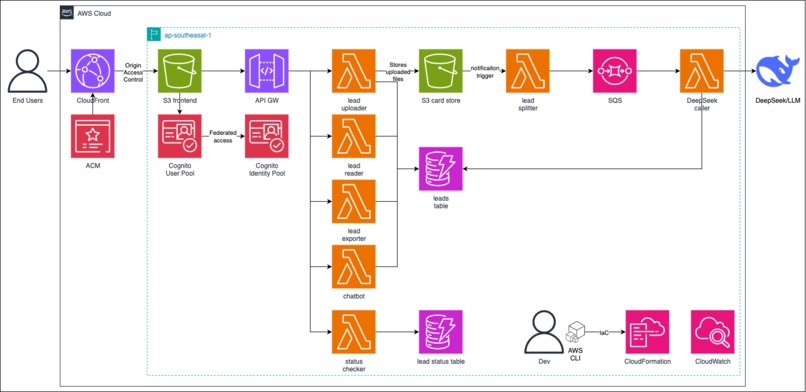
Solution Diagram
-
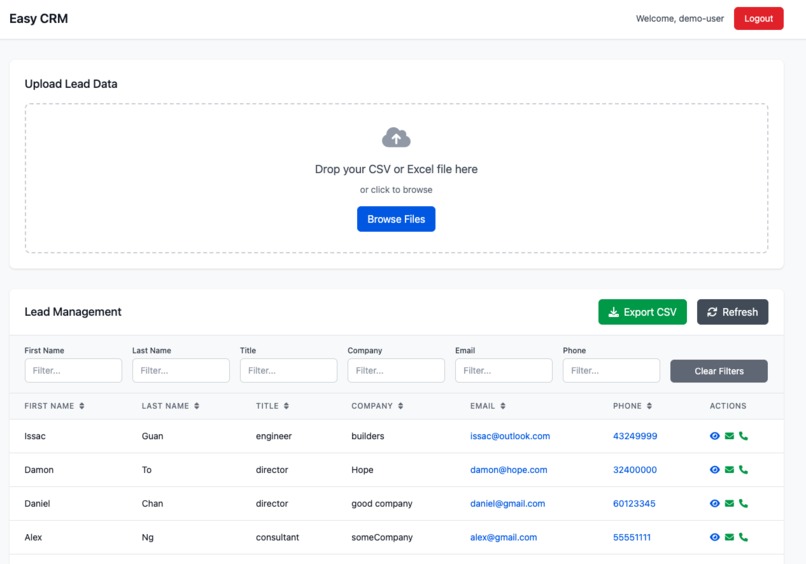
Product Demo
-
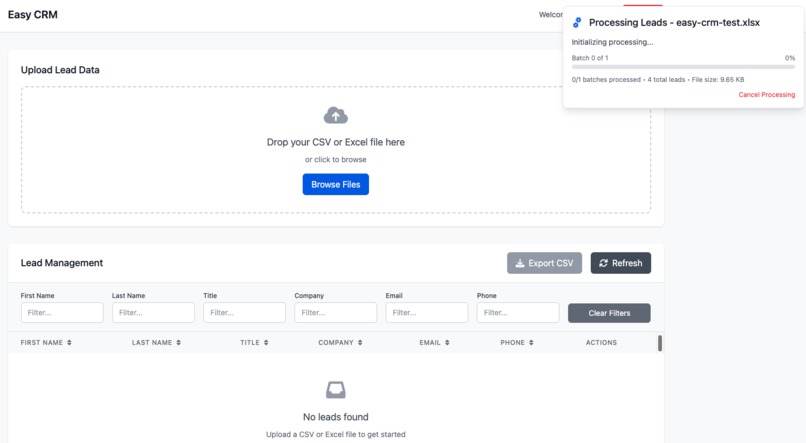
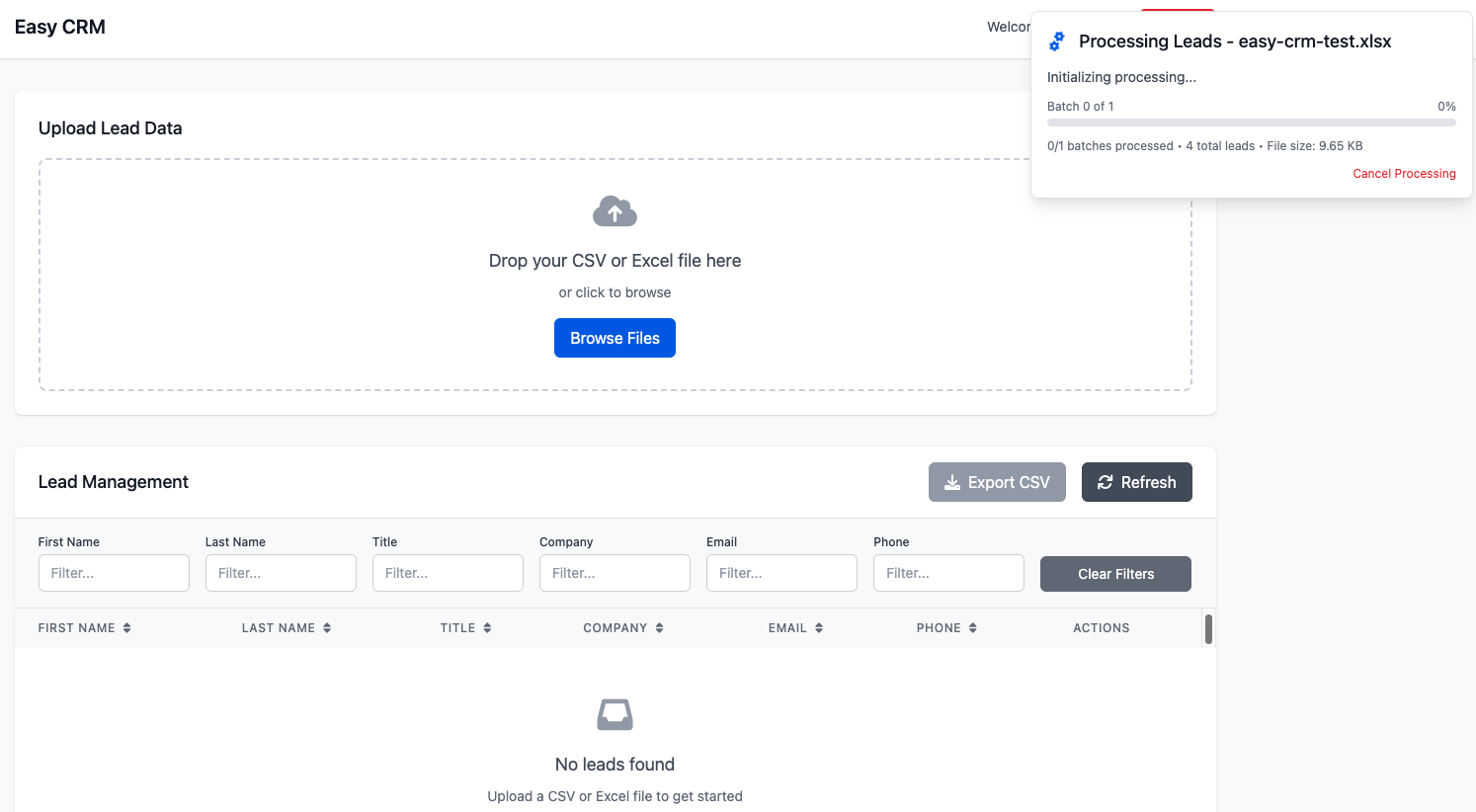
Upload Demo
Inspiration
Our team spent a lot of time in identifying the correct leads for joining our events, as the leads often were scattered across excels/csvs from various events/sources. As such, we need a tool to consolidate them all and allow easy query/exporting.
What it does
Category: Productivity & Workflow Tools
A serverless web application that enables users to upload CSV/Excel files containing lead data in various formats. The system automatically standardizes the data using DeepSeek AI and provides a web interface for viewing, filtering, exporting, and querying lead.
Demo available!!! https://demo-crm.cmpapp.top/ demo-user DemoPass123!
Key Features
- File Upload & Processing: Drag-and-drop CSV/Excel upload with automatic format standardization
- Real-Time Processing Status: Live status indicator showing upload and processing progress with cancellation support
- Multi-Worksheet Excel Support: Automatically processes ALL worksheets in Excel files (not just the first one)
- Duplicate Lead Handling: Automatic detection and handling of duplicate leads based on email addresses
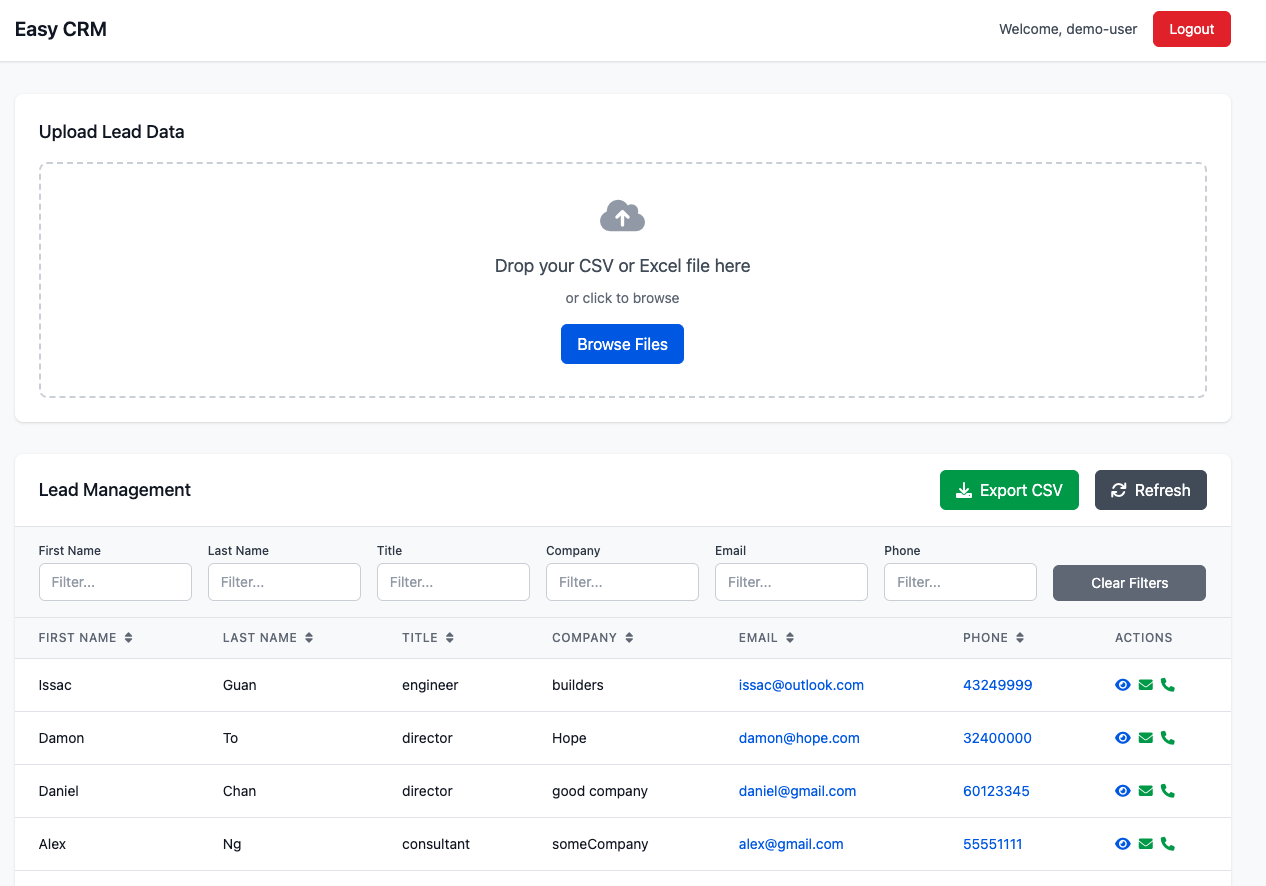
- Lead Management: Sortable, filterable table view with pagination for lead data
- Phone Field Integration: Complete phone number support with validation, formatting, and clickable tel: links
- Data Export: CSV export functionality with filter-aware data selection
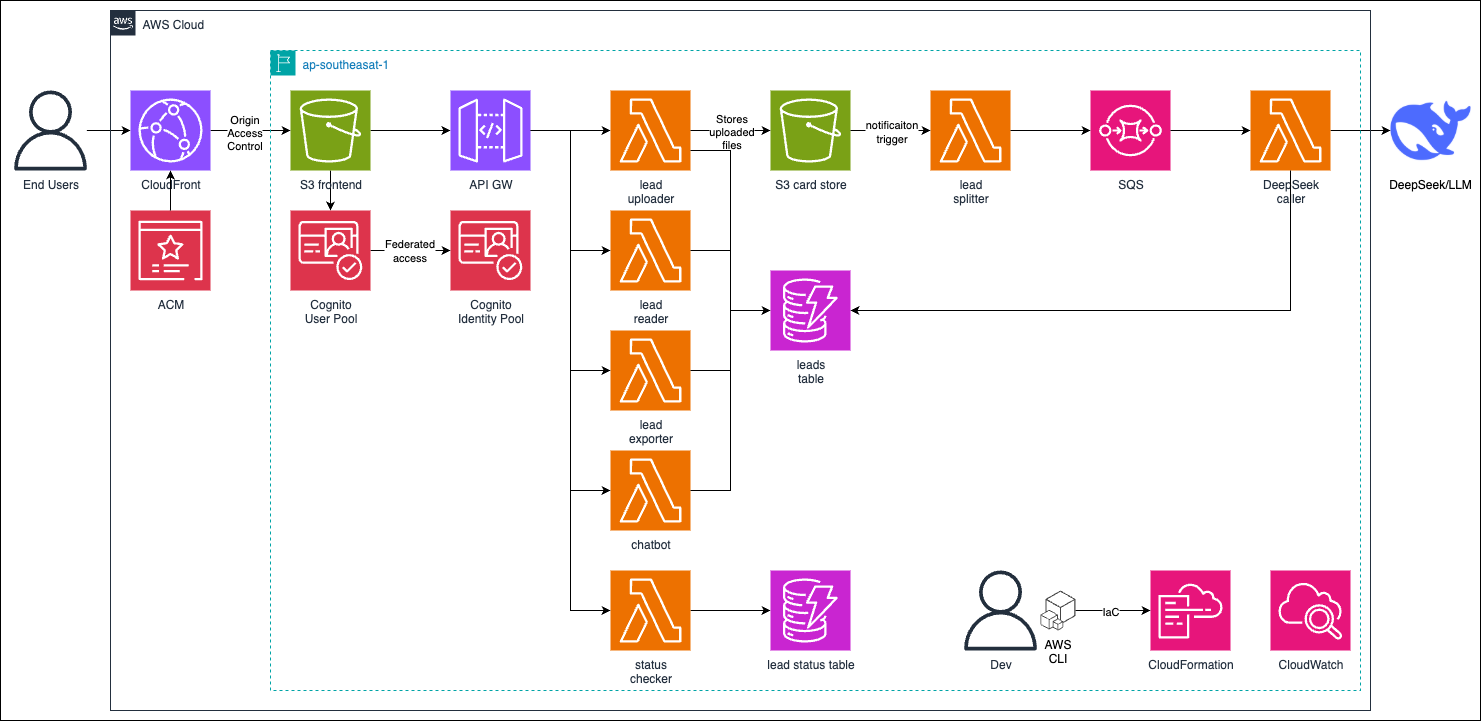
- Batch Processing: Scalable file processing architecture using SQS queues for large files
- Secure Access: AWS Cognito authentication with JWT token validation
How we built it
Technology Stack
- Backend: Python 3.13, AWS Lambda, DynamoDB, S3, SQS
- Frontend: Vanilla HTML5, CSS, JavaScript with Tailwind CSS
- Infrastructure: CloudFormation nested stacks
- AI Integration: DeepSeek AI API for data standardization
- Authentication: AWS Cognito (User Pool + Identity Pool)
- CDN: CloudFront with SSL certificate
Architecture Diagram
Challenges we ran into
The most challenging part with vibe coding is debugging the issues, and I have taken several approach:
- instruct Kiro to use better error-showing/loggin techniques
- copying error messages from browser console/cloudwatch logs directly to Kiro instead of just describing what I see.
The above approaches enables Kiro to find the root issues much quicker, thus saving time and credits
What I learned
While Kiro/vibe coding is powerful, it still require a user with substancial knowledge to guide it, or else the product wont be delivered once it got complex enough.
What's next for easy-crm
Will be adding querying on the leads with NLP to gain insights easily soon!
Built With
- acm
- amazon-cloudfront-cdn
- amazon-cloudwatch
- amazon-dynamodb
- amazon-web-services
- api-gateway
- cloudformation
- cognito
- deepseek
- kiro
- lambda
- s3
- sqs


Log in or sign up for Devpost to join the conversation.