Project Name: Easy Contacts
Inspiration
This project was born from a personal struggle. My grandmother loves staying connected, but modern smartphones are designing her out of the conversation. Standard contact apps—even on "Accessibility Mode"—are cluttered with tiny text, complex menus, and endless lists that are hard to navigate with shaky hands or poor eyesight.
She spends hours on YouTube Shorts because the interaction model is simple: One thing at a time. Swipe up for next. I realized that if I could bring that same "content-first" vertical scrolling experience to her address book, I could give her back her independence.
What it does
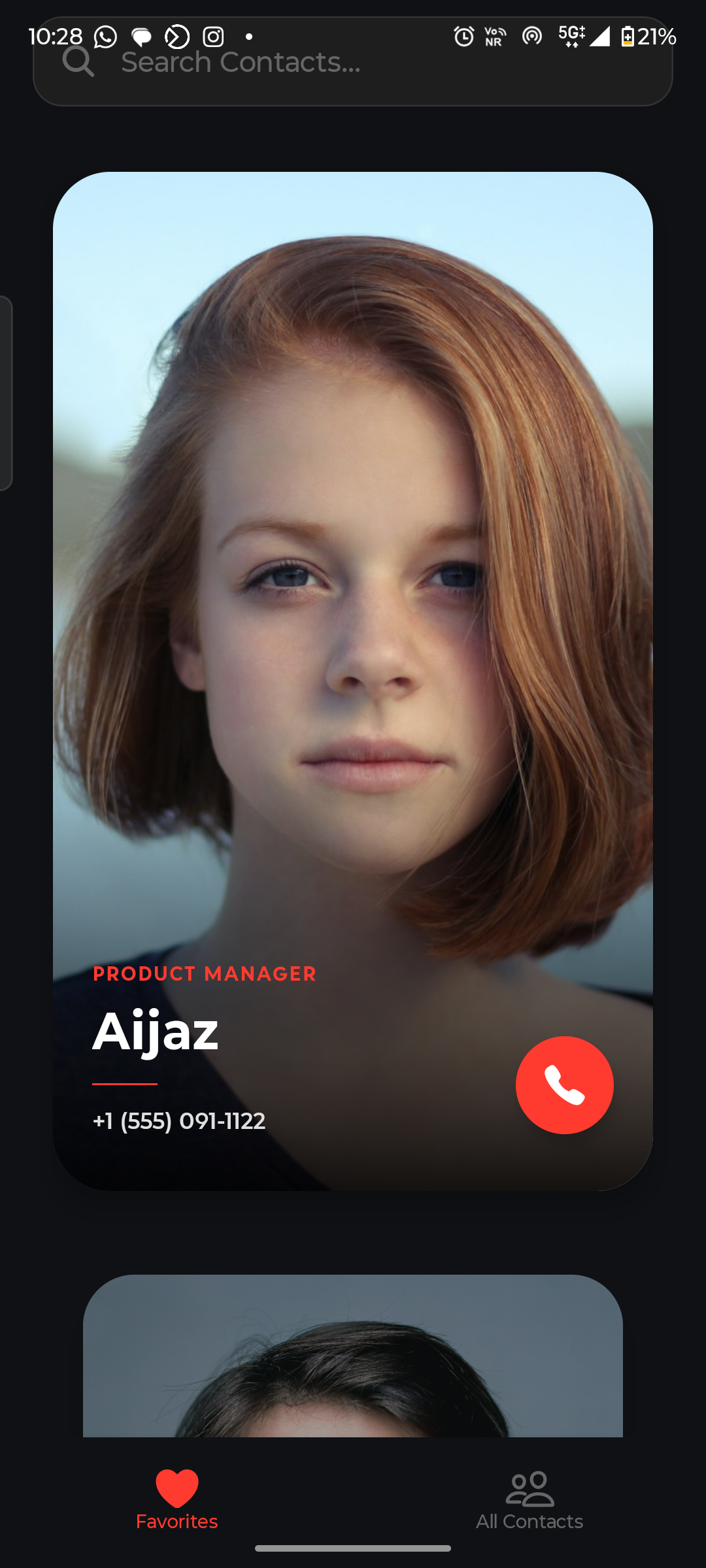
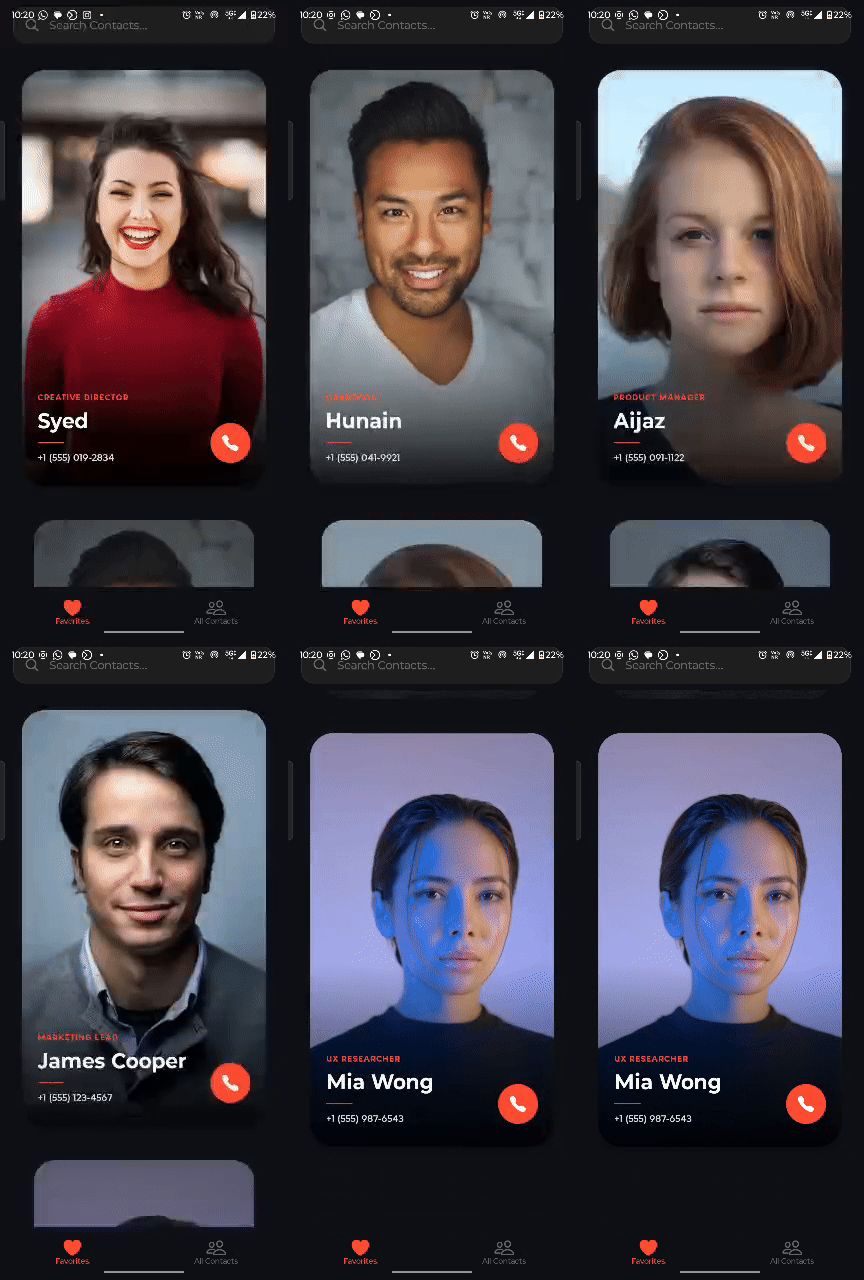
Easy Contacts is a reimagined dialer app built specifically for the elderly and visually impaired. It replaces the dense, text-heavy default contact list with a high-impact visual interface.
- "Shorts" Style Navigation: Contacts are displayed one at a time as full-screen cards. No squinting at small rows; the user focuses on one person at a time.
Automatic Voice Announcement: As the user scrolls, the app uses Text-to-Speech (TTS) to read the contact's name aloud ("Found Sarah"), confirming who is on screen without needing to read.
Intelligent Fallbacks: For contacts without high-quality photos, the app auto-generates high-contrast, colorful posters with large initials, ensuring the interface is never boring or hard to see.
How we built it
We built this using React Native and Expo to ensure it runs smoothly on her Android device.
- Core UI: We used
react-native-reanimatedto create the 60fps smooth "snap" animations. The scaling and opacity logic mimics the physics of 3D carousels to make the movement feel natural, not jarring. - Voice Tech: We integrated
expo-speechfor the output (talking to the user) - Data Handling: We utilized
expo-contactsto fetch the real device address book, mapping standard phone data into our visual card format. - Accessibility: We implemented high-contrast colors (meeting WCAG standards) and massive touch targets (minimum 80px) to accommodate reduced motor control.
Challenges we ran into
- The "Scroll-to-Speak" Lag: Initially, the phone would try to read every name as you scrolled past them quickly, resulting in a robotic mess of audio. We had to implement momentum detection logic to ensure the app only speaks when the scroll snaps and settles on a card.
- Missing Data: Real-world contact lists are messy. Most of my grandma's contacts didn't have photos. We had to write an algorithm to deterministically generate consistent background colors based on the name hash, so "Aunt May" is always Purple and "Uncle Ben" is always Blue, helping her rely on color memory.
Accomplishments that we're proud of
- Zero-Training Interface: I handed the prototype to my grandmother, and she made a call within 10 seconds without me explaining how it works. That was the ultimate win.
- Performance: Even with high-resolution images and blur effects, the list scrolls at a buttery smooth 60fps thanks to our optimization of the native thread animations.
- Hybrid Navigation: Successfully combining the "Fun" carousel view for favorites with a practical "List View" for the full database, satisfying both quick access and deep search needs.
What we learned
We learned that accessibility is not just about font size. It is about Cognitive Load. Standard apps show 10 names at once, forcing the brain to filter. By showing one name at a time, we reduced the cognitive load significantly, making the digital experience feel manageable rather than overwhelming.
What's next for Easy Contacts
- WhatsApp Integration: Adding a direct "Video Call" button that launches WhatsApp, as that is her primary way of seeing grandkids.
- Emergency Mode: A gesture-based trigger (e.g., shaking the phone) that automatically dials a pre-set emergency contact.
- AI Call Summaries: Integrating on-device AI to help transcribe calls or remind her what was discussed ("You promised to visit next Sunday") after the call ends.


Log in or sign up for Devpost to join the conversation.