Inspiration
Roughly 1 in 5 people have a language-based learning difference like dyslexia — and millions more struggle with ADHD, low literacy, or simply reading in a second language. For them, everyday text isn't just annoying. A hospital discharge note, a government letter, a school assignment — dense jargon becomes a wall between people and information they have every right to understand.
We wanted to tear that wall down with one click.
What it does
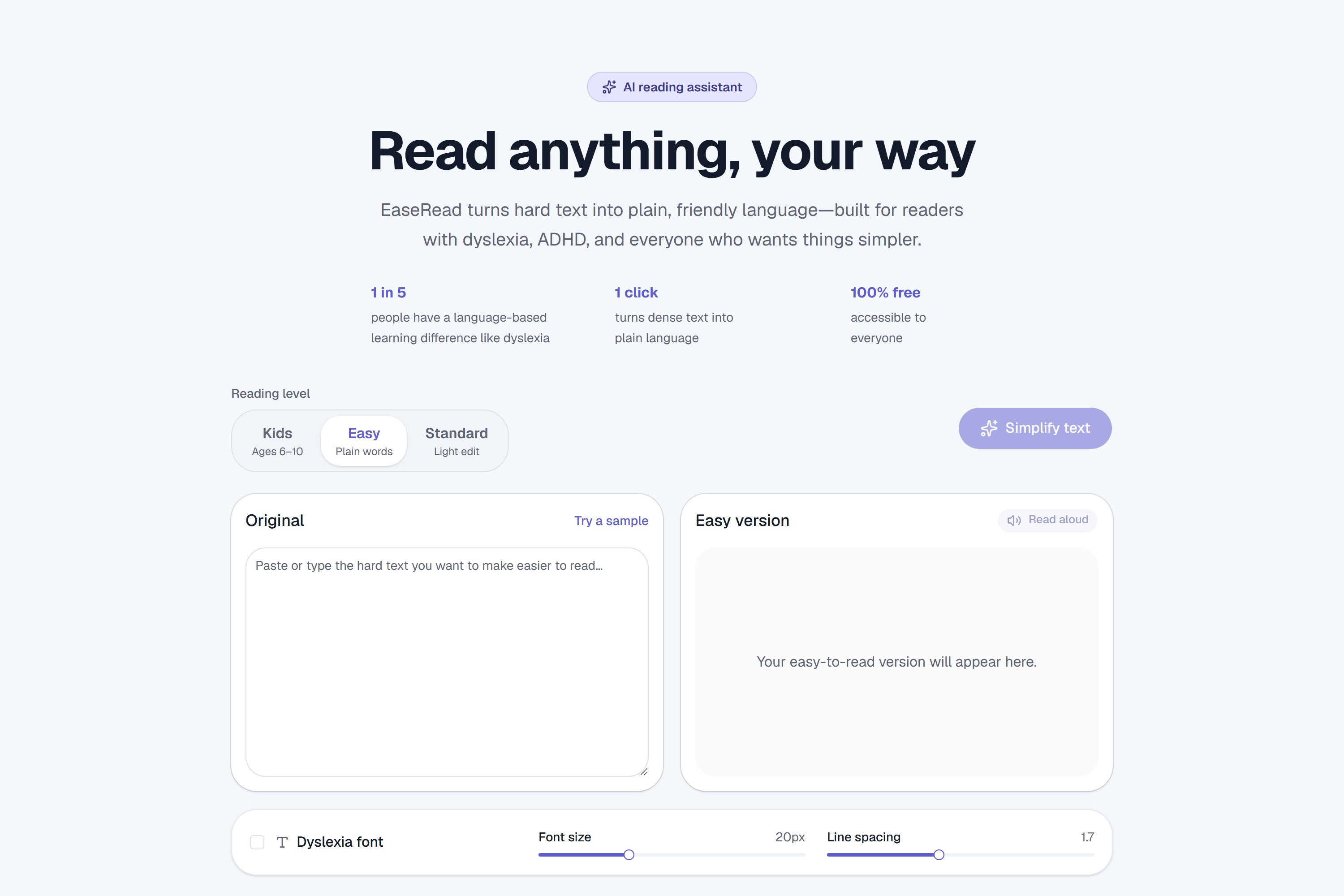
EaseRead is an AI reading assistant that rewrites any hard text into plain, clear language.
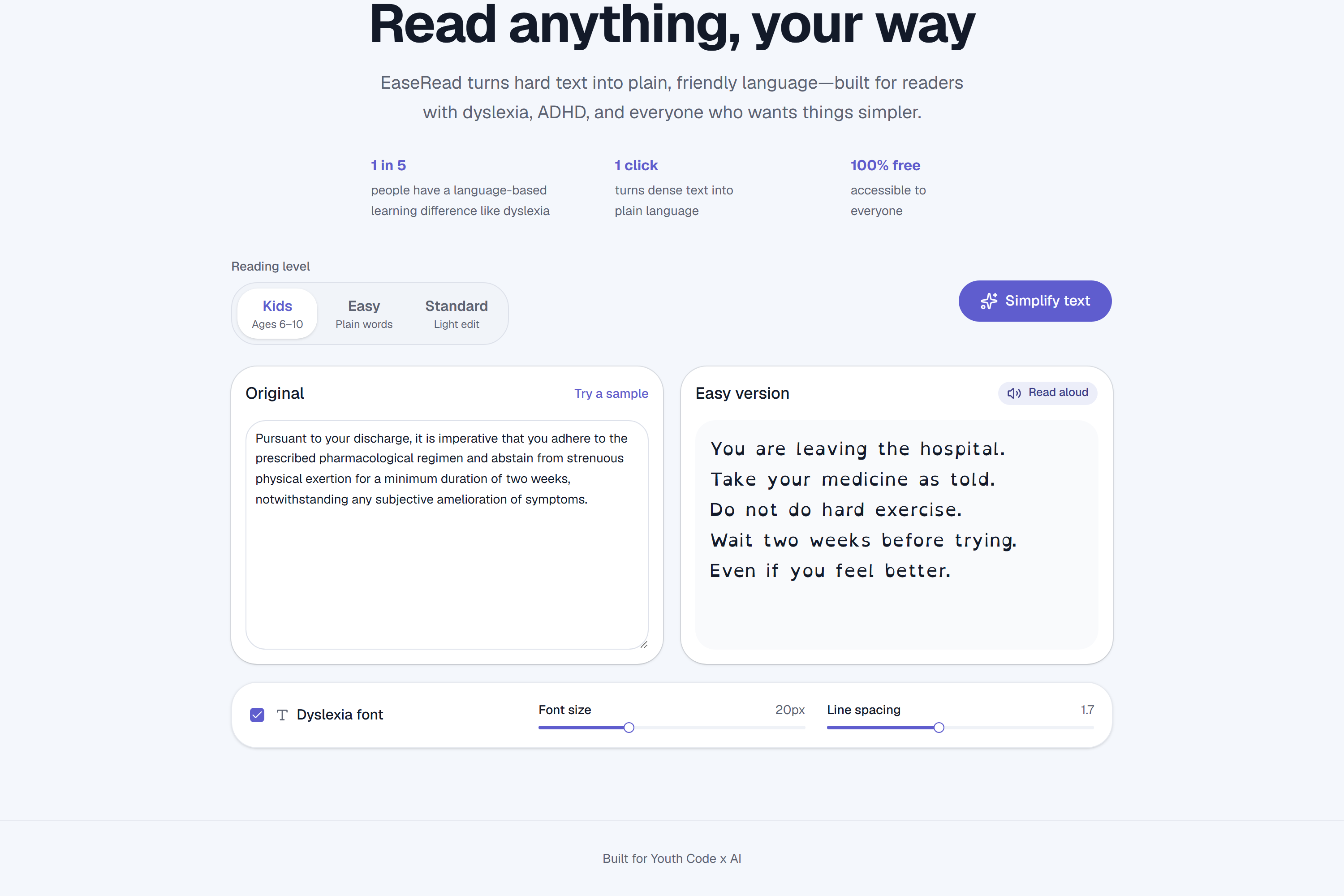
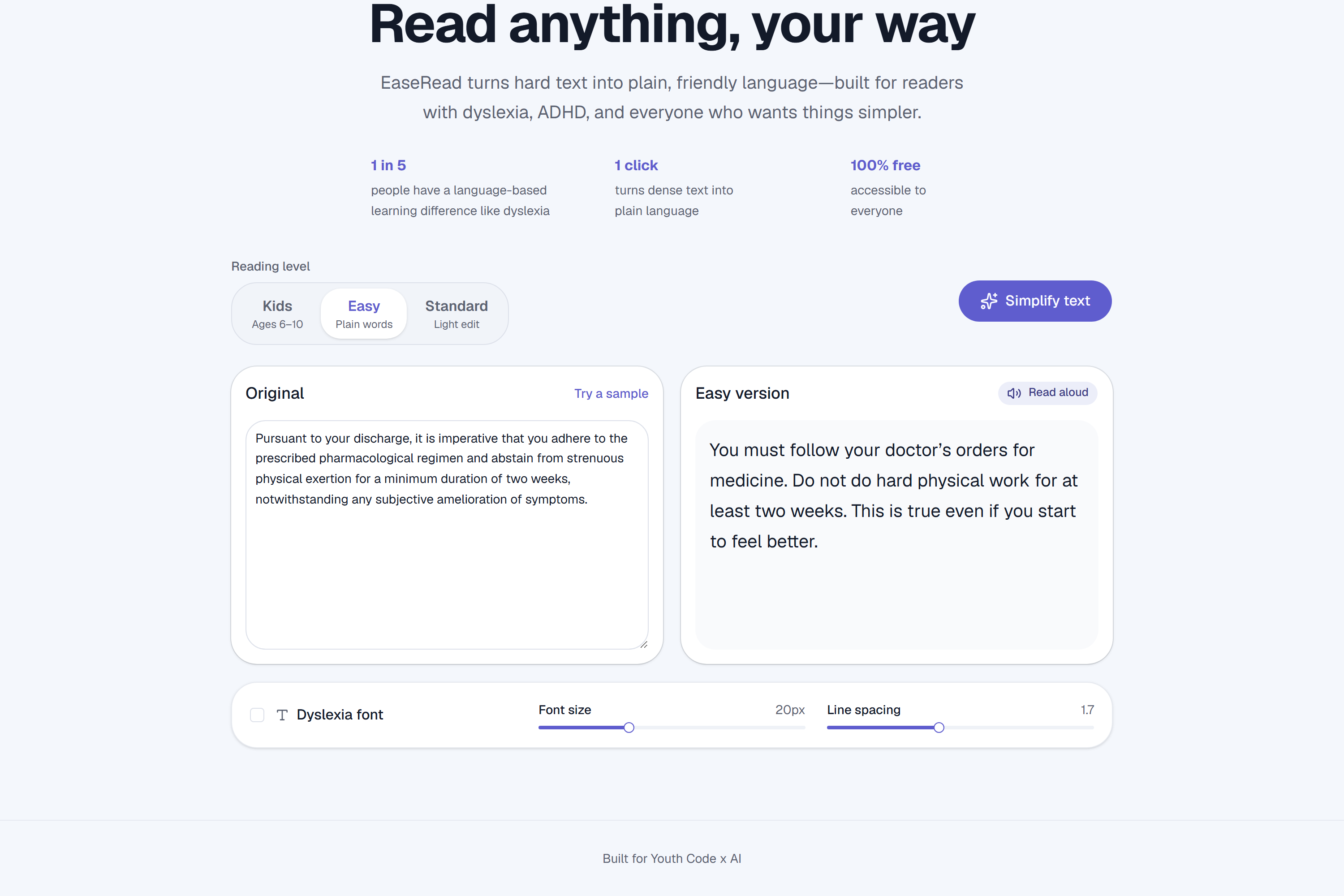
- Three reading levels — Kids, Easy, and Standard. The same text can be simplified for a 5th-grade reading level or broken down so a child can follow it.
- Side-by-side view — see the original and the simplified version together, so you can trust the meaning was preserved.
- Dyslexia-friendly tools — toggle the OpenDyslexic font, and adjust text size and line spacing for comfortable reading.
- Read-aloud — built-in text-to-speech for multi-sensory support.
Paste a paragraph, hit Simplify, and dense text becomes readable in seconds.
How we built it
- Frontend: Next.js (App Router) + TypeScript + Tailwind CSS, with a polished shadcn/ui component layer.
- AI: An OpenAI-compatible endpoint powered by Qwen (Alibaba Cloud Model Studio) rewrites text at the chosen reading level, with carefully tuned prompts that preserve meaning and never add new information.
- Accessibility: OpenDyslexic + Lexend fonts, adjustable typography, and the Web Speech API for read-aloud.
- Reliability: A graceful on-device fallback means the app never breaks, even if the AI is unavailable — and exponential-backoff retry handles rate limits.
- Deploy: Vercel, connected to GitHub for continuous deployment.
Challenges we ran into
- Model churn: Our first AI provider retired the model we used mid-build, and a free-tier swap got rate-limited. We refactored the backend to be provider-agnostic (any OpenAI-compatible API), which made us resilient to exactly that kind of failure.
- Keeping meaning intact: Simplifying without losing accuracy is the whole game. We iterated on prompts until the output stayed faithful while genuinely getting easier to read.
- Accessibility done right: It wasn't enough to talk about accessibility — the product itself had to be keyboard-usable, high-contrast, and screen-reader friendly.
What we learned
- Accessibility is a feature you design into a product, not bolt on at the end.
- Abstracting the AI layer early saved us when providers failed.
- The best demos show the transformation — watching jargon become plain language is far more convincing than describing it.
What's next for EaseRead
- Simplify a whole webpage or PDF by pasting a link.
- Word-by-word highlighting synced with read-aloud.
- More languages, so EaseRead helps second-language readers everywhere.
- A browser extension to simplify text anywhere on the web.
Built With
- alibaba-cloud-model-studio
- next.js
- node.js
- openai-api
- opendyslexic
- qwen
- react
- shadcn-ui
- tailwindcss
- typescript
- vercel
- web-speech-api

Log in or sign up for Devpost to join the conversation.