-
-
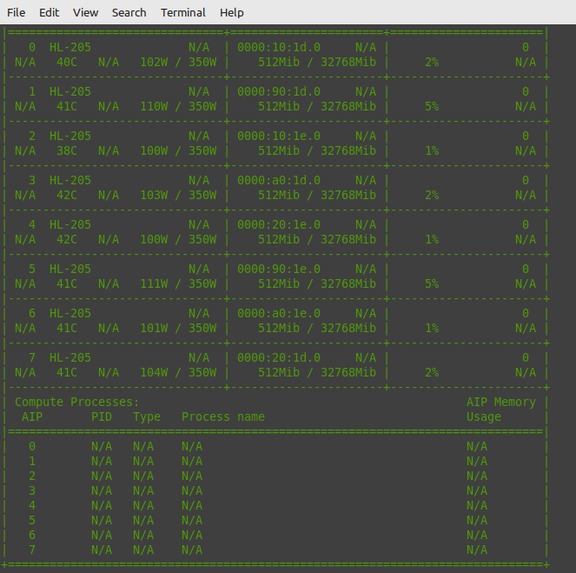
check whether gaadi drivers are installed and running
-
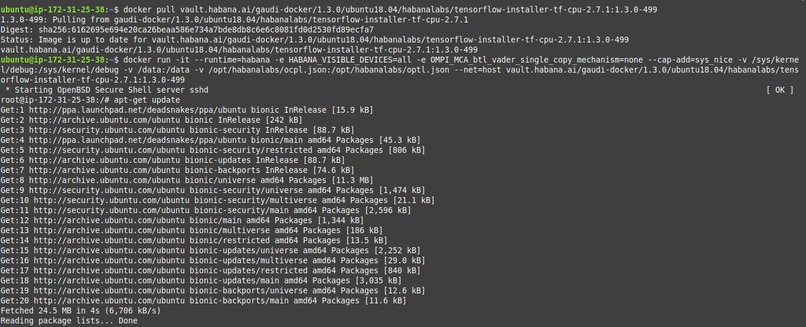
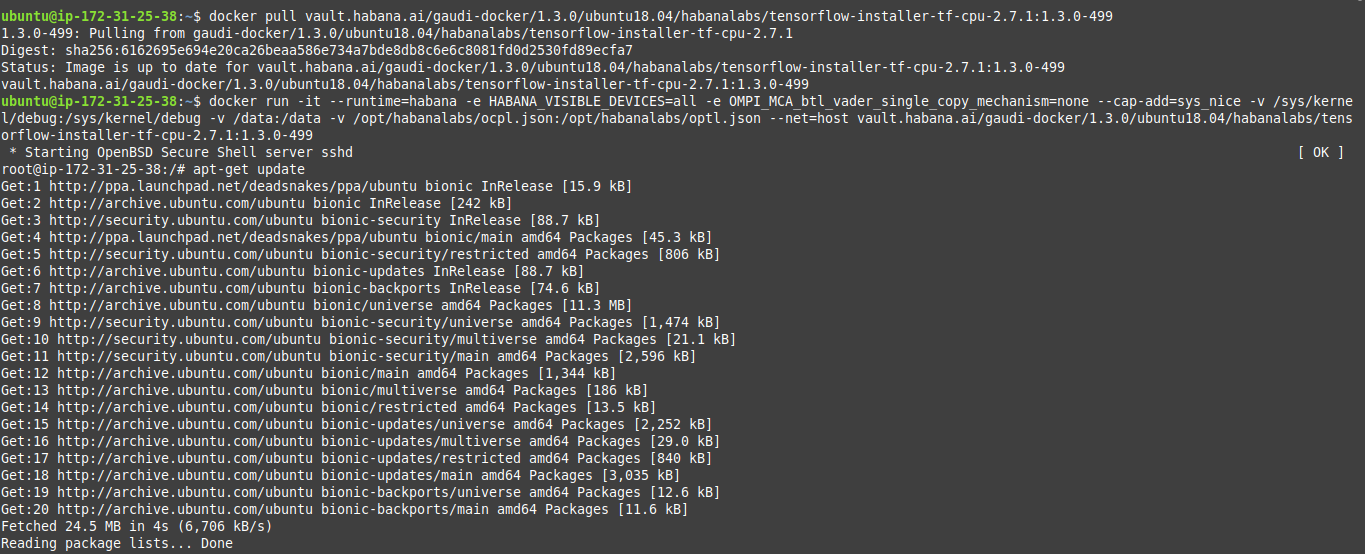
download and run docker image
-

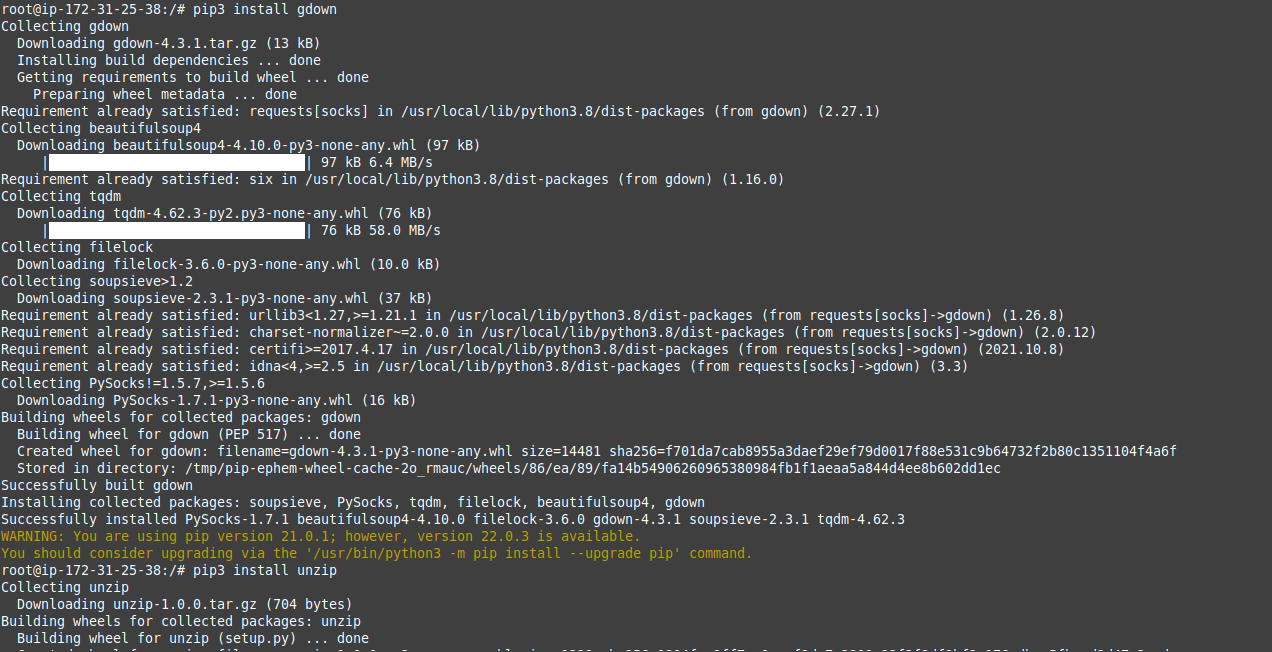
using pip3 to install gdown and unzip
-
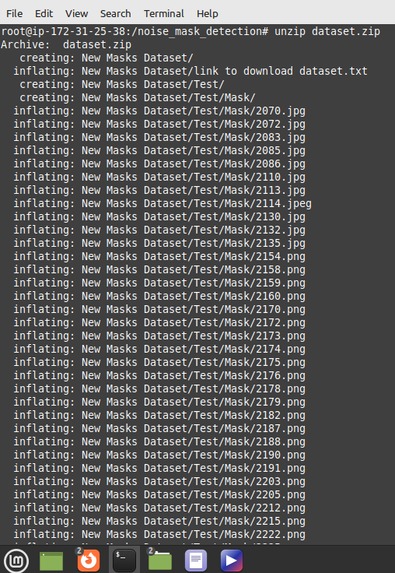
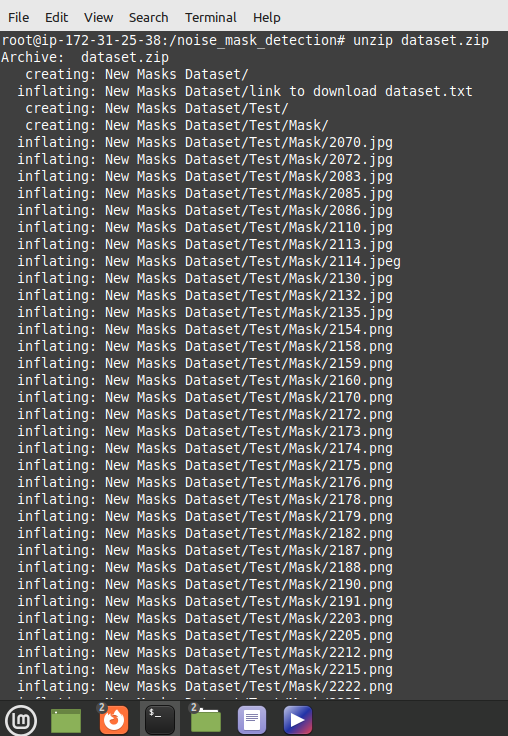
unzipping archive dataset
-
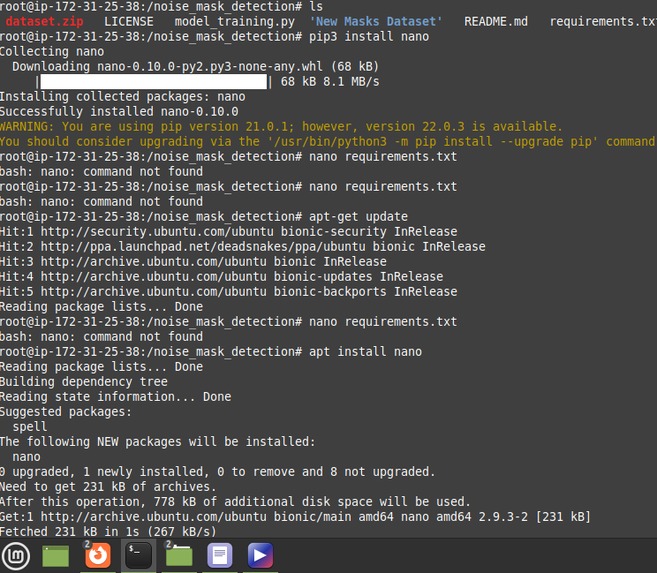
checking requirements file
-
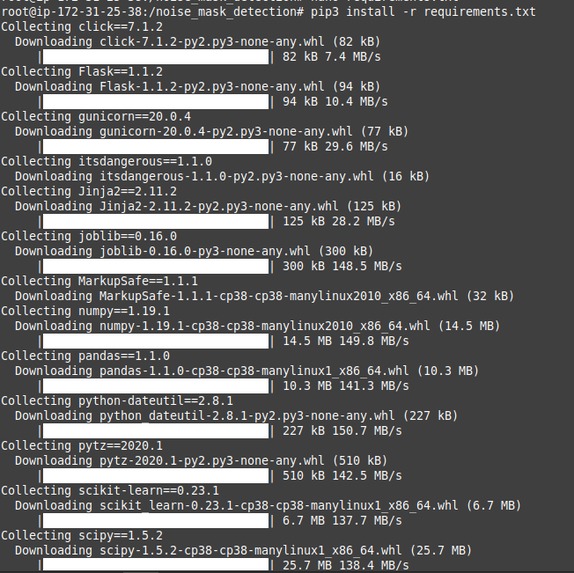
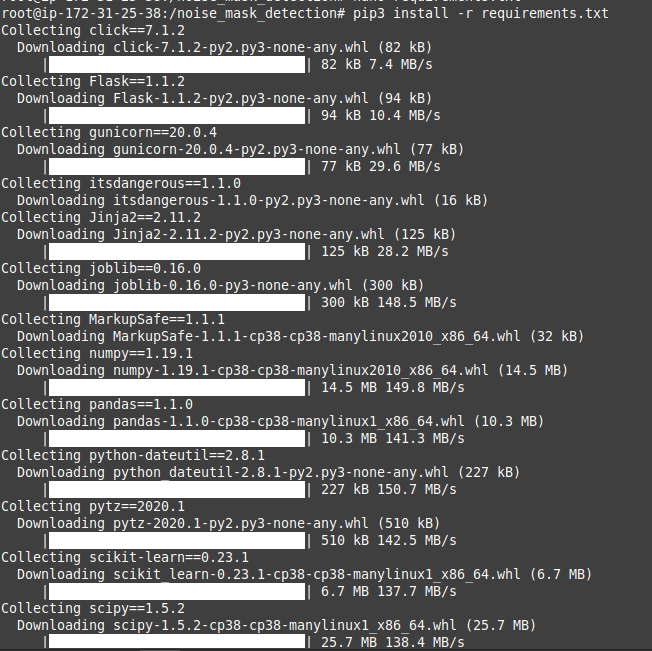
using pip to install requirements
-
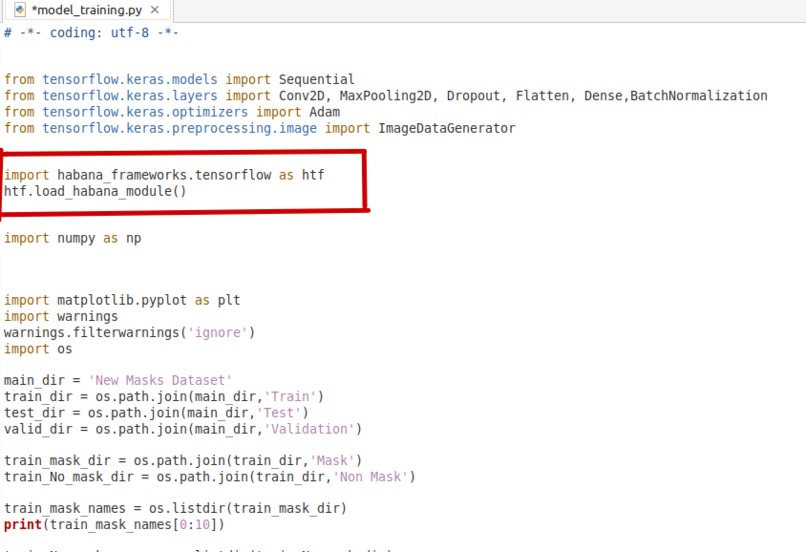
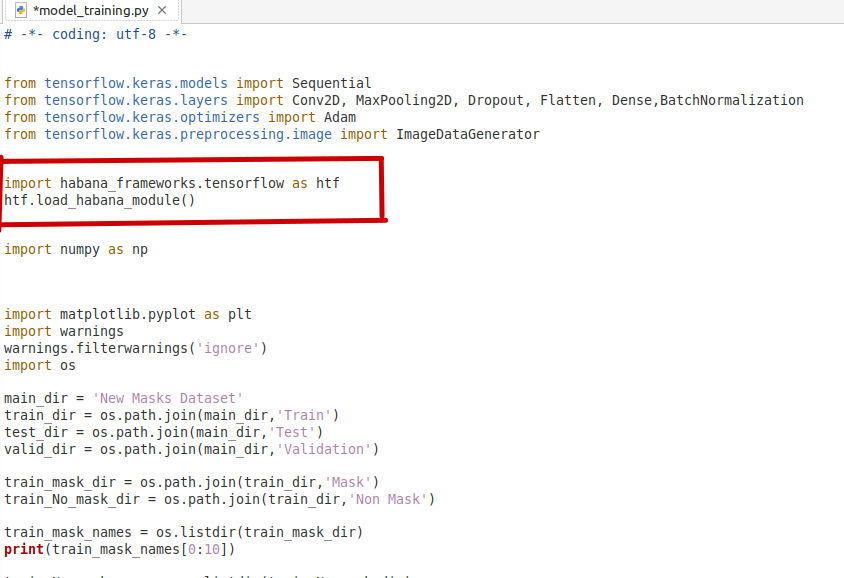
In my model_training.py, i imported habana tensorflow framework
-
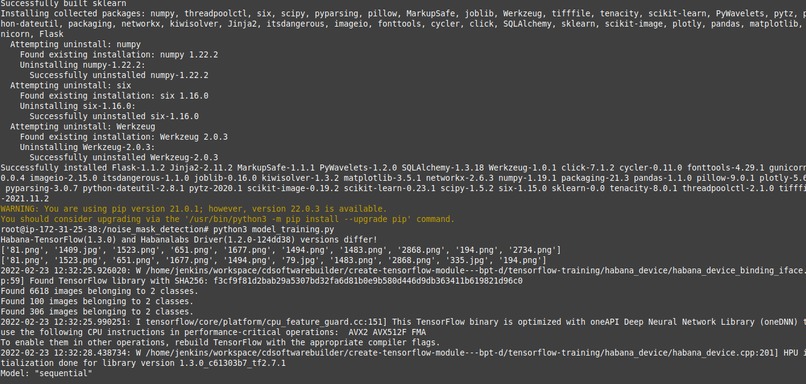
run our model_training.py file
-

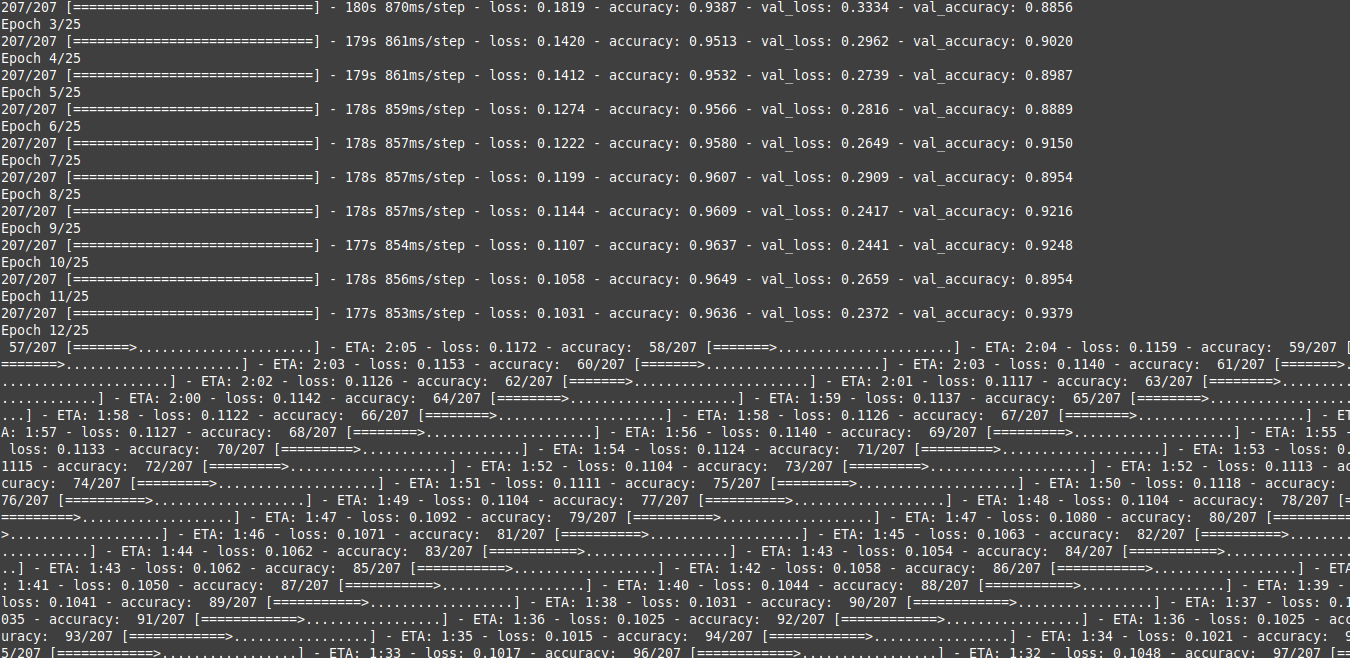
training
-

training
-
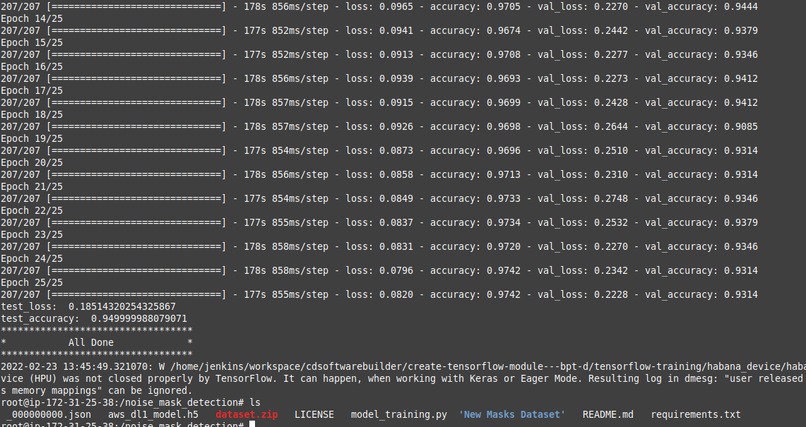
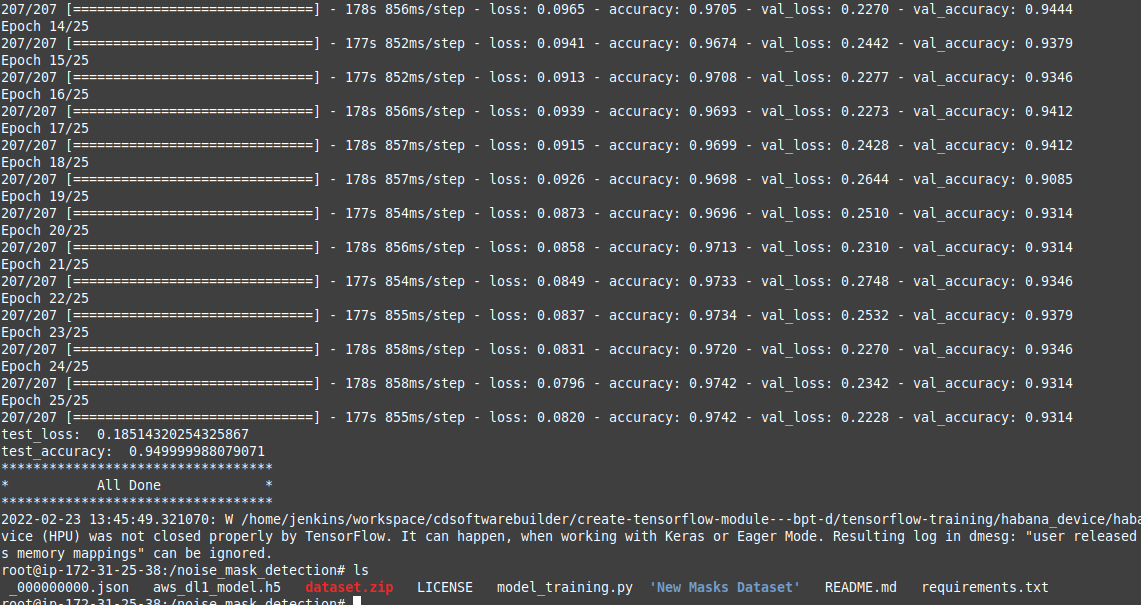
training done! and our test acuracy was 0.9499
-

our aws_dl1_model.h5 and our habana json file successfully saved and ready to be imported





Nose Mask Detection
Note in the video illustration, there was a typo error instead of nose ; noise was mistakenly used
Inspiration
In 2019 the world was hit by an unexpected pandamic which caused halt in economic activities, death toll increased significantly as a result of the disease. After research work done by WHO and other stake holders, there was the need to introduce Face Mask as one of the measures to curb and prevent the spread of the pandamic. Wearing mask became very uncomfortable for the human race as it was difficult for people to put on mask where ever they had to go. In order to make sure people wore nose mask, this model is trained to detect whether a person is wearing a mask or not
What it does
In this project I trained a deep learning model on AWS ec2 dl1 Habana instance powered by Gaudi Accelerators to use computer vision to determine whether a person wears a nose mask or not
How I built it
Using tensorflow keras api and the habana tensorflow framework module i was able to train a deep learning model to detect whether a person wears a nose mask or not. For testing purposes i used only one accelerator
Summary of steps used
- Once our ec2 instance is running we check whether the Gaudi accelerators and drivers are properly installed and running hl-smi
- Next, I downloaded the docker image for ubuntu 18.04 and tensorflow version 2.7.1
- Next, I run the docker image downloaded in the previous step. This opens a secure shell(root)
- Install gdown and unzip packages using pip, gdown will be used to download the dataset from google drive and unzip will be used to extract the data set
- Clone my github repo and move into the nose_mask_detection folder using cd
- Export python path and the Habana config file to the nose_mask_detection folder
- Use gdown to download dataset and unzip to extract the dataset
- I then run the requirements.txt file just to make sure all python libraries that will be needed by model_training.py file are installed
- Finally, I run my model_training.py file to start training
Challenges I ran into
One of my major challanges was getting enough images for both training and test sets
Accomplishments that I'am proud of
I'm glad for the first time I was able to train a deep learning model on the AWS EC2 dl1 instance powered by Gaudi Accelerators and was able to get a test_accuracy of 0.9499 and lose_accuracy of 0.185
What I learned
Going through the documentation from the Habana developers site i have learnt on how to optimize my model for better performance
What's next for Face Mask Detection
I'm currently working on developing a simple flask app to use the keras api and the trained .h5 file to predict the outcome on whether a person is wearing a nose mask or not when an image is uploaded
Built With
- amazon-ec2
- amazon-web-services
- dl1
- docker
- gandi-accelerators
- habana


Log in or sign up for Devpost to join the conversation.